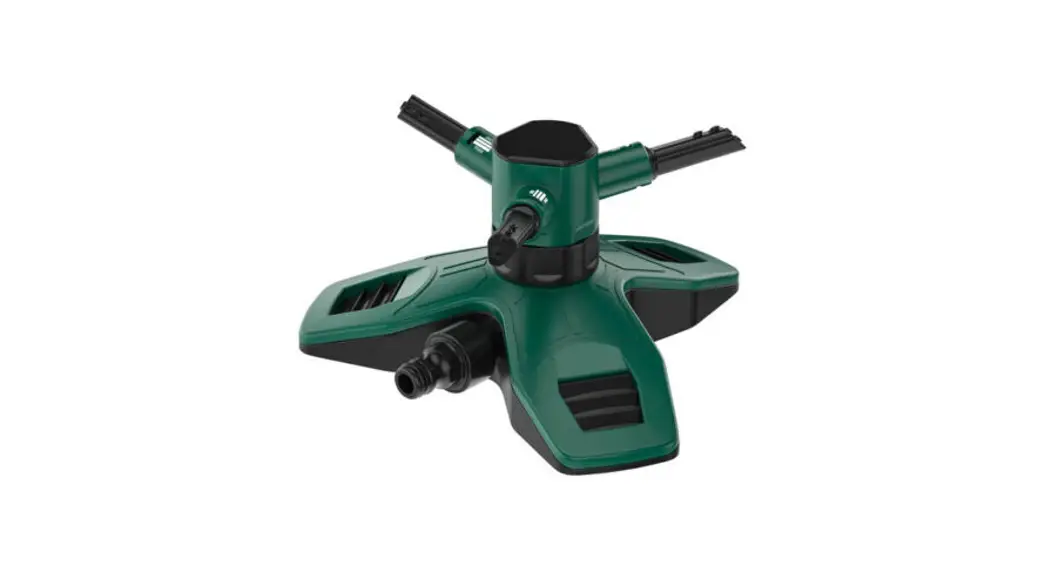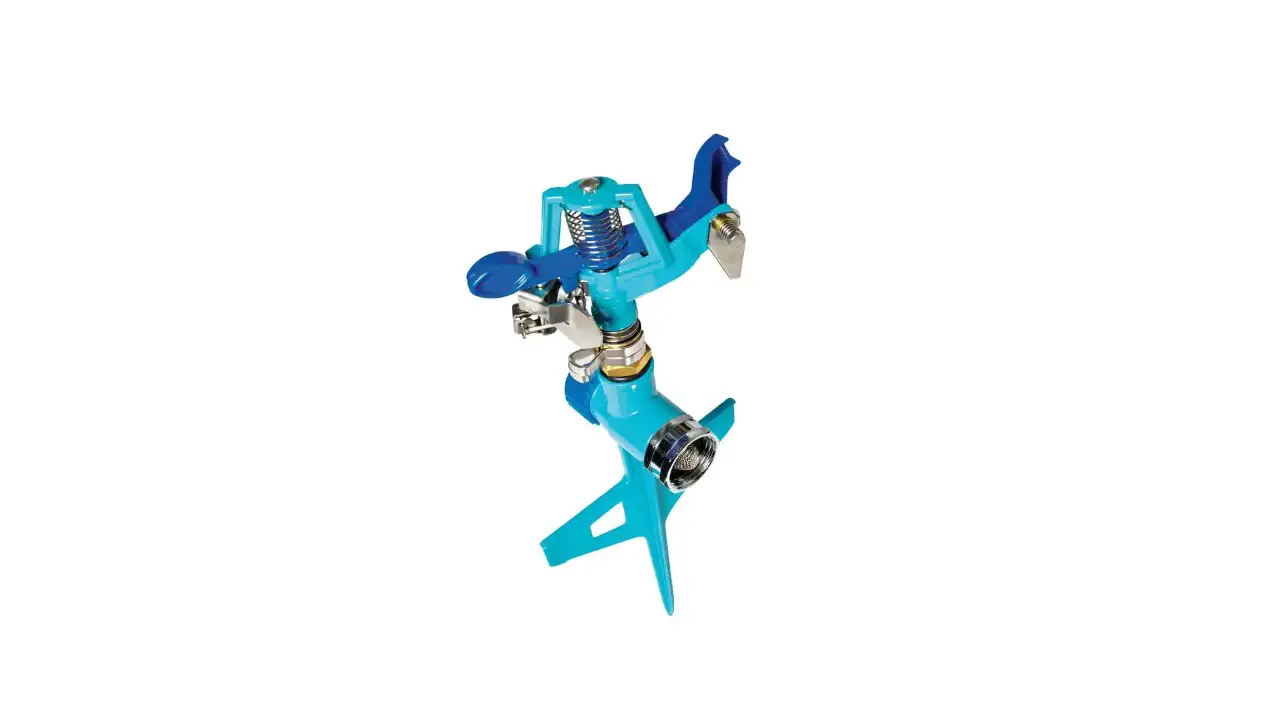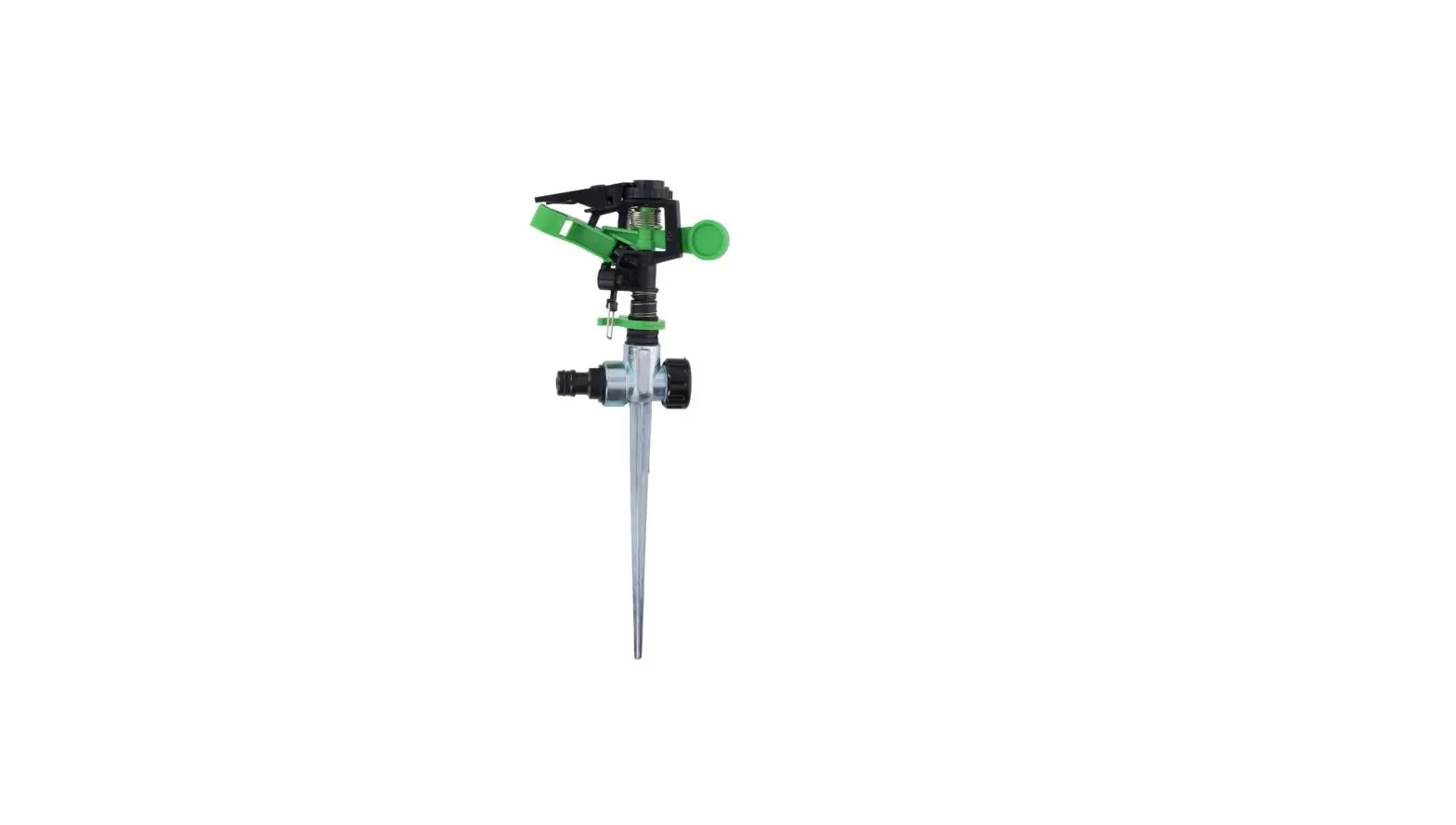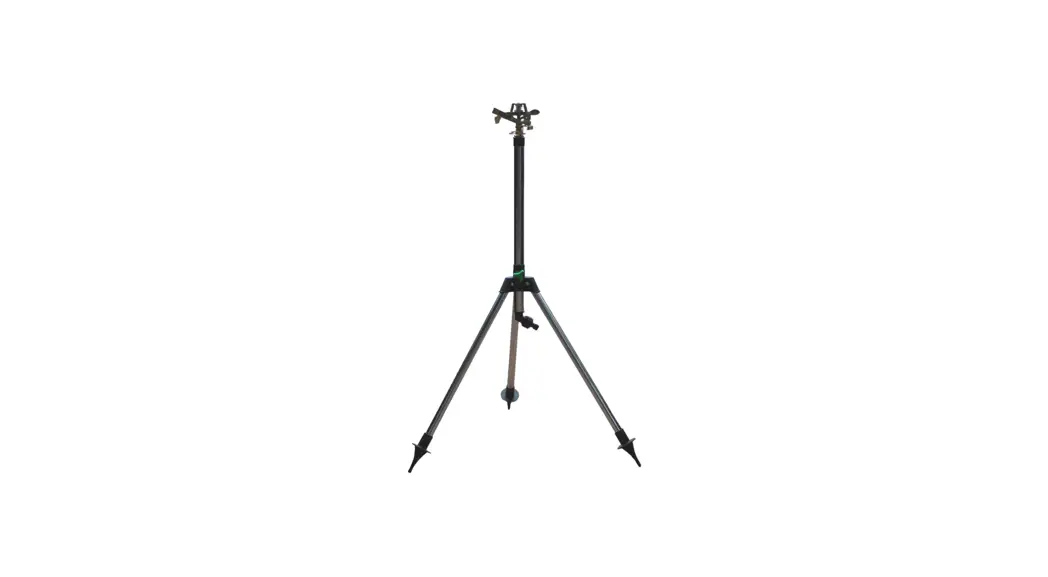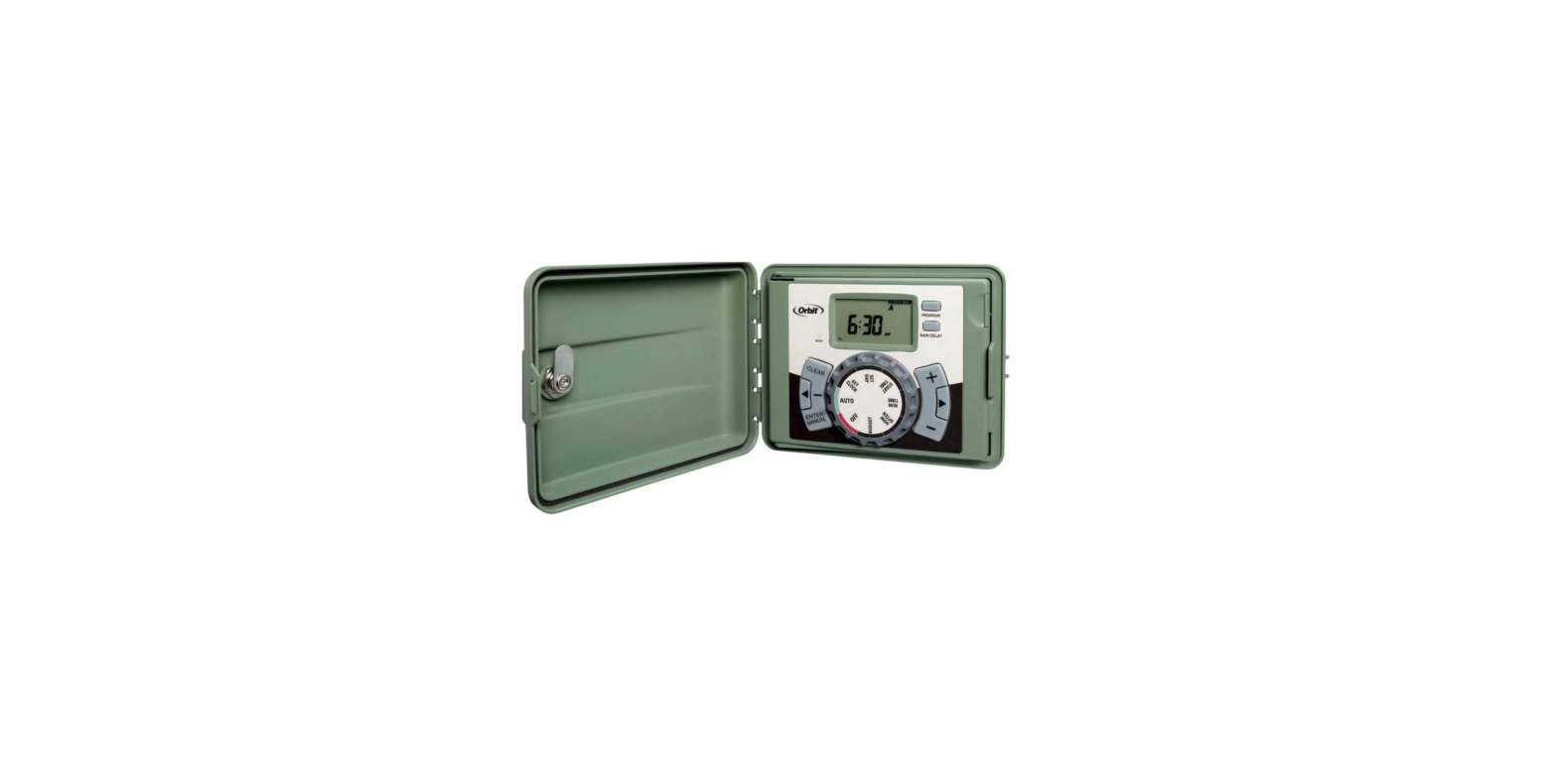

Orbit 57894 station outdoor swing panel sprinkler
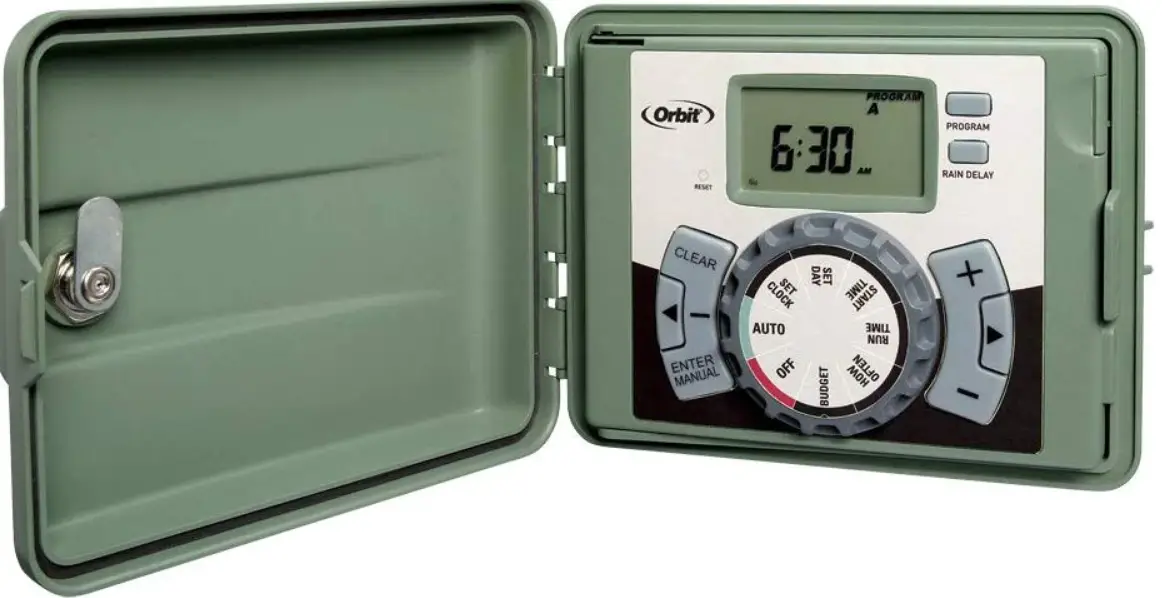
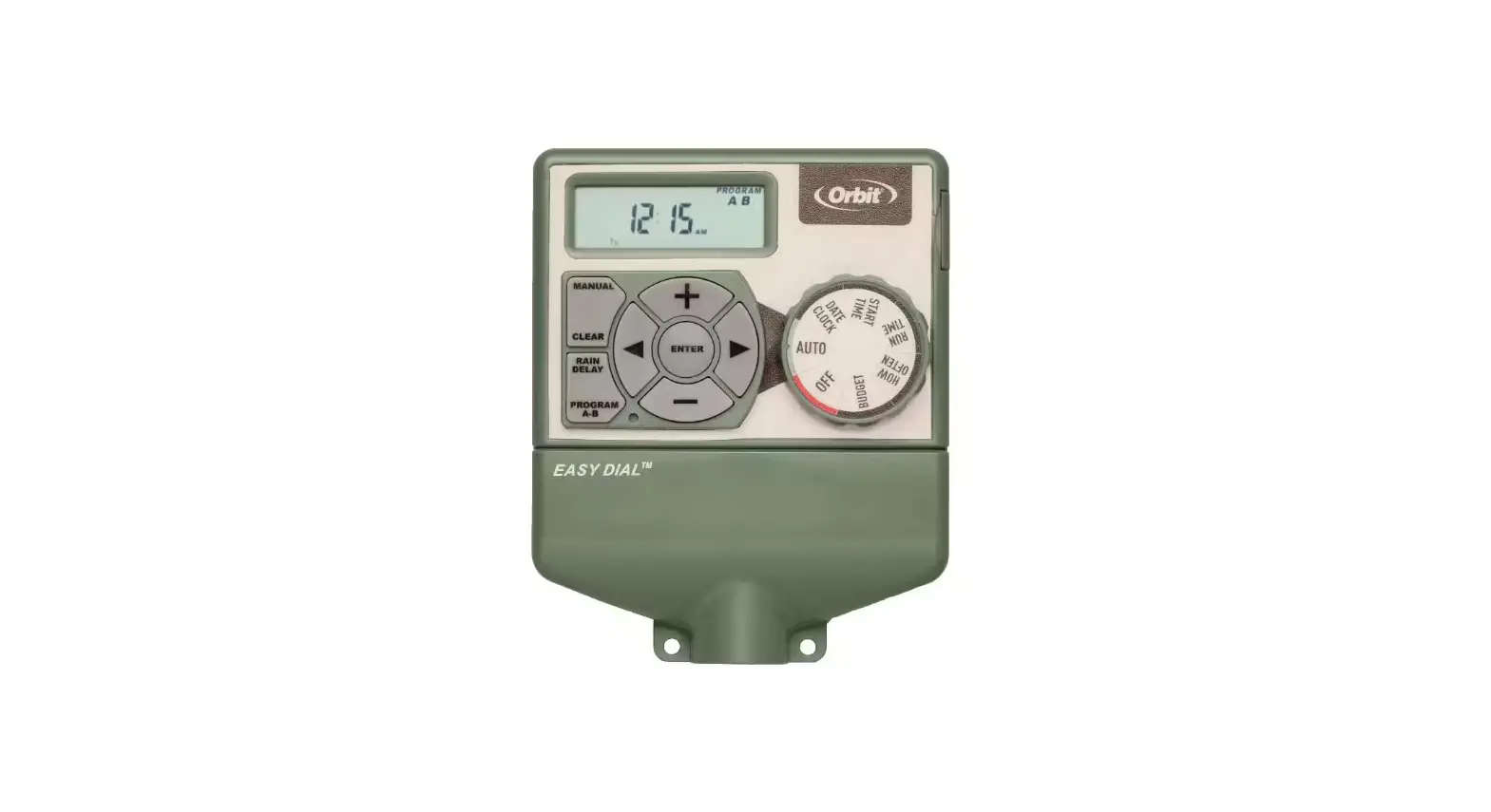
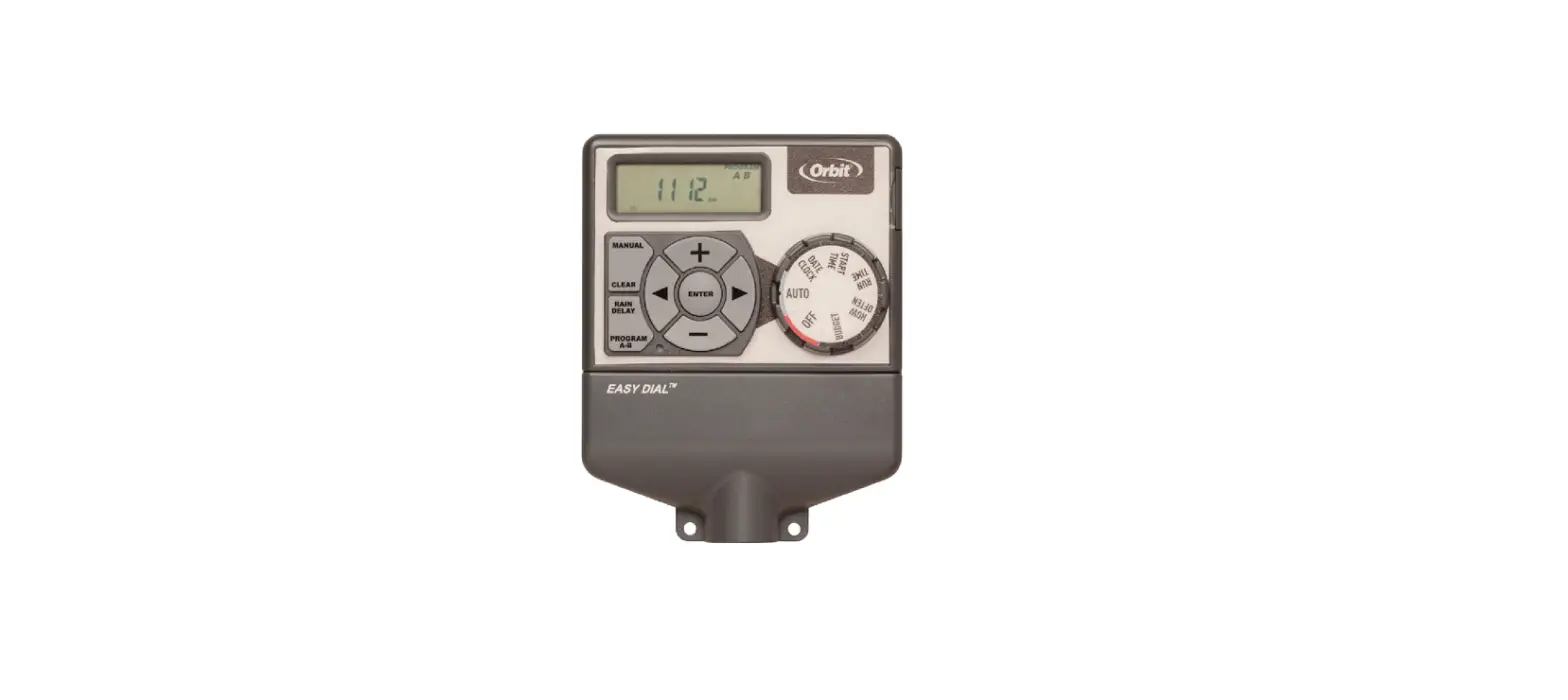
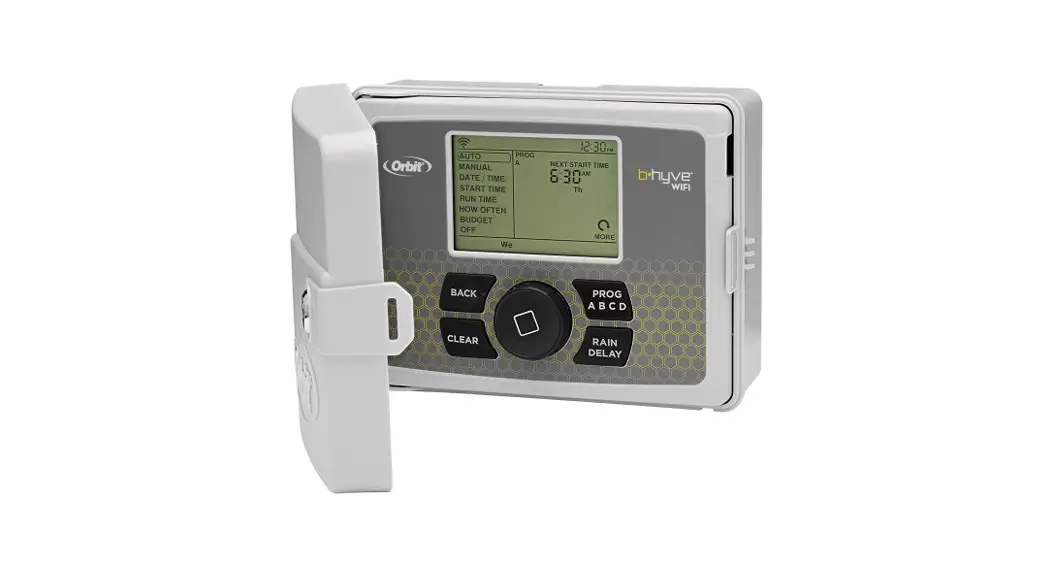
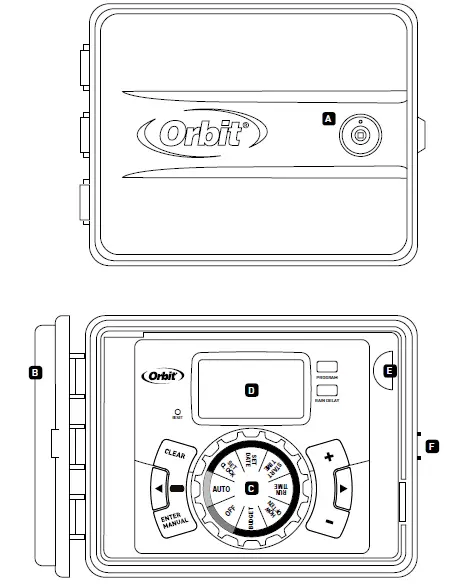
Get to know your timer
- Lock and latch
- Weather Resistant Cover
- Dial
- Digital Display
- Battery Compartment
- F Swing Door panel

| Buttons | Function |
| ENTER MANUAL | To confirm a new setting To water manually |
| CLEAR | To clear a setting |
| PROGRAM | To move to different programs: A, B, and C |
| ARROW [ } ] | To skip to the next setting / watering station or move to other programs/settings |
| ARROW [ | ] | To go back to the previous setting / watering station or move to other programs/settings |
| RAIN DELAY | To pause operation for 24-72 hours due to rain or other factors |
| [ + ] | To increase a numeric setting |
| [ – ] | To decrease a numeric setting |
| Dial Position | Function |
| AUTO | Set Program is running |
| SET CLOCk | Set clock time |
| SET DATE | Year, Month, and Day |
| START TIME | Set time to begin watering Year, Month & Day |
| RUN TIME | Set watering duration for each station |
| hOW OFTEN | Set frequency of watering days |
| BUDGET | Adjust overall watering as a percentage |
| OFF | Turn all stations/functions off |
Installation
Required Tools
- Phillips Screwdriver
- Wire Strippers
Installation Steps
- Select a Location
- Mount the Timer
- Connect Valve Wires to Timer
- Connect Electrical Power
- Activate Battery
Select a Location
When choosing a location for your timer, consider the following:
- Choose location near a power source (if hard wiring) or electrical outlet (applicable only to U.S. retail timers)
- Ensure operating temperatures are not below 32° or above 158° Fahrenheit (below 0° Celsius or above 70° Celsius)
- Place it away from direct sunlight if possible
- Ensure at least 9” of space to the left of the sprinkler timer box for the door to swing open after installation
- Locate the timer where there is easy access to sprinkler wire (from valves).
- If mounted in an outdoor location, shut the compartment door to keep the timer safe from weather damage.
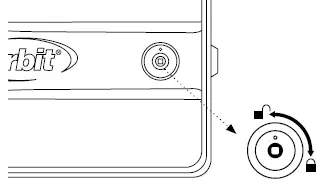
- To lock: insert the key and turn clockwise to the locked position

Mount the Timer
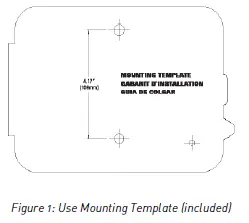
- Use the mounting template (included) to mark the mounting screw location on the wall.
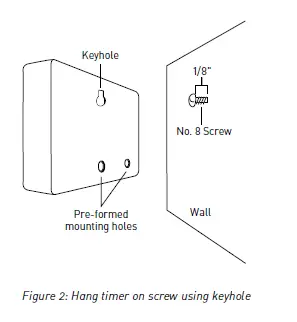
- Install a No. 8 screw (included) into wall in the upper template location. Leave the screw head protruding 1/8” (3mm) from wall. Use expanding anchors (included) in plaster or masonry, if necessary, for a secure hold
- Slip the timer over protruding screw (using keyhole slot in back of timer).
- Drive a No. 8 screw through one of the two pre-formed holes located in lower back cabinet.


Connect Valve Wires to Timer
- Strip 1/2” (12 mm) of the plastic insulation off the end of each wire for both the timer wires and the valve wires
- Connect one wire from each valve (it doesn’t matter which wire) to a single “Common” sprinkler wire (usually white)
- Connect the remaining wire from each valve to a separate colored sprinkler wire

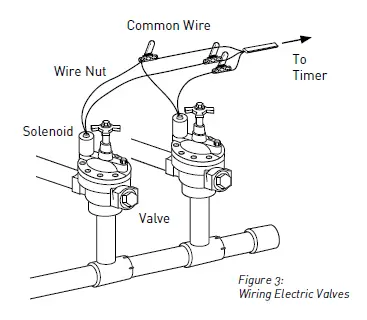
Wiring Electric Valves
Strip 1/2” (12 mm) of plastic insulation off the end of each individual wire. Each valve has two wires. One wire (it doesn’t matter which one) is to be connected as the common. The other valve wire is to be connected to the specific station wire that will control that valve. The common wires for all the valves can be connected together to one common wire going to the controller. To avoid electrical hazards, only one valve should be connected to each station.
Important: The wire can be buried in the ground; however, for more protection wires can be pulled through PVC pipe and buried underground. Be careful to avoid burying the wires in locations where they could bedamaged by digging or trenching in the future.
Your timer is equipped with the simple “push-in” terminals for easy connection. Connect common wire to the common terminal. Connect remaining wires to corresponding terminal locations.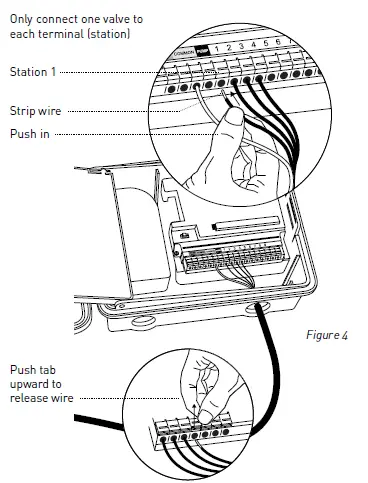
Connect Electrical Power
Indoor Locations – Insert the power cord into an 110V electrical outlet.
Outdoor Locations – If a covered Ground Fault Interrupter
- (GFI) outlet is available, insert the power cord into the 110 volt outlet. If no outlet is available, the timer must have the wiring permanently installed (*see figure 5)
- Turn off the AC power at the AC circuit breaker and apply an appropriate safety lockout. Verify that the power has been turned off to the installation site using an AC voltmeter set for the correct measurement range.
- Use power feed wire of 14 gauge (AWG) minimum with a temperature rating of 155 degrees Fahrenheit (68 degrees Celsius) or higher.
- Install the conduit and associated fittings. Connect the AC electrical power wiring to the source by following all the right codes and local standards.
- Connect the junction box to the Timer using a ½” nipple (Junction box and nipple not included). [See Figure 5] Connect the source power conduit to the entrance of the junction box, following all the appropriate codes.
- Take the cord (running from the timer to the junction box) from the junction box and cut it to length. Remove the outer insulation (from cord) to expose the three wires.
- Connect the source wires to the wires extending from the sprinkler timer.
- For USA: Take care to follow the correct color code. Connect the Green for Ground, Black for Live, and White for Neutral. Often the source ground may be bare copper conductor rather than green wire.
- For Europe: Live is Brown and Neutral is Blue, there is no ground connection required. Be sure that all wires are connected to the proper source wire.
- Make sure all connections are made with code-approved insulated connectors.
- Be sure to place a weatherproof gasket and lid on the junction box.
- Turn AC power on at the AC circuit breaker.
Important: Installation Using Permanent Wiring
The sprinkler timer has a built-in transformer that must be connected to an AC line voltage source. Check the back of the sprinkler timer box for power requirements. Local building and electrical codes usually require that an approved electrical conduit and electrical fittings be used to connect exterior wallmounted equipment to AC power. Please check local codes. Any permanent connection should be made by a licensed electrical contractor in accordance with the requirements of the National Electrical Code and other state and local codes. This sprinkler timer has two holes at the bottom for wire access. Use a 1/2” Nipple to connect the sprinkler timer to a standard electrical junction box. Both connector and junction box must be UL Listed or equivalent or comply with IEC or EN standards or equivalent. The wire can be buried in the ground; however, for more protection wires should be pulled through the electrical conduit and buried underground. Be careful to avoid burying the wires in locations where they could be damaged by digging or trenching in the future.
Caution: Do not connect the sprinkler timer to one phase of a three phase power system used by a pump or other electrical equipment.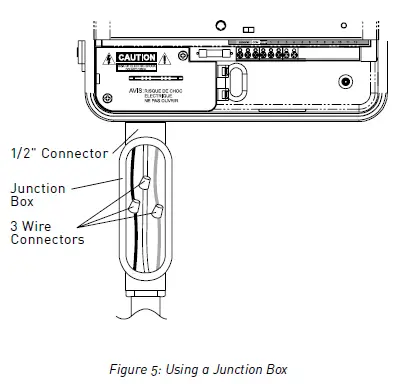
Activate Battery
One Lithium CR2032 battery (included) is required to retain the program in memory during power loss. Annual replacement is recommended. Remove the plastic strip to activate the pre-installed battery. (See page 12 for battery replacement)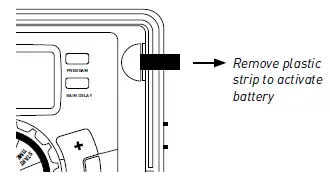
Programming with
Easy-Set Logic™
A note about multiple programs
Your sprinkler timer provides the flexibility of using 3 independent programs (A,B,C). A program is where you store all of your sprinkler settings. It consists of a group of stations set to specific start times and run times. Multiple programs allow you to run different valves on different days with different run times. While many applications only require one program (A), using multiple programs can be useful for drip areas, newly planted lawn, or rotary sprinkler stations. Using programs to group stations with similar water needs will maximize irrigation efficiency. Primary programming can be accomplished in just a few basic steps.
Primary Programming
Press the [RESET] to clear any previous factory programming
Set Clock
- Turn dial to [SET CLOCK
- Press the [+/–] buttons to set the current time of day
- Press the [
 ] buttons to set am/pm
 - Turn dial to accept time
Set Date
- Turn dial to [SET DATE]
- Y/M/D will appear (blinking letter indicates selection)
- Press the [+/–] buttons to set the correct year, then press [ENTER] or [ ]
- Press the [+/–] buttons to set the correct month, then press [ENTER]
- Press the [+/–] buttons to set the correct date
- Turn dial to accept date
Start time
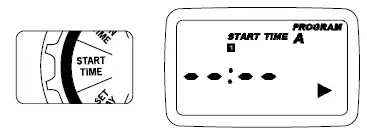
- Turn dial to [START TIME]
- Press the [+/–] buttons to select time you’d like your watering to begin
- (time will adjust in 15 minute increments)
- The display will show

Run Time
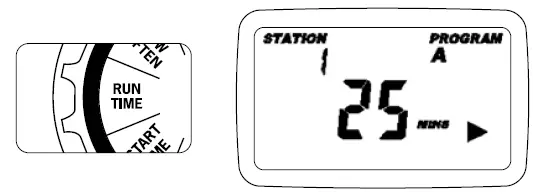
- Turn the dial to [RUN TIME]

- STATION is the area that will be watered by each valve. On this screen the RUN TIME or duration for each station is set.
- Press the [ ] to select a station and press the [+/–] buttons to enter the watering duration for that station
- Press [ENTER] or the [ ] buttons to move to the next station/valve, and enter watering duration for each station
How Often
- Turn the dial to [HOW OFTEN] – this screen allows you to set how often to water.
There are 3 options provided:
- Days of the week (Mon, Tues, Wed, etc.)
- Intervals (Every “X” number of days)
- Odd or Even Days
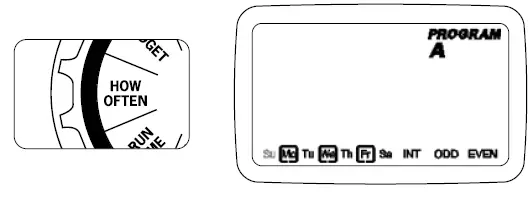
Days of the Week
- Your dial should be set to [HOW OFTEN]
- Display will show the current program (A,B, or C)
- Press the [ ] buttons to move from one day to another
- Press [+] or [ENTER] to select a day for watering. A frame will appear around the selected days.
- To delete a previously entered day, press [-] or [CLEAR]
- Example: Monday, Wednesday, & Friday
Intervals
- Use the [ ] buttons to move to the INTERVAL option “INT”
- Press [+/–] buttons to select the number of days between watering
- Example: An interval of 1 will water every day; an interval of 3 will water every 3rd day, etc.
Odd or Even Days
- Use the [ ] buttons to move to the ODD or EVEN day watering
- Press [+] or [ENTER]
- Selecting a different option or pressing clear will erase the previous selection
- Example: Odd: 1st, 3rd, 5th, etc.
- Example: Even: 2nd, 4th, 6th, etc.
- Turn the dial to [AUTO] and that’s it!
- You have programmed your timer!
- Turn dial to [AUTO] to activate your program
Reviewing and Changing Your Program
If you want to review or change the start times, run times, or how ofthen to water, simply follow the directions again for that option. After reviewing or changing a watering schedule, remember to turn the dial back to [AUTO] for automatic operation.
Additional Features
Rain Delay
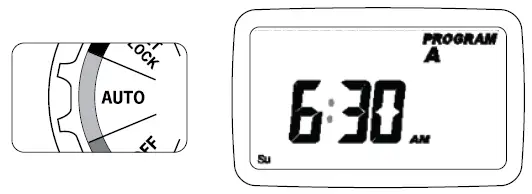
- [Rain delay] allows you to delay your sprinkler timer from watering for a set period of time. Delay settings are 24, 48, and 72 hours.
- Turn dial to [AUTO]

- Press the [Rain Delay] button to automatically delay watering for 24 hours
- If a longer Rain Delay is desired, press the [ ] buttons to increase or decrease the setting.
- Press [ENTER] or wait 10 seconds and the selected rain delay will begin.
- [CLEAR] button stops the rain delay and scheduled watering will resume.
- At the end of the selected rain delay amount of time, automatic watering resumes.
- While in rain delay mode, the timer display will switch between the actual time and the remaining hours of the delay, every 2 seconds
Water Budgeting
Water Budgeting is a simple way to adjust your watering duration to match seasonal watering needs. Water Budgeting works by increasing or decreasing watering duration for all stations in each program. Press the [PROGRAM] button to select the program you wish to budget. Adjustment range is from 10% to 200% by increments of 10%. The default value is 100%. The budgeting will remain on the adjusted range until you change it.
To set budgeting:
- Turn dial to [BUDGETING]

- To adjust press [+/–] buttons, press [ENTER]
- If using multiple programs (A, B, or C) Press the
- [PROGRAM] button to move to the desired program and make the needed adjustment
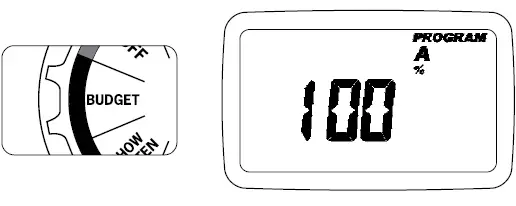
Example: Bill’s watering duration is set at 60 minutes however; it is the spring time so he wants to water half as long so he sets his budgeting to 50%, his timer will now water for 30 minutes.
Manual Watering
- Your timer has the ability to allow you to manually water without disturbing the preset program.
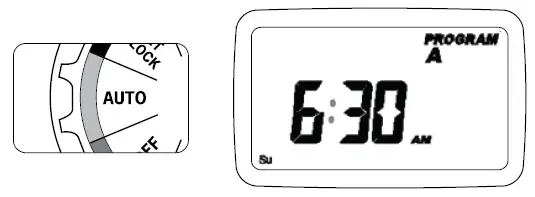
- Turn the dial to [AUTO]

- Press the [MANUAL] button. Display will show ABC and ALL. After a few seconds or by pressing [ENTER] the timer will begin manual watering
- All stations will water consecutively for their programmed duration
- To specify a specific program or stations, Press the [ ] buttons to select A, B, or C.
- Press [ENTER] to activate
- To select a specific station, continue pressing the [ ] buttons until desired station number appears
- Press the [+/–] to enter the desired duration from 1 to 240 minutes
- Wait 5 seconds and your station will begin
- To stop Manual Watering press [CLEAR]
- The timer will go back to your original automatic watering schedule
Connecting a Rain Sensor
- Connect the rain sensor wires to the wiring terminal ports (yellow in color) labeled “Sensor”
- Note: Refer to your rain sensor manual for specific wiring instructions.
- Place the sensor on/off switch to the “on” position to begin operation (see figure 6)
Rain Sensor Bypass
This sprinkler timer is equipped with a sensor override “on/ off” switch. This switch is for use during maintenance and repairs, so the sprinkler timer can be operated even if the rain sensor is in active mode.
Important: If the rain sensor switch is in the “on” position and no sensor is connected, the sprinkler timer will not operate. To resume sprinkler timer operation place the switch in the off position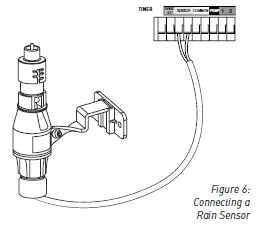
Pump Start & Master Valve
This sprinkler timer allows a master valve or pump start relay to operate whenever a station is on.
Note: If you are activating a pump from this timer, you must purchase a Pump Start Relay. From the pump start relay (or master valve); connect one wire to the “Pump” terminal and the other wire to the “Common” terminal.
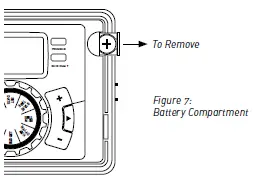
Replacing the Battery
- Timer requires a CR2032 Lithium battery
- The battery will maintain your program in case of an AC power loss
- Battery should last approximately one year
- Open by sliding the battery tray out to the right
- Insert one CR2032 battery into the compartment with the + side up
- Slide back into place.
Reference
| TERM | DEFINITION |
| START TIME | The time the program begins watering the first programmed station . |
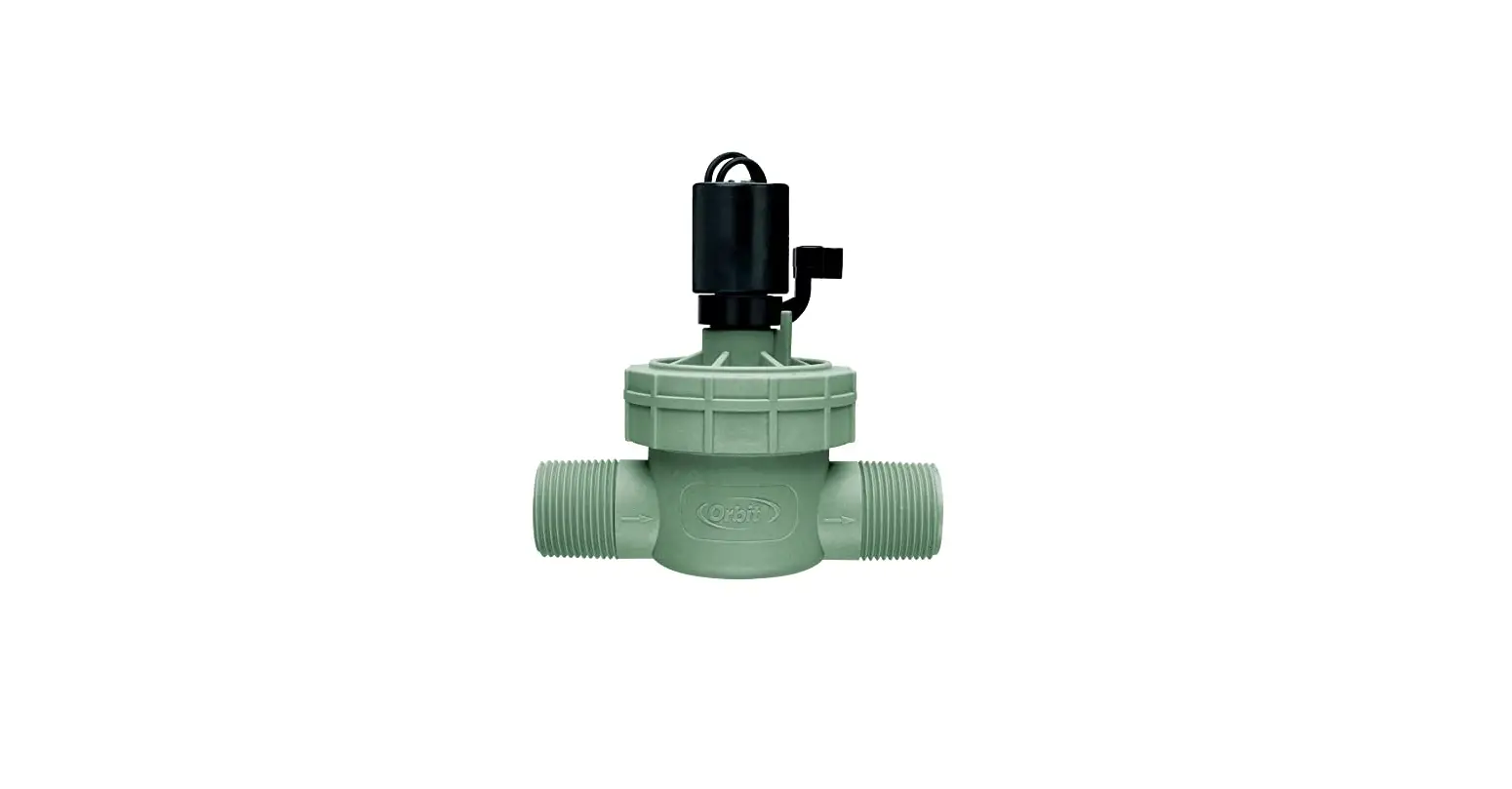
| VALVE | Supplies water to a specific station or area . The opening and closing of the valve is accomplished through electrical current supplied by the sprinkler timer . |
| MASTER VALVE | Typically located at the main water source . Turns on and off water for the entire irrigation system when not in use . |
| MULTIPLE START TIMES | A controller feature that allows a program to be operated multiple times on the same watering day . |
| OVERLAPPING PROGRAMS | When a “Start Time” is set for a program before the previous program has completed . |
| PROGRAM (A, B, OR C) | Individual programs as set by the user . Each program operates independently . If one program overlaps the other the programs will be “stacked .” After the first program finishes the next program will begin . |
| RAIN DELAY | A feature that postpones the running of a scheduled watering program for a specific duration . |
| SOLENOID | The electrical part on an irrigation valve that opens and closes the valve . |
| SPRINkLER TIMER | A device which instructs the station valves to operate . |
| STATION | A grouping of sprinklers operated by a single valve which is controlled by the timer . |
| WATERING BUDGETING | Adjusts your overall watering program as a percentage of total watering duration . |
Troubleshooting
| PROBLEM | POSSIBLE CAuSE |
|
One or more valves do not turn on | 1 . Faulty solenoid connection |
| 2 . Wire damaged or severed | |
| 3 . Flow control stem screwed down, shutting valve off | |
| 4 . Programming is incorrect | |
|
Stations turn on when they are not supposed to | 1 . Water pressure is too high |
| 2 . More than one start time is programmed | |
| 3 . AM/PM is incorrect | |
|
One station is stuck on and will not shut off | 1 . Faulty valve |
| 2 . Particles of dirt or debris stuck in valve | |
| 3 . Valve diaphragm faulty | |
| All valves do not turn on | 1 . Transformer defective or not connected |
| 2 . Programming is incorrect | |
| Timer will not power up | 1 . Transformer not plugged into a working outlet |
| Valves continue to turn on and off when they are not programmed | 1 . More than one start time is programmed with overlapping schedules |
| 2 . Excessive pressure |
Help
- 1-800-488-6156 or 1-801-299-5555
- www.orbitonline.com
- Before returning this sprinkler timer to the store, contact Orbit®
- Technical Service at: 1-800-488-6156, 1-801-299-5555 Listings
Listings
The sprinkler timer is tested to UL-50 standard & is ETL® listed. Appropriate international models are CSA® and CE® approved. This Class B digital apparatus complies with Canadian ICES-003.
- Disconnection : Type 1Y
- Normal Pollution Situation.
The supply cord of this control can be replaced only by the manufacturer or his accredited service agent.
Trademark Notice
WaterMaster® is a registered trademark of Orbit® Irrigation Products, Inc. The information in this manual is primarily intended for the user who will establish a watering schedule and enter that schedule into the sprinkler timer. This product is intended to be used as an automatic sprinkler timer for activating 24 VAC irrigation valves, as described in this manual.
Warranty and Statement
Orbit® Irrigation Products, Inc. warrants to its customers that its products will be free from defects in materials and workmanship for a period of six years from the date of purchase. We will replace, free of charge, the defective part or parts found to be defective under normal use and service for a period of up to six years after purchase (proof of purchase required). We reserve the right to inspect the defective part prior to replacement. Orbit® Irrigation Products, Inc. will not be responsible for consequential or incidental cost or damage caused by the product failure. Orbit® liability under this warranty is limited solely to the replacement or repair of defective parts. To exercise your warranty, return the unit to your dealer with a copy of the sales receipt.
FCC
This device complies with Part 15 of the FCC Rules. Operation is subject to the following two conditions:
- This device may not cause harmful interference, and
- This device must accept any interference received, including interference that may cause undesired operation.
Warning: Changes or modifications to this unit not expressly approved by the party responsible for compliance could void the user’s authority to operate the equipment.
This equipment has been tested and found to comply with the limits for a Class B digital device, pursuant to Part 15 of the FCC Rules. These limits are designed to provide reasonable protection against harmful interference in a residential installation. This equipment generates, uses and can radiate radio frequency energy and, if not installed and used in accordance with the instructions, may cause harmful interference to radio communications. However, there is no guarantee that interference will not occur in a particular installation. If this equipment does cause harmful interference to radio or television reception, which can be determined by turning the equipment off and on, the user is encouraged to try to correct the interference by one or more of the following measures:
- Reorient or relocate the receiving antenna.
- Increase the separation between the equipment and receiver.
- Connect the equipment into an outlet on a circuit different from that to which the receiver is connected.
- Consult the dealer or an experienced radio/TV technician for help.
Caution: This appliance is not intended for use by young children or infirm persons without supervision. Young children should be supervised to ensure that they do not play with the appliance.