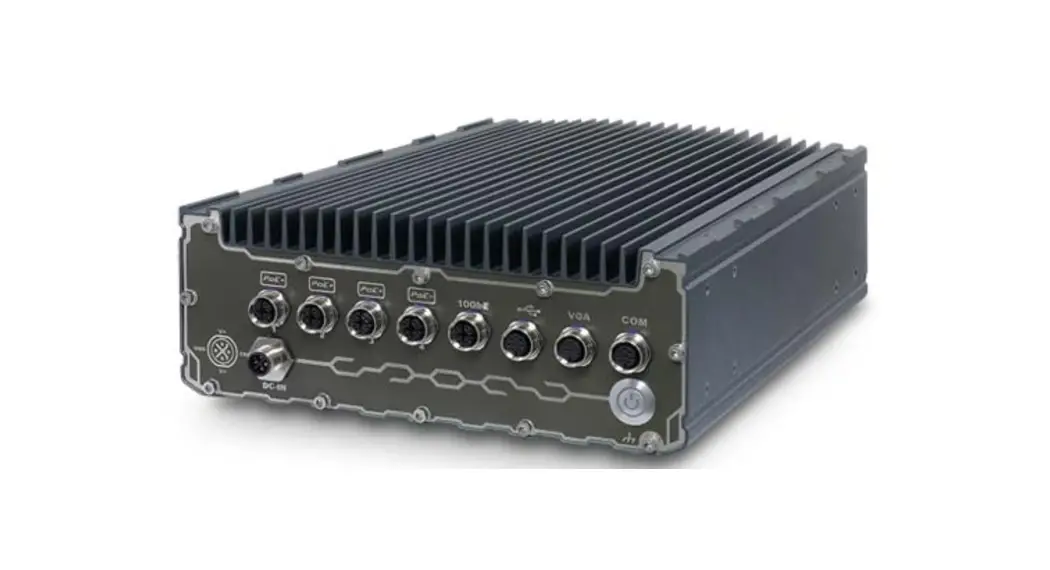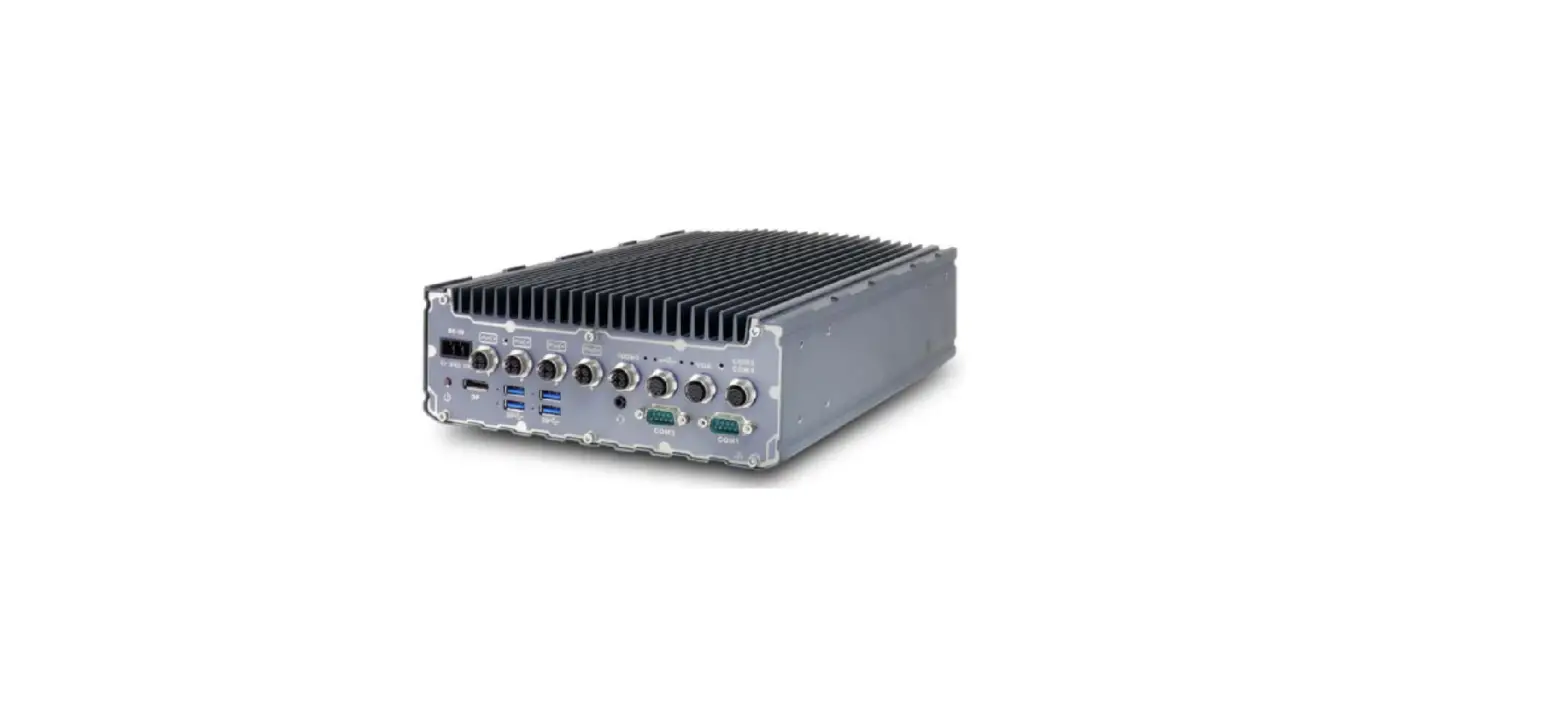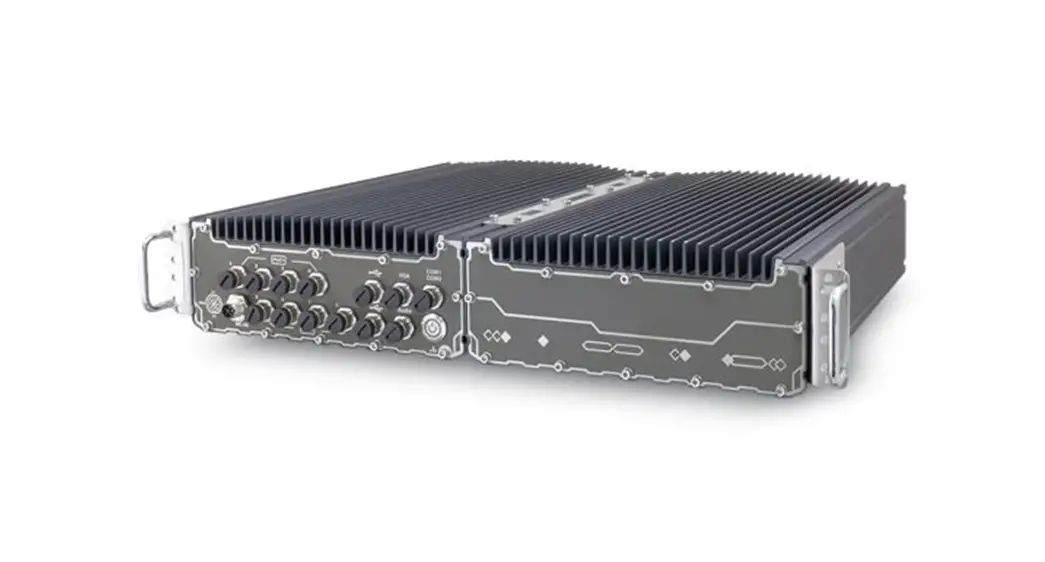

SEMIL-1700GC Series
Quick Installation Guide
 Warning
- Only qualified service personnel should install and service this product to avoid injury.
- Observe all ESD procedures during installation to avoid damaging the equipment.
Preparing tools
Unpack the equipment and make sure the following tools are available and delivered contents are correct before you begin the installation procedure.
- User-provided tools
• Anti-static wrist wrap - Packing List
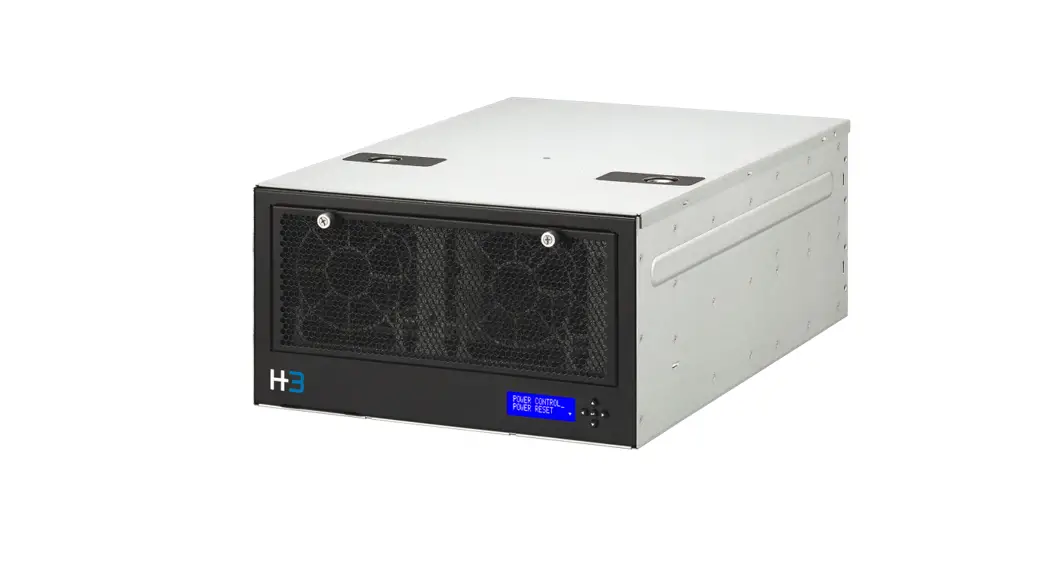
Item Description Quantity 1 SEMIL 1700GC series system 1 2 Drivers & utilities disc 1
Overview
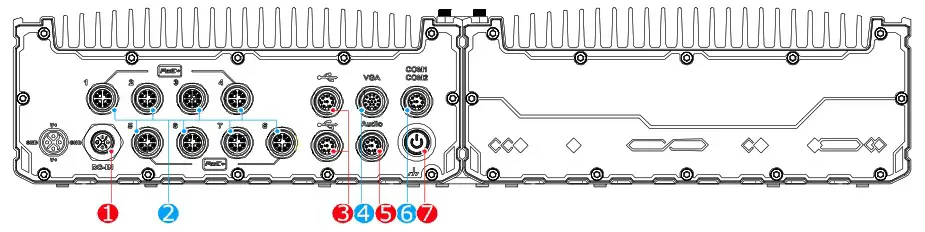
| No. | Item | Description | |
| 1 | DC input | 8V to 48V DC input (M12 S-coded) | |
| 2 | PoE+ GbE ports | The M12 X-coded Power over Ethernet (PoE) ports provide both data connection and electric power to devices (eg. IP camera). | |
| SEMIL -1724GC | lx IEEE 802.3at GbE+ port via Intel®1219 3x IEEE 802.3at GbE+ port via Intel®1210 | ||
| SEMIL -1744GC | |||
| SEMIL – 1728GC | lx IEEE 802.3at GbE+ port via Inte101219 7x IEEE 802.3at GbE+ port via Intel®1210 | ||
| SEMIL- 1748GC | |||
| 3 | USB 2.0 port | The USB 2.0 ports are backward-compatible with USB 1.1 / 1.0. | |
| SEMIL -1724GC | 2x USB2.0 (M12 A-coded) | ||
| SEMIL -1744GC | |||
| SEMIL – 1728GC | 4 x USB2.0 (M12 A-coded) | ||
| SEMIL- 1748GC | |||
| 4 | VGA port | VGA output supports resolution up to 1920×1200@60Hz | |
| 5 | Audio port | ||
| 6 | COM ports | COM 1 & 2 are RS-232 ports via an M12 A-coded connector | |
| 7 | Power button | Use this button to turn on or force shutdown the system. | |
DC-IN
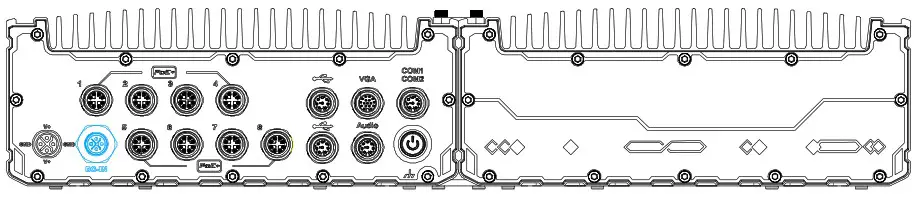
Warning
Please make sure the voltage of DC power is correct before you connect it to the system. Supplying a voltage over 48V will damage the system.
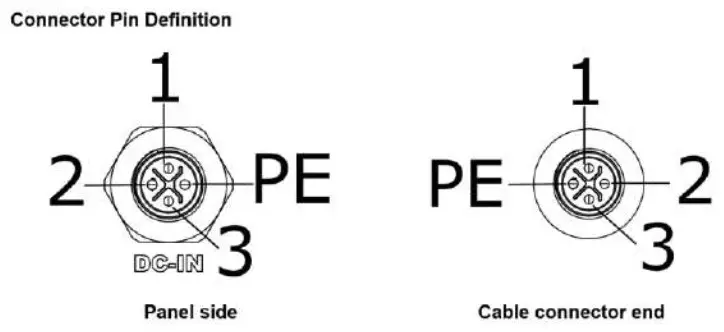
| Signal | M12 panel side | M12 cable connector end | Wire color |
| V+ | 3 | 3 |  |
| GND | 2 | 2 | |
| V+ | 1 | 1 | |
| GND | PE | PE |
PoE+ Gigabit Ethernet Port
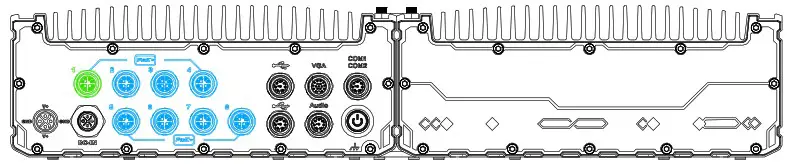
| The number of ports for each SEMIL-1700GC model variant is listed below: PoE+ ports | |
| PoE Ports | Port description |
| Model No. | |
| SEMIL -1724GC | 1x IEEE 802.3at GbE+ port via Intele 1219 3x IEEE 802.3at GbE+ port via Intele 1210 |
| SEMIL -1744GC | |
| SEMIL -1728GC | 1x IEEE 802.3at GbE+ port via Intetil 1219 7x IEEE 802.3at GbE+ port via 111MP/91210 |
| SEMIL — 1748GC | |
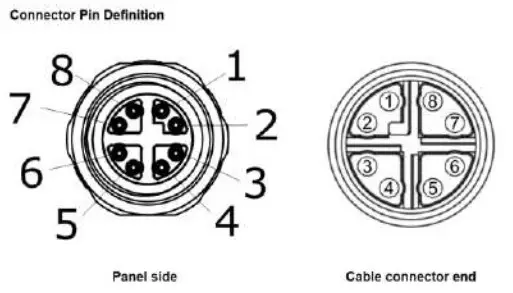
| Signal | M12 panel side | M12 cable connector end | Wire color |
| LAN PO | 1 | 1 | 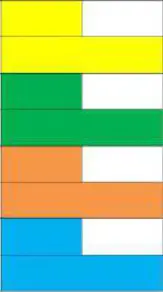 |
| LAN NO | 2 | 2 | |
| LAN P1 | 3 | 3 | |
| LAN N1 | 4 | 4 | |
| LAN P3 | 5 | 5 | |
| LAN N3 | 6 | 6 | |
| LAN N2 | 7 | 7 | |
| LAN P2 | 8 | 8 |
USB Port
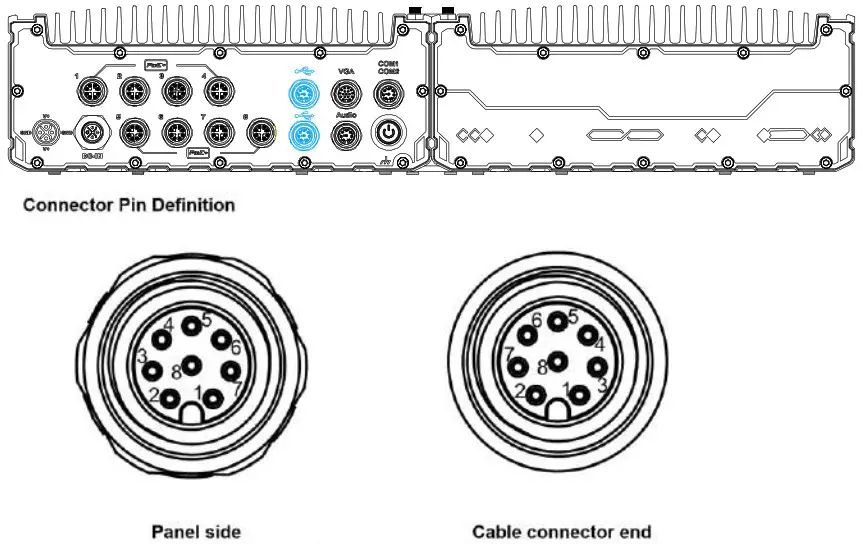
| Signal | M12 panel side | M12 cable connector end | Wire color |
| D1+ | 1 | 1 |  |
| D1- | 2 | 2 | |
| VCC_USB | 3 | 3 | |
| GND | 4 | 4 | |
| GND | 5 | 5 | |
| VCC_USB | 6 | 6 | |
| D2- | 7 | 7 | |
| D2+ | 8 | 8 |
VGA Port
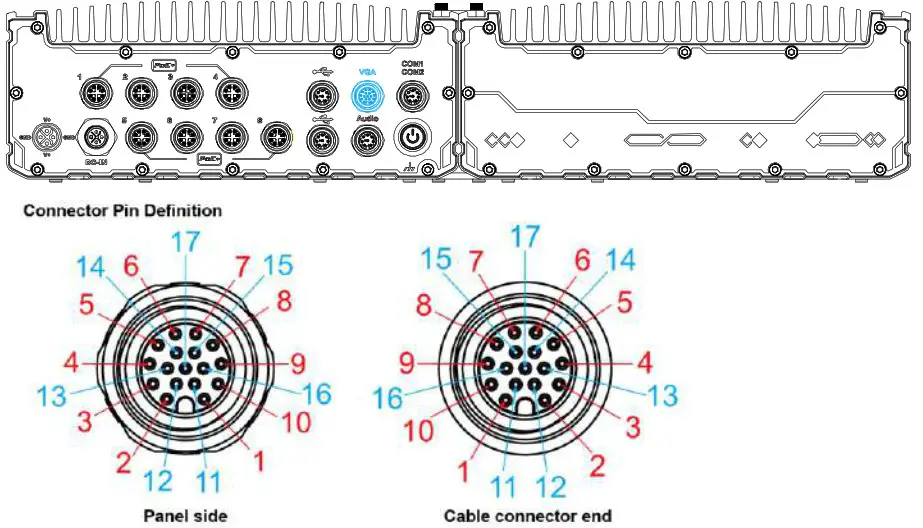
| Signal | M12 panel side | M12 cable connector end | Wire color |
| Red | 1 | 1 | 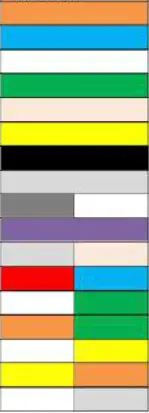 |
| GREEN | 9 | 9 | |
| BLUE | 7 | 7 | |
| GND | 6 | 6 | |
| GND | 8 | 8 | |
| GND | 10 | 10 | |
| GND | 12 | 12 | |
| GND | 13 | 13 | |
| GND | 14 | 14 | |
| GND | 11 | 11 | |
| GND | 16 | 16 | |
| GND | 15 | 15 | |
| P5V_VGA | 17 | 17 | |
| VGA_SDA | 5 | 5 | |
| HSYNC_CN | 3 | 3 | |
| VSYNC_CN | 2 | 2 | |
| GVA_SCL | 4 | 4 |
Audio Port (SEMIL-1728GC/ 1748GC Only)
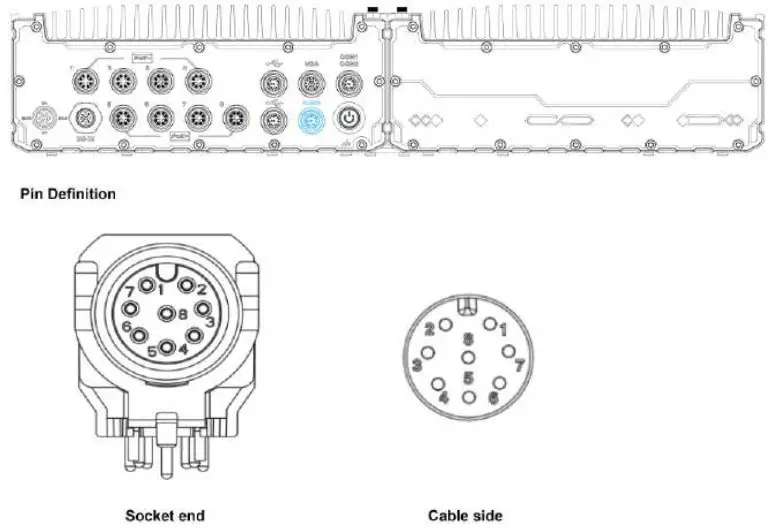
| Signal | M12 Socket end | M12 cable side |
| Left channel | 4 | 4 |
| Right channel | 5 | 5 |
| Microphone | 7 | 7 |
| Ground | 8 | 8 |
| GND | 8 | 8 |
COM Port
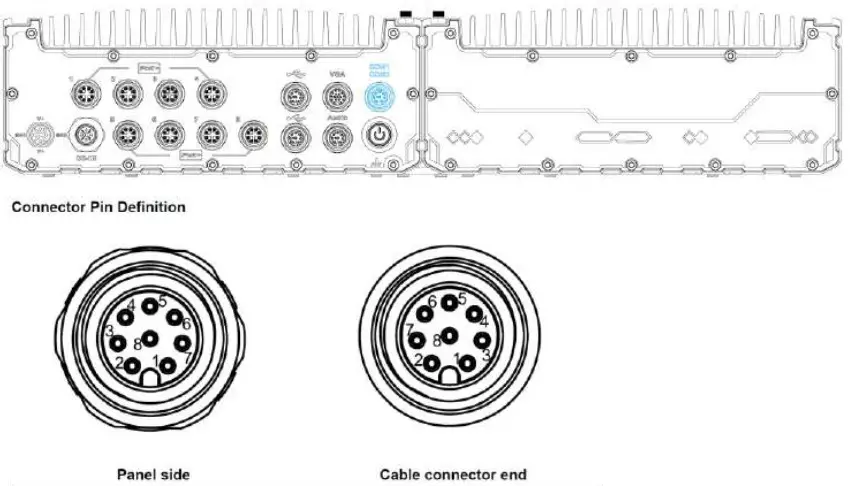
| Signal | M12 panel side | M12 cable connector end | Wire color |
| TXD1 | 1 | 1 | 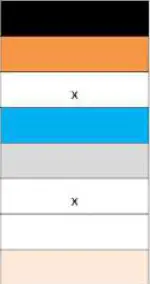 |
| RXD1 | 2 | 2 | |
| NC | 3 | 3 | |
| PWR_IGN | 4 | 4 | |
| GND | 5 | 5 | |
| NC | 6 | 6 | |
| RXD2 | 7 | 7 | |
| TXD2 | 8 | 8 |
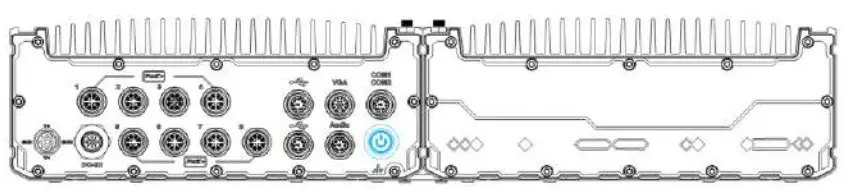
The power button is a non-latched switch for ATX mode on/off operation. To turn on the system, press the power button and the PWR LED should light-up green. To turn off the system, issuing a shutdown command in OS is preferred, or you can simply press the power button. To force shutdown when the system freezes, press and hold the power button for 5 seconds. Please note that there is a 5-second interval between on/off operations (i.e. once the system is turned off, there is a 5-second wait before you can power-on the system).