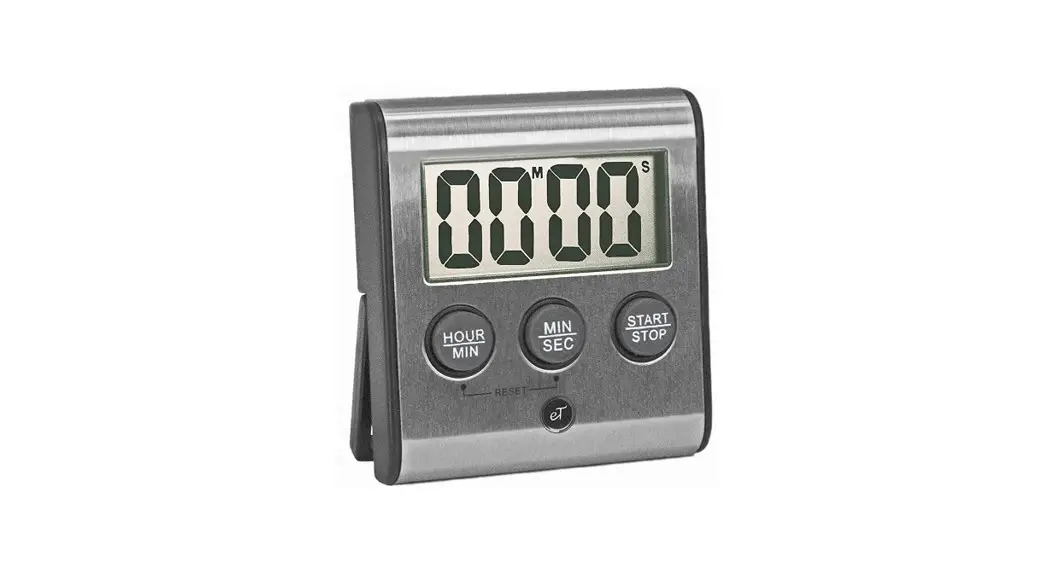
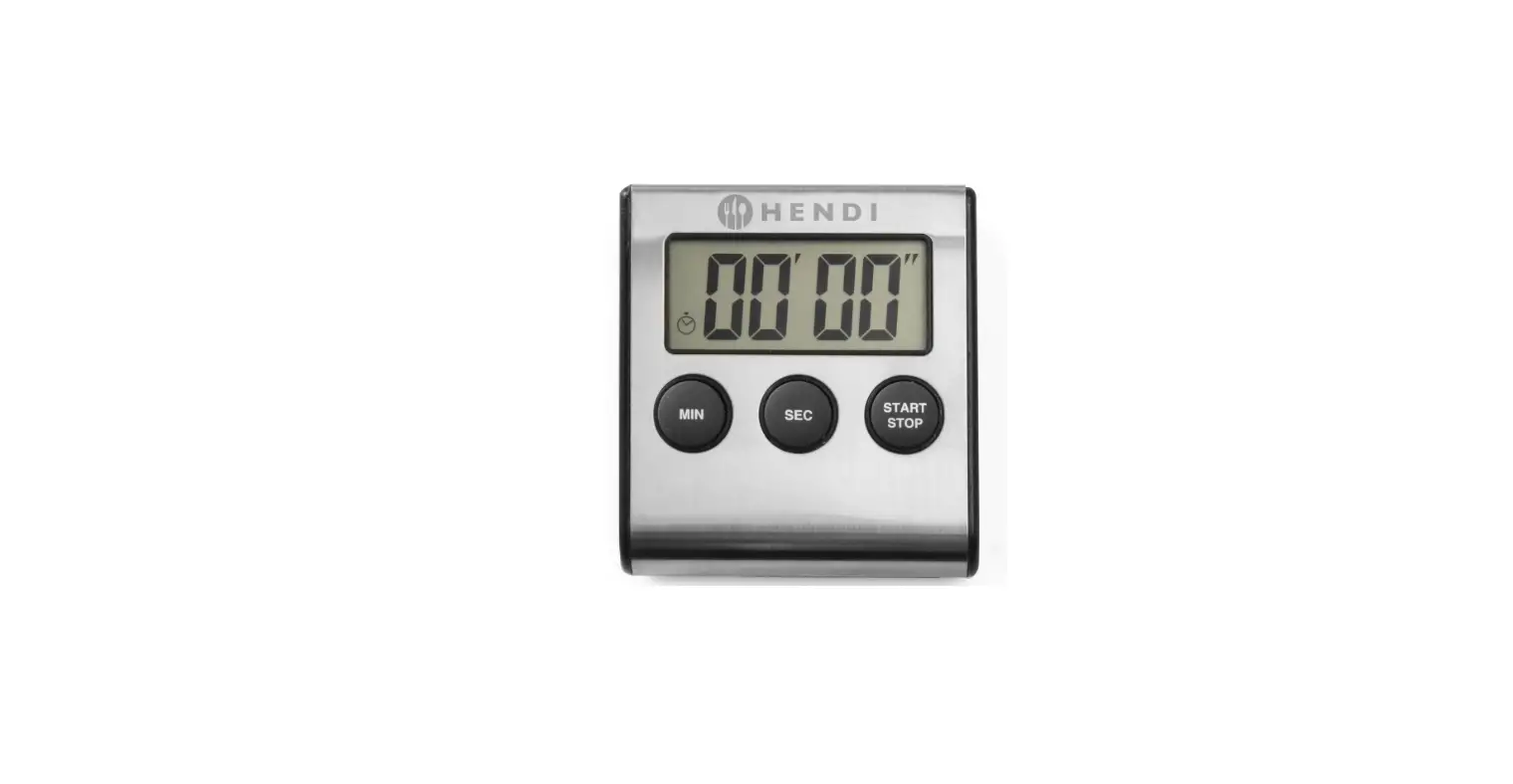
04213 Electronic Digital Timer
Product Information:
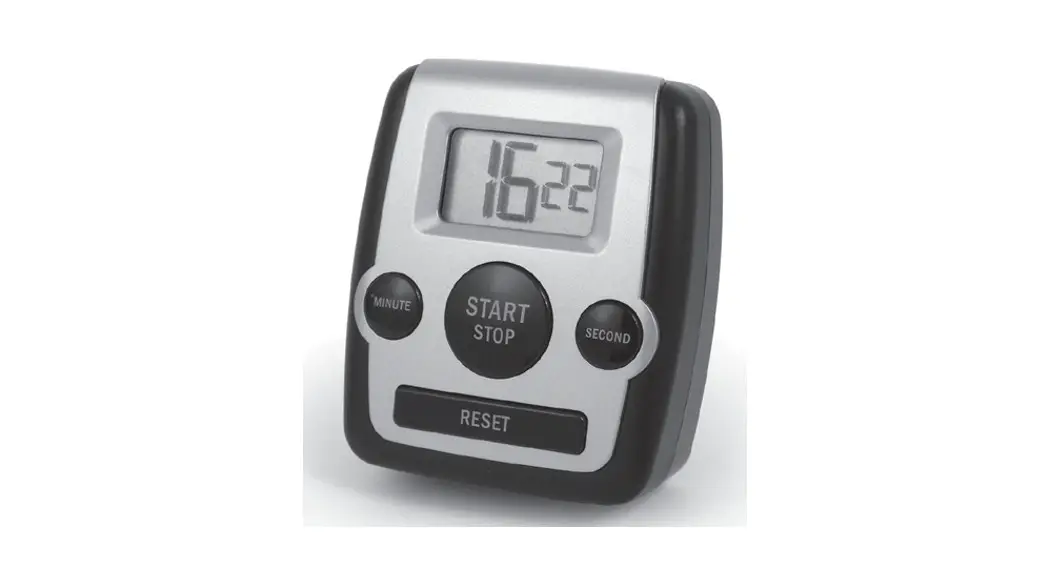
The Electronic Digital Timer is a versatile device that can be
used as a countdown timer, timer memory recall, and count-up
stopwatch. It features a clear display with easy-to-use buttons for
setting and controlling the timer. The timer operates on one AAA
battery (not included) and has a clip on the back that can be used
to attach it to clothing or other objects. The clip can also be
converted into a stand for convenient placement on a flat surface.
The product is manufactured by National Presto Industries, Inc.
Product Usage Instructions:
Before Use:
- Remove the battery compartment cover on the back of the unit by
sliding it in the direction of the arrow (Fig. A). - Insert one AAA battery into the compartment matching the + and
– symbols as indicated inside the battery compartment. - Replace the battery cover, making sure it locks in place.
- Remove the protective film from the display.
To Use Countdown Timer (Up to 99 MIN 59 SEC):
- Press the MIN and SEC buttons to set the desired timing period.
Press and hold the buttons for faster setting. - Press the START/STOP button to begin timing. The M and S on the
display will flash when the timer is in use. - To stop timing, press the START/STOP button. To restart the
timer, press the START/STOP button again. - After the time elapses, the alarm will beep for 30 seconds. To
stop the beeping, press either the MIN, SEC, or START/STOP
button. - To reset the timer to 00:00, press the MIN and SEC buttons
simultaneously.
To Use Timer Memory Recall:
- After the alarm stops sounding, the pre-set time will appear in
the display. - Press the START/STOP button to count down again using the same
pre-set time. - If you stop the timer while it is beeping and want to recall
the pre-set time, simply press the START/STOP button, and it will
appear on the display. - Press the START/STOP button a second time to count down again
using the same pre-set time.
To Use Count Up/Stopwatch:
- Press the MIN and SEC buttons simultaneously to reset to
00:00. - Press the START/STOP button to start counting up in
seconds. - To interrupt the count, press the START/STOP button. To resume
counting, press the START/STOP button again. - Press the MIN and SEC buttons simultaneously to reset to
00:00.
Clip/Stand:
Your clock/timer has a spring-loaded clip on the back (Fig. B),
which can be used to attach it to clothing or other objects. The
clip can be converted into a stand by pressing down on top of the
clip (above magnet) and moving the timer slightly so that the metal
brace flips out and rests on top of the two pegs on the clip to
form an easel.
Consumer Service Information:
If you have any inquiries or need assistance, please contact the
Consumer Service Department at:
Consumer Service Department
3925 North Hastings Way
Eau Claire, WI 54703-3703
Phone: [phone number]
Email: [email address]
Alternatively, you can reach out to the Presto Factory Service
Department at:
Canton Sales and Storage Company
Presto Factory Service Department
555 Matthews Drive
Canton, MS 39046-3251
Electronic Digital Timer OPERATING INSTRUCTIONS
BEFORE USE
1. Remove the battery compartment cover on the back of the unit by sliding it in the direction of the arrow (Fig. A).
Fig. A
2. Insert one AAA battery into the compartment matching the + and – symbols as indicated inside the battery compartment.
Battery Cover
3. Replace battery cover, making sure it locks in place.
4. Remove the protective film from the display.
TO USE COUNT DOWN TIMER (Up to 99 MIN 59 SEC)
1. Press MIN and SEC buttons for desired timing period. Press and hold the buttons for faster setting.
2. Press START/STOP button to begin timing. The “M” and “S” on the display will flash when timer is in use.
3. To stop timing, press START/STOP button. To restart the timer press START/STOP again.
4. After time elapses, alarm beeps for 30 seconds. To stop the beeping, press either the MIN, SEC, or START/STOP button.
5. To reset the timer to 00:00, press the MIN and SEC buttons simultaneously.
TO USE TIMER MEMORY RECALL
1. After alarm stops sounding, the pre-set time will appear in the display. Press the START/STOP button to count down again using the same pre-set time. Note: If you stop the timer while it is beeping and you want to recall the pre-set time, simply press the START/STOP button and it will appear on the display. Press the START/STOP button a second time to count down again using the same pre-set time.
TO USE COUNT UP/STOPWATCH
1. Press the MIN and SEC buttons simultaneously to reset to 00:00. 2. Press the START/STOP button to start counting up in seconds. 3. To interrupt the count, press the START/STOP button. To
resume counting, press the START/STOP button again. 4. Press the MIN and SEC buttons simultaneously to reset to 00:00.
CLIP/STAND
Your clock/timer has a spring loaded clip on the back (Fig. B), so you can clip it onto clothing or other things. The clip converts to a
Fig. B
Clip converts to stand. Spring-loaded clip.
stand by pressing down on top of the clip (above magnet) and moving the timer slightly so the metal brace
Magnet for metal surface attachment
flips out and rests on top of the two
Metal brace rests on pegs
pegs on the clip to form an easel.
CONSUMER SERVICE INFORMATION
If you have any questions regarding the operation of your Presto® appliance or need parts for your appliance, contact us by any of these methods:
· Call 1-800-877-0441 weekdays 8:00 AM to 4:00 PM (Central Time) · Email us through our website at www.GoPresto.com/contact · Write: National Presto Industries, Inc.
Consumer Service Department 3925 North Hastings Way Eau Claire, WI 54703-3703
Inquiries will be answered promptly by telephone, email, or letter. When emailing or writing, please include a phone number and a time when you can be reached during weekdays if possible.
Canton Sales and Storage Company Presto Factory Service Department 555 Matthews Drive, Canton, MS 39046-3251
Presto® Limited Warranty
(Applies only in the United States) This quality Presto® appliance is designed and built to provide many years of satisfactory performance under normal household use. Presto pledges to the original owner that should there be any defects in material or workmanship during the first year after purchase, we will repair or replace it at our option. Our pledge does not apply to batteries, if any, or to damage caused by shipping. Outside the United States, this limited warranty does not apply.
To obtain service under the warranty, please call our Consumer Service Department at 1-800-877-0441. If unable to resolve the problem, you will be instructed to send your Presto® appliance to the Presto Factory Service Department for a quality inspection; shipping costs will be your responsibility. When returning an appliance, please include your name, address, phone number, and the date you purchased the appliance as well as a description of the problem you are encountering with the appliance. We want you to obtain maximum enjoyment from using this Presto® appliance and ask that you read and follow the instructions enclosed. Failure to follow instructions, damage caused by improper replacement parts, abuse, misuse, or neglect will void this pledge. This warranty gives you specific legal rights, and you may also have other rights which vary from state to state. This is Presto’s personal pledge to you and is being made in place of all other express warranties.
National Presto Industries, Inc., Eau Claire, WI 54703-3703
©2022 National Presto Industries, Inc
Form 72-790C
 Contact Us - Presto®