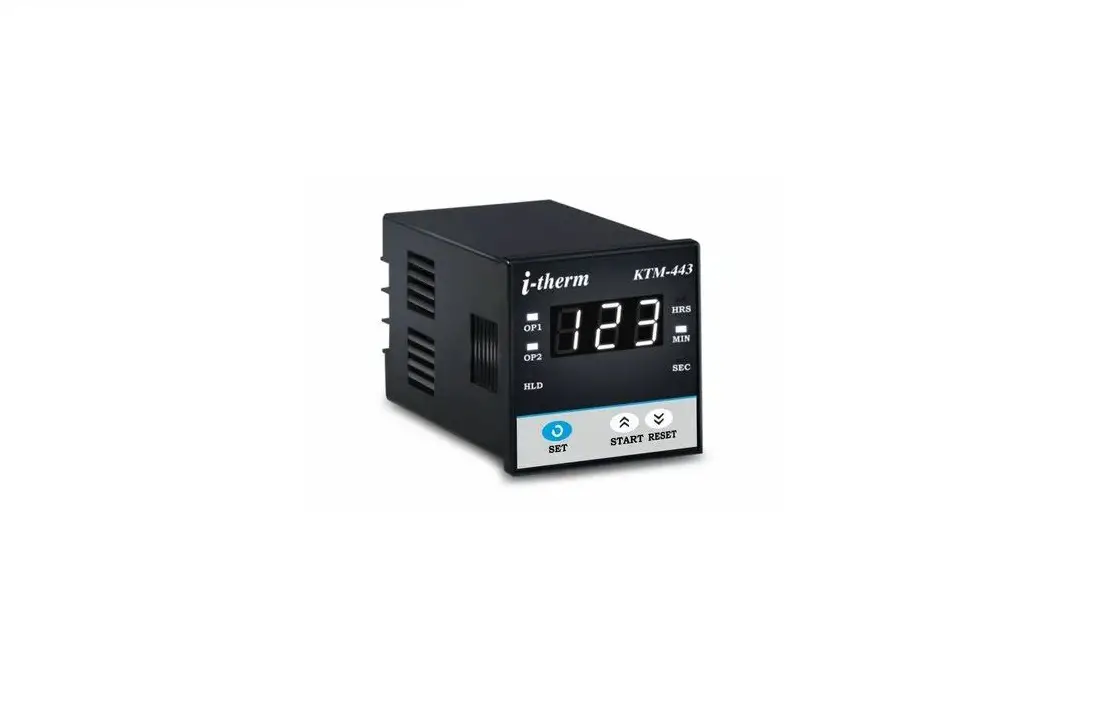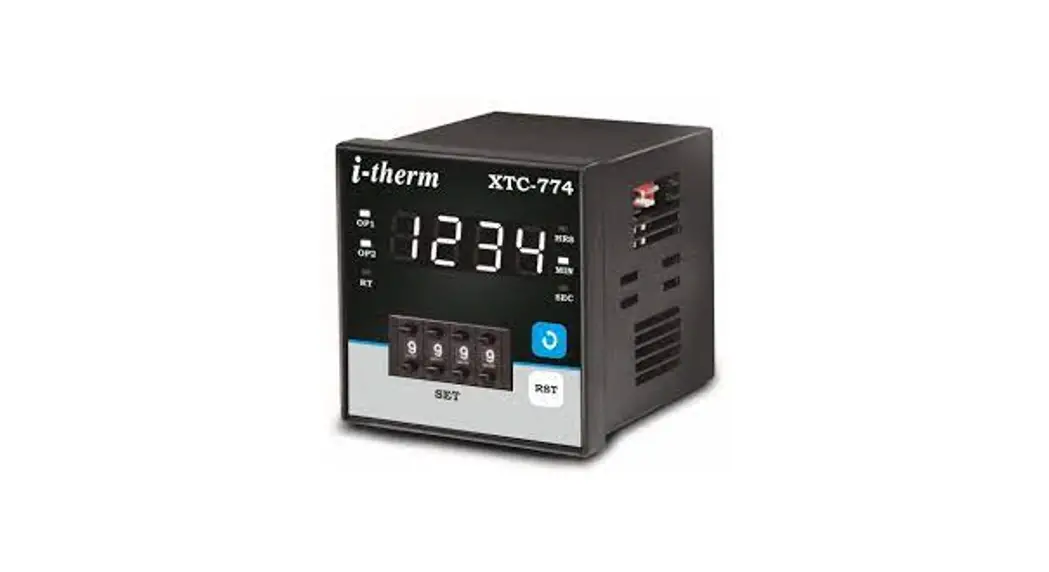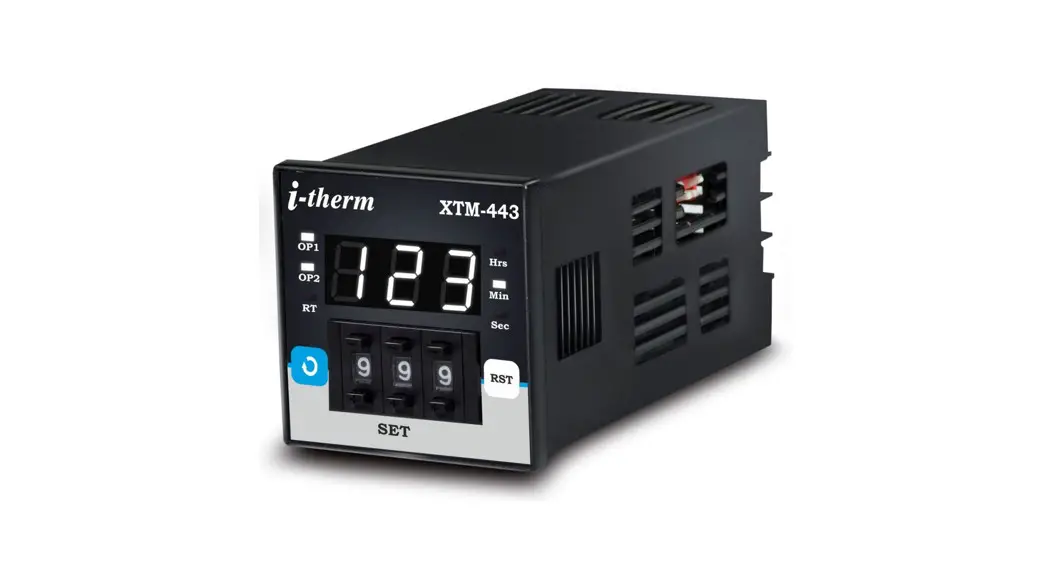
 USER’S OPERATING MANUAL FOR DIGITAL PRESET TIMER
(Models: XTM – 443 / 773 / 993) 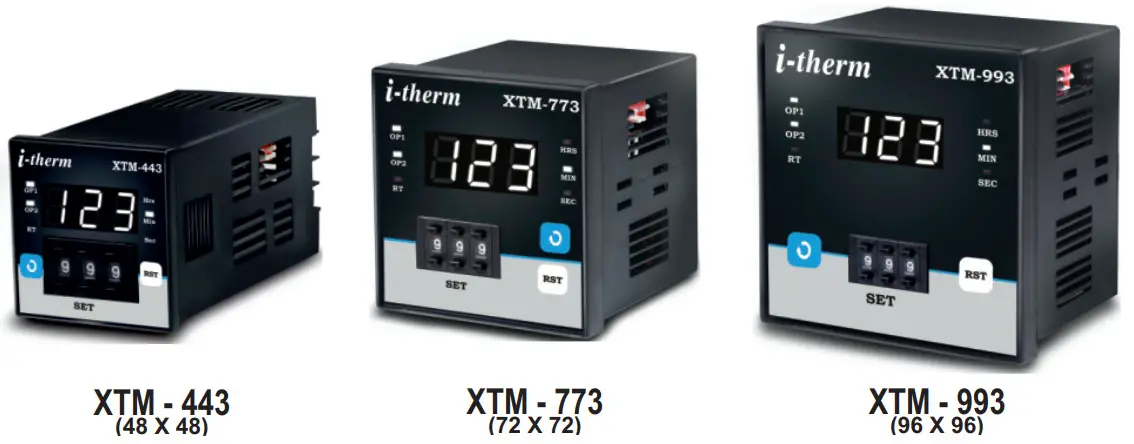
SPECIFICATIONS :
| Display | 3 Digit , 0.56″ Ht (XTM-7731993) 3 Digit , 0.39″ Ht (XTM-443) |
| Status Indication | a] Time unit ( Hrs. / Min. /Sec. ) b] Relay status (0P1/0P2) c] EOC (RT) Time |
| Time settings | Through Pushwheel Switches |
| Control Inputs | a] Start b] Reset |
| Reset time | < 100 ms |
| Timing Accuracy | 0.05% Full Scale |
| Repeat Accuracy | 0.01% |
| Outputs | 5 Amp © 230VAC Relay (1C/0) x 2 |
| Reset | a] Front switch (Programmable) b] Remote Reset (via rear terminals) C] On power interruption (Programmable) |
| Supply | 90 to 270 VAC |
| Mounting | Panel |
| Housing | ABS Plastic |
| Operating temp | 0 ∼ 50° C |
| Humidity | 95% Rh (Non Condensing) |
Configurable Parameters:
| Count direction | Up / Down |
| Timer Start | a] Power on Start b] Front Start c) Remote Start (Edge Triggered) d] Remote Start (Edge + Level Triggered) |
| Timer Function | Auto Reset / Latched output |
| Front Reset | Enable / Disable |
| Output 2 Function | a] Auxiliary Contact b] End of Cycle c] Off |
DIP Switch Setting:-
- Timer Mode Setting:-
DIP 1 Mode OFF On Delay ON Off Delay - Timer Range Setting:-
| DIP 4 | DIP 3 | DIP 2 | Range | Resolution | |
| 1 | OFF | OFF | OFF | 9.99 Sec | 0.01 Sec |
| 2 | OFF | OFF | ON | 99.9 Sec | 0.1 Sec |
| 3 | OFF | ON | OFF | 999 Sec | 1 Sec |
| 4 | OFF | ON | ON | 99.9 Min | 0.1 Min |
| 5 | ON | OFF | OFF | 999 Min | 1 Min |
| 6 | ON | OFF | ON | 9Hr. 59Min | 1 Min |
| 7 | ON | ON | OFF | 99.9 Hrs | 0.1 Hrs |
| 8 | ON | ON | ON | 999 Hrs | 1 Hrs |
INSTALLATION GUIDELINES
- Prepare the cut-out with proper dimension as shown in figure.
- Remove clamp from Timer.
- Push the Timer through panel cut-out and secure the Timer in its place by tightening the side clamp.
SAFETY INSTRUCTION MECHANICAL
- Ambient temperature and relative humidity surrounding the Timer must not exceed the maximum specified limits..
- The Timer in its installed state must be protected against excessive electrostatic or electromagnetic interferences.
ELECTRICAL
- The Timer must be wired as per wiring diagram & it must comply with local electrical regulation.
- The Electrical noise generated by switching inductive loads might create momentary Fluctuation in display, latch up, data loss or permanent damage to the instrument. To reduce this use snubber circuit across the load.
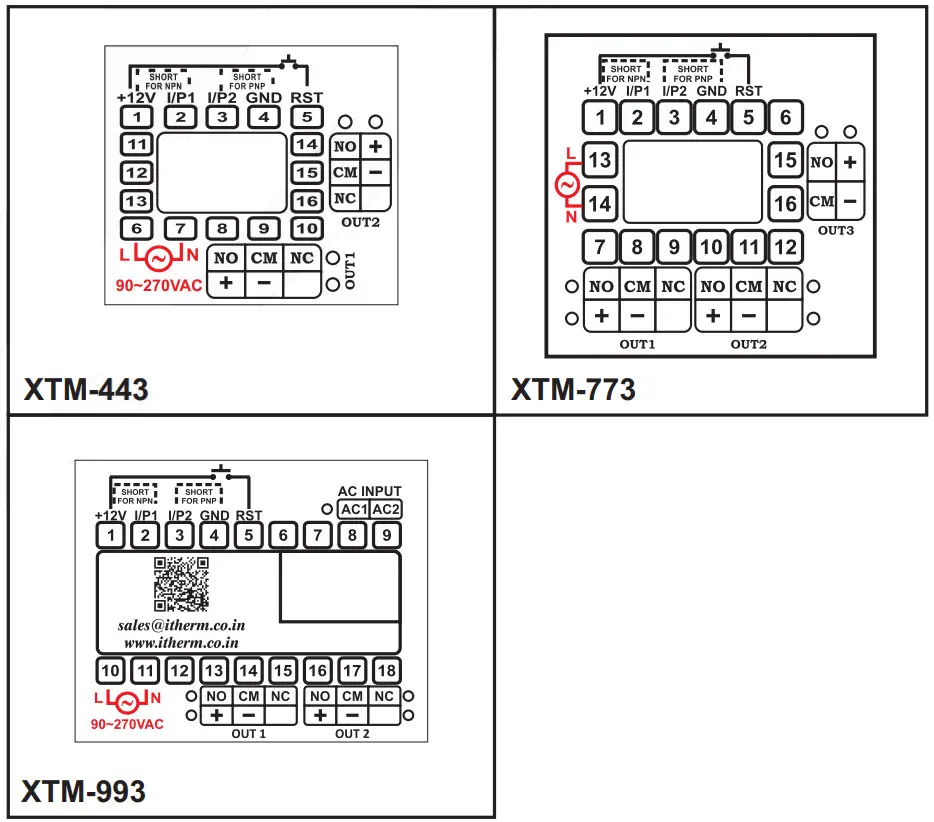
TERMINAL CONNECTIONS :
OVER ALL DIMENSIONS & PANEL CUT OUT (IN MM)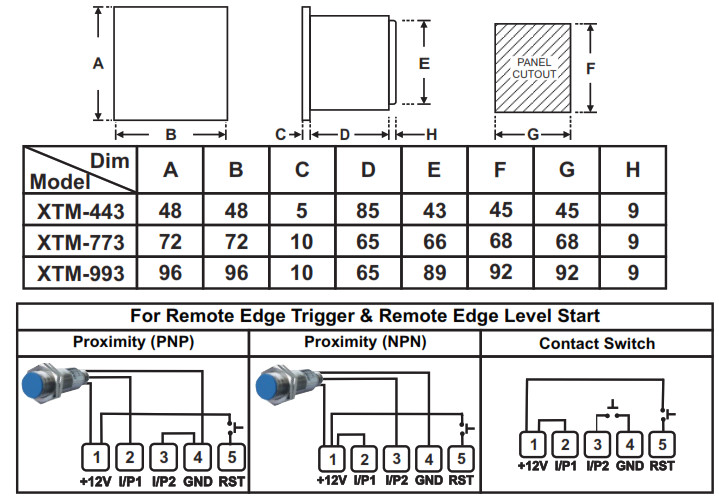
Programming:-
User List:-
- To access the user list press & hold ‘START’ key for 3 Sec.
- Press ‘RST’ Key to change he value.
- Press ‘START’ Key to Store data & move on to next parameter.
- All parameters as shown in the shaded will be displayed for 1 Sec. followed by its value.
| PARAMETER | DISPLAY | DESCRIPTION | DEFAULT |
| End of Cycle Time |  | End of Cycle Time:- It will appears only if End of Cycle as Output 2 is selected. | 5 |
| The End of Cycle time is set with the help of Push Wheel input. |
Configuration List:-
- To Enter in this mode press & hold ‘START’ key for 5 sec. at Power On. ‘CNG’ & ‘1.1.2′ Message will be toggle for 5 sec. Now unit will allow the user to configure different parameters with options as described below.
- Press ‘START’ Key to move on to next parameter.
- Press ‘RST’ Key to scroll between parameter options.
- All following parameters as shown in the shaded will be displayed for 1 Sec. followed by its options or values.
| PARAMETER | DISPLAY | DESCRIPTION | DEFAULT |
| Timer Direction | 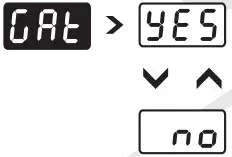 | Timer Counting Direction:- | Down Count |
| Up Counting:- If Selected. timer starts counting from 0 to set time in ascending | |||
| order. ( Up direction ) | |||
| Down Counting:- If Selected. timer starts counting from Set time to 0 in | |||
| descending order. ( Down direction ) | |||
| Timter Marl | 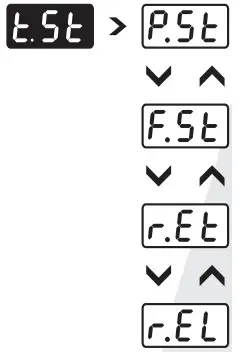 | Timer Start Mode:- This parameter defines the Start mode for the timer. | Power () II Start |
| Power On Start:- If Selected, timer starts counting from Power On. | |||
| Front Start :- If Selected. Timer starts only after user presses START key. If the | |||
| cycle is incomplete at the time of power fail . It will continue after power is restored without need for re-issuing the Start command from front key ( If MEM=On ). | |||
| Remote Edge Trigger Start :- If Selected. Timer starts counting only when it detects | |||
| high to low pulse at back terminal from external Input. | |||
| Remote Edge Trigger + Level Start :• If Selected. Timer starts counting only when it | |||
| detects high to low pulse at back terminal from external Input. The input signal must remain low during timing cycle otherwise timer will Reset. | |||
| Cale Input | 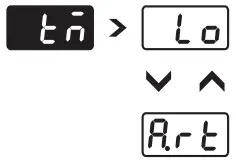 | Gate Ingot :- Prompted only if Timer is configured as Power On Start. When | No |
| Enabled (Set to yes) the External Input can work as a Gate input. | |||
| Yes:- The External Input can be used as a Gate input. | |||
| his);‘• The External Input can not be used as a Gate input. | |||
| Tinter Mode | 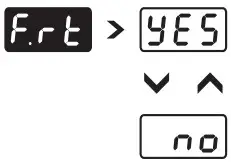 | Timer Mode:- This parameter will be prompted if other than power on start | Latch Output |
| selected. | |||
| Latched Mode:• In this mode once the timing cycle is over, User must issue a Reset | |||
| signal from front key or Ext. Reset input to Re-Start the timer. | |||
| Auto Reset Mnde-• In this mode once the timing cycle is over. Next start input | |||
| through External Input signal will Re-Start the timer. No need to issue Reset Signal. | |||
| Front Reset | 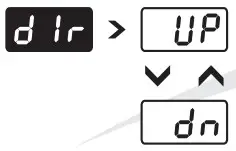 | Front Reset :- This parameter allows the user to Enable or Disable front Reset | Yes |
| function. This feature prevents un-authorized attempt to Reset the Timer during Run mode. | |||
| Yes:- The Timer can be reset through front panel. | |||
| No:• The Timer can not be reset through front panel. | |||
| Output 2 Function | 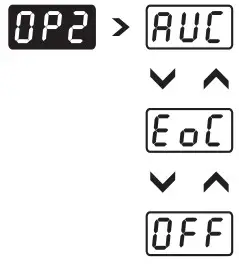 | Output 2 Function:- | Auxiliary |
| Auxiliary Contact:- The OP2 will operate simultaneously with OP1. This function is required when user needs 2 changeover Relay contacts. | |||
| End of Cycle Output:- The OP2 is energized for RT period programmed by user via push wheel switches in Sec. | |||
| Off:- The OP2 is not used & can be kept reserve for future use. |
Mfgd by: Innovative Instruments & Controls LLP
338, New Sonal Link Service Industrial Premises Co-op Society Ltd,
Building No.2, Link Road, Malad (W), Mumbai – 400064.
Tel: 022-66939916/17/18;

https://www.youtube.com/channel/UCzWGtv0HuHUgZR4KKRyKG1w/videos
OIM XTM – XX3 V1.2 Page 3 of 3
E-mail : [email protected]
Website : www.itherm.co.in
 Home - Itherm