 2 Easy Steps to
Independence
Sitting Down
*LOCK THE WHEELCHAIR BRAKES BEFORE SITTING DOWN!
A. Sit Comfortably in the center of the chair.
B. Start deflating by pressing the Down arrow button.
C. You may now sit down comfortably..
NOTES
– One click will deflate one chamber.
– In case of cognitive impediment the SitnStand should only be operated by a caregiver.
Standing Up
LOCK THE WHEELCHAIR BRAKES BEFORE
STANDING UP!
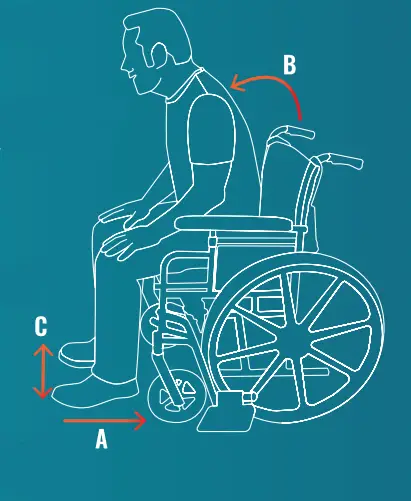
A. Take your feet off the wheelchair pedals and place them on the floor, close to the chair.
B. Sit upright.
C. Spread your feet.
D. Inflate the cushion by pressing the Up button.
E. Now you can easily stand up.
NOTES
– One click will inflate one chamber.
– Do not move the wheelchair until the cushion is fully deflated.
 Get to know the Remote control
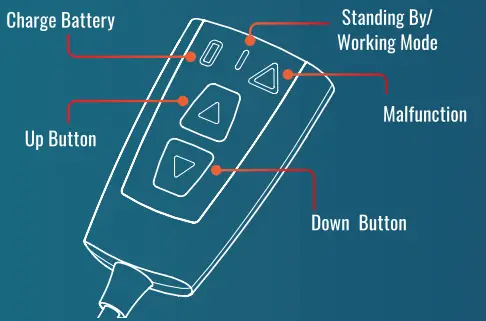
NOTE
Standby mode – flashes slowly (one flash/sec).
Working mode – flashes quickly (5 flashes/sec).
Malfunction reset – press the two control buttons simultaneously for 10 secs.
If that doesn’t help, please contact us at – [email protected]
Placing the SitnStanc
*LOCK THE WHEELCHAIR BRAKES BEFORE PLACING THE SITNSTAND!
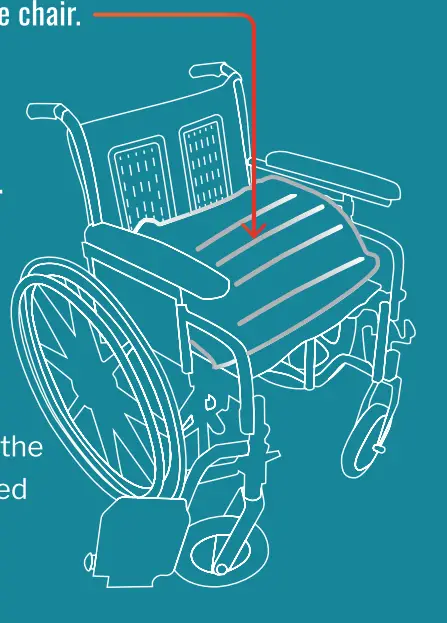
A.Place the folded SitnStand on the wheelchair seat – Illustration A.
B. push the air supply unit through the gap at the rear of the seat Illustration B.
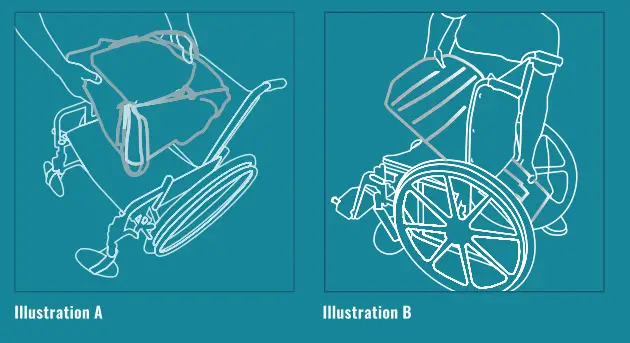

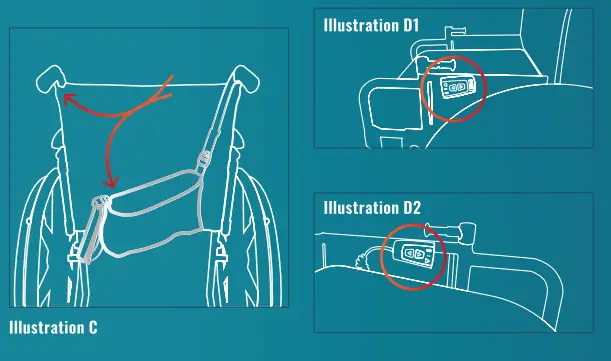
C. Place the straps of the air supply unit on the handles of the wheelchair and fasten them tightly – Illustration C.
D. When not in use we recommend you attach the remote control to a velcro strip that will be attached to the wheelchair armrest Illustrations D1 + 02.
Charging the Battery
A. Remove the battery by sliding it towards you.
B. Connect the battery to the charger as illustrated.
C. When the Red light on the charger changes to Green, the battery is fully charged.
D. Slide the charged battery into its place.
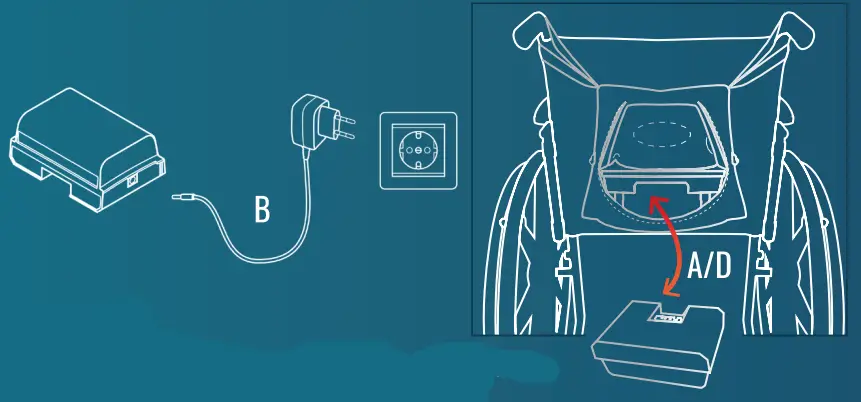
* NOTE When using the battery for the first time. it should be charged for at least 12 hours.
 Keep This Card
Congratulations for buying the SitnStand for wheelchairs!
We hope that the SitnStand for wheelchairs will offer you greater independence for many years, and allow you to move freely wherever you go.
The sign stand is a quality product.
We have invested time and effort to ensure it is delivered to you in prime condition to serve you for many years.
If for any reason you experience any discomfort during use, please do not hesitate to contact us.
Scan to watch Step-by Step tutorial videos
 https://qrco.de/bd2opt
  email [email protected]
 web www.sitnstand.com
LAPLAB.000.031-R0