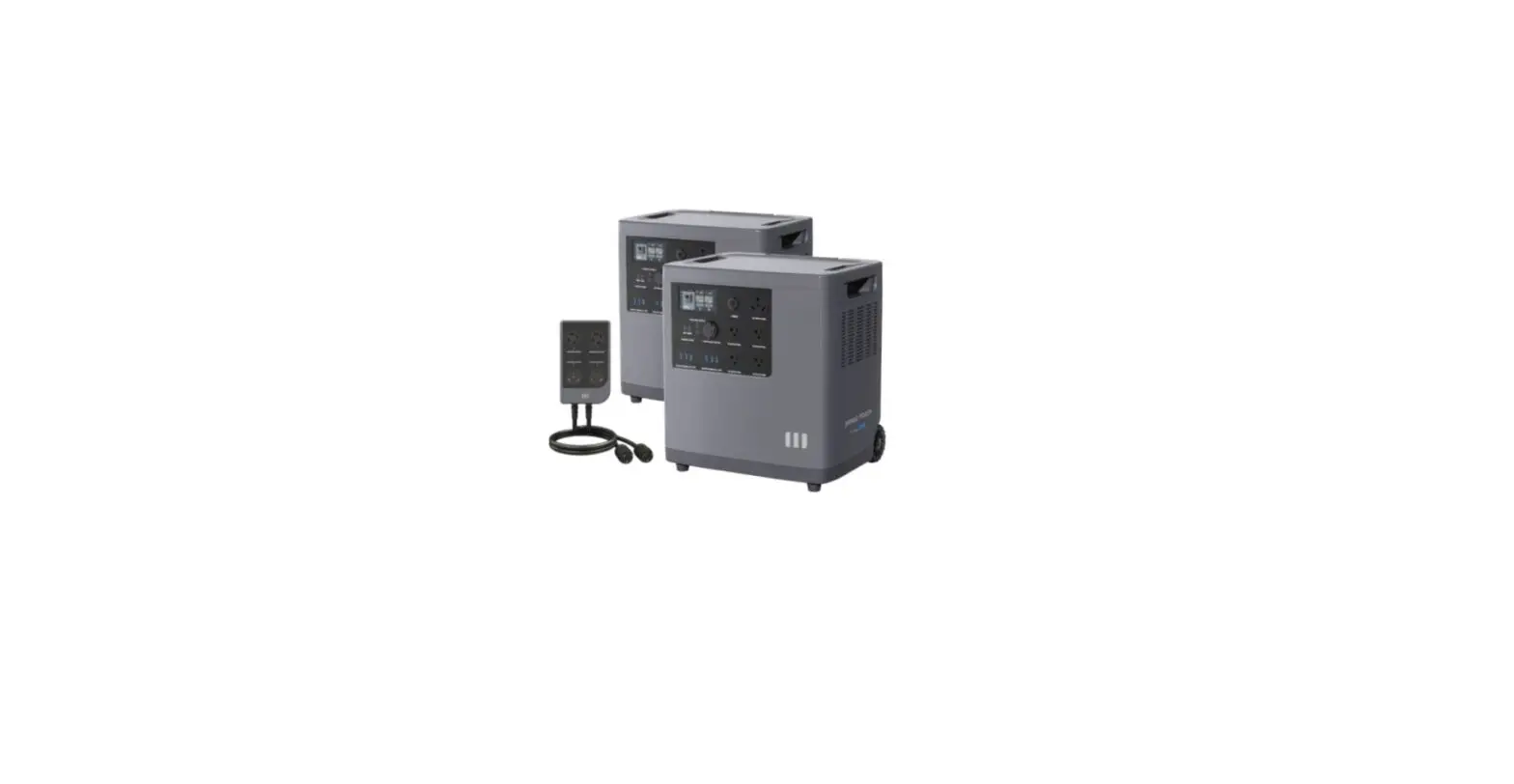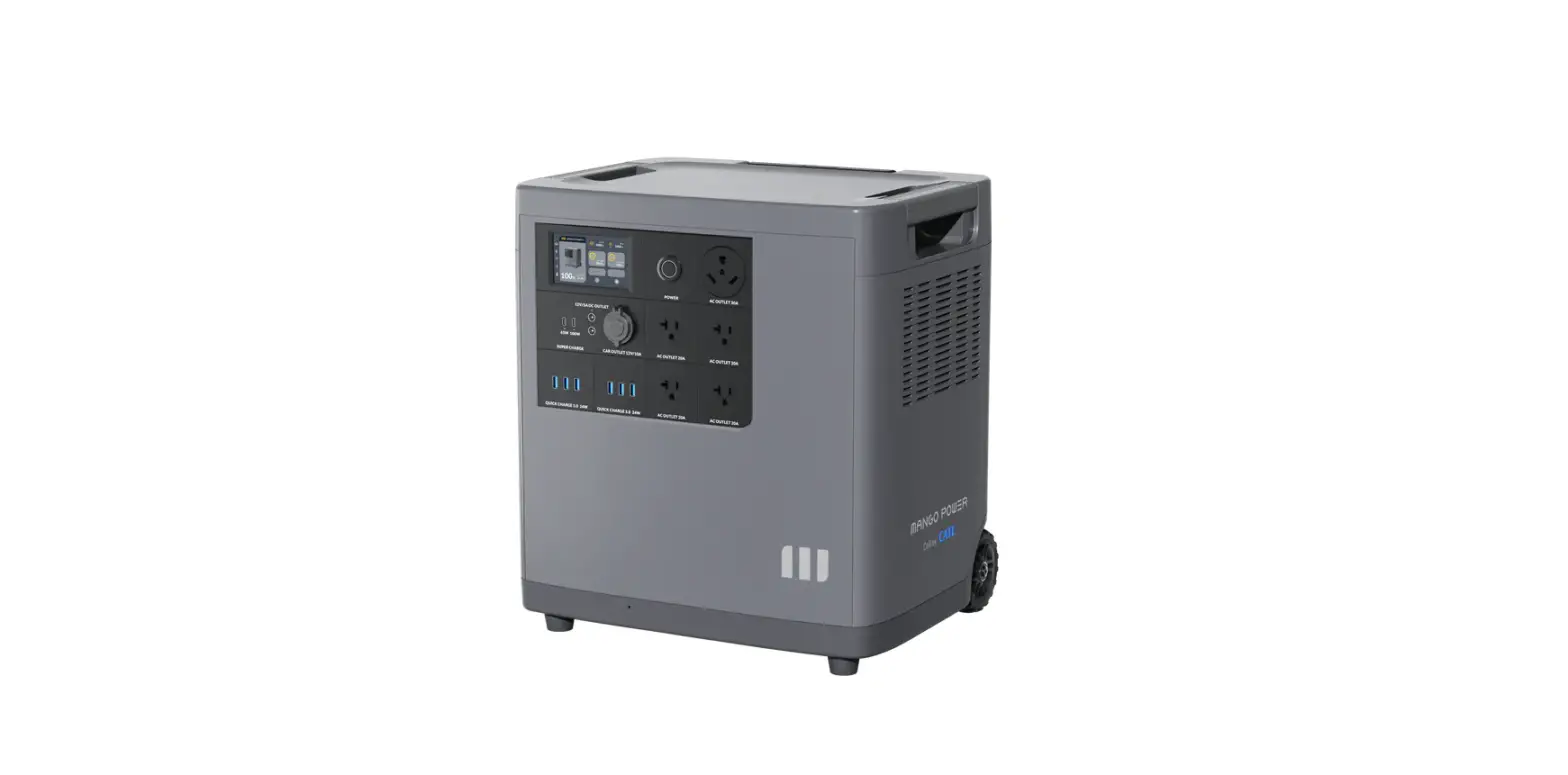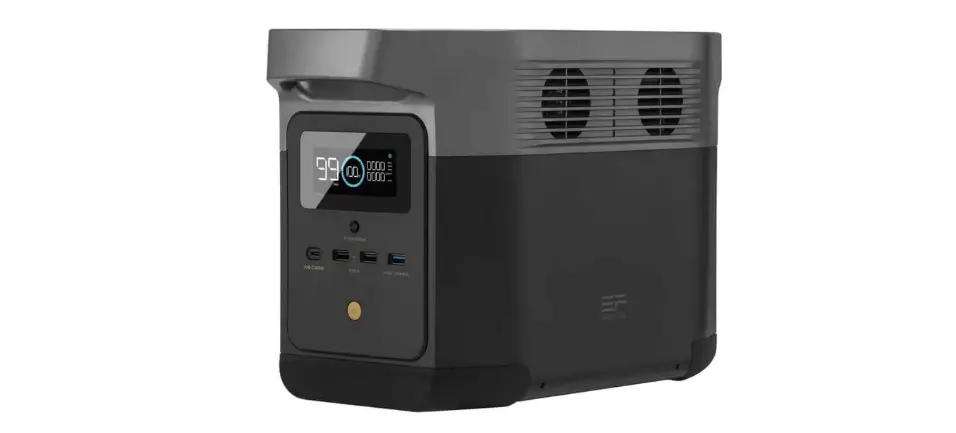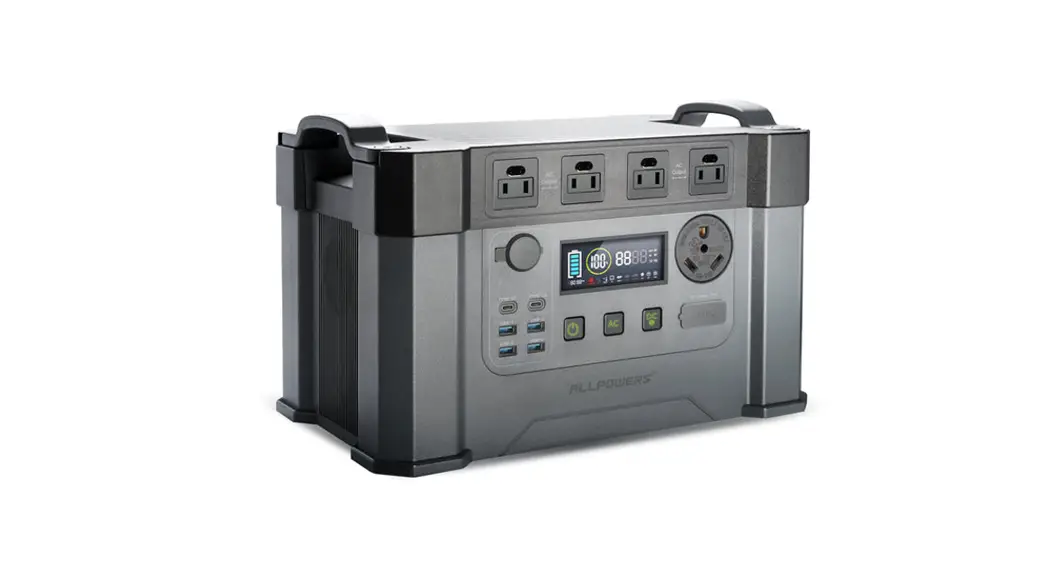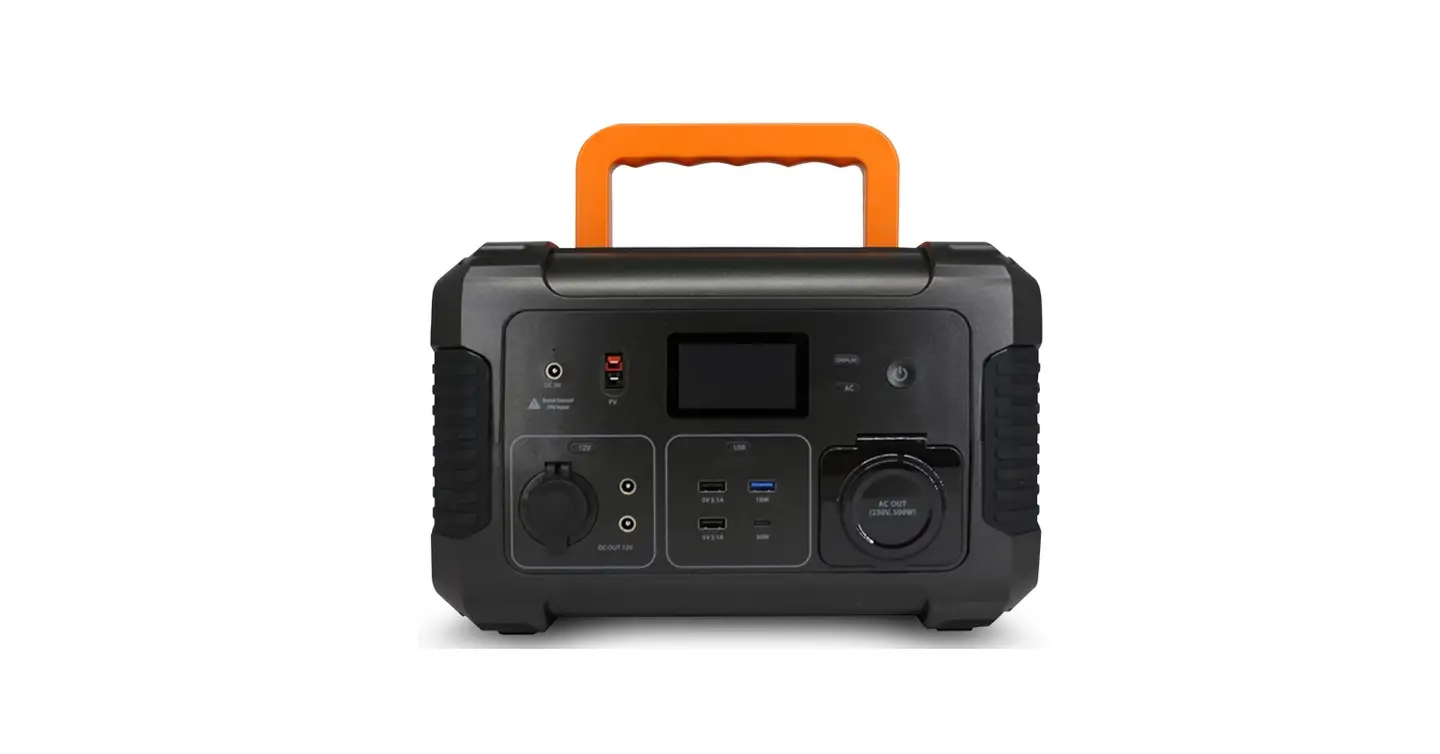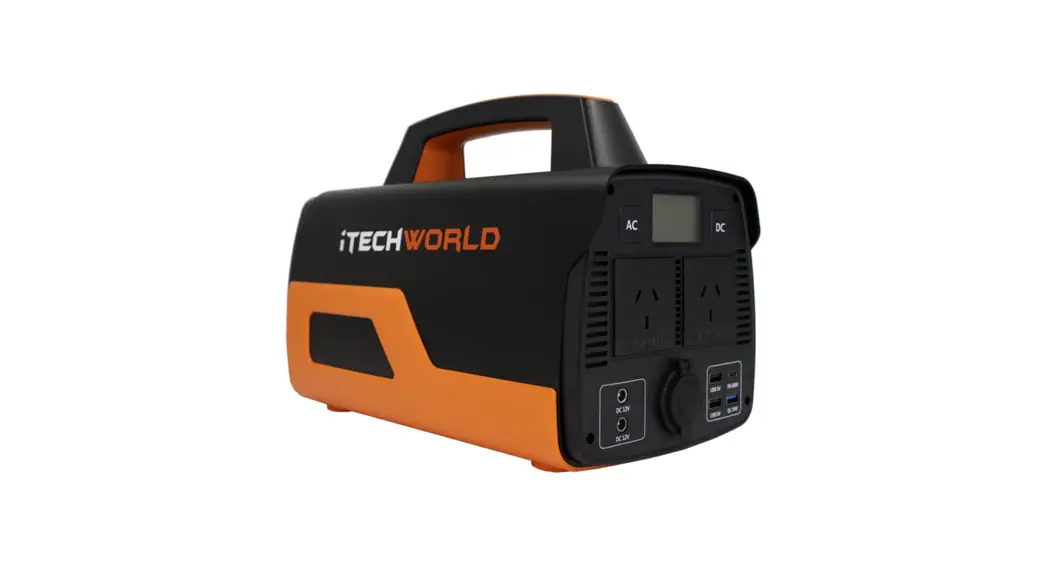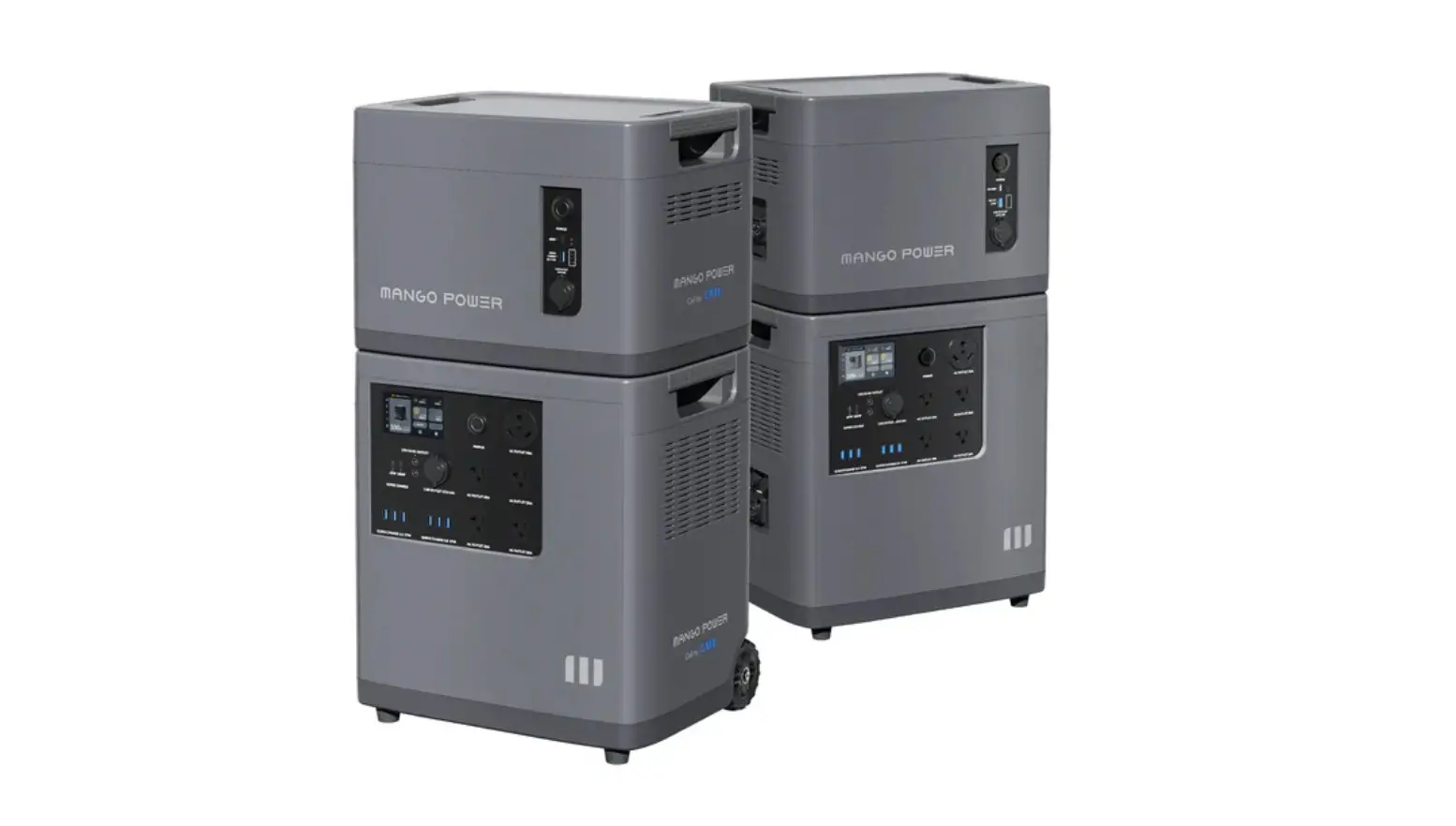

MANGO POWER E Portable Power Station
Disclaimer
Read this Quick Start Guide carefully before using the product to ensure that you completely understand the product and can correctly use it. After reading this user manual, keep it properly for future reference. Improper use of this product may cause serious injury to yourself or others, or cause product damage and property loss. Once you use this product, it is deemed that you understand, approve and accept all the terms and content in this document. MANGO POWER is not liable for any loss caused by the user’s failure to use this product in compliance with this Quick Start Guide. In compliance with laws and regulations, MANGO POWER reserves the right to the final interpretation of this document and all documents related to this product. This document is subject to changes (updates, revisions, or termination) without prior notice. Please visit MANGO POWER’s official Guide website to obtain the latest product information.
INSTRUCTIONS PERTAINING TO RISK OF FIRE, ELECTRIC SHOCK, OR INJURY TO PERSONS
IMPORTANT SAFETY INSTRUCTIONS
WARNING – When using this product, basic precautions should always be followed, including the following
- Read all the instructions before using the product.
- To reduce the risk of injury, close supervision is necessary when the product is used near children.
- Do not put fingers or hands into the product.
- Use of an attachment not recommended or sold by MANGO POWER may result in a risk of fire, electric shock, or injury to persons.
- To reduce risk of damage to the electric plug and cord, pull the plug rather than the cord when disconnecting the power pack.
- Do not use a battery pack or appliance that is damaged or modified.Damaged or modified batteries may exhibit unpredictable behavior resulting in fire, explosion or risk of injury.
- Do not operate the power pack with a damaged cord or plug, or a damaged output cable.
- Do not disassemble the power pack. Take it to a qualified service person when service or repair is required. Incorrect reassembly may result in a risk of fire or electric shock.
- To reduce the risk of electric shock, unplug the power pack form the outlet before attempting any servicing.
- WARNING – RISK OF EXPLOSIVE GASES.
To reduce risk of battery explosion, follow these instructions and those published by MANGO POWER and manufacturer of any equipment you intend to use in vicinity of the battery. Review cautionary marking on the product.
PERSONAL PRECAUTIONS- a) Have plenty of fresh water and soap nearby in case battery acid contacts skin, clothing, or eyes.
- b) Wear complete eye protection and clothing protection. Avoid touching eyes while working near the battery.
- c) If battery acid contacts skin or clothing, wash immediately with soap and water. If acid enters eye, immediately flood eye with running cold water for at least 10 minutes and get medical attention immediately.
- d) NEVER smoke or allow a spark or flame in vicinity of the battery.
- e) Be extra cautious to reduce risk of dropping a metal tool onto battery. It might spark or short-circuit battery or other electrical part that may cause explosion.
- When charging the internal battery, work in a well-ventilated area and do not restrict ventilation in any way.
- Under abusive conditions, liquid may be ejected from the battery; avoid contact. If contact accidentally occurs, flush with water. If liquid contacts eyes, additionally seek medical help. Liquid ejected from the battery may cause irritation or burns.
- Do not expose a power pack to fire or excessive temperatures. Exposure to fire or temperatures above 130°C (265°F) may cause an explosion.
- Have servicing performed by a qualified repair person using only identical replacement parts. This will ensure that the safety of the product is maintained.
OPERATING INSTRUCTIONS
- Instructions regarding battery charging, temperature limits for appliance, battery-use, and storage, and the recommended temperature range for charging.
- Indoor-use only power packs
Technical Specifications
Model / MANGO POWER E
Product Name Mobile energy storage
General
- Net Weight 100.1lbs(45.4kg)
- Size 17.8×13.6×19.4 inches(452x345x494 mm)
- Working Temperature Charging: -10°C~45°C (14℉~113℉) Discharging: -20°C~45°C (-4℉~113℉)
- Warranty 5 years
- Certifications Meets US and International Safety and EMI Standards
- Quick Charge Recharge to 80% in 1 hour Recharge to 100% in 1.5 hours
- Running Noise <40dB under no-load <51dB under full-load
- IP level IP21
- Capacity Expansion Can expand the capacity by one E Battery to 7066Wh
- Power Expansion Can expand the power by two to 6000W
- 240V split phase With mSocket Pro or mPanel(sold separately), can output 240V split phase, 6000W
- Home Backup Support (need mPanel Pro)
Battery
- Battery Capacity 3533Wh
- Cell Chemistry World’s best CATL LFP
- Life Span Capacity Retention >70% after 6000 cycles(@25℃, +0.5C/-0.5C)
- Battery Management Systems Over Voltage Protection, Overload Protection, Over Temperature Protection, Short Circuit Protection, Low Temperature Protection, Low Voltage Protection, Overcurrent Protection
- Max charging rate Up to 1.1C
Input
- Charging Method AC Wall Outlet, Solar Panel, EV Charger, Generator
- AC Charging Max 3000W
- Solar Charging Max 2000W (60V-150V)
- EV AC Charging Spot Adapter needed
- Generator Support
Inverter
- Rated AC Output Power 3000W, 120V AC, 60Hz
- Power of Over-load 3150W<load≤3750W, 5mins; 3750W<load≤4500, 60s 4500W<load≤4800W, 10s 4800W<load, less than 40ms
- Maximum Power Point Trackers 1x, Support Both Roof and Portable Solar Panels
- Inverter Efficiency Up to 88%
Output
- Output Ports 16
- AC Output Ports 4 x 20A
- USB-A 6 x QC 3.0 24W
- USB-C 1 x PD 65W+1 x PD 100W
- Car Power Output 12V/10A
- DC5521 Output 2x12V/5A
- AC RV Port 30A
Smart Control
- Connection Bluetooth and Wi-Fi
- App Romote Control Yes
- OTA Upgrade Yes
- Customized Mode Backup Power Mode / Economical Mode / Time-based Control Mode
- Smart Measurement Yes
- Smart Energy and Carbon Footprint Report Yes
- Smart Notifications Yes
Screen
- Size 4.3 Inches
- Touch Screen Yes
- Resolution Ratio 480 x 800
- Screen pigment 16.7M colors
Safety
Smart Self-Check System Yes
Whether the product can be charged or discharged depends on the actual temperature of the battery pack.
Features
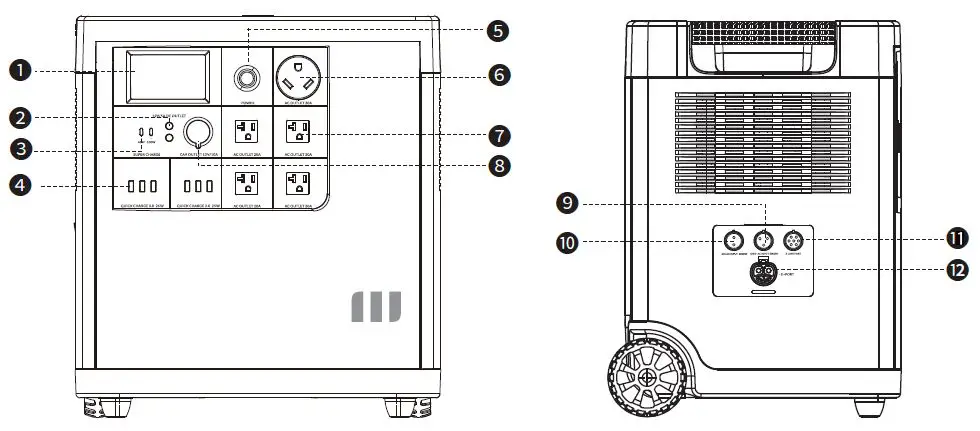
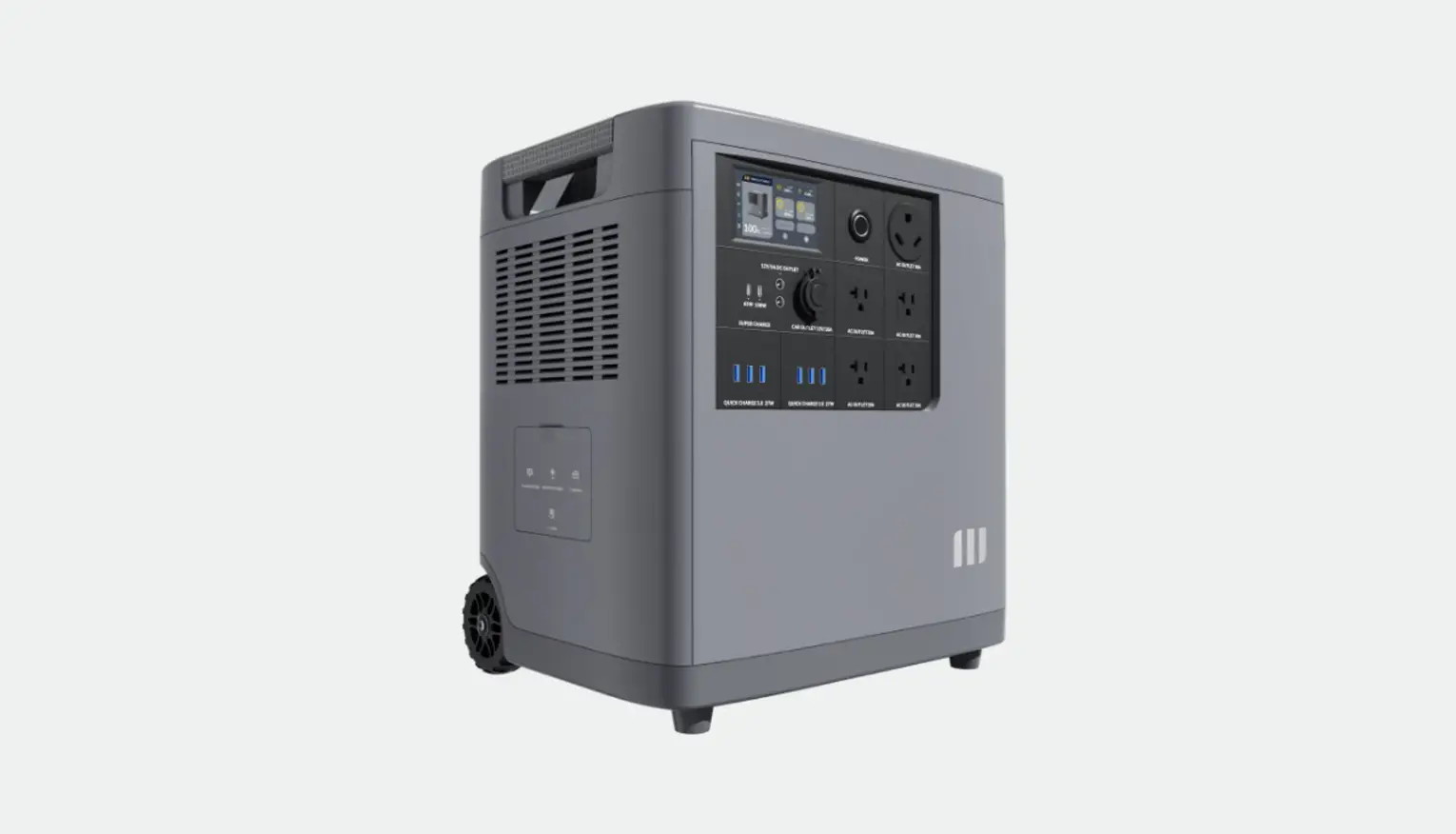
| No. | Name | Description |
| ❶ | Touch Screen | Can be pressed/tapped to control the MANGO POWER E |
| ❷ | 2x DC 5521 12V/5A output | Traditional ports for routers, cameras, old laptops, etc. |
| ❸ | USB-C 65W/100W output | Can be used to charge most devices currently on the market at 65W/100W Max |
| ❹ | 6x USB-A 24W output | Quick charge USB-A ports |
| ❺ | Power button | Short/Long press to turn MANGO POWER E ON/OFF |
| ❻ | AC TT-30P | NEMA TT-30: standard recreational vehicle connector (120V/30A), also known as RV 30 |
| ❼ | 4x AC output | Standard AC receptacle: widely used in areas that use 100-120V; generates almost same AC power as a household wall outlet |
| ❽ | DC 12V/10A cigarette lighter port | Output port for devices with a corresponding plug such as vehicle-use vacuums, refrigerators, etc. |
| ❾ | Grid AC input | Can connect the MANGO POWER E to grid for AC charging |
| ❿ | Solar input | Can be connected to solar panels |
| E-Link Port | Connection port between two MANGO POWER E’s to generate 240V split phase | |
| ❿2 | E+ Port | Connection port for the MANGO POWER E to connect with MANGO POWER E Battery |
Getting Started
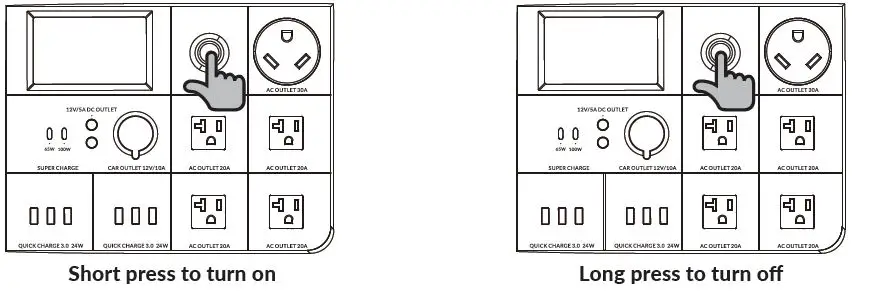
Startup: Short press the power button for 1 second. The power button indicator will illuminate and the touch screen will light up.
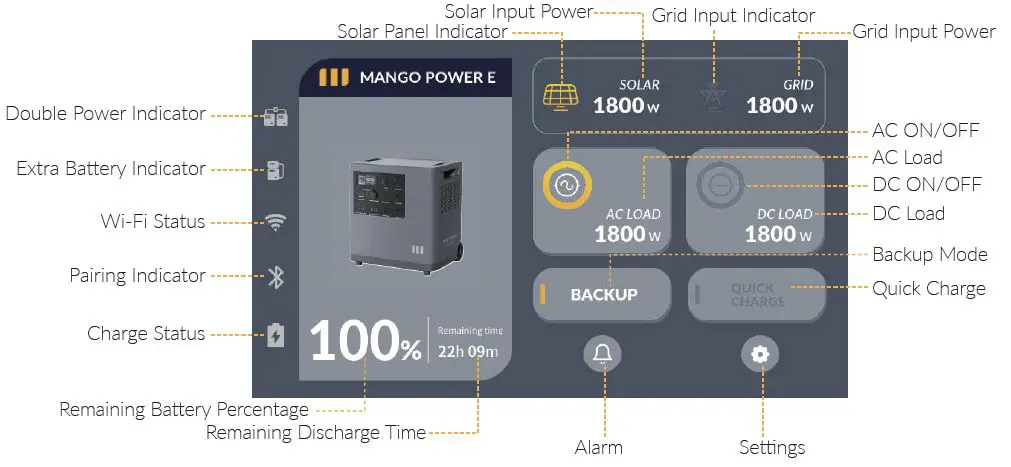
Shutdown: Long press the power button for 5 seconds. The power button indicator will turn off.The MANGO POWER E’s DC and AC power switches are integrated into the interaction LCD screen; press “DC” button and/or “AC” button on the screen to turn on/off the DC/AC output
Touch Screen
You can download the Touch Screen User Manual at link: https://www.mangopower.com/us/support/download/index, or scan the QR code on the last page.
AC Charging
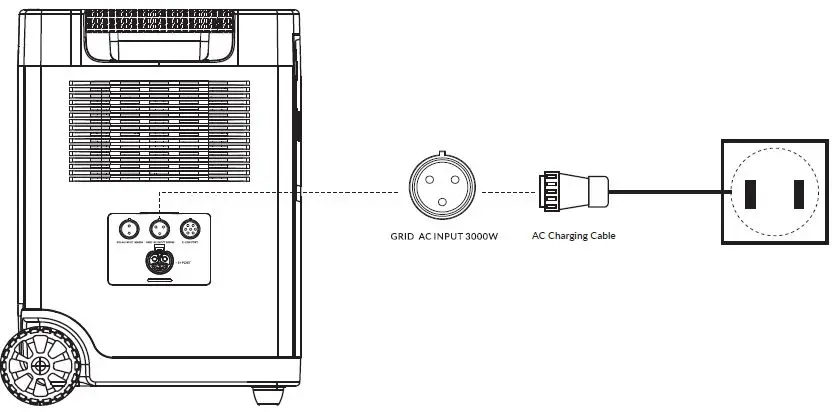
Connect the MANGO POWER E from Grid AC Input port via the inbox 15A AC charging cable to the wall outlet.
- The default charging power is less than 500W.
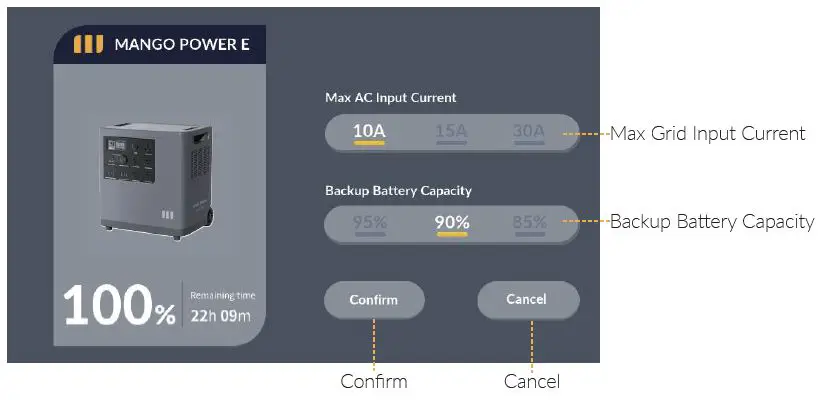
- Click the Quick Charge button (on the touch screen). The default value is less than1500W/100Vac, 1800W/120 Vac. When the power level reaches 100%, it will automatically stop charging.
In addition, you can choose to purchase a 30A fast charge cable, the maximum allowed charging power will be up to 3000W. (Please make sure the home outlets you connect to support a current of more than 30A. At the same time, in the case of no AC input, set the maximum grid input current to 30A on the touch screen)
Solar Charging
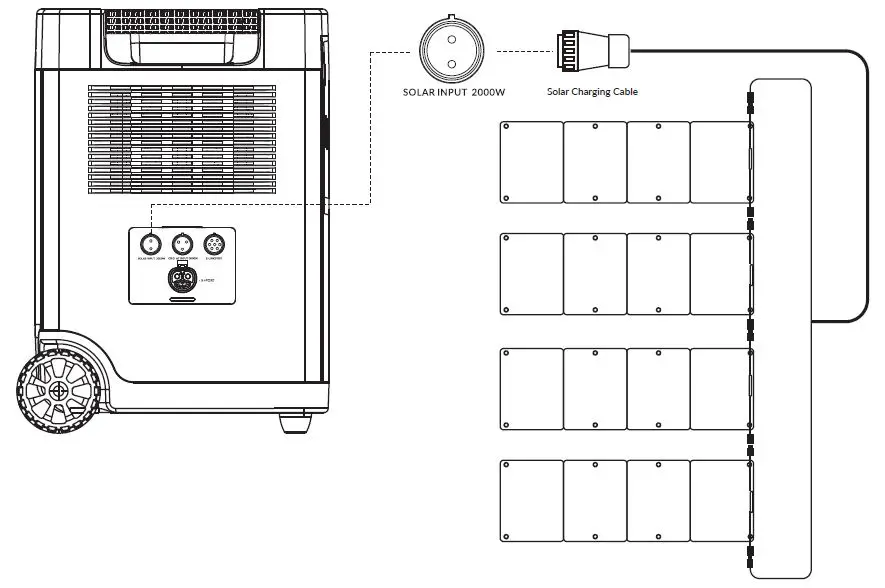
- Connect solar panels in series as shown in the figure, and recharge the MANGO POWER E via Solar Charging Cable (MC4 to aviation cable) .
- MANGO POWER E supports 60-150V DC input, 20A max current, and 2000W max charging power. Before connecting the solar panel, please ensure that the solar panel’s output voltage is within 150V to avoid product damages
E+ Function
MANGO POWER E can link the MANGO POWER E Battery to expand the battery capacity to 7066Wh. Turn off both the MANGO POWER E and MANGO POWER E Battery before connecting or disconnecting them
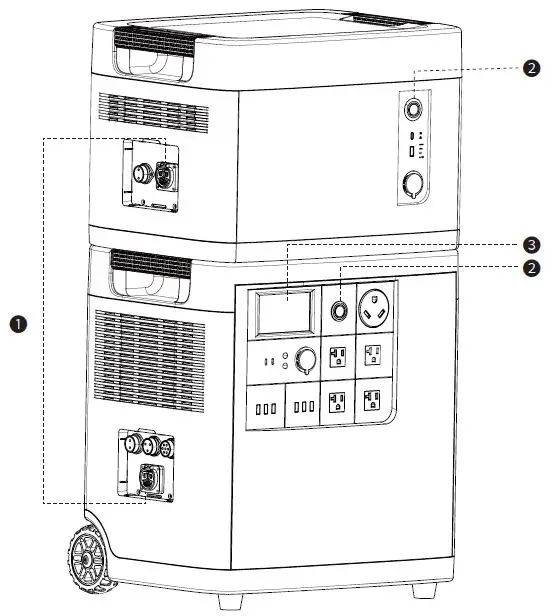
- Connect the MANGO POWER E and E Battery via an E+ cable;
- Turn on the MANGO POWER E and MANGO POWER E Battery;
- Before use, make sure the MANGO POWER E is displaying the extra battery icon on its touch screen.
E-Link Function
Two MANGO POWER E units can be linked together with an E-Link cable to double the output power and voltage. Please disconnect the AC charging cable for both MANGO POWER E units while plugging into the mSocket Pro;
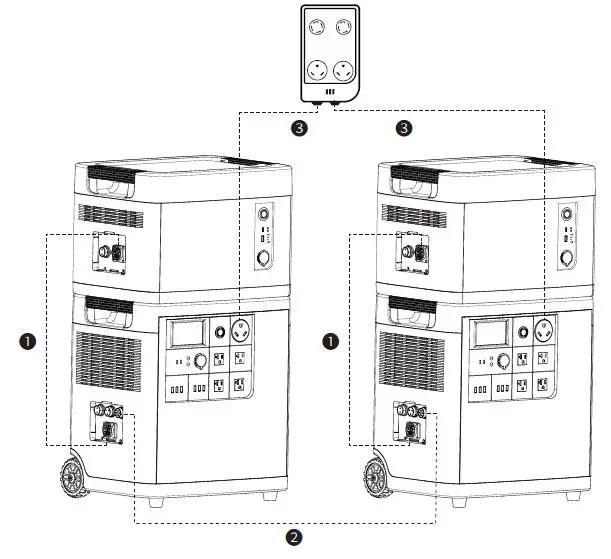
- Connect the MANGO POWER E and E Battery via an E+ cable;
- Connect two MANGO POWER E’s via an E-Link cable;
- Plug in two MANGO POWER E’s into the mSocket Pro;
Turn MANGO POWER E and MANGO POWER E Battery on and tap the AC ON/OFF on one of the MANGO POWER E’s touch screens. You can get output power and voltage doubled from the mSocket Pro.
MANGO POWER App
The MANGO POWER E support both Wi-Fi and Bluetooth connections. Please download the MANGO POWER App from the iOS App Store or Google Play before installing the MANGO POWER E. You can download the APP and APP User Manual at link: https://www.mangopower.com/us/support/download/index, or scan the QR code on the last page
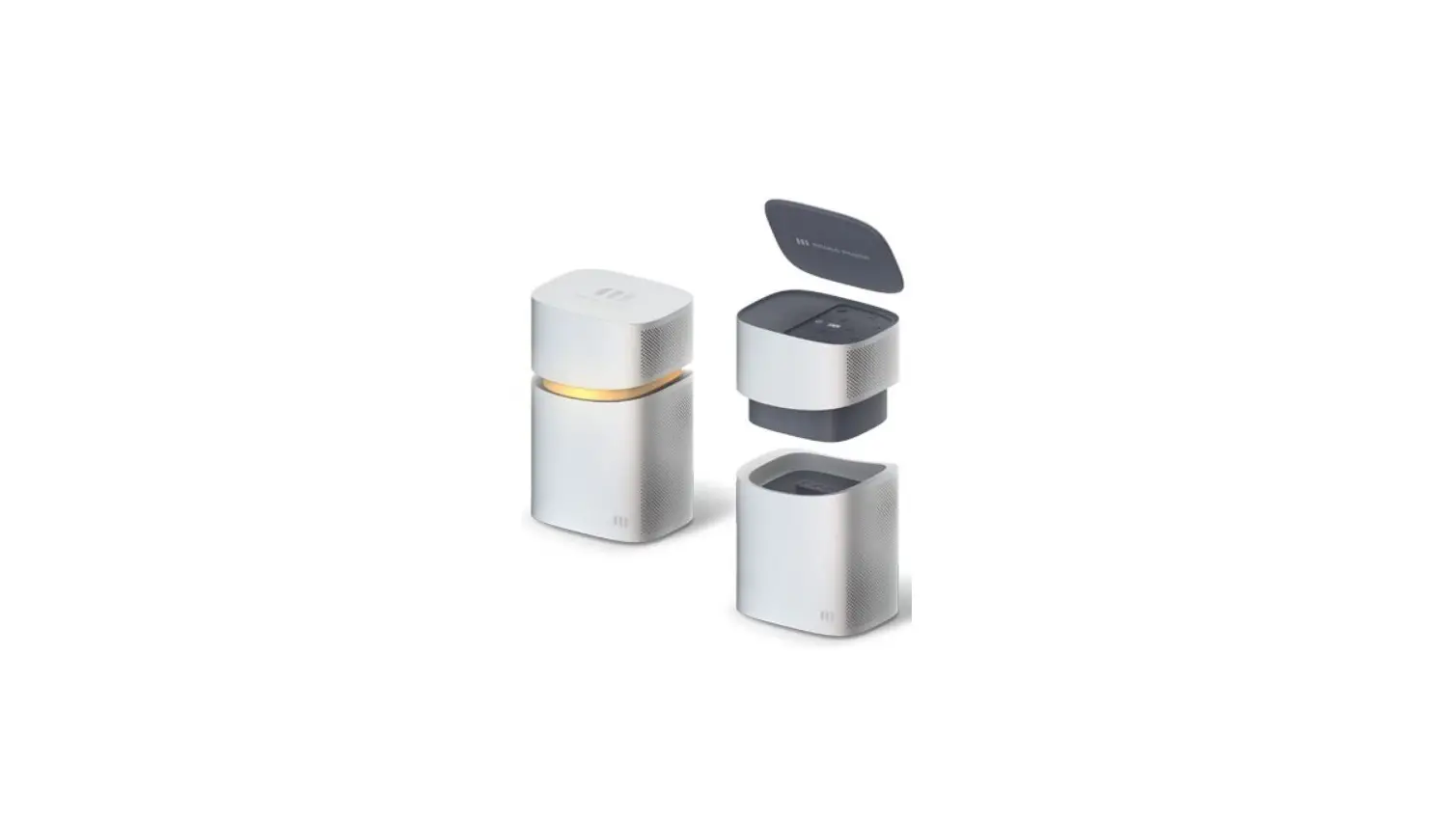
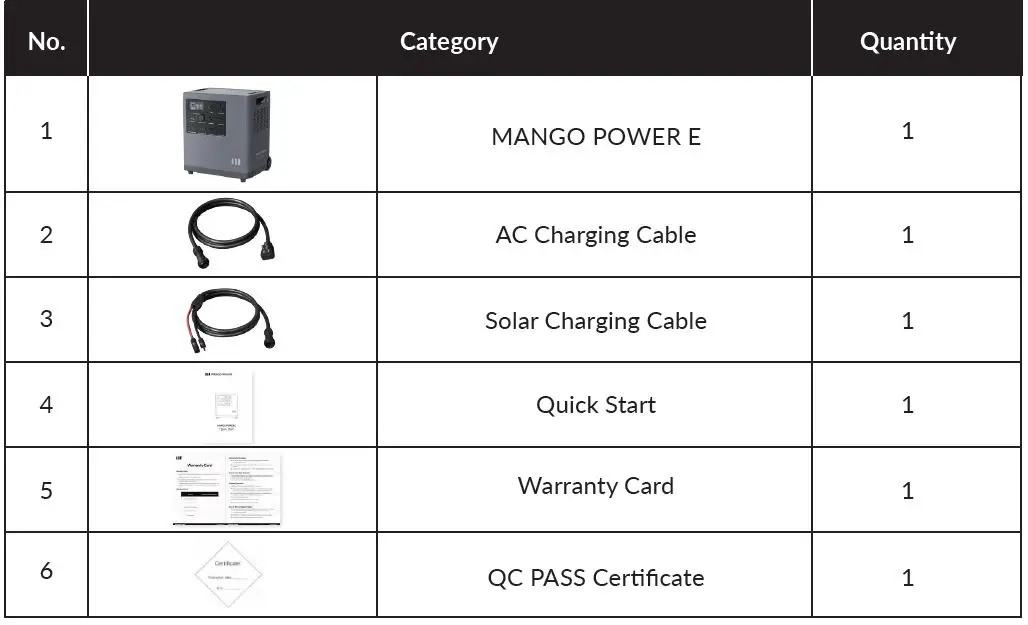
What’s In the Box
Storage and Maintenance
- Ideally, use and store the product in a place of between 20°C~30°C (68°F~86°F), and always keep it away from water, intense heat, and sharp objects. For an extended product lifespan, do not store it in places of temperatures above 45°C (113°F) or below -10°C (14°F).
- For long-term storage, please discharge the product every three months (firstly discharge it to 0%, then fully recharge it, and lastly discharge it to 60%); the product will not be covered by the warranty if it is not charged or discharged for more than 6 months.
Safety Instructions
- Carefully read this document before installation and use. Otherwise, serious damage or personal injury may result.
- This battery contains compounds which may be harmful, carcinogenic, or cause fertility disorders if improperly handled. Do not remove the internal battery without the express permission of the manufacturer or one of its designated suppliers.
- We’re proud of the MANGO POWER E’s lightweight design, but it is still a 42kg+ product. Please be careful when handling and use an auxiliary transport tool if necessary.
- If you notice any extrusion, deformation, or other defect of your MANGO POWER E, immediately stop use of the product, and contact our support staff.
- Before undertaking any installation or wiring, first make sure the MANGO POWER E’s Power Button and Breaker are in the “off” position.
- Do not dismantle or attempt to dismantle the MANGO POWER E without the express permission of the manufacturer. Some of its parts are not replaceable. If you have any issue with your MANGO POWER E, contact our support staff. If maintenance is required, professional maintenance engineers will be required.
- To protect the product during transportation, please do not stand or sit on the MANGO POWER E’s packing boxes. When opening and unpacking, be sure to handle with care.
- Do not place other items on top of the MANGO POWER E.
- Do not install the MANGO POWER E near a heater or other heat source. It is prohibited to place or operate this equipment in an environment with any flammable, explosive gas, or smoke.
- Do not install the MANGO POWER E any place where it will be directly exposed to the rain, and do not allow it to soak in water or any other liquid.
- Please do not use chemical cleaners or expose the MANGO POWER E to any other flammable or volatile chemicals.
- Do not use spray products to clean the MANGO POWER E.
- This product should only be installed in environments that stay within its operating temperature range: Charging: -10°C~45°C (14℉~113℉) Discharging: -20°C~45°C(-4℉~113℉)
- Strictly follow guidelines laid out in this user manual when installing or using your MANGO POWER E.
- Only use official accessories from MANGO POWER to use in conjunction with your MANGO POWER E.
- Do not insert foreign objects into any of the MANGO POWER E ports (whether AC or DC or ventilation holes). This power station generates the same potentially lethal AC power as a household wall outlet. Please use it carefully and keep children away from it.
Alarm Prompt Comparison Table
| Part | Prompt | Reason | Treatment measure |
|
PCS | PE001 | High-grid voltage | 1. Check if the AC input interface is properly connected; 2. Check if the grid voltage waveform is normal; The voltage can be automatically recovered within the normal range. |
| PE002 | Low-grid voltage | 1. Check if the AC input interface is properly connected; 2. Check if the grid voltage waveform is normal; The voltage can be automatically recovered within the normal range. | |
| PE004 | High-grid frequency | 1. Check if the AC input interface is properly connected; 2. Check if the grid voltage waveform is normal;The grid frequency can be automatically recovered within the normal operating range. | |
| PE005 | Low-grid frequency | 1. Check if the AC input interface is properly connected; 2. Check if the grid voltage waveform is normal;The grid frequency can be automatically recovered within the normal operating range. | |
| PE006 | High bus voltage | The voltage can be recovered automatically without any operations. | |
| PE007 | Low bus voltage | The voltage can be recovered automatically without any operations. | |
| PE008 | AC overcurrent protection | 1. Check if there is a short circuit in the bypass circuit; 2. Check if the current is greater than the set impulse current. Click the Clear Fault button on the screen, or restart the machine to recover. | |
| PE009 | High PFC MOSFET temperature | 1. Check if it exceeds the ambient temperature of product operations; 2. Check if the fan outlet is blocked; 3. Reduce the charging and discharging power.The temperature can recover after restart. | |
| PE010 | High temperature on the original side of MOSFET on the DC side | 1. Check if it exceeds the ambient temperature of product operations; 2. Check if the fan outlet is blocked; 3. Reduce the charging and discharging power.The temperature can recover after restart. | |
| PE012 | AC fuse failure | Repair and maintenance are recommended. | |
| PE013 | Overtemperature of the PTC thermistor | Repair and maintenance are recommended. | |
| PE015 | Low AC load voltage | 1. Check if the access load power exceeds the rated power; 2. Please reduce the access load power. Click the Clear Fault button on the screen, or restart the machine to recover. | |
| PE016 | High AC load voltage | Check if the external voltage is output to the bypass output, causing the high voltage. Click the Clear Fault button on the screen, or restart the machine to recover. | |
| PE017 | Frequency loss | 1. Check if the AC input interface is properly connected; 2. Check if the grid voltage waveform is normal;The power supply can be automatically recovered within the normal range. | |
| PE018 | Slow startup fails. | Repair and maintenance are recommended. | |
| PE019 | Grid voltage loss | 1. Check if the AC input interface is properly connected; 2. Check if the grid voltage waveform is normal;The power supply can be automatically recovered within the normal range. | |
| PE021 | AC load over-power | 1. Check if the access load power exceeds the rated power; 2. Please reduce the access load power. Click the Clear Fault button on the screen,or restart the machine to recover. | |
| PE022 | High AC load frequency | Check if the operating frequency of the load exceeds the output frequency of the equipment.Restart the machine to recover. | |
| PE023 | Low AC load frequency | Check if the operating frequency of the load exceeds the output frequency of the equipment.Restart the machine to recover. |
| Part | Prompt | Reason | Treatment measure |
|
PCS | PE024 | Bypass circuit output overcurrent | 1. Check if the bypass circuit load power exceeds the rated power; 2. Please reduce the load power. Click the Clear Fault button on the screen, or restart the machine to recover. |
| PE025 | The frequencies of parallel machines are mismatched. | Check if the output frequencies of the two parallel machines are identical to each other. Click the Clear Fault button on the screen, or restart the machine to recover. | |
| PE026 | The PFC temperature detection element is abnormal. | Repair and maintenance are recommended. | |
| PE027 | The temperature detection element on the DC high-voltage side is abnormal. | Repair and maintenance are recommended. | |
| PE028 | The temperature detection element on the DC low voltage side is abnormal. | Repair and maintenance are recommended. | |
| PE029 | Check the frequency of parallel machines, and perform an ex-factory inspection. | Repair and maintenance are recommended. | |
| PE033 | High DC voltage | Check if the battery voltage is too high. The voltage can recover after restart. | |
| PE034 | Low DC voltage | 1. Check if the battery voltage is too low; 2. Check if the load is too large, causing battery protection.The voltage can recover after restart. | |
| PE035 | Short circuit on the DC side | Check if the load has short-circuited. It can recover after restart. If the fault still exists, repair and maintenance are recommended. | |
| PE036 | Overcurrent protection on the DC side | Check if the load has short-circuited. It can recover after restart. If the fault still exists, repair and maintenance are recommended. | |
| PE037 | Buck overcurrent protection | Check if the load has short-circuited. It can recover after restart. If the fault still exists, repair and maintenance are recommended. | |
|
PE039 | Synchronous rectification and MOSFET overtemperature | 1. Check if it exceeds the ambient temperature of product operations; 2. Check if the fan outlet is blocked; 3. Reduce the charging and discharging power. The temperature can recover after restart. | |
|
PE040 |
PCB environment overtemperature | 1. Check if it exceeds the ambient temperature of product operations; 2. Check if the fan outlet is blocked; 3. Reduce the charging and discharging power. The temperature can recover after restart. | |
| PE041 | The battery voltage is low. | 1. Battery capacity is low, please charge; 2. Reduce the load. Click the Clear Fault button on the screen, or restart the machine to recover. | |
| PE043 | Parallel communication disconnected | Please check if the parallel communication line is connected properly. Automatic recovery | |
| PE044 | EEPROM fault | It can recover after restart. If the fault still persists, repair and maintenance are recommended. | |
| PE045 | LLC overcurrent protection | Check the load situation, and reduce the power. Click the Clear Fault button on the screen, or restart the machine to recover. If the fault still exists, repair and maintenance are recommended. | |
| PE046 | Internal communication fault | It can recover after restart. If the fault still persists, repair and maintenance are recommended. | |
| PE047 | High bus voltage | The voltage can be recovered automatically without any operations. | |
| PE048 | Low bus voltage | The voltage can be recovered automatically without any operations. |
| Part | Prompt | Reason | Treatment measure |
|
BMS | BW003 | No power sign | Battery capacity is low, and SOC is 0. Please charge the battery. |
| BW004 | Full power sign | When the full power sign is shown, and the battery SOC is 100, please stop charging. | |
| BW006 | Discharging overcurrent alarm | Please reduce the load power. | |
| BW007 | Charging overcurrent alarm | Please reduce the set charging power. | |
| BW008 | Battery cell temperature difference alarm | Please stop charging and discharging. | |
| BW009 | Cell voltage difference alarm | Calibrate charging | |
| BW010 | MOSFET high-temperature alarm | Please stop charging and discharging. | |
| BW011 | Charging and discharging low-temperature alarm | Please use below the ambient temperature specified in the manual. | |
| BW012 | Charging and discharging high- temperature alarm | Please stop charging and discharging. | |
| BW013 | Cell low-voltage alarm | The battery capacity is low, please charge the battery. | |
| BW014 | Cell high-voltage alarm | The battery capacity is too high, please disconnect the power input. | |
| BW015 | Overall voltage low-voltage alarm | The battery capacity is low, please charge the battery. | |
| BW016 | Overall voltage high-voltage alarm | The battery capacity is too high, please disconnect the power input. | |
| BE004 | Battery cell protection is invalid. | Send for repairs. | |
| BE006 | Discharging overcurrent protection | Send for repairs. | |
| BE007 | Charging overcurrent protection | Send for repairs. | |
| BE008 | Short-circuit protection | Send for repairs. | |
| BE010 | MOSFET high-temperature protection | Please stop charging and discharging. | |
| BE011 | Charging and discharging low-temperature protection | Please use below the ambient temperature specified in the manual. | |
| BE012 | Charging and discharging high- temperature protection | Please stop charging and discharging. | |
| BE013 | Cell low voltage protection | The battery capacity is low, please charge the battery. | |
| BE014 | Cell over-voltage protection | The battery capacity is too high, please disconnect the power input. | |
| BE015 | Overall voltage low-voltage protection | The battery capacity is low, please charge the battery. | |
| BE016 | Overall voltage over-voltage protection | The battery capacity is too high, please disconnect the power input. |
| Part | Prompt | Reason | Treatment measure |
|
EMS | PCS offline!!! | Inverter communication fault | If the fault still exists after restart, repair and maintenance are recommended. |
| MPPT offline!!! | MPPT communication fault | If the fault still exists after restart, repair and maintenance are recommended. | |
| BMS offline!!! | BMS communication fault | If the fault still exists after restart, repair and maintenance are recommended. | |
| System fault!!! | Status switch fault | If the fault still exists after restart, repair and maintenance are recommended. | |
| Fan idling!!! | Fan idle speed | Repair and maintenance are recommended. | |
| CAN fault!!! | Inverter interruption fault | If the fault still exists after restart, repair and maintenance are recommended. |
Shenzhen Xihe Future Technology Co.,Ltd.
Please scan this QR code for more product information

 Download