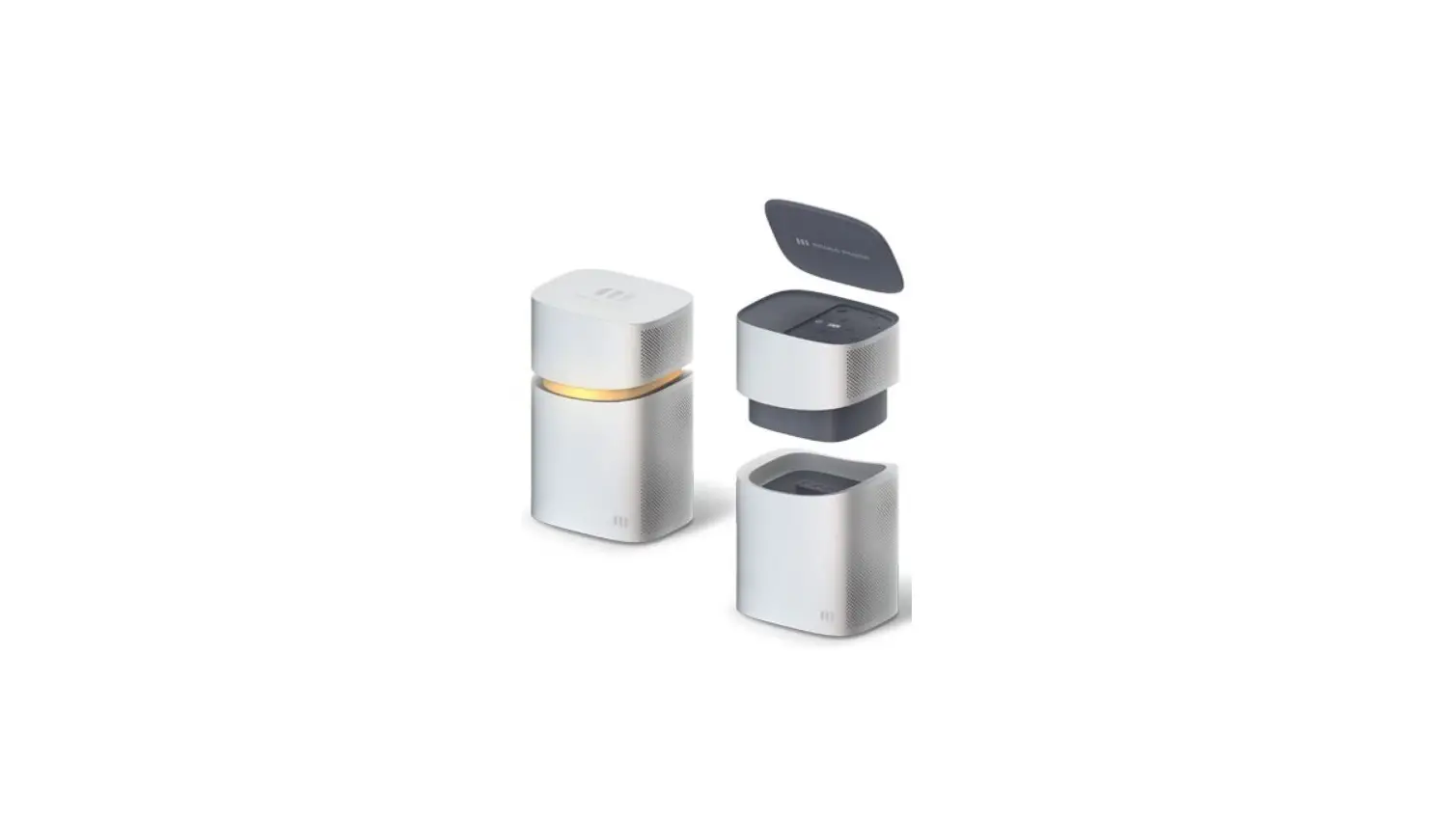

mango power Union Detachable Portable Power Station
Introduction
Congratulations on your purchase of the MANGO POWER Union
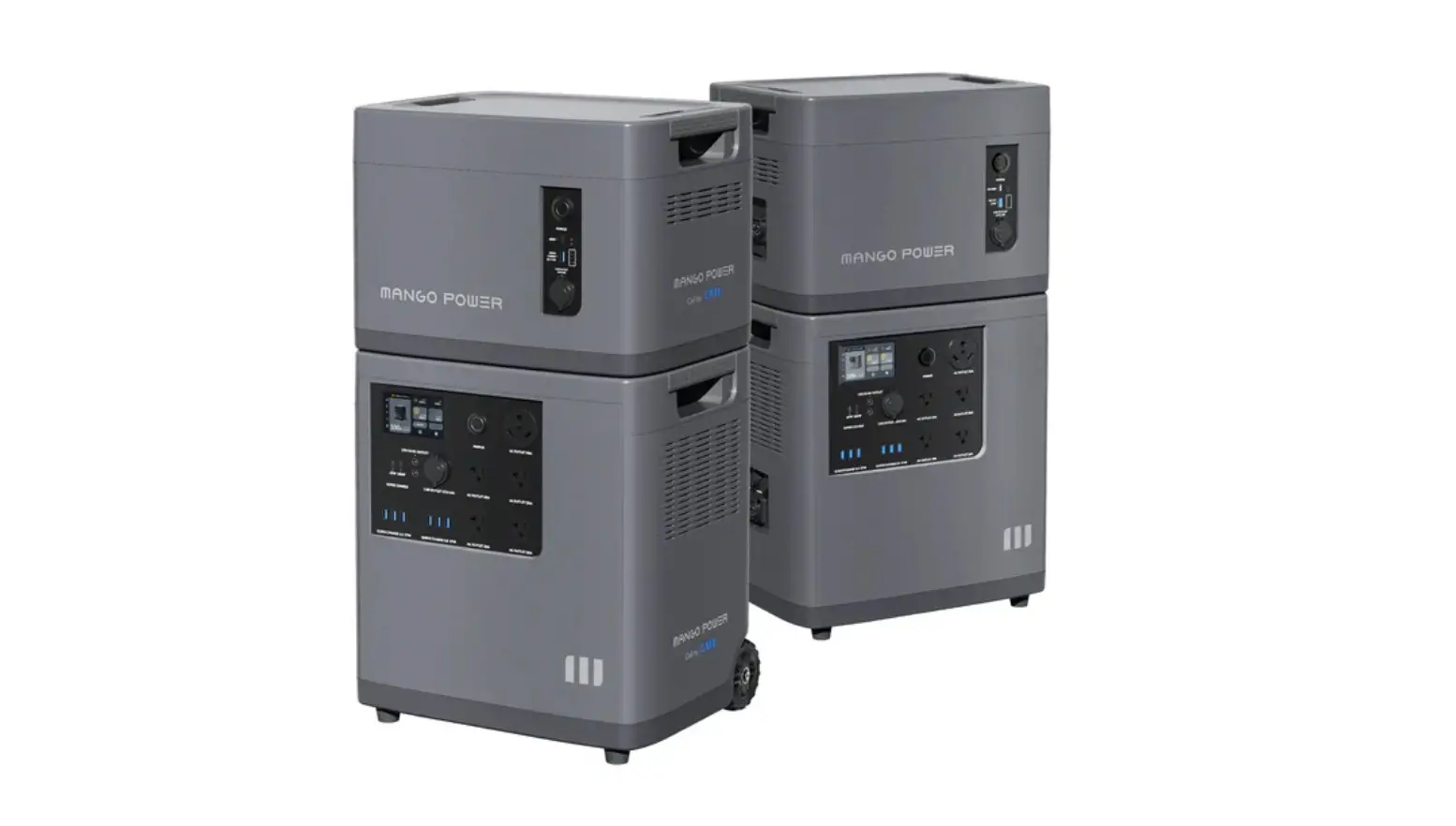
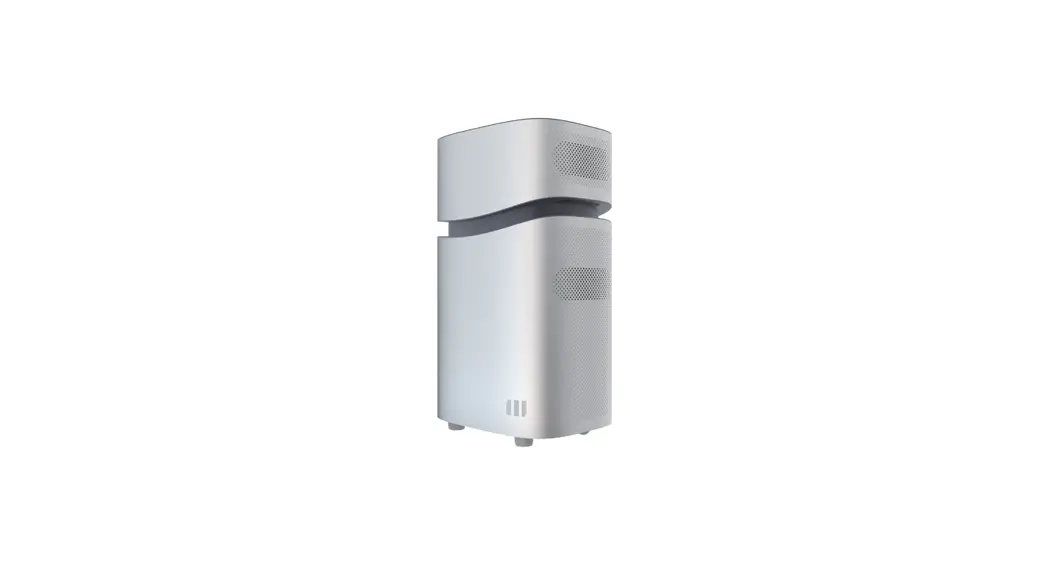
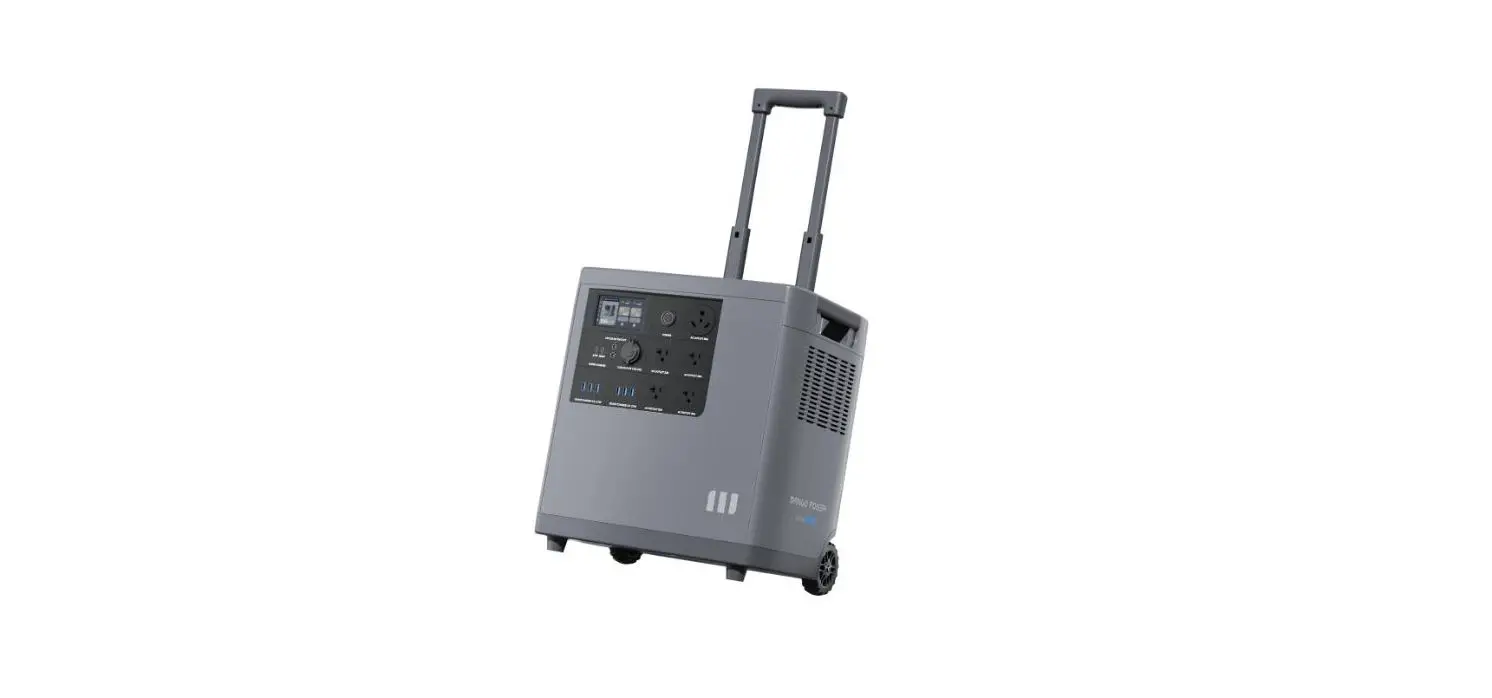
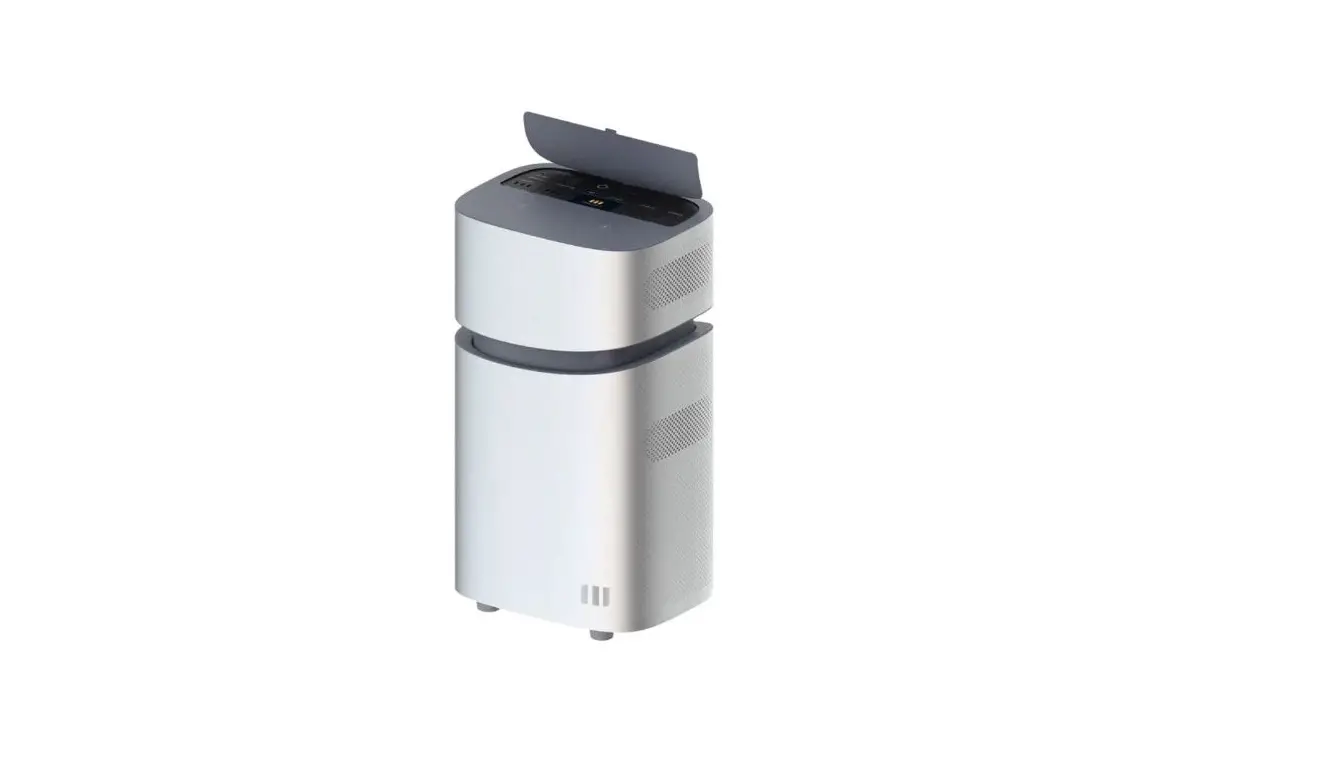
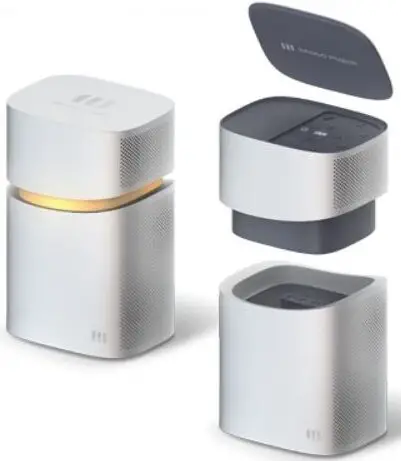
The MANGO POWER Union consists of 2 parts: the main base – the Power Home – and the detachable Power Move. It can output power at 4000W from its pure sine wave inverter, 100W PD USB-C port, two MPPT controllers which handle up to 2000W solar input for single MPPT. You can use your MANGO POWER Union to back up essential circuits and important appliances at home.
Furthermore, the MANGO POWER Union supports both Wi-Fi and Bluetooth connections, you can remote control via the MP Union App (iOS & Android)
Abbreviation
- MPU: MANGO POWER Union
- mUnion: Unique and ultra-fast linking between Power Home and Power Move
- AC: Alternating Current
- DC: Direct Current
- SOC: State of Charge
- Grid: Home Power Supplied by Utility
- MPPT: Maximum PowerPoint Tracking
Here is a brief breakdown of the system’s specifications:
MANGO POWER Union
- Battery Capacity: 6.9kWh
- Output: 120V~,Max 4000W,5V~20V , Max 350W
- AC Input: 2 x (120V~, 20A), Max 3300W
- PV Input: 2 x (60V~150V , 20A), Max 4000W
- Power Modes: Backup Mode/Time-based Control Mode/Economical Mode

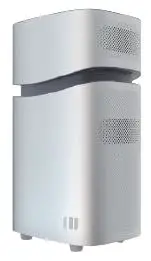
MANGO POWER Move
- Battery Capacity: 2.3kWh
- Output: 120V~,Max 2000W,5V~20V , Max 350W
- AC Input: 120V~, 20A, Max 1300W
- PV Input: 60V~150V , 20A, Max 2000W
- Power Modes: N/A

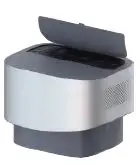
MANGO POWER Home
- Battery Capacity: 4.6kWh
- Output: 120V~,Max 2000W
- AC Input: 120V~, 20A, Max 2000W
- PV Input: 60V~150V , 20A, Max 2000W
- Power Modes: Backup Mode/Time-based Control Mode/Economical Mode

Safety Instructions
- MANGO POWER Union should be installed by a professional engineer certified to carry out high voltage installations of 48Vdc, and 120Vac to 240Vac in residential homes.
- Carefully read this document before installation and use. Otherwise, serious damage or personal injury may result.
- This battery contains compounds that may be harmful, carcinogenic, or cause fertility disorders if improperly handled. Do not remove the internal battery without the express permission of the manufacturer or one of its designated suppliers.
- We’re proud of the MANGO POWER Union’s lightweight design, but it is still a 70kg+ product. Please be careful when handling and use an auxiliary transport tool if necessary.
- If you notice any extrusion, deformation, or another defect of your MANGO POWER Union, immediately stop the use of the product, and contact our support staff.
- Before undertaking any installation or wiring, first make sure the MANGO POWER Union’s Power Button and Breaker are in the “off” position.
- Do not dismantle or attempt to dismantle the MANGO POWER Union without the express permission of the manufacturer. Some of its parts are not replaceable. If you have any issue with your MANGO POWER Union, contact our support staff. If maintenance is required, professional maintenance engineers will be required.
- To protect the product during transportation, please do not stand or sit on the MANGO POWER Union’s packing boxes. When opening and unpacking, be sure to handle it with care. Do not place other items on top of the MANGO POWER Union.
- Do not install the MANGO POWER Union near a heater or other heat source. It is prohibited to place or operate this equipment in an environment with any flammable, explosive gas, or smoke.
- Do not install the MANGO POWER Union any place where it will be directly exposed to rain, and do not allow it to soak in water or any other liquid.
- Please do not use chemical cleaners or expose the MANGO POWER Union to any other flammable or volatile chemicals.
- Do not use spray products to clean the MANGO POWER Union.
- This product should only be installed in environments that stay within its operating temperature range: Charging: 0°C~55°C(32°F~131 °F ), Discharging: -30°C~60°C(-22 °F~140 °F )
- Strictly follow the guidelines laid out in this user manual when installing or using your MANGO POWER Union.
- Only use official accessories from MANGO POWER to use in conjunction with your MANGO POWER Union.
- Do not insert foreign objects into any of the MPU ports (whether AC or DC or ventilation holes). This power station generates the same potentially lethal AC power as a household wall outlet. Please use it carefully and keep children away from it.
- This product must be grounded. If it should malfunction or break down, grounding provides a path of least resistance for electric current to reduce the risk of electric shock. This product is equipped with a cord having an equipment grounding conductor and a grounding plug. The plug must be plugged into an outlet that is properly installed and grounded in accordance with all local codes and ordinances.
WARNING
Improper connection of the equipment grounding conductor is able to result in a risk of electric shock. Check with a qualified electrician if you are in doubt as to whether the product is properly grounded. Do not modify the plug provided with the product – if it will not fit the outlet, have a proper outlet installed by a qualified electrician.
MP Union App
The MANGO POWER Union, Power Home, and Power Move all support both Wi-Fi and Bluetooth connections. Please download the MP Union from the iOS App Store or Google Play before installing the MANGO POWER Union.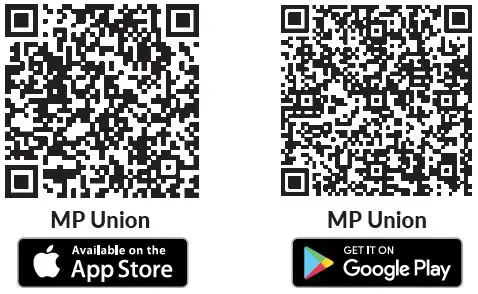
Features
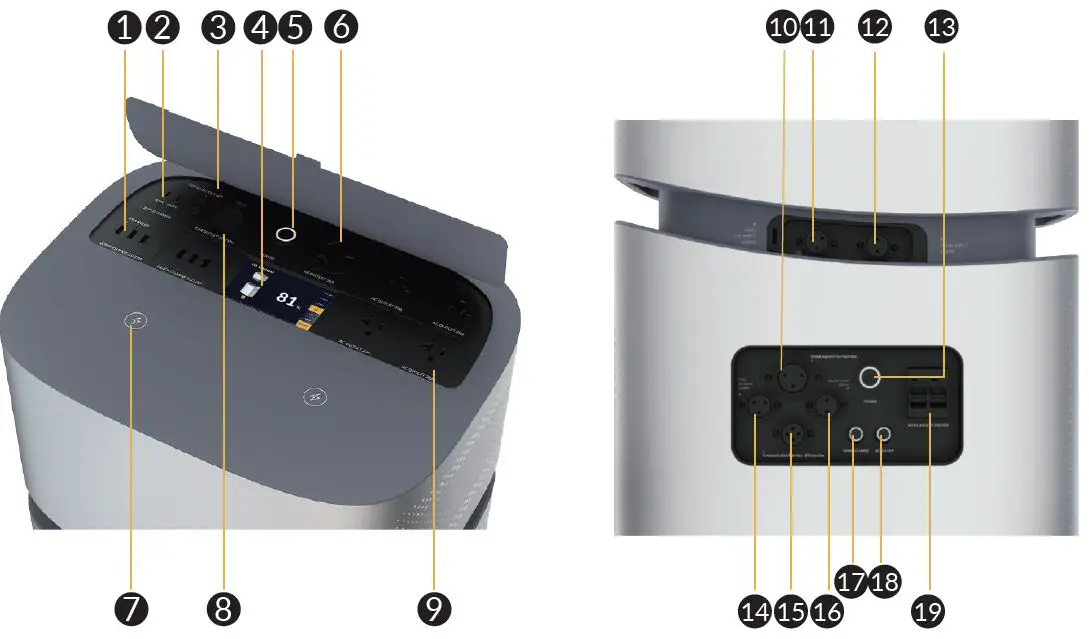
| No. | Name | Description |
| 1 | 6x USB-A 27W output | Quick charge USB-A ports |
| 2 | USB-C 65W/100W output | Can be used to charge most devices currently on the market at 65W/100W Max. |
| 3 | 2x DC 5521 12V/5A output | Traditional ports for routers, cameras, old laptops, etc. |
| 4 | Touch Screen | Can be pressed/tapped to control the MANGO POWER Union |
| 5 | Power button for Power Move | Short press to turn the Power Move ON/OFF |
| 6 | US AC TT-30A | NEMA TT-30: standard recreational vehicle connector (120V/30A), also known as RV 30 |
| 7 | 2x Wireless charging 15W | Can charge your phone or other devices which support wireless charging |
| 8 | DC 12V/10A cigarette lighter port | Output port for devices with a corresponding plug such as vehicle-use vacuums, refrigerators, etc. |
| 9 | AC output 20A x4 | Standard AC receptacle: widely used in areas that use 100-120V; generates almost same AC power as a household wall outlet |
| 10 | Home backup outlet | To fully backup your home’s essential circuits |
| 11 | Grid AC Input for Power Move | Can connect the Power Move to grid for AC charging |
| 12 | Solar input for Power Move | Can be connected to solar panels |
| 13 | Power button for Power Home | Short press to turn the Power Home ON/OFF |
| 14 | Grid AC Input for Power Home | Can connect the Power Home to grid for AC charging |
| 15 | Communication Interface of Extension | Communication Interface for several MANGO POWER Union Extensions |
| 16 | Solar input for Power Home | Can be connected to solar panels |
| 17 | Smart charge button | Long press (>3s) to turn the Power Home’s smart charge ON/OFF |
| 18 | AC ON/OFF button | Long press (>3s) to turn the Power Home’s AC output ON/OFF (with 40A Home Backup Cable connected) |
| 19 | Home backup breaker | Breaker for home backup circuit |
What’s in the Box
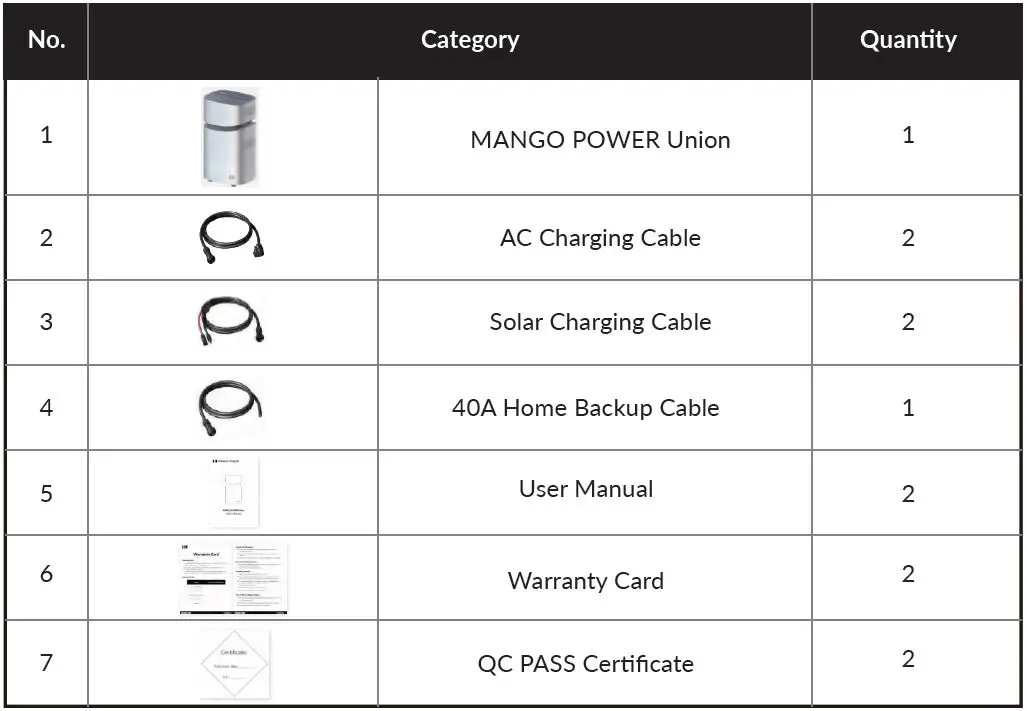
How to connect
Before connecting the MANGO POWER Union to solar, the grid, or your home’s essential circuits, please confirm the following: 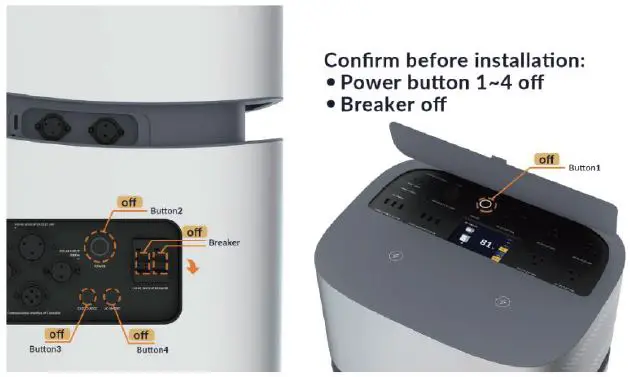
Connecting with Solar
Both the Power Home and the Power Move have PV input ports on the backside of the device. The MANGO POWER Union supports 60V-150V solar panels. You can connect it to a roof solar system or to portable solar panels. Please use the included PV Charging Cable (MC4 Port to Aviation Port) if necessary. Up to 2x solar MPPTs can be plugged in.
For home use, you can connect both the Power Home and the Power Move to maximize solar input. The maximum solar input of the entire MANGO POWER Union is 4000W, with 2000W coming from each module. When using outdoors, you can independently connect the Power Move to your home solar system or connect to portable solar panels for a maximum input of 2000W.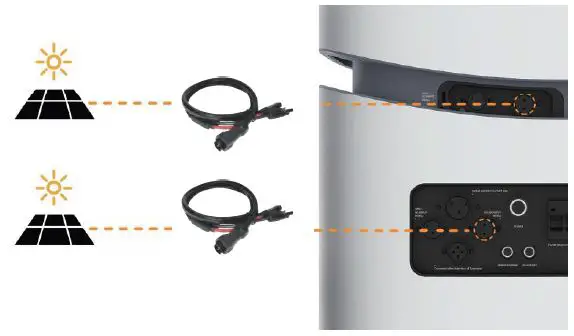
Connect with the Grid
Both the Power Home and the Power Move have Grid AC input ports on the backside of the device. The MANGO POWER Union supports a maximum 3300W input. Connect the AC input ports to home sockets using the included charging cables. (Please be sure the home sockets you connect to support a current of more than 20A).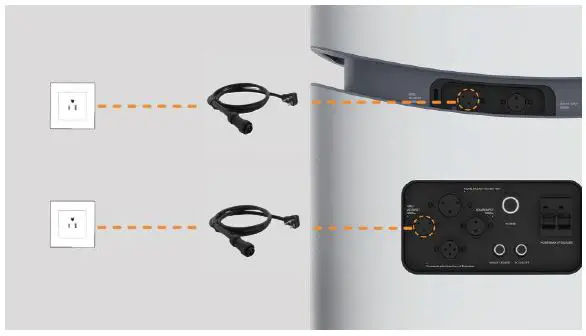
Connect with Your Home’s Essential Circuits
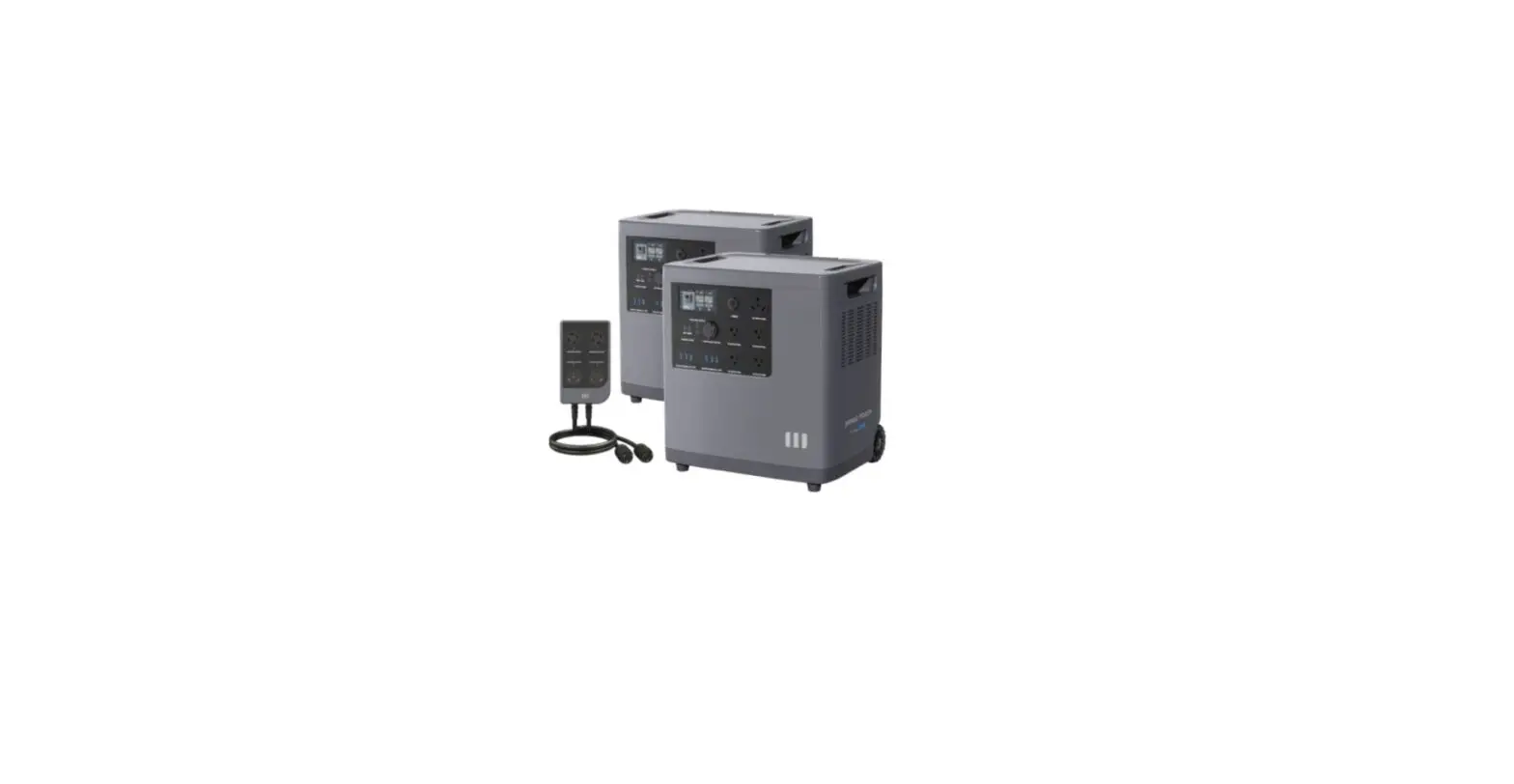
To fully back up your home’s essential circuits, we recommend using the mPanel accessory (not included) capable of supporting up to 4x circuits with a total load of 4000W/40A per single MANGO POWER Union unit. To test the home backup power supply and UPS (Uninterrupted Power Supply) features without the mPanel, you can connect the MANGO POWER Union or Power Move with the gird and connect your essential circuits or devices with the output ports on top of the Power Move.
Turn on the Home Backup Breaker on the backside of the device and tap the UPS button on the Power Move’s touchscreen. The backup power supply will start working.
Now when a power outage occurs, the power supply for all the appliances connected to the backup circuit will automatically and immediately begin powered by the
MANGO POWER Union and/or Power Move.
Please note this method (connecting via the output ports instead of the mPanel) can only support 2000W/20A for each AC port. If you use the MANGO POWER Union to connect several devices with several AC ports for the test, make sure the total power needed is less than 4000W. If you want to increase the overall capacity and back up all your home’s essential circuits, we recommend connecting several MANGO POWER Unions and running them in parallel.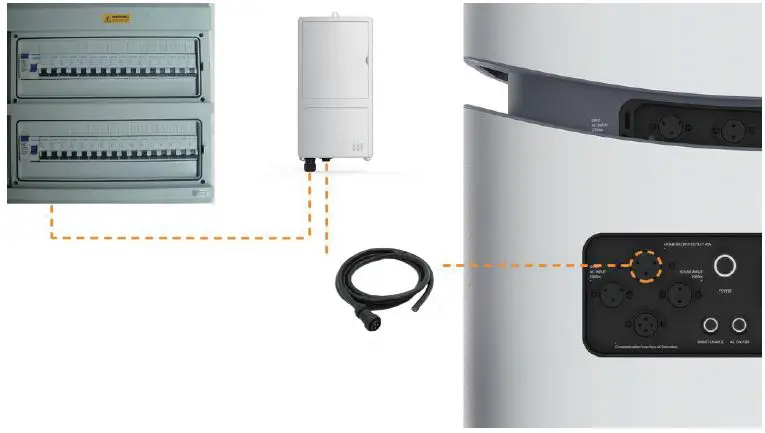
After connecting the MANGO POWER Union to solar, the grid, or your home’s essential circuits, your overall connection will be as shown below: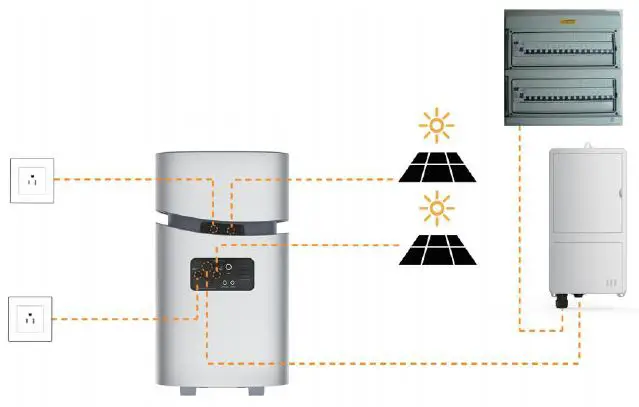
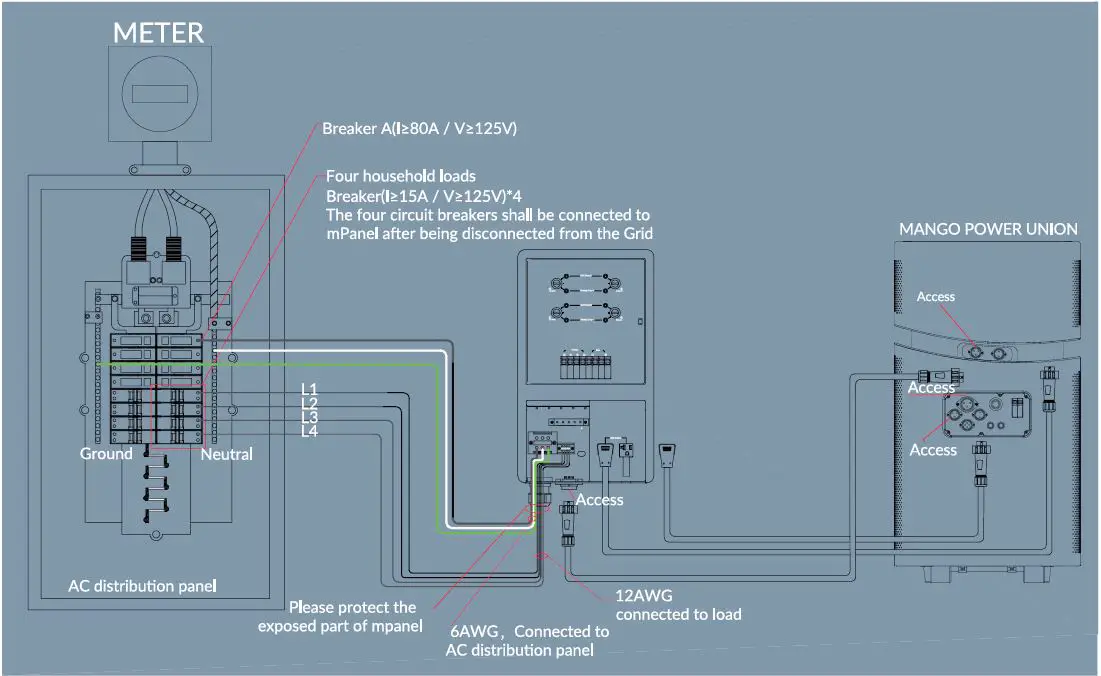
Detailed wiring diagram please refer to the appendix.
Let’s Get Started
- Startup: short press the Power Home’s and/or the Power Move’s power buttons to turn them on; their indicator lights will also turn on at the same time.
- Shutdown: short press the Power Home’s and/or the Power Move’s power buttons to turn them off; their indicator lights will also turn off.
The MANGO POWER Union’s DC and AC power switches are integrated into the interaction LCD screen; press the “DC” button and/or “AC” button on the screen to turn on/off the DC/AC output. If the Power Move is detached from the Power Home, you can turn the Power Home’s AC output on by long pressing the “AC ON/OFF” button for more than 3s.
Touchscreen
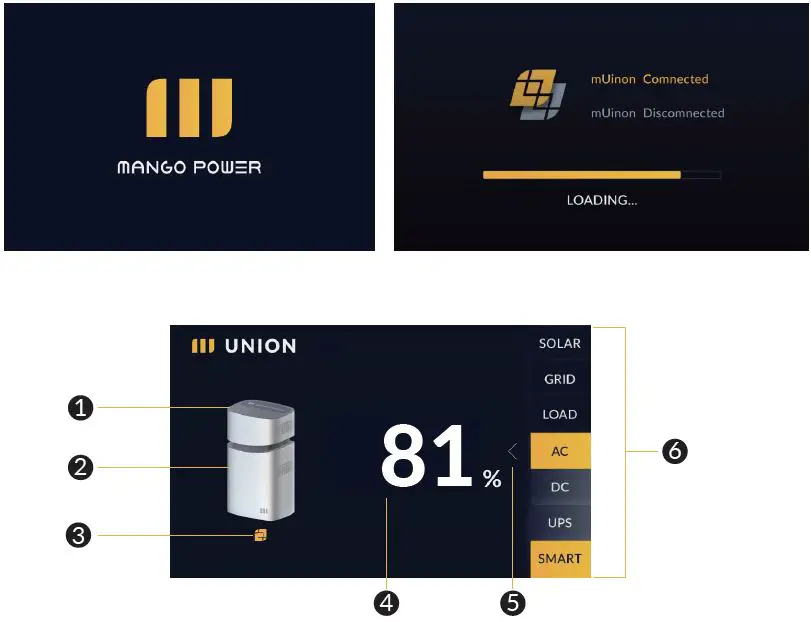
| 1 Power Move button | 4 Charge level |
| 2 Power Home button | 5 Switch arrow |
| 3 mUnion icon | 6 Status bar |
After tapping the 1 or 2, you can separately read the Power Move’s or Power Home’s charge level through the pages shown below: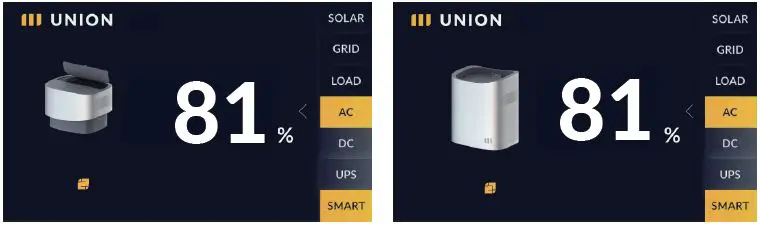
Tap the 5 on the homepage to move to the setting page. 7 will be shown on this page. Get more 9 by touching the 8 and 11 on setting page.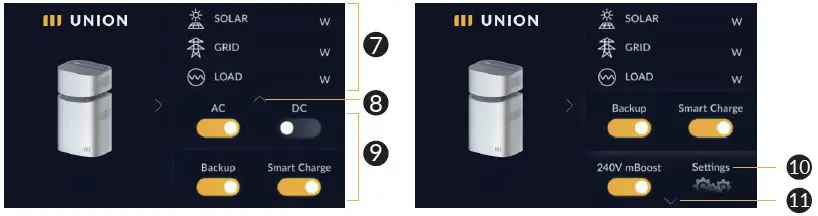
| 7 Input & Output Power | 10 Settings |
| 8 Scroll up Arrow | 11 Scroll down Arrow |
| 9 Function Button |
On the settings page, you can get the input & output power information, and by tapping the switch button, you can switch the MANGO POWER Union into different modes:
- AC: turn ON/OFF the AC output
- DC: turn ON/OFF the DC output
- Backup: switch to/switch off backup mode
- Smart-Charge: switch to/switch off full power charging mode
- 240V mBoost: switch to/switch off 240V output
Touch the 10, and the cue words for selecting the appropriate input current will be shown on screen, and then switch to the input current and battery capacity setting page. Please select the appropriate input current according to the rated current of the AC receptacle by 10A/15A/20A, with the default being 15A. Similarly, for the backup battery capacity, please select the appropriate value according to the usage scenario by 95%/90%/85%, with the default being 95%.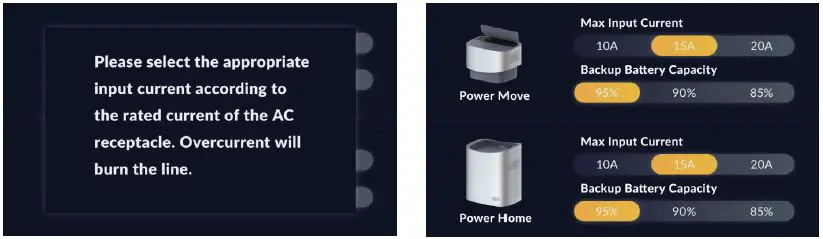
If there is a communication failure, the mUnion icon will show gray as below: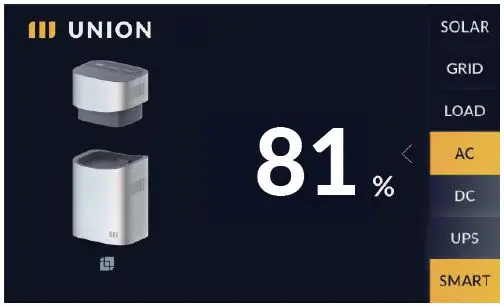
If a system error occurs, the error warning will be shown as below: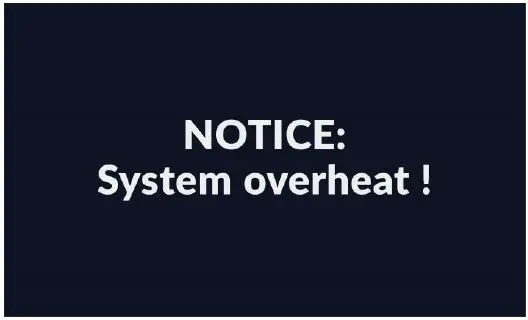
The touch screen will automatically turn off after 3 minutes of idle operation. Wake it up by touching anywhere on the screen.
Technical Specifications
| Model | MANGO POWER Union Power Move (Power Home + Power Move) (Detachable Portable Power Station) | |
| Product Name | Household energy storage | |
| General | ||
| Net Weight | 173.94Ibs(78.9kg) | 63.63Ibs(28.86kg) |
| Size | 17.6×13.6×31.7inches (446x346x805 mm) | 17.6×13.6×13.1 inches (446x346x333 mm) |
| Working Temperature | Charging: 0°C~55°C (32°F~131 °F) Discharging: -30°C~60°C (-22 °F~140 °F) | |
| Warranty | 3 years | |
| Certifications | Meets US and International Safety and EMI Standards | |
| Smart Charge | Yes | |
| mBoost Mode | Yes | |
| Running Noise | <45dB | |
| Battery | ||
| Battery Capacity | 6.9 kWh | 2.3 kWh |
| Cell Chemistry | EV class LFP Battery Cell | |
| Life Span | Capacity Retention >80% after 3500 cycles (@25℃, +0.5C/-0.5C) | |
| Battery Management Systems | Over Voltage Protection, Overload Protection, Over Temperature Protection, Short Circuit Protection, Low Temperature Protection, Low Voltage Protection, Overcurrent Protection, DC/DC Converter Optimizer | |
| Input | ||
| Charging Method | AC Wall Outlet, Solar Panel, Generator, EV Charger | |
| AC Charging | Max 3300W | Max 1300W |
| MPPT Number | 2 | 1 |
| Max. DC Input Power for Single MPPT | Max 2000W | Max 2000W |
| MPPT Input Voltage Range | 60V~150V | 60V~150V |
| Generator | Support | Support |
| EV AC Charging Spot | Adapter needed | Adapter needed |
| Inverter | ||
| Rated AC Output Power | 4000W | 2000W |
| Surge Power | 6600W/100ms | 3300W/100ms |
| Maximum Power Point Trackers | 2x, Support Both Roof and Portable Solar Panels | |
| Inverter Efficiency | Up to 95% | |
| New Inverter Tech | GaN/SiC 3rd generation semiconductor | |
| 24/7 Seamless Home Backup | Yes | Yes |
| Backup Essential Circuits Connection | 4kW/40A | N/A |
| Scalability | Up to 3 devices 21kWh /12kW Extension | N/A |
| Output | ||
| Output Port Quantity | 19 | 18 |
| AC Output | 4x20A+1x30A+1x40A(backup) / 4000W | 4x20A+1x30A / 2000W |
| USB-A (6x) | QC 3.0 27W | |
| USB-C (1x) | PD 65W | |
| USB-C (1x) | PD 100W | |
| Wireless Charging Pad (2x) | 15W | |
| Car Power Output | 12V/10A | |
| DC5521 Output(2x) | 12V/5A | |
| Smart Control | ||
| Connection | Bluetooth and Wi-Fi | |
| App Remote Control | Yes | |
| OTA Upgrade | Yes | |
| Customized Mode | Backup Power Mode/Economical Mode /Time-based Control Mode | |
| Smart Measurement | Yes | |
| Smart Energy and Carbon Footprint Report | Yes | |
| Smart Notifications | Yes | |
| Touch Screen | ||
| Size | 4.3 Inches | |
| Resolution Ratio | 480 x 800 | |
| Screen pigment | 16.7M colors | |
| Safety | ||
| Smart Self-Check System | Yes | |
| 9-Chips Security System | Yes | N/A |
FAQs
Does the MANGO POWER Union work with other existing battery systems?
The MANGO POWER Union cannot currently work in parallel with other existing battery systems, but we’re working on making it compatible with a variety of systems. Stay tuned for future updates.
How long does it take to fully charge the MANGO POWER Union/the Power Move using an AC port?
The MANGO POWER Union (6.9 kWh) supports up to 3300W AC charging, so it can be charged in less than 2.5 hours with the maximum charging speed. The detachable module Power Move (2.3 kWh) supports up to 1300W AC charging, so it can also be charged in less than 2.5 hours with the maximum charging speed.
Can the MANGO POWER Union be upgraded?
The MANGO POWER Union supports OTA upgrades.
Storage and Maintenance
- Ideally, use and store the product in a place of between 20°C~30°C (68°F~86°F), and always keep it away from water, intense heat, and sharp objects. For an extended product lifespan, do not store it in places of temperatures above 45°C (113°F) or below -10°C (14°F).
- For long-term storage, please discharge the product every three months (firstly discharge it to 0%, then fully recharge it, and lastly discharge it to 60%); the product will not be covered by the warranty if it is not charged or discharged for more than 6 months.
Declaration
Some changes may occur without notice such as external appearance or specifications due to availability of materials or improvements to the hardware or app that are made over time. Our company shall not be liable for any damage caused during force majeure events such as wildfires, typhoons, floods, earthquakes, etc., or for the user’s intentional or unintentional negligence or misuse of the product, or for other abnormal conditions.
No compensation shall be made for damages resulting from the use of non-standard adapters and accessories.
This unit is not suitable for use on equipment or machines involving:
personal safety, such as atomic energy devices, Hi-Fi player devices, emergency medical devices, etc., or any equipment or machines that require extremely highly reliable power sources. We are not responsible for accidents, fires, wrongful or negligent actions caused by such equipment or machines which may result in damage when connected to a MANGO POWER Union unit.
Appendix
MANGO POWER Union wiring diagram with panel
©2022 MANGO POWER. All rights reserved. MANGO POWER, the MANGO POWER logo, MANGO POWER Union, MANGO POWER Move, MANGO POWER Home, MANGO POWER mPanel, MANGO POWER mSocket, MANGO POWER APP, and other trademarks or service names are the trademarks of MANGO POWER, Inc. Date subject to change.
Shenzhen Xihe Future Technology Co., Ltd.
Please scan this QR code for more product information.