 Quick Start Guide
Model: H6046 Govee DreamView G1 Gaming Light
 Caution
 Caution
- This product is suitable for 24-30 inch monitors.
- Keep the back panel of the monitor dry and clean before installing.
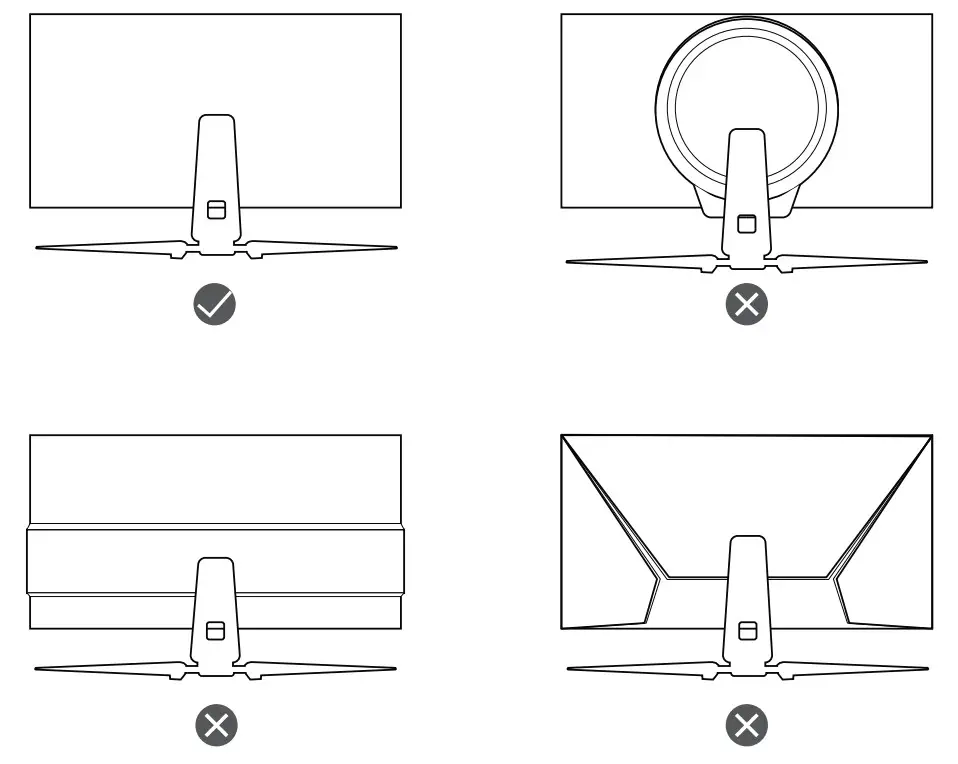
- The included strip light is only for monitors with a smooth back panel. Monitors with the following three back panel types are not supported.
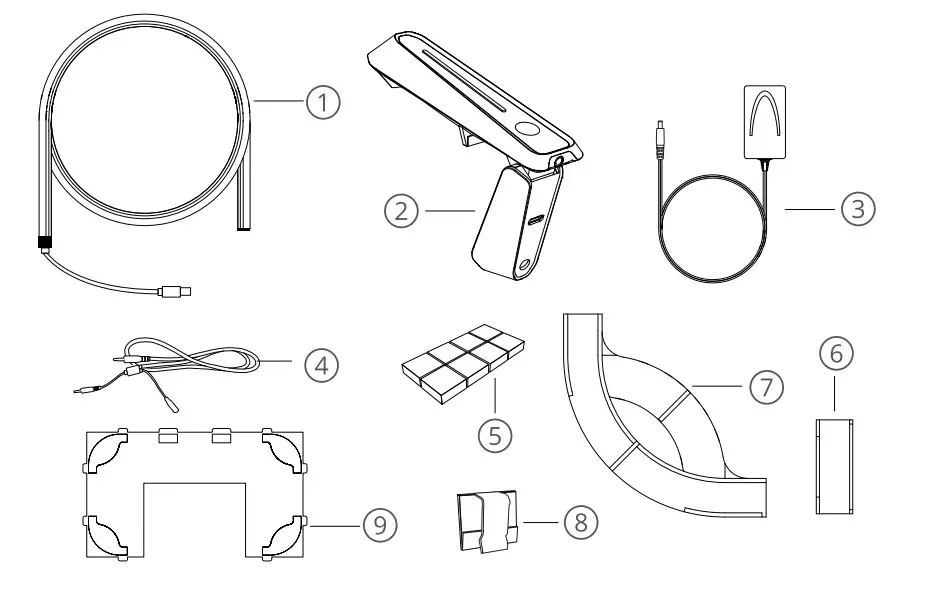
In the Box
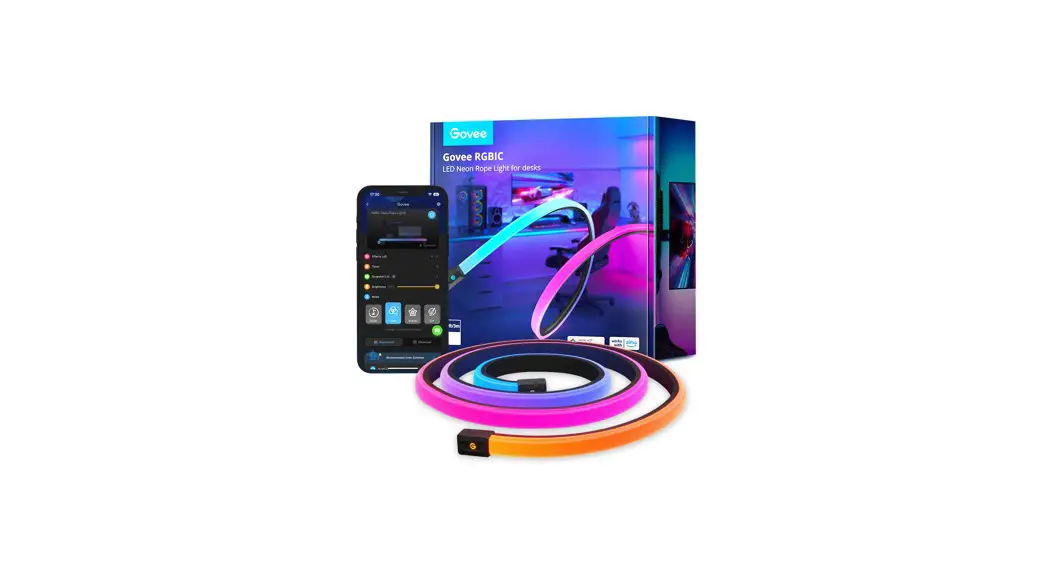
| 1 | Neon Strip Light |
| 2 | Gaming Camera |
| 3 | Power Adapter |
| 4 | Headphone Linking Cable |
| 5 | Foam Stickers |
| 6 | Straight Mounting Clips x5 |
| 7 | Corner Mounting Clips x4 |
| 8 | Cable Clips x2 |
| 9 | Positioning Card x2 |
Before Installation
Step 1
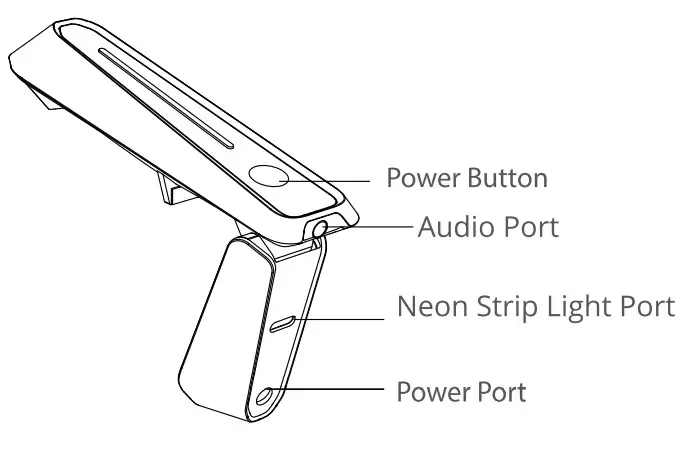
- Insert the strip light and the DC power adapter cord into the corresponding ports of the camera as shown in the image.
- Plug the Strip Light and Camera into power to check that all parts are functioning correctly, then unplug the Camera from power and disconnect Strip Light from the camera.
Step 2 Wipe the monitor’s back panel to ensure its surface is dry and clean.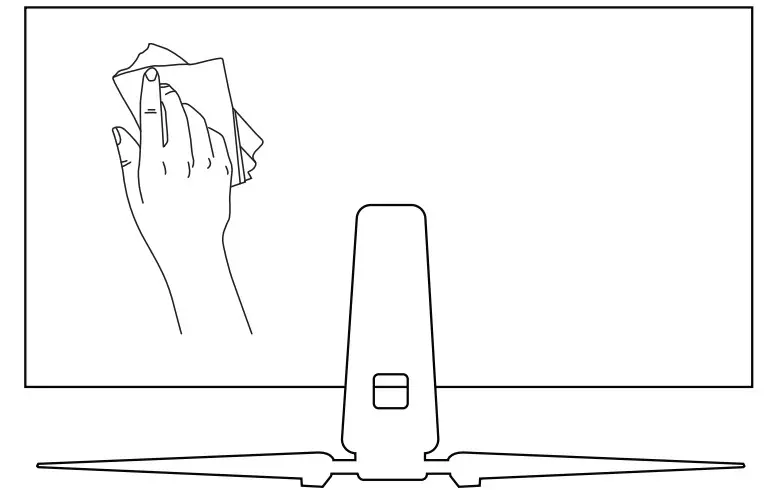
Installation Steps
Step 1
- Select a positioning card based on the size of the monitor.
- Unfold the card, and align it with the back panel to identify the correct attachment positions for the mounting clips.
- Slowly remove the card’s adhesive film and stick it on the back panel.
Step 2
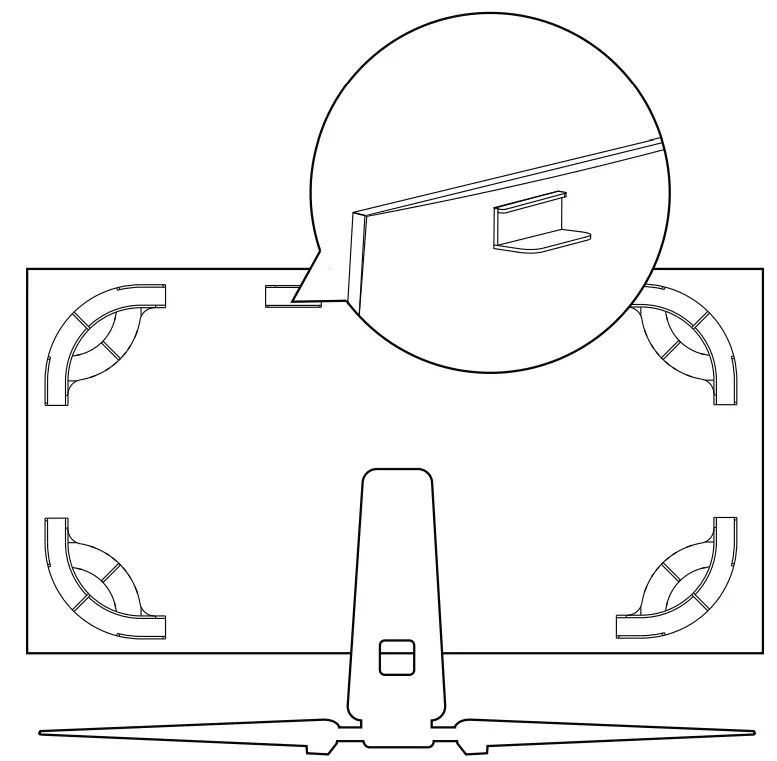
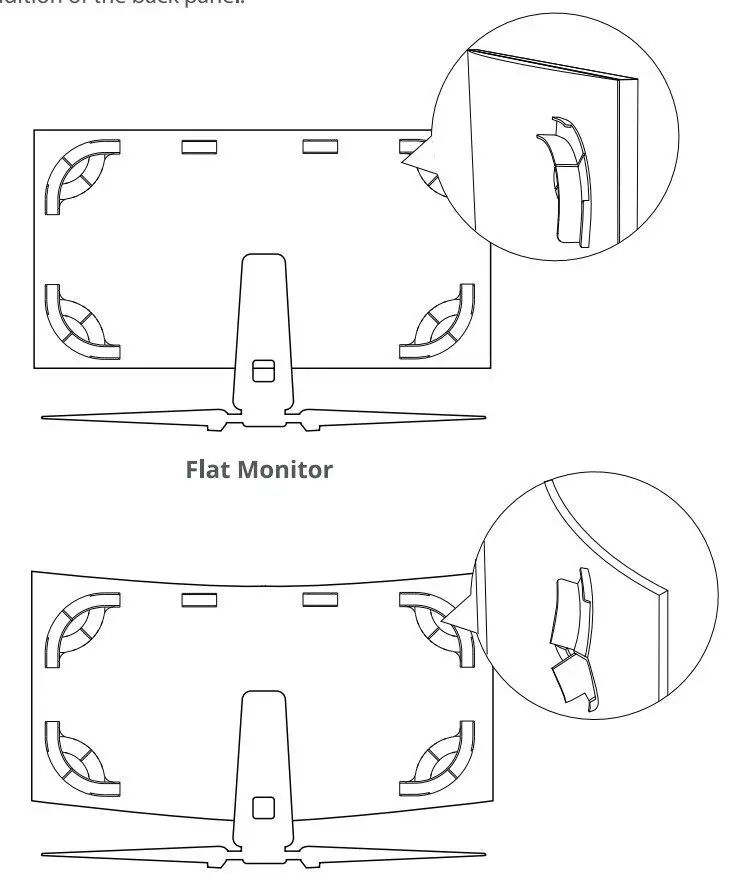
Install the mounting clips as shown in the positioning card. Press each clip for 10 seconds when installing to ensure they are fully attached.
Tips:
- For curved monitors, the corner mounting clips may need to be flexed when pressed onto the back panel to ensure their correct orientations.
- Choose to install the remaining straight mounting clips based on the actual condition of the back panel.
Step 3
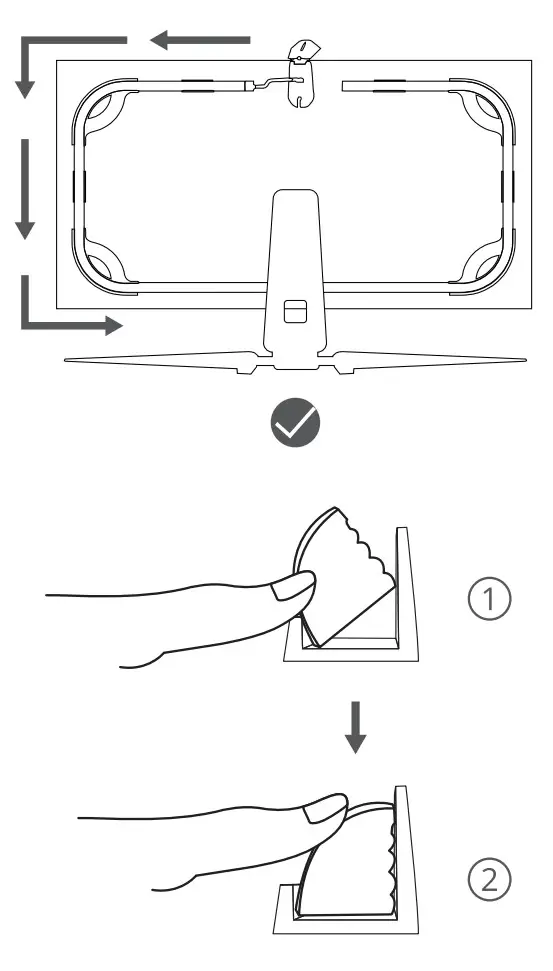
- Install the strip light on the mounting clips counterclockwise.
- After finishing the installation, press lightly on the strip light to make sure it is fastened into all the clips.
Step 4
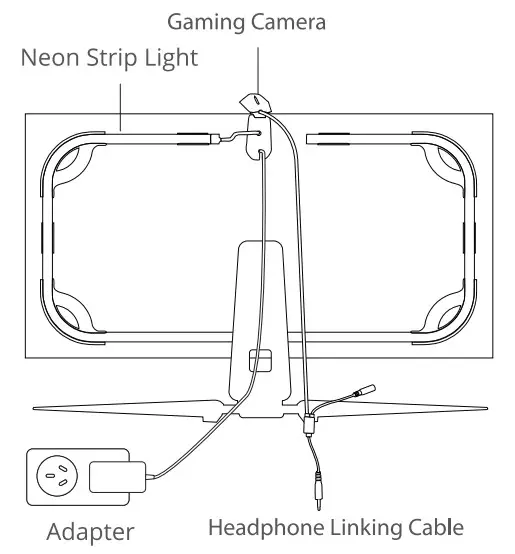
- Position the camera at the top-center of the monitor looking down.
- Insert the strip light and DC power adapter cord into the corresponding ports of the camera.
- Use the cable clip to fasten the Strip light and power adapter cords for better cable management.
- Finally, plug the camera into power and enjoy!
Caution:
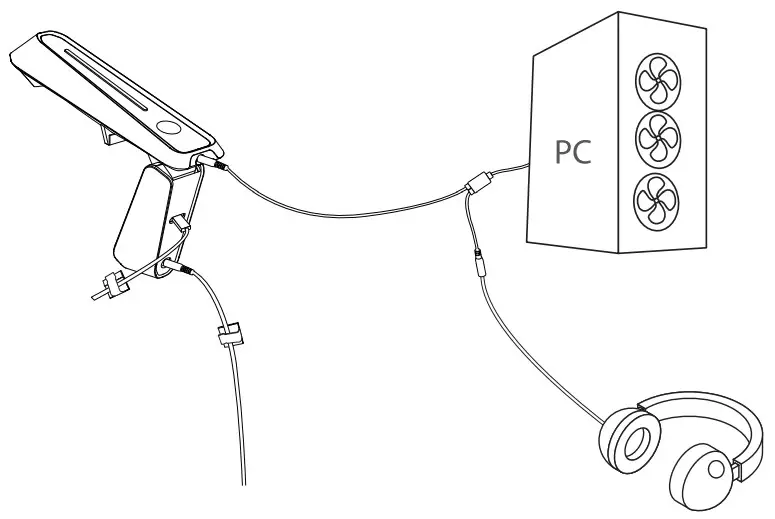
- Make sure the longest part of this Headphone Linking Cable is plugged into the camera, otherwise the linking cable may pull on the camera and affect its color tracking.
- As the monitors differ in thickness, you can choose to remove the adhesive film of the camera to mount the camera on the monitor.
- The connection standards of the headphone linking cable do vary by region.
 https://www.govee.com/apps/qrcode
For FAQs and more information, please visit: www.govee.com