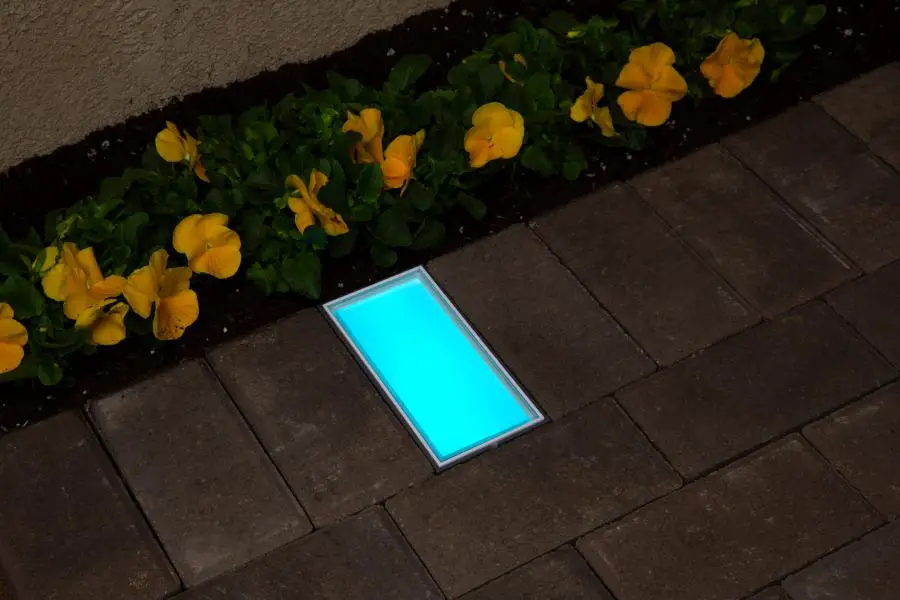
DIM-LV Spot Light
Product Information
The DIM-LV is a dimmer control device designed for lighting
fixtures. It allows users to adjust the intensity of the lighting
system according to their preferences. The device features a
backlit display that shows the current dimmer intensity value,
preset buttons for saving custom intensity settings, and a dimming
control for increasing or decreasing the system intensity.
Product Usage Instructions
Junction Box Installation
- Connect the field wires from the transformer to the dimmer
wires (black). - Connect the fixture wires to the dimmer wires (red).
- Install the dimmer inside the junction box.
- Install the faceplate (not included).
Basic Operation
All fixtures wired to the dimmer will illuminate to the
intensity set on the DIM-LV. Follow these steps:
- Install the DIM-LV per the junction box installation steps
above. - Turn on the lighting transformer and confirm that the DIM-LV
display is illuminated. The LCD will display the last set intensity
value. - To adjust fixture intensity, use the (+) or (-) buttons to
increase or decrease intensity. Pressing and holding down either
button increases the speed of adjustment.Note: Dimming levels are unique to each lighting fixture and
lamp. Some lamps and fixtures may shut off prior to reaching 0%
intensity.
Preset Intensity
The DIM-LV offers four customizable intensity buttons (1, 2, 3,
and 4). The preset intensities are as follows:
| Preset Button | Intensity Level |
|---|---|
| 1 | 0% |
| 2 | 50% |
| 3 | 75% |
| 4 | 100% |
To change the preset intensity levels, follow these
instructions:
- Set the dimmer intensity to the desired level (refer to Basic
Operation). - Press and hold down the desired preset button (1-4) for 5
seconds or until the LCD quickly flashes OFF and then back ON. The
display flash indicates that the intensity level has been saved to
the preset button.TIP: Dedicate a preset button to 0% intensity. This button can
be used as the dimmer OFF button.
Troubleshooting
If you encounter any issues, refer to the following
solutions:
| Issue | Solution |
|---|---|
| Fixtures turning off at intensity higher than 0%. | Refer to fxl.help/DIMLV for assistance. |
| LCD is not illuminated. | Contact your local distributor for support. |
| Fixtures not turning on. | Refer to fxl.help/DIMLV for troubleshooting guidance. |
For more detailed installation guidelines and information,
please visit fxl.com.
INSTALL NOTE: DIM-LV
NOTE: Dimming levels are unique to each lighting fixture and lamp. Some lamps and fixtures may shutoff prior to reaching 0% intensity.
INTRODUCTION
Odis asimin reprent orrorep ellaut quost ratia digeni unt, cus sunt duntia illaccus autatur, sit lit inctae ligentem is peris sus undae veliciet ditionsed estotat iaecto volorecto deligendis voluptas reium et, int, sequatus.
Ma ipsa apid esecest labo. Nam reseque dem que qui beaque ipitem rae non ra simagnimus molestrumet aditat ut odit,
Backlit Display – Displays current dimmer intensity value Preset Buttons – Save custom intensity settings Dimming Control – Increase or decrease system intensity
Backlit Display Preset Buttons Dimming Control
DIM-LV
JUNCTION BOX INSTALLATION
es
1. Connect field wires from transformer to dimmer wires (black). Connect fixture wires to dimmer wires (red).
2. Install dimmer inside the junction box
Learn more. Visit: fxl.com
3. Install the faceplate (not included)
INSTALL NOTE: DIM-LV
BASIC OPERATION
All fixtures wired to the dimmer will illuminate to the intensity set on the DIM-LV. When lighting transformer is powered on (output low voltage to field), the dimmer will turn on the fixtures to the last set intensity value.
1. Install DIM-LV per the steps above.
2. Turn on the lighting transformer and confirm that the DIM-LV display is illuminated. The LCD will display the last set intensity value. For new installs, the value will be 50%.
3. To adjust fixture intensity, use (+) or (-) buttons to increase or decrease intensity. Press and holding down (+) or (-) button increases the speed of adjustment.
Note: Dimming levels are unique to each lighting fixture and lamp. Some lamps and fixtures may shutoff prior to reaching 0% intensity.
PRESET INTENSITY
The DIM-LV has four customizable intensity buttons (1, 2, 3, and 4). Preset intensities are shown in the table below. To customize the preset buttons, follow the steps.
Preset Button Intensity Level
1
0%
2
50%
3
75%
4
100%
To change preset intensity levels, follow the instructions below.
1. Set dimmer intensity to the desired level. See Basic Operations.
2. Press and hold down desired preset button (1-4) for 5 secs or until LCD quickly flashes OFF and then back ON. The display flash indicates the intensity level has been saved to the preset button
TIP: Dedicate a preset button to 0% intensity. This button can be used as the dimmer OFF button
TROUBLESHOOTING
Issue
Solution
Fixtures turning off at intensity higher than 0%.
LCD is not illuminated
· Dimming levels are unique to each lighting fixture and lamp. Some lamps and fixtures may shut off prior to reaching 0% intensity. Determine the minimum dimming level for your fixtures by manually adjusting the intensity using (+) (-) buttons located at the bottom of the fixture.
· Confirm wiring per installation guide. Input field wires (wires installed into the transformer) must be wired to dimmer 12V IN (black) wires.
· Confirm transformer is powered on (output voltage).
Fixtures not turning on
· Confirm wiring per installation guide. Dimmer 12V out (red) wires must be connected to field wires (wires installed into the fixtures).
· Confirm fixtures are receiving the minimum 11 VAC operating voltage.
fxl.help/DIMLV
We have developed this series of field installation guidelines to assist you in correctly installing fixtures and transformers, ensuring customer satisfaction and trouble-free service. If you have any questions, please call your local distributor before proceeding. Follow all NEC guidelines and local electrical codes.
Learn more. Visit fxl.com
FX-349 IN 6/23
 FX Luminaire | Landscape & Architectural Lighting