FRM303 Multi Function High Performance RF Module
Product Information: The product is FRM303, which is equipped with
AFHDS 3 technology. It supports PPMS.BUS, UART, PPM, and S.BUS
protocols. The product includes various connectors and interfaces
such as SMA, Type-C USB, S.port, XT30, and M2. It is compatible
with FGPZ01, FGPZ02, and FGPZ03 modules. The product also supports
Futaba FS-XC501, FS-XC502, FS-XC503, FS-XC504, FS-XC505, and
FS-XC601 modules. Product Usage Instructions: 1. Power Switch: The
three-position power switch allows you to select the power supply
way of the RF module. Set it to “Int” for internal power supply,
“Off” to power off the module, and “Ext” for external power supply
through the XT30 interface. 2. Five-way Key: The five-way key on
the product has different functions: – Up: Use this key for forced
update and input signal settings. – Center: Use this key to switch
RF systems and perform binding. – Right: Use this key to switch RF
models and automatically search for a receiver. – Left: Use this
key to set the RX interface protocol. – Down: Use this key to reset
the product to factory settings and activate failsafe mode. 3.
Power Supply of RF Module: Avoid using the Type-C interface to
power the RF module while remotely controlling a device to prevent
loss of control. When powered by Type-C interface, the RF module
reduces the output power to protect the USB interface of the
connected device, resulting in a shorter remote control distance.
4. External Voltage Alarm: The product features an external voltage
alarm to detect the voltage level. It can identify the number of
battery sections based on the voltage range. Here are the
corresponding voltage ranges for different lithium battery
sections: – 1S lithium battery: Voltage range is above 6V. – 2S
lithium battery: Voltage range is above 9V and below 13.5V. – 3S
lithium battery: Voltage range is above 13.5V and below 17.6V. – 4S
lithium battery: Voltage range is above 17.6V and below 21.3V. – 5S
lithium battery: Voltage range is above 21.3V and below 22V. – 6S
lithium battery: Voltage range is above 22V. Please note that the
provided voltage ranges are for the corresponding alarm voltage
levels.
FRM303 AFHDS 3 PPMS.BUS UART PPM S.BUS
FRM303
[1] [2][8]PPM/S.BUS/RX Head/TX VCC GND
S.port
[5] [2][9] [6] [7] XT30 (Ext) [8] [9] M2 [2] [3] [2] FGPZ03 [4] [3] FGPZ03 [4] FGPZ03 FRM303 [5] FGPZ03 M3)
FRM303
[2] [3] [5] VCC GND PPM GND PPM [1] [6] [3] [4] [1] FGPZ01 M3 [2] FGPZ01 M2 [3] FGPZ01 [4] FGPZ01 [5] FGPZ01 M3FGPZ02 JR [1] [2] [3] [1] FGPZ02 [4] [2] FGPZ02 [3] FGPZ02 [4] FGPZ02 [5] FGPZ02 M2 [1] [4] S.port
GND
[5]VCC
Head/TX
PPM/S.BUS/RX
[6] [7] [8] [6] FGPZ01 [5] [1] FRM303 [2] FUTABA FS-XC501 [3] S FS-XC502 [4] 3.5MM FS-XC503 [5] FS-XC504 [6] DIY FS-XC505 [7] FRM303 XT30 [8] FS-XC601SMA
SMA
PPM/S.BUS/RX
Head/TX
VCC
GND
[1]S.port
[2] [3] [4]FGPZ03 Stealth I/O
GND
PPM
PPM VCC GND PPM UART S.port
VCC GND
· FRM303 · PPM FS-TH9XFS-
ST8FTr8B PPM S.BUS FS-ST8FTr8B S.BUSPL18 -1.5M UART EL18 -1.5M UART -115200 UART · · 18 · 4096
· 2.4GHz ISM · AFHDS 3 · < 20dBm · > 3500 · SMA · XT30 5~28V/DC
5~10V/DC USB 4.5~5.5V/DC · : 98mA/ 8.4V
138mA/ 5.8V 135mA/USB 5V · PPMUART S.BUS · -10 ~ +60 · 20% ~ 95% · · 75*44*15.5mm( · 65g · CEFCC ID:2A2UNFRM30300
Int) (Off) (Ext) XT30
RF RF RX
Type-C XT-30 · Type-C Type-C
· Type-C
Type-C Type-C USB
XT-30
6V >6V 9V >9V 13.5V
1S 2S 3S
3.65V 7.3V 11V
>13.5V 17.6V
4S
14.5V
>17.6V 21.3V >21.3V
5S 6S
18.2V 22V
60
3 1
RF
9S 2 1
3S 2S 3S
FRM303 PPM S.BUS
1. 3S 9S
2.
3. 3S
11 21 31 41 51
PPM S.BUS 1.5M UART 1.5M UART ( 115200 UART
1. PL18 1.5M UART
2. UART
3. PPM S.BUS [ PPM S.BUS ]
4. PPM 12.5~32ms PPM 4~18 350-450us PPM PPM
<3s 2S 3S
2S 3S
RF
Type-C PC
1. PC V3.0.4
2. Type-C PC
21
3 1
2S 3S
PPM S.BUS
FRM303 S.BUS PPM S.BUS PPM PPM FRM303 PPM PPM
RF
PPM S.BUS 10 RF ID RX
1. 3S RF
2.
3. 3S
11 21 31 41 51 1 1 1 1 2 1 1 1 3 1 1 1 4 1 1 1 5 1 1 1
RF 1 RF 2 RF 3 RF 4 RF 5 RF 6 RF 7 RF 8 RF 9 RF 10
1.
2.
1.
2.
RF
RF RF FRM303
1. 3S RF RF
2.
3.
4. LED
11
RF Classic 18CH
21 31 41
Classic 18CH Routine 18CH Routine 18CH
RX
1. 3S RX
2.
3. 3S
11 21 31 41
RX PWM i-BUS out S.BUS PPM
,
2
Newport
1 2
FTr12B FTr8B
FTr4FGr4P FTr16SFGr4 Newport NPANPB
FGr4s
FTr10
PWM
CH1 PWM CH1 PWM NPA PWM i-BUS i-BUS out i-BUS i-BUS out Newport PWM
i-BUS out
CH1 PPM CH1 PPM
NPA i-BUS out
i-BUS i-BUS out i-BUS i-BUS out Newport PWM
S.BUS
CH1 PWM i-BUS S.BUS
CH1 PWM i-BUS S.BUS
NPA S.BUS Newport PWM
PPM
CH1 PPM i-BUS S.BUS
CH1 PPM i-BUS S.BUS
NPA PPM Newport PWM
1. 3S
2. 3. 3S
11 21 31
14
· · 1 · · · · · Off · Type-C
20dBm
Introduction
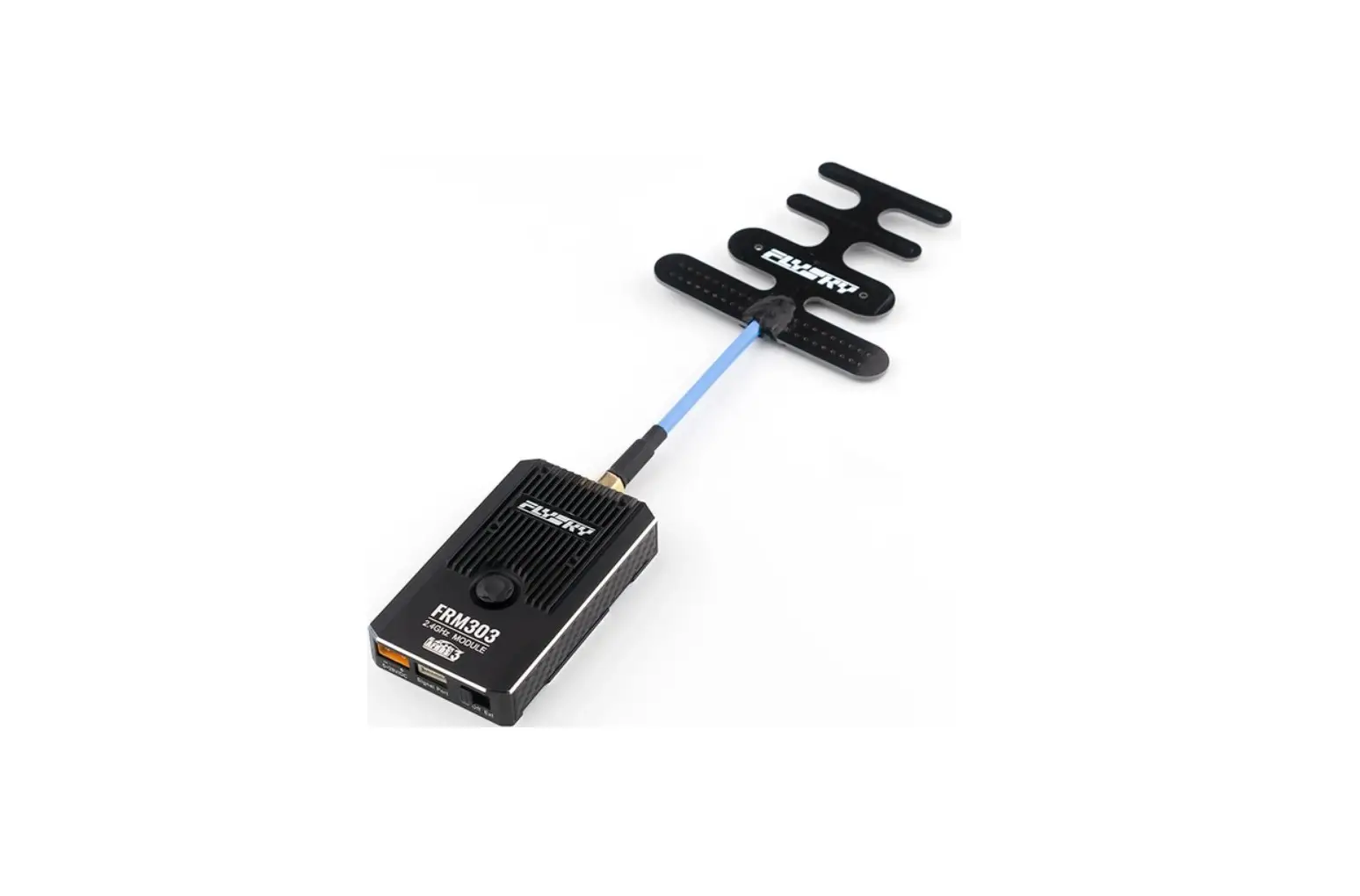
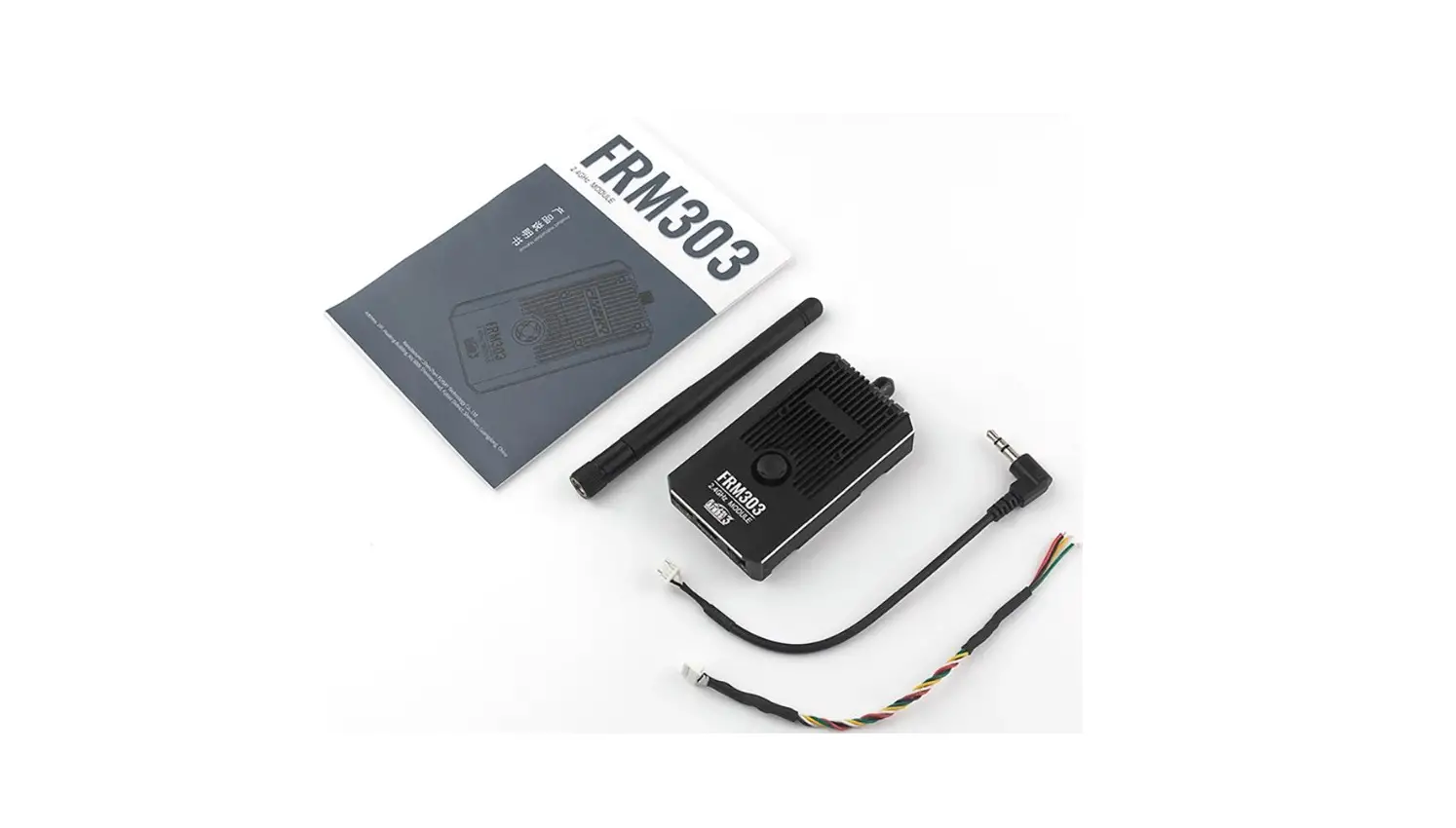
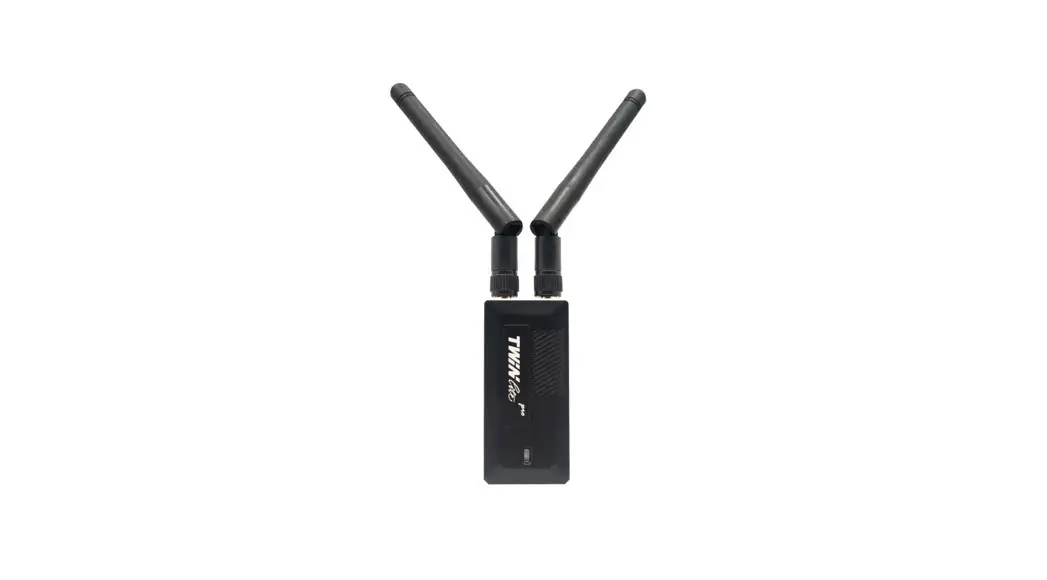
FRM303 is a multi-function high performance RF module in compliance with the AFHDS 3 third generation automatic frequency hopping digital system protocol. It features an external replaceable single antenna, support of bi-directional transmission, three power supply methods, support of voltage alarm function in case of external power supply, and support of inputting PPM, S.BUS and UART signals. In the PPM and S.BUS signals, it supports settings of binding, model switching (automatic search of a receiver), receiver interface protocol setting and failsafe.
Overview
FRM303 RF Module [1]
Up key
[2]Center key
Left key
Right key Down key
[8]PPM/S.BUS/RX Head/TX VCC GND
S.port
FGPZ01 Adapter Compatible with PL18
[5] [2] [3] [2] The FGPZ03 Adapter [4] [3] RF Connector of the FGPZ03 Adapter [4] Cable for Connecting the FGPZ03 Adapter and the RF Module [5] Screws holes for Fixing the FGPZ03 Adapter to TXSeveral Cables Connecting Signal Connector of FRM303
VCC
[2]GND
PPM
[2]GND
[3]PPM
[1] [6] [3] [4] [1] Screw holes for Fixing the FGPZ01 Adapter and TX(M3) [2] Screws for Fixing the FGPZ01 Adapter and the RF Module [3] RF Connector of the FGPZ01 Adapter [4] Cable for Connecting the FGPZ01 Adapter and the RF Module [5] M3 Screws for Fixing the FGPZ01 Adapter to TX [6] The FGPZ01 AdapterFGPZ02 Adapter Compatible with JR RF Module [1] [2] [3] [4] [1] Solts for Fixing the FGPZ02 Adapter [2] The FGPZ02 Adapter [3] RF Connector of the FGPZ02 Adapter [4] Cable for Connecting the FGPZ02 Adapter and the RF Module [5] M2 Screws for Fixing the FGPZ02 Adapter to the RF Module
FGPZ03 Adapter Compatible with Stealth I/O Module
S.port GND VCC Head/TX PPM/S.BUS/RX
[5]
[1] [4] [5]
[6]
[7]
[8]
[1] To Connect the Signal Interface of the FRM303 RF Module [2] FUTABA Trainer Interface(FS-XC501 Cable) [3] S Terminal Connector Interface(FS-XC502 Cable) [4] 3.5MM Audio Head (FS-XC503 Cable) [5] Servo Interface (FS-XC504 Cable) [6] DIY Interface (FS-XC505 Cable) [7] To Connect to XT30 Interface of FRM303 [8] Battery Interface (FS-XC601 Cable)
GND
PPM
PPM VCC GND PPM UART S.port
VCC GND
PPM/S.BUS/RX Head/TX VCC GND S.port
SMA Antenna Adapter Note: If it is difficult to install the antenna due to the transmitter structure, you can use this SMA antenna adapter to make the antenna installation more convenient.
[1] [2]
[3] [4]
[1] [1] Solts of he FGPZ03 Adapter for Fixing the RF Module
Specifications
· Product Name: FRM303 · Adaptive Devices
PPM: Devices that can output standard PPM signals, such as FS-TH9X, FS-ST8, FTr8B receiver; S.BUS: Devices that can output standard S.BUS signals, such as FS-ST8, FTr8B receiver; Closed Source Protocol-1.5M UART: PL18; Open Source Protocol-1.5M UART: EL18; Open source protocol-115200 UART: Devices that can output open source protocol-115200 UART signal . · Adaptive Models: Fixed-wing aircraft, racing
drones, relays, etc. · Number of Channels: 18 · Resolution: 4096 · RF: 2.4GHz ISM · 2.4G ProtocolAFHDS 3 · Maximum Power< 20dBm (e.i.r.p.) EU · Distance: > 3500m (Air distance without
interference) · Antenna: External sigle SMA antenna
Outer-screw-inner-pin · Input Power: XT30 Interfac:5~28V/DC
Signal Interface: 5~10V/DC
USB Port: 4.5~5.5V/DC · Working Current: 98mA/8.4V(External power supply)
138mA/5.8V (Internal power supply) 135mA/5V( USB) · Data Interface: PPM, UART and S.BUS · Temperature Range: -10 ~ +60 · Humidity Range: 20% ~ 95% · Online Update: Yes · Dimensions: 75*44*15.5mm(Excluding antenna · Weight65g(Excluding antenna and adapter · Certifications: CE, FCC ID:2A2UNFRM30300
Basic functions
Introduction to Switches and Keys
Three-position power switch: This switch allows you to switch the power supply way of the RF module: internal power supply (Int), power-off (Off), and external power supply (Ext). The external power supply is realized through the XT30 interface. Five-way key: Up, Down, Left, Right and Center. The functions of the Five-way key are described below. It should be noted that a key is not valid when the input signal is recognized as a serial signal.
Up: Forced update and input signal settings
Center: Switching RF system and Binding Right: Switching RF Models & Searching a receiver automatically
Left: Setting RX interface protocol
Down: Reset to factory and Failsafe
Up and Down are used for selection. The Right is used for confirmation. The Left is used for exit.
Note: In the key operations, if you hear a “Click”, it indicates that the action is valid. And the key operation is not cyclic.
Power Supply of RF Module
The RF module can be powered in three modes: Type-C interface, and internal power supply or XT-30 external power supply. · Powering through the Type-C interface is the first priority. In the power supply
through the Type-C interface, the RF module is not off when you switch the power in case of internal power supply or external power supply. · In the internal power supply or external power supply (instead of power supply through the Type-C interface), the RF module will restart when you switch the power.
When you remotely control a device, please do not use Type-C interface to supply power to the RF module to avoid losing control of the device. When the RF module is powered by Type-C interface, the RF module will automatically reduce the output power to avoid damage to the USB interface of the connected device. After the power is reduced, the remote control distance will be shortened.
External Voltage Alarm
When the RF module is powered by a lithium battery connected through XT-30 interface for a long time, a voltage alarm function provided in the RF module will remind you of replacing the battery in time. When the RF module is powered on, the system automatically detects the power supply voltage and identifies the number of battery sections and the alarm voltage value according to the voltage. When the system detects that the battery voltage is lower than the corresponding alarm value, it will report an alarm. The specific table is as follows.
Detect Voltage
Identify the Number of Battery Sections
6V
1S lithium battery
> 6V and 9V
2S lithium battery
> 9V and 13.5V 3S lithium battery
>13.5V and 17.6V 4S lithium battery
>17.6V and 21.3V 5S lithium battery
>21.3V
6S lithium battery
Corresponding Alarm Voltage 3.65V 7.3V 11V 14.5V 18.2V 22V
High Temperature Alarm
The temperature of the RF module may rise due to the use environment or long time working. When the system detects the internal temperature 60 , it will give an audible alarm. If the controlled model is in the air at this time, please turn off the RF module after the return. You can reuse the model after it cools down.
Low Signal Alarm
When the system detects that the received signal strength value is lower than the preset value, the system will give an audible alarm.
Firmware Update
The RF module can be connected to the PC through Type-C interface to update the firmware through the FlySky Assistant. The corresponding states of the LED
flashing in the update process are described in the following table. The update steps are as follows:
1. At PC side, after downloading the latest FlySkyAssistant V3.0.4 or later firmware, then start it.
2. After connecting the RF module to the PC with Type-C cable, finish the update through the FlySkyAssistant.
LED Color Red
Red Yellow
LED State
Corresponding RF Module State
Two-flash-one-off
Waiting for firmware upgrade or in forced update state
Three-flash-one-off (Fast) Updating the receiver firmware
Three-flash-one-off (Fast) Updating the RF module firmware
If you cannot update the RF firmware through the above steps, you need to update it after it is in the forced update state. Then, complete the update by following the firmware update steps. The steps are as follows:
Press or push upwards the Up key over 9S while powering on the RF module. The red LED is in two-flash-one-off state, that is, it enters the forced update state.
Restore the Factory Setting State
Restore the RF module to the factory default state. The setting steps are as follows:
Press or push downwards the Down key over 3S and meanwhile power it on. The LED is solid on in red. After that, the RF module is in the input signal identification state, the LED is red with ON for 2S and OFF for 3S.
Input Signal Settings
FRM303 supports switching between serial signals, PPM signals and S.BUS signals. The setting steps are as follows:
1. Push upwards the Up key for 3S and < 9S while powering on the RF module, it enters the input signal setting state. Now LED in blue is on.
2. Push upwards the Up key or push downwards the Down key to switch the input signal. LED flashing states vary with signals as shown in the table below.
3. Press the Center key for 3S to save the settings. Push leftwards the Left key to exit the signal setting state.
LED Color Blue Blue Blue Blue Blue
LED State
Corresponding Input Signal
One-flash-one-off PPM
Two-flash-one-off S.BUS
Three-flash-one-off Closed Source Protocol-1.5M UART( Default)
Four-flash-one-off Open Source Protocol-1.5M UART
Five-flash-one-off Open source protocol-115200 UART
Notes:
1. Set the input signal to Closed Source Protocol-1.5M UART, when the PL18 transmitter is used.
2. Refer the documents of the corresponding transmitter for related setting, when Open Source Protocol-1.5M UART or Open source protocol-115200 UART is set.
3. When PPM or S.BUS is set, refer to Model functions( PPM or S.BUS) section for related setting.
4. When PPM is set, it can support non-standard PPM signals with a signal period range of 12.5~32ms, the number of channels is in the range of 4~18, and the initial identification range is 350-450us. To avoid automatic PPM identification errors, the identification of signal characteristics is limited, and PPM signals that exceed the above characteristics not recognize.
Input Signal Identification
Used to judge whether the RF module receives a matching signal source after setting the input signal. After setting the input signal or without pressing the key (or pressing the key for <3S) to power on the RF module, then it will enter the input signal identification state. The LED is red with ON for 2S and OFF for 3S. And the LED flashing states vary with signals as shown in the table below.
LED Color Red
Blue
LED State
Corresponding RF Module State
ON for 2S and OFF for In input signal identification state
3S
(input signal mismatch)
flashing slow Input signal match
Introduction to RF normal working State
When the RF module recognizes the input signal, it enters the normal working state. The LED states correspond to different RF module states as shown in below.
LED Color Green
LED State Solid on
Corresponding RF Module State
Normal communication with the receiver in two-way mode
Model functions (PPM or S.BUS)
This section introduces the model settings for S.BUS or PPM signals in the normal operations of the FRM303 RF module. The setting methods for S.BUS or PPM signals are the same. Take PPM signals as a instance. It should be noted that the FRM303 input signals should be set to PPM and the transmitter’s RF type should be set to PPM.
Switching RF Model and Searching a Receiver Automatically
If the input signals are PPM and S.BUS, this RF module provides a total of 10 groups of models. The model related data will be saved in the model, such as RF setting, receiver ID after two-way binding, failsafe settings, and RX interface protocol. The setting steps are as follows:
1. Press or push rightwards the Right key for 3S. After a “click”, the LED lights up in white. It enters the RF model switching setting state. The LED flashing states vary with models, see the table below.
2. Push upwards the Up key or push downwards the Down key to select the appropriate model.
3. Press the Center key for 3S to save the settings. Push leftwards the Left key to exit the model switching state.
LED Color White White White White White White & Blue White & Blue White & Blue White & Blue White & Blue
LED State
Model
One-flash-one-off
RF model 1
Two-flash-one-off
RF model 2
Three-flash-one-off
RF model 3
Four-flash-one-off
RF model 4
Five-flash-one-off
RF model 5
White: One-flash-one-off; Blue: One-flash-one-off RF model 6
White: Two-flash-one-off; Blue: One-flash-one-off RF model 7
White: Three-flash-one-off; Blue: One-flash-one-off RF model 8
White: Four-flash-one-off; Blue: One-flash-one-off RF model 9
White: Five-flash-one-off; Blue: One-flash-one-off RF model 10
After the two-way binding between the model and the receiver, you can quickly find the model that is bound with the corresponding receiver through this function. It can automatically exit the search state after successful location, and keep normal communications with the receiver. The search steps are as follows:
1. In the model switching state, push rightwards the Right key to enter the receiver search mode. At this time, the LED is blue with quick flashing.
2. The receiver is powered on and the search is successful. Then it automatically exits the search state. At this time, the LED is solid on in green.
Notes:
1. In case of one-way communications between the receiver and the RF module, the automatic search of a receiver is not supported.
2. The search starts from the model where it is currently located, to automatically switch to the next model. If not found, there is the cyclic search until you manually push leftwards the Left key to exit the search state.
Setting RF System and Binding
Set the RF system and binding. After the RF system is set, the FRM303 RF module can carry out the one-way or two-way binding with the receiver that it is compatible with. Take the two-way binding as an example. The setting steps are as follows:
1. Press the Center key for 3S. After a “click”, the LED lights up in magenta. The LED flashing states vary with RF systems, see the table below. Push upwards the Up key or push downwards the Down key to select a proper RF system.
2. Push rightwards the Right key. The LED is flashing quickly green. The RF module enters the binding state. Push leftwards the Left key to exit the binding state.
3. Make the receiver enter the binding state.
4. After the successful binding, the RF module automatically exits the binding state.
Note: If the RF module will bind with the receiver in one-way mode, when the receiver LED becomes slow flashing from fast flashing, indicating the binding is successful. Push leftwards the Left key to exit the binding state.
LED color Magenta Magenta Magenta Magenta
LED State One-flash-one-off Two-flash-one-off Three-flash-one-off Four-flash-one-off
Corresponding RF System Classic 18CH in two-way Classic 18CH in one-way Routine 18CH in two-way Routine 18CH in one-way
Blue Blue Red/Green/Blue
flashing (slow) No communication with the receiver in oneway or two-way mode
ON for 2S and Abnormal signal after successful input signal OFF for 3S recognition
flashing (slow) Alarm state
Setting RX Interface Protocol
Set the receiver interface protocol. The LED is cyan in this state.
The setting steps are as follows:
1. Press or push leftwards the Left key for 3S. After a “click”, the LED lights up in cyan. It enters the RX interface protocol setting state. The LED flashing states vary with protocols, see the table below.
2. Push upwards the Up key or push downwards the Down key to select the appropriate protocol.
3. Press the Center key for 3S to save the settings. Push leftwards the Left key to exit the protocol setting state.
LED Color Cyan Cyan Cyan Cyan
LED State One-flash-one-off Two-flash-one-off Three-flash-one-off Four-flash-one-off
Corresponding RX Interface Protocol PWM i-BUS out S.BUS PPM
Note: In the two-way mode, regardless of whether the receiver is powered on, this setting can be successful. In the one-way mode, this setting can take effect only in case of re-binding with the receiver.
In the classic receivers, there are two cases: Only one interface can be set with the interface protocol; two interfaces can be set with the interface protocol. In the enhanced receivers, the Newport interface can be set with the interface protocol. After setting, the output signals corresponding to the receiver interfaces are listed in the table below.
Option
Classic receivers
Classic receivers
only one interface only two interfaces
can be set with the can be set with the
interface protocol, for interface protocol,
example, FTr4, FGr4P for example, FTr16S,
and FGr4s.
FGr4 and FTr10.
Enhanced receivers enhanced receivers such as FTr12B and FTr8B with Newport interface NPA, NPB, etc.
PWM
The CH1 interface outputs PWM, and i-BUS interface outputs i-BUS out.
The CH1 interface outputs PWM, and i-BUS interface outputs i-BUS out.
The NPA interface outputs PWM, the rest Newport interface output PWM.
i-BUS out
The CH1 interface outputs PPM, and i-BUS interface outputs i-BUS out.
The CH1 interface outputs PPM, and i-BUS interface outputs i-BUS out.
The NPA interface outputsi-BUS out, the rest Newport interface output PWM.
S.BUS
The CH1 interface outputs PWM, and i-BUS interface outputs S.BUS.
The CH1 interface outputs PWM, and i-BUS interface outputs S.BUS.
The NPA interface outputs S.BUS, the rest Newport interface output PWM.
PPM
The CH1 interface outputs PPM, and i-BUS interface outputs S.BUS.
The CH1 interface outputs PPM, and i-BUS interface outputs S.BUS.
The NPA interface outputs PPM, the rest Newport interface output PWM.
Setting Failsafe
Set failsafe. There three options can be set: No output, Free and Fixed value.The setting steps are as follows:
1. Push downwards the Down key for 3S. After a “click”, the LED lights up in red. The LED flashing states vary with Failsafe setting, see the table below.
2. Push upwards the Up key or push downwards the Down key to select the appropriate item.
3. Press the Center key for 3S to save the settings. Push leftwards the Left key to exit the failsafe setting state.
LED Color Red Red
Red
LED State
Corresponding Failsafe Setting Item
One-flash-one-off No output for all channels
Two-flash-one-off All channels keep the last output before failsafe.
Three-flash-one-off The current output channel value is the failsafe value of each channel.
Signal Strength Output
This RF module supports the signal strength output. By default, it is enabled Switch-off is not allowed. CH14 outputs the signal strength, instead of channel data sent by the transmitter.
Attentions
· Make sure the RF module is installed and calibrated correctly, failure to do so may result in serious injury. · Keep the RF’s antenna at least 1cm away from conductive materials such as carbon or metal. · In order to ensure good signal quality, do not hold the RF antenna during use. · Do not power on the receiver during the setup process to prevent loss of control. · Make sure to remain within range to prevent loss of control. · It is recommended that an external power supply is used in order to make sure that the RF module is getting enough power to function correctly. · When the RF module is not in use, please turn the power switch to the OFF position. If it is not used for a long time, please power it off. Even a very
small current may cause damage to the RF module battery. · It is not allowed to use Type-C to supply power to the RF module when the model aircraft is in flight to avoid accidental conditions.
Certifications
FCC Compliance Statement This device complies with Part 15 of the FCC Rules. Operation is subject to the following two conditions: (1) this device may not cause harmful interference, and (2) this device must accept any interference received, including interference that may cause undesired operation. Warning: changes or modifications not expressly approved by the party responsible for compliance could void the user’s authority to operate the equipment. This equipment has been tested and found to comply with the limits for a Class B digital device, pursuant to Part 15 of the FCC Rules. These limits are designed to provide reasonable protection against harmful interference in a residential installation. This equipment generates, uses and can radiate radio frequency energy and, if not installed and used in accordance with the instructions, may cause harmful interference to radio communications. However, there is no guarantee that interference will not occur in a particular installation. If this equipment does cause harmful interference to radio or television reception, which can be determined by turning the equipment off and on, the user is encouraged to try to correct the interference by one or more of the following measures: — Reorient or relocate the receiving antenna. — Increase the separation between the equipment and receiver. — Connect the equipment into an outlet on a circuit different from that to which the receiver is connected. — Consult the dealer or an experienced radio/TV technician for help. EU DoC Declaration Hereby, [Flysky Technology co., ltd] declares that the Radio Equipment [FRM303] is in compliance with RED 2014/53/EU. The full text of the EU DoC is available at the following internet address: www.flyskytech.com/info_detail/10.html RF Exposure Compliance The device has been evaluated to meet general RF exposure requirement.The device can be used in portable exposure condition without restriction. Environmentally friendly disposal Old electrical appliances must not be disposed of together with the residual waste, but have to be disposed of separately. The disposal at the communal collecting point via private persons is for free. The owner of old appliances is responsible to bring the appliances to these collecting points or to similar collection points. With this little personal effort, you contribute to recycle valuable raw materials and the treatment of toxic substances.
FCC ID: 2A2UNFRM30300
Disclaimer: The factory preset transmission power of this product is 20dBm. Please adjust it in accordance your local laws. The consequences of damage caused by improper adjustments shall be borne by the user.
Figures and illustrations in this manual are provided for reference only and may differ from actual product appearance. Product design and specificatiions may be changed without notice.
 富斯科技
富斯科技