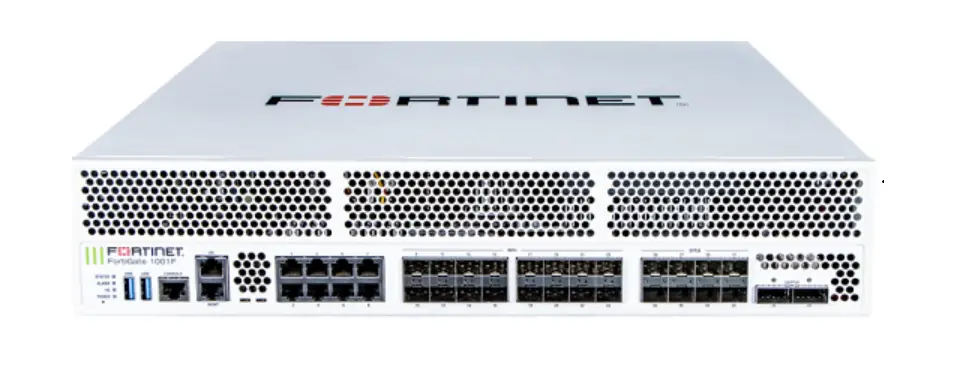
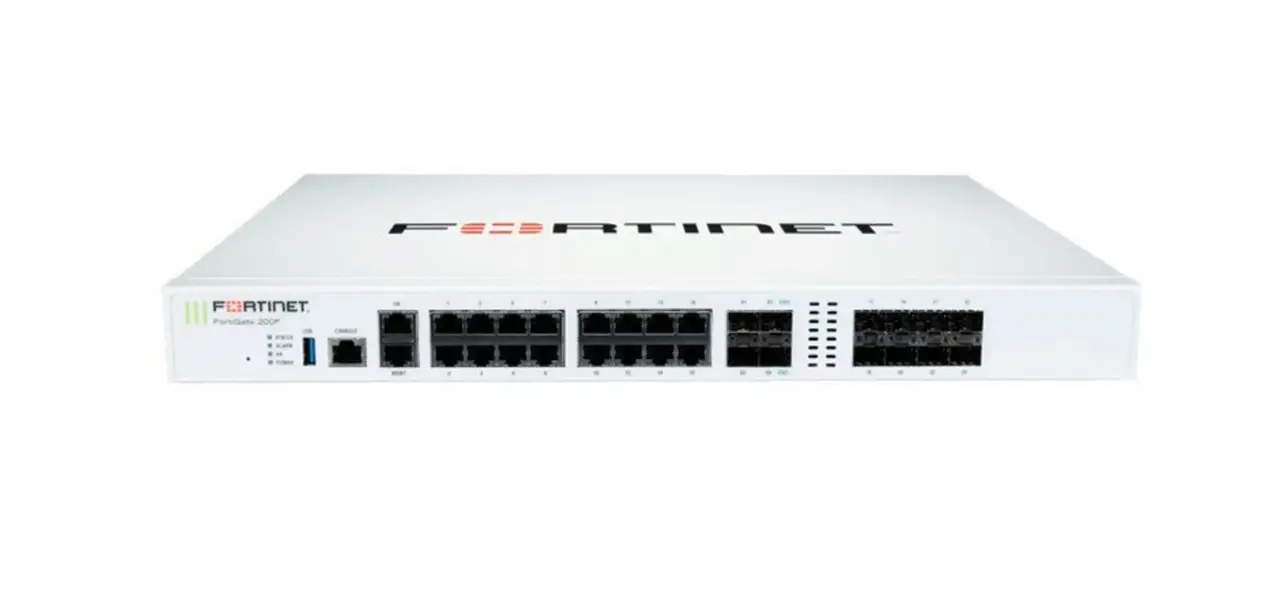
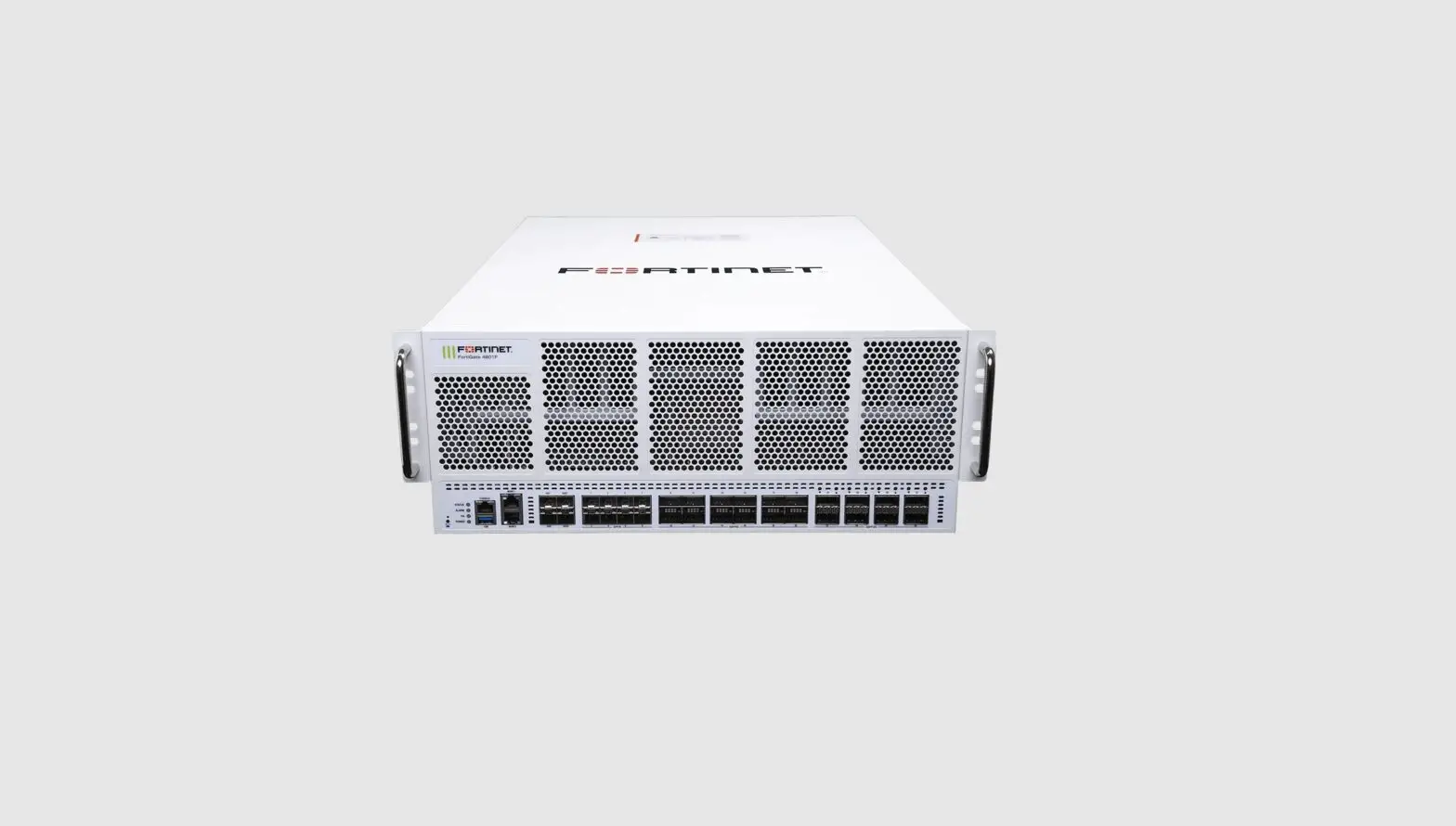
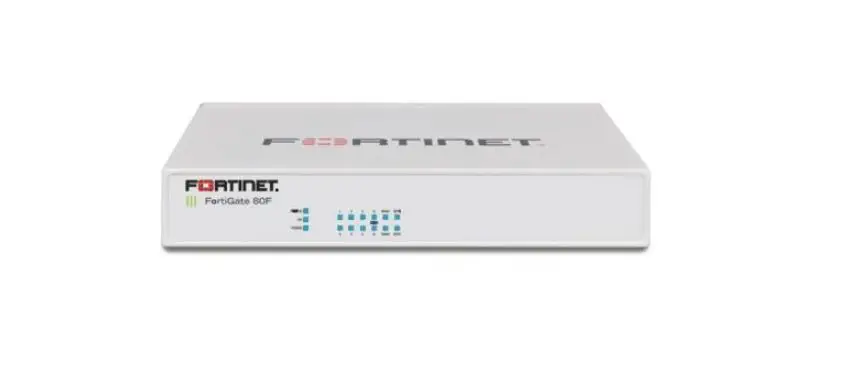
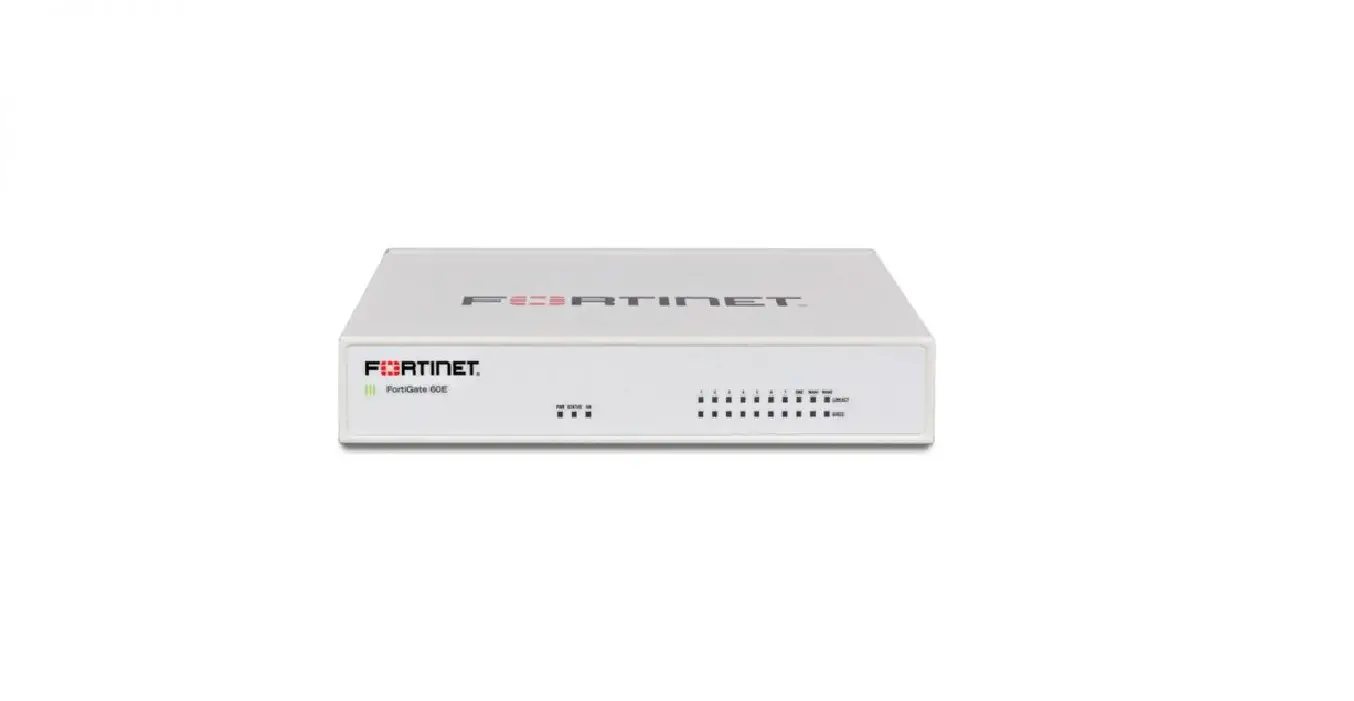
FortiGate 1500G Series DDoS Attack Mitigation Appliances
Product Information: The product is the FortiGate 1500G
Series, specifically the FG-1500G and FG-1501G models. It is a
network security appliance manufactured by Fortinet. The product is
designed to provide firewall protection, VPN connectivity, and
other security features for networks. Package Contents: –
FortiGate Device – QuickStart Guide – 2x Power Cables (AC models
only) – 1x Ethernet Cable – 1x Console Cable – 4x Rubber Feet – 2x
SFP SX Transceivers – 2x Mounting Brackets – 8x Bracket Screws – 2x
Grounding Lugs (DC models only) – 6x Terminal Rings (DC models
only) Setup Options: There are two setup options for the
Fortinet device: 1. Local Setup: Connect the device directly to a
management computer using an Ethernet cable or USB console cable.
2. Cloud Setup: Connect to forticloud.com for remote management and
configuration. Installation: – Desktop Installation: Place
the device on a flat, clean, and stable surface. – Rack Mount:
Mount the device on a rack with a recommended clearance of 1.5
inches above and below the device. It is recommended to have two or
more people assist in the rack mounting process to avoid personal
injury or damage to the device. Front Panel: The front panel
of the FortiGate 1500G Series includes various indicators: 1.
STATUS: Green indicates normal operation, flashing green indicates
booting up, red indicates a major alarm, and off indicates the
device is off. 2. ALARM: Red indicates a major alarm detected,
amber indicates a minor alarm detected, and off indicates no errors
detected. 3. HA (High Availability): Green indicates operating in
an HA cluster, red indicates HA failure, and off indicates HA
disabled. 4. POWER: Green indicates the device is on, and off
indicates the device is off. Product Usage Instructions: 1.
Before you begin, register your device to access FortiGuard
updates, cloud management, firmware upgrades, technical support,
and warranty coverage. Visit http://support.fortinet.com. 2. For
default logins, access the device using the following URL:
https://192.168.1.99. Use “admin” as the username and leave the
password blank. 3. To access the admin guide for detailed setup and
configuration information, visit https://docs.fortinet.com/. 4. For
customer service related to contracts, licensing, product
registration, and account management, contact FortiCare Support at
https://www.fortinet.com/support/contact. 5. Access self-service
resources such as knowledge base, forums, videos, and technical
experts at
https://www.fortinet.com/support/support-services/forticare-support.
6. For static IP configuration using the CLI (Command Line
Interface), set the management IP as 192.168.1.1 with a subnet mask
of 255.255.255.0. Use the default settings for speed (9600), data
bits (8), stop bits (1), parity (None), and flow control (None). 7.
SFP modules can be installed or removed from the cage socket on the
device. 8. Follow the installation instructions provided for
desktop installation or rack mount installation. 9. Refer to the
front panel indicators for device status and alarms. Note: For more
detailed information and guides, refer to the QuickStart Guide,
Admin Guide, and other resources available on the Fortinet website
and support portal.
QuickStart Guide
FortiGate 1500G Series
FG-1500G and FG-1501G
FG-1500G-ACDC-QSG-20221208.indd 1
2022-12-08 12:01:45 PM
This guide covers: FG-1500G and FG-1501G
December 8, 2022
Copyright© 2022 Fortinet, Inc. All rights reserved. Fortinet®, FortiGate®, FortiCare® and FortiGuard®, and certain other marks are registered trademarks of Fortinet, Inc., in the U.S. and other jurisdictions, and other Fortinet names herein may also be registered and/or common law trademarks of Fortinet. All other product or company names may be trademarks of their respective owners. Performance and other metrics contained herein were attained in internal lab tests under ideal conditions, and actual performance and other results may vary. Network variables, different network environments and other conditions may affect performance results. Nothing herein represents any binding commitment by Fortinet, and Fortinet disclaims all warranties, whether express or implied, except to the extent Fortinet enters a binding written contract, signed by Fortinet’s General Counsel, with a purchaser that expressly warrants that the identified product will perform according to certain expressly-identified performance metrics and, in such event, only the specific performance metrics expressly identified in such binding written contract shall be binding on Fortinet. For absolute clarity, any such warranty will be limited to performance in the same ideal conditions as in Fortinet’s internal lab tests. In no event does Fortinet make any commitment related to future deliverables, features or development, and circumstances may change such that any forward-looking statements herein are not accurate. Fortinet disclaims in full any covenants, representations, and guarantees pursuant hereto, whether express or implied. Fortinet reserves the right to change, modify, transfer, or otherwise revise this publication without notice, and the most current version of the publication shall be applicable.
For Product License Agreement / EULA and Warranty Terms, visit https://www.fortinet.com/content/dam/fortinet/assets/legal/EULA.pdf
2
FG-1500G-ACDC-QSG-20221208.indd 2
2022-12-08 12:01:45 PM
Before you begin
Register your device to access FortiGuard updates, cloud management, firmware upgrades, technical support and warranty coverage.
http://support.fortinet.com
FG-1500G-ACDC-QSG-20221208.indd 3
3
2022-12-08 12:01:45 PM
The Essentials
Default Logins
https://192.168.1.99 Username: admin Password: leave blank
MGMT IP is 192.168.1.99
Admin Guide
For a detailed Getting Started guide, setup and configuration information, refer to the Admin Guide on https://docs.fortinet.com/
Customer Service
For contracts, licensing, product registration and account management, contact FortiCare Support at https://www.fortinet.com/support/contact
Self-service Resources
Access our knowledge base, forums, videos and technical experts at https://www.fortinet.com/support/support-services/forticare-support
Thank you for choosing Fortinet
4
FG-1500G-ACDC-QSG-20221208.indd 4
2022-12-08 12:01:45 PM
Package Contents
FortiGate 1500G Series FG-1500G and FG-1501G
FortiGate Device
QuickStart Guide
2x Power Cables (AC models only)
1x Ethernet Cable
1x Console Cable
4x Rubber Feet
2x SFP SX Transceivers
2x Mounting Brackets
8x Bracket Screws
2x Grounding Lugs (DC models only)
6x Terminal Rings (DC models only)
FG-1500G-ACDC-QSG-20221208.indd 5
5
2022-12-08 12:01:46 PM
Setup Options
Set up your Fortinet device locally or connect using forticloud.com
GUI
1
MGMT
3
hUtsNtpeosrn:P/a/a1ms9se2w:.1ao6dr8dm.1.i9n9
2
Ethernet Cable
Management Computer
Note: For static IP configuration, use 192.168.1.1 with subnet mask 255.255.255.0
CLI
1
Console Port
Speed (default): 9600
3
Data bits:
8
2
Stop bits:
1
Parity:
None
USB Console Cable
Flow Control: None
Management Computer
Note: For a detailed CLI guide, visit docs.fortinet.com
6
FG-1500G-ACDC-QSG-20221208.indd 6
2022-12-08 12:01:46 PM
Installation
SFP Modules
Cage Socket
1
SFP
2 Tx
Rx
Removal
Cage Socket
1
2
SFP
Lock
FG-1500G-ACDC-QSG-20221208.indd 7
7
2022-12-08 12:01:46 PM
Desktop Installation
1.5in
1.5in
1.5in
1.5in
Note: Place the device on a flat, clean and stable surface.
8
FG-1500G-ACDC-QSG-20221208.indd 8
2022-12-08 12:01:47 PM
Rack Mount
2 3
1
Note: The recommended clearance is 1.5 inches above and below the device. Caution: To avoid personal injury or damage to the device, it is recommended that two or more people mount the device on a rack.
FG-1500G-ACDC-QSG-20221208.indd 9
9
2022-12-08 12:02:00 PM
FG-1500G Series Front Panel
HA
FortiGate 1500G
USB USB
CONSOLE
BLE
MGMT
1
3
5
7
2
4
6
8
9
11
13
15
10
12
14
16
1
23
4
5
1 STATUS
ALARM HA POWER
Green: Normal operation Flashing Green: Booting up Red: Major alarm Off: Device is off
Red: Major alarm detected Amber: Minor alarm detected Off: No errors detected
Green: Operating in an HA cluster Red: HA failure Off: HA disabled
Green: Device is on Off: Device is off
2 USB x2 (USB A)
USB 3.0 server port
3 Console (RJ45)
CLI interface
4 HA (RJ45)
LINK/ACT
SPEED
Green: On, Link up Flashing Green: Data activity Off: No link established
Green: Linked at 2.5 Gbps Amber: Linked at 1G/100 Mbps Off: Linked at 10 Mbps or no link established
HA and MGMT Ports
MGMT (RJ45)
LINK/ACT
Green: On, Link up
Flashing Green: Data activity
Off: No link established
LINK/ACT
SPEED
Green: Linked at 1 Gbps
Amber: Linked at 100 Mbps
10
Off: Linked at 10 Mbps or no link established
SPEED
FG-1500G-ACDC-QSG-20221208.indd 10
2022-12-08 12:02:01 PM
17
19
21
23
X1
X3
X5 — ULL — X7
18
20
22
24
X2
X4
X6 — ULL — X8
6
7
8
5 Ports 1 to 16 (RJ45)
LINK/ACT
Green: Link established Flashing Green: Data activity Off: No link established
SPEED
Green: Connected at 1000 Mbps Amber: Connected at 100 Mbps Off: Connected at 10 Mbps or not in use
6 Ports 17 to 24 (SFP)
Green: Connected at 1 Gbps Flashing Green: Data activity Off: No link established
7 Ports X1 to X4 (SFP+) X1 and X2 are FortiLink ports
Green: Connected at 10/1 Gbps Flashing Green: Data activity Off: No link established
8 Ultra Low Latency Ports X5 to X8 (SFP28)
Green: Connected at 25/10 Gbps Flashing Green: Data activity Off: No link established
RJ45 Ports
LINK/ACT
SPEED
SFP/SFP+ Ports
Bottom Port
Top Port
SFP28 Ports
Bottom Port
Top Port
FG-1500G-ACDC-QSG-20221208.indd 11
11
2022-12-08 12:02:02 PM
FG-1500G Series Rear Panel
SSD2
SSD1 FAN1
FAN2 FAN3
FG-1500G-DC Series Rear Panel
SSD2
SSD1 FAN1
FAN2 FAN3
DC Models Only (FG-1500G-DC and FG-1501G-DC) This product is only intended for installation and use in a Restricted Access Location. The DC power cables are intended to be used only for in-rack wiring, must be routed away from sharp edges, and must be adequately fixed to prevent excessive strain on the wires and terminals. DC cables must be a minimum of 12 AWG. For DC Cables Installation, ensure the terminal rings are securely and safely 12 fastened to the PSU terminals.
FG-1500G-ACDC-QSG-20221208.indd 12
2022-12-08 12:02:02 PM
FAN4 FAN5
PWR2
1 23
1
1 Power Supply for FG-1500G and FG-1501G
100-240VAC, 50/60Hz, 6A Max (2x PSU) 1+1 Redundant, hot-swappable power supplies
2 Input LED Indicators
Green: Input voltage within normal range
Flashing Green: Over or under voltage warning Off: No input power
3 Output LED Indicators
Green: Output voltage normal
Flashing Green: Standby mode Flashing Amber: Warning Amber: Critical error Off: No output
PWR1
23
FAN4 FAN5
PWR2
PWR1
1
1
1 Power Supply for FG-1500G-DC and FG-1501G-DC
-48V DC to -60V DC, 7A, hot swappable, redundant (1+1) power supplies
13
FG-1500G-ACDC-QSG-20221208.indd 13
2022-12-08 12:02:02 PM
Cautions and Warnings
Environmental specifications Ambient operating temperature: 0°C to 40°C
Rack Mount Instructions – The following or similar rack-mount instructions are included with the installation instructions: Instructions de montage en rack – Les instructions de montage en rack suivantes ou similaires sont incluses avec les instructions d’installation:
Elevated Operating Ambient – If installed in a closed or multi-unit rack assembly, the operating ambient temperature of the rack environment may be greater than room ambient. Therefore, consideration should be given to installing the equipment in an environment compatible with the maximum ambient temperature (Tma) specified by the manufacturer. Température ambiante élevée S’il est installé dans un rack fermé ou à unités multiples, la température ambiante de fonctionnement de l’environnement du rack peut être supérieure à la température ambiante de la pièce. Par conséquent, il est important d’installer le matériel dans un environnement respectant la température ambiante maximale (Tma) stipulée par le fabricant.
Reduced Air Flow – Installation of the equipment in a rack should be such that the amount of air flow required for safe operation of the equipment is not compromised. Ventilation réduite Installation de l’équipement dans un rack doit être telle que la quantité de flux d’air nécessaire au bon fonctionnement de l’équipement n’est pas compromise.
Mechanical Loading – Mounting of the equipment in the rack should be such that a hazardous condition is not achieved due to uneven mechanical loading. Chargement Mécanique Montage de l’équipement dans le rack doit être telle qu’une situation dangereuse n’est pas lié à un chargement mécanique inégal.
Circuit Overloading – Consideration should be given to the connection of the equipment to the supply circuit and the effect that overloading of the circuits might have on overcurrent protection and supply wiring. Appropriate consideration of equipment nameplate ratings should be used when addressing this concern. Surtension Il convient de prendre l’ensemble des précautions nécessaires lors du branchement de l’équipement au circuit d’alimentation et être particulièrement attentif aux effets de la suralimentation sur le dispositif assurant une protection contre les courts-circuits et le câblage. Ainsi, il est recommandé de tenir compte du numéro d’identification de l’équipement.
Reliable Earthing – Reliable earthing of rack-mounted equipment should be maintained. Particular attention should be given to supply connections other than direct connections to the branch circuit (e.g. use of power strips). Fiabilité de la mise à la terre Fiabilité de la mise à la terre de l’équipement monté en rack doit être maintenue. Une attention particulière devrait être accordée aux connexions d’alimentation autres que les connexions directes au circuit de dérivation (par exemple de l’utilisation de bandes de puissance).
Refer to specific Product Model Data Sheet for Environmental Specifications (Operating Temperature, Storage Temperature, Humidity, and Altitude) Référez à la Fiche Technique de ce produit pour les caractéristiques environnementales (Température de fonctionnement, température de stockage, humidité et l’altitude).
Safety
Moving parts — Hazardous moving parts. Keep away from moving fan blades. Pièces mobiles Pièces mobiles dangereuses. Se tenir éloigné des lames mobiles du ventilateur.
Warning: Equipment intended for installation in Restricted Access Location. Avertissement: Le matériel est conçu pour être installé dans un endroit où l’accès est restreint.
Warning: A readily accessible disconnect device shall be incorporated in the building installation wiring. Avertissement: Un dispositif de déconnexion facilement accessible doit être incorporé dans l’installation électrique du bâtiment.
Warning: A UL Listed external disconnect device, i.e. circuit breaker or other, with over current protection suitable for local code (rated 6A recommended) shall be installed with this equipment Avertissement: Un dispositif de déconnection externe homologué UL, exemple d’un disjoncteur ou autre, avec des protections de surintensité appropriées (nominal 6A recommandé) à I’installation de ce matériel.
Battery Risk of explosion if the battery is replaced by an incorrect type. Do not dispose of batteries in a fire. They may explode. Dispose of used batteries according to your local regulations. IMPORTANT: Switzerland: Annex 4.10 of SR814.013 applies to batteries. Batterie Risque d’explosion si la batterie est remplacée par un type incorrect. Ne jetez pas les batteries au feu. Ils peuvent exploser. Jetez les piles usagées conformément aux réglementations locales. IMPORTANT: Suisse: l’annexe 4.10 de SR814.013 s’appliquent aux batteries.
CAUTION: Shock Hazard. Disconnect all power sources. ATTENTION: Risque d’électrocution. Débranchez toutes les sources d’alimentation.
Grounding — To prevent damage to your equipment, connections that enter from outside the building should pass through a lightning / surge protector, and be properly grounded. Use an electrostatic discharge workstation (ESD) and/or wear an anti-static wrist strap while you work. In addition to the grounding terminal of the plug, on the back panel, there is another, separate terminal for earthing. Mise à la terre — Pour éviter d’endommager votre matériel, assurez-vous que les branchements qui entrent à partir de l’extérieur du bâtiment passent par un parafoudre / parasurtenseur et sont correctement mis à la terre. Utilisez un poste de travail de décharge électrostatique (ESD) et / ou portez un bracelet anti-statique lorsque vous travaillez. Ce produit possède une borne de mise à la terre qui est prévu à l’arrière du produit, à ceci s’ajoute la mise à la terre de la prise.
Caution: Slide/rail mounted equipment is not to be used as a shelf or a work space. Attention: Un équipement monté sur bâti ne doit pas être utilisé sur une étagère ou dans un espace de travail.
The rack may tip over causing serious personal injury. O rack pode tombar causando ferimentos graves.
Before extending the rack to the installation position, read the installation instructions. Antes de estender o rack para a posição de instalação, leia as instruções de instalação.
Do not put any load on the slide-rail mounted equipment in the installation position. Não coloque nenhuma carga no equipamento montado em trilho deslizante na posição de instalação.
14
FG-1500G-ACDC-QSG-20221208.indd 14
2022-12-08 12:02:02 PM
Do not put any load on the slide-rail mounted equipment in the installation position. Não coloque nenhuma carga no equipamento montado em trilho deslizante na posição de instalação.
Do not leave the slide-rail mounted equipment in the installation position. Não deixe o equipamento montado em trilho deslizante na posição de instalação.
Laser Class 1 optical transceiver shall be used only L’émetteur-récepteur optique de classe 1 laser doit être utilisé uniquement
IEC 60825-1:2014 transfer to FDA/CDRH Complies with FDA performance standards for laser products except for conformance with IEC 60825-1 Ed.3., as described in Laser Notice No. 56, dated May 8, 2019. IEC 60825-1:2014 transfert à la FDA/CDRH Conforme aux normes de performance de la FDA pour les produits laser, à l’exception de la conformité à la norme IEC 60825-1 Ed.3., comme décrit dans l’avis laser n° 56, daté du 8 mai 2019.
The SFP ports should use UL Listed Optional Transceiver product, Rated 3.3Vdc, Laser Class 1. Les ports SFP doivent utiliser un produit émetteur-récepteur en option répertorié UL, 3,3 Vdc, classe laser 1.
Fiber optic transceiver must be rated 3.3V, 22mA max, Laser Class 1, UL certified component. Le transceiver optique doit avoir les valeurs nominales de 3.3 V, maximum 22 mA, Laser Class 1, homologué UL
Warning: Class I Equipment. This equipment must be earthed. The power plug must be connected to a properly wired earth ground socket outlet. An improperly wired socket outlet could place hazardous voltage on accessible metal parts. Avertissement: Équipement de classe I. Cet équipement doit être mis à la terre. La fiche d’alimentation doit être connectée à une prise de terre correctement câblée. Une prise de courant mal câblée pourrait placer une tension dangereuse sur les pièces métalliques accessibles.
Warning: All Ethernet cables are designed for intra-building connection to other equipment. Do not connect these ports directly to communication wiring or other wiring that exits the building where the appliance is located. Avertissement: Tous les câbles Ethernet sont conçus pour une connexion intra-bâtiment à d’autres équipements. Ne connectez pas ces ports directement au câblage de communication ou à tout autre câblage qui sort du bâtiment où se trouve l’appareil.
Regulatory Notices
Federal Communication Commission (FCC) USA
This device complies with Part 15 of FCC Rules. Operation is subject to the following two conditions: (1) this device may not cause harmful interference, and (2) this device must accept any interference received; including interference that may cause undesired operation.
This equipment has been tested and found to comply with the limits for a Class A digital device, pursuant to Part 15 of the FCC Rules. These limits are designed to provide reasonable protection against harmful interference when the equipment is operated in a commercial environment. This equipment generates, uses, and can radiate radio frequency energy, and if it is not installed and used in accordance with the instruction manual, it may cause harmful interference to radio communications. Operation of this equipment in a residential area is likely to cause harmful interference, in which case the user will be required to correct the interference at his own expense.
WARNING: Any changes or modifications to this product not expressly approved by the party responsible for compliance could void the user’s authority to operate the equipment.
This equipment complies with FCC radiation exposure limits set forth for an uncontrolled environment. This equipment should be installed and operated with minimum distance 20cm between the radiator and your body. This transmitter must not be co-located or operating in conjunction with any other antenna or transmitter.
Industry Canada Equipment Standard for Digital Equipment (ICES) Canada
CAN ICES-003 (A) / NMB-003 (A)
This digital apparatus does not exceed the Class A limits for radio noise emissions from digital apparatus set out in the Radio Interference Regulations of the Canadian Department of Communications. Cet appareil numérique n’émet pas de bruits radioélectriques dépassant les limites applicables aux appareils numériques de la classe A prescrites dans le Règlement sur le brouillage radioélectrique édicte par le ministère des Communications du Canada.
Innovation, Science and Economic Development (ISED) Canada
This device contains licence-exempt transmitter(s)/receiver(s) that comply with Innovation, Science and Economic Development Canada’s licence-
exempt RSS(s). Operation is subject to the following two conditions:
1.
This device may not cause interference.
2.
This device must accept any interference, including interference that may cause undesired operation of the device.
L’émetteur/récepteur exempt de licence contenu dans le présent appareil est conforme aux CNR d’Innovation, Sciences et Développement
économique Canada applicables aux appareils radio exempts de licence. L’exploitation est autorisée aux deux conditions suivantes:
1.
L’appareil ne doit pas produire de brouillage;
2.
L’appareil doit accepter tout brouillage radioélectrique subi, même si le brouillage est susceptible d’en compromettre le
fonctionnement.
This equipment complies with ISED radiation exposure limits set forth for an uncontrolled environment. This equipment should be installed and operated with minimum distance 20cm between the radiator & your body.
Cet équipement est conforme aux limites d’exposition aux rayonnements ISED établies pour un environnement non contrôlé. Cet équipement doit être installé et utilisé avec un minimum de 20cm de distance entre la source de rayonnement et votre corps.
This radio transmitter (Contains IC:7280B-111T15D) has been approved by ISED to operate with the antenna types listed below with the maximum permissible gain and required antenna impedance for each antenna type indicated. Antenna types not included in this list, having a gain greater than the maximum gain indicated for that type, are strictly prohibited for use with this device.
Le présent émetteur radio (Contains IC:7280B-111T15D) a été approuvé par ISED pour fonctionner avec les types d’antenne énumérés ci-dessous et ayant un gain admissible maximal et l’impédance requise pour chaque type d’antenne. Les types d’antenne non inclus dans cette liste, ou dont le gain est supérieur au gain maximal indiqué, sont strictement interdits pour l’exploitation de l’émetteur.
15
FG-1500G-ACDC-QSG-20221208.indd 15
2022-12-08 12:02:02 PM
This device and it’s antennas(s) must not be co-located or operating in conjunction with any other antenna or transmitter except in accordance with IC multi-transmitter product procedures.
Cet appareil et son antenne (s) ne doit pas être co-localisés ou fonctionnement en association avec une autre antenne ou transmetteur.
Ant.
Brand Holder
Model Name
Antenna Type
Connector
Antenna Gain (dBi)
1
Wieson
ARY196-0346-005-00
PIFA
Ipex I
1.82
2
INPAQ
WA-F-LA-02-114
PIFA
Ipex I
0.73
European Conformity (CE) – EU
This is a Class A product. In a domestic environment, this product may cause radio interference, in which case the user may be required to take adequate measures.
The product transmits within the frequency ranges and less than or equal to the power listed below:
2402-2480MHz less than 20dBm
Simplified EU Declaration of Conformity This declaration is only valid for Fortinet products (including combinations of software, firmware and hardware) provided by Fortinet or Fortinet’s authorized partners to the end-customer directly for use within the EU or countries that have implemented the EU Directives and/or spectrum regulation. Any Fortinet products not obtained directly from Fortinet or Fortinet’s authorized partners may not comply with EU Directives and Fortinet makes no assurances for such products.
2014/53/.
Cesky Tento produkt je v souladu se smrnicí 2014/53/EU.
Dansk Dette produkt er i overensstemmelse med direktiv 2014/53/EU.
Deutsch Dieses Produkt entspricht der Richtlinie 2014/53/EU.
Eesti See toode vastab direktiivile 2014/53/EL.
English This product is in compliance with Directive 2014/53/EU.
Español Este producto cumple con la Directiva 2014/53/UE.
2014/53/.
Français Ce produit est conforme à la Directive 2014/53/UE.
Hrvatski Ovaj proizvod je u skladu s Direktivom 2014/53/EU.
Italiano Questo prodotto è conforme alla Direttiva 2014/53/EU.
Latviski Sis produkts atbilst Direktvai 2014/53/ES.
Lietuvi Sis gaminys atitinka direktyv 2014/53/ES.
Malti Dan il-prodott huwa konformi mad-Direttiva 2014/53/UE.
Magyar Ez a termék megfelel a 2014/53/EU irányelvnek.
Nederlands Dit product is in overeenstemming met Richtlijn 2014/53/EU.
Norsk Dette produktet er i samsvar med direktiv 2014/53/EU.
Polski Ten produkt jest zgodny z dyrektyw 2014/53/UE.
Português Este produto está em conformidade com a Diretiva 2014/53/UE.
Rumunski
16
FG-1500G-ACDC-QSG-20221208.indd 16
2022-12-08 12:02:03 PM
Acest produs este în conformitate cu Directiva 2014/53/UE.
Slovensky Tento produkt je v súlade so smernicou 2014/53/EÚ.
Slovensko Ta izdelek je v skladu z Direktivo 2014/53/EU.
Suomi Tämä tuote on direktiivin 2014/53/EU mukainen.
Svenska Denna produkt överensstämmer med direktiv 2014/53/EU.
Note: The full Declaration of Conformity for this product is available in the link below: https://site.fortinet.com/ProductRegulatory/EU
Compliance with 2014/53/EU Radio Equipment Directive (RED)
In accordance with Article 10.8(a) and 10.8(b) of the RED, the following table provides information on the frequency bands used and the maximum e.i.r.p. of the product for sale in the EU:
Frequency Range (MHz) Bluetooth 2.4GHz
Maximum e.i.r.p. (dBm) 4.13
UK Conformity Assessed (UKCA) United Kingdom
The product transmits within the frequency ranges and less than or equal to the power listed below: 2402-2480MHz less than 20dBm
This equipment should be installed and operated with minimum distance 20cm between the radiator & your body.
This product is in compliance with Statutory Instrument 1206 Radio Equipment Regulations 2017
The full Declaration of Conformity for this product is available in the link below: https://site.fortinet.com/ProductRegulatory/UK
Voluntary Control Council for Interference (VCCI) Japan
— Product Safety Electrical Appliance & Material (PSE) Japan
(PSE)
Bureau of Standards Metrology and Inspection (BSMI) Taiwan
The presence conditions of the restricted substance (BSMI RoHS table) are available at the link below: (RoHS Table) https://www.fortinet.com/bsmi
:
1762 (02) 27961666
FG-1500G-ACDC-QSG-20221208.indd 17
17
2022-12-08 12:02:03 PM
National Telecommunications Commission (NCC) Taiwan NCC
China A
18
FG-1500G-ACDC-QSG-20221208.indd 18
2022-12-08 12:02:03 PM
FG-1500G-ACDC-QSG-20221208.indd 19
19
2022-12-08 12:02:03 PM
Fortinet.com
FG-1500G-ACDC-QSG-20221208.indd 20
2022-12-08 12:02:03 PM
 Welcome
 Global Leader of Cybersecurity Solutions and Services | Fortinet
 site.fortinet.com - /ProductRegulatory/EU/