
Knowledge Base No. 3888
[How To] Install/Update Intel Smart Sound Technology Driver
For laptops that are required to install/update the Intel Smart Sound Technology driver, please refer to the instructions below to complete the process.
- Download the driver installer package.
I. Go to the MSI website and search the name of the products.
Note: If you have downloaded the driver by using live update or MSI Driver & App Center, please skip Step 1.
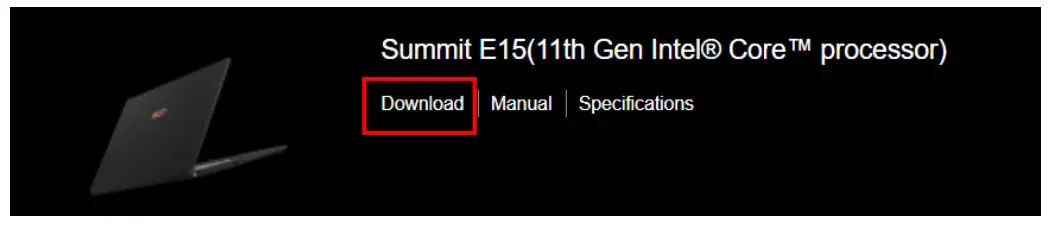
II. Click “Download” to enter the download page.
III. In the “Driver” tab, find “Intel Smart Sound Technology Driver” and download the file.
IV. Save the file to the designated location and extract the downloaded file. - Install the driver (Total 6 items: “IntcOED.inf”, “IntcSDW.inf”, “IntcSST.inf”, “IntcUSB.inf”, “IntcAudioBus.inf”, “IntelMvaExtension.inf”)
I. In the extracted folder, go to “Drivers” folder and find “IntcOED.inf”, “IntcSDW.inf”, “IntcSST.inf”, “IntcUSB.inf”, and “IntcAudioBus.inf” (to see the file extension, go to “View” and enable the “File name extension” option).
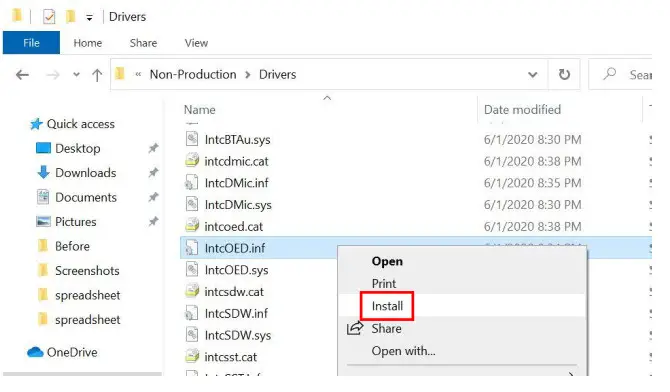
II. Right-click on “IntcOED.inf” and select “Install”.
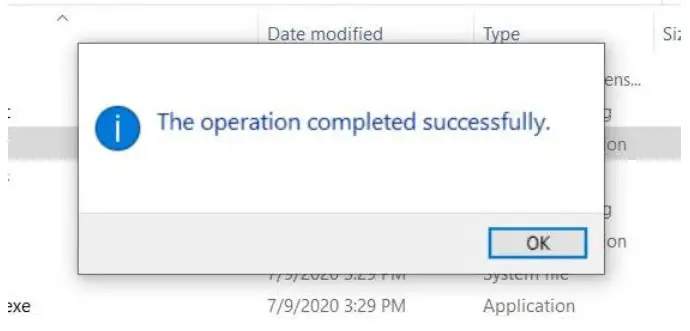
III. Once the installation completes, the following message will show up.
IV. Repeat Step 6 and 7 to install “IntcSDW.inf”, “IntcSST.inf”, “IntcUSB.inf” and “IntcAudioBus.inf”.
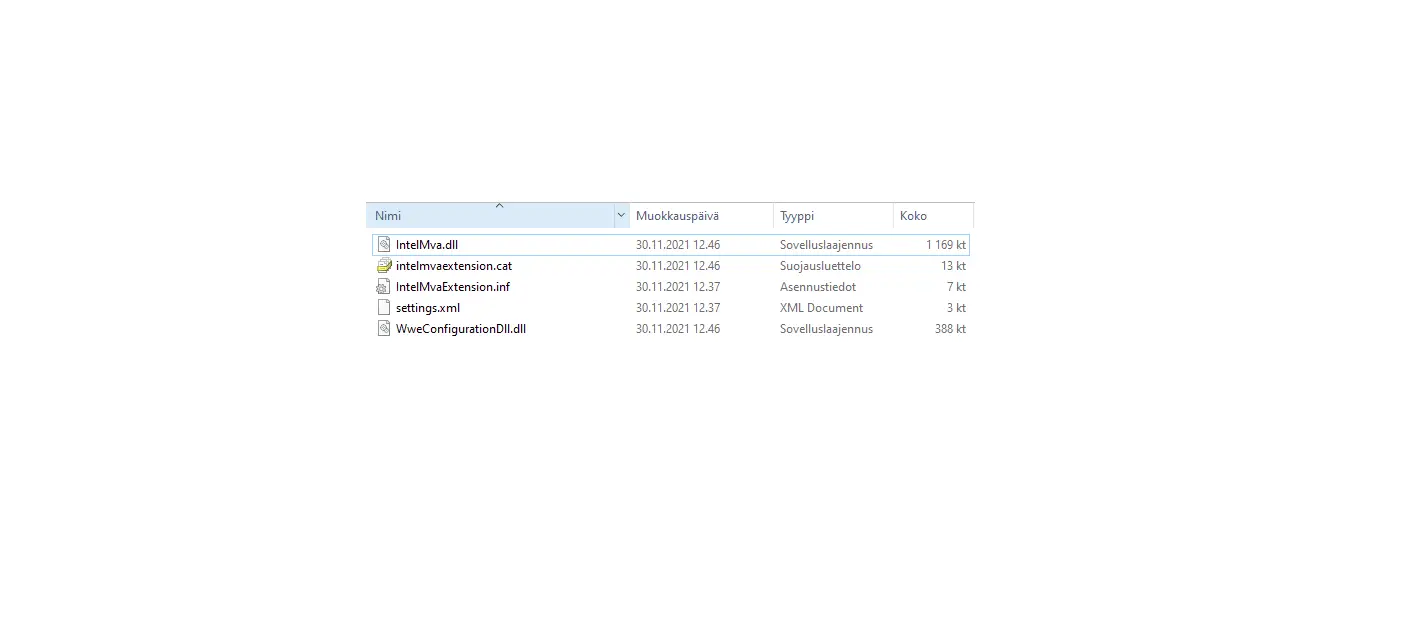
V. Go to “Apps > IntelMvaExtension” folder and find “IntelMvaExtension.inf”.
VI. Repeat Step 6 to Step 8 to install “IntelMvaExtension.inf”.
VII. After the files are installed, the installation process is complete. - Confirm the installed driver version.
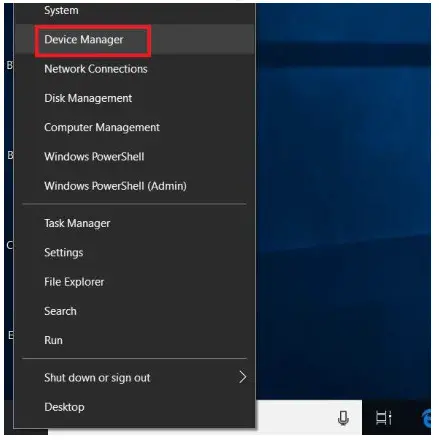
I. Right-click on the “Start button” on the taskbar.
II. Go to “Device Manager” and look for the “System devices” section.
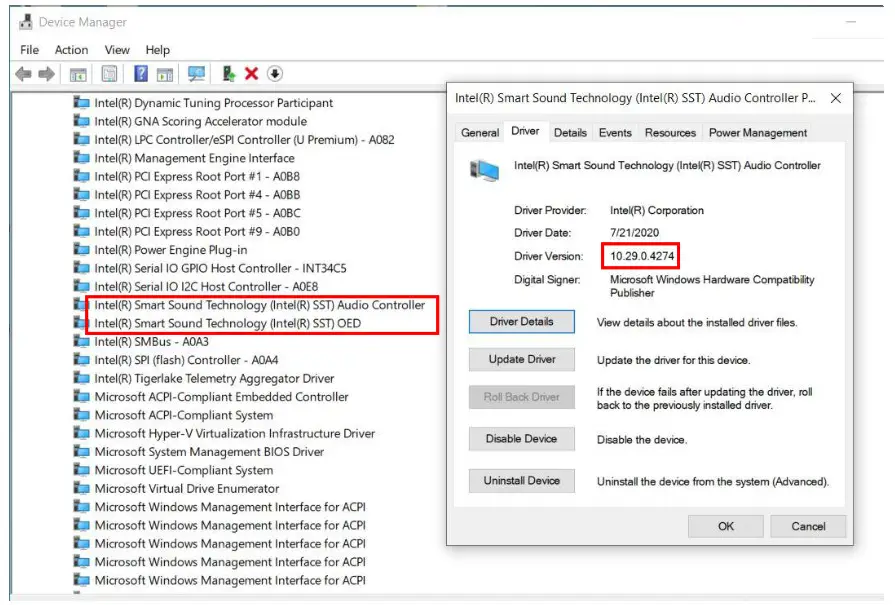
III. Under “System Devices”, find “Intel(R) Smart Sound Technology (Intel(R) SST) Audio Controller” and “Intel(R)Smart Sound Technology (Intel (R) SST) OED”.
IV. Double click on the three devices, go to the “Driver” tab and check if the version matches the driver version on the MSI website.

MSI NB FAE Team︱Revision: 1.0