
Tab K11 Vehicle Dock
Quick Start Guide
Product Overview
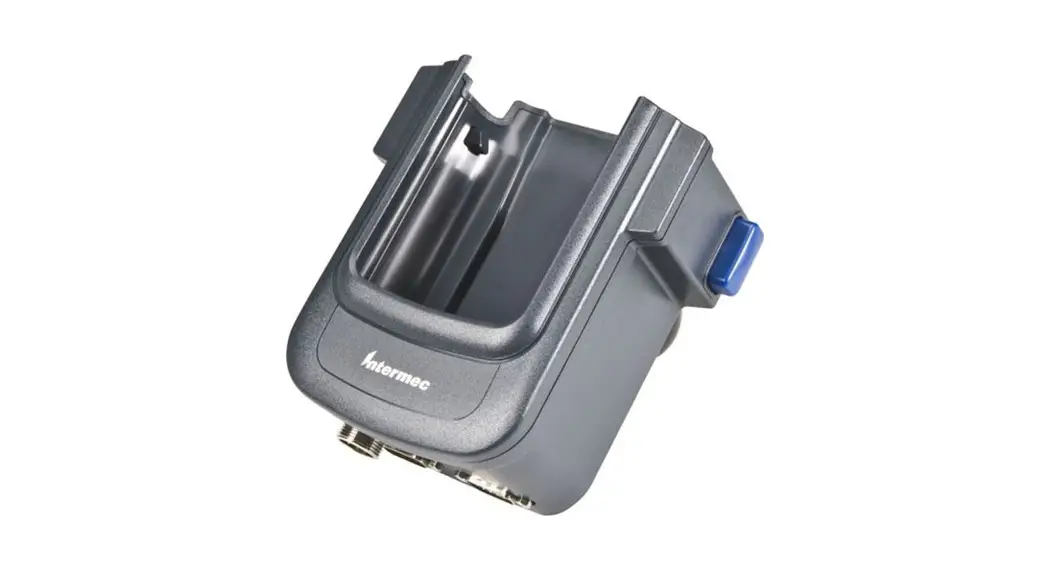
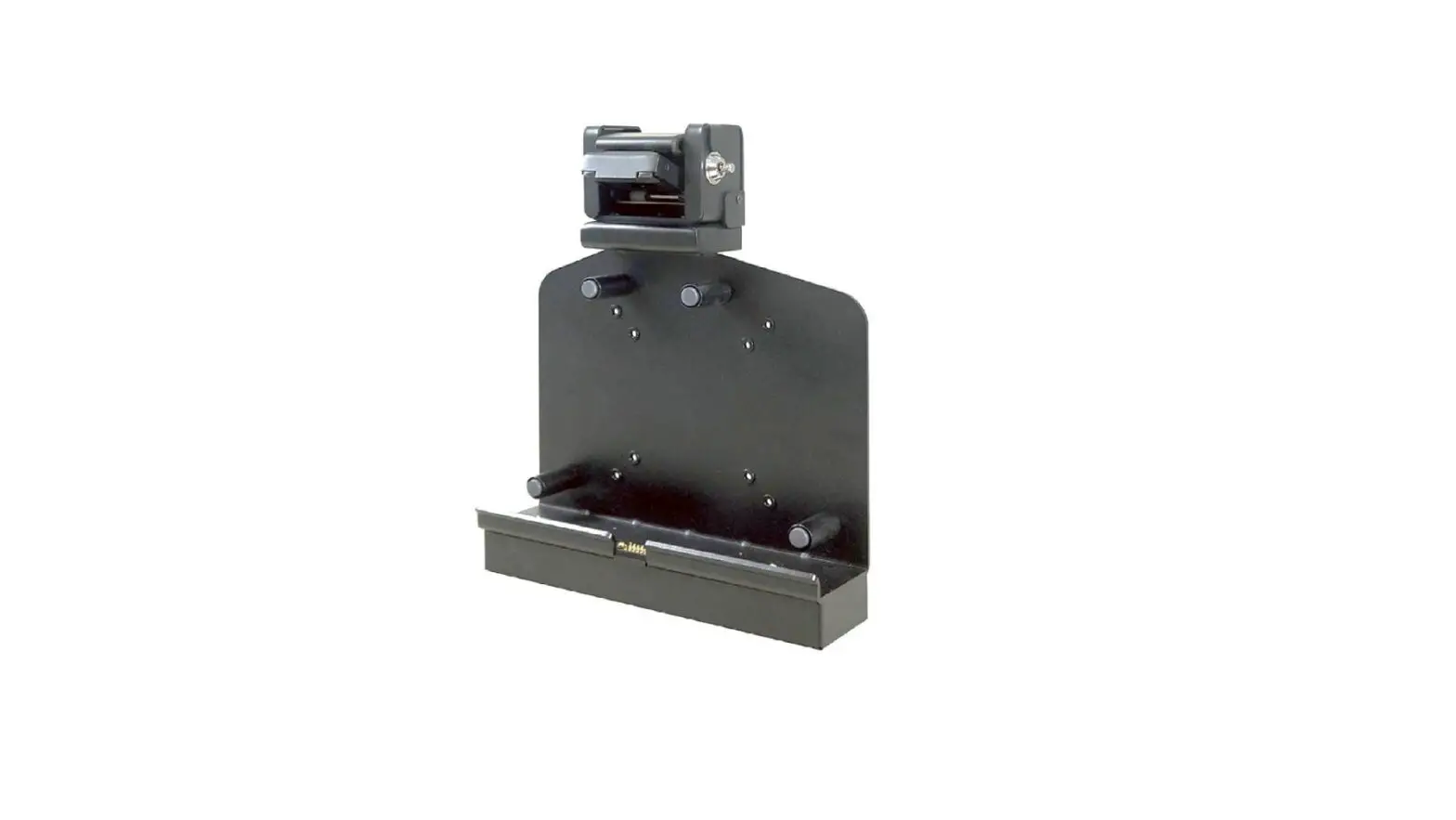
Front
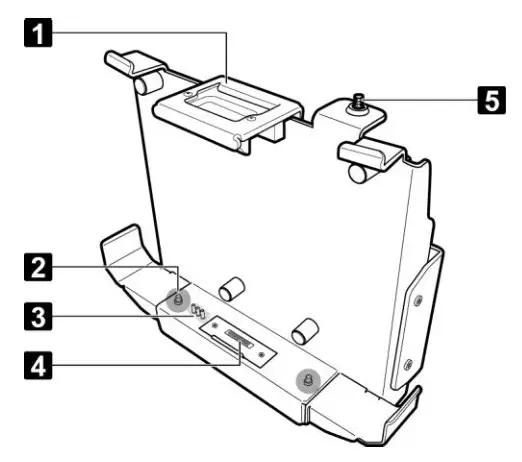
| No. | Item |
| 1 | Top spring latch |
| 2 | Alignment port (x2) |
| 3 | Triple RF pass-thru connectors |
| 4 | Docking connector |
| 5 | Latch bar (with key slot) |
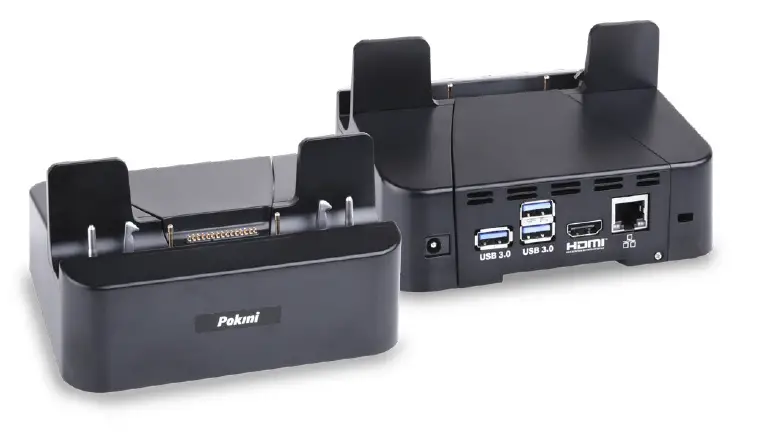
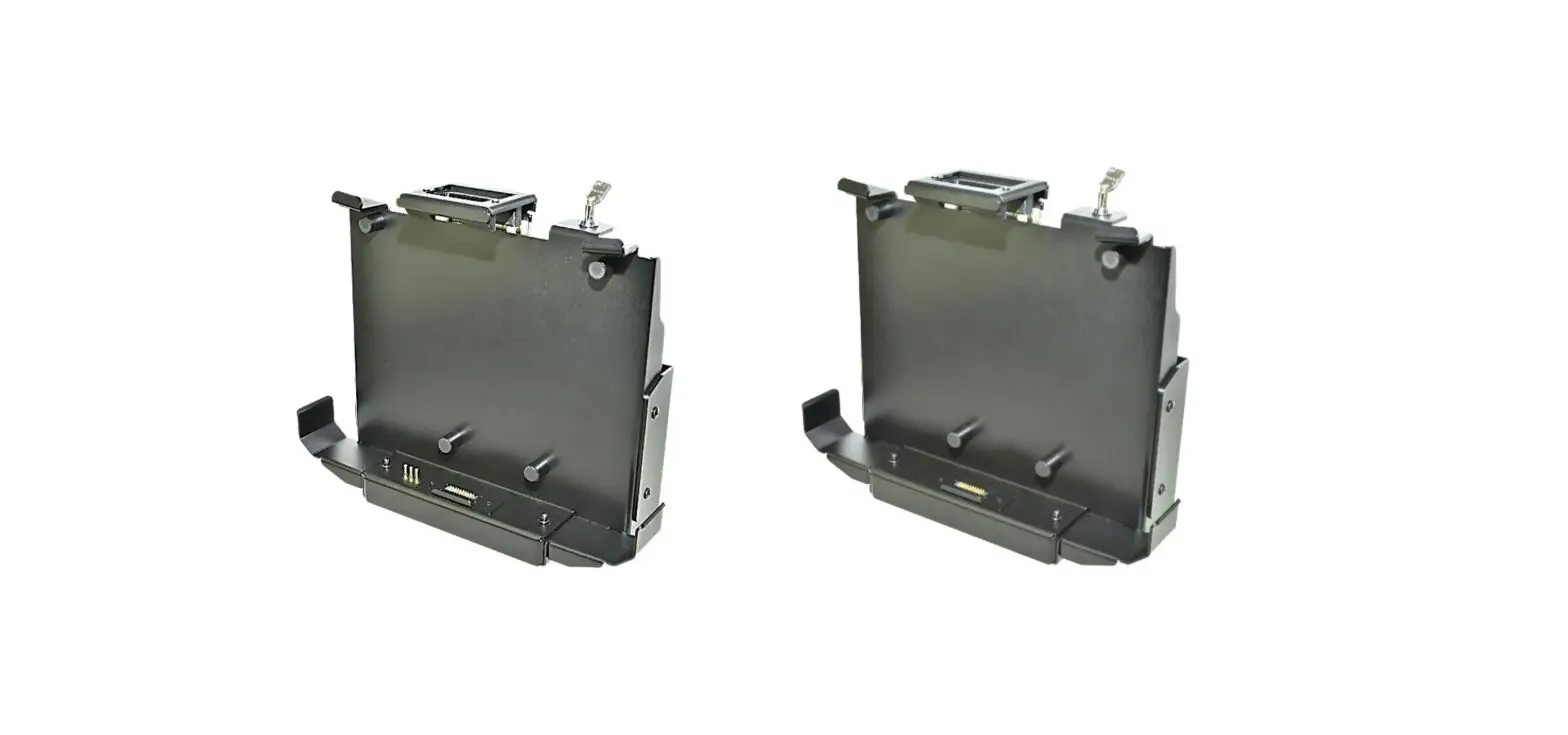
Rear
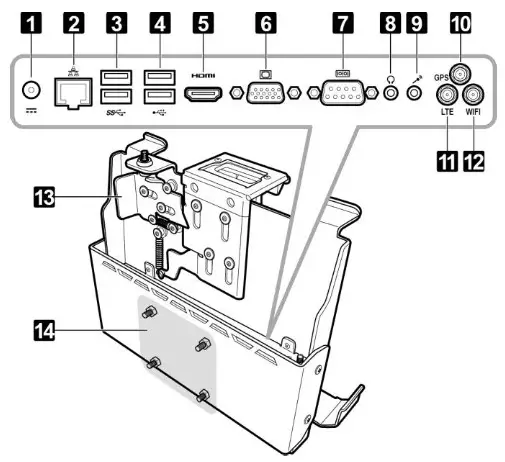
| No. | Item |
| 1 | DC-in jack * |
| 2 | LAN (RJ-45) port |
| 3 | USB3.0 port (x2) |
| 4 | USB2.0 port (x2) |
| 5 | HDMI port |
| 6 | VGA port |
| 7 | Serial port (RS-232) |
| 8 | Audio out jack |
| 9 | Microphone in jack |
| 10 | GPS antenna port |
| 11 | LTE antenna port |
| 12 | WIFI antenna port |
| 13 | Side spring latch |
| 14 | Mounting holes for VESA mount |
*Please contact dealer for appropriate adapter.
Unlock the Latch
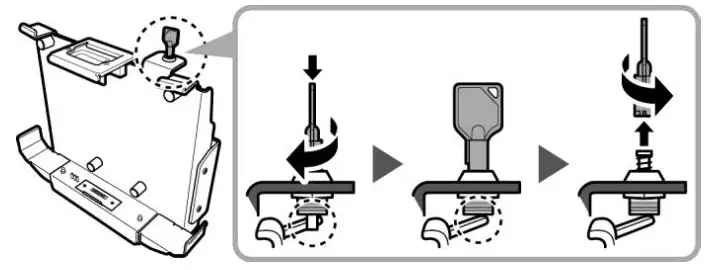
Latches on the docking cradle are locked during packaging. To unlock latches, do the following:
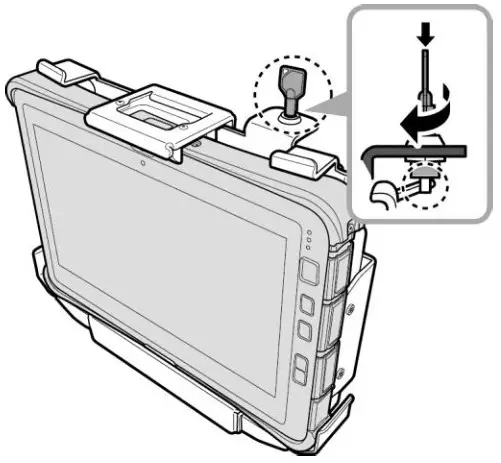
- Insert the latch bar key.
- Turn it clockwise until a “click” is heard, indicating the latch bar is released.
- Turn the key back counterclockwise to remove it from the key slot.

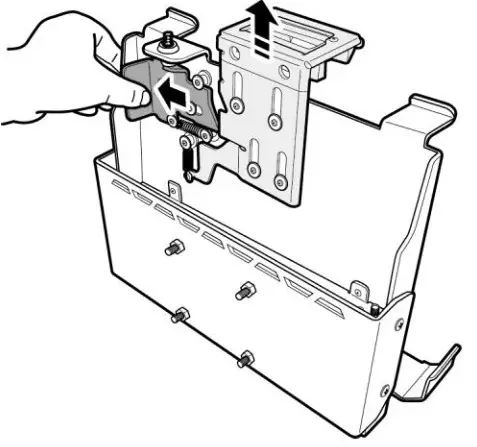
- Push the side spring latch all the way to the left to disengage the top spring latch.
NOTE: Top spring latch disengages automatically after the side spring latch is fully extended.
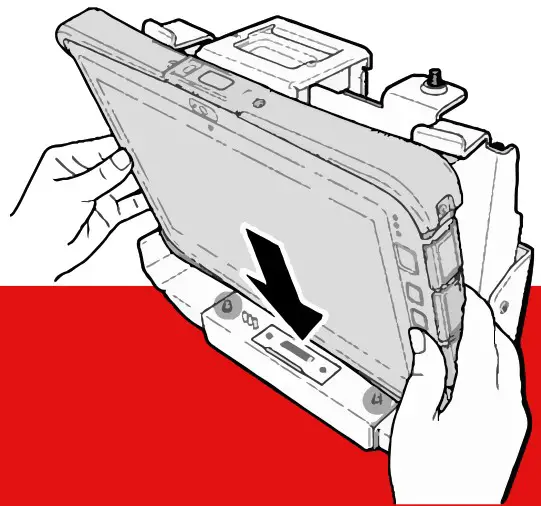
Docking the Tablet-PC
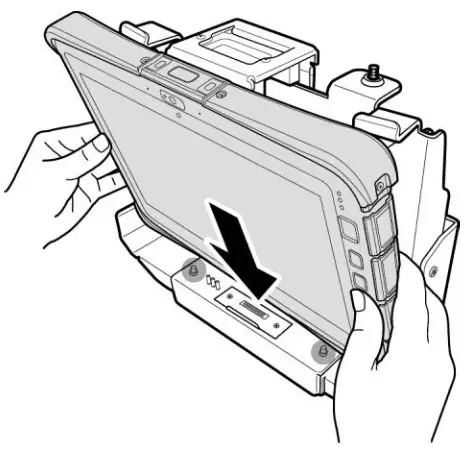
- With screen side facing out and docking
connector down, insert the Tablet PC into the alignment ports on docking cradle.
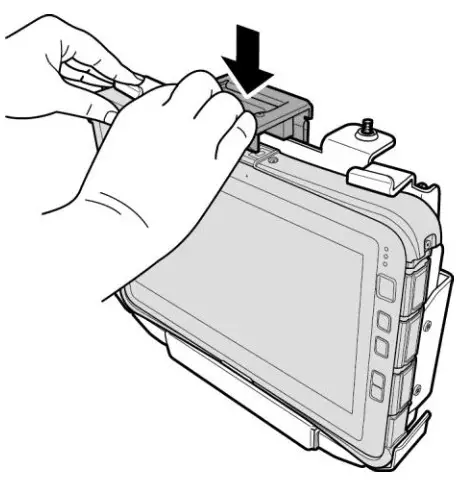
- Secure the Tablet PC by pressing firmly on the top spring latch until a “click” is heard and the latch is fully engaged.

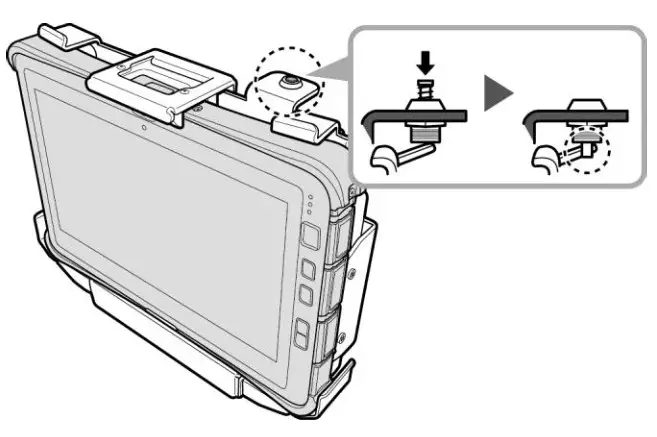
- Fully push the latch bar into position to ensure the latch is tightly secured.
NOTE: If the latch bar cannot be pushed, adjust the latch position and repeat step 3.
Undocking the Tablet-PC
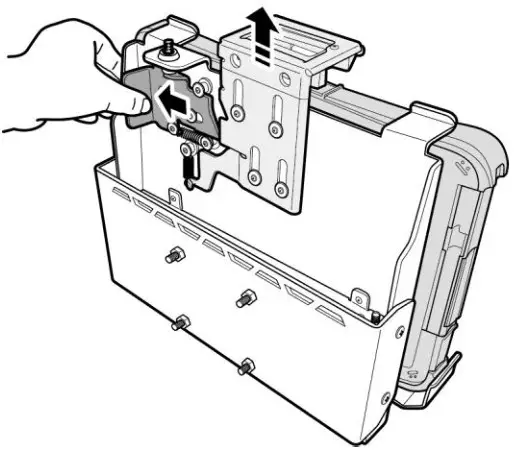
- Insert the latch bar key into the latch bar and turn clockwise until a “click” is heard. Turn the key back counterclockwise to remove it from thekey slot. Refer to the „Unlock the Latch“ section.

- Push the side spring latch all the way to the left to disengage the top spring latch.
NOTE: Top spring latch disengages automatically after the side spring latch is fully extended.
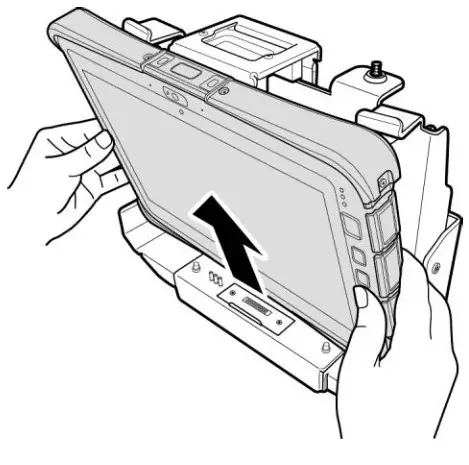
- Remove the Tablet PC from the docking cradle.
FCC Regulations
This device complies with Part 15B Class B of the FCC Rules. Operation is subject to the following two conditions: (1) this device may not cause harmful interface, and (2) this device must accept any interface received, including interface that may cause undesired operation. This Class B digital apparatus complies with Canadian ICES-003. Cet appareil numérique de la classe B est conforme à la norme NMB-003 du Canada.
Support
You have any technical questions?
If you have problems or questions, please contact us by e-mail: [email protected]
V1.0 / 01-2021
EXTRA Computer GmbH Brühlstr. 12
89537 Giengen-Sachsenhausen Deutschland/Germany
all rights reserved