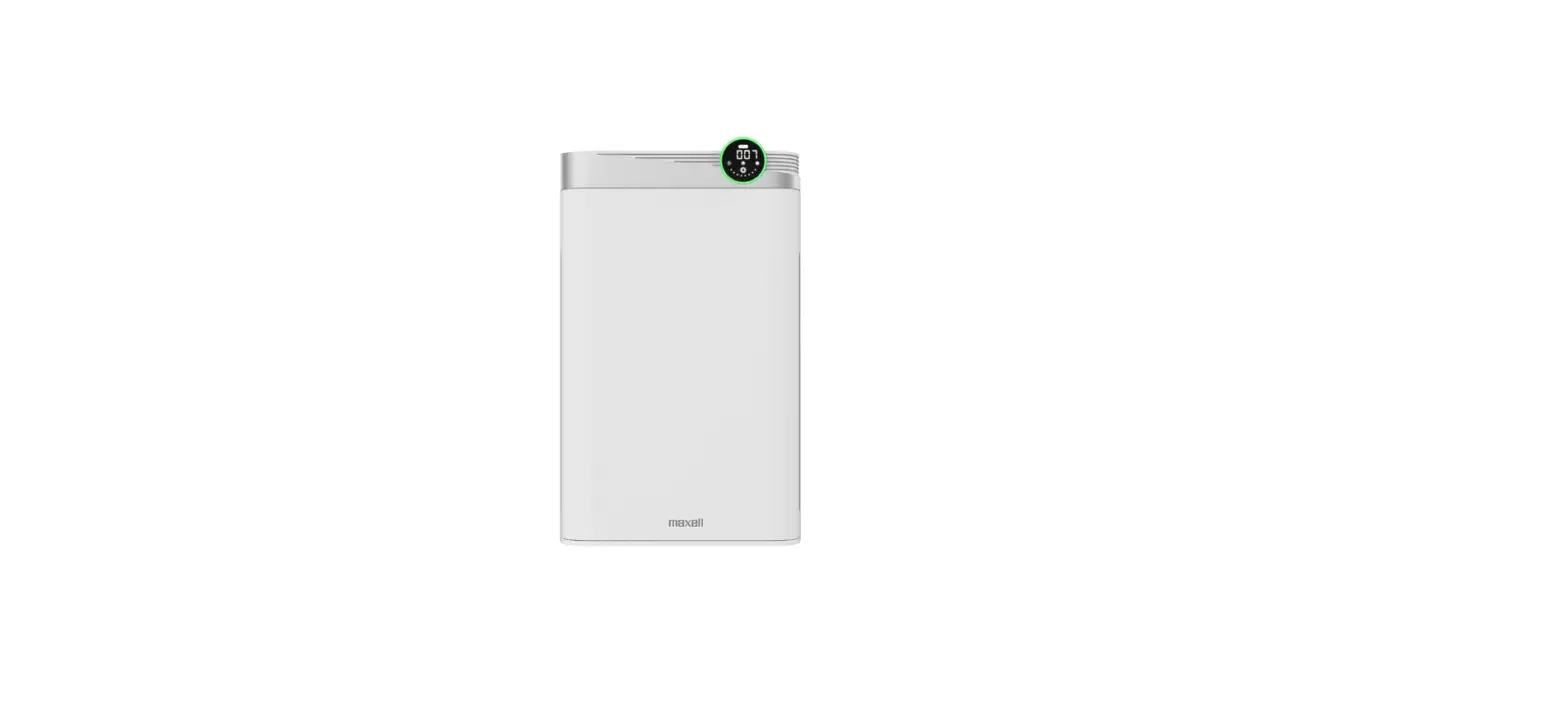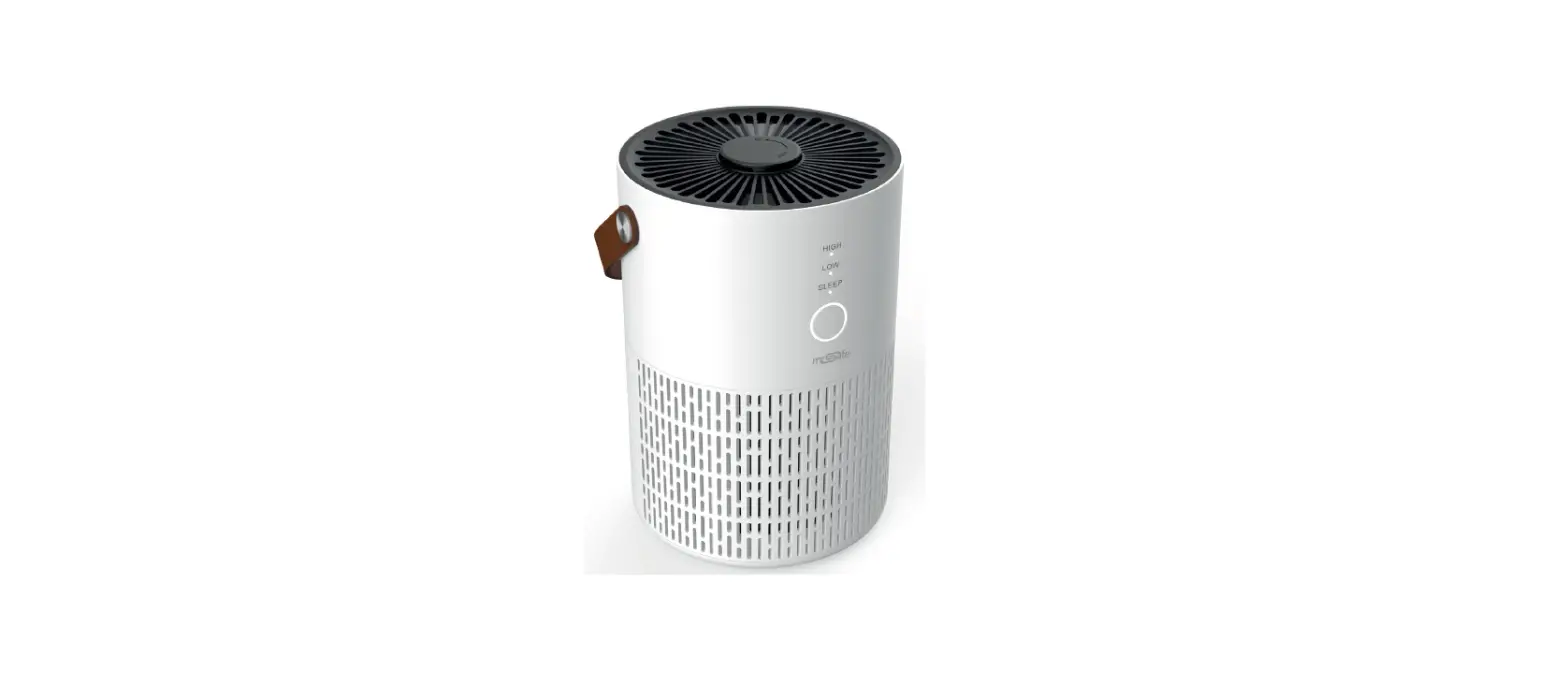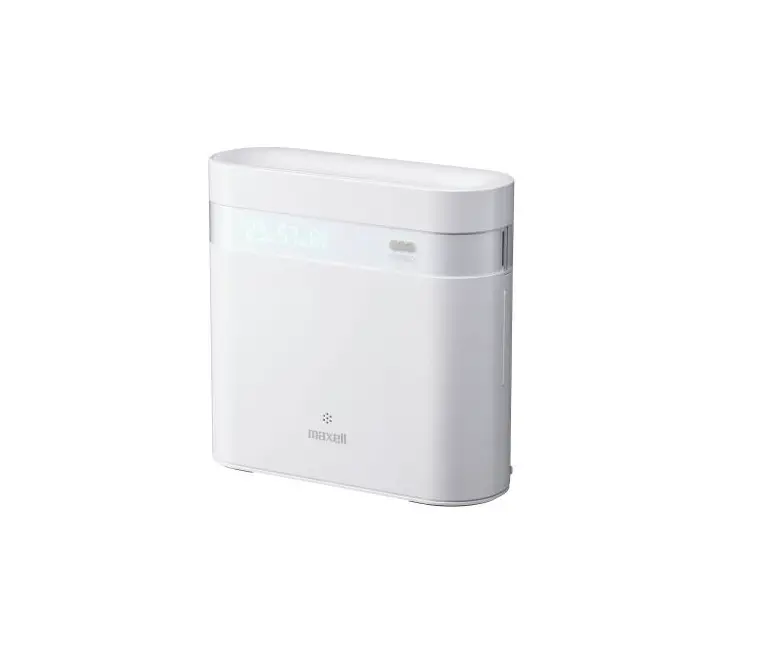
maxell MXAP-DAE280 Anti-Bacterial Air Deodorizer User Manual
Thank you very much for buying this product. Please read the user manual in advance and use the product safely. Please take reference to the attached appendix if there is any.
Content of the package
- Main Unit ×1
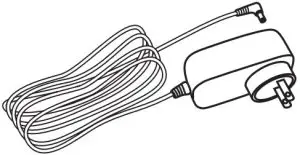
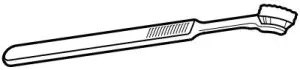
- Accessory
- AC adaptor x 1

- Cleaning brush×1

- User Manual×1

The illustrations used in this user manual may differ from the actual product.
- AC adaptor x 1
Before Starting
About the user manual
- Contents of this user manual might be changed in the future without prior notice.
- For product improvement, change of appearance or specification might not be announced in advance.
- Except for personal use, any unauthorized copying of part or all parts of this manual is prohibited. Unauthorized republication is strictly prohibited.
Disclaimer
- Maxell shall not be responsible for any damage caused by fires, earthquakes, action of a third party, any accidents, intended or unintended misuse or other usage under abnormal conditions.
- All explicit and implicit contents not stated in the warranty card are not covered.
- Maxell shall not be responsible for failure due to any damage caused by usage other than described in the instruction manual.
- Maxell shall not be responsible for any loss resulted from malfunction when connecting to interconnecting devices.
- This product is not being designed to be any equipment or device which could be concerned with human life such as medical device, nuclear device, astronomic device, transportation device etc., nor equipment or devices which requires high reliability. In case this product is used for the above equipment and/or systems, Maxell do not responsible for any injuries or fire accident cause by the failure of this product.
Safety Caution
Please strictly follow and use safely.
Warning refers to “Misuse which might lead to death or serious injury*1.”
Caution Caution refers to “Misuse which might lead to injury*2 or damage*3.”
- Serious injury refers to blindness or injuries, burnt, electric shock, bone fracture, poisoned or injury with after-effect, or resulted in hospitalization or long-term follow-up consultation.
- Injury refers to burnt, electric shock which do not result in hospitalization or long-term follow-up consultation
- Damages refers broad damages to houses or properties and domestic animals/pets.
Example of symbols
 Stands for caution to fire explosion, high temperature when handling the product. Detail will be illustrated inside the symbols (eg. Beware of electric shock)
 Stands for prohibited actions when handling the product. Details will be illustrated inside or next to the symbols or with writedn description next to it e.g: Do not decompose)
 Stands for instructions which must be followed. Detail will be illustrated inside or next to the sybols or with written description next to it eg Remove plug from socket.
Warning
- Please do not use in a place which cannot be ventilated.
- The recommended coverage is from 1~20 tatami (1.55~31m2 ). Please check the size of the room before use. If not used in recommended coverage, it may cause harm to humans and pets and damage to property.
- Please keep it out of reach of children to prevent electric shock or injury.
- When the product is used near small animals, please pay attention to their condition.
- Material such as natural resin which are easy to oxidize could depreciate rapidly when they are kept too close to the product.
- Please stop using this product and ventilate the air, if you feel a change in physical condition such as a headache.
- Person who has asthma or related medical history, please consult your physician before use.
- Please use at least 30cm away from the air-outlet. (Please do not place objects within 30cm from the air-outlet.)
- Do not use in places where there is oily smoke, flammable gas, or metallic dust. It may cause fire or smoke.
Warning
 Abnormalities and Malfunction
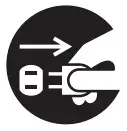
- Stop use and remove the adaptor from the socket immediately
If the main unit produces smoke, odor or noise, or water and foreign objects enters the main unit, stop use immediately and remove the adaptor. Continuation of use may cause smoke, fire, electric shock and etc.
 Main Unit / AC Adaptor
- Do not repair, disassemble or remodel
This may cause fire, electric shock or injury.
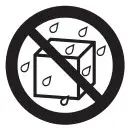 Do not contact with water
- Do not pour water on the main unit or dip it into water.
This may cause electric shock or fire.  Stop use after dropping and damage to the main unit
Continuation of use may cause electric shock, fire or injury- Use and store properly at places out of children’s reach
This may cause electric shock or injury - Do not put into fire
Do not put the main unit into fire or heat it.
This may cause overheat, fire or damage the main unit. - Do not put into refrigerators
This may cause malfunction. - Do not put into heating appliances such as microwave ovens or pressure cookers
This may cause smoke or fire. - Do not use with wet hands
This may cause overheating, electric shock or malfunction.
 Stop use after dropping and damage to the main unit
 Do not put into fire
 Do not use with wet hands
Main Unit
- Do not use power input other than the exclusive AC adaptor
This may cause overheating, electric shock or malfunction - Do not put finger or foreign objects (such as metal) inside the air-outlet or air-intake
This may cause electric shock or injury. - Do not put drinkable water, cigarette ashes and flammable objects inside the main unit from the air-outlet or air-intake
This may cause electric shock or fire. - Do not cover the air-outlet or air-intake with your hands or objects
This may cause electric shock or malfunction. - Do not cover the temperature / humidity sensor with your hands or objects
It may cause malfunction or incorrect display.
 Do not use power input other than the exclusive AC adaptor
AC Adaptor
- Do not use at a voltage other than the specified power supply voltage
This may cause electric shock or fire. The power input of the AC adaptor of this product is AC100~240. - Do not use at loosen sockets
If it is loose between the AC adaptor and the socket, do not use it. This may cause fire or electric shock. - Do not cover the AC adaptor with cloth or other objects
Trapped heat may deform the case and cause fire or electric shock. - Do not use broken AC adaptor
This may cause fire or electric shock. - Although the AC plug can be removed due to its structure, please do not remove it as it may cause fire or electric shock.
- Plug the AC adaptor down to its base family
Partially plugged AC adaptor may need to fire or electric shock.
Warning
Setting Up and Use
- Do not use in a place which cannot be ventilated
- Do not use in area smaller than the recommended size
- Do not place any objects within 30cm from the air-outlet
Using under wrong environment may harm humans or pets, or
may lead to damage to properties. - Do not use in location close to oily smoke, flammable gases or metallic dust
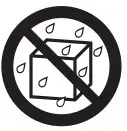
It may cause fire or smoke. - Do not use in humid locations
Do not use in bathrooms, seashores, waterside or outdoor locations.
Do not use in rooms with a highly functioning air humidifier.
This may cause fire or electric shock. - Do not use in places subject to water
This may cause fire or electric shock.
 Do not use in humid locations
Maintenance
- Please remove the adaptor during maintenance
This may cause electric shock or fire. - Please clean the dirt on the AC adaptor regularly
Deterioration of insulation may cause electric shock and fire led by electric leak. - Regularly clean the waste or dirt. High humidity will cause poor insulation by dirt which may cause fire.
If there will be a long period of non-use, please remove the AC adaptor
from socket
Caution
Setting Up and Use
- Do not place in locations in direct sunlight or with abnormally high temperature
This may cause fire or deterioration of the surface and parts of the main unit.
Do not place inside a closed car, in locations in direct sunlight or near heating appliances such as stoves. - Do not place in unstable locations
Do not place on shaky platforms and slanted locations.
Dropping and falling may cause malfunction. - Do not place in highly humid or dusty locations
Do not place in locations such as bathroom, air humidifier, kitchen and
dusty locations. This may cause electric shock or fire. - Do not place near television or radio
If same socket is used for these types of products, this may cause disruption to sounds and images. - When dew condensation happens on this poduct, do not turn on power input
Sudden changes in temperature may cause dew of the parts inside.
Do not turn on the power input and set the main unit aside.
Maintenance
- Do not use chemicals
Do not use chemicals such as benzene, thinner or alcohol to wipe.
Do not use penetrating oil. This may cause deterioration of the case and melting of parts.
Attention
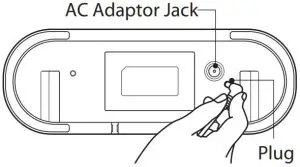
Although the AC plug can be removed due to its structure, please do not remove it as it may cause fire or electric shock.
Installation conditions for use
Please read the user manual carefully and use the product safely when using this product.
Recommended Coverage
| Air Volume | Low | Mid | High |
| Applicable Space | 1-6 tatami (1.55-9.3m23i:1) | 6-14 tatami (9.3-21.7m2 | 12-20 tatami (18.6-31 m2 |
| Air Volume LED Light |  |  |  |
- The recommended coverage shown above is based on our test results, the space concentration of ozone is set as 0.05 ppm or less. Please follow the recommended coverage while using the main unit.
- Please do not use in a place which cannot be ventilated.
- The above recommended coverage is only for one main unit. Do not use it as a guide for multiple units.
- Please use at least 30cm away from the air-outlet. (Please do not place objects within 30cm from the air-outlet.)
- Ozone may smell and it is normal. You may feel uncomfortable such as headache due to individual differences. In that case, stop using immediately and ventilate. (See Table 1 for ozone concentration and its effect on the human body)
- For other precautions, please read this user manual thoroughly.
Table1
| Ozone Concentration(ppm) 0.01 | Effect |
| Sensitive people could feel the smell of ozone | |
| 0.02 | Feel the smell of ozone (will get used to it) |
| 0.06 | Environmental standard concentration of photochemical oxidant (Ministry of the Environment Government of Japan) |
| 0.1 | Feels strong ozone odor, irritates nose and throat |
| Tolerable concentrations in the working environment (Japan Society for Occupational Health) |
Refer to Japan Ozone Association Ozone Handbook
- Based on internal test results
The result is confirmed under the condition of ventilation rate (0.5 times / hour) in the living room of the house conforming to the Building Standards Law of Japan. (0.5 times / hour means that 1/2 of air in the room is replaced in one hour.) The effect of use depends on the using environment such as temperature and humidity, using time, and using space.
How to use
Installation
The recommended room coverages for this unit is from 1~20 tatami (1.55~31m2 ) Please check the size of the room you are using. Do not use for rooms other than these recommended coverage guidelines.
2. Based on the results of internal company tests. Results may vary depending on the surroundings and the duration of use.
Connecting to Power
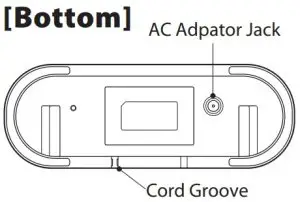
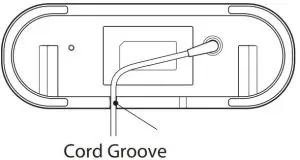
- Connect the plug of the AC adaptor to the AC Adaptor Jack on the bottom. Pass the cord through the cord groove on the bottom. The main unit will be unstable and fall easily if you do not pass the cord through the cord groove.


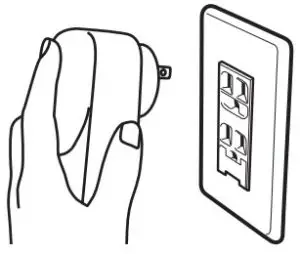
- Plug in the AC adaptor to a wall socket.
When the main unit connected to the power, it makes a beeping sound and all the LEDs turn on and off, but this is not a malfunction.
Operating
When you press each button on the operation panel, you will hear a “beep” sound.
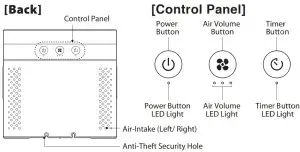
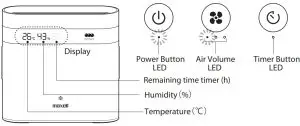
- When you press and hold the power button (approx. 2 secs), the power button LED, air volume LED, and timer LED all light up, the power lamp also lights up at the same time and the main unit starts to operate in low air volume.
- When a conductor (metal, etc.) approaches the operation panel, it may react, but this is not a malfunction.

- When a conductor (metal, etc.) approaches the operation panel, it may react, but this is not a malfunction.
- Change the air volume
The operating air volume changes each time when the air volume button is (Weak → Medium → Strong → Weak → Medium →・・・・・)Air Volume Low Mid High Air Volume LED 
- To stop the operation, press the power button. Display, power button LED turn off and operation stops.
Warning
Do not use in a place which cannot be ventilated.
Other Functions
Timer function
The timer function automatically stops operation after about 8 hours.
By pressing the timer button, you can set the timer function ON / OFF.
Timer LED | Timer Function | Display |
 | ON(※3) | Automatically stops operation after about 8 hours Timer Function ON (8h display) 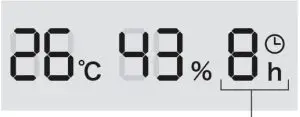 Stop operation (all off) 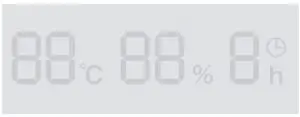 After the timer function is turned on, the remaining time is displayed. (7→6→5→4→3→2→1) |
 | OFF | Continuous work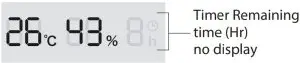 |
3. When the power is turned on by pressing the power button, Continuous work starts and the air volume is low.
If the operation is stopped by the power failure response function and operation restarts automatically, the operation starts in the state before the stop.
After operating for several hours with the timer function ON, press the timer button to turn off the timer function to reset the remaining time. If the timer function is turned on again, the timer operation will be 8 hours.
- Display(Temperature℃)・Humidity(%)
- There is no function to adjust the temperature and humidity.
- Please use the temperature (℃) and humidity (%) of the display as a reference for the temperature and humidity in your daily life.
- We are not responsible for secondary damage caused by temperature / humidity error..
- The operating temperature range of this product is 0 to 40°C (no condensation).
- Temperature (℃) (approximate): Displayed in 1 ° C increments within
the range of -9 ° C to 99 ° C- if the temperature exceeds the display range, “—” is displayed.

- if the temperature exceeds the display range, “—” is displayed.
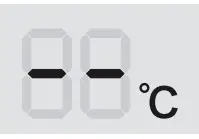
Humidity (%) (approximate): 1 to 99% displayed in 1% increments
- Automatic dimming function
After about 5 minutes without any button operation during operation, the display will automatically darken. When the button operation is performed again, the power lamp returns to the original brightness. - Auto-stop function (When removing the rear panel)
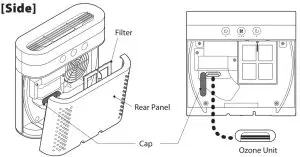
If you remove the rear panel during operation, operation will stop. The operation will restart (※4) by reattaching the rear panel and long-pressing the power button (approx. 2 secs).
Operation starts with continuous operation and low air volume. - Power failure response function
Even if the operation is stopped due to a power failure during operation, when the system recovers from the power failure, it automatically resumes the operation status before the power failure.
Example: Running with mid air volume → Stop due to power failure → Recovery from power failure → Restart operation with mid air flow
Maintenance
It depends on the usage environment, but we recommend cleaning once or twice a month.
Before maintenance
You must ensure that the unit is switched off before any maintenance is carried out. Unplug the AC adapter from the wall socket and disconnect the plug from the main unit.
Main Unit
Remove any dirt from the unit using a cloth dampened with water or detergent (neutral PH). Then wipe down gently with a dry cloth. Do not use any cleaner containing benzene, , thinner or alcohol. Please also remove dust accumulated in the air outler too.
Filter
Tilt the main unit so that you can see the back, put your hands on the ribs on the side of the air intake (left and right) of the rear panel, and lift it up to remove the rear panel. Next, grab the handle of the filter and pull it in the direction of ① as shown in the figure below, and lift it in the direction of ② to remove it. Use a vacuum cleaner, brush, brush, etc. to remove dust.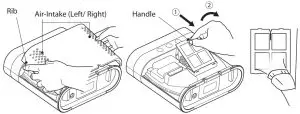
Ozone Unit
Open the cap and use the cleaning brush to gently wipe the ozone unit inside. Securely attach the cap after cleaning.
- If the ozon unit is very dirty, use a small amount of water on the cleaning brush to remove the dirt. After removing the dirt, please dry it well.
If the operation becomes unstable due to dirt on the ozone unit, power button LED, air volume LED, timer LED, and display will turn of and the operation will stop
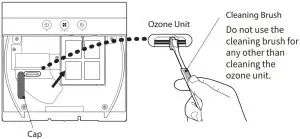
After cleaning, replace the cap. Hold the handle of filter and insert the lower part of the filter first then insert the top of the filter and make sure there is no gap between with the main unit and the filter. Finally, attach the rear panel firmly.
Attention
- Be careful not to pinch your hands or fingers when attaching the rear panel.
- Attach the rear panel securely. If the rear panel is loose, the power will not turn on.
- Be careful not to damage the ozone unit.
- Be careful not to break the filter.
- Be careful not to close the cap or install the filter after cleaning.
Troubleshooting
| Phenomenon | Cause | Solution |
| Do not work (Power lamp, Button LED does not light up) | No power | Use dedicated AC adaptor |
| Connect the AC adaptor plug securely | ||
| Connect the AC adaptor to electrical outlet securely | ||
| Rear panel is opened | Equip the rear panel securely | |
| Ozone generator unit is dirty | Remove dirt following the instruction at ” @Maintenance” | |
| Does not feel deodorant effect (no ozone smell) | The air-outlet or air-intake is blocked | Remove the block or object from the air-outlet or air-intake |
| Dust filter or Ozone generator unit is dirty | Remove dirt following the instruction at ” @Maintenance” | |
| Strong source of odor exists | Remove the source of the odor (if the source emits strong odor all the time, may not feel the deodorant effect) | |
| Weak wind from the air-outlet | The air-outlet or air-intake is blocked | Remove the block or object from the air-outlet or air-intake |
| Foreign object entered the main unit | Stop using the main unit and contact to the store or agency customer service | |
| The displayed temperature and humidity are different from those displayed by other thermohygrometers. | The temperature / humidity sensor is blocked | Remove what is blocking the temperature / humidity sensor |
| The temperature or humidity displayed on this product should be used as a reference. Due to the accuracy and the response time of the temperature and humidity change are different. | ||
| Even in the same room, the temperature and humidity may differ depending on the installation location, please use this as a reference. | ||
| Temperature and humidity are not displayed properly | Display or The temperature / humidity sensor is broken | Please contact the store where you purchased the product or our “Customer Service Center”. |
Specification
Main Unit
Input Power: DC12V / 1.2A
Dimension: W210mm× D76mm× H205mm
Weight: Approx. 1kg
Operation Temperature: 0 ~ 40°C (no water-drop condensation)
Power consumption: Max 4.8W
Ozone level: Max 5mg/h
Recommended Coverage: 1 ~ 20 tatami (1.55 ~ 31m2)
Supplied AC Adaptor
Input: AC100-240V 50/60Hz
Output: DC12V/1.2A
Cable length: Approx. 1.8m
- Effectiveness of Deodorant, Anti-bacterial, Virus Inactivation are described on the following site.
- Not all kinds of bacteria, viruses and odors are guaranteed to be effective.
- This product is not designed for dust collection.
Disposing
When disposing of this product, follow the instructions (local regulations) of each local government.
Antibacterial effect
Part name: Main unit
Antibacterial treatment parts: Appearance (excluding outlet and bottom)
Testing method: ISO 22196 : 2011(E)
Antibacterial method: Surface coating
Antibacterial testing institute: Vkan Certification & Testing Co., Ltd.
Maxell, Ltd.
30-13 Motoyoyogi-Cho, Shibuya-Ku, Tokyo 151-8527