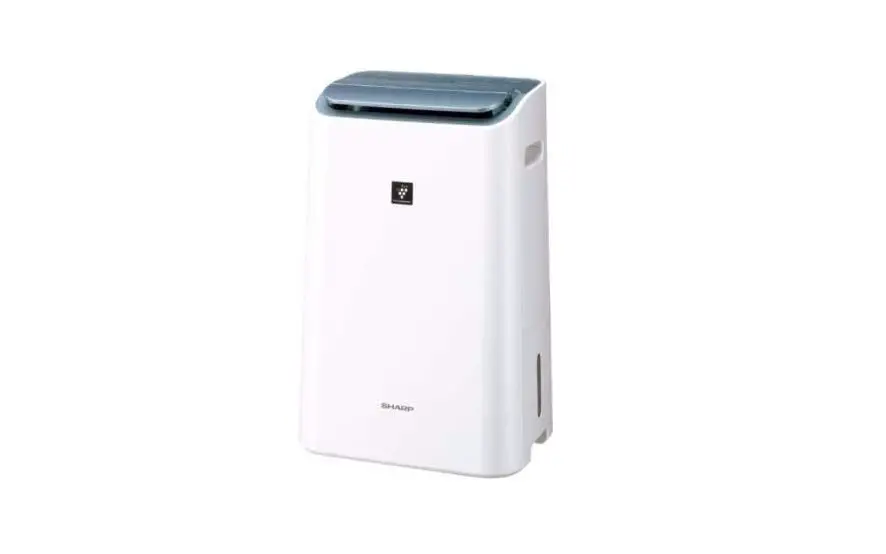
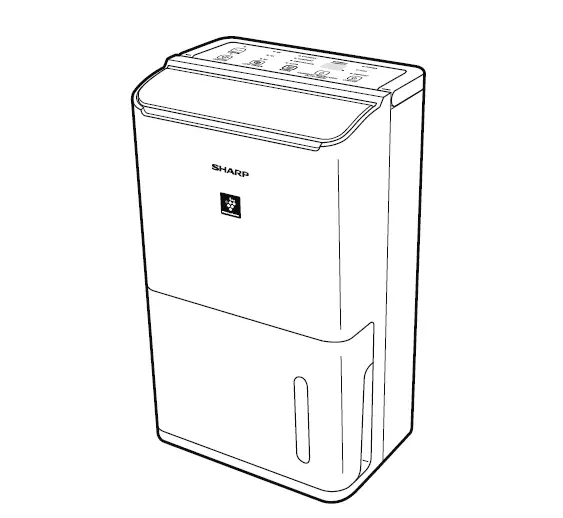
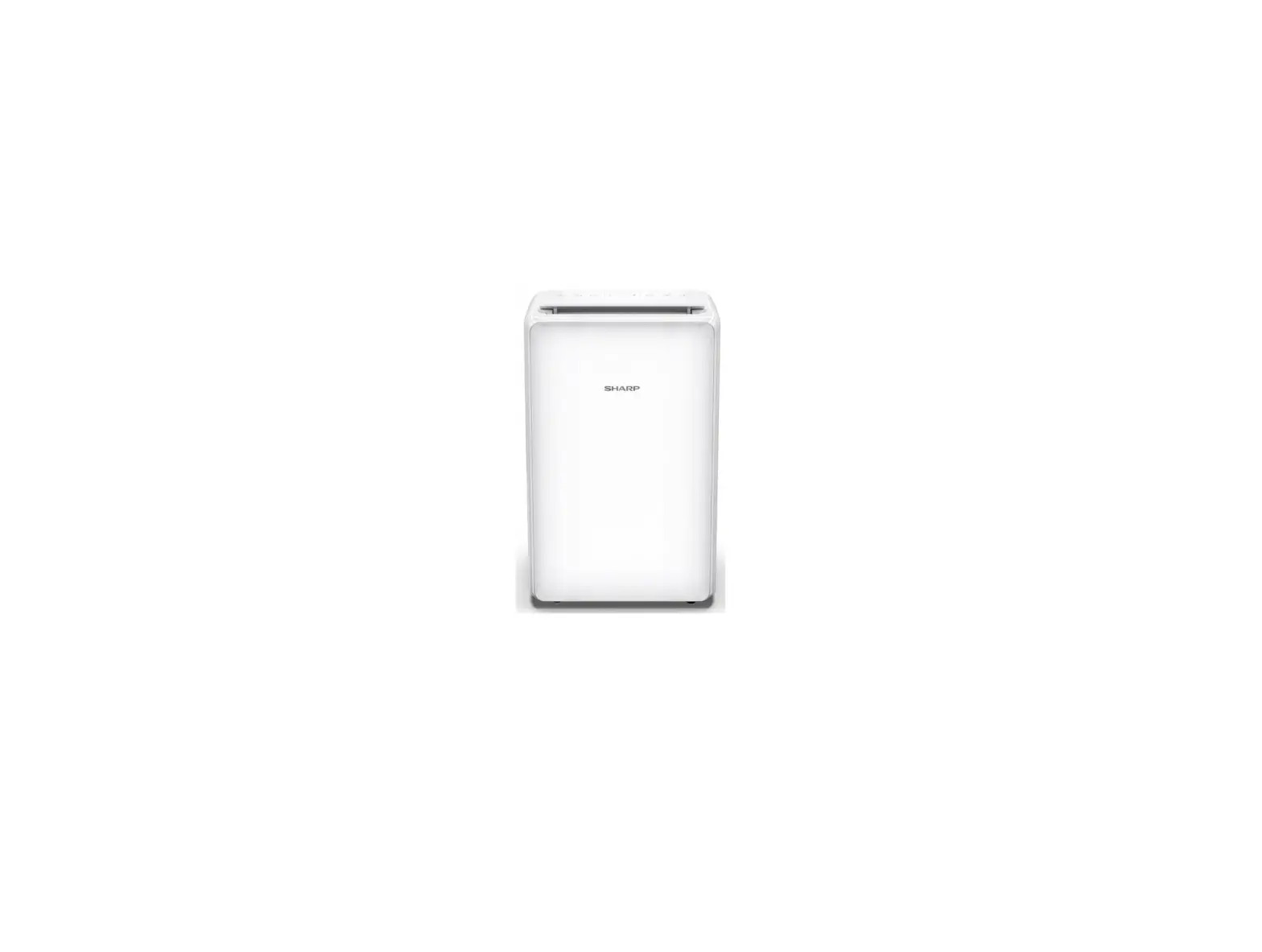
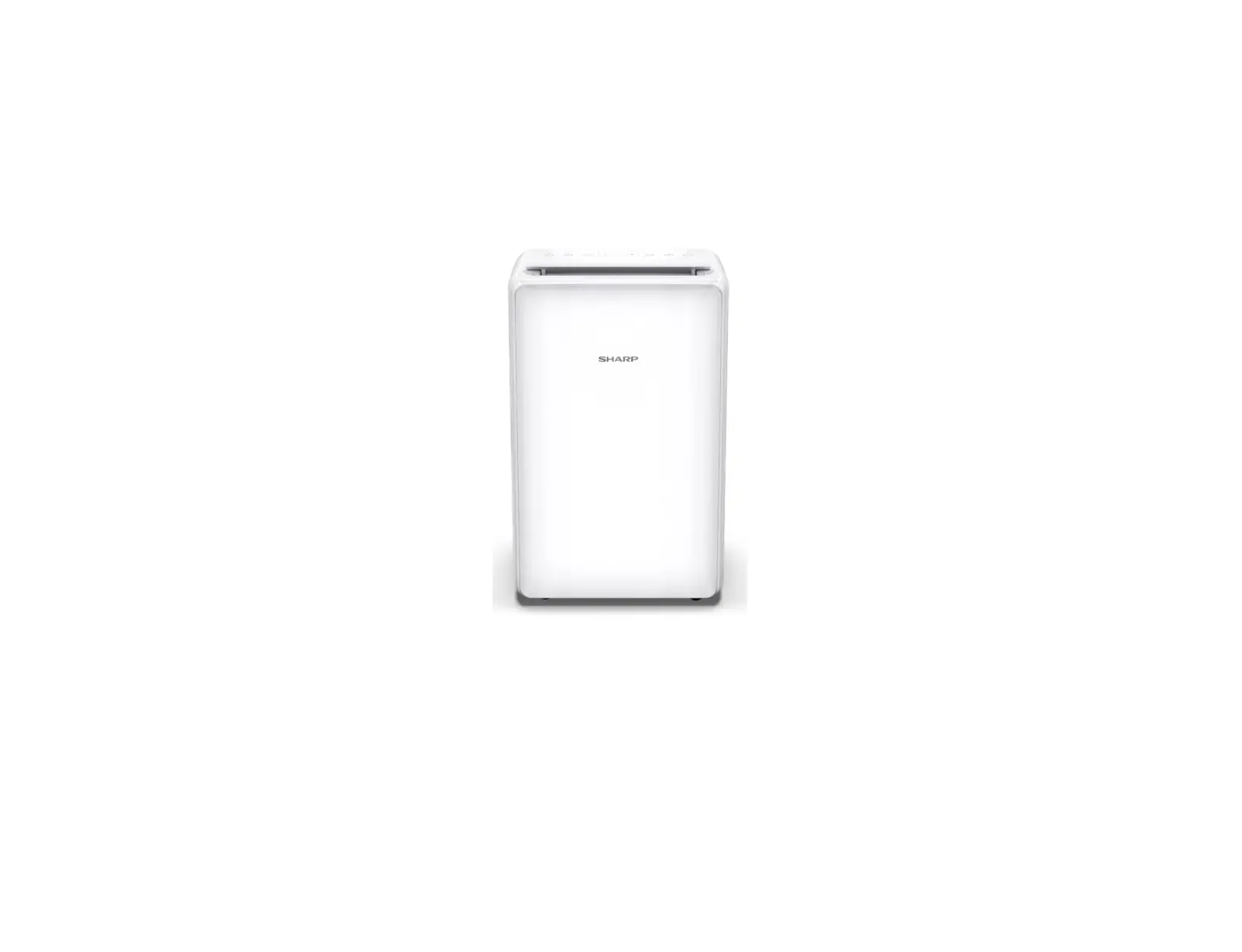
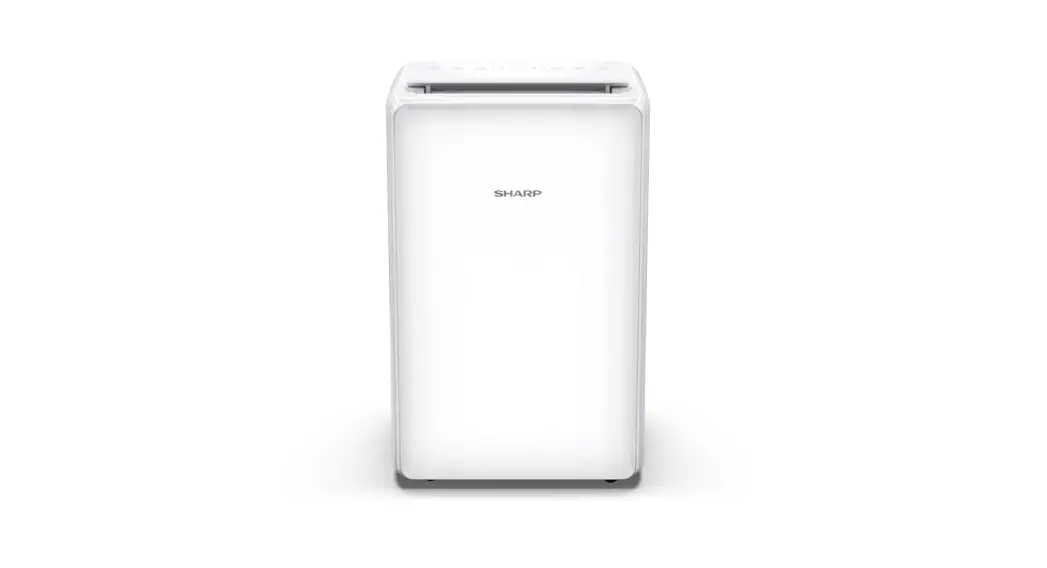
DW-J27FV Air Purifying Dehumidifier
Product Information
The SHARP Air Purifying Dehumidifier is a powerful device that
combines the functions of dehumidifying, air purifying, and laundry
drying. It features a High Concentration of Plasmacluster Ions, a
high performance HEPA filter, and an active carbon deodorizing
filter to ensure efficient air purification. The device also
includes a PM2.5 Monitor to indicate the approximate amount of
PM2.5 in the air and a large 4.6L water tank for continuous
dehumidification.
Key Features:
- High Concentration of Plasmacluster Ions
- HEPA Filter
- Active Carbon Deodorizing Filter
- Pre-filter
- PM2.5 Monitor
- Large 4.6L Water Tank
Trademark Information:
The trademarks “Plasmacluster” and “Device of a cluster of
grapes” are owned by Sharp Corporation.
Product Usage Instructions
Important Safety Instructions:
Before using the SHARP Air Purifying Dehumidifier, please read
the important safety instructions provided in the user manual.
Part Names:
Refer to the user manual for a detailed description of the part
names and their functions.
Preparation:
Prior to using the device, ensure that you have read and
understood the user manual. Keep the manual in a safe place for
future reference.
Operation:
Dehumidify:
The dehumidification function of the device removes moisture
from the air. It works by blowing wet air into an evaporator, where
moisture is removed when warm air with moisture comes in contact
with cold items. The dry air is then circulated back into the room.
Note that the compressor will stop dehumidifying in certain cases
to protect the main unit, such as immediately after power plug
insertion or when the laundry drying/dehumidifying operation is
stopped.
Air Purify:
The air purification function of the device collects and filters
out toxic substances such as dust, pollen, airborne mold, and
unpleasant odors. It utilizes SHARP’s triple filters, including a
HEPA filter, an active carbon deodorizing filter, and a
pre-filter.
LAUNDRY Drying:
The device features a wide-angle louver that swings to both top
and bottom as well as left and right, providing wide-area air flow
for effective laundry drying.
MOLD CONTROL OPERATION:
This operation prevents the propagation of mold by releasing
Plasmacluster ions and dehumidified air into the room. It is
recommended to use this operation when there is high humidity in
the room.
PM2.5 Monitor:
The PM2.5 Monitor on the device indicates the approximate amount
of PM2.5 in the air by changing color on the indicator and
displaying numbers on the monitor.
Proper Disposal of Electronic Waste:
Sharp is committed to the safe disposal of electronic waste. For
queries regarding the proper disposal and/or recycling of
electronics, consumers can contact the helpdesk at [insert contact
information].
ENGLISH
TING VIT
DW-J27FV DW-J27FM
DW-J20FM
AIR PURIFYING DEHUMIDIFIER OPERATION MANUAL
SÁCH HNG DN S DNG MÁY LC KHÍ VÀ HÚT M
“Plasmacluster” and “Device of a cluster of grapes” are trademarks of Sharp Corporation.
* The number in this technology mark indicates an approximate number of ions supplied into air of 1 cm3, which
is measured around the center of a room with the “highdensity plasmacluster 7000” applicable floor area (at 1.2 m height above the floor) when the product is placed close to a wall at the LAUNDRY Operation “DEODORIZE mode
setting.
ENGLISH
Thank you for purchasing this SHARP Air Purifying Dehumidifier. Please read this manual carefully before using the product. This manual should be kept in a safe place for handy reference.
CONTENTS
IMPORTANT SAFETY INSTRUCTIONS ………………………………………………… 2 PART NAMES …………………………………………………………………………………….. 4 PREPARATION…………………………………………………………………………………… 6 OPERATION
START/STOP ………………………………………………………………………………….. 6 DEHUMIDIFY OPERATION ………………………………………………………………. 7 HUMIDITY SELECT …………………………………………………………………………. 7 LAUNDRY OPERATION ………………………………………………………………….. 7 AIR PURIFY OPERATION ………………………………………………………………… 7 MOLD CONTROL OPERATION ………………………………………………………… 8 TIMER OPERATION ………………………………………………………………………… 8 SWING LOUVER …………………………………………………………………………….. 9 INTERNAL DRY OPERATION …………………………………………………………… 9 CHILD LOCK…………………………………………………………………………………… 9 SELECTING DISPLAY ……………………………………………………………………… 9 HOW TO CHANGE VARIOUS SETTING……………………………………………. 10 HOW TO DRAIN ………………………………………………………………………………… 11 CARE AND MAINTENANCE ……………………………………………………………….. 12 TROUBLESHOOTING ………………………………………………………………………… 15 SPECIFICATIONS………………………………………………………………………………. 16
Dehumidify
In accordance with the principle of generating water droplets
when warm air with moisture gets in contact with cold items,
wet air is blown in a evaporator to remove moisture.
Dry air
In the following cases, the compressor will stop and will not dehumidify.
Condenser
Damp air
· When the room temperature is lower than 4°C or higher than 38°C. · It takes 3 minutes for the Main Unit to operate again in the following
Evaporator
cases to protect the Main Unit.
* Immediately after the power plug is inserted. * Immediately after the Laundry Drying/
Water Tank
Dehumidifying operation is stopped.
· When the room temperature falls below 18°C, the compressor will
stop and “HIGH” air flow mode will operate for 12 minutes once every 45 minutes to prevent frost
damage inside the Main Unit. (DEFROST mode / The DEFROST Indicator Light is turned on. )
Air Purify
The Air Purifying Dehumidifier draws in room air through the air intake, circulates it through a Pre-Filter, an Active Carbon Deodorizing Filter and a HEPA Filter inside the Main Unit, and then discharges it through the air outlet. The HEPA Filter can remove 99.97% of dust particles as small as 0.3 microns that pass through the filter and also helps absorb odors.The Active Carbon Deodorizing Filter gradually absorbs odors as they pass through the filter. Some odors absorbed by the filters will break down over time, causing additional odors. Depending on usage conditions, and especially if the Main Unit is used in environments significantly more severe than a normal household, these odors may become noticeable sooner than expected. If these odors persist, replace the filters.
ENGLISH
A powerful Dehumidifier with a High Concentration of Plasmacluster Ions, a high performance HEPA filter, and an active carbon deodorizing filter for Room Air Purifying, Laundry Deodorizing, Quick Drying, and Dehumidifying.
MOLD CONTROL OPERATION
It prevents the propagation of the mold by releasing Plasmacluster ions and dehumidified air into the room.
1
Circulate Room Air With High Air Volume
2 Dehumidification
Air Purify in
fewer than 50%
3
Air Purification
of humidity
Dehumidify in more than 60%
LAUNDRY Drying
Wide angle louver swings to both top and bottom / left and right and provides wide-area air flow.
AIR PURIFYING
It collects toxic substances such as dust, pollen, airborne mold, unpleasant odor and purify the air through SHARP’s triple filters (HEPA Filter, Active Carbon Deodorizing Filter and Pre-filter)
PM2.5 Monitor
It shows the approximate amount of PM2.5 by changing the color on the indicator and numbers on the monitor.
Large Tank 4.6L
It helps continuous dehumidification.
At Sharp we understand that our responsibility does not end at selling you our products. Sharp has been working in the area of safe disposal of electronic waste.
Under our Company policy as well the legislation passed by the Ministry of Environment and Forests (MoEF), called E-waste (Management) Rules, 2022, which comes into effect from 1st Oct 2016,
· Sharp will seek shared responsibility and cooperation from customers in reducing the environmental impact of their products.
· Sharp will comply with all the applicable laws related to e-waste management
In case of any queries regarding the proper disposal and/or recycling of electronics, consumers can contact the helpdesk at:
· Toll Free Number : 1800-419-4322
Also the same information is available on our website: In.sharp/b2b/environmentpolicy
EN-1
IMPORTANT SAFETY INSTRUCTIONS
Always follow basic safety precautions when using electrical appliances, including the following:
WARNING Always observe the following
to reduce the risk of electrical shock, fire, or injury:
· Read all instructions before using the Main Unit.
· Use only a 220-240 Volt outlet.
· This appliance is not intended for use by persons (including children) with reduced physical, sensory or mental capabilities, or lack of experience and knowledge, unless they have been given supervision or instruction concerning use of the appliance by a person responsible for their safety. Children should be supervised to ensure they do not play with the appliance.
· If the power cord is damaged, it must be replaced by the manufacturer, its service agent, a Sharp authorized Service Center or similarly qualified persons in order to avoid a hazard.
· Be sure to remove the power plug when draining the water, before performing maintenance, when removing and attaching and replacing the filter and when not using for a long time. Failure to do so can cause a short circuit resulting in electrical shock or fire.
· Do not use the Main Unit if the power cord or plug is damaged or if the connection to the wall outlet is loose.
· Periodically remove dust from the plug. · Do not insert fingers or foreign objects into
the air intake or air outlet.
· When removing the power plug, always hold the plug and never pull on the cord. Failure to do so can cause a short circuit resulting in electrical shock or fire.
· When removing the Main Unit, do not damage the power cord with the casters. Failure to do so can cause electric shock, heat generation, or fire.
· Be careful not to damage the power cord, it may cause electric shock, excess heat or fires.
· Do not remove the plug when your hands are wet.
· Do not place the Main Unit near gas appliances or fireplaces.
· Only a Sharp Authorized Service Center should service this air purifying dehumidifier. Contact the nearest Service Center for any problems, adjustments, or repairs.
· Do not operate the Main Unit in rooms where aerosol insecticides are present. Do not operate the Main Unit in rooms where there is oily residue, incense, sparks from lit cigarettes, or chemical fumes in the air. Do not operate the Main Unit in places where it may get wet, such as a bathroom.
· Be cautious when cleaning the Main Unit. Strong corrosive cleansers can damage the exterior.
· When carrying the Main Unit, first remove the Water Tank, and then hold the Main Unit by the handles on both sides.
· Do not drink the water in the Water Tank. · Do not expose the Main Unit to water.
Doing so can cause a short circuit or electrical shock. · Clean the Water Tank regularly. When the Main Unit is not in use, dispose of the water in the Water Tank. Leaving water in the Water Tank can cause mold, bacteria, and bad odors. In rare cases, such bacteria can be a health hazard. · Check for bent hose/height when you want to drain continuously. · Keep the temperature around the hose above freezing point when using the hose. Inner water may leak in the room and dampen the furniture or may cause electric shock/leakage, fire.
NOTE – What to do if the Main Unit interferes
with radio or TV reception.
If the Air Purifying Dehumidifier interferes with radio or television reception, try one or more of the following measures:
· Adjust or reposition the receiving antenna. · Increase the distance between the Main
Unit and the radio or TV. · Connect the equipment into an outlet on a
circuit different from that of the radio or TV receiver. · Consult the dealer or a qualified radio or TV technician.
EN-2
ENGLISH
CAUTIONS CONCERNING
OPERATION
· Do not block the air intake or air outlet.
· Do not place the Main Unit near or on hot objects, such as stoves or heaters, or where it may come into contact with steam.
· Always operate the Main Unit in an upright position.
· When moving the Main Unit, use the handles on both sides. Do not move the Main Unit when it is in operation.
· If the Main Unit is on easily damaged flooring, an uneven surface, or thick-piled carpet, lift it up when moving.
· When moving the Main Unit by its casters, move it slowly and in a horizontal direction.
· Turn the Main Unit off and remove the Water Tank before moving, take care not to catch your fingers.
· Do not operate the Main Unit without the filters and the Water Tank properly installed.
· Do not wash and reuse the HEPA filter and the Active Carbon Deodorizing Filter. Doing so will not improve filter performance and can also cause electric shock or operating malfunctions.
· Clean the exterior with a soft cloth only. Do not use volatile fluids or detergents. The Main Unit surface may be damaged or cracked with Benzene paint thinner or polishing powder. In addition, the sensors may malfunction as a result.
· Keep the Main Unit away from water.
· Be sure to wipe off any excess water on the outside of the Water Tank.
· Do not shake the Water Tank with holding the carrying handle.
· Avoid spilling water when removing or cleaning the Water Tank.
· Do not remove the Float.
· Do not use the detergents for maintenance of the Water Tank and Tank Cover. It can cause deformation, tarnishing, cracking (water leakage).
· Do not scrub the Back Panel hard during its maintenance.
INSTALLATION GUIDELINES
· Avoid locations where the sensors are exposed to direct wind. Doing so can cause the Main Unit to malfunction.
· Avoid locations where furniture, fabrics, or other objects can come in contact with the Main Unit and interfere with the intake and outtake of air.
· Avoid locations where the Main Unit is exposed to condensation or drastic changes in temperature. Appropriate room temperature is between 4 – 38°C.
· Place the Main Unit on a level and stable surface with sufficient air circulation. When placed on heavy carpet, the Main Unit may vibrate slightly. Place the Main Unit on a level surface to avoid water leakage from the Water Tank.
· Avoid locations that generate grease or oily smoke. Doing so can cause the Main Unit exterior to crack and the sensors to malfunction.
· The dust collecting ability of the Main Unit is effective even when the Main Unit is as close to 3 cm from the wall, but the surrounding walls and floor may get dirty. Please place the Main Unit at a distance from the wall. The wall directly behind the air outlet may become dirty over time. When using the Main Unit for an extended period of time at the same location, periodically clean the walls adjacent to it.
FILTER GUIDELINES
· Follow the instructions in this manual for proper filter care and maintenance.
EN-3
PART NAMES
MAIN UNIT
(FRONT)
21
3
4
6
8
7
9
12
10
5
11
13
14
(BACK) 15 16 17
18
1 Operation Panel 2 Air Outlet 3 Vertical Louver 4 Horizontal Louver 5 Main Unit 6 Handle (2 Locations) 7 Front Display 8 Water Tank 9 Drain Outlet 10 Float 11 Tank Handle 12 Tank Cover
19
20
21 22
23
24
13 14 15 16 17 18 19 20 21 22 23 24
EN-4
Water Level Window Tank Knob HEPA Filter Active Carbon Deodorizing Filter Back Panel (Pre-Filter) Air Inlet Odor Sensor Temperature/Humidity Sensor Dust Sensitive Sensor, Sensor Filter Drainage Hole, Rubber Cap Caster (4 Locations) Power Cord, Plug
OPERATION PANEL
13
12 11
Press the button with ” ” to start.
ENGLISH
10 9 8 7 6 5 4 3 2 1
1 Power ON/OFF Button 2 MOLD CONTROL Button, Indicator Light 3 AIR PURIFY Button, Indicator Light 4 LAUNDRY Button, Indicator Light 5 DEHUMIDIFY Button, Indicator Light 6 HUMIDITY SELECT Button 7 V.SWING Button, Indicator Light
8 H.SWING Button, Indicator Light 9 ON/OFF TIMER Button 10 FILTER RESET Indicator Light 11 INTERNAL DRY Indicator Light 12 Child-Lock Indicator Light 13 Light Sensor
FRONT DISPLAY
10
9
87 6 5 4 3 2
1
Humidity / Temperature / PM2.5 Monitor Indicates the approximate humidity level or temperature or PM2.5 level in the room.
Humidity 20% to 90% is displayed.
Odor Indicator Light
6
Indicates the Odor Sensor detects odors.
OFF
Orange
Red
Clean
Impure
20% or less
Temperature 0oC to 50oC is displayed. -1oC or less
90% or more 50oC or more
Dust Indicator Light
Indicates the Dust(sensitive) Sensor detects
7 usual dust.
OFF
Orange
Red
Clean
Impure
1
PM2.5 Density 10g/m3 to 499g/m3 is displayed.
9g/m3 or less
500g/m3
8 or more
PM2.5 Indicator Light
Indicates the Dust(sensitive) Sensor detects microscopic dust.
Timer Monitor
OFF Clean
Orange
Red
Impure
Indicates setting time or remaining time of ON/
OFF timer.
DEFROST Indicator Light
9 Indicates the Main Unit operates the
HUMIDITY SELECT Monitor Indicates setting humidity of HUMIDITY
DEFROST mode.
SELECT mode.
Cleanliness Monitor
2 Plasmacluster Ion Indicator Light (Blue)
Indicates the air purity of the room in 3 levels
3 OFF Timer Indicator Light
with color changes.
10
Blue Yellow
Red
4 ON Timer Indicator Light
5
Tank FULL Indicator Light (Red) Blinking when the Water Tank is Full.
Clean
Impure
When mold control mode
It will indicate with Purple.
EN-5
PREPARATION
FILTER INSTALLATION
1. Remove the Back Panel.
3. Install the filters in the correct order as
shown.
HEPA Filter
Back Panel
2. Remove the plastic bag from each
filter.
HEPA Filter
Active Carbon Deodorizing Filter
Tag Active Carbon Deodorizing Filter
4. Install the Back Panel.
Click
OPERATION
START / STOP
START
STOP
AUTO OFF Function
The operation will stop automatically after 12 hours in case the Main Unit has been forgotten to be turned off.
When you want to run the Main Unit for more than 12 hours continuously or drain water continuously, turn off the Auto Off function. (page 10)
The operation is not stopped while operating with “Air purification operation” and “Deodorization operation”.
EN-6
ENGLISH
OPERATION
DEHUMIDIFY OPERATION LAUNDRY OPERATION
AUTO :
The humidity and the fan speed are automatically controlled by the “temperature and humidity sensor”.
Temperature 4-26oC 26-38oC
Humidity
60%
55%
SELECT :
You can select your favorite humidity. (See below)
AUTO :
When you want to dry with less power consumption, the Main Unit will repeat the Dehumidifying operation and the Air Flow mode to dry the laundry.
DEODORIZE :
When you want to deodorize your laundry, the Main Unit operates at “HIGH” fan speed. Make sure the air blowing out from air outlet is directed to your laundry. It operates automatically the Plasmacluster Ion “ON”.
HUMIDITY SELECT
AIR PURIFY OPERATION
When you press the DEFUMIDIFY button to set SELECT mode, target humidity level can be changed to cycle among 80%, 70%, 60%, 50% and 40% RH in sequence. * HUMIDITY SELECT can work only when in
SELECT mode.
AUTO :
The fan speed is automatically changed according to amount of impurities in the air.
SLEEP :
The Main Unit will operate very quietly, and the fan speed is automatically changed depending on amount of impurities in the air. The light of Front Monitor gets off automatically.
EN-7
OPERATION
MOLD CONTROL OPERATION
This mode is used to suppress the mold through strong air flow with Plasmacluster Ion.
TIMER OPERATION
ON TIMER
The Main Unit automatically starts once the selected time passes. (with the Main Unit OFF)
Front Display
When turned ON, it firstly starts ventilation for 10 minutes with maximum air flow, and then repeats following operation. (Cleanliness monitor shows actual operating mode. Purple: high air volume, Blue: low air volume.) It operates automatically the Plasmacluster Ion “ON”.
……
1hour 2hour 3hour
12hour Cancel
After 8 seconds, the beep sounds.
In high humidity
It operates in “HIGH” mode of dehumidification until the humidity of the room decreases to the level in which the mold is less likely to appears.
OFF TIMER
The Main Unit automatically stops once the selected time comes.
(with the Main Unit ON)
Front Display
In low humidity
Once the humidity in room becomes low, the model switches the operation with maximum airflow.
for about 80 minutes (Cleanliness Monitor: blinking with Purple)
Operating time depends on the room environment, usage conditions, and location of the Main Unit.
……
1hour 2hour 3hour
12hour Cancel
After 8 seconds, the beep sounds.
NOTE
· When the air in the room is purified and the humidity becomes low, the main unit operates with “Low” air flow. (Cleanliness Monitor : lighting in Blue)
· If the humidity becomes high again, it will switch to the above operation under the condition of “in a high humidity”.
EN-8
ENGLISH
SWING LOUVER
VERTICAL SWING
CANCEL(OFF)
INTERNAL DRY OPERATION
When you set the Internal Dry operation, the Main Unit automatically operate the Air Flow mode for approximate 90 minutes after stopping.
(with the Main Unit ON)
DRY, DEODORIZE AIR PURIFY, DEHUMIDIFY WIDE
UP
more 3 sec.
CHILD LOCK
The operation of the operation panel will be locked.
ON
CANCELLATION
DOWN
HORIZONTAL SWING
CANCEL(OFF) DRY, DEODORIZE AIR PURIFY, DEHUMIDIFY
more 3 sec.
more 3 sec.
SELECTING DISPLAY
(with the Main Unit ON)
ROUND WIDE SPOT
more 3 sec.
Humidity Temperature PM2.5
After 8 seconds, the beep sounds.
EN-9
OPERATION
HOW TO CHANGE VARIOUS SETTING
You can change the functions in the table “Type of setting”.
1. Turn off the Main Unit power.
2.
more 3 sec.
3. Select “Function number”.
Forward
Reverse
or
Set
4. Select “Setting number”.
Forward
Reverse
or
Set
5. Press Power ON/OFF Button to
finish the setting mode.
Turn off
Type of setting
Function
Auto Restart If the Main Unit is unplugged or if there is a power failure, the Main Unit will resume operation with the previous settings after power is restored.
Sound Indicator Setting You can turn off the beeping sound when the Main Unit stops operating as follows. When the Main Unit stops operating as the following situation, you can turn off the beeping sound.
Light Control You can select the brightness of the Front Display.
Setting
Cancellation ON (default) Cancellation
ON(default)
Turn off
When set to “Turn off”, the “Darker” light illuminates for 8 seconds after operation starts and then the light turns off. The FULL Light flashes darker only when the Water Tank is full.
Darker
Auto (default) Light automatically switches based on room brightness.
Room Front Display
bright
brighter
dark
darker
* When “SLEEP” mode operate; Room is bright : light is darker Room is dark : light is OFF
PLASMACLUSTER ION ON/OFF
OFF ON (default)
Auto Off The operation will stop automatically after 12 hours in case the Main Unit has been forgotten to be turned off.
Cancellation ON (default)
Adjusting Sensor Sensitivity (F6-F8)
Light Sensor Dust(sensitive) Sensor Odor Sensor
EN-10
Low
Standard (default)
High
* Light Sensor : Default is “Middle”. Dust(sensitive) and Odor Sensor : Default is “High”.
ENGLISH
HOW TO DRAIN
When the Water Tank
is Full, the TANK FULL Indicator Light is blinking.
When you want to drain continuous
How to pipe the hose
1. Remove the Water Tank.
Water Tank
Always have the tip slanted.
Under cold weather, do not put the hose into the water.
Tank knob
2. Dispose the water of the Water Tank.
Drain Outlet
Do not bend.
1. Remove the Plug.
2. Remove the Water Tank and the
Rubber Cap.
3. Install the Water Tank.
Drain Outlet
NOTE · Clean the Water Tank once a week. If you do not
clean the Water Tank, it can cause mold, bacteria, and bad odors.
Rubber Cap
3. Set the hose in the Back Hole.
Commercial hose : inner diameter 15mm (outer diameter up to 21mm)
Back Hole
4. Insert the hose firmly to bottom in the
Drain Hole.
Back Hole
Drain Stopper Drain Outlet Hose
5. Install the Water Tank.
EN-11
CARE AND MAINTENANCE
WATER TANK (About once a week)
1. Remove the Tank Cover, and dispose
of the water.
Tank Cover
BACK PANEL / SENSOR
(About once every 2 weeks)
Remove the dust gently with a cleaning tool such as a vacuum cleaner.
2. Wash the inside of the Water Tank.
NOTE · If the dirt is heavy, please dissolve neutral
detergent in lukewarm water and wash.
3. Dry the tank with a soft cloth.
Check the float.
NOTE How to clean and remove heavy dirt.
Back Panel 1. Add a small amount of neutral
detergent to water and soak for about 10 minutes. CAUTION Do not give excessive pressure to the back panel when scrubbing it. 2. Rinse off the neutral detergent with clean water. 3. Completely dry the filter in a wellventilated area.
Sensor Filter 1. Remove the Back Panel. 2. Remove the sensor filter. 3. If the sensor filter is very dirty, wash
it with water and dry it thoroughly.
4. Install the Tank Cover.
Sensor Filter
MAIN UNIT (About once a month)
Wipe with a dry, soft cloth.
Do not wash with water.
EN-12
ENGLISH
FILTER INDICATOR
The FILTER RESET Indicator light will turn on after
approximately 720 hours operating. (30 days × 24 hours
=720 hours)
RESET
more 3 sec.
This is a reminder to perform the maintenance described below. After performing maintenance, reset the FILTER RESET Indicator.
HEPA FILTER / Active Carbon Deodorizing Filter
(About once a month) Remove the dust on the HEPA Filter and Active Carbon Deodorizing Filter.
CAUTION Do not wash the filters. Do not expose to sunlight. (Otherwise these filters may lose efficacy.)
HEPA FILTER
Tag
Clean only the tagged surface. Do not clean up the opposite surface. The filter is fragile, so be careful not to give too much pressure.
FILTER REPLACEMENT
LIFE OF FILTERS
Filter life varies depending on the room environment, usage conditions, and location of the Main Unit. Lifespan of HEPA filter and Active Carbon Deodorizing Filter and replacement suggestions are based on purifying a room in which 5 cigarettes are smoked per day and the Main Unit’s dust collection and deodorizing performance has declined to half the level of a new filter. We recommend replacing the filter more frequently if the Main Unit is used in conditions significantly more severe (PM2.5 etc.,) than a normal household.
·HEPA Filter About 10 years after opening
·Active Carbon Deodorizing Filter About 10 years after opening
Replacement Filter Model
Consult your dealer when purchasing a replacement filter.
HEPA Filter(1 unit) FZ-J20HFE
Active Carbon Deodorizing Filter(1 unit) FZ-J20DFE
Active Carbon Deodorizing Filter
Both surfaces can be cleaned. The filter may be broken if too much pressure is applied on it, so please handle it with care.
Some odors absorbed by the filters will break down over time, causing additional odors. Depending on usage conditions, and especially if the Main Unit is used in environments significantly more severe than a normal household, these odors may become noticeable sooner than expected. Replace the filter in those cases or if dust is unable to be removed after maintenance.
Disposing of filters
Dispose of used filters according to local laws and regulations.
HEPA Filter material: · Polypropylene · Polyethylene
Active Carbon Deodorizing Filter material: · Polypropylene · Polyethylene · Activated carbon
EN-13
CARE AND MAINTENANCE
When storing for a long period (not in use)
1. Operate the INTERNAL DRY
OPERATION.
Start operation.
2. Dispose tank water and clean the Main
Unit.
Select the Internal Dry Operation.
Stop Operation.
3. Store in a dry place away from direct
sunlight.
more 3 sec.
Plastic bag
*Start the Internal Dry Operation, and
stop automatically after approximate 90 minutes.
EN-14
TROUBLESHOOTING
ENGLISH
Before contacting for service, check the following points to make sure that the problem is not a Main Unit malfunction.
The room becomes hot.
· The Main Unit generates heat during LAUNDRY DRY operation and DEHUMIDIFY operation and the room temperature will rise. Warm air will come out from the air outlet, but this is normal and does not indicate a problem with the Main Unit.
The Main Unit does not dehumidify.
· The performance of dehumidification level varies with the size, structure, temperature and humidity level of the room. When room temperature or humidity level is low, the performance will become low in general.
· Check whether the Back Panel is clean. · Check whether the air outlet or air inlet is not
blocked.
The FILTER RESET Indicator Light is on.
· Whenever after performing maintenance or replacing the filters, connect the power cord to an outlet and then press the ON/OFF Timer Button. (page 13)
There is a discrepancy between the Main Unit’s Humidity Monitor and another hygrometer in the room.
· There is a difference in the humidity level within the same room.
· The sensor have different measurement parameters. · If the monitor indicates temperature or PM2.5 level,
switch the display by pressing the DISPLAY SELECT button. (page 9)
Sounds
· The Main Unit may make clicking or ticking sounds when it is generating ions.
· The Main Unit may seem rather loud for the first 2 to 3 minutes when the Main Unit is turned on. This is the sound of the compressor starting-up and is perfectly normal.
· A soft, swishing noise can be heard immediately after the Main Unit is turned on or off, and also during operation. This is the sound of the refrigerant flowing inside the Main Unit.
The sound is too loud.
· The Main Unit will sound loudly for first few seconds once power is switched on and when the room temperature is low.
· Check whether the Main Unit is placed on a stable floor.
· Check whether the Back Panel is not clogged.
Odor and smoke persists. Air discharged from the Main Unit has an odor.
· Check whether the filters are extremely dirty. · Clean or replace the filters.
The Cleanliness Monitor light is not blue even when the air is clean.
· Dirty or clogged dust(sensitive) sensor openings interfere with sensor operation. Gently clean the sensor filter or the back panel.
· When the Main Unit is operational under MOLD CONTROL.
The Main Unit PM2.5 monitor does not match weather report or other local PM2.5 data.
· Ambient / Indoor air condition or home environment vary in each place. This may cause the discrepancy of each reported number. Please take note PM2.5 monitor shows reference numbers.
The water leaks.
· Check whether the main unit is placed horizontally. · When draining continuous, check whether the hose is
inserted all the way and properly fitted.
ERROR DISPLAY
If error occurs repeatedly, contact the Sharp Service Center.
· If the Water Tank is full, drain the water.
· If the Water Tank is not properly placed, place the Water Tank correctly.
· The Main Unit is operating with the DEFROST mode.
· Laundry DRY (Auto) operation has completed, and the operation has stopped.
The Main Unit does not operate when
cigarette smoke is in the air.
· Make sure the Main Unit is installed in a location in which the sensors can detect cigarette smoke.
· Check whether the dust(sensitive) sensor openings are blocked or clogged. If they are blocked or clogged, clean the sensor filter or the back panel.
· The operation has stopped with the Auto Off function.
· Unplug the Main Unit, wait for one minute, and then plug the Main Unit again.
EN-15
SPECIFICATIONS
Dehumidifying Specifications
Model
Power Supply
Dehumidifying Capacity 1
30°C/80%RH 26.7°C/60%RH
Power Consumption 2
26.7°C/60%RH
Standby Power 3
Recommended Room Size for Dehumidifying 4
Water Tank Capacity
Cord Length
Dimensions
Weight
DW-J27FV / DW-J27FM
DW-J20FM
220V-240V/50Hz
27 L/day
20 L/day
16 L/day
12.5 L/day
345 W
260 W
0.9 W 33-67 m2
0.9 W 26-52 m2
Approx. 4.6 L
Approx. 2 m
359 mm(W) × 301 mm(D) × 665 mm(H)
17.6 kg
16.7 kg
Air Purifying Specifications
Model Recommended Room Size for Air Purifying 4 Recommended Room Size for High density Plasmacluster ion 5 Fan Speed Adjustment
Fan Speed
Rated Power
Noise Level
DW-J27FV / DW-J27FM 32 m2
33 m2
LOW 90 m3/h 7.3 W 29 dB
HIGH 306 m3/h
67 W 53 dB
DW-J20FM 28 m2
23 m2
LOW 90 m3/h 7.3 W 29 dB
HIGH 258 m3/h
50 W 51 dB
1 The amount of humidity that a dehumidifier removes from the air in a day when room temperature and relative humidity are kept at 30°C/80%RH and 26.7°C/60%RH respectively.
2 The consumption value when fan speed reaches the highest. 3 When the Main Unit’s power plug is inserted in a wall outlet it consumes the standby power in order to operate electrical
circuits. 4 Based on standards of JEMA. 5 Room size in which approximately 7000 ions per cubic centimeter can be measured in the center of the room when the
Main Unit is placed next to a wall, is running at LAUNDRY Operation “DEODORIZE” mode settings, and is at a height of
approximately 1.2 meters from the floor.
EN-16
MEMO
ENGLISH
MEMO
MEMO
SHARP CORPORATION
OSAKA, JAPAN
Printed in China TiNS-A016FBRZ 23F-3
 oa.com