
CONTEMPORARY CONTROLS Using OpenVPN File on iOS
Using OpenVPN File on iOS
- Install OpenVPN App

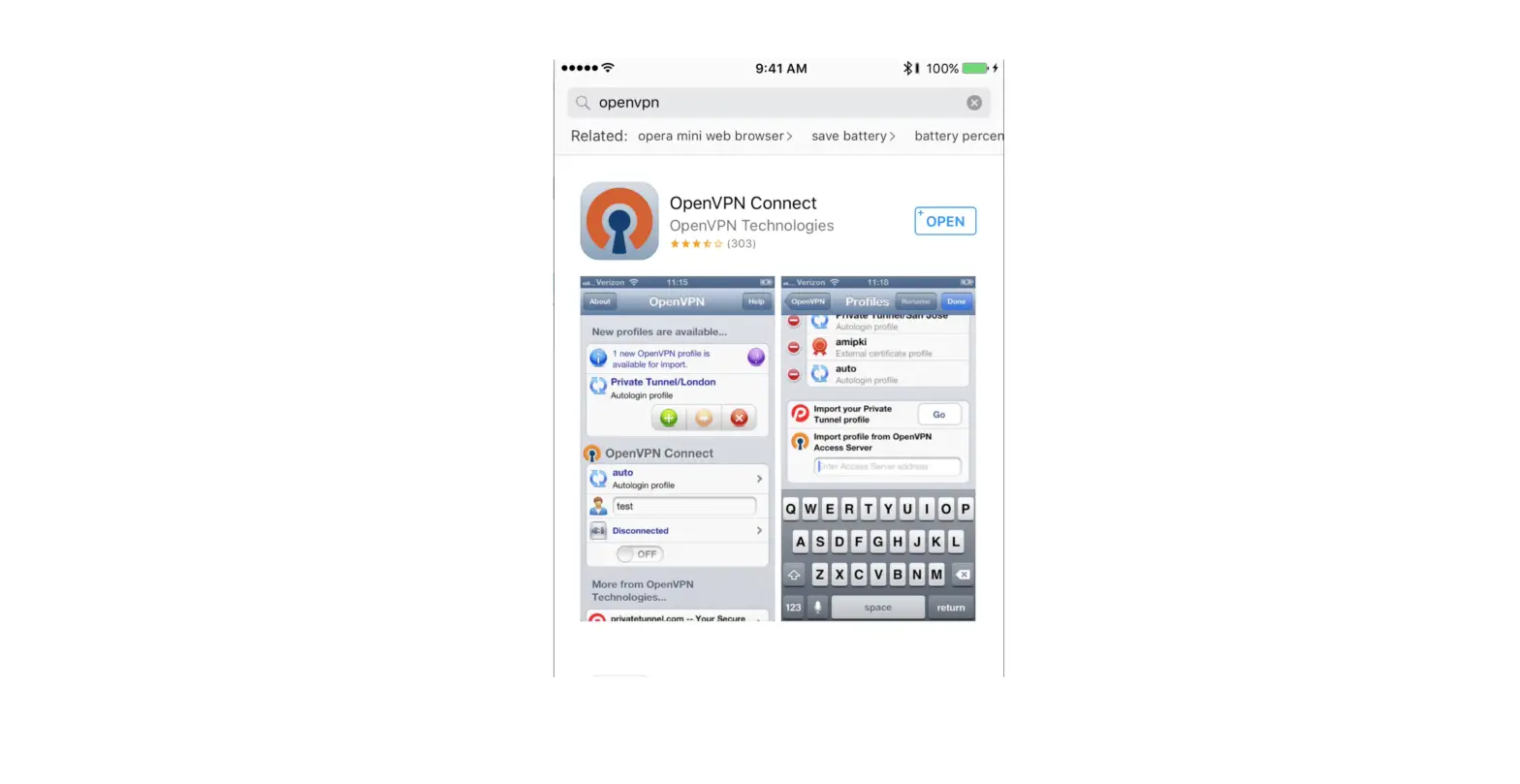
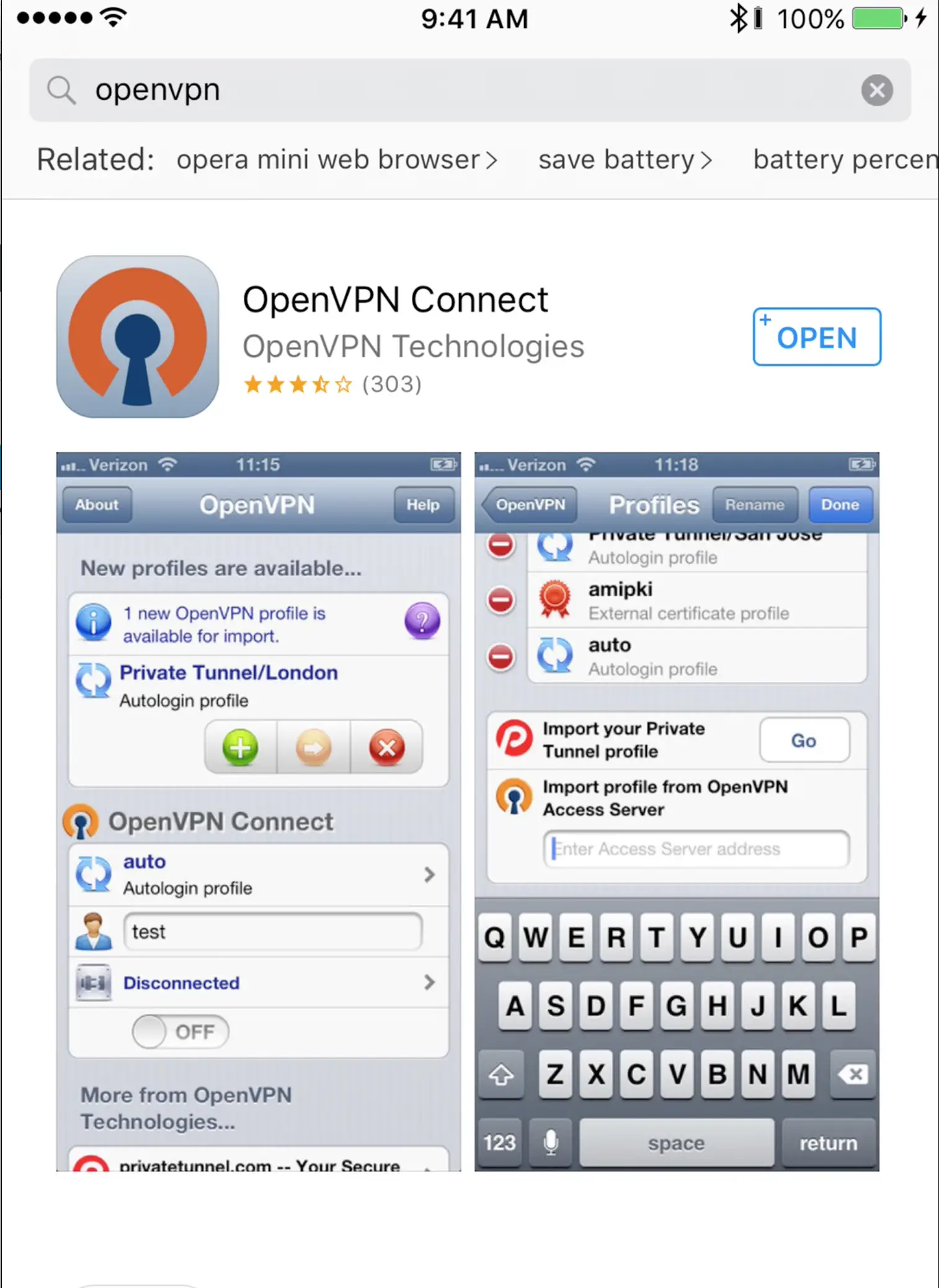
- Go to the App Store and Search for OpenVPN Connect.
- Download OpenVPN Connect on your iOS device.
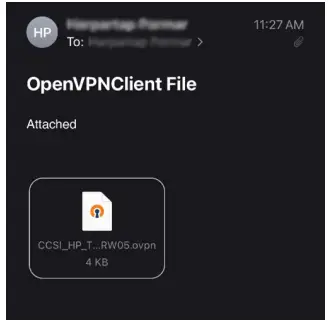
- Email the roadwarrior .ovpn file from your RemoteVPN account.

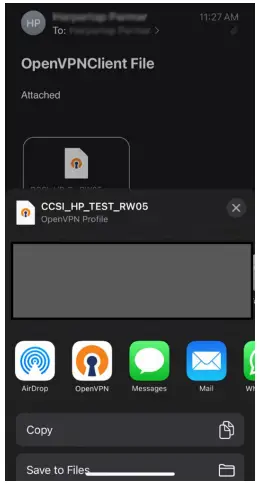
- Click on the .ovpn file and select the OpenVPN icon.

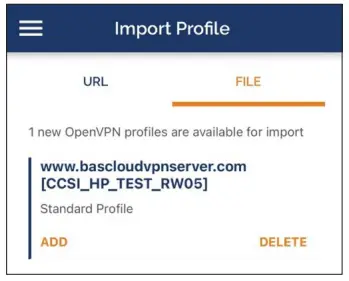
- The Import Profile option opens up in the OpenVPN app.

- Select the Add option under the profile name.
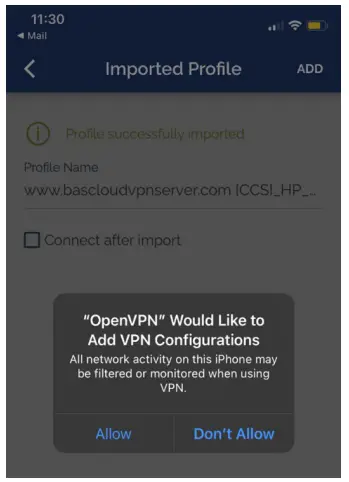
- Click Allow if a pop up appears requesting permission to add the VPN configuration.

- Enter your password if prompted.
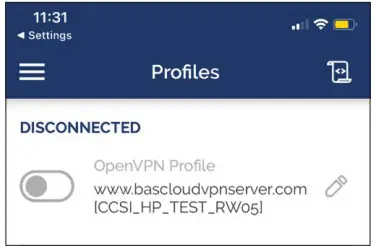
- The Profiles now show the newly added OpenVPN profile.

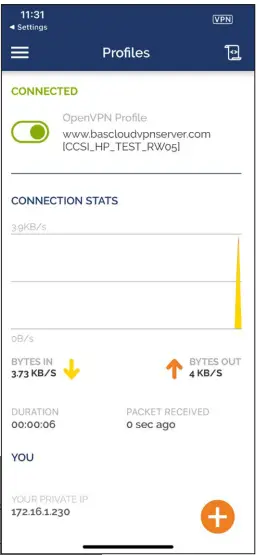
- Click on the slider next to the OpenVPN profile name. The VPN connection will become active, and the slider will turn green. It will also show the connection statistics.

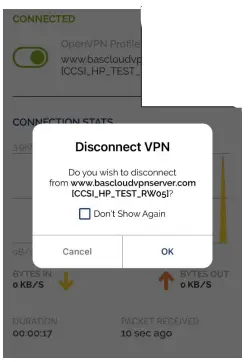
- Click the slider again when you need to disconnect. Click OK if a Disconnect VPN pop-up appears.

United States
Contemporary Control
Systems, Inc.
Tel: +1 630 963 7070
Fax:+1 630 963 0109
[email protected]
China
Contemporary Controls
(Suzhou) Co. Ltd
Tel: +86 512 68095866
Fax: +86 512 68093760
[email protected]
United Kingdom
Contemporary Controls Ltd
Tel: +44 (0)24 7641 3786
Fax:+44 (0)24 7641 3923
[email protected]
Germany
Contemporary Controls GmbH
Tel: +49 341 520359 0
Fax: +49 341 520359 16
[email protected]