
Tronios KEYNOTE STICKERS Suitable for your electronic keyboard

INSTRUCTION
White key stickers
Locate the numbers at the bottom of each sticker. Stick the #l sticker on the leftmost white key of the keyboard. Place additional stickers moving from left to right, keeping the numbers in sequential order from 1 to 36 (for 61-key keyboard), 1 to 32 (for 54-keys keyboard) or 1 tO 29 (for 49-keys keyboard).
Black key stickers:
Locate the numbers at the bottom of each sticker. Stick the #1 sticker on the leftmost black key of the keyboard. Place additional stickers moving from left to right, keeping the numbers in sequential order from 1 to 25 (for 61 keys keyboard), 1 to 22 (for 54-keys keyboard) or 1 to 20 (for 49-keys keyboard).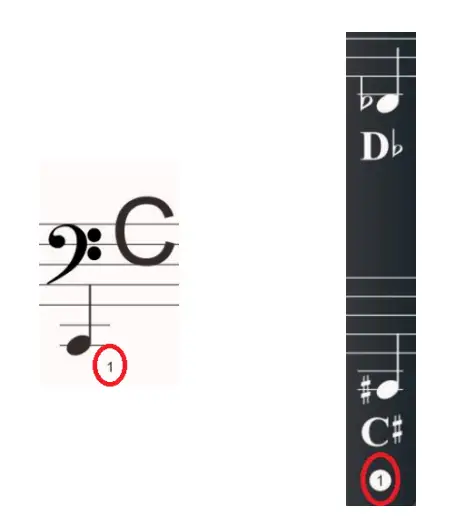
61 KEY
54 KEY

49 KEY