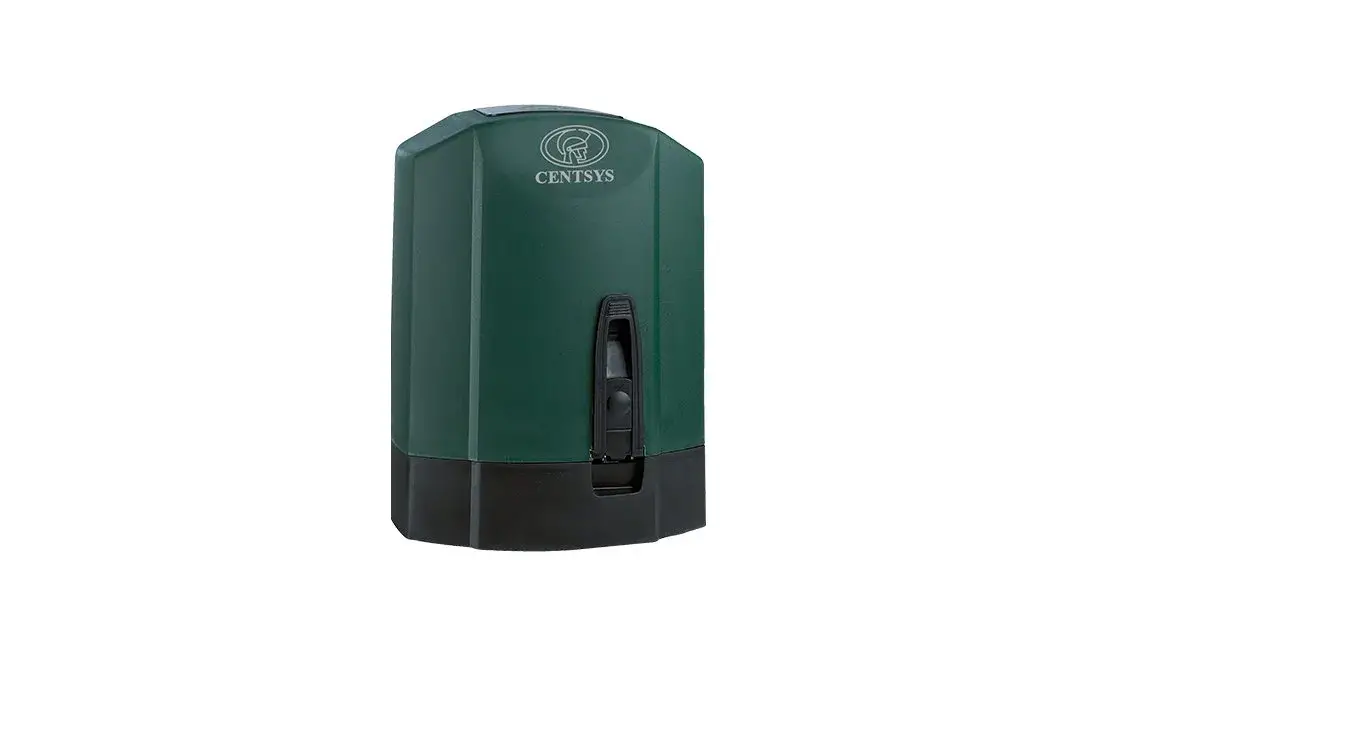
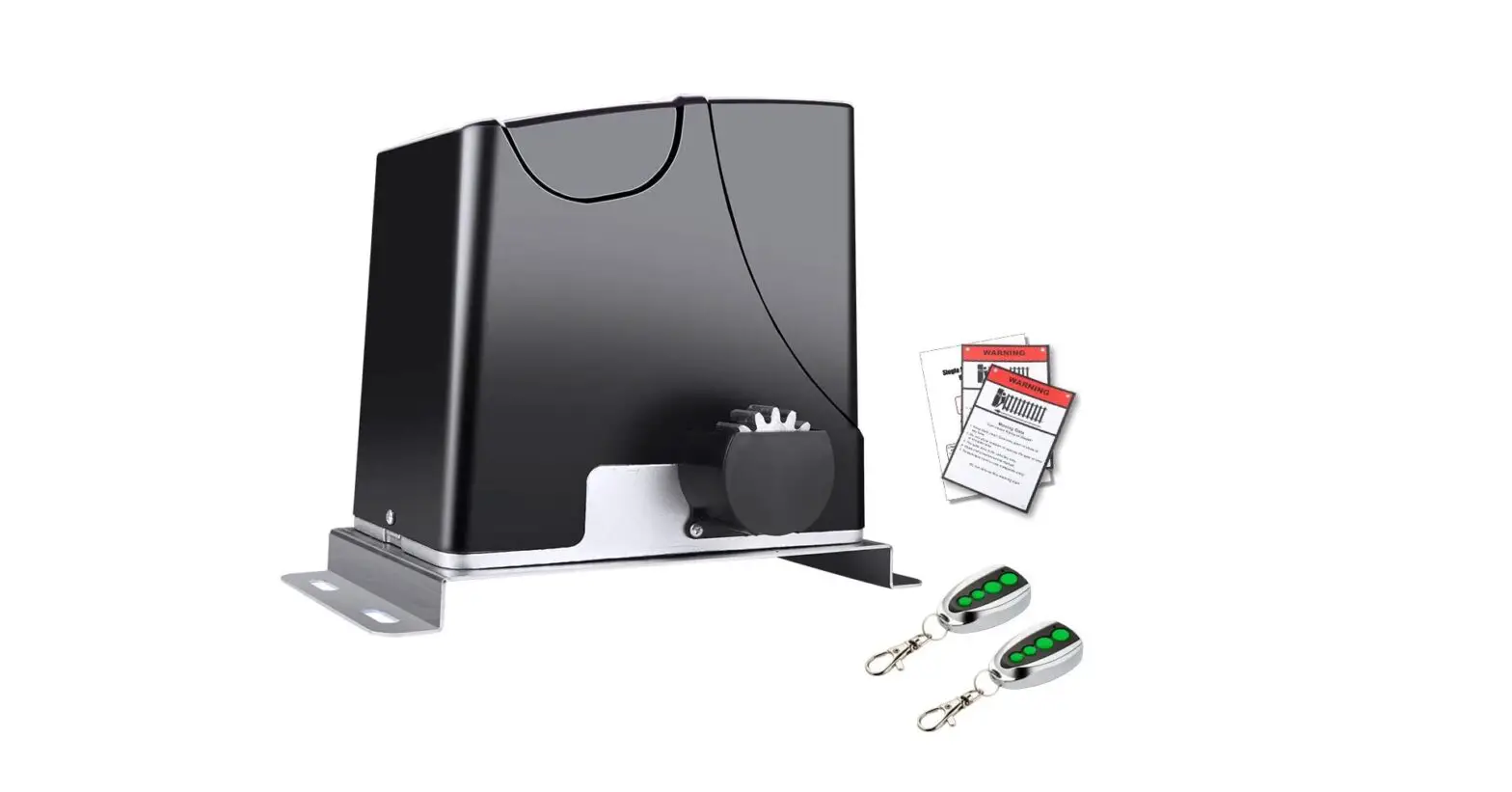
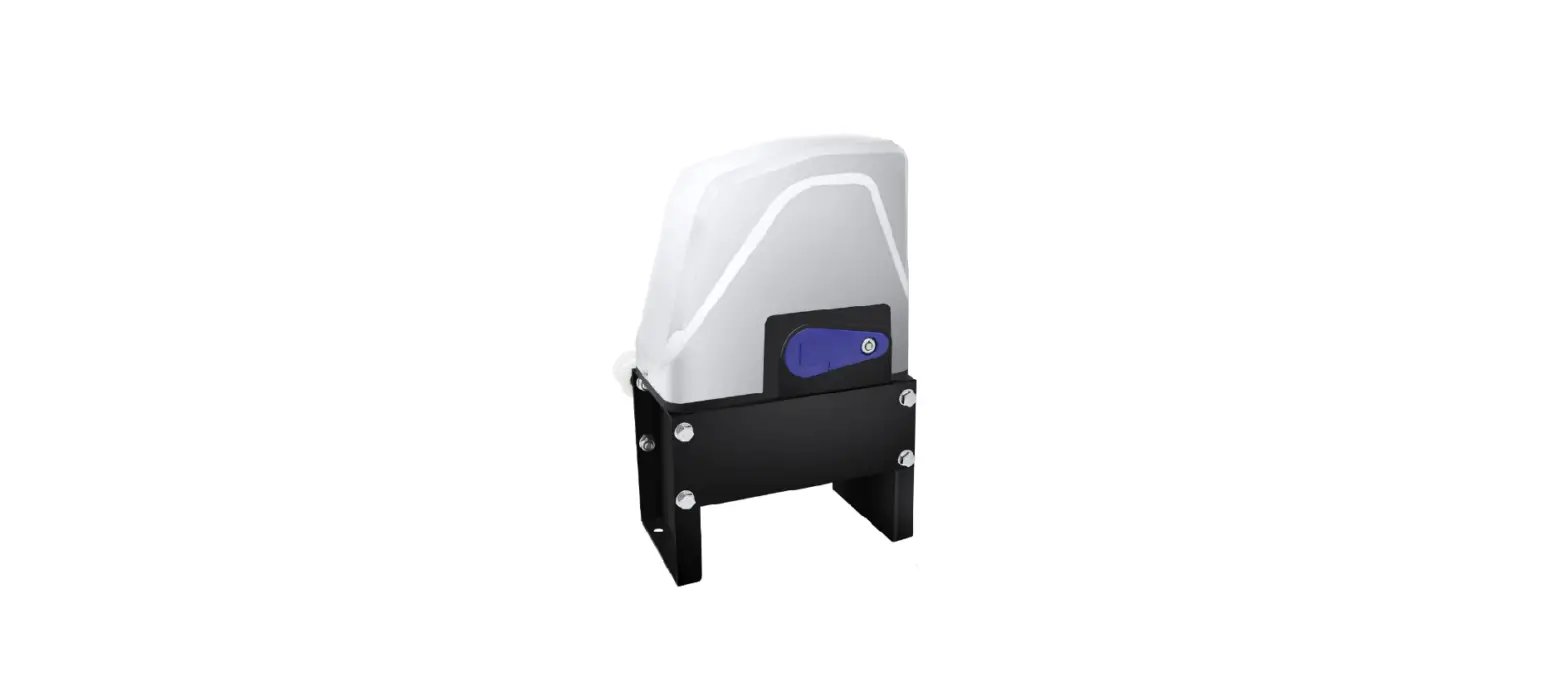
D10 SMART Gate Motors
Product Information: Sliding Gate Operators – D10 SMART / D10
Turbo SMART / D20 SMART
The D10 SMART is a sliding gate operator designed to open and
close industrial sliding gates weighing up to 1000Kg. The D10 Turbo
SMART is suitable for lighter gates requiring a high number of
operations per day and can reach almost double the speed of the
standard D10 SMART for increased security. The D20 SMART is a
sliding gate operator designed for residential gates. All three
gate operators are manufactured by Centurion Systems (Pty) Ltd,
which is an ISO 9001:2015 certified company.
Important Safety Instructions
Please refer to the full installation manual in the MyCENTSYS
Pro mobile application for the full safety instructions. Follow the
instructions under Section 13 of this Quick Guide to download the
MyCENTSYS Pro mobile application. Please do not proceed with the
installation until you have read and fully understand the Safety
Instructions.
Icons used in this manual
- Variations Icon: Denotes variations and other
aspects that should be considered during installation. - Tips Icon: Indicates tips and other
information that could be useful during the installation. - Warning Icon: Indicates warning, caution or
attention! Please take special note of critical aspects that MUST
be adhered to in order to prevent injury.
General Description
The D10 SMART and D10 Turbo SMART sliding gate operators are
heavy-duty operators that operate off two 12V/7.2-8Ah batteries
housed inside the operator using a switch-mode charger to maintain
the battery in a fully charged state. The batteries provide
critical power failure protection. A non-contact Hall Effect Sensor
ensures reliability and positional accuracy.
The D10 Turbo SMART is not suitable for gates weighing more than
250kg, as the inertia generated by heavier loads might prove
detrimental to the gearbox at such high speeds. Refer to Table 2
under Section 6 – Technical Specifications for derating speeds on
heavier gates.
The D20 SMART sliding gate operator is designed for residential
gates and has a maximum gate weight of 300Kg.
Product Usage Instructions
Before proceeding with the installation, please download the
MyCENTSYS Pro mobile application and refer to the full installation
manual for the safety instructions. Follow the instructions under
Section 13 of this Quick Guide to download the MyCENTSYS Pro mobile
application.
For the D10 SMART and D10 Turbo SMART sliding gate operators,
ensure that the gate weight does not exceed 1000Kg and 250Kg,
respectively. Refer to Table 2 under Section 6 – Technical
Specifications for derating speeds on heavier gates. The sliding
gate operators operate off two 12V/7.2-8Ah batteries housed inside
the operator using a switch-mode charger to maintain the battery in
a fully charged state. The batteries provide critical power failure
protection.
For the D20 SMART sliding gate operator, ensure that the gate
weight does not exceed 300Kg.
Refer to the full installation manual for detailed instructions
on how to install and operate the sliding gate operators.
www.centsys.com Connect with us on: facebook.com/centurionsystems YouTube.com/centurionsystems
@askcenturion centurion.systems
Subscribe to the newsletter: www.centsys.com/subscribe
Call Centurion Systems (Pty) Ltd . South Africa Head Office: +27 11 699 2400
Call Technical Support: +27 11 699 2481 from 07h00 to 18h00 (UTC+2)
www.centsys.com.au
Call: 1300 CENTSYS (1300 236 879) After Hours International Technical Support Call Centre +27 11 699 2481 (16:00 to 02:00 – Australian Eastern Time)
E&OE Centurion Systems (Pty) Ltd reserves the right to change any product without prior notice
All product and brand names in this document that are accompanied by the ® symbol are registered trademarks in South Africa and/or other countries, in favour of Centurion Systems (Pty) Ltd, South Africa. The CENTURION and CENTSYS logos, all product and brand names in
this document that are accompanied by the TM symbol are trademarks of Centurion Systems (Pty) Ltd, in South Africa and other territories; all rights
are reserved. We invite you to contact us for further details.
ISO 9001:2015
Doc number: 1271.D.01.0003_1 SAP Code: DOC1271D0103
SLIDING GATE OPERATORS
D10 SMART / D10 TURBO SMART / D20 SMART QUICK GUIDE
Centurion Systems (Pty) Ltd www.CentSys.com
1. Introduction
This guide is designed specifically for installers who are familiar with the installation of standard sliding gate operators, but do not know the specifics of the D10 SMART / D10 Turbo SMART / D20 SMART.
2. Important Safety Instructions
Please refer to the full installation manual in the MyCENTSYS Pro mobile application for the full safety instructions. Follow the instructions under Section 13 of this Quick Guide to download the MyCENTSYS Pro mobile application.
Please do not proceed with the installation until you have read and fully understand the Safety Instructions.
3. Icons used in this manual
This icon denotes variations and other aspects that should be considered during installation.
This icon indicates tips and other information that could be useful during the installation.
This icon indicates warning, caution or attention! Please take special note of critical aspects that MUST be adhered to in order to prevent injury.
4. General Description
The D10 SMART is a heavy duty sliding gate operator designed to open and close industrial sliding gates weighing up to 1000Kg.
The D10 Turbo SMART is perfectly suited for sites with lighter gates requiring a high number of operations per day, and can reach almost double the speed of the standard D10 SMART for increased security. However, it is not suitable for gates weighing more than 250kg, as the inertia generated by heavier loads might prove detrimental to the gearbox at such high speeds. Refer to Table 2 under Section 6. – “Technical Specifications” for derating speeds on heavier gates.
A die-cast aluminium gearbox, coupled to a powerful 24V DC motor and switch-mode charger, makes the D10 SMART / D10 Turbo SMART the automatic choice for townhouse complexes and office parks.
The system operates off two 12V / 7.2 – 8Ah batteries housed inside the operator using a switch-mode charger to maintain the battery in a fullycharged state. The batteries provide critical power failure protection.
A non-contact Hall Effect Sensor ensures reliability and positional accuracy. The Hall Effect Sensor is highly resistant to dust, oil, dirt and insect ingress, thereby ensuring that the D10 SMART / D10 Turbo SMART opens and closes gates reliably and accurately.
For industrial sites with large, heavy gates and high traffic volumes, the D20 SMART offers a powerful and reliable automation solution that can move gates weighing up to 2000kg.
This formidable operator has been designed to withstand the most demanding operating conditions and work dependably in any environment thanks to its rugged die-cast aluminium gearbox and potent DC motor. In addition, its sophisticated electronics and motor control circuitry ensure that it moves smoothly with pinpoint stopping, further adding to the unit’s reliability and longevity. Complementing its tough mechanical build, award-winning SMART technology makes the D20 SMART as intelligent as it is solid.
5. Product Identification
1
2
3
10
9
4 8
5
7
6
1. DX Control Card 2. Accessory Tray 3. 12V 7.2Ah Battery1 4. Lower Battery Tray 5. Gearbox Trim
FIGURE 1
6. Camlock 7. Camlock Cover 8. Release Handle 9. Switch-mode Charger 27.4V 1.8A 10. 12V 7.2Ah Battery1
1. Batteries are not supplied with the D10 SMART / D10 Turbo SMART / D20 SMART.
6. Technical Specifications
D10 SMART
D10 Turbo SMART
D20 SMART
Input voltage Maximum number of operations per day
Motor power supply
Current consumption (motor at rated load) Motor push force starting Motor push force rated Gate mass – maximum Gate length – maximum Gate speed (varies with load)
90V – 240V AC +/-10% @ 50Hz1
7502,5
Battery-driven (Standard Capacity – 2x 12V 7.2Ah)
8A
10A
9A
40kgf
24kgf
52kgf
30kgf
18kgf
39kgf
1000kg
250kg6
2000kg
50m
50m
25m
Up to 26m/min3
Up to 45m/min6
Up to 18m/min3
Operating Mode
Operations in standby (7.2Ah Batteries)
Half day2,4,5 Full day2,4,5
Power Normal Power Normal Power Normal
saving 26m/ saving 45m/ saving 18m/
15m/ min 15m/ min 15m/ min
min 15kgf min 9kgf min 20kgf
15kgf
9kgf
20kgf
118 63 189 130 101 55
93
50 150 104 80
45
TABLE 1
1. Can operate off a solar supply; consult your local dealer for assistance 2. Based on a motor push force of less than 50% of rated
(Starting and Running forces) 3. Gate opening and closing speeds can be configured to run slower depending
on the requirements of individual installations 4. Can increase battery capacity for longer standby times 5. Based on 4m gate, excluding all accessories 6. Refer to the table below for D10 Turbo SMART’s recommended gate
speed for specified gates masses
RECOMMENDED SPEED AND GATE MASSES FOR
D10 TURBO SMART1
Max Speed (m/min) 45 41 36 32 29 27 25 24 23
Gate Mass (Kg) 250 300 400 500 6002 7002 8002 9002
10002
TABLE 2
1. If a D10 Turbo SMART is used on a gate over 250Kg, the speed must be reduced according to the table above to ensure that the gate can be safely stopped in an emergency.
2. Centurion Systrems (Pty) Ltd recommends the use of a D10 SMART for gates weighing over 500KG.
7. Preparation of Site
Always recommend the fitment of additional safety equipment such as safety edges and safety beams, for additional protection against entrapment or other mechanical risks.
Check that no pipes or electrical cables are in the way of the intended installation.
Check that enough space is available for the gate operator, specifically for the release handle and the removal of the Gearbox Trim
Check for loose, sandy soil if installing a foundation, as the soil condition may require a larger foundation.
Never fit the operator on the outside of the gate, where the public has access to it.
Install the gate operator only if:
· It will not pose a hazard to the public
· There is sufficient clearance to a roadway and/or public thoroughfares
· The installation meets all municipal and/or local authority requirements once completed
· The gate mass and application are within the operator specifications
· The gate is in good working order, meaning:
· it opens freely; · it does not move on its own if left in any position; · it can be installed to have sufficient clearance between moving parts
when opening and closing to reduce the risk of personal injury and entrapment
· Pushbuttons or key-switches, when required, must be positioned so that the gate is in line-of-sight of the user
Starting and Running Forces
Test the starting force of the gate to ensure that the gate is within the operator specifications as per Figure 2. Use a pull scale in both directions to determine the maximum amount of pull force required to set the gate in motion.
Determine the running force of the gate by continuing to pull on the scale with just sufficient force to keep it running. Read and note the maximum value in kgf (kilogram-force) shown on the scale.
Pull Scale
FIGURE 2 Typical anti-lift arrangements
Guide-rollers must ensure that the gate is held vertically through the entire length of the gate travel. For improved safety, fit additional support posts to prevent gate from falling over if guide-rollers fail.
Ensure that the gate cannot be lifted off the motor pinion with the anti-lift bracket fitted.
Guide-rollers and Anti-Lift Bracket
Additional support post
Side view of gate and different Guide-roller options
GAP <5mm
GAP <5mm
Endstops
GAP <5mm
GAP <5mm
FIGURE 3
Opening and closing endstops are mandatory and must be fitted to prevent death or accidental injury as the operator uses and
confirms these limits during operation.
Endstop
H1
H2
8. Cabling Requirements
Endstop Ø16mm
FIGURE 4
9 9
8
1 2
6 3 5
10
7 4
FIGURE 5
Legend
1. MAINS SUPPLY CABLE: 90V – 240V AC mains cable via double-pole mains isolator-switch (3 core L.N.E. 1.5mm2 SWA)1,2
2. Optional intercom cable from motor to dwelling (n1 + 6 core3 0.22mm2 multi-strand shielded cable)
3. Optional intercom cable from motor to entry panel (n2 0.22mm2 multi-strand shielded cable)
4. Optional but recommended infrared safety beams (3 core 0.22mm2 multi-stranded)4
5. Optional access control device (3 core 0.22mm2 multi-stranded)
6. Optional pedestrian key-switch (2 core 0.22mm2 multi-stranded) OR
7. Optional keypad (3 core 0.22mm2 multi-stranded)4
8. Optional external radio receiver (3 core 0.22mm2 multi-stranded)5
9. Optional pillar lights (3 core LNE SWA, size according to power requirements)6
10. Optional ground loop for free-exit (1 core 0.5mm2 multi-stranded silicone coated)7
n1 means the number of cores required by an intercom n2 means the number of cores required by an intercom 1. Possibly increase cable thickness if pillar lights are installed. 2. Type of cable must adhere to municipal bylaws but typically SWA (steel wire
armoured) cable is recommended. The armouring provides excellent screening, which gives better protection against lightning earth one end of the screening. 3. Allows for all features such as pedestrian opening, status LED, etc., to be operated from the intercom handset inside the dwelling. Number of cores and type of cable could vary depending on brand of access control system being used. 4. Wireless accessories are available. Please refer to www.censys.com for further information. 5. For optimum range, an external receiver can be mounted on the wall. 6. Requires an external relay 7. Consult manufacturer of loop detector for specific details.
9. Manual Override
Before mounting the rack to the gate, ensure that the D10 SMART / D10 Turbo SMART / D20 SMART is in Manual Override. Follow the instructions below.
To disengage (Manual Override) the motor, ensure that the Camlock is in the “unlocked” position, and pull the Release Handle to a 90° position. The Motor will then be placed in a temporary state of disengagement.
Manual Override Latching
In the event of a power failure, it may be required to lock the cover in place whilst “latching” the manual release (i.e. manual release permanently enabled). This helps prevent theft of the unit, or its components, and provides full protection from the elements.
With the release handle in the open position, slide the Override Cam located on the inside of the handle towards the gearbox, and a “click” can be heard once it has located correctly. Return the handle to the closed, or locked, position. This allows continued manual operation of the gate while ensuring that the cover remains securely locked in place. See Figure 7.
To re-engage the D10 SMART / D10 Turbo SMART / D20 SMART (i.e. take the operator out of latched Manual Override), push the Release Handle Override Cam to the right and then slide it towards the Camlock. See Figure 8.
Release Handle
Gearbox
Camlock
FIGURE 6
Release Handle Override
Cam
Release Handle
FIGURE 7
Release Handle Camlock
Release Handle Override Cam
FIGURE 8
10. Installation Preparation
To ensure that the operator does not protrude into the driveway, install the base plate at least flush with the driveway entrance.
It is typical to mount the rack above or underneath the pinion as shown in illustrations below.
The measurements given below are based on the rack supplied by Centurion Systems (Pty) Ltd, and are to be used as guidelines only.
Ensure that all the standard considerations for a quality gate installation are adhered to as detailed in our detailed installation manual.
D10 SMART – Steel Rack
25mm (Typical Steel Rack Width)
Minimum space from edge of Foundation Plate to reference point of edge that
protrudes the furthest.
(Section 7.1.1.)
50mm
25mm (Recommended to allow for adjustment)
5mm
176mm1 121mm1,2
91mm
Welded flat bar Concrete Foundation
Foundation Plate
25mm (Typical Steel Rack Width)
Minimum space from edge of Foundation Plate
to reference point of edge that protrudes the
furthest. (Section 7.1.1.)
50mm
25mm (Recommended to allow for adjustment)
5mm
51mm1,2
Foundation Plate
Raised Concrete Foundation
FIGURE 9
1. Includes 3mm clearance required between rack and pinion 2. Distance between bottom of the Foundation Plate and bottom edge of the Rack
Tooth
The principles of installation on a Steel Rack is to position it in the middle of the output pinion with the operator fully forward on the slots.
The Pinion Guard needs to be rotated 180 degrees if the rack below the pinion is desired for ONLY the D10 SMART and D20 SMART, and not the D10 Turbo SMART.
25mm (Recommended to allow for adjustment)
5mm
D10 Turbo SMART – Steel Rack
25mm (Typical Steel Rack Width)
Minimum space from edge of Foundation Plate to reference point of edge that
protrudes the furthest.
(Section 7.1.1.)
50mm
182mm1 127mm1,2
91mm
Welded flat bar Concrete Foundation
Foundation Plate
25mm (Typical Steel Rack Width)
Minimum space from edge of Foundation Plate
to reference point of edge that protrudes the
furthest. (Section 7.1.1.)
50mm
25mm (Recommended to allow for adjustment)
5mm
45mm1,2
Foundation Plate Raised Concrete Foundation
FIGURE 10
1. Includes 3mm clearance required between rack and pinion 2. Distance between bottom of the Foundation Plate and bottom edge of the Rack
Tooth
The principles of installation on a Steel Rack is to position it in the middle of the output pinion with the operator fully forward on the slots.
D20 SMART – Steel Rack
25mm (Typical Steel Rack Width)
Minimum space from edge of Foundation Plate to reference point of edge that
protrudes the furthest.
(Section 7.1.1.)
50mm
25mm (Recommended to allow for adjustment)
5mm
Welded flat bar Concrete Foundation
Foundation Plate
25mm (Typical Steel Rack Width)
Minimum space from edge of Foundation Plate
to reference point of edge that protrudes the
furthest. (Section 7.1.1.)
50mm
25mm (Recommended to allow for adjustment)
5mm
59mm1,2
Foundation Plate
Raised Concrete Foundation
FIGURE 11
1. Includes 3mm clearance required between rack and pinion 2. Distance between bottom of the Foundation Plate and bottom edge of the Rack
Tooth
The principles of installation on a Steel Rack is to position it in the middle of the output pinion with the operator fully forward on the slots.
The Pinion Guard needs to be rotated 180 degrees if the rack below the pinion is desired for ONLY the D10 SMART and D20 SMART, and not the D10 Turbo SMART.
10.1 Foundation plate installation
The foundation plate can either be set into a concrete foundation or bolted down onto an existing or new concrete plinth.
Check that the M10 halfnuts are tightened to 20Nm on the mounting bolts.
1. Using a pair of pliers, gently bend the two tabs of the foundation plate down to a 90° angle.
2. Again, using a pair of pliers, gently bend the two legs on each tab to an angle of 90° in opposite directions.
Bottom face of the Foundation Plate
View once tabs have been bent down correctly
FIGURE 12
(Signal Cables) 600mm (Mains)450mm
182mm1 113mm1,2
91mm
Lay the cabling conduit so that it routes the cables to the back of the Foundation Plate. Ensure that 30mm of conduit protrudes above the concrete.
Using medium-strength concrete (25MPa), cast the plinth according to the dimensions as shown in Figure 13.
300mm
400mm
300mm
Cabling conduit
exiting at the back of
the Foundation Plate
FIGURE 13
When using a concrete foundation, it is recommended that the Foundation Plate is welded to the rail/track of the gate using a short length of flat bar, as shown in Figure 14. This makes it possible to complete the whole mechanical and electrical installation without having to wait for the concrete to set. After completing the installation, the concrete can be poured and the operator left in Manual Mode until the concrete has set. Do not operate the motor until the concrete has completely set.
Rail
Foundation Plate
Flat bar welded to Foundation Plate and rail
FIGURE 14
10.2 Existing concrete plinth
If bolting onto an existing concrete plinth, place the Foundation Plate down in the correct position and use the plate as a template for marking the Expansion Stud holes.
Check that the M10 halfnuts are tightened to 20Nm on the mounting bolts.
Ensure that the Expansion Studs do not protrude more than 23mm above the Foundation Plate.
Rerouting of existing cables may be necessary.
Nut Washer
Expansion Stud
Mounting Bolt
FIGURE 15
10.3 Conduit and Cable Length
Route the cables as determined in Section 8 “Cabling Requirements”.
Make sure that the conduits protrude above the concrete foundation. The mains cables should protrude 450mm above the concrete foundation, and all signal cables (i.e. beams, etc.) 600mm above the concrete foundation, as shown in Figure 16.
FIGURE 16
11. Preparing the Operator for Installation
Open the Camlock Cover, and insert the Operator Key into the Camlock. Unlock it by turning the key anti-clockwise.
There is no need to open the Release Handle to remove the cover of the D10 SMART / D10 Turbo SMART / D20 SMART.
Camlock Cover Operator Key
Camlock
FIGURE 17
Remove the cover of the D10 SMART / D10 Turbo SMART / D20 SMART to expose the internal components, and place it to one side in a safe location.
Cover
Control Card Control Card Platform Charger Gearbox
FIGURE 18
11.1 Removing the Charger
Disconnect the Charger from the D10 SMART / D10 Turbo SMART / D20 SMART Control Card at either Point “A” or Point “B”.
If the disconnection is made at Point “A”, note that there are two connector blocks that need to be disconnected from the Control Card.
Control Card
Harness
Charger
A B
Disconnect the Earth Harness from the Charger at Point “C”, and store it in a safe place.
C
FIGURE 19
Remove the Charger from the lower battery tray by gently pushing the Charger slightly down whilst pulling it towards the front of the D10 SMART / D10 Turbo SMART / D20 SMART. It should slide forward and off with ease.
Power Supply Harness Battery Harness
Charger
12. Operator Installtion
FIGURE 20
12.1. Mounting the Gearbox
To remove the Gearbox Trim with the battery tray, firstly ensure that the Camlock is in the “unlocked” position. Open the Manual Override Lever so that it is in the 90° position. Remove the Camlock Key, and keep it in a safe place. Hold the gearbox trim on both sides firmly and pull the entire assembly forward with a slight tug towards the front of the D10 SMART / D10 Turbo SMART / D20 SMART. It will unclip from the rear of the gearbox. Manoeuver it over the Manual Override Lever to remove it completely off the gearbox.
Electric Motor
Cable Shield
Lower Battery Tray
Gearbox
Gearbox Trim
The Cable Shield needs to be removed before mounting the D10 SMART / D10 Turbo SMART / D20 SMART onto its Foundation Plate. This is done by lifting the Cable Shield up and away from the gearbox.
Once the Cable Shield has been removed, place the D10 SMART / D10 Turbo SMART/D20 SMART into position over the two Mounting Bolts, aligning them with the two slots at the bottom of the gearbox and rest the D10 SMART / D10 Turbo SMART / D20 SMART onto the Foundation Plate.
Once the Gearbox is resting on top of the Foundation Plate, slide the D10 SMART / D10 Turbo SMART / D20 SMART as far as possible towards the gate to allow for later adjustment.
12.2. Routing the Cables
Route cables as determined in Section 8 – “Cabling Requirements”. POINT A is the entry point for cables with the conduit installed at the back of the unit as shown in Figure 25.
Manual Override Lever
FIGURE 21
Cable Shield
Gearbox
Gearbox
FIGURE 22
Mounting Bolt
Foundation Plate
FIGURE 23
FIGURE 24
A
12.3. Height Adjustment
The D10 SMART / D10 Turbo SMART / D20 SMART’s unique Height Adjustment System adjusts from the top of the gearbox. This adds further security to the system, as it is not possible to access the Height Adjustment Bolts from the outside of the gearbox.
FIGURE 25
Height Adjustment Bolt
Foundation Plate
FIGURE 26
Using a ratchet and a 12mm socket, turn the Height Adjustment Bolt clockwise to lift the Operator, or turn it anti-clockwise, to lower the Operator.
12.4. Mounting the Rack
The rack must be securely mounted to the side of the gate. It must be parallel with the gate rail and there must be a 2-3mm gap between the rack teeth and the teeth of the pinion.
1. Before mounting the rack, raise the operator an additional 3mm.
2. Ensure that the D10 SMART Gearbox is in Manual Override.
3. Start with the gate either fully open or fully closed.
4. Slide the D10 SMART back towards the gate to where the Pinion will sit just under where the rack will be fixed to the gate.
5. Rest the rack directly onto the Pinion while welding / bolting the rack into position.
6. Level the other end and fix that end to the side of the gate.
7. Lower the operator 3mm to achieve the required 3mm tooth clearance.
8. Ensure that operator mounting bolts are securely tightened.
Spirit Level
Level this end of the rack, and fix it to the gate
Pinion
Foundation Plate
FIGURE 27
Before fully fixing each section of rack, slide the gate backwards and forwards along the section, checking that the rack is only resting on the Pinion, and not pressing down onto it.
12.5. Fitting Steel Rack to the Gate
Gate
Fix the Steel Rack with the steel angle brackets. The brackets must be spaced no more than 300mm apart.
±300mm
Steel Rack
Steel Bracket
Steel Rack
FIGURE 28
When joining different lengths of Steel Rack, a simple way of ensuring that the correct pitch spacing is achieved, is to clamp a small off-cut between the two pieces.
Clamp Off-cut
Welded join
Do not weld the off-cut to the gate or the join.
±300mm
FIGURE 29
12.6. Installing the Origin Sensor and Marker
The Origin Sensor and Marker is an optional extra for the D10 SMART, but is mandatory to use for the D10 Turbo SMART, and the D20 SMART as a safety precaution.
Place the Origin Sensor into its dedicated slot found just above the Pinion on the Lower Battery Tray.
Note the orientation of the Origin Sensor.
Lower Battery Tray
Origin Sensor
Origin Sensor Locating Slot
FIGURE 30
Route the Harness around the electric motor to the front of the operator, and through the cable retainers found in front of the Control Card.
Connect the Harness to the white “Origin” Terminal found on the Control Card.
FIGURE 31
Mounting the Origin Marker
Firstly, fully close the gate. Mount the Origin Marker to the rack a minimum of 500mm from the origin sensor.
It is possible to make the distance between the marker and the sensor much greater than 500mm. However, if using the pedestrian opening facility, although the position of the marker will not affect the width of the pedestrian opening, it is preferable to have the marker mounted inside of the pedestrian opening point.
500mm
Origin Marker
500mm
Top View
GATE CLOSED
Origin Marker Gate Rack Origin Sensor
FIGURE 32
Note the orientation of the Origin Marker.
Manually slide the gate open until the origin marker is in line with the origin sensor.
Ensure the distance between the face of the marker and front face of the sensor is between 10 and 20mm.
Adjust distance by sliding the Origin Marker along the slotted mounting holes until the specified distance is achieved.
Gate Rack
10-20mm gap between the
Origin Marker and the Origin Sensor
FIGURE 33
13. Commissioning the System
1. Scan the QR Code in Figure 35.
2. Select the App Store applicable to the operating system being used, either either Apple App Store, Android Google Play Store or the Huawei App Gallery.
3. Download and install the application.
Download on the
App Store
Get it on
Minimum Requirements:
· BLE-enabled mobile phone · iPhone 6s and above · iOS13
Minimum Requirements:
· BLE-enabled mobile phone
· Android 5.0 (Lollipop)
FIGURE 35
Alternatively, go directly to the app store of the operating system being used, and search for the app “MyCentsys Pro”. Download and install the application onto the smartphone.
1. Once installed, open the application.
2. From the list of operators, select the operator that is applicable to this installation.
3. Connect to the relevant operator.
4. Use the app by following the prompts to configure the D10 SMART / D10 Turbo SMART / D20 SMART.
 Exposure Management and Threat Hunting Solutions | Censys
 Home - Centurion Systems
 CENTSYS D5-SMART - Centsys.com.au