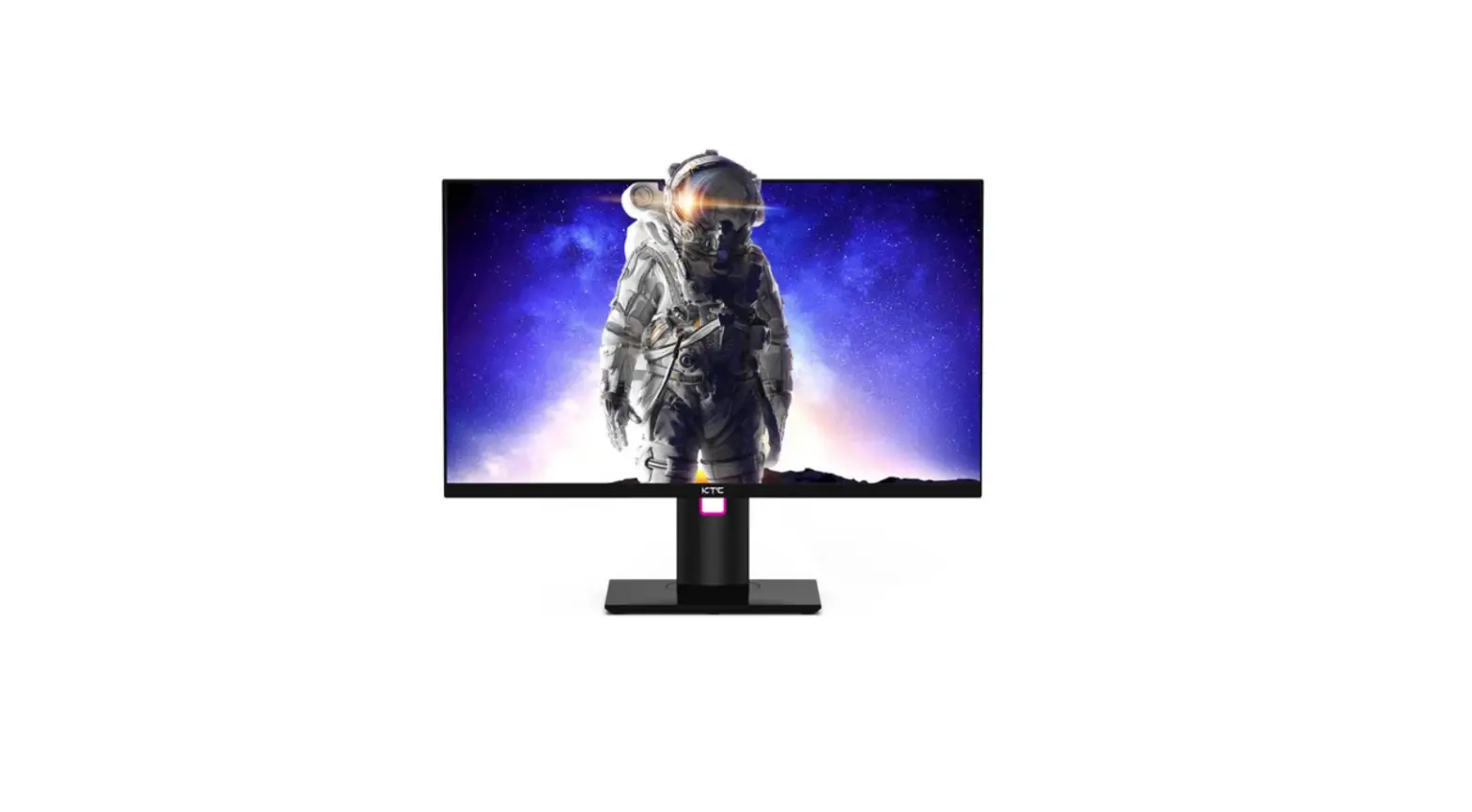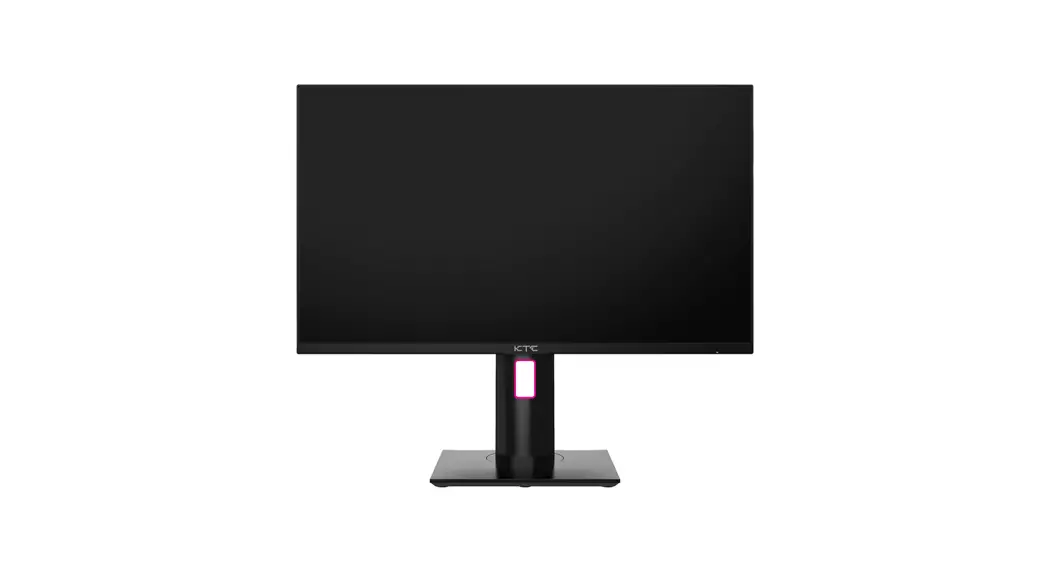
 KTC H27T22
Quick Start
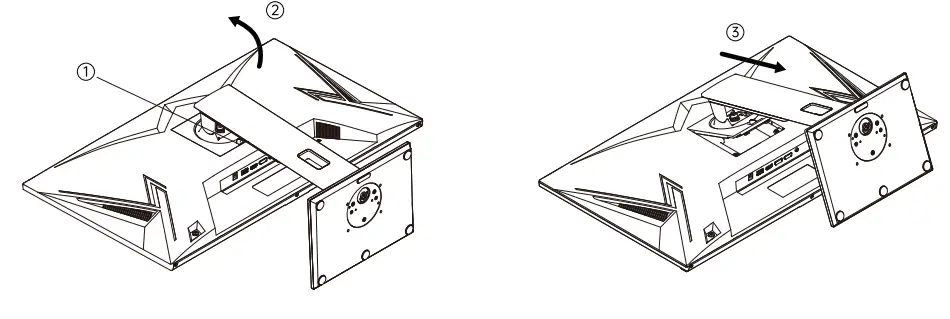
Installing the Base:
a. Install the base onto the stond and fasten it with the thumb screw from the bottom of the base;
b. Tilt the base in the direction of the second arrow and install it into the backshell hole.Then press and lock the whole base in the direction of the third arrow.
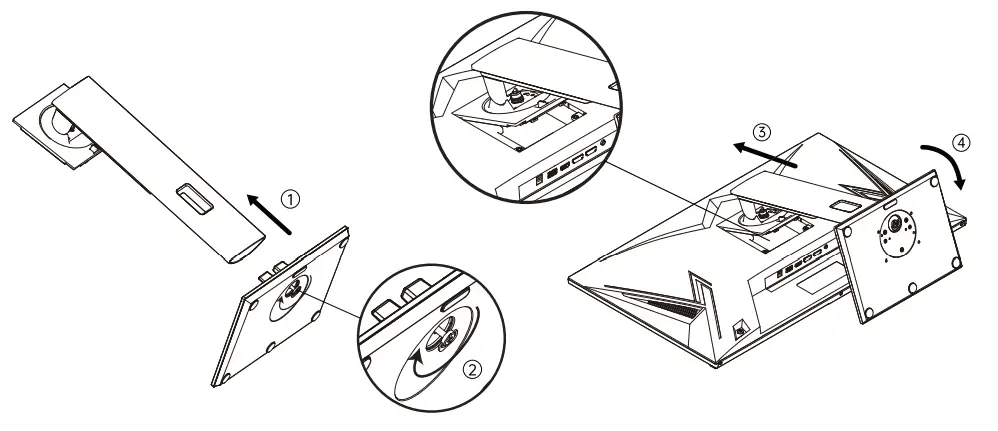
If you want to remove the whole base, do the following:
a. Push the quick release button which is near the VESA;
b. Remove the whole base in the direction of the arrow.
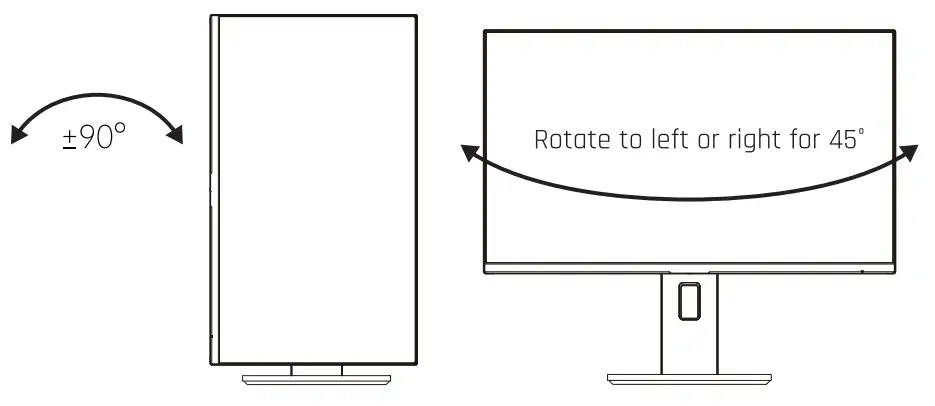
Rotate the lifting support to make the screen horizontal or vertical
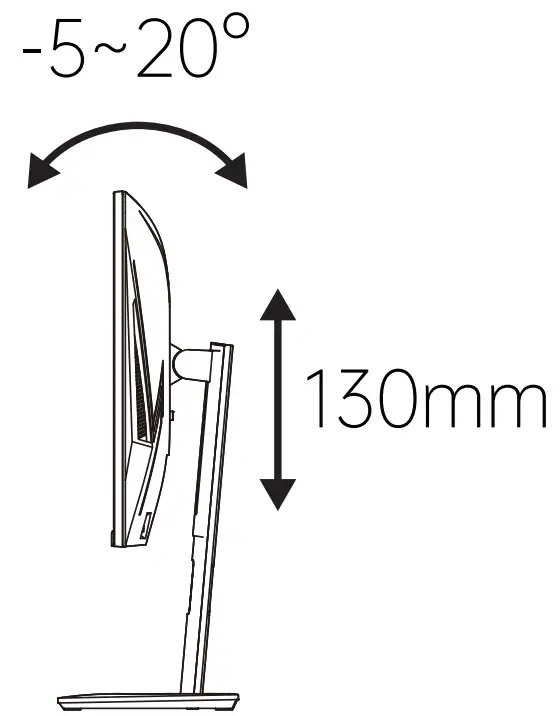
Rotate the lifting support to make the screen pitch toward up, down, left, right, front, or back directions.
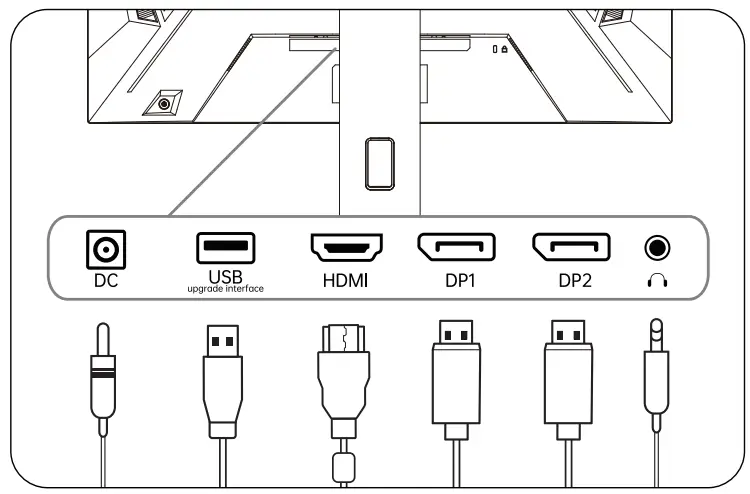
Port Description
| Initial Shortcut Keys | Enter the Function Menu |
 Signal Source Input Signal Source Input | Move up |
 Shortcut Key for Volume Regulating Shortcut Key for Volume Regulating | Move Down |
 Shortcut Key for Gaming Assistance Shortcut Key for Gaming Assistance | Exit and Return Previous Menu |
 Shortcut Keys Shortcut Keys | Open Sub-menu and Select an Option |
 Turn on the display by short-pressing. Turn on the display by short-pressing.Turn off the display by pressing and holding for 3 seconds. | Turn off the display by pressing and holding for 3 seconds |
Shenzhen KTC Technology Co., Ltd. wwwiktcplay.com
 Floor 15, Building 1, No.4023,
Wuhe Road, Bantian Subdistrict,
Longgang District, Shenzhen