
User Manual
HS10
Heat Stress Meter /Wet Bulb Global
Temperature (WBGT) and Heat Index (HI)
Monitor 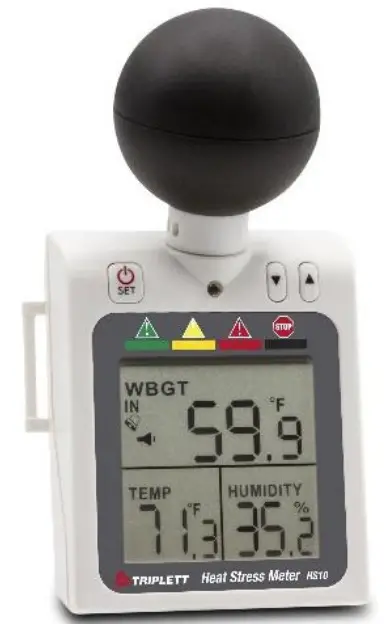

Introduction
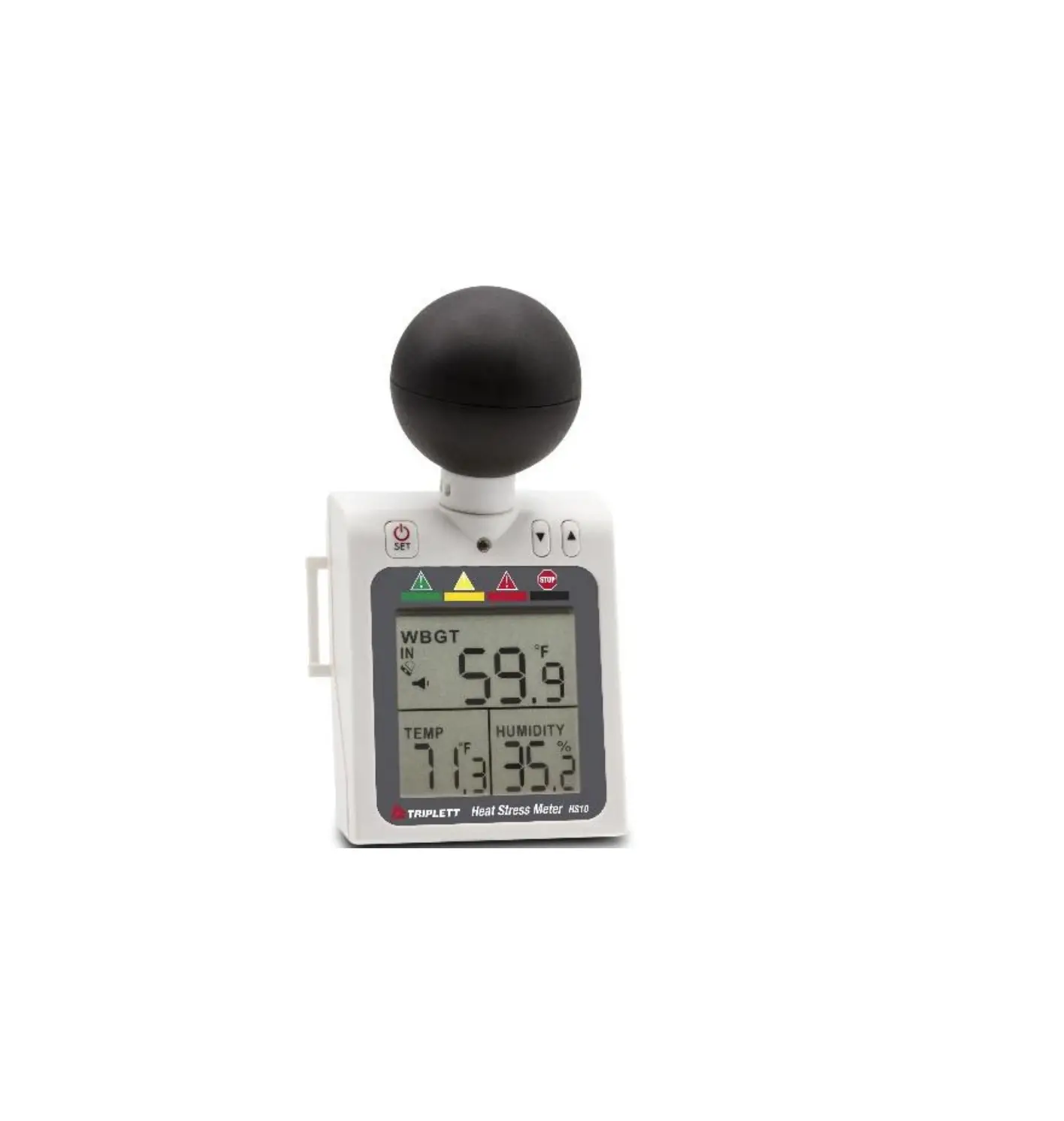
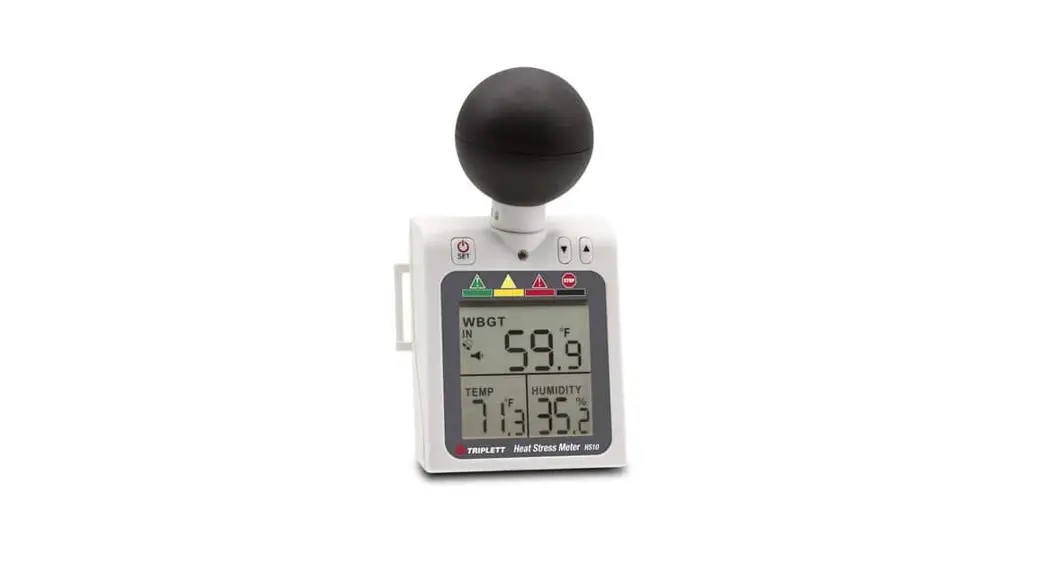
Congratulations on your purchase of the Triplett HS10 Heat Stress Wet Bulb Global Temperature (WBGT) and Heat Index (HI) Monitor
This compact checker measures air temperature, globe temperature, and humidity to give a heat stress index for use in the control of physical activity in hot environment to limit the danger of heat-related injuries.
WBGT (wet-bulb globe temperature) was developed as a monitoring basis at US military training camps and became widespread for use in workplaces and sports situations. It is suggested in an international standard ISO 7243 and many governments such as OSHA (US Occupational Safety & Health Administration), SMA(Sports Medicine Australia), and Japan Society for Occupational Health establish the permissible heat exposure limits in occupational health, sports, or other physical activities.
The applications of the heat index can be in construction, iron and steel foundries, bricks-firing plants, glass facilities, boiler rooms, mining sites, army training, marathon, beach activities, and so on.
The heat index was developed by the US National Weather Service to help people avoid heat illness. Prolonged exposure and/or physical activity at a high heat index is likely to lead to sunstroke, heat cramps, heat exhaustion, and even death. However, please be aware that heat index is not an exact science. The values reached are approximations. Ultimately, the final decision of whether or not to exercise or work belongs to the individual, athletic trainer or employer.
Features
- Simultaneously display WBGT/HI, Temperature & RH
- For outdoor & indoor heat stress measuring
- Programmable buzzer & red LED danger zone warning
- Audible alarm volume adjustable (75dB / 60dB / mute)
- 4 level dangerous level indicator on LCD
- Wearable design with arm strap included
- Display updates every 20 seconds
Description
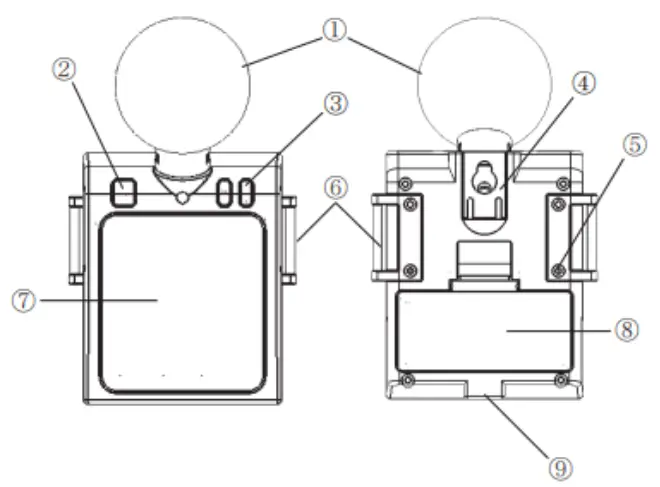
METER DESCRIPTION (Front and Rear View)
Symbol indication
- ABS Black Ball
- Power Key SET]
- up/ down adjust (2 Keys)
- Hanger
- Screw to change the strap holder
- Strap holder
- LCD Display
- Battery Cover
- Screw hold for a tripod
LCD DISPLAY DESCRIPTION
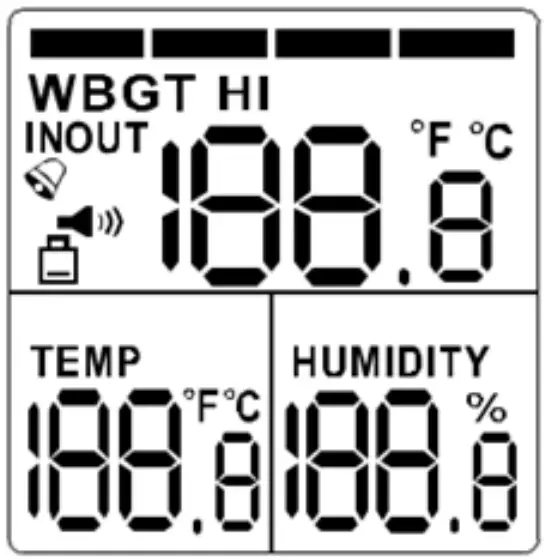
WBGT Wet Bulb Globe
| _ Temperature | |
| TEMP | Air Temperature |
| RH% | Relative Humidity |
| °C/°F | Celsius/Fahrenheit |
| IN | Indoor (no sun) |
| OUT | Outdoor (full sun) |
 | Alarm indicator |
 | Battery Indicator |
. | Sound Level |
| HI | Heat Index |
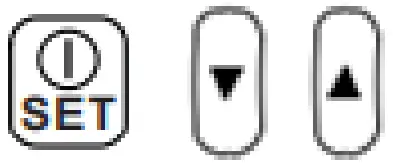
- Press the POWER/SET button to turn ON.
- Press and hold the POWER/SET button for 2 seconds to turn it OFF.
- In NORMAL MEASUREMENT MODE press, the [SET] button [▲] and [▼] button simultaneously for 3 seconds to enter setting Mode.
- In power-off status, press the [SET] button, [▲] and [▼] simultaneously for 5 seconds till entering RESET Mode.
- In NORMAL MEASUREMENT MODE, press the [▲] or [▼] button to adjust the sound level.
- In SETTING MODE press the [▲] or [▼] button to adjust the value of thresholds or ON / OFF the alarm.
Operation
POWER
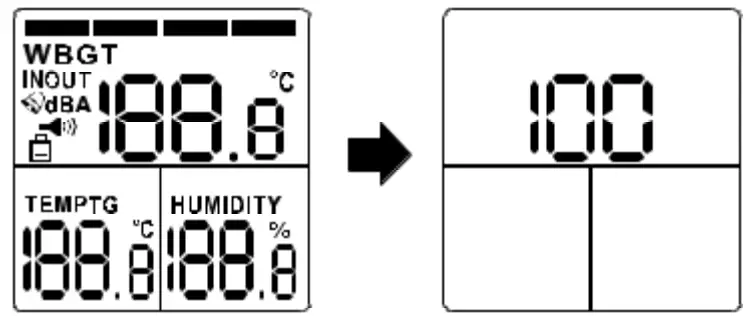
Press  to turn ON (press1 second) and turn OFF (press 2 seconds) the meter. All indicators are shown on the LCD when powered ON and the meter enters measurement mode. The firmware revision is displayed on the LCD for 1 second when powered ON.
MEASUREMENT
When in measurement mode, the WBGT value, temperature and humidity values are displayed on the LCD.
SOUND LEVEL
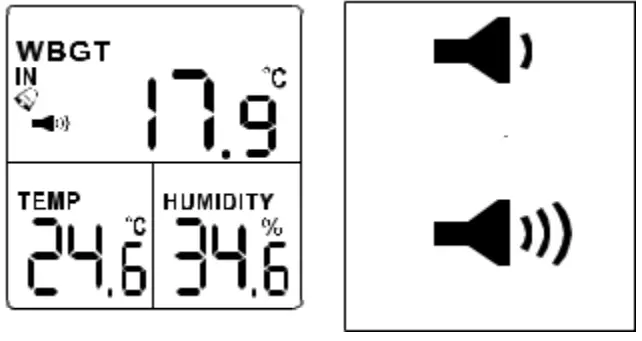
The user can press the [▲] or [▼] key to adjust the volume of the alarm. In
measuring mode, press the [▲] or [▼] key to adjust the volume in 0dB > 60dB >75dB respectively. The buzzer icon will be displayed.
Note: No Buzzer icon is displayed on the LCD when the sound is 0dB.
DANGER ZONE INDICATOR
For both WBGT and HI there are 4 levels of heat stress danger zone indications at the top of the LCD.
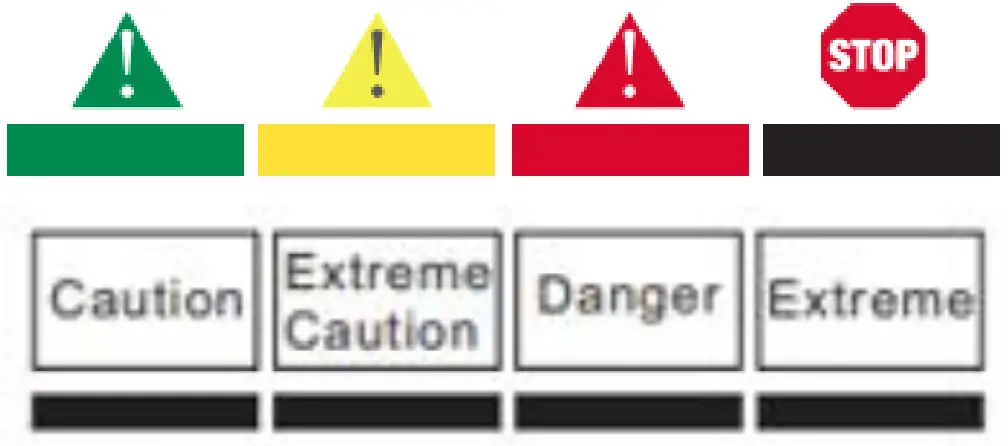
| Hazardous | WBGT | HI |
| Caution | 26.7-29.4C (80-84.9F) | 27-31.9C (80 6-89 4F) |
| Extreme caution | 29A-3IC (85-87.9F) | 32-40.9C (89-105.6F) |
| Danger | 31-32.2 (88-89.9F) | 41-53.9 (105.7-129F) |
| Extreme danger |
|
|
ALARM
When the measured heat stress value is over the alarm threshold, the red LED, buzzer, and measured value will all blink every second as a reminder. After 30 seconds, it beeps 1 time per minute. The user can disable the beep sound at any time when pressing the [▼] key. The alarm threshold value can be reprogrammed. Check “SETUP” Mode in the following section in this manual for further instruction.
SETUP MODE
This function allows users to customize their own default settings. Press the button + [▲]+ [▼] buttons simultaneously for 3 seconds to enter SETUP Mode. The meter will return to normal display while keys are inactive for 30 sec in setup mode. Display for either WBGT & HI (Heat Index) is switchable by the user.
IN/OUT SWITCH (ONLY for WBGT mode)
This function serves to calculate WBGT without [IN] or with [OUT] direct sun exposure. Under IN/OUT modes, press [▲] or [▼] to switch [IN / OUT] then press to confirm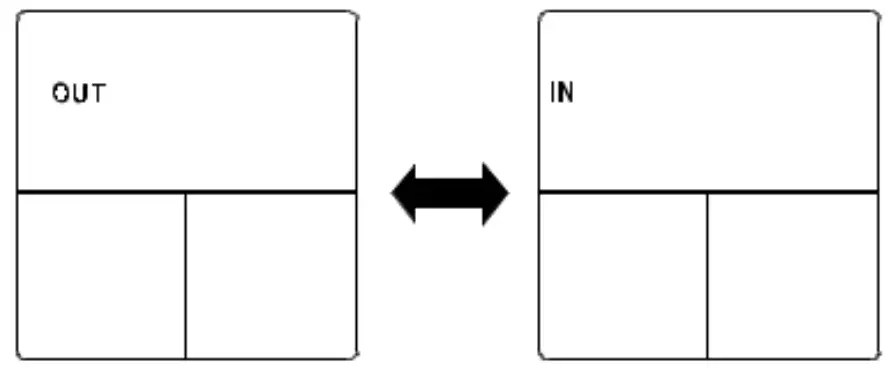
ALARM THRESHOLD SETTING
This function allows users to customize the alarm threshold or stay at the factory default alarm threshold. While choosing to stay at the factory default alarm threshold, please select [OFF]. [OFF] means to turn off the customization function.
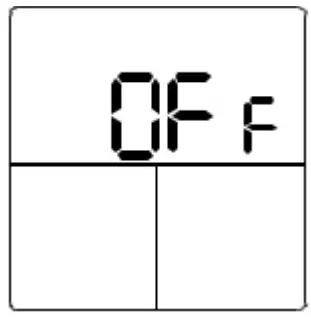
The default alarm threshold is defined below and each range has a different buzzer frequency to distinguish.
If the user decides to customize their own alarm threshold, select [ON], [ON] means the alarm threshold setting is turned ON by the user.
The adjustment range is listed below.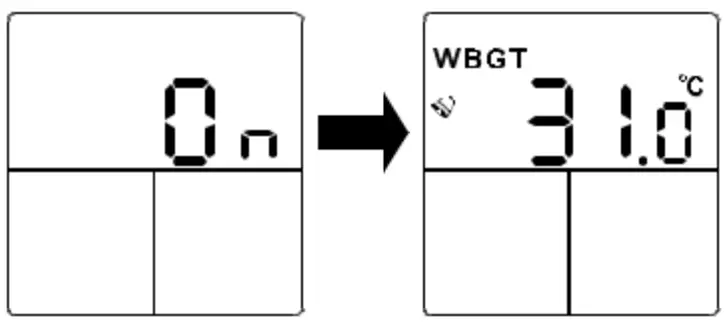
| Hazardous | WBGT | HI | Alarm Customize oFF | Alarm Customize ON Urgent beep Beep upon the —.measured reading is over the threshold |
| Caution | 26.7-29.40 (80-84.9F) | 27-31.9C (80.6-89.4F) | Silent | |
| Extreme caution | 29.4-31C (85-87.9F) | 32-40.9c (89-105.6F) | Beep | |
| Danger | 31-32.2 (88-89.9F) | 41-53.9 (105.7-129F) | Urgent Beep | |
| Extreme danger | >32.2C (>90F) | >54C (>129F1 | Urgent |
Press the [▲] or [▼] button to adjust the alarm value. Press the button to save the value. The adjustment is 0.1 per step. The adjustment range is 68°F to 122°F (20 to 50°C) for WBGT and 50°F to 140°F(10~60°C) for HI
Note: If the user prefers to monitor the heat stress in a completely silent mode the following procedure can disable the alarm function so the LED, buzzer, and alarm-related icons are all OFF. While adjusting the alarm threshold value, press the [▲] and [▼] keys simultaneously. The alarm threshold will show [–.-] on the LCD Press [▲] and [▼] again to revert the status.
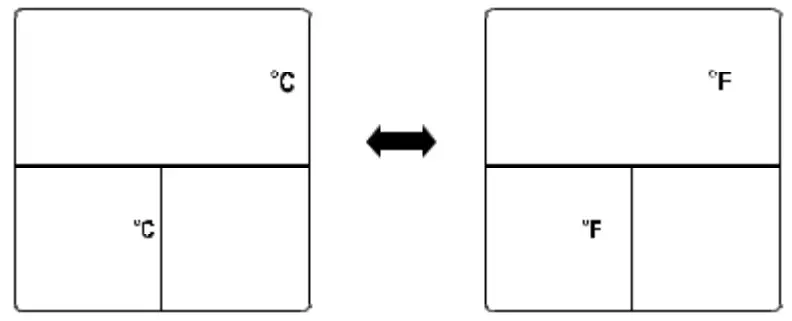
TEMPERATURE UNIT °C /°F
Press [▲] and [▼] key to switch °C (degrees Celcius) or °F (degrees Fahrenheit). Press the key to save the selection.) SET
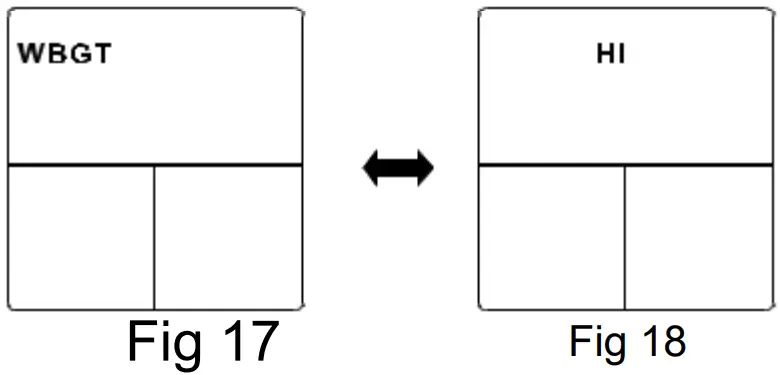
WBGT / HI SWITCHING
For HS10, the main displayed heat stress index can be WBGT or HI. While the temp unit setting is completed, press the [▲] or [▼] key to switch WBGT/HI and then press the SET key to confirm
Then, the checker will return to measurement mode after all settings is completed.
RESET FUNCTION
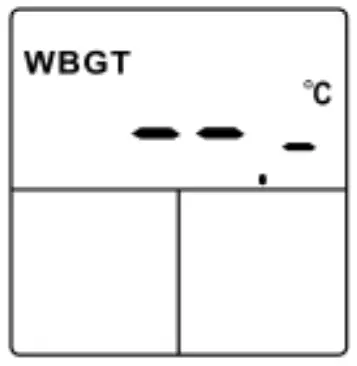
This allows the user to RESET the meter to the default setting. In POWER OFF status, press [SET], [▲] and [▼] key simultaneously for 5 seconds till the [rSt] symbol show on the LCD in 5 seconds. Then full display will be turned on and go to measurement mode automatically.
The Default settings for the meter are:
| Description | Default Value |
| IN/OUT | OUT |
| ALARM THRESHOLD SETTING | OFF |
| °C/° F | °C |
| VBGT/IH | WBGT |
| SOUND LEVEL | |
Battery Installation and Replacement
The meter is powered by (2)1.5V AAA batteries. First, check the batteries when:
3. First time using the meter
4. The battery symbol appears on the LCD
5. The meter does not power ON.
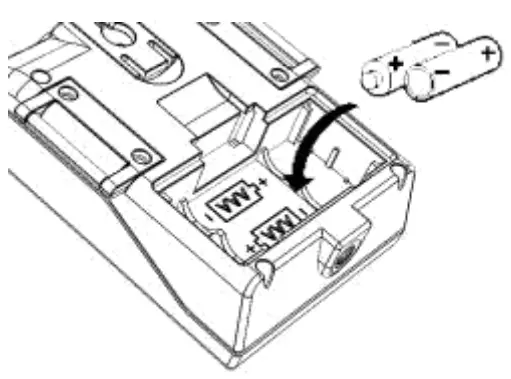
To install the batteries
- Turn off the meter.
- Remove the battery cover
- Replace the old batteries with two new batteries
- Make sure the batteries are in place and the polarity is correct.
- Replace the battery cover.
Low Battery Indication
 appears on the LCD when the battery voltage gets low. Please replace the battery by opening the compartment on the rear of the meter.
Specifications
| Temp. range Temp. resolution Temp. accuracy Humidity. range Humidity resolution Humidity accuracy Globe Temp.(inside black ball) WBGT temp. range HI temp. range WBGT Alarm Range HI Alarm Range Blackball size(mm) Stabilization time Battery life LCD size (mm) Operation temp. Operation RH% Storage temp. Storage RH% Dimension(mm) Weight Standard Package Battery | 32 to 122°F(0~50°C) 0.1°C/°F +/-1.8°F(+/-0.6°C) 0.1%~99.9%RH 0.1%RH 10.0%~90.0% @ 25 °C: Typical 5%. Others 7% 32 to 158°F( 0~70°C) 32 to 122°F(0~50°C) 32 to 140°F(0~60°C) 68°F to 122°F(20~50°C) 68°F to 122°F (20~60°C) Dia. 40 15 ~25 minutes typical ~300hour 40(H)x39(W) (1.6×1.5”) 32 to 122°F(0~50°C) Humidity < 80% -4°F 122°F(-20~50°C) Humidity < 90% 2.8” x 2.4”x0.8” (70(H)x60(W)x22(D)) 3.17 oz (~90g) Meter/Battery/Manual/Paper box |
Appendix
WBGT &Physical exercise
| WBGT | Flag | Activity Intensity |
| 80`f < 26.7°C | White | Normal activity. Caution should be taken. |
| 80-84.90°F 26.7-29.4°C | Green | Discretion is required in planning intense physical activity. |
| 85-87.9°F 29.4-31°C | Yellow | Intense activity for new and acclimatized persons should be curtailed. |
| 88-89.9°F 31-32.2°C | Red | Intense exercise must be curtailed for those with less than 12 weeks training in hot weather. Be on high alert |
| > 90°F > 322`C | Black | Cancel all outdoor exercise. |
Source: Manual of Naval Preventive Medicine (NAVAIED P.50101
Heat Index Chart
| Category | Heat Index | Possible heat disorders for people in high risk groups Extreme |
| Danger | 54°C or higher | Heat stroke or sunstroke likely |
| Danger | 41.54°C | Sunstroke,muscle cramps.andior heat exhaustion likely. Heatstroke possible with prolonged exposure and/or physical activity_ |
| Extreme | 32.41°C | Sunstroke,muscle cramps,and/or heat exhaustion possible with prolonged exposure and/or physical activity |
| Caution | 27-32°C | Fatigue possible with prolonged exposure and/or physical activity. |
Warranty
Triplett / Jewell Instruments extends the following warranty to the original purchaser of these goods for use. Triplett warrants to the original purchaser for use that the products
sold by it will be free from defects in workmanship and material for a period of (1) one year from the date of purchase. This warranty does not apply to any of our products that have been repaired or altered by unauthorized persons in any way or purchased from unauthorized distributors so as, in our sole judgment, to injure their stability or reliability, or which have been subject to misuse, abuse, misapplication, negligence, accident or which have had the serial numbers altered, defaced, or removed. Accessories, including batteries, are not covered by this warranty
Copyright © 2022 Triplett
www.triplett.com
 Triplett Test Equipment & Tools for Industrial & Electronics Solutions