
User Manual
MS245
Pin/Pinless Moisture Meter
Introduction
- The tester professionally measuring moisture in the material using probe and inductive sensors.
- The two modes can be switched at will, material moisture values can be displayed in real-time.
- Two materials can be measured in probe mode: wood and construction.
- In induction mode, 10 materials can be measured: Dry wall, Masonry, Hardwood, Softwood, Hard gypsum floor (Wt%), Hard gypsum floor (CM%), Cement (Wt%), Cement (CM%), Concrete, Gypsum plaster.
- Can be simple button operation and comfortable feel, so that users can use this instrument more easily and quickly to measure.
Note: CM% is carb method and Wt% is water weight method.
Function
- The LCD off-code screen display is shown
- Material moisture measurement, measurement principle: Probe type (Resistance value), Induction type (Capacitive type)
- EXT (Probe type), REL (Induction type) mode is switchable
- Probe-type measurements for 2 materials
- Induction measurements of 10 materials
- 10s Backlight, any button trigger
- Turn it off automatically for 10 minutes
- Low-power display
- LED lamp color level display, beep alarm
- Data remains functional
Description
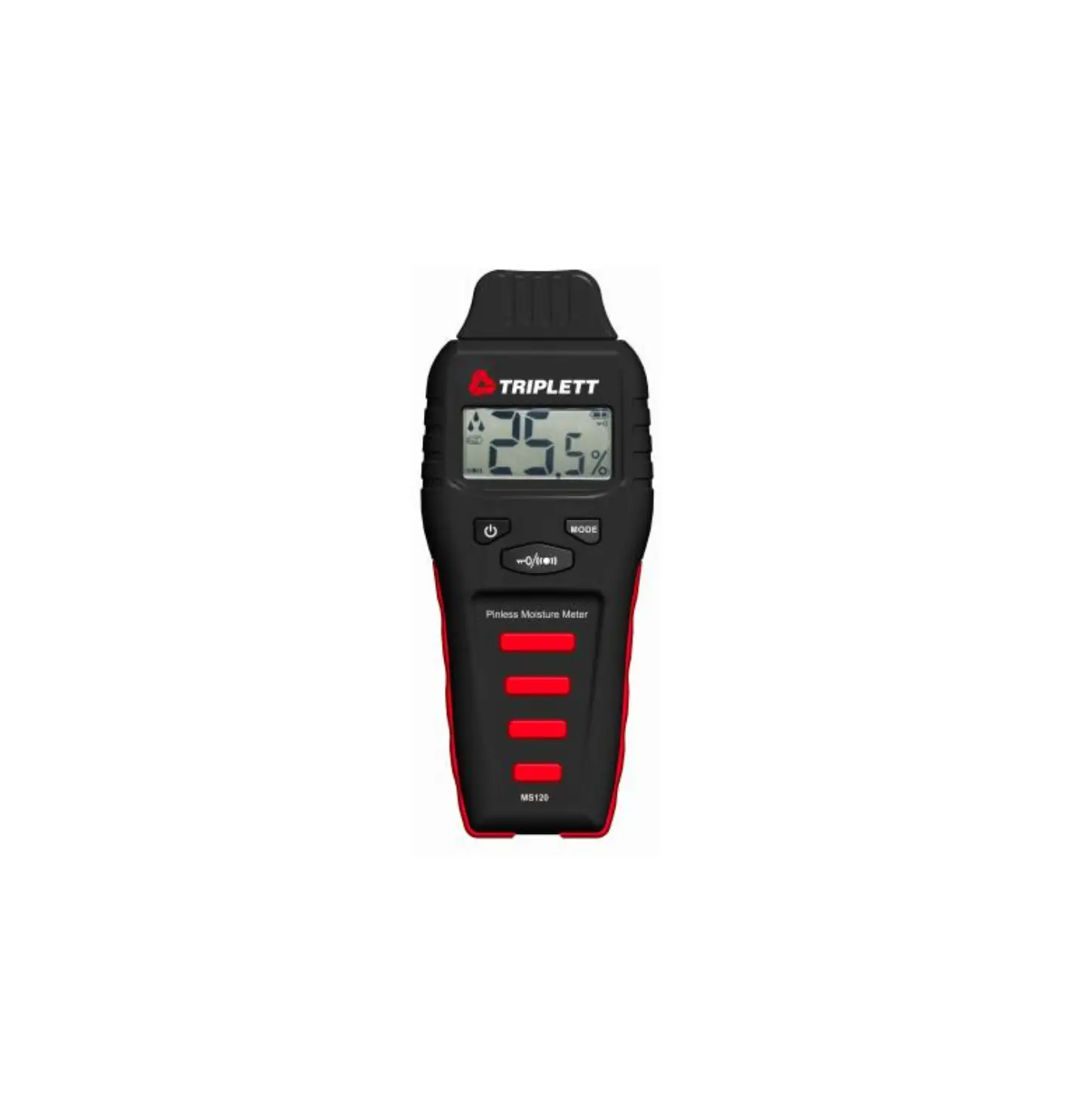
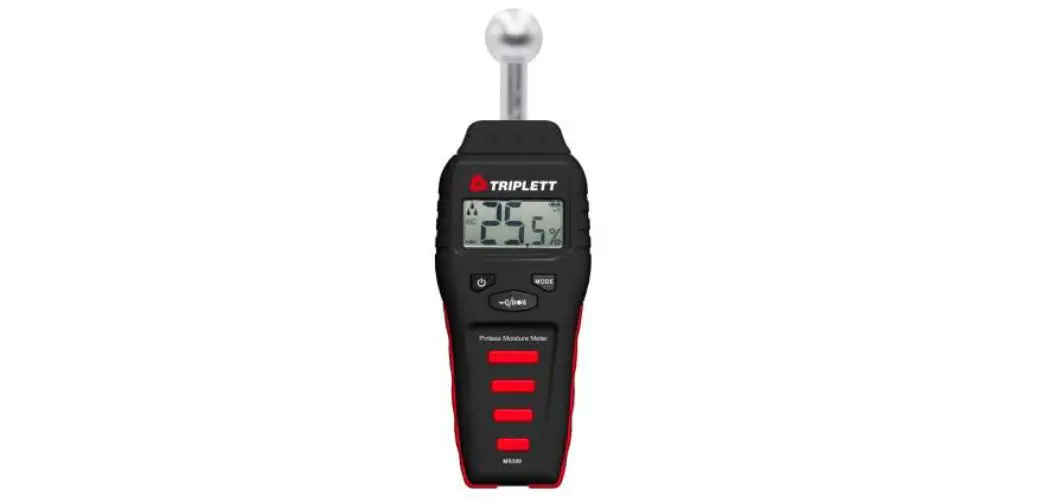
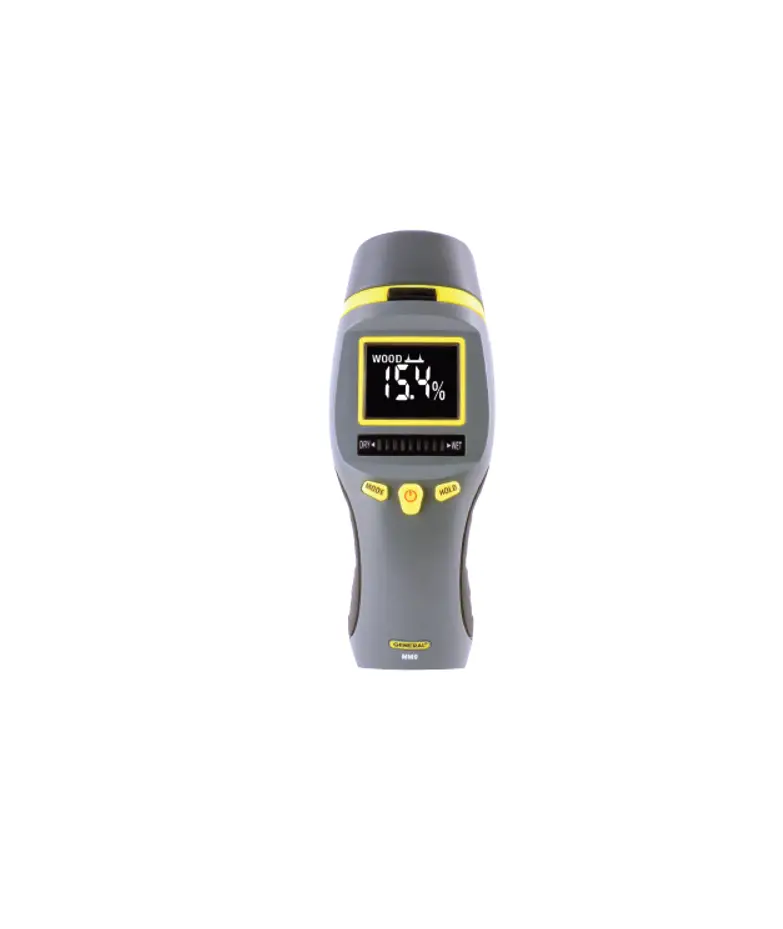
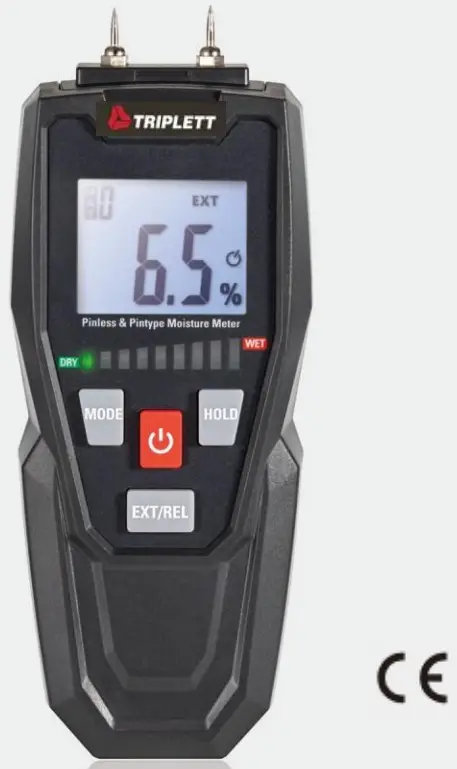
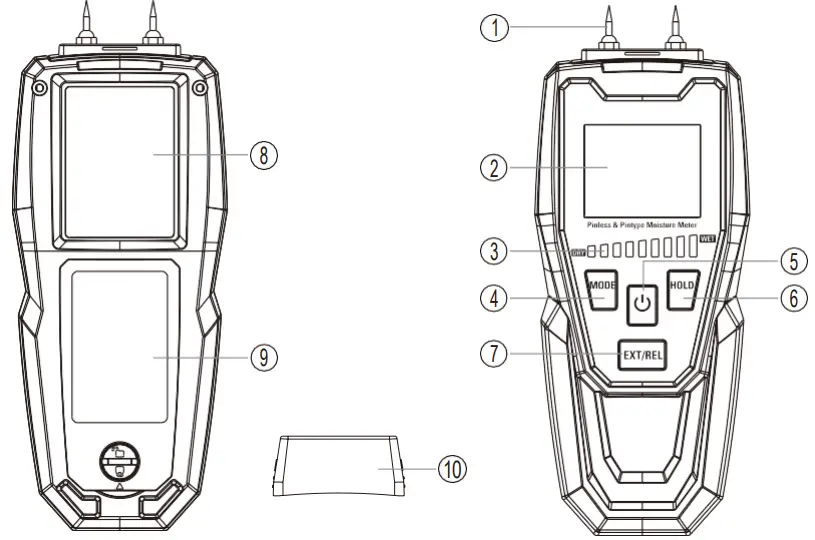
3-1. Meter Description
- Probe Sensor
- LCD Display
- Indicator Light
- MODE Button
- ON/OFF Button
- HOLD Button
- EXT/REL Button
- Induction Sensor
- Battery Cover
- CAP
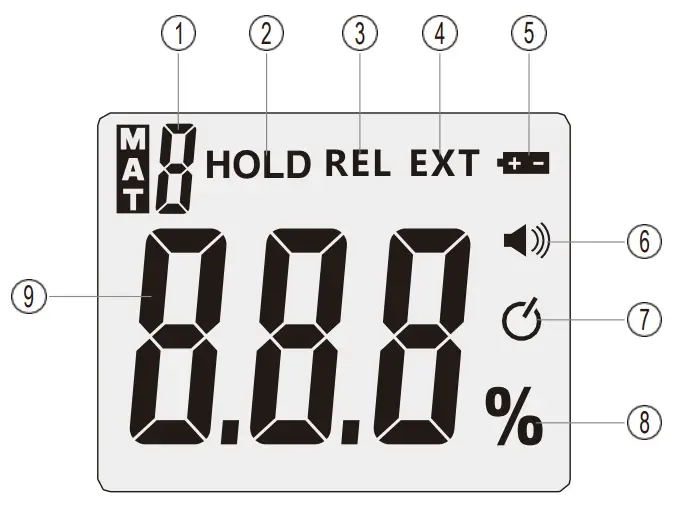
3-2.Symbols Used on LCD Display
- Material Type Number
- HOLD sign
- Inductive Formula (REL) Mode
- Probe-Type (EXT) Mode
- Low-Power Symbols
- Cellular Alarm Symbol
- Automatically Shut Down Symbol
- Percent (%)
- Displays the Values
Technical Parameter
| Probe-Type | Material | Range | Resolution | Accuracy |
| Wood | 6 to 99% | 0.10% | ±2% | |
| Build | 0.2 to 2% | 0.10% | Relative Readings | |
| Induction Type | Material | Range | Resolution | Precision |
| Hardwood | 0 to 35% | 0.10% | ±4% | |
| Softwood | 0 to 55% | 0.10% | ±4% | |
| Drywall | 0 to 100% Relative (See Appendix for others) | 0.10% | Relative Readings |
| Working Temperature | 0 to 40°C (32 to 104°F), <80%RH |
| Storage Temperature | -10 to 40°C (14 to 104°F), <70%RH |
| Battery | 9V battery |
Operation
5-1.Startup & Shutdown
- Press the ON/OFF Button to start on, press the ON/OFF Button to shut down.
- The hand shall be kept as far as possible from the humidity board.
5-2.EXT/REL Mode Switch
- Short the EXT/REL Button enables probe and inductive mode switching.
- The symbol of the EXT appears when switched to the probe type.
- When switched to the induction, the REL symbol appears.
- Probe shall be pressed into the material whenever possible.
- Induction measurement shall be as flat as far as possible.
5-3.Material Type Switch
- When switched to the probe type, 2 materials can be measured for wood and building, with numbers corresponding to the numbers 0-1.
- When press the MODE Button briefly, the material number add 1,when numbered to 1, press the MODE Button short and change the number to 0.
- When switching to the induction type, 10 materials can be measured, with the number corresponding to the number 0-9.
- When short press of the MODE Button, the material number adds 1, when the number reaches 9, press the MODE Button short, and the number changes to 0.
5-4.Automatic Shutdown Function
- When the automatic shutdown function is off, press the MODE Button for the automatic shutdown function on.
- When the automatic shutdown function is turned on, long press the MODE Button, and the automatic shutdown function turns off.
- “
 ” shows that the automatic shutdown function is turned on and vice versa.
 - After the automatic shutdown function turns on, the instrument will automatically turn off after 10 minutes.
 ” shows that the automatic shutdown function is turned on and vice versa.
5-5.Low-Power Display Function
When the instrument battery voltage is low, “ ” indicates that the battery needs to be replaced at this time.
5-6.HOLD Function
When HOLD function turns on, HOLD character display, start data hold function and prohibit key function.
5-7.Blacklight
The backlight turns on, automatically turn off after 10s, and press any button to restart the backlight.
5-8.LED Lamp Color Indication and Alarm
When the LED light color turns red, the beep sounds, and “ ” shows.
5-8-1.Probe-Type
| Material | Green Light | Yellow Light | Red Light | Range |
| Wood | 10-40% | 40-70% | >70% | 6-99% |
| Build | 0.2-0.8% | 0.8-1.4% | >1.4% | 0.2-2% |
5-8-2.Induction Type
| Material | Green Light | Yellow Light | Red Light | Range |
| Drywall | 10-40% | 40-70% | >70% | 0-100% |
| Masonry | 9-35.8% | 35.8-62.7% | >62.7% | 0-89.5% |
| Hardwood | 3.5-14% | 14-24.5% | >24.5% | 0-35.0% |
| Softwood | 5.5-22% | 22-38.5% | >38.5% | 0-55.0% |
| Anhydrite Screed (Wt%) | 0.4-1.4% | 1.4-2.5% | >2.5% | 0-3.5% |
| Anhydrite Screed (CM% | 0.2-0.6% | 0.6-1.1% | >1.1% | 0-1.5% |
| Cement Screed (Wt%) | 0.5-1.7% | 1.7-3.3% | >3.3% | 0-4.7% |
| Cement Screed (CM%) | 0.3-1.2% | 1.2-2.1% | >2.1% | 0-3.0% |
| Concerte | 0.6-2.4% | 2.4-4.2% | >4.2% | 0-6.0% |
5-9.Functional Check
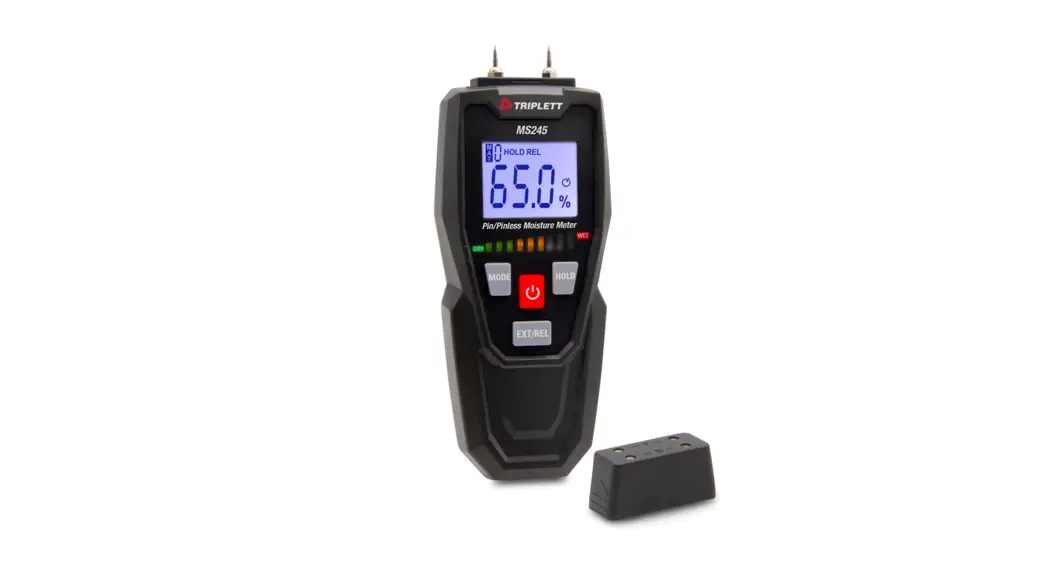
Probe-type functional inspection requires using the T contacts (T1, T2) and B contacts (B1, B2) on the protective cover, as shown below:
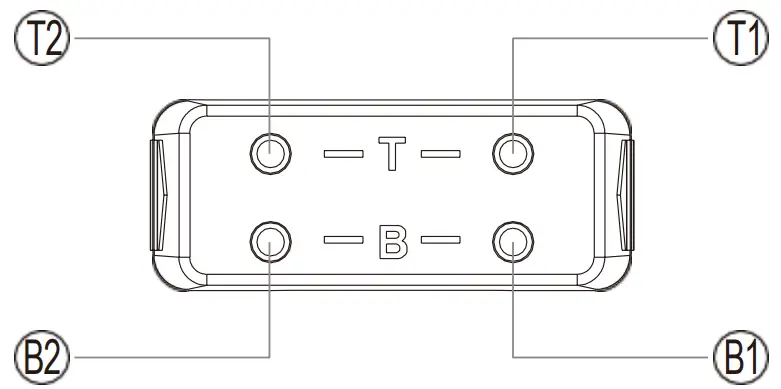
- Place the probe to the T1, T2 contact with the instrument reference is as follows:
Wood (10M): 18.3%±2%
Build (10M): 0.8±0.1% - Place the probe to the B1, B2 contact with the instrument reference is as follows:
Wood (680K): 25.9±2%
Build (680K): 1.2±0.1%
Product Maintenance
- If necessary, clean the equipment with wet cloth and unirritating detergent and wipe the machine housing.
- Do not use corrosive or irritating cleaners.
- Clean the screen with a dry cloth.
- Keep the instrument in appropriate temperature and humidity.
- Do not immerse the product in water or other liquids.
Appendix
| Probe-Type | Number | Function | Range | Resolution |
| 0 | Wood | 6 to 99% | 0.10% | |
| 1 | Build | 0.2 to 2% | 0.10% | |
| Induction Type | Number | Function | Range | Resolution |
| 0 | Drywall | 0 to 100% | 0.10% | |
| 1 | Masonry | 0 to 89.5% | 0.10% | |
| 2 | Hardwood | 0 to 35.0% | 0.10% | |
| 3 | Softwood | 0 to 55.0% | 0.10% | |
| 4 | Anhydrite Screed (Wt%) | 0 to 3.5% | 0.10% | |
| 5 | Anhydrite Screed (CM%) | 0 to 1.5% | 0.10% | |
| 6 | Cement Screed (Wt%) | 0 to 4.7% | 0.10% | |
| 7 | Cement Screed (CM%) | 0 to 3.0% | 0.10% | |
| 8 | Concerte | 0 to 6.0% | 0.10% | |
| 9 | Gypsum Screed | 0 to 10.0% | 0.10% |
Note: CM% is carb method and Wt% is water weight method.
Warranty
Triplett / Jewell Instruments extends the following warranty to the original purchaser of these goods for use. Triplett warrants to the original purchaser for use that the products sold by it will be free from defects in workmanship and material for a period of (1) one year from the date of purchase. This warranty does not apply to any of our products which have been repaired or altered by unauthorized persons in any way or purchased from unauthorized distributors so as, in our sole judgment, to injure their stability or reliability, or which have been subject to misuse, abuse, misapplication, negligence, accident or which have had the serial numbers altered, defaced, or removed. Accessories, including batteries are not covered by this warranty.
Copyright © 2023 Triplett
www.triplett.com
 Triplett Test Equipment & Tools for Industrial & Electronics Solutions