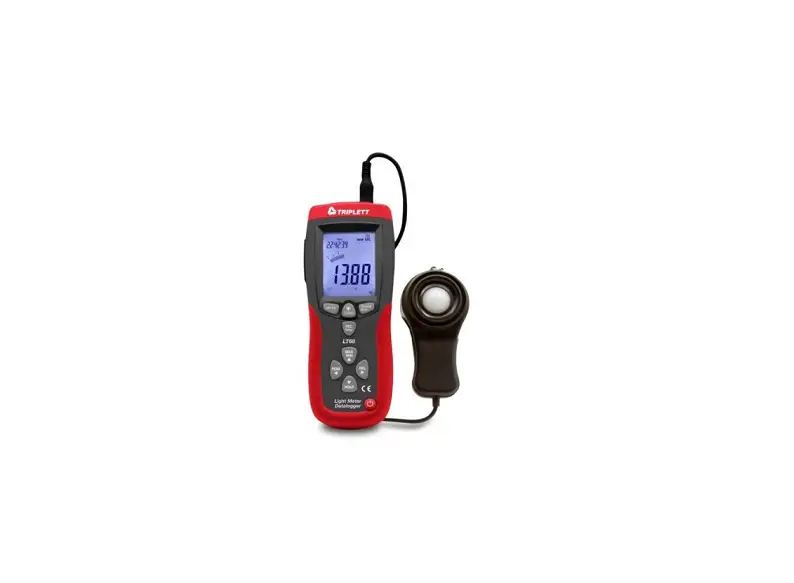

TRIPLETT LT75 Lux/Fc Light Meter
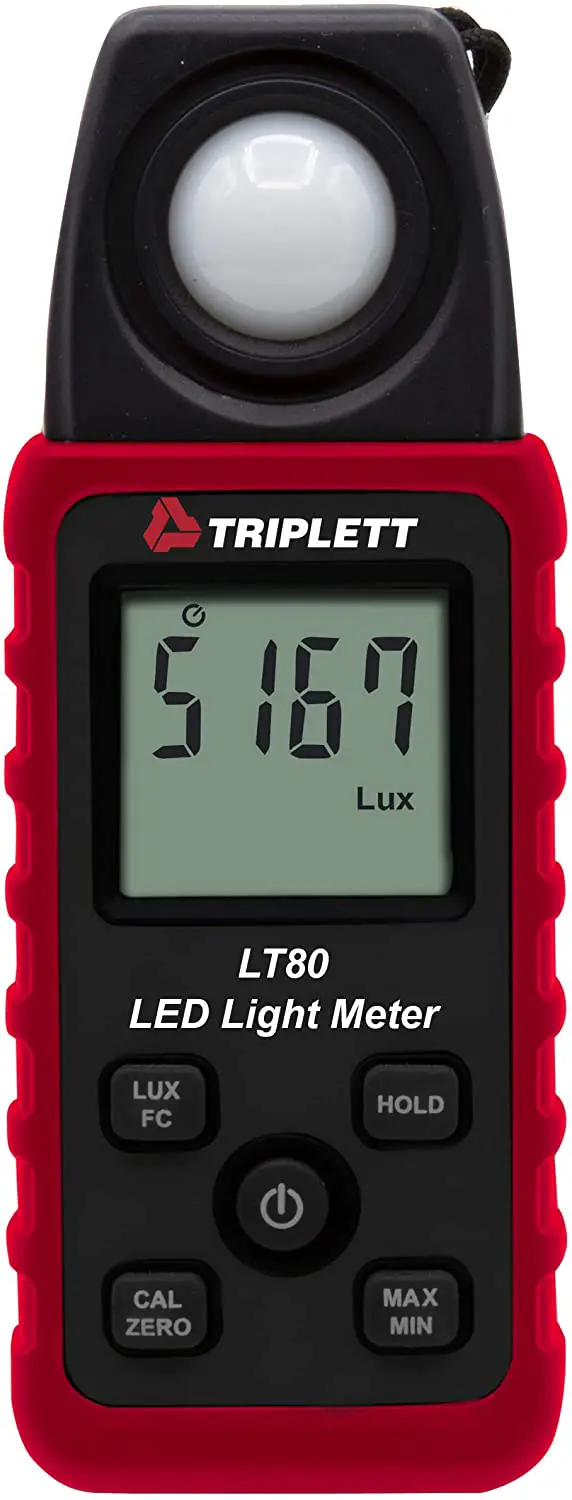
Introduction
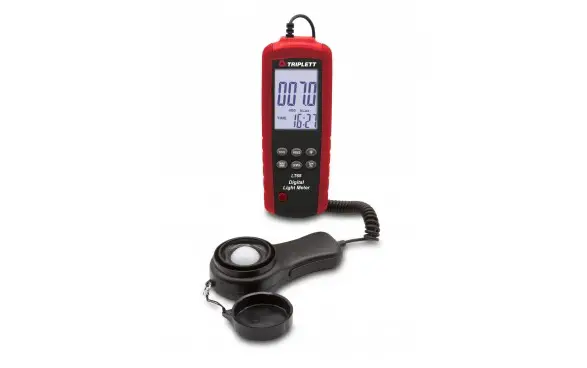
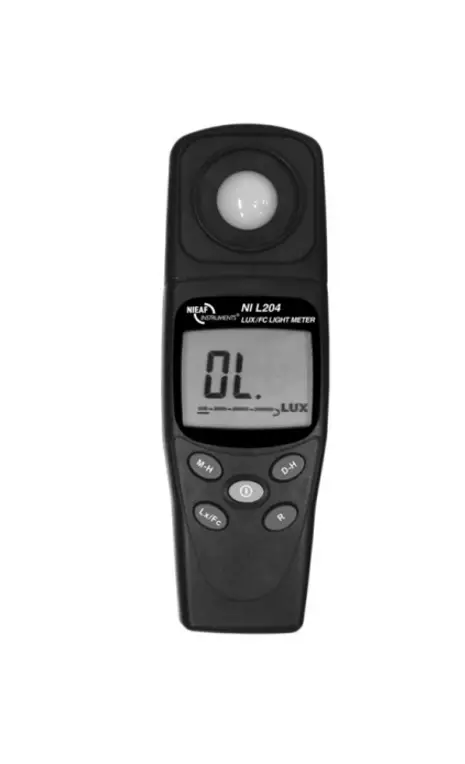
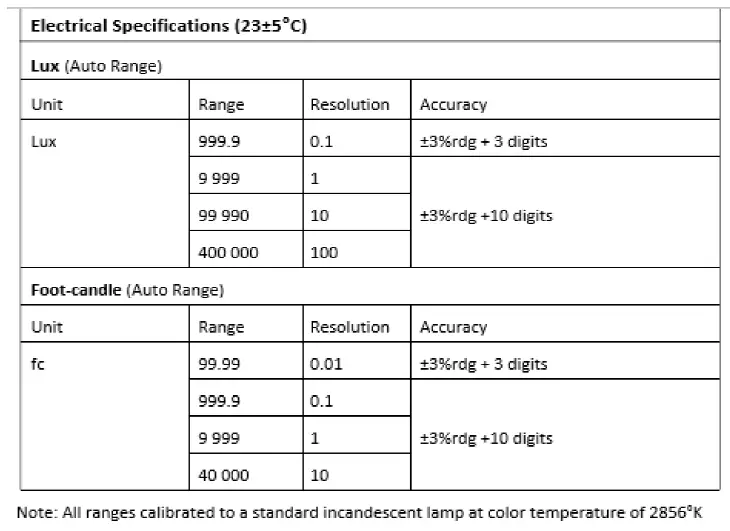
Thank you for selecting the Triplett LT75 LUX/FC Light Meter. The LT75 measures light from fluorescent, metal halide, high-pressure sodium and incandescent sources in lux and foot-candles.
Safety
Please read the entire User Manual before operating this device. Use the meter only as specified and do not attempt to service or open the meter housing.
- Do not use the meter in the presence of explosive gas or vapor
- Do not expose the meter to extremes in temperature or to high humidity
- Please dispose of batteries and meter responsibly and in accordance with all applicable laws and regulations
- Do not allow children to handle the meter or the protective cover
Meter and LCD Description
METER DESCRIPTION
- Light Sensor (protective sensor cover not shown)
- LCD
- LUX-FC button
- Power Button
- CAL-ZERO button
- Data Hold button
- MAX-MIN Record button
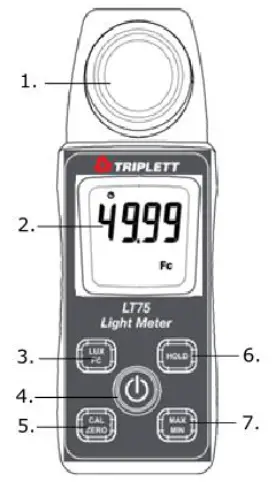 Note: Battery compartment and Tripod mount on rear of meter
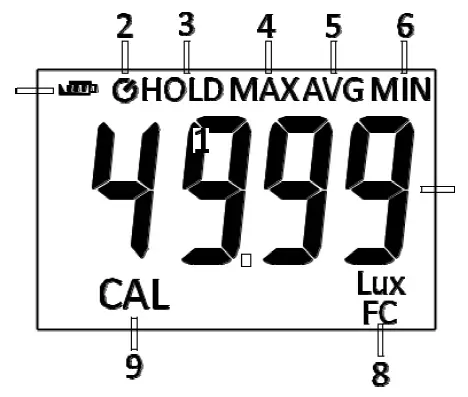
LCD DESCRIPTION
- Battery status
- Auto Power OFF (APO)
- Data Hold
- Maximum reading
- Average reading
- Minimum reading
- Measurement
- Units of measure
- Calibration (ZERO)
Operation
Meter Power
Power the meter by long pressing the POWER button. The meter will begin displaying light intensity readings. If the LCD does not switch on, check the batteries located in the rear battery compartment. Short press power button to turn OFF the meter.
Zero Calibrate the Sensor
- Place the protective cover over the sensor and press the POWER button to power on the meter.
- If the display does not read ‘0.0’ short press the

- The CAL icon will appear in the secondary display.
- The CAL icon will switch OFF when the calibration has been completed.
- If the protective cap is not covering the sensor when the button is pressed, the LCD display will read “CAP”. In this case, please cover the sensor with the cap and restart this procedure.
- It is recommended that the meter be switched off and then on again when repeating the zero calibration function.

Taking Measurements
Remove the sensor cover and aim the sensor toward the light source. View the measurement on the meter’s display.
Selecting the Unit of Measure
Press the button to toggle the units between Lux and Foot-candles. The units will indicate in the display.
Data Hold
Short press the H button to freeze or unfreeze a reading on the display.
MAX/MIN Button
The meter records the maximum, minimum, and average readings as described below:

- Short press the
 button and the meter will begin tracking the maximum, average, and minimum measurements. The MAX icon will display at the top of the LCD indicating the meter is now showing the maximum reading. The reading will not change until a higher reading is registered.
 - Short press the button again to switch from MAX to AVG, where the meter will show the average measurement value. The AVG icon will display in the LCD indicating the meter is now showing the average reading.
- Short press the button again to change the mode from AVG to MIN, where the meter will show the minimum measurement value. The MIN icon will display in the LCD indicating the meter is now showing the minimum reading.
- Short press the button to step through MAX-AVG-MIN readings.
- To exit this mode, long press the button. The MAX/AVG/MIN display icons will switch off, and the meter will return to normal operating mode.
Auto Power OFF (APO)
In order to conserve battery life, the meter will automatically shut off after approximately 12 minutes of inactivity. The  icon will appear in the display when APO is enabled.
To turn APO on or off, with the meter powered ON, long press the POWER button. The icon will appear in the upper LCD when APO is enabled and disappear when APO is disabled.
Measurement Considerations and User Tips
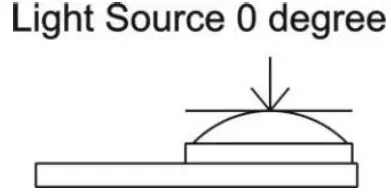
For maximum accuracy allow the light being measured to fall directly on the sensor as perpendicular as possible with a minimal angle of incidence.
 When the meter is not in use, please keep the protective cap over the light sensor. This will prolong the life of the sensor.
When the meter is to be stored for long periods, please remove the batteries and store them separately. Batteries can leak and cause damage to the meter’s components.
Avoid areas of high temperature and humidity when using this instrument.
Maintenance
Battery Replacement
- Power OFF the meter.
- Press the button that secures the battery compartment at the back of the meter while sliding the battery compartment cover off in a downward motion.
- Replace the two (2) ‘AAA’ batteries observing correct polarity.
- Re-assemble the meter before use.
Safety: Please dispose of batteries responsibly; never dispose of batteries in a fire, batteries may explode or leak. If the meter is not to be used for 60 days or more, remove the battery and store separately.
Never dispose of used batteries or rechargeable batteries in household waste.
As consumers, users are legally required to take used batteries to appropriate collection sites, the retail store where the batteries were purchased, or wherever batteries are sold.
Disposal: Do not dispose of this instrument in household waste. The user is obligated to take end-of-life devices to a designated collection point for the disposal of electrical and electronic equipment.
Specifications
| Display | 9999 count LCD |
| Sampling rate 2.5 times per second | |
| Light sensor | Silicone photodiode with cosine correction filter |
| Measurement Units | LUX and FC (Foot candles) |
| Lighting source types | Fluorescent, metal halide, high-pressure sodium, and |
| incandescent | |
| Input Overload Display | ‘OL’ |
| Tripod mount | On back of meter |
| Power | 2 x 1.5V AAA batteries |
| Low battery indicator included | |
| Automatic power off | After approx. 12 minutes of inactivity |
| Operating Temp/Humidity | 5°C to 40°C (40°F to 104°F); <80%RH Max |
| Operating Altitude | 2000 meters (7000ft) maximum |
| Storage Temp/Humidity | -10°C to 60°C (14°F to 140°F); <70%RH Max |
| Dimensions/Weight | 133 x 48 x 23mm (5.3 x 1.9 x 0.9”) /250g (8.8oz) |
| Safety | For indoor use only. EMC: EN61326-1 (2006), IEC 61000- |
| 4-2 (2008, IEC 61000-4-3 (2006) + (2007); Pollution | |
| Degree 2. |
 Typical Light Levels (1 Fc = 10.76 Lux)
| Lux | Foot | Lux | Foot | ||
| Candles | Candles | ||||
| Factories | Home | ||||
| 20-75 | 2-7 | Emergency Stairs, | 100-150 | 10-15 | Washing |
| Warehouse | |||||
| 75-150 | 7-15 | Exit/Entrance Passages | 150-200 | 15-20 | Recreational Activities |
| 150-300 | 15-30 | Packing Work | 200-300 | 20-30 | Drawing Room, Table |
| 300-750 | 30-75 | Visual Work: Production | 300-500 | 30-50 | Makeup |
| Line | |||||
| 750-1,500 | 75-150 | Typesetting: Inspection | 500-1,500 | 50-150 | Reading, Study |
| Work | |||||
| 1,500- 3,000 | 150-300 | Electronic Assembly, | 1,000- 2,000 | 100-200 | Sewing |
| Drafting | |||||
| Office | Restaurant | ||||
| 75-100 | 7-10 | Indoor Emergency Stairs | 75-150 | 7-15 | Corridor Stairs |
| 100-200 | 10-20 | Corridor Stairs | 150-300 | 15-30 | Entrance, |
| Wash Room | |||||
| 200-750 | 20-75 | Conference, | 300-750 | 30-75 | Cooking Room, Dining Table |
| Reception Room | |||||
| 750-1,500 | 75-150 | Clerical Work | 750-1,500 | 75-150 | Show Window |
| 1,500- 2,000 | 150- 2000 | Typing, Drafting | |||
| Store | Hospital | ||||
| 75-150 | 7-15 | Indoors | 30-75 | 3-7 | Emergency Stairs |
| 150-200 | 15-20 | Corridor/Stairs | 75-100 | 7-10 | Stairs |
| 200-300 | 20-30 | Reception | 100-150 | 10-15 | Sick Room, Warehouse |
| 300-500 | 30-50 | Display Stand | 150-200 | 15-20 | Waiting Room |
| 500-750 | 50-75 | Elevator | 200-750 | 20-75 | Medical Exam Room |
| 750-1,500 | 75-150 | Show Window, | 750-1,500 | 75-150 | Operating Room |
| Packing Table | |||||
| 1,500- 3,000 | 150-300 | Storefront, Show Window | 5,000- 10,000 | 500- 1000 | Eye Inspection |
Spectral Sensitivity
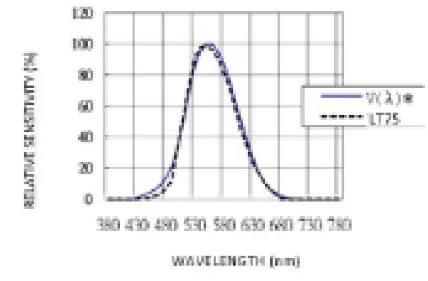
Peak sensitivity wavelength: 550nm; Deviation from comparative luminosity standard: JIS standard C1609-1993.
 Warranty
Triplett / Jewell Instruments extends the following warranty to the original purchaser of these goods for use. Triplett warrants to the original purchaser for use that the products sold by it will be free from defects in workmanship and material for a period of (1) one year from the date of purchase.
This warranty does not apply to any of our products which have been repaired or altered by unauthorized persons in any way or purchased from unauthorized distributors so as, in our sole judgment, to injure their stability or reliability, or which have been subject to misuse, abuse, misapplication, negligence, accident or which have had the serial numbers altered, defaced, or removed. Accessories, including batteries are not covered by this warranty
Copyright © 2021 Triplett
www.triplett.com