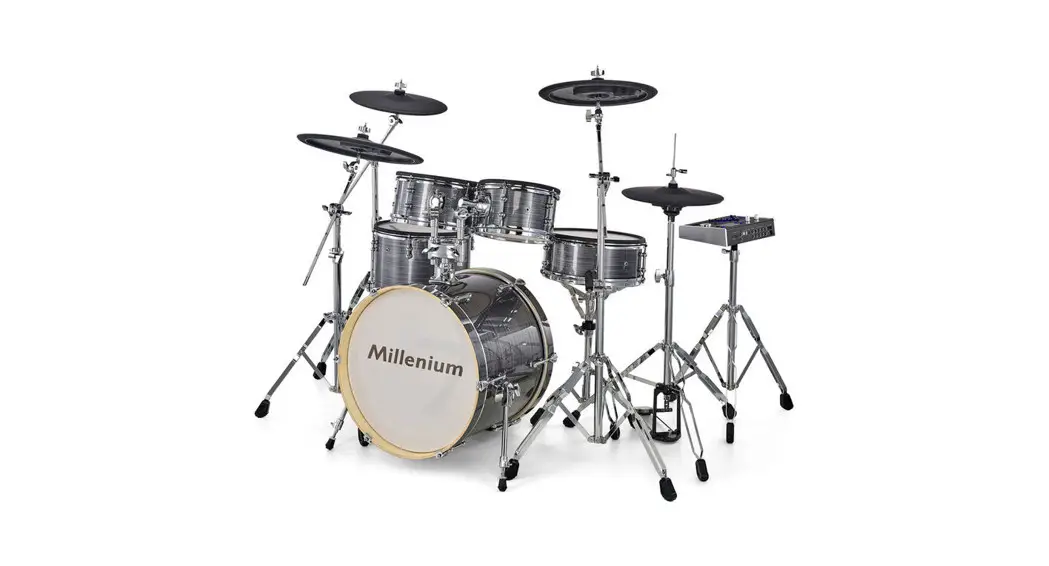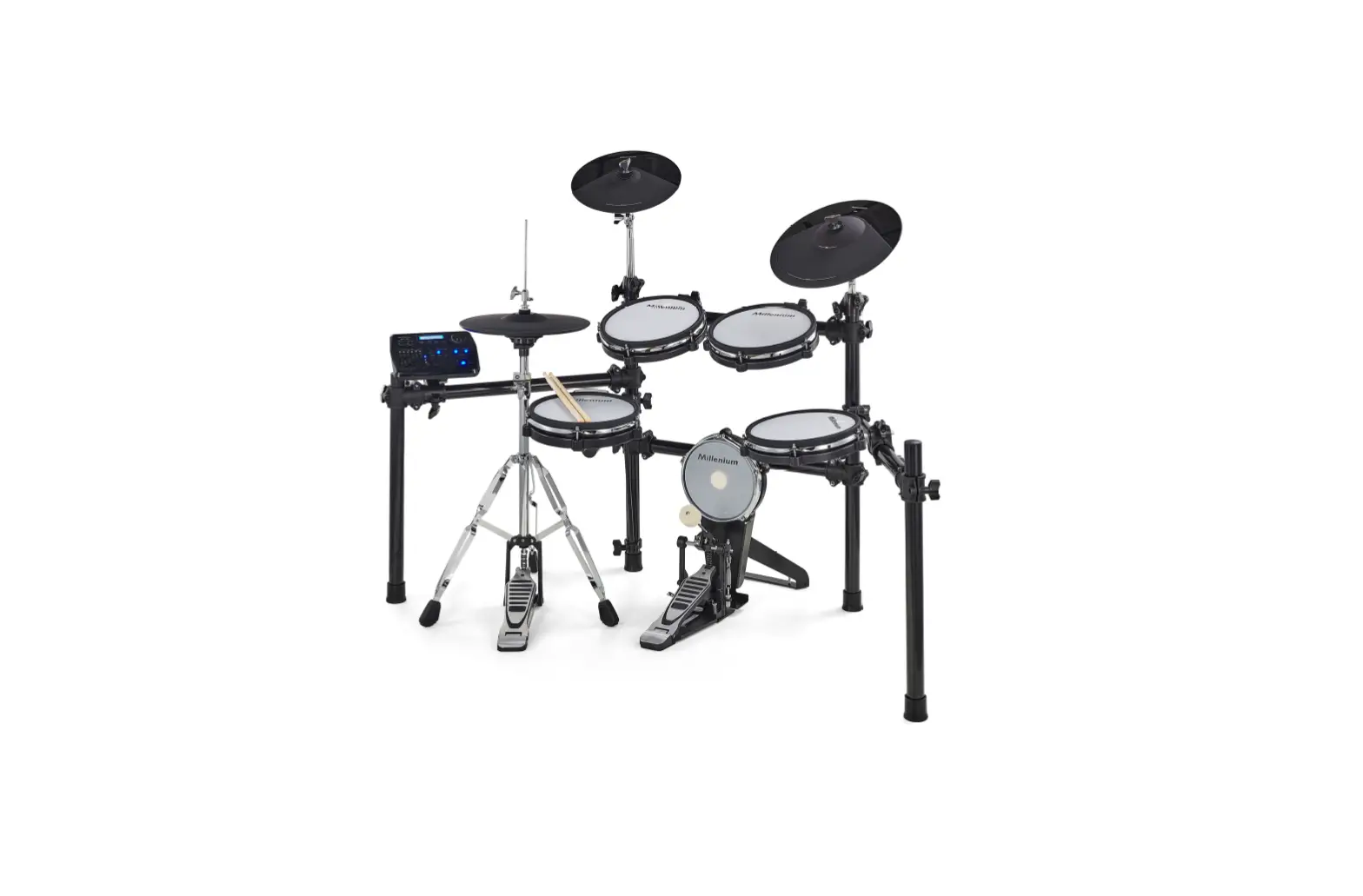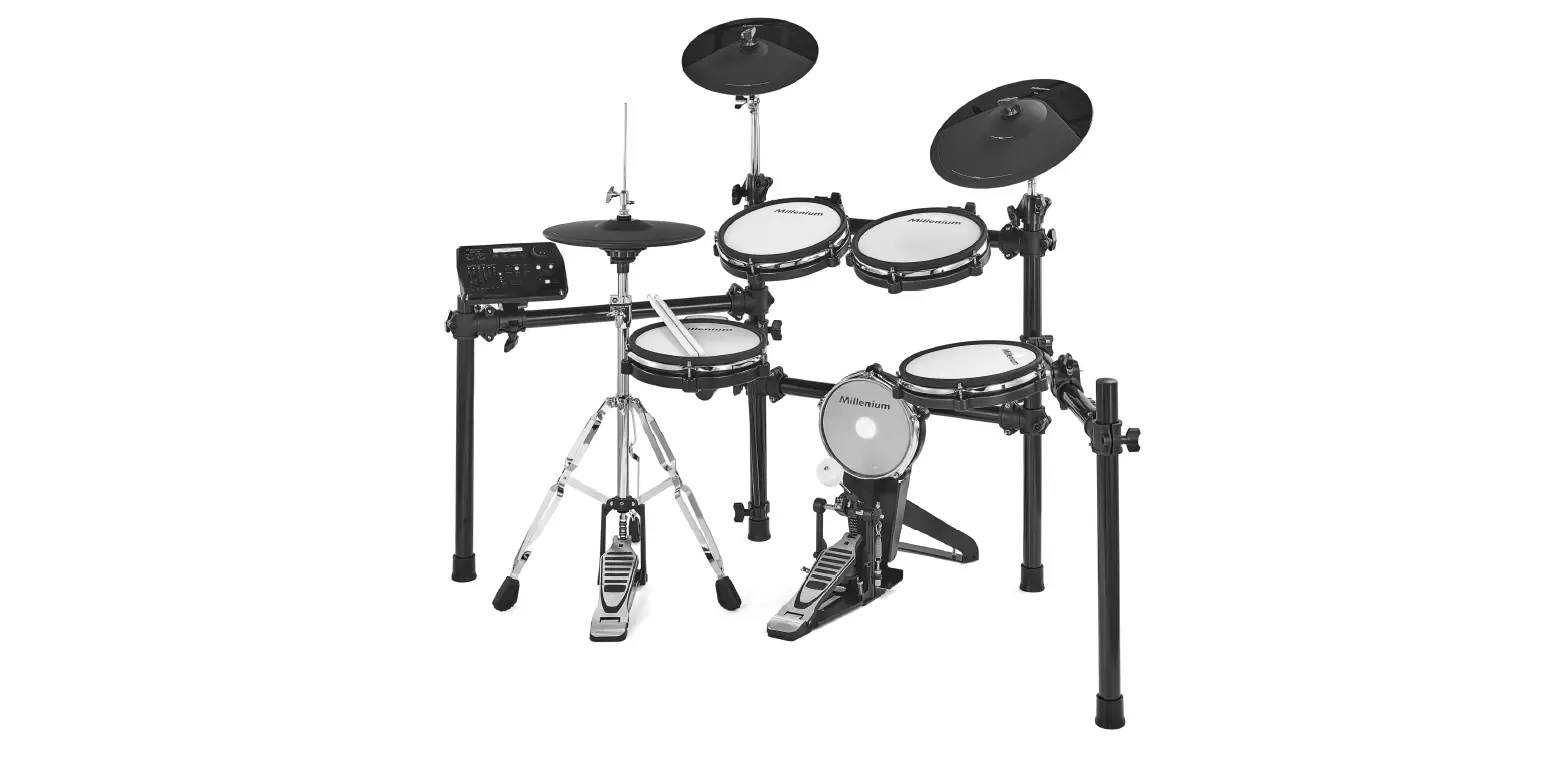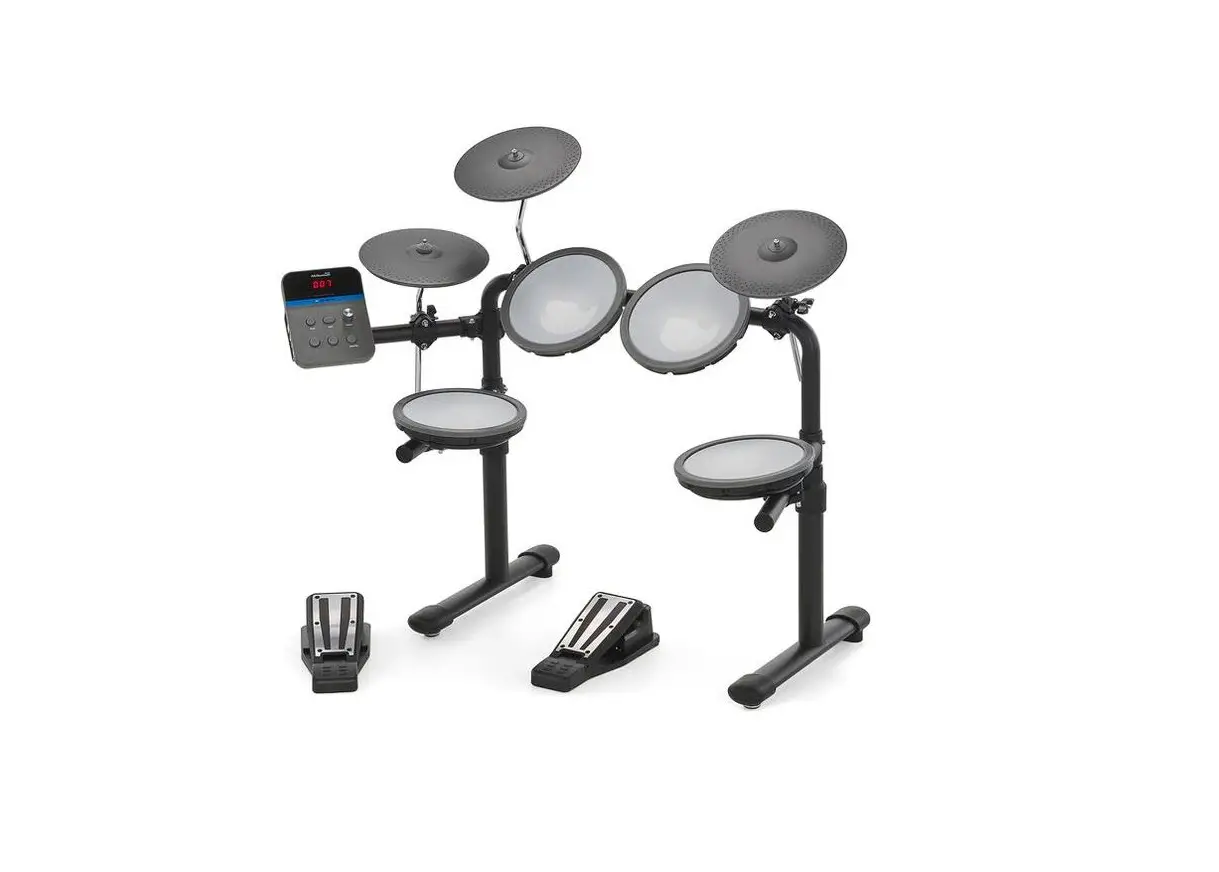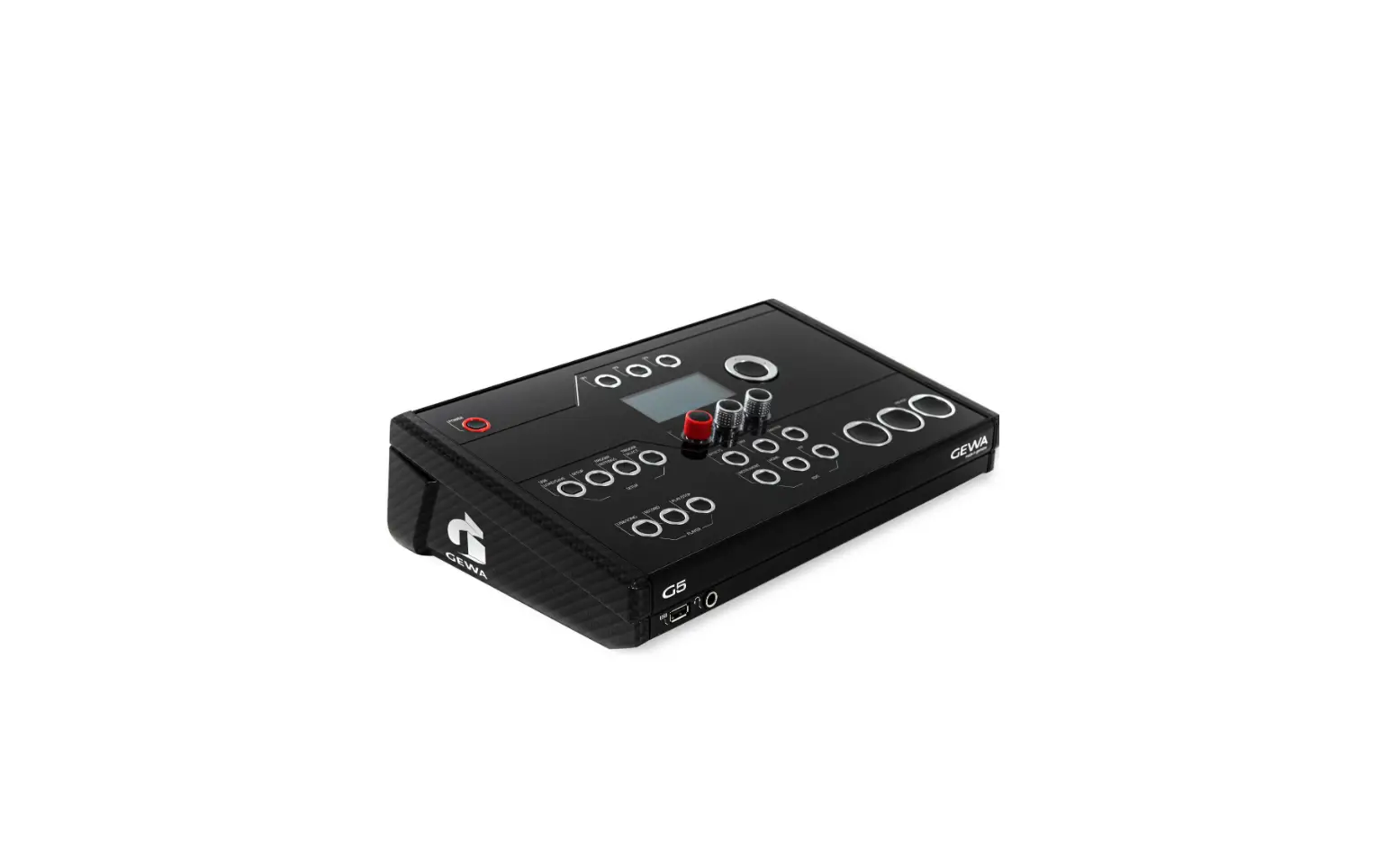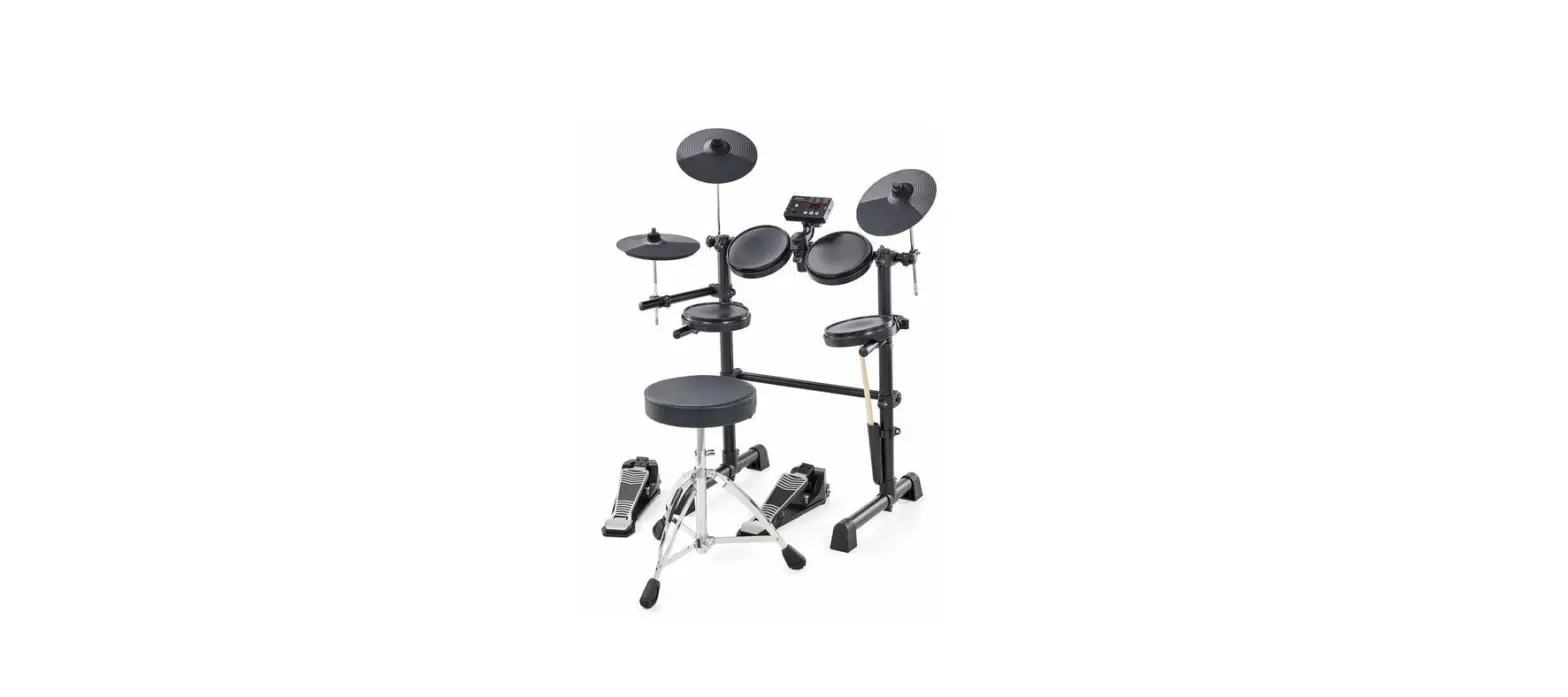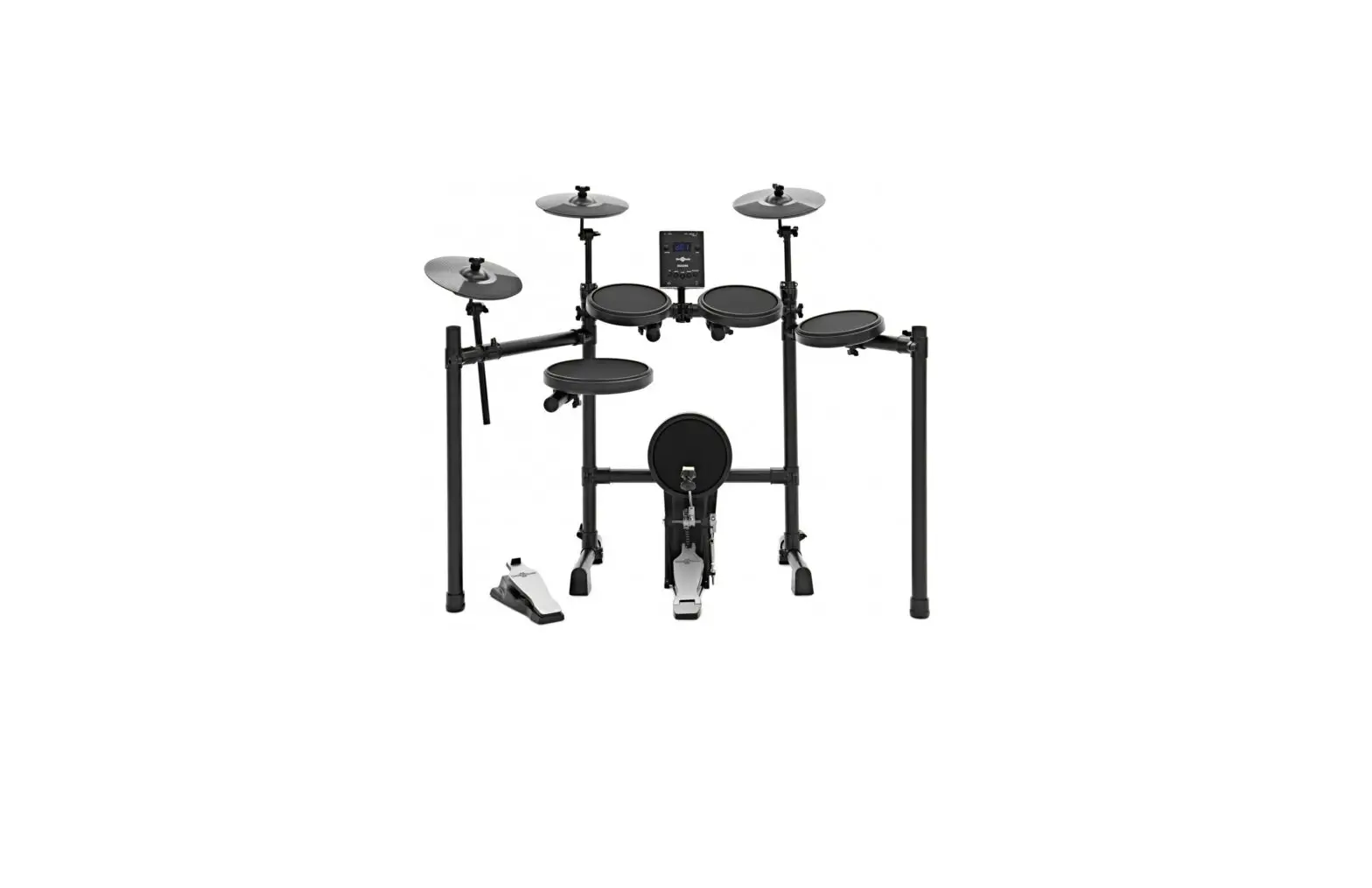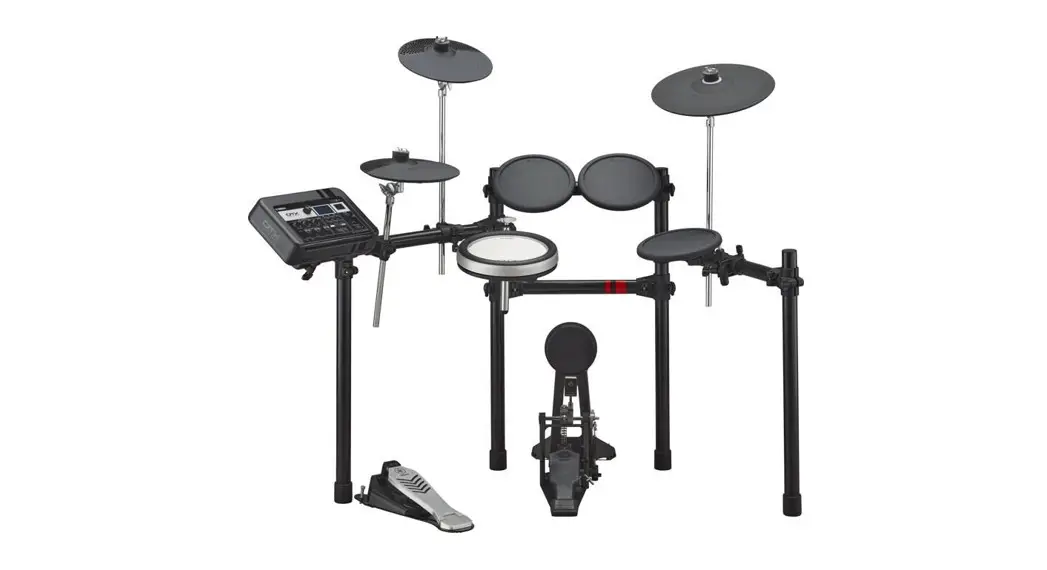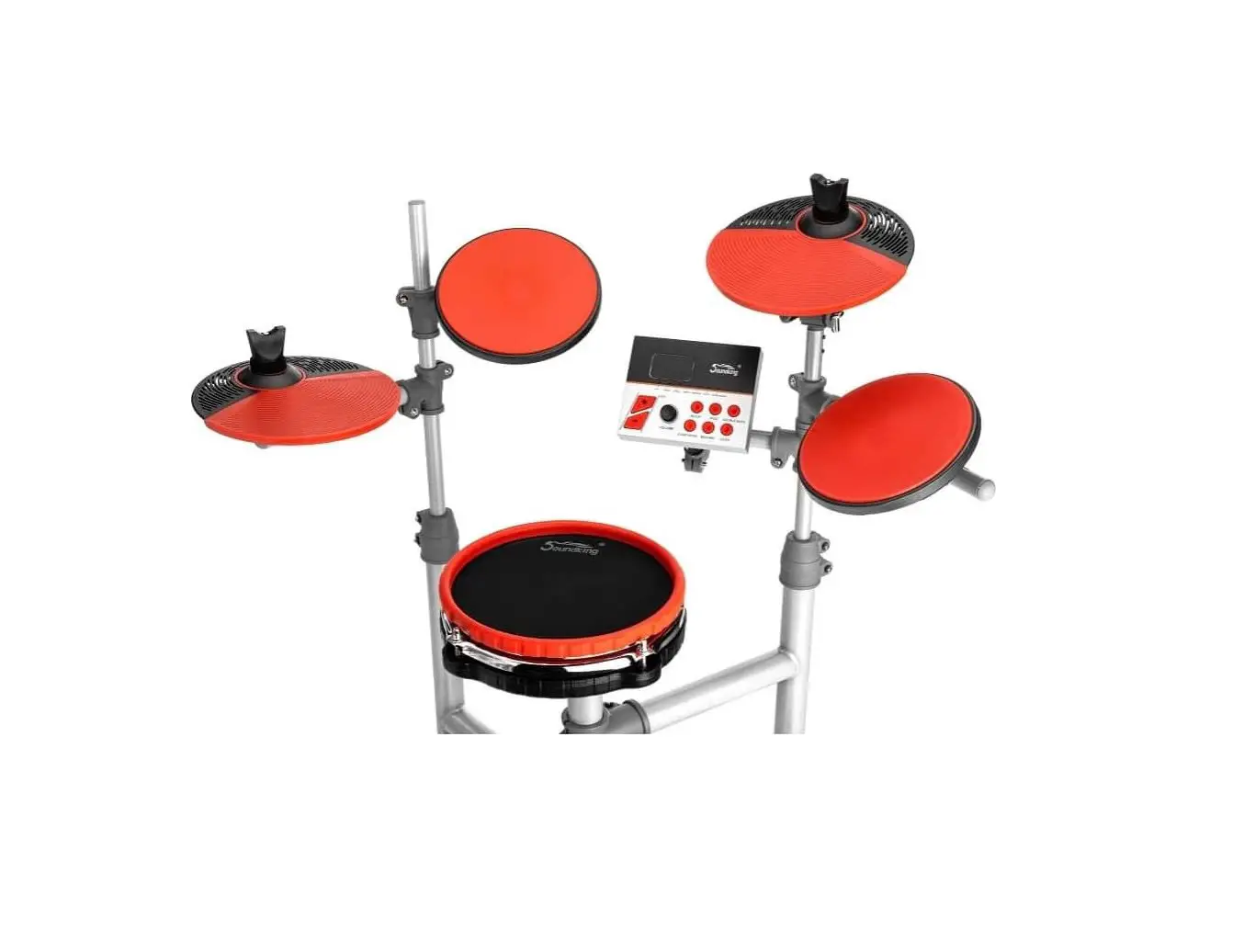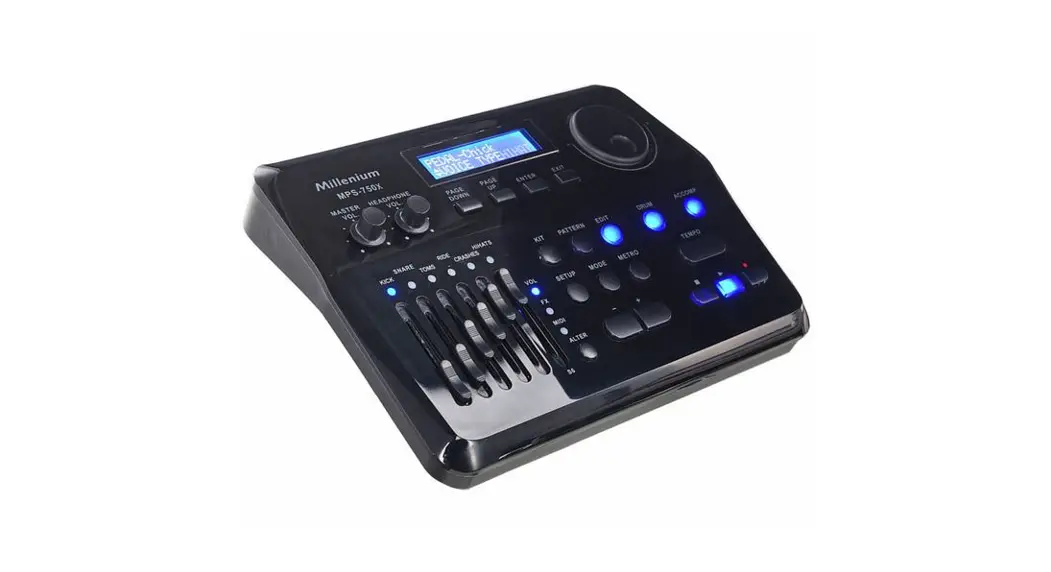
 MPS-750X, MPS-750X PRO
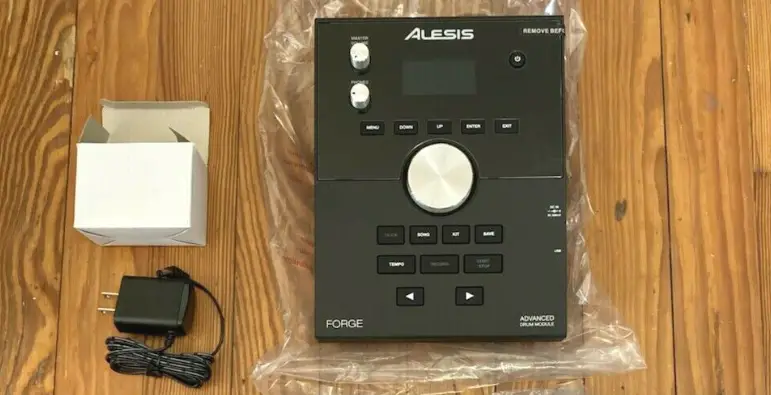
E-Drum Module
User Manual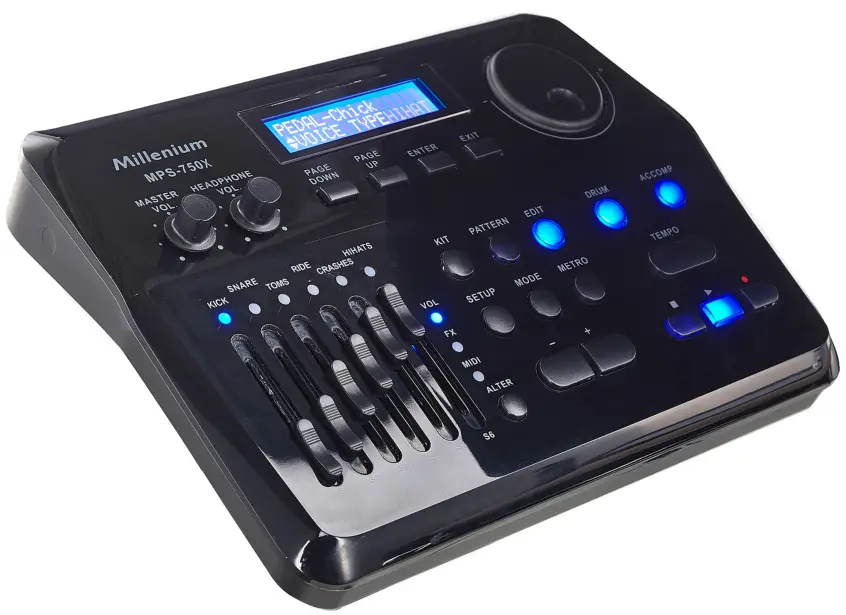
General information
This user manual contains important information on the safe operation of the device. Read and follow all safety notes and all instructions. Save this manual for future reference. Make sure that it is available to all persons using this device. If you sell the device to another user, be sure that they also receive this manual.
Our products and user manuals are subject to a process of continuous development. We there‐ fore reserve the right to make changes without notice. Please refer to the latest version of the user manual which is ready for download under www.thomann.de.
1.1 Further information
On our website (www.thomann.de) you will find lots of further information and details on the following points:
| Download | This manual is also available as PDF file for you to download. |
| Keyword search | Use the search function in the electronic version to find the topics of interest for you quickly. |
| Online guides | Our online guides provide detailed information on technical basics and terms. |
| Personal consultation | For personal consultation please contact our technical hotline. |
| Service | If you have any problems with the device the customer service will gladly assist you. |
1.2 Notational conventions
This manual uses the following notational conventions:
| Letterings | The letterings for connectors and controls are marked by square brackets and italics. Examples: [VOLUME] control, [Mono] button. |
| Displays | Texts and values displayed on the device are marked by quotation marks and italics. Examples: ‘24ch’ , ‘OFF’ . |
| Cross-references | References to other locations in this manual are identified by an arrow and the specified page number. In the electronic version of the manual, you can click the cross-reference to jump to the specified location. Example: See Ä ‘Cross-references’ on page 8. |
1.3 Symbols and signal words
In this section you will find an overview of the meaning of symbols and signal words that are used in this manual.
| Signal word | Meaning |
| DANGER! | This combination of symbol and signal word indicates an immediate dangerous situation that will result in death or serious injury if it is not avoided. |
| CAUTION! | This combination of symbol and signal word indicates a pos‐ sible dangerous situation that can result in minor injury if it is not avoided. |
| NOTICE! | This combination of symbol and signal word indicates a pos‐ sible dangerous situation that can result in material and environmental damage if it is not avoided. |
| Warning signs | Type of danger |
 | Warning – danger zone. |
Safety instructions
Intended use
Drum modules are intended to be used for converting digital trigger signals from drum pads to various percussion sounds. Use the unit only as described in this manual. Any other use or use under other operating conditions is considered to be improper and may result in personal injury or property damage. No liability will be assumed for damages resulting from improper use.
This device may be used only by persons with sufficient physical, sensorial, and intellectual abilities and having corresponding knowledge and experience. Other persons may use this device only if they are supervised or instructed by a person who is responsible for their safety.
Safety
DANGER! Danger for children
Ensure that plastic bags, packaging, etc. are disposed of properly and are not within reach of babies and young children. Choking hazard! Ensure that children do not detach any small parts (e.g. knobs or the like) from the unit. They could swallow the pieces and choke! Never let children unattended use electrical devices.
CAUTION!Possible hearing damage
With loudspeakers or headphones connected, the device can produce volume levels that may cause temporary or permanent hearing impairment. Do not operate the device permanently at a high volume level. Decrease the volume level immediately if you experience ringing in your ears or hearing impairment.
NOTICE! Operating conditions
This device has been designed for indoor use only. To prevent damage, never expose the device to any liquid or moisture. Avoid direct sunlight, heavy dirt, and strong vibrations. Only operate the device within the ambient conditions specified in the chapter ‘Technical specifications’ of this user manual. Avoid heavy temperature fluctuations and do not switch the device on immediately after it was exposed to temperature fluctuations (for example after transport at low outside temperatures). Dust and dirt inside can damage the unit. When operated in harmful ambient conditions (dust, smoke, nicotine, fog, etc.), the unit should be maintained by qualified service personnel at regular intervals to prevent overheating and other malfunction.
NOTICE! External power supply
The device is powered by an external power supply. Before connecting the external power supply, ensure that the input voltage (AC outlet) matches the voltage rating of the device and that the AC outlet is protected by a residual current circuit breaker. Failure to do so could result in damage to the device and possibly the user. Unplug the external power supply before electrical storms occur and when the device is unused for long periods of time to reduce the risk of electric shock or fire.
Features
- 697 sounds
- 55 styles
- 20 drum kits
- 20 user kits
- Metronome
- 4-band equalizer (DSP)
- Reverb effect, distortion (FX) and compressor
- Recording function
- Flexible pad assignment
- Bluetooth®
- Connections: Headphones, external trigger, USB, line out, line in
- Standby function
Installation and starting up
Rack setup, connecting pads and pedals
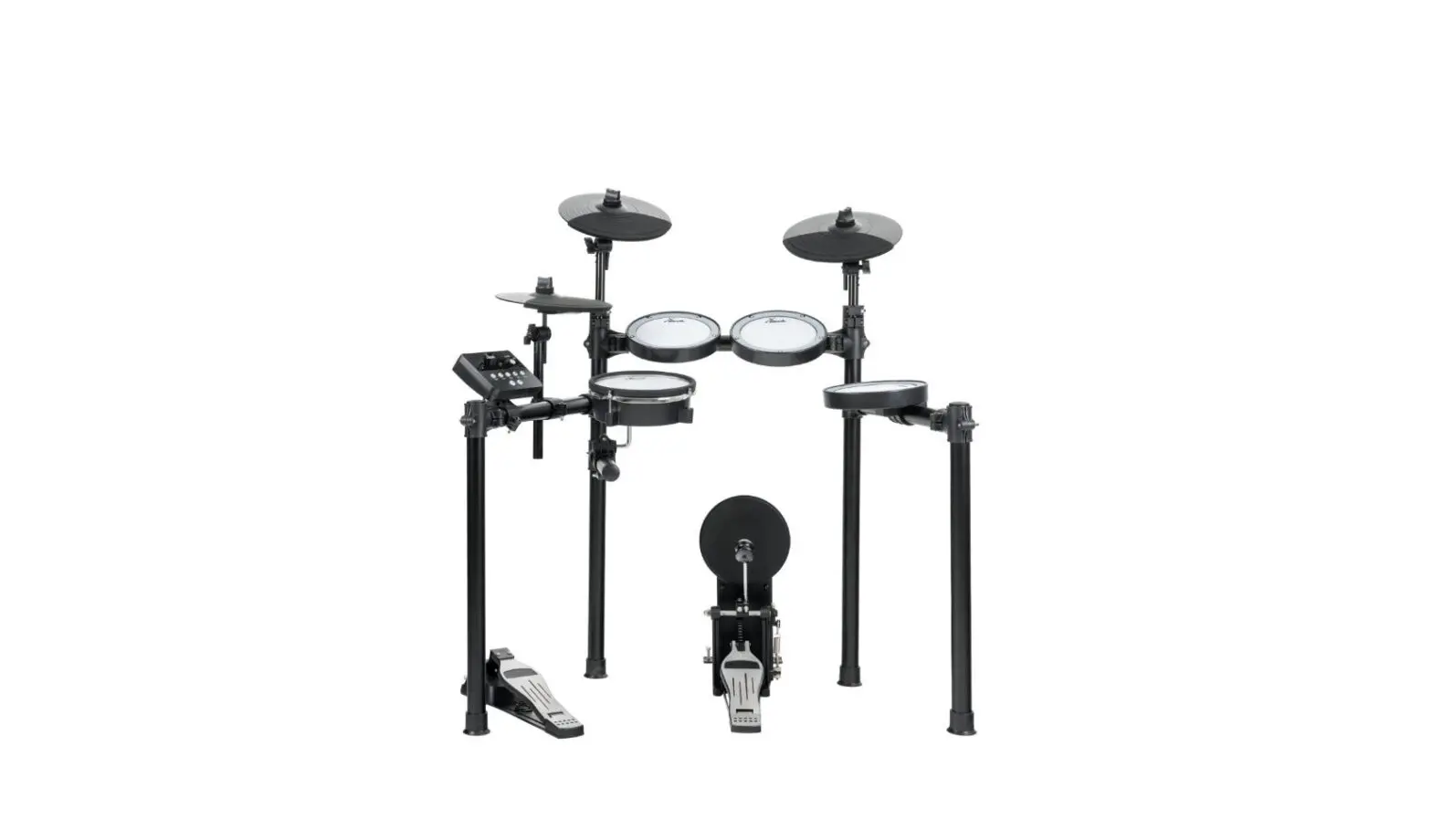
Rack setup and assembly of the pads and pedals are described in detail in the enclosed set assembly guide. Finally check that all cables between the pads and the drum module have been properly connected.
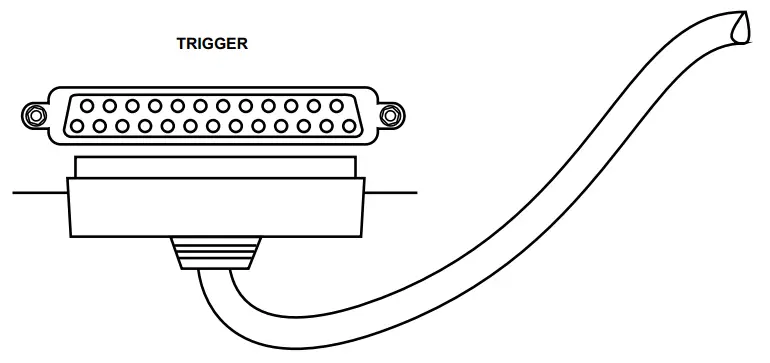
Connect the supplied D-sub plug of the pad connector cable to the D-sub input socket on the bottom side of the drum module.
Connecting the pads
Connecting the power adapter
Connect the included power supply unit to the [DC 12 V] input on the rear panel of the drum module and then put the power plug into the power outlet.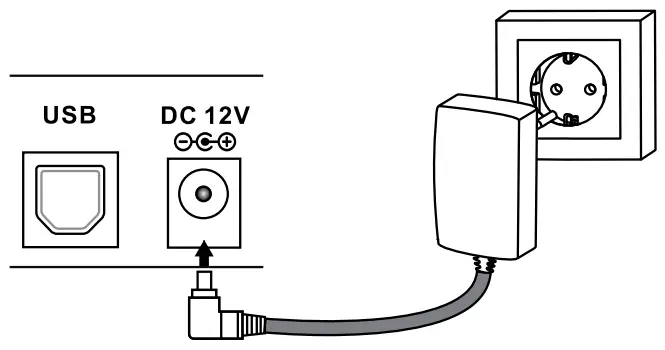 Connecting USB devices
Connect your computer to the USB port on the rear panel of the drum module.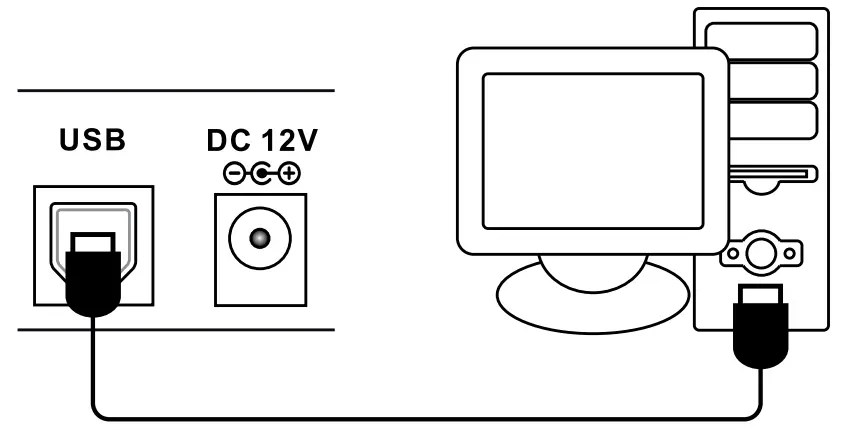 Connecting audio devices
Connect the inputs of your amplifier or active monitor to the output sockets [LINE OUT] on the rear panel of the drum module. Connect a CD or MP3 player etc. to the [LINE IN] input socket on the rear panel of the drum module.
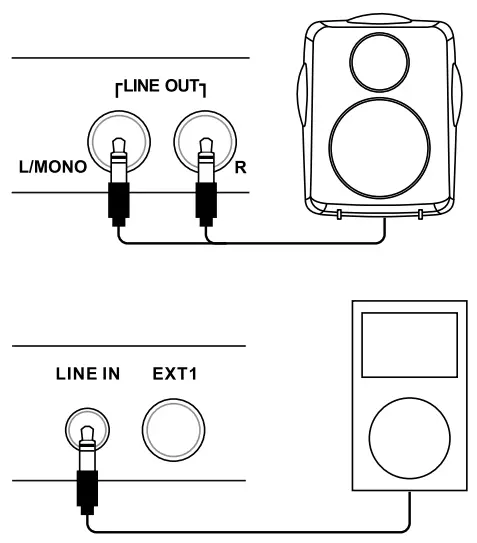
Connecting headphones
Connect your stereo headphones to the [HEADPHONE] output on the rear panel of the drum module.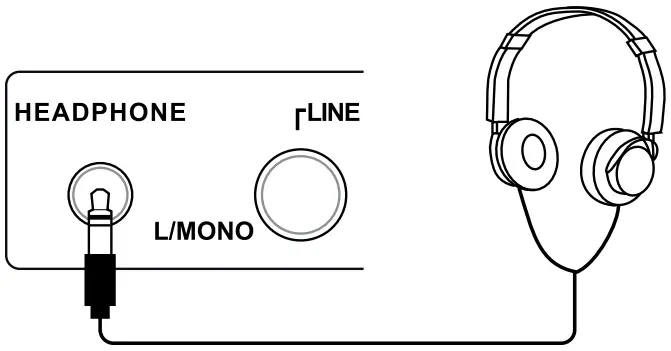
Connections and controls
Front panel
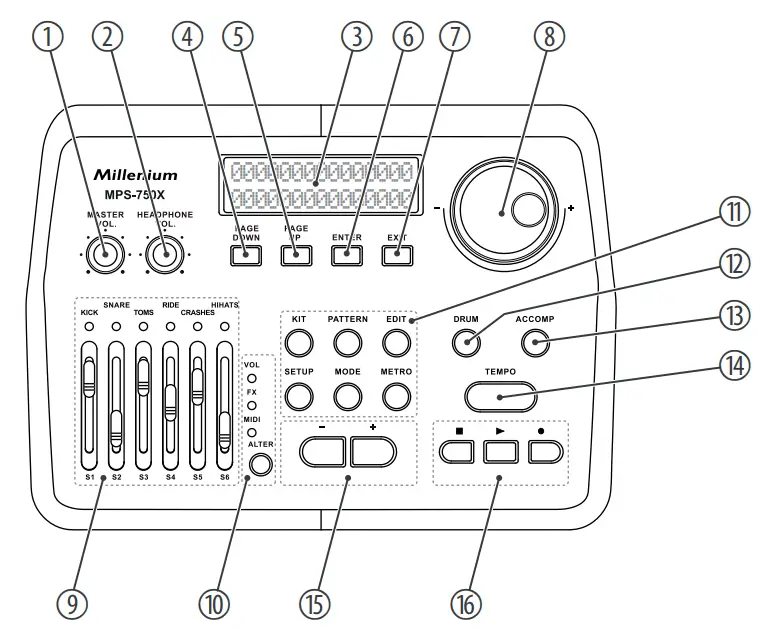
| 1 | [MASTER VOL.] | rotary control for adjusting the Line out volume |
| 2 | [HEADPHONE VOL.] | rotary control for adjusting the headphones output volume |
| 3 | Backlit display |
| 4 | [PAGE DOWN] | button to scroll forward through the open menu |
| 5 | [PAGE UP] | button to scroll backward through the open menu |
| 6 | [ENTER] | enter button to confirm a selection or change |
| 7 | [EXIT] | return key to exit a menu or to discard changes |
| 8 | [–] / [+] rotary control | increases or decreases the value of the currently selected parameter |
| 9 | Faders S1 … S6 for the connected pads, function depends on selection [ALTER] (10) |
| 10 | [ALTER] | selector switch for faders function S1 … S6: Volume, FX or MIDI. The control LED of the enabled function lights up. |
| 11 | [KIT] | button to enable ‘Kit’ mode |
| [PATTERN] | button to enable ‘Pattern’ mode | |
| [EDIT] | button to open the programming menu | |
| [SETUP] | button to open the device settings menu | |
| [MODE] | button to switch between operating modes | |
| [METRO] | button to turn the metronome on and off and opens the click menu | |
| 12 | [DRUM] | button to mute the Drum track of a style |
| 13 | [ACCOMP] | button to mute the Accompaniment track of a style |
| 14 | [TEMPO] | button to adjust the metronome tempo and thus the tempo for recording and playback |
| 15 | [–] | [+] | buttons to increase or decrease the displayed value and to select a kit |
| 16 | | button to end Style playback and to stop recording |
| | button to start Style playback | |
| | button to start recording | |
| Rear panel | 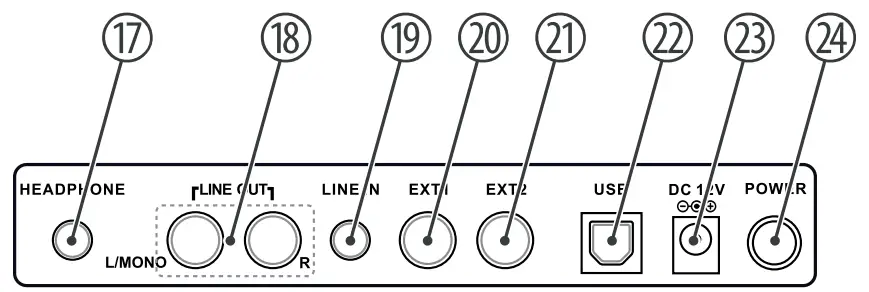 |
| 17 | [HEADPHONE] | headphones output |
| 18 | [LINE OUT] | output socket to connect an amplifier or active monitor (mono left, stereo left/right) |
| 19 | [LINE IN] | input socket for connecting audio devices as CD and MP3 players, etc. |
| 20 | [EXT1] | input for connecting an external trigger, forth tom pad, by default |
| 21 | [EXT2] | input for connecting an external trigger, second crash pad, by default |
| 22 | [USB] | USB port for connecting a computer with USB-MIDI interface |
| 23 | [DC 12V] | connection socket for the power adapter for power supply |
| 24 | [POWER] | mains switch to turn the device on and off |
Operating
6.1 Functions
Switching on Check all cable connections for correct fit before switching on. Before switching on, turn both volume controls of the drum module down to min‐ imum. Use the main switch [POWER] on the rear panel to switch the drum module on.
Standby function
The unit automatically switches to standby mode when you don’t press any key or strike a con‐ nected pad for about 30 minutes. Then press the main switch [POWER] to turn the device back on again.
Selecting a drum kit
A drum kit is a compilation in which a certain sound and several sound parameters are assigned to each trigger. Selecting different drum kits lets you customise the sound of your edrum set in seconds to the desired music genre.
- Press [KIT].
 The first kit appears on the display.
 - Use the [–] / [+] buttons or the [–] / [+] rotary control to select the desired kit.
 The first kit appears on the display.
Customising a drum kit
The preprogrammed sounds of the drum module can be programmed to any of the connected pads. So you can create user kits and store them in the device. To do so proceed as follows:
- First, call up one of the available drum kits (see previous chapter) and use [EDIT] to switch to Edit mode.
- Hit the pad (Trigger) to which you want to programme a certain sound or press [DRUM] repeatedly until the desired pad is shown on the display. Additionally select the specific trigger for multiple assigned pads.
- Use [PAGE DOWN] or [PAGE UP] to successively open the following selection menus and use the [–] / [+] rotary control or the [–] | [+] buttons to adjust the settings for the acti‐ vated trigger.
Selection menu Value range VOICE TYPE Kick, Snare, Tom, Ride, Crash, Hi-Hat, Metro, Extras VOICE Voice selection, see VOLUME Volume REVERB Reverb effect PITCH Pitch PAN Position within the stereo signal (panorama right / left) - Quit the selection menu with [EXIT]. Use [–] | [+] in the following saving dialogue to specify the memory location. Existing data will be overwritten.
- Confirm with [ENTER] or cancel saving with [EXIT].
- Select if necessary the next trigger, to which you want to programme a sound. Use [EXIT] to exit the Edit mode.
Style playing
Your digital drum set has a total of 40 preprogrammed Styles, which can be played individually in the ‘Pattern’ mode.
- Press the [PATTERN] button. The display shows the first Style in ‘01 WalkWithTree’ format.
- Use the [–] / [+] rotary control or the [–] | [+] buttons to select the Style you want to play.
- Start and stop playback with the and buttons.
Metronome function
Press [METRO] to turn the Metronome on. Then you hear the Metronome sound. Proceed as follows to adjust the metronome settings:
- Use [PAGE DOWN] or [PAGE UP] to successively open the following selection menus and use the [–] / [+] rotary control or the [–] | [+] buttons to adjust the settings as desired.
Selection menu Value range VOLUME Volume TEMPO Speed TIME SIGNATURE Time signature SOUND Metronome sound - Quit the selection menu with [EXIT].
The click tempo can additionally be adjusted as follows: Press [TEMPO] and adjust the tempo using the [–] / [+] rotary control. or
Tap four times in succession and at the desired tempo the [TEMPO] button (tap tempo func‐ tion). The new value is instantly applied. Press [METRO] again to turn the Metronome off.
Recording function
The drum module offers the possibility to record up to 15 user drum tracks in the operating modes ‘Kit’ or ‘Pattern’. To do so proceed as follows:
- Activate one of the operating modes ‘Kit’ or ‘Pattern’.
- Press to activate the recording mode.
- If desired, specify the metronome settings for the recording.
- Press again to start the recording.
- Press to stop the recording and to restart.
To finally stop recording press twice. The display shows the message ‘Save the song to’ . - Use [–] | [+] to specify the memory location. Existing data will be overwritten.
- Confirm with [ENTER] or cancel saving with [EXIT].
 In ‘Pattern’ mode you can add a style.
Mixer function
The function of faders S1 … S6 of the drum module depends on the selected operating mode.
Use [ALTER] to toggle between VOL, FX and MIDI. The control LED of the activated operating mode lights up.
| Operating mode VOL | Fader function |
| VOL | Volume control for the assigned pad. |
| FX | Fader S1: Reverb control Fader S2: Compression control Fader S3 … S6: 4-Band-EQ controls |
| MIDI | In MIDI operation, each fader S1 … S6 is assigned to one controller, the function is specified in the settings of the installed DAW. |
 If you have set one of the faders to a certain value in one of the operating modes and then repeatedly change the operating mode you first have to slide the fader over the previously set value in the initial mode.
Example: If you set fader S1 in VOL mode to value ‘127’ , then change to FX mode and set the fader to ‘0’ , then change back to VOL mode, you first have to set the fader back to value ‘127’ to get a response. This function prevents sudden volume jumps or changes of effect settings by moving the faders in the three modes.
6.2 Device settings
Various device settings can be customised in the Setup menu.
Press [SETUP] to enter the menu. Use [PAGE DOWN] or [PAGE UP] to select the desired option and use the [–] / [+] rotary control or the [–] | [+] buttons to adjust the settings as desired. Quit the selection menu with [EXIT]. Confirm the respective security prompt with [ENTER] to accept the new value, or cancel all changes with [EXIT].
| Parameter | Function |
| BACK VOLUME | Volume preset for all Styles and Loops. |
| MASTER TUNE | Pitch preset, on delivery set to standard A / 440 Hz. |
| LOCAL | Set the Parameter for normal operation to ‘ON’ : the module plays the programmed sound files. Set the Parameter for MIDI operation to ‘OFF’ (low latency): the module transfers MIDI data. |
| FX SET | Fader function preset. Make the following settings either directly with the fader or use the [PAGE UP]/ [PAGE DOWN] buttons: |
| Reverb Type Reverb preset (effect type), fader S1. | |
| Distortion preset (effect type). | |
| Dist.Pst Distortion preset (effect type). | |
| Threshold Compressor threshold preset, fader S2. | |
| LowFrq Preset for low frequency control range, fader S3. | |
| LoMiFrq Preset for low mid frequency control range, fader S4. | |
| HiMiFrq Preset for high mid frequency control range, fader S5. | |
| HiFrq Preset for high frequency control range, fader S6. | |
| MIDI SET | Assignment of faders S1 … S6 to the MIDI controllers. |
| FADER MODE | Setting the fader positions |
| Save The fader positions are saved when switching off the device. | |
| Cancel The fader positions are not saved when switching off the device. | |
| Lock The fader positions are locked and cannot be set individually. | |
| ADVANCED | Pad or trigger parameter preset: |
| Sensitivity The touch sensitivity regulates the volume behaviour of a pad regardless of the actual strike intensity. The higher the value, the higher the volume when playing, and vice versa. | |
| Headroom This parameter is used to preset the level reserve between normal and maximum level when playing the pads. | |
| SenseTime Presetting the minimum time interval between two signals from the same trigger prevents unwanted sound overlays by vibrations. | |
| Trigger The trigger curve regulates the velocity, i.e. the ratio between the punch and volume. Use set‐ ting ‘Linear’ for the most natural ratio between punch and volume. Use ‘Exp’ if you want a hard strike to cause a bigger volume change (or dynamics). Use ‘Log’ if you want a soft strike to cause a bigger change. With the setting ‘Spline’ the volume changes less upon a change of the strike. High volumes are already reached at a relatively low strike intensity. | |
| Peak Decay Setting the time period how long after signal input of the selected pad no other signal is accepted. The higher the value is, the lower the likelihood that notes are skipped, but double triggering is easier. | |
| Rim/Head Modifier Improve signal detection by increasing the signal strength difference between rim and head. The Rim Modifier strengthens the rim signal when the touch velocity is low. The Head Modi‐ fier lowers the head signal when the touch velocity is low. This setting only needs to be adjusted if pads of other models or manufacturers are used, but not if the original pads are used. | |
| Calib. This parameter defines the playing range of the hi-hat pedal. The set range is shown in the display in the lower right corner. Press [ENTER] to select the option. Press the pedal down to the floor and press [ENTER] to set the minimum. Release the pedal slowly and press [ENTER] to set the maximum. The value range is stored in the module and allows a more precise strike. It is recommended not to set extreme values to allow easy playing. | |
| The range between ‘Hi-Hat open’ and ‘Hi-Hat closed’ is called ‘HalfOpen’ . For increasing the range ‘HalfOpen’ , increase the ‘Open Point’ and decrease the ‘Close Point’ . | |
| Open Point Setting the position where the Hi-Hat is open. The value is displayed in the entire Hi-Hat pedal range. The higher the value is, the closer it is to the position where the pedal is released. This means that the range for open Hi-Hat is very small. | |
| Close Point Setting the position where the Hi-Hat is closed. The value is displayed in the entire Hi-Hat pedal range. The lower the value is, the closer it is to the position where the pedal is pressed down to the floor. This means that the range for closed Hi-Hat is very small. | |
| Type Selection of the trigger type for input [EXT2]. ‘Mesh’ for mesh head pad. ‘Bar’ for bar trigger pad. |
6.3 Connecting the device via Bluetooth®
You can connect the drum module to mobile devices that support Bluetooth® 4.0 or higher.
Android and iOS are supported. The Bluetooth® function turns on automatically when the drum module is turned on.
Audio connection
Proceed as follows to play audio files on a mobile end device:
- Enable the Bluetooth® function of the mobile end device.
- Search for available devices.
- Select the module named ‘HX-****’ .
- Enter the password 1337 and confirm. After a successful connection, you can play audio data on the mobile device and hear it via the outputs of the drum module. The volume can now only be controlled with the mobile device.
6.4 Reset to factory defaults
Proceed as follows to reset the device to factory defaults:
- Press the [SETUP] button and use [PAGE UP] or [PAGE DOWN] to highlight the menu item ‘RESET’ .
- Use the [–] / [+] rotary control or the [–] | [+] buttons to highlight one of the following options:
Kits’ (resets drum kits)
Settings’ (resets system settings)
Xtalk’ (sets the value ‘Xtalk’ to the minimum)
Songs’ (deletes user songs)
All’ (resets all settings and deletes all user songs) - Confirm your selection with [ENTER].
- Restart the drum module.
Technical specifications
| Input connections | Power supply | Socket for power adapter |
| USB port | USB MIDI | |
| Trigger | 2 × 1/4″ jack socket | |
| LINE IN | 1 × 3.5 mm jack socket | |
| Output connections | Headphones | 1 × 3.5 mm jack socket |
| LINE OUT (R/L mono) | 2 × 1/4″ jack socket | |
| Sounds | 697 | |
| Styles | 55 | |
| Polyphony | 189 | |
| Effects | Reverb, distortion, compressor | |
| Drum kits | 20 preset kits, 20 user kits | |
| Equalizer | 4-band | |
| Bluetooth® | Frequency range | 2.402 GHz … 2.480 GHz |
| Max. transmission power | +4 dBm | |
| Standard | Version 5.0 | |
| Power supply External power adapter, 100 – 240 V 50/60 Hz Operating voltage 12 V / 2000 A , centre positive, or via USB port Dimensions (W × H × D) 295 mm × 60 mm × 200 mm | ||
| Weight 1.2 kg | ||
| Ambient conditions | Temperature range | 0 °C…40 °C |
| Relative humidity | 20 %…80 % (non-condensing) | |
Further information
| Rack included | Yes |
| Seat included | No |
| Bass drum pedal included | Yes |
| Headphones included | No |
| Mesh Head Pads | Yes |
| Pads in Stereo | Yes |
| Number of direct outputs | 0 |
Plug and connection assignment
Introduction
This chapter will help you select the right cables and plugs to connect your valuable equip‐ ment in such a way that a perfect sound experience is ensured.
Please note these advices, because especially in ‘Sound & Light’ caution is indicated: Even if a plug fits into the socket, an incorrect connection may result in a destroyed power amp, a short circuit or ‘just’ in poor transmission quality!
1/4″ TS phone plug (mono, unbalanced)
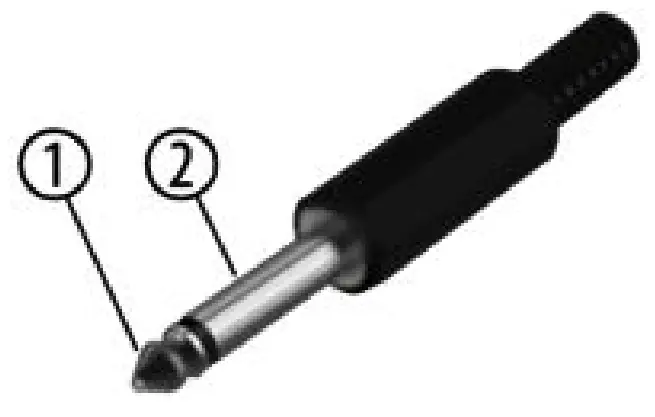
| 1 | Signal |
| 2 | Ground, shielding |
1/4″ TRS phone plug (stereo, unbalanced)
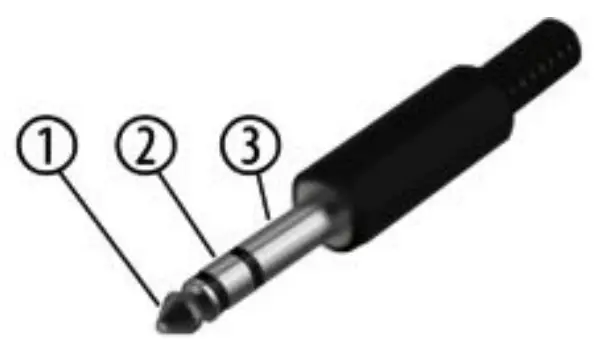
| 1 | Signal (left) |
| 2 | Signal (right) |
| 3 | Ground |
Cleaning
Device components
Clean the device components that are accessible from the outside regularly. The cleaning fre‐ quency depends on the operating environment: damp, smoky or particularly dirty environ‐ ments can cause greater accumulation of dirt on the device components.
- Clean with a dry soft cloth.
- Stubborn dirt can be removed with a slightly dampened cloth.
- Never use solvents or alcohol for cleaning.
Protecting the environment
Disposal of the packaging mate‐ rial For the transport and protective packaging, environmentally friendly materials have been chosen that can be supplied to normal recycling.
Ensure that plastic bags, packaging, etc. are properly disposed of.
Do not just dispose of these materials with your normal household waste, but make sure that they are collected for recycling. Please follow the notes and markings on the packaging.
Disposal of your old device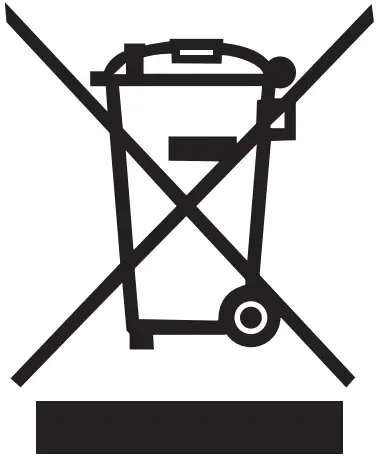 This product is subject to the European Waste Electrical and Electronic Equipment Directive (WEEE) in its currently valid version. Do not dispose with your normal household waste. Dispose of this device through an approved waste disposal firm or through your local waste facility. When discarding the device, comply with the rules and regulations that apply in your country. If in doubt, consult your local waste disposal facility.
11 Appendix
11.1 Voice list
| Name | Name | Name |
| KICK | House 03 | Trance 04 |
| Rock | RnB 01 | Trance 05 |
| Jazz | RnB 02 | Trap 01 |
| Indie 01 | RnB 03 | Trap 02 |
| Indie 02 | RnB 04 | Trap 03 |
| Metal | Techno 01 | Trap 04 |
| Funk 01 | Techno 02 | Trap 05 |
| Funk 02 | Techno 03 | Pop 01 |
| 8Bit 01 | Techno 04 | Pop 02 |
| 8Bit 02 | Trance 01 | Pop 03 |
| House 01 | Trance 02 | Pop 04 |
| House 02 | Trance 03 | Jungle |
| Latin | Sax | Rosa |
| Session | Six | KissV |
| Vintage | Hot | DG3 |
| Jungle 01 | Kiss | TR66RIM |
| Jungle 02 | DDDclean | Soli909RIM |
| Fiesta | MorMOOG | SNARE |
| Birch 01 | Morschlag2 | Rock |
| YAM18 | Morschlag3 | Rock R |
| JAZZ V | Morschlag1 | Rock X |
| METAL V | Morschlag5 | Jazz 01 |
| POP V | Ballerfiak | Jazz 01 R |
| ROCK2V | Rave309 | Jazz X |
| ROCK V | Y30 | Jazz 02 |
| ROCKBRIGHT | SOLI606 | Jazz 02 R |
| DGs8 | SOLI808 | Indie 01 |
| Pik | Y909 | Indie R 01 |
| Indie X | House 03 | Trance 02 |
| Indie 02 | House 04 | Trance 03 |
| Indie R 02 | House 05 | Trance 04 |
| Metal | RnB 01 | Trap 01 |
| Metal R | RnB 02 | Trap 02 |
| Metal X | RnB 03 | Trap 03 |
| Funk 01 | RnB 04 | Trap 04 |
| Funk R 01 | RnB R 01 | Trap 05 |
| Funk X 01 | RnB R 02 | Trap 07 |
| Funk 02 | RnB X 01 | Trap 08 |
| Funk R 02 | RnB X 02 | Trap 09 |
| Funk X 02 | Techno 01 | Trap 10 |
| 8Bit 01 | Techno 02 | Trap 11 |
| 8Bit 02 | TechnoC 01 | Pop |
| House 01 | TechnoC 02 | Pop R |
| House 02 | Trance 01 | Pop X |
| Brush | Fiesta X 01 | METALV |
| Brush R | Fiesta 02 | METALV RS |
| Brush X | FiestaR 02 | METALV SS |
| Latin | Fiesta R 03 | POPV |
| Latin R 01 | Jungle2 | POPV RS |
| Latin R 02 | Jungle2 R | POPV SS |
| Session | BALLAD1 | ROCKV2 |
| Session R | RSBALLAD1 | ROCKV2 RS |
| Session X | SSBALLAD1 | ROCKV2 SS |
| Vintage | BrushV | ROCKV3 |
| Vintage R | BrushVSWIRL | ROCKV3 RS |
| Vintage X | BrushV RS | ROCKV3 SS |
| Jungle | BrushV SS | ROCKBRI |
| Jungle R | JAZZV | ROCKBRIRS |
| Fiesta 01 | JAZZV RS | ROCKBRISS |
| Fiesta R 01 | JAZZV SS | Soli085 |
| FatschSd | SoliRH5 | Jazz2 R |
| MBare | RimY10RIM | Jazz3 |
| OrgCP | RimSoli808R | Jazz3 R |
| SoliNoisy | SNSN80er | Indie1 |
| 909 | TOM | Indie2 |
| Abpunch | Rock1 | Indie3 |
| DD31 | Rock1 R | Indie4 |
| Dy2 | Rock2 | Metal1 |
| L9 | Rock2 R | Metal2 |
| Morball2 | Rock3 | Metal3 |
| Morballcl | Rock3 R | Metal4 |
| X82 | Rock4 | Conga1 |
| Soli8084 | Rock4 R | Conga2 |
| Soli9095 | Jazz1 | Conga3 |
| SoliFR2L | Jazz1 R | Conga4 |
| Soli808 | Jazz2 | Conga5 |
| Conga6 | House2 03 | Trance2 02 |
| Timbale1 | House3 03 | Trance2 03 |
| Timbale2 | House4 03 | Trance2 04 |
| 8Bit1 | RnB1 | Trap1 01 |
| 8Bit2 | RnB2 | Trap1 02 |
| 8Bit3 | RnB3 | Trap1 03 |
| 8Bit4 | RnB4 | Trap2 01 |
| House1 01 | Techno1 | Trap2 02 |
| House2 01 | Techno2 | Trap2 03 |
| House3 01 | Techno3 | Pop1 |
| House4 01 | Techno4 | Pop1 R |
| House1 02 | Trance1 01 | Pop2 |
| House2 02 | Trance1 02 | Pop2 R |
| House3 02 | Trance1 03 | Pop3 |
| House4 02 | Trance1 04 | Pop3 R |
| House1 03 | Trance2 01 | Pop4 |
| Pop4 R | Vintage2 R | Fiesta2 R |
| Brush1 | Vintage3 | Fiesta3 |
| Brush2 | Vintage3 R | Fiesta3 R |
| Brush3 | Vintage4 | Fiesta4 R |
| Brush4 | Vintage4 R | Brush8 |
| Latin1 | Jungle1 | Brush10 |
| Latin2 | Jungle1 R | Brush12 |
| Latin3 | Jungle2 | Brush14 |
| Latin4 | Jungle2 R | BrushRim8 |
| Session1 | Jungle3 | BrushRim10 |
| Session2 | Jungle3 R | BrushRim12 |
| Session3 | Jungle4 | BrushRim14 |
| Session4 | Jungle4 R | 10XNMas |
| Vintage1 | Fiesta1 | 12XNMas |
| Vintage1 R | Fiesta1 R | 14XNMas |
| Vintage2 | Fiesta2 | 16XNMas |
| Rim10XNMas | Rim10MetaFil | Rim10SoliJP1 |
| Rim12XNMas | Rim12MetaFil | Rim12SoliJP1 |
| Rim14XNMas | Rim14MetaFi | Rim14SoliJP1 |
| Rim16XNMas | Rim16MetaFi | Rim16SoliJP1 |
| 10BigReverb | 10SoliNathan | yt808ana1 |
| 12BigReverb | 12SoliNathan | yt808ana2 |
| 14BigReverb | 14SoliNathan | yt808ana3 |
| 16BigReverb | 16SoliNathan | yt808ana4 |
| Rim10BigReverb | Rim10SoliNat | Li_HTO 1 |
| Rim12BigReverb | Rim12SoliNat | Li_HTO 2 |
| Rim14BigReverb | Rim14SoliNat | Li_HTO 3 |
| Rim16BigReverb | Rim16SoliNat | Li_HTO 4 |
| 10MetaFilter | 10SoliJP1 | 80_TOM1 |
| 12MetaFilter | 12SoliJP1 | 80_TOM2 |
| 14MetaFilter | 14SoliJP1 | 80_TOM3 |
| 16MetaFilter | 16SoliJP1 | 80_TOM4 |
| 80er1 | TED_TOM1 | Indie B |
| 80er2 | TED_TOM2 | Indie E |
| 80er3 | TED_TOM3 | Funk 02 |
| 80er4 | TED_TOM4 | Funk B 02 |
| NOV_808TOM1 | X1_ETOM1 | Funk E 02 |
| NOV_808TOM2 | X1_ETOM2 | Funk 01 |
| NOV_808TOM3 | X1_ETOM3 | Funk B 01 |
| NOV_808TOM4 | X1_ETOM4 | Funk E 01 |
| SDS7_4TO1 | RIDE | House 01 |
| SDS7_4TO2 | Rock | House 02 |
| SDS7_4TO3 | Rock B | House 03 |
| SDS7_4TO4 | Rock E | RnB |
| 909_TOM1 | Jazz | Techno 01 |
| 909_TOM2 | Jazz B | Techno 02 |
| 909_TOM3 | Jazz E | Trance |
| 909_TOM4 | Indie | Pop |
| Pop B | Pst20Wd | Pst2TNy B |
| Brush | Pst20Wd B | Pst2TNy E1 |
| Brush B | Pst20Wd E | Pst2TNy E2 |
| Brush E | Pst20Br | CRASH |
| Session | Pst20Br B | Rock1 |
| Vintage | Pst20Br E | Rock1 E |
| Vintage B | Pst21Ny1 | Rock2 |
| Jungle B | Pst21Ny2 | Rock2 E |
| Fiesta | Pst21 B1 | RockChina |
| Fiesta B | Pst21 B2 | RockSplash |
| Fiesta E | Pst21 E | Jazz1 |
| Pst20Ny1 | Pst21Br | Jazz1 E 01 |
| Pst20Ny2 | Pst21Br B | Jazz2 |
| Pst20Ny B | Pst21Br E | Jazz2 E |
| Pst20Ny E1 | Pst21EDGMe | JazzSplash 01 |
| Pst20Ny E2 | Pst2TNy | JazzSplash 02 |
| RockSplash | House 02 | Fiesta2 |
| Jazz1 | House 03 | SplashA12 |
| Jazz1 E 01 | House 04 | SplashA12 E |
| Jazz2 | Trance1 | SplashB12 |
| Jazz2 E | Trance2 | SplashB12 E |
| JazzSplash 01 | Trap1 01 | Splash8 |
| JazzSplash 02 | Trap2 01 | Splash8E |
| Indie1 01 | Pop1 | China12Mal |
| Indie2 01 | Pop2 | China14Mal |
| Indie1 02 | Session1 | China16Mal |
| Indie2 02 | Session2 | China20Sti |
| Funk1 02 | Vintage1 | China30 |
| Funk2 02 | Vintage2 | Crash14 E |
| 8Bit1 | Jungle1 | Crash14 |
| 8Bit2 | Jungle2 | Crash16 E |
| House 01 | Fiesta1 | Crash16 |
| Crash17 | Crash20Br | Jazz P 02 |
| Crash17br | Crash20EDGE | Indie O 02 |
| Crash17 E | 808_1CYMB | Indie C 02 |
| Crash17 | NOV_CYMB | Indie P 02 |
| Crash18 | Y808crash | Metal O |
| Crash18 E | HI-HAT | Metal C |
| CrashB16 E | Rock O | Metal P |
| CrashB16 E | Rock C | Funk O 01 |
| CrashB16 | Rock P | Funk C 01 |
| Crash18 | Rock Half-O | Funk P 01 |
| Crash18 B | Rock P Sp | Funk O 02 |
| Crash18Br | Jazz O 01 | Funk C 02 |
| Crash18 E1 | Jazz C 01 | Funk P 02 |
| Crash18 E2 | Jazz P 01 | 8Bit O |
| Crash20 | Jazz O 02 | 8Bit C |
| Crash20Beat | Jazz C 02 | House O 01 |
| House C 01 | Trance C 02 | Brush Sp |
| House O 02 | Trap O 01 | Session O |
| House C 02 | Trap C 01 | Session C |
| House O 03 | Trap O 02 | Session P |
| House C 03 | Trap C 02 | Session Sp |
| RnB O 01 | Trap O 03 | Vintage O |
| RnB C 01 | Trap C 03 | Vintage C |
| RnB O 02 | Pop O | Vintage P |
| RnB C 02 | Pop C | Vintage Half-Open |
| Techno O 01 | Pop P | Vintage Sp |
| Techno C 01 | Pop Half | Jungle O |
| Techno O 02 | Pop Sp | Jungle C |
| Techno C 02 | Brush O | Jungle P |
| Trance O 01 | Brush C | Jungle Half |
| Trance C 01 | Brush P | Jungle Sp |
| Trance O 02 | Brush Half | Fiesta O |
| Fiesta C | CDHH P | CR78_HHO |
| Fiesta P | CDHH Half | CR78_HHC |
| Fiesta Half | CDHH Sp | NOV_HHOP |
| Fiesta Sp | CCO O | NOV_1HHC |
| CCMHH O | CCO C | SakataHH O |
| CCMHH C | CCO P | SakataHH C |
| CCMHH P | CCO Half | SakataHH P |
| CCMHH Half | CCO Sp | Y808HH O |
| CCMHH Sp | 808_2HH O | Y808HH C |
| BalHH O | 808_3HH O | PERCUSSION |
| BalHH C | 808_HH C1 | Cowbell |
| BalHH P | 808_HH C2 | FunkPerc 01 |
| BalHH Half | 808HH P | FunkPerc 02 |
| BalHHSp | 909HHOP2 | 8BitFX01 |
| CDHH O | 909HHCL | 8BitFX02 |
| CDHH C | 909HHCL2 | 8BitFX03 |
| HouseFX01 | Dub FX01 | Abs5 |
| HouseFX02 | Dub FX02 | 808congahi |
| HouseFX03 | Dub FX03 | 808 claves |
| HouseFX04 | Dub FX04 | 808 shaker |
| HouseFX05 | Dub FX05 | SakataAgogo |
| HouseFX06 | Agogo01 | Elec9Clap |
| TranceFX01 | Agogo02 | 626_TAM |
| TranceFX02 | ShakerShort | 707_TAMB |
| TranceFX03 | ShakerLong | ABcowbell |
| TranceFX04 | NoClp | C78_Guiro |
| TranceFX05 | SDS7_CLP | 808congalo |
| TrapFX01 | Soli909_CLAP | 808congame |
| TrapFX02 | 909Clp | Y30ZAP2 |
| El Shaker | 808Clp | X10_ZAP |
| El Co bell | Abs |
11.2 Kit list
| No. | Name | No. | Name |
| 1 | Studio | 11 | Fiesta |
| 2 | radio | 12 | Mario |
| 3 | Pop | 13 | Impulse |
| 4 | Jazz | 14 | Loop |
| 5 | Metal | 15 | DirtySouth |
| 6 | Rock | 16 | Nebula |
| 7 | 80s | 17 | Drumstep |
| 8 | Latin | 18 | Jungle |
| 9 | Brush | 19 | Utopia |
| 10 | Sunray | 20 | Bluebay |
11.3 Styles
| No. | Name |
| 1 | WalkWithTree |
| 2 | Soul |
| 3 | Latin |
| 4 | Moskau |
| 5 | Heart |
| 6 | Fable |
| 7 | theStorm |
| 8 | Beowulf |
| 9 | Forever |
| 10 | Acid |
| 11 | Arcane |
| 12 | toBeLoved |
| 13 | Rain |
| 14 | PopAges |
| 15 | ChaCha |
| 16 | Life |
| 17 | Home |
| 18 | Latina |
| 19 | Reality |
| 20 | SoftAmour |
| 21 | MelodicDeath |
| 22 | SambaDance |
| 23 | RockBlues |
| 24 | Fly |
| 25 | Bossa |
| 26 | Tango |
| 27 | Dancing |
| 28 | CryintheRain |
| 29 | NightTrain |
| 30 | Arriba |
| 31 | Batteries |
| 32 | Revealite |
| 33 | Breathe |
| 34 | BlueEyes |
| 35 | HeyMan |
| 36 | Firerain |
| 37 | NyanCats |
| 38 | Supreme |
| 39 | Bartender |
| 40 | Celebration |
| 41 | Discover |
| 42 | Shade |
| 43 | Echo |
| 44 | LiteGroove |
| 45 | River |
| 46 | Jazz |
| 47 | Love |
| 48 | Blues |
| 49 | Techno |
| 50 | OutofMyHerat |
| 51 | MellowTone |
| 52 | theLight |
| 53 | Take |
| 54 | Angel |
| 55 | Bridge |
Thomann GmbH
Hans-Thomann-Straße 1
96138 Burgebrach
Germany
Telephone: +49 (0) 9546 9223-0
Internet: www.thomann.de
21.04.2023, ID: 493327, 561586, 464015 (V5) Software V4.20
 Welcome – Thomann United States