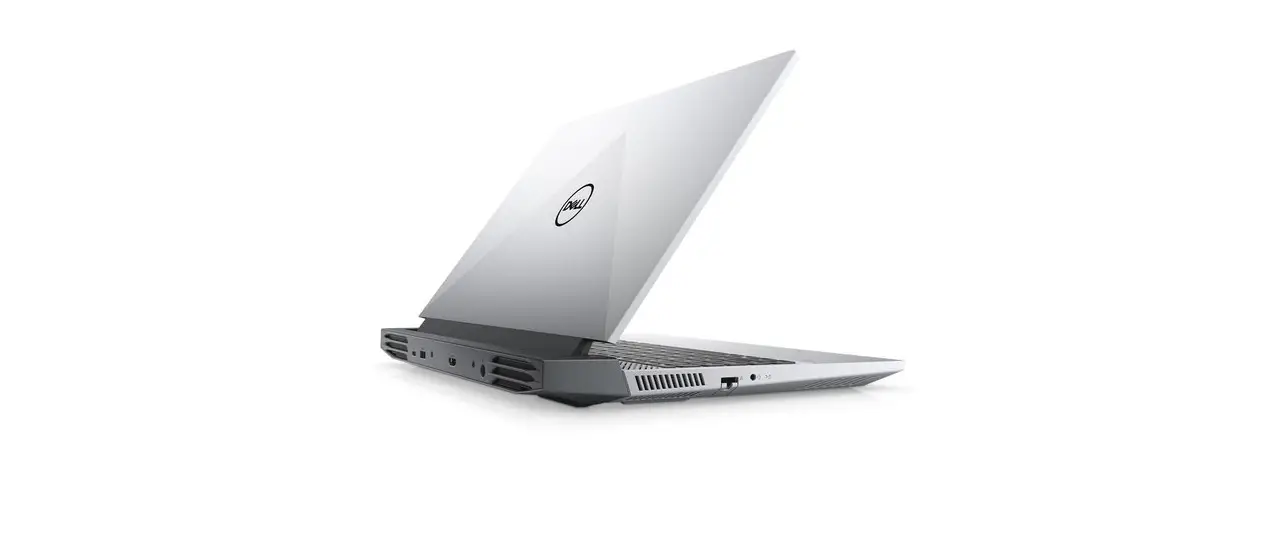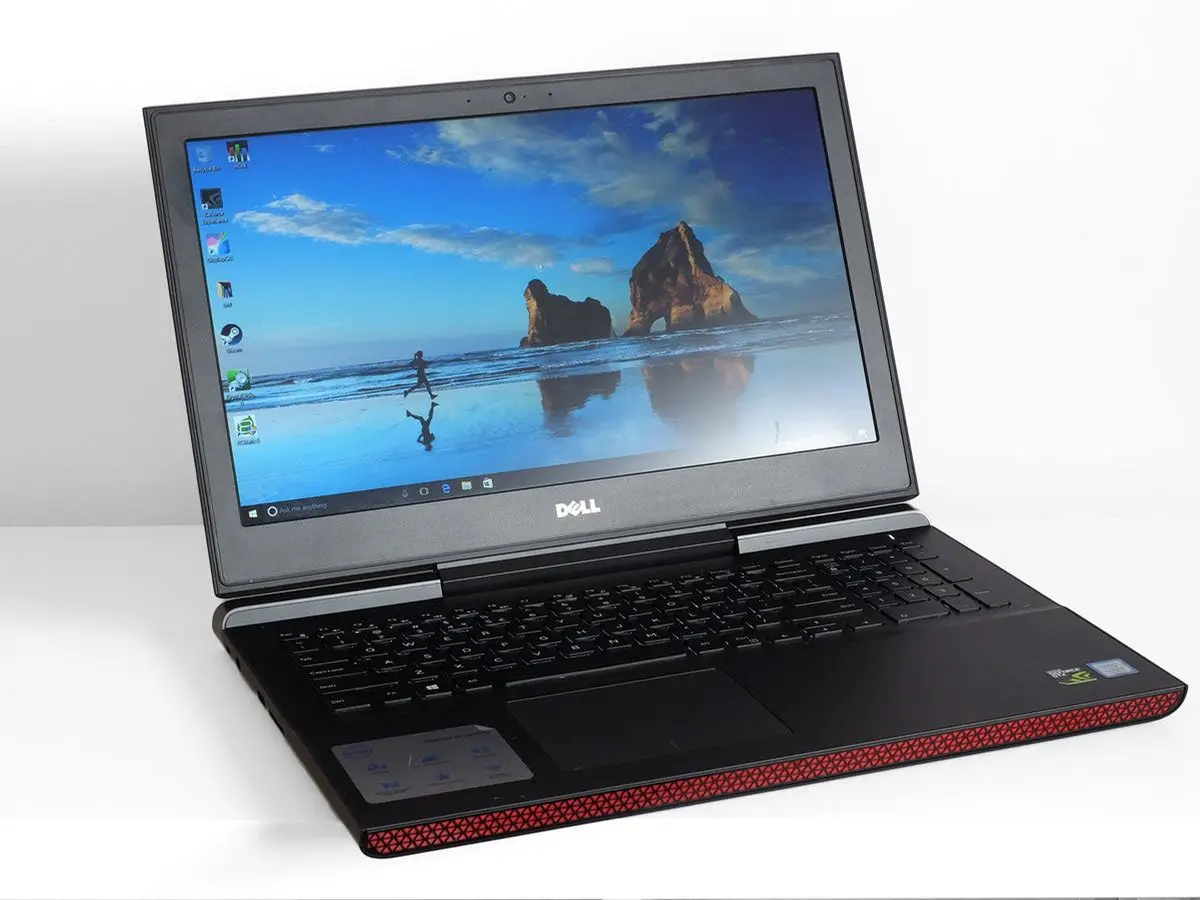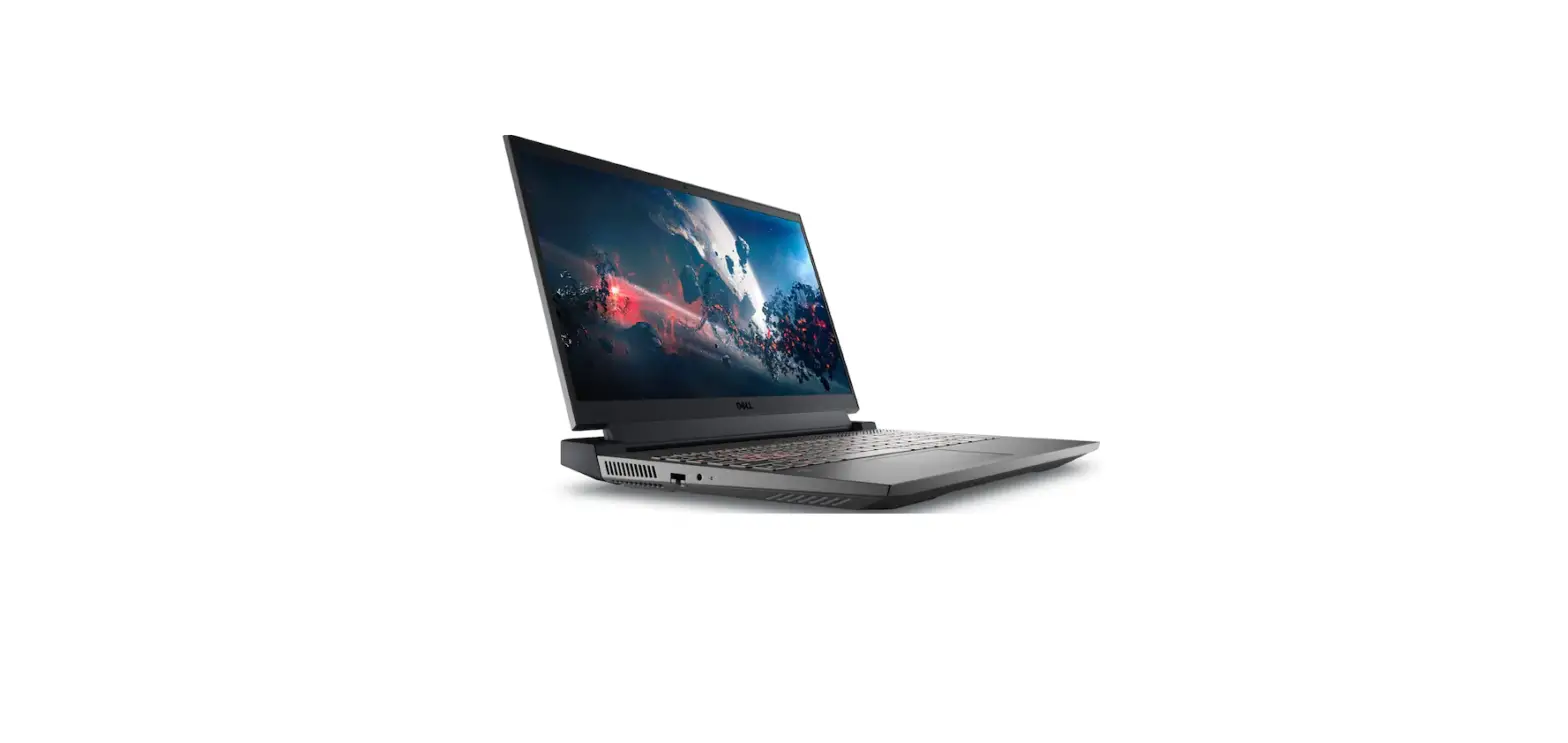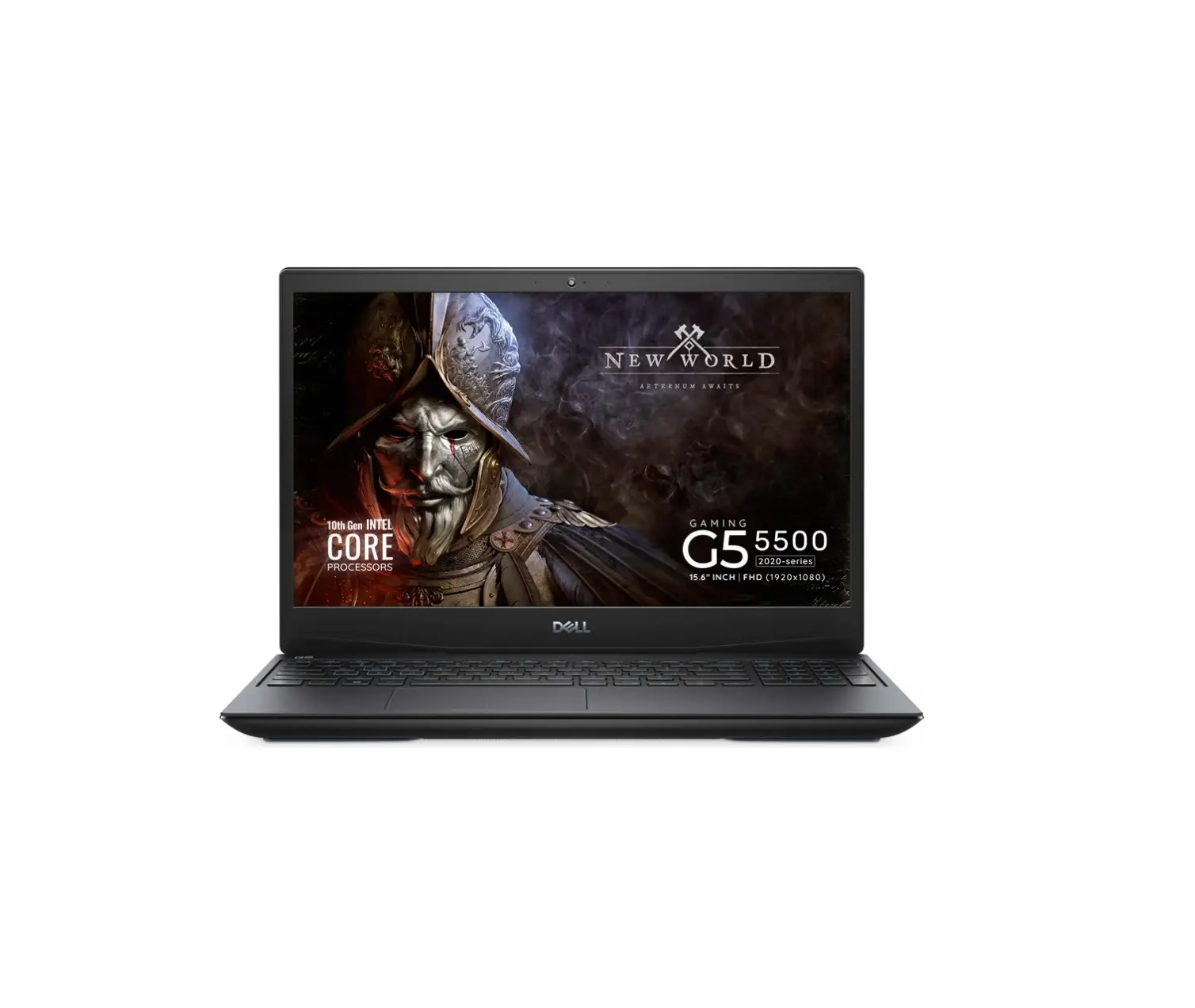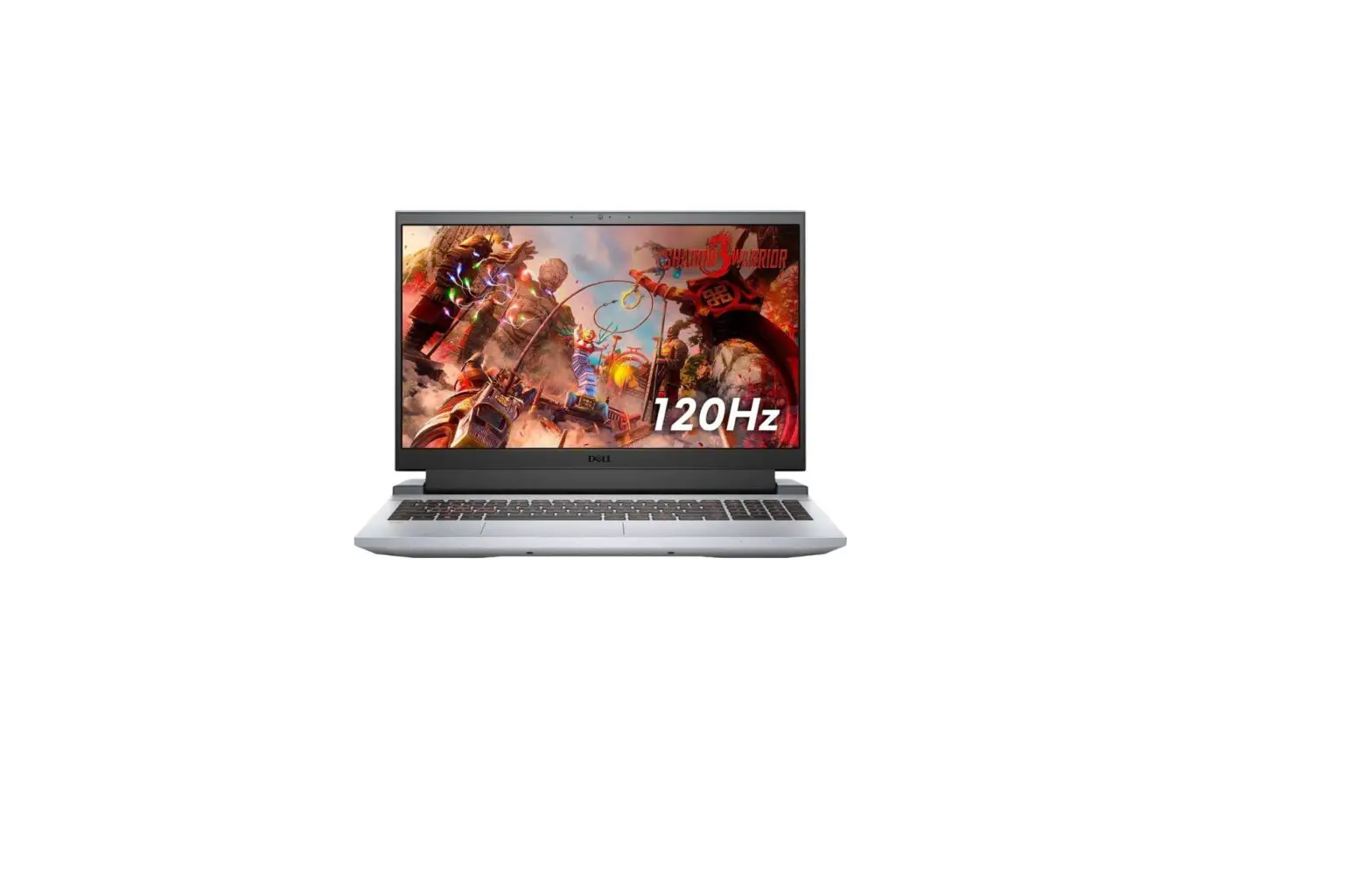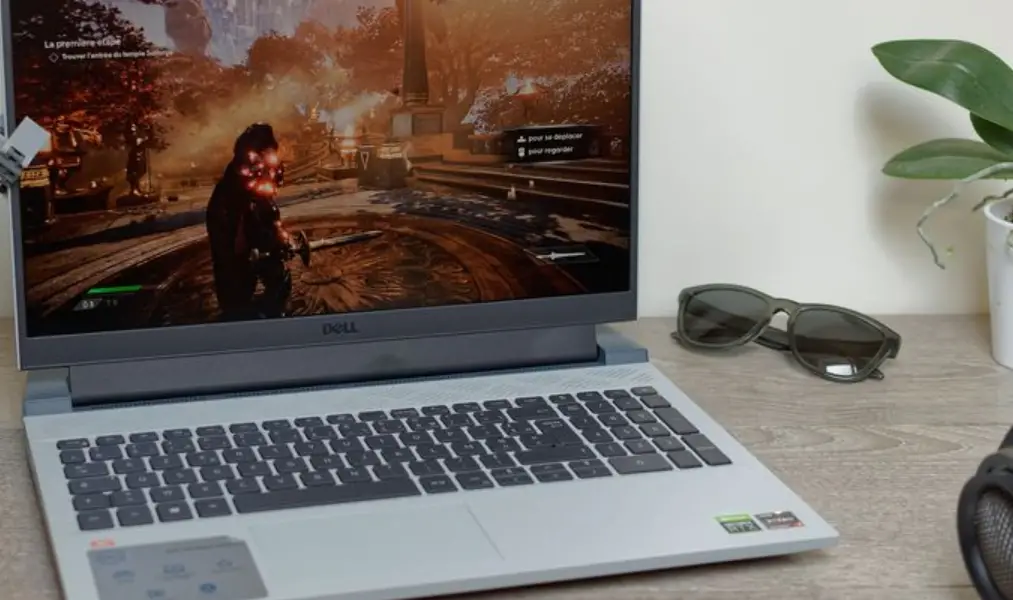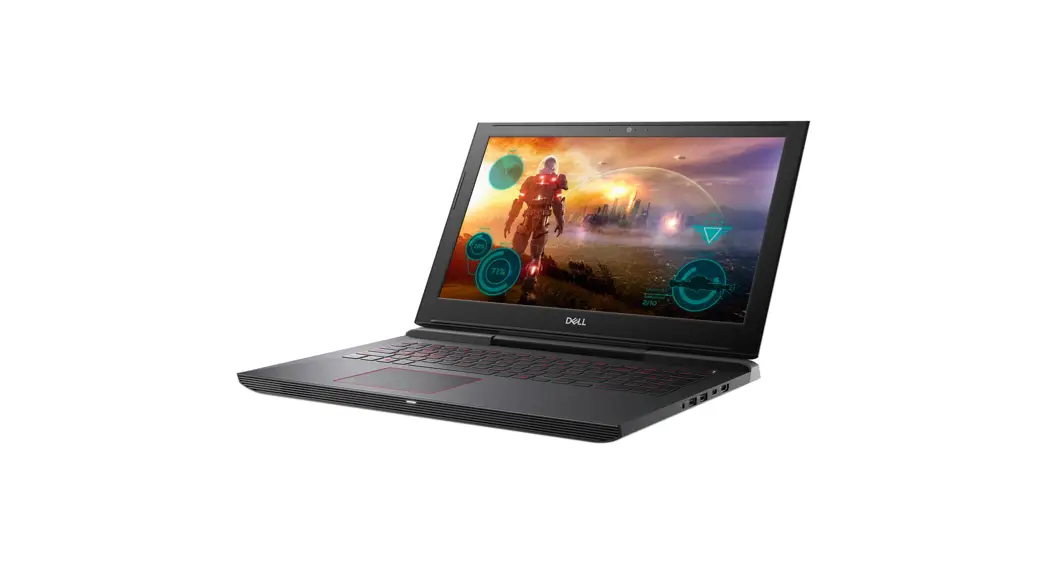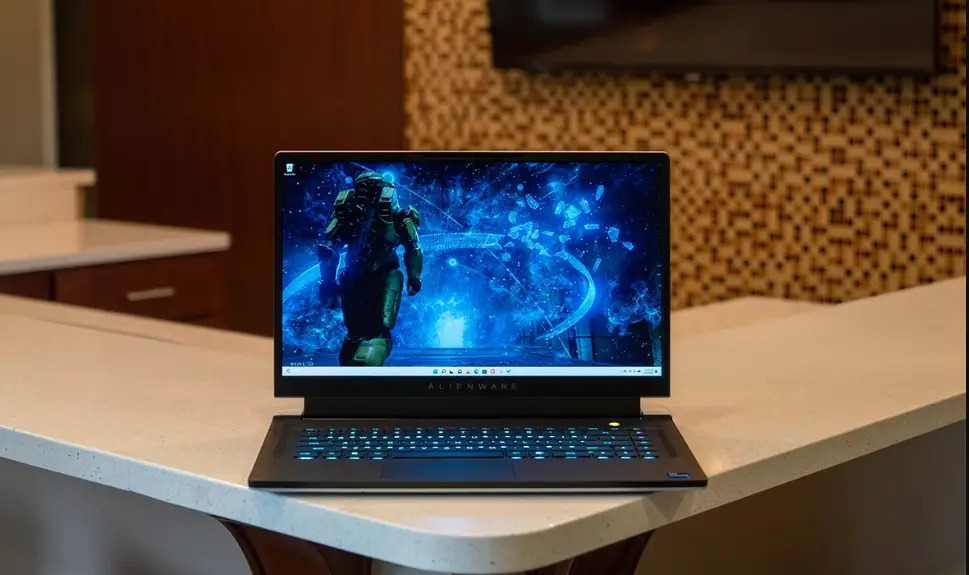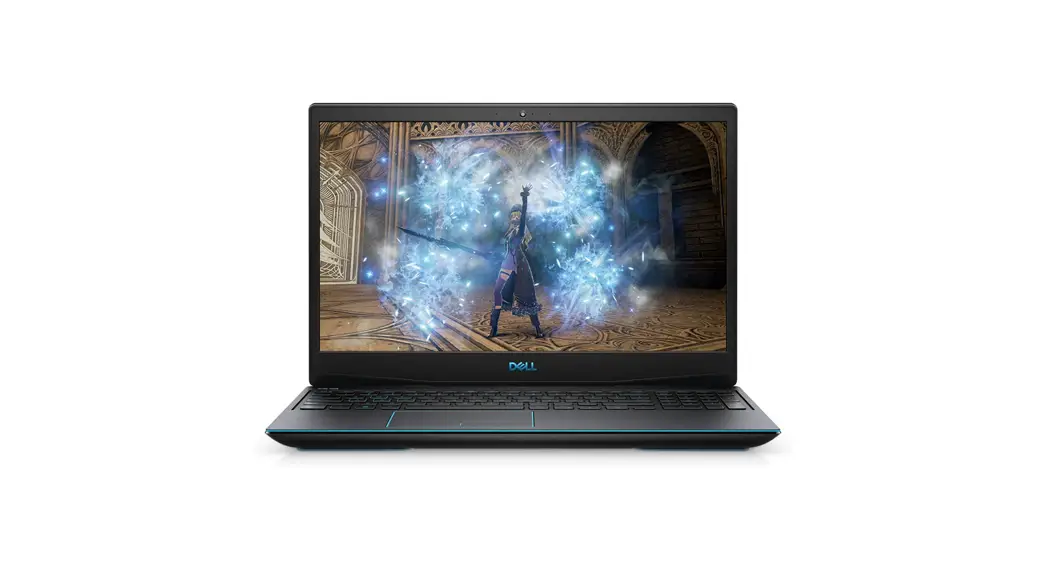
 G3 15 3500 Gaming Laptop
User Guide
G3 15 3500 Gaming Laptop
Notes, cautions, and warnings NOTE: A NOTE indicates important information that helps you make better use of your product.
 CAUTION: A CAUTION indicates either potential damage to hardware or loss of data and tells you how to avoid the problem.
 WARNING: A WARNING indicates a potential for property damage, personal injury, or death.
Set up your Dell G3 15 3500
NOTE: The images in this document may differ from your computer depending on the configuration you ordered.
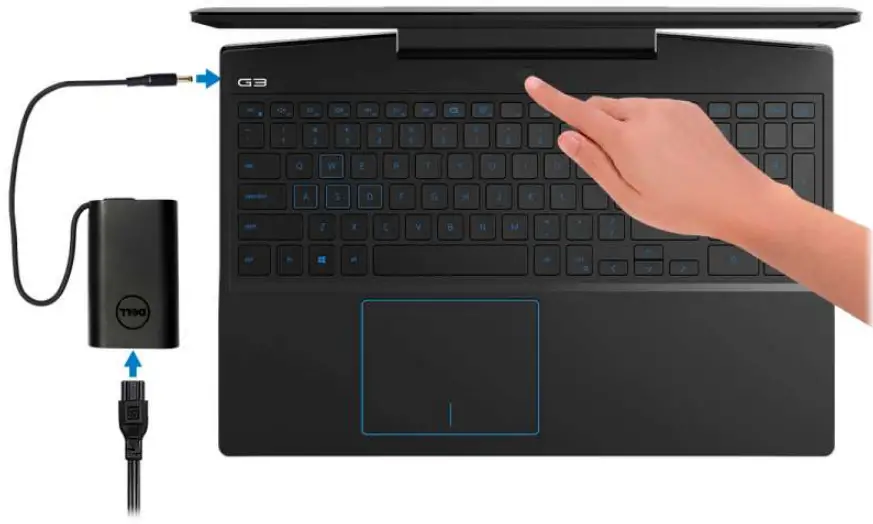
- Connect the power adapter and press the power button.

 NOTE: To conserve battery power, the battery might enter power-saving mode. Connect the power adapter and press the power button to turn on the computer.
 - Finish operating system setup.
For Ubuntu:
Follow the on-screen instructions to complete the setup. For more information about installing and configuring Ubuntu, see the knowledge base articles 000131655 and 000131676 at www.dell.com/support.
For Windows:
Follow the on-screen instructions to complete the setup. When setting up, Dell recommends that you:
● Connect to a network for Windows updates.
NOTE: If connecting to a secured wireless network, enter the password for the wireless network access when prompted.
● If connected to the Internet, sign in with or create a Microsoft account. If not connected to the Internet, create an offline account.
● On the Support and Protection screen, enter your contact details. - Locate and use Dell apps from the Windows Start menu—Recommended.
Table 1. Locate Dell appsResources Description 
My Dell Centralized location for key Dell applications, help articles, and other important information about your computer. It also notifies you about the warranty status, recommended accessories, and software updates if available. 
SupportAssist
SupportAssist proactively and predictively identifies hardware and software issues on your computer and automates the engagement process with Dell Technical support. It addresses performance and stabilization issues, prevents security threats, monitors, and detects hardware failures. For more information, see Support Assist for Home PCs User’s Guide at www.dell.com/serviceabilitytools. Click SupportAssist and then, click SupportAssist for Home PCs.
NOTE: In SupportAssist, click the warranty expiry date to renew or upgrade your warranty.
Dell Update
Updates your computer with critical fixes and latest device drivers as they become available. For more information about using Dell Update, see the knowledge base article 000149088 at www.dell.com/support.
Dell Digital Delivery
Download software applications, which are purchased but not preinstalled on your computer. For more information about using Dell Digital Delivery, see the knowledge base article 000129837 at www.dell.com/support.



Views of Dell G3 15 3500
Right
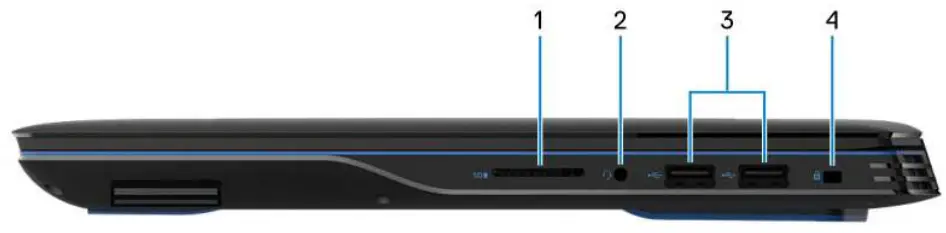
- microSD-card slot
Reads from and writes to the microSD-card. The computer supports the following card types:
● Secure Digital (SD)
● Secure Digital High Capacity (SDHC)
● Secure Digital Extended Capacity (SDXC) - Headset port
Connect headphones or a headset (headphone and microphone combo). - USB 3.2 Gen 1 ports (2)
Connect devices such as external storage devices and printers. Provides data transfer speeds up to 5 Gbps. - Security-cable slot (wedge-shaped)
Connect a security cable to prevent unauthorized movement of your computer.
Left
Computers shipped with NVIDIA GeForce GTX 1650
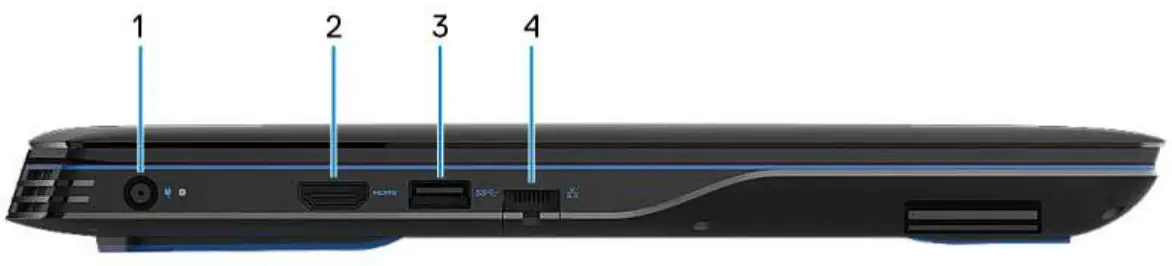
- Power-adapter port
Connect a power adapter to provide power to your computer and charge the battery. - HDMI port
Connect to a TV, external display or another HDMI-in enabled device. Provides video and audio outp - USB 3.2 Gen 1 port
Connect devices such as external storage devices and printers. Provides data transfer speeds up to 5 Gbps. - Network port
Connect an Ethernet (RJ45) cable from a router or a broadband modem for network or Internet access.
Computers shipped with NVIDIA GeForce GTX 1650 Ti
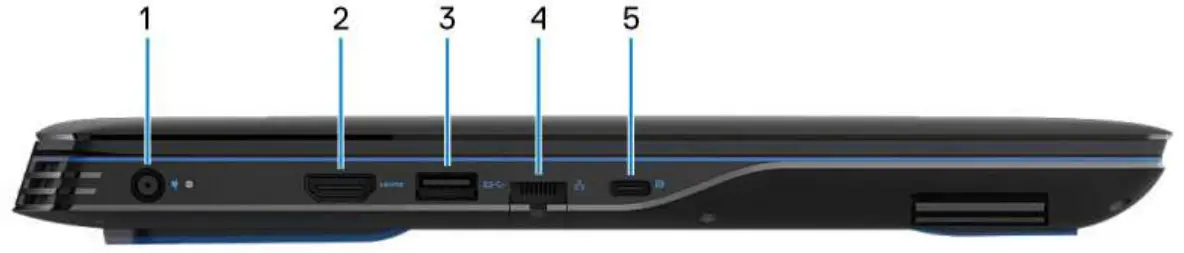
- Power-adapter port
Connect a power adapter to provide power to your computer and charge the battery. - HDMI port
Connect to a TV, external display or another HDMI-in enabled device. Provides video and audio output. - USB 3.2 Gen 1 port
Connect devices such as external storage devices and printers. Provides data transfer speeds up to 5 Gbps. - Network port
Connect an Ethernet (RJ45) cable from a router or a broadband modem for network or Internet access. - USB 3.2 Gen 2 (Type-C) port with DisplayPort
Connect devices such as external storage devices, printers, and external displays. Provides data transfer rate of up to 10 Gbps.
Supports DisplayPort 1.4 and also enables you to connect an external display using a display adapter.NOTE: A USB Type-C to DisplayPort adapter (sold separately) is required to connect a DisplayPort device.
Computers shipped with NVIDIA GeForce GTX 1660Ti and above
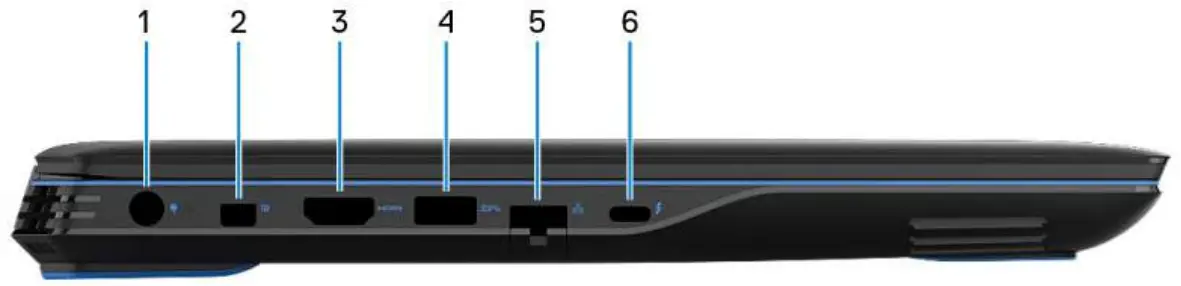
- Power-adapter port
Connect a power adapter to provide power to your computer and charge the battery. - Mini DisplayPort
Connect to a TV or another DisplayPort-in enabled device. Mini DisplayPort provides video and audio output. - HDMI port
Connect to a TV, external display or another HDMI-in enabled device. Provides video and audio output. - USB 3.2 Gen 1 port
Connect devices such as external storage devices and printers. Provides data transfer speeds up to 5 Gbps. - Network port
Connect an Ethernet (RJ45) cable from a router or a broadband modem for network or Internet access. - Thunderbolt 3 (USB Type-C) port
Supports USB 3.1 Gen 2, DisplayPort 1.4, Thunderbolt 3 and also enables you to connect to an external display using a display adapter.
Provides data transfer rates up to 10 Gbps for USB 3.1 Gen 2 and up to 40 Gbps for Thunderbolt 3.NOTE: A USB Type-C to DisplayPort adapter (sold separately) is required to connect a DisplayPort device.
Base
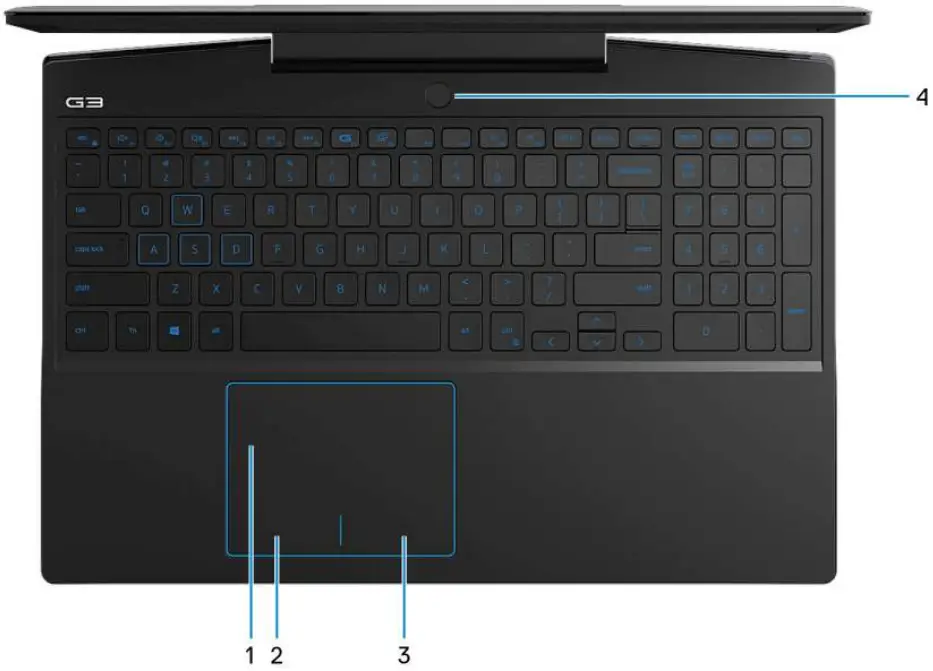
- Touch pad
Move your finger on the touch pad to move the mouse pointer. Tap to left-click and two fingers tap to right-click. - Left-click area
Press to left-click. - Right-click area
Press to right-click. - Power button with optional fingerprint reader
Press to turn on the computer if it is turned off, in sleep state, or in hibernate state.
When the computer is turned on, press the power button to put the computer into sleep state; press and hold the power button for 4 seconds to force shut-down the computer.
If the power button has a fingerprint reader, place your finger on the power button to log in.NOTE: You can customize power-button behavior in Windows. For more information, see Me and My Dell at www.dell.com/support/manuals.
Display
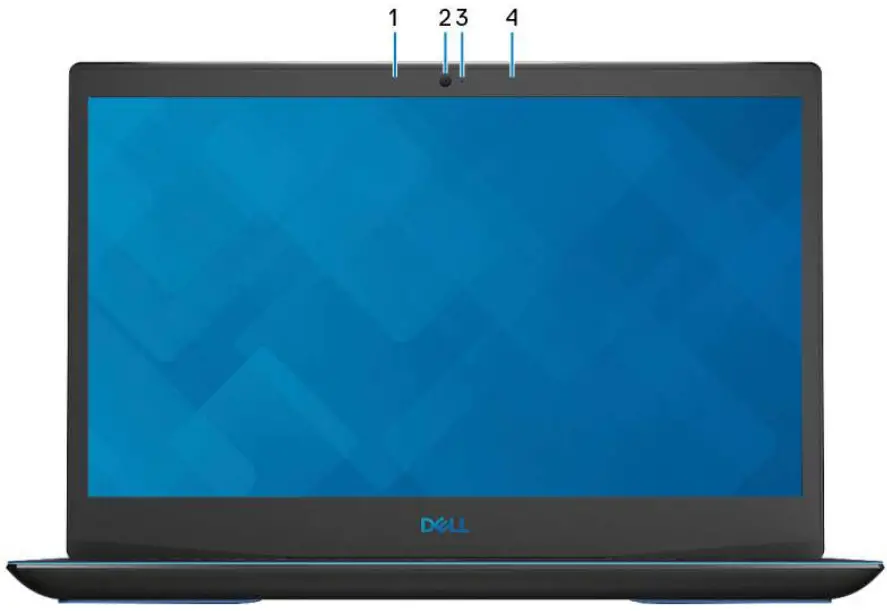
- Left microphone
Provides digital sound input for audio recording and voice calls. - Camera
Enables you to video chat, capture photos, and record videos. - Camera-status light
Turns on when the camera is in use. - Right microphone
Provides digital sound input for audio recording and voice calls.
Bottom
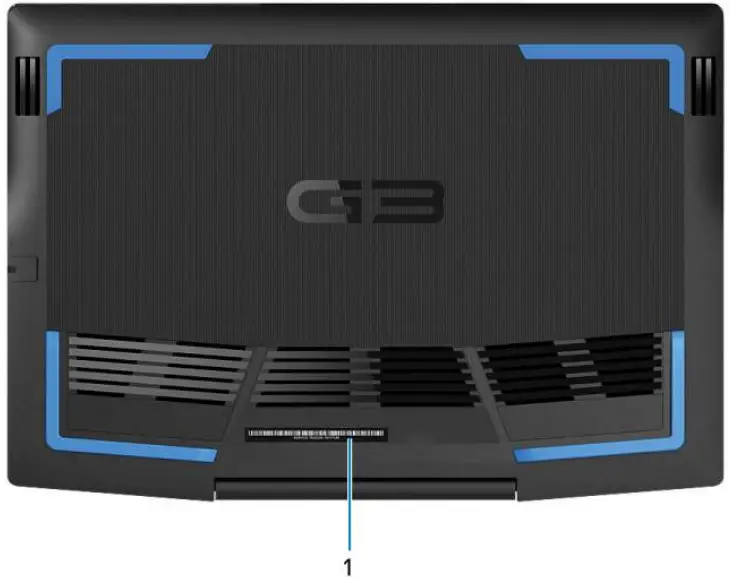
- Service Tag label
The Service Tag is a unique alphanumeric identifier that enables Dell service technicians to identify the hardware components in your computer and access warranty information.
Specifications of Dell G3 15 3500
Dimensions and weight
The following table lists the height, width, depth, and weight of your Dell G3 15 3500.
Table 2. Dimensions and weight
| Description | Values |
| Height: | |
| Front height | 21.60 mm (0.85 in.) |
| Peak height | ● 28.18 mm (1.11 in.): Computers shipped with NIVIDIA GeForce GTX 1650 and 1650 Ti ● 30.96 mm (1.22 in.): Computers shipped with NIVIDIA GeForce GTX 1660 Ti and above NOTE: Peak height values include the height of the computer and footers on the base cover. |
| Rear height | ● 23.31 mm (0.92 in.): Computers shipped with NIVIDIA GeForce GTX 1650 and 1650 Ti ● 26.57 mm (1.05 in.): Computers shipped with NIVIDIA GeForce GTX 1660 Ti and above |
| Width | 364.46 mm (14.35 in.) |
| Depth | 254 mm (10.00 in.) |
| Weight (maximum) | ● 2.56 kg (5.64 lb): Computers shipped with NIVIDIA GeForce GTX 1650 and 1650 Ti ● 2.58 kg (5.69 lb): Computers shipped with NIVIDIA GeForce GTX 1660 Ti and above NOTE: The weight of your computer depends on the configuration ordered and manufacturing variability. |
Processor
The following table lists the details of the processors supported by your Dell G3 15 3500.
Table 3. Processor
| Description | Option one | Option two |
| Processor type | 10th Generation Intel Core i5-10200H | 10th Generation Intel Core i7-10870H |
| Processor wattage | 45 W | 45 W |
| Processor core count | 4 | 8 |
| Processor thread count | 8 | 16 |
| Processor speed | Up to 4.1 GHz | Up to 5 GHz |
| Description | Option one | Option two |
| Processor cache | 8 MB | 16 MB |
| Integrated graphics | Intel UHD Graphics 630 | Intel UHD Graphics 630 |
Chipset
The following table lists the details of the chipset supported by your Dell G3 15 3500.
Table 4. Chipset
| Description | Values |
| Chipset | HM470 |
| Processor | 10th Generation Intel Core i5/i7 |
| DRAM bus width | 128-bit |
| Flash EPROM | 16 MB |
| PCIe bus | Up to Gen3 |
Operating system
Your Dell G3 15 3500 supports the following operating systems:
- Windows 11 Home, 64-bit
- Windows 11 Pro, 64-bit
- Windows 11 Pro National Academic, 64-bit
- Windows 10 Home, 64-bit
- Windows 10 Pro, 64-bit
- Ubuntu 18.04 LTS, 64-bit
Memory
The following table lists the memory specifications of your Dell G3 15 3500.
Table 5. Memory specifications
| Description | Values |
| Memory slots | Two SoDIMM slots |
| Memory type | Dual-channel DDR4 |
| Memory speed | 2933 MHz |
| Maximum memory configuration | 16 GB |
| Minimum memory configuration | 4 GB |
| Memory size per slot | 4 GB, 8 GB |
| Memory configurations supported | ● 8 GB, 1 x 8 GB, DDR4, 2933 MHz, SODIMM, ECC ● 8 GB, 2 x 4 GB, DDR4, 2933 MHz, SODIMM, ECC, dual- channel ● 12 GB, 1 x 4 GB + 1 x 8 GB, DDR4, 2933 MHz, SODIMM, ECC ● 16 GB, 2 x 8 GB, DDR4, 2933 MHz, SODIMM, ECC, dual- channel |
External ports
The following table lists the external ports of your Dell G3 15 3500.
Table 6. External ports
| Description | Values |
| Network port | One RJ45 port |
| USB ports | ● One USB 3.2 Gen 1 port ● Two USB 2.0 ports ● One USB 3.2 Gen 2 (Type-C) port with DisplayPort (for computers shipped with NIVIDIA GeForce GTX 1650 Ti) ● One Thunderbolt 3 port (for computers shipped with NIVIDIA GeForce GTX 1660 Ti and above) |
| Audio port | One headset (headphone and microphone combo) port |
| Video port | ● One HDMI 2.0 port ● One Mini DisplayPort 1.4b (for computers shipped with NIVIDIA GeForce GTX 1660 Ti and above) |
| Media-card reader | One SD-card slot |
| Docking port | Not supported |
| Power-adapter port | One 7.4 mm x 5.1 mm power-adapter port |
| Security | One wedge-shaped lock slot |
Internal slots
The following table lists the internal slots of your Dell G3 15 3500.
Table 7. Internal slots
| Description | Values |
| M.2 | ● One M.2 2230 slot for WiFi and Bluetooth combo card ● Two M.2 2230/2280 slots for solid-state drive/Intel Optane NOTE: To learn more about the features of different types of M.2 cards, see the knowledge base article 000144170 at www.dell.com/support. |
Ethernet
The following table lists the wired Ethernet Local Area Network (LAN) specifications of your Dell G3 15 3500.
Table 8. Ethernet specifications
| Description | Values |
| Model number | ● Realtek GB LAN (for computers shipped with NIVIDIA GeForce GTX 1650 and 1650 Ti) ● Killer E2500 PCI-e Gigabit ethernet controller (for computers shipped with NIVIDIA GeForce GTX 1660 Ti and above) |
| Transfer rate | ● 10/100/1000 Mbps (for computers shipped with NIVIDIA GeForce GTX 1650 and 1650 Ti) ● 10/100/1000/2500 Mbps (for computers shipped with NIVIDIA GeForce GTX 1660 Ti and above) |
Wireless module
The following table lists the Wireless Local Area Network (WLAN) module specifications of your Dell G3 15 3500.
Table 9. Wireless module specifications
| Description | Option one | Option two | Option Three | Option Four |
| Model number | Intel 9462 | Qualcomm QCA9377 (DW 1820) | Intel AX201 | Killer 1650i |
| Transfer rate | Up to 433 Mbps | Up to 433 Mbps | Up to 2400 Mbps | Up to 2400 Mbps |
| Frequency bands supported | 2.4 GHz/5 GHz | 2.4 GHz/5 GHz | 2.4 GHz/5 GHz | 2.4 GHz/5 GHz |
| Wireless standards | ● WiFi 802.11b/g/a ● Wi-Fi 4 (WiFi 802.11n) ● Wi-Fi 5 (WiFi 802.11ac) | ● WiFi 802.11b/g/a ● Wi-Fi 4 (WiFi 802.11n) ● Wi-Fi 5 (WiFi 802.11ac) ● Wi-Fi 6 (WiFi 802.11ax) | ● WiFi 802.11b/g/a ● Wi-Fi 4 (WiFi 802.11n) ● Wi-Fi 5 (WiFi 802.11ac) ● Wi-Fi 6 (WiFi 802.11ax) | ● WiFi 802.11b/g/a ● Wi-Fi 4 (WiFi 802.11n) ● Wi-Fi 5 (WiFi 802.11ac) ● Wi-Fi 6 (WiFi 802.11ax) |
| Encryption | ● 64-bit/128-bit WEP ● AES-CCMP ● TKIP | ● 64-bit/128-bit WEP ● AES-CCMP ● TKIP | ● 64-bit/128-bit WEP ● AES-CCMP ● TKIP | ● 64-bit/128-bit WEP ● AES-CCMP ● TKIP |
| Bluetooth | Bluetooth 5 | Bluetooth 4.2 | Bluetooth 5 | Bluetooth 5 |
Audio
The following table lists the audio specifications of your Dell G3 15 3500.
Table 10. Audio specifications
| Description | Values |
| Audio controller | Realtek ALC3254 with Nahimic 3D Audio for Gamers |
| Description | Values |
| Stereo conversion | Supported |
| Internal audio interface | Intel High-Definition Audio (HDA) via HDMI |
| External audio interface | Headset combo connector/Digital-array microphone input on camera module |
| Number of speakers | Two |
| Internal-speaker amplifier | Supported (audio codec built-in amplifier) |
| External volume controls | Keyboard shortcut controls |
| Speaker output: | |
| Average speaker output | 2 W |
| Peak speaker output | 2.5 W |
| Subwoofer output | Not supported |
| Microphone | Dual-array microphones |
Storage
This section lists the storage options on your Dell G3 15 3500.
Your Dell G3 15 3500 supports one of the following storage configurations:
- One M.2 2230/2280 solid-state drive
- One M.2 2230 solid-state drive and one M.2 2280 solid-state drive
- One 2.5-inch hard drive and one Intel OptaneNOTE: 2.5-inch hard drive is supported only on the computers shipped with 3-cell (51 Wh) battery.
- One 2.5-inch hard drive and one M.2 2230/2280 solid-state driveNOTE: 2.5-inch hard drive is supported only on the computers shipped with 3-cell (51 Wh) battery.
The primary drive of your Dell G3 15 3500 varies with the storage configuration. For computers: - with an M.2 drive, the M.2 drive is the primary drive
- without an M.2 drive, the 2.5-inch drive is the primary drive
Table 11. Storage specifications
| Storage type | Interface type | Capacity |
| 2.5-inch hard drive | SATA AHCI, up to 6 Gbps | Up to 2 TB |
| M.2 2230/2280 solid-state drive | PCIe Gen3 x4 NVMe | Up to 1 TB |
| M.2 2280 Intel Optane storage | PCIe Gen3 x4 NVMe | Up to 512 GB |
Intel Optane Memory H10 with Solid State Storage (optional)
Intel Optane Memory technology utilizes 3D XPoint memory technology and functions as a non-volatile storage cache/accelerator and/or storage device depending on the Intel Optane Memory installed in your computer.
Intel Optane Memory H10 with Solid State Storage functions as both a non-volatile storage cache/accelerator (enabling enhanced read/write speeds for hard-drive storage) and a solid-state storage solution. It neither replaces nor adds to the memory (RAM) installed on your computer.
Table 12. Intel Optane Memory H10 with Solid State Storage specifications
| Description | Values |
| Interface | PCIe 3 x4 NVMe ● One PCIe 3 x2 for Optane memory ● One PCIe 3 x2 for solid-state storage |
| Connector | M.2 |
| Form factor | 2280 |
| Capacity (Intel Optane memory) | Up to 32 GB |
| Capacity (solid-state storage) | Up to 512 GB |
NOTE: Intel Optane Memory H10 with Solid State Storage is supported on computers that meet the following requirements:
- 9th Generation or higher Intel Core i3/i5/i7 processors
- Windows 10 64-bit version or higher (Anniversary Update)
- Intel Rapid Storage Technology driver version 15.9.1.1018 or higher
Media-card reader
The following table lists the media cards supported by your Dell G3 15 3500.
Table 13. Media-card reader specifications
| Description | Values |
| Media-card type | One SD card |
| Media-cards supported | ● Secure Digital (SD) ● Secure Digital High Capacity (SDHC) ● Secure Digital Extended Capacity (SDXC) |
| NOTE: The maximum capacity supported by the media-card reader varies depending on the standard of the media card installed in your computer. | |
Keyboard
The following table lists the keyboard specifications of your Dell G3 15 3500.
Table 14. Keyboard specifications
| Description | Values |
| Keyboard type | ● Standard keyboard ● Backlit keyboard |
| Description | Values |
| ● Four-zone RGB backlit keyboard | |
| Keyboard layout | QWERTY |
| Number of keys | ● United States and Canada: 101 keys ● United Kingdom: 102 keys ● Japan: 105 keys |
| Keyboard size | X=19.05 mm key pitch Y=18.05 mm key pitch |
| Keyboard shortcuts | Some keys on your keyboard have two symbols on them. These keys can be used to type alternate characters or to perform secondary functions. To type the alternate character, press Shift and the desired key. To perform secondary functions, press Fn and the desired key. NOTE: You can define the primary behavior of the function keys (F1–F12) changing Function Key Behavior in BIOS setup program. For more information, see keyboard shortcuts.Keyboard shortcuts |
Camera
The following table lists the camera specifications of your Dell G3 15 3500.
Table 15. Camera specifications
| Description | Values |
| Number of cameras | One |
| Camera type | RGB HD camera |
| Camera location | Front camera |
| Camera sensor type | CMOS sensor technology |
| Camera resolution: | |
| Still image | 0.92 megapixel |
| Video | 1280 x 720 (HD) at 30 fps |
| Diagonal viewing angle: | 78.6 degrees |
Touchpad
The following table lists the touchpad specifications of your Dell G3 15 3500.
Table 16. Touch pad specifications
| Description | Values |
| Touch pad resolution: | |
| Horizontal | 1229 |
| Vertical | 749 |
| Touchpad dimensions: | |
| Horizontal | 105 mm (4.13 in.) |
| Vertical | 80 mm (3.15 in.) |
| Touchpad gestures | For more information about touch pad gestures available on Windows, see the Microsoft knowledge base article 4027871 at support.microsoft.com. |
Power adapter
The following table lists the power adapter specifications of your Dell G3 15 3500.
Table 17. Power adapter specifications
| Description | Option one | Option two |
| Type | 130 W | 240 W |
| Connector dimensions: | ||
| External diameter | 7.40 mm | 7.40 mm |
| Internal diameter | 5.10 mm | 5.10 mm |
| Input voltage | 100 VAC–240 VAC | 100 VAC–240 VAC |
| Input frequency | 50 Hz–60 Hz | 50 Hz–60 Hz |
| Input current (maximum) | 1.80 A | 3.50 A |
| Output current (continuous) | 6.70 A | 12.31 A |
| Rated output voltage | 19.50 VDC | 19.50 VDC |
| Temperature range: | ||
| Operating | 0°C to 40°C (32°F to 104°F) | 0°C to 40°C (32°F to 104°F) |
| Storage | -40°C to 70°C (-40°F to 158°F) | -40°C to 70°C (-40°F to 158°F) |
Battery
The following table lists the battery specifications of your Dell G3 15 3500.
Table 18. Battery specifications
| Description | Option one | Option two |
| Battery type | 3-cell (51 Wh) “smart” lithium-ion | 4-cell (68 Wh) “smart” lithium-ion |
| Battery voltage | 11.40 VDC | 11.40 VDC |
| Battery weight (maximum) | 0.23 kg (0.51 lb) | 0.23 kg (0.51 lb) |
| Battery dimensions: | ||
| Height | 241.25 mm (9.50 in.) | 241.25 mm (9.50 in.) |
| Width | 67.45 mm (2.66 in.) | 67.45 mm (2.66 in.) |
| Depth | 7.05 mm (0.28 in.) | 7.05 mm (0.28 in.) |
| Temperature range: | ||
| Operating | 0°C to 35°C (32°F to 95°F) | 0°C to 35°C (32°F to 95°F) |
| Storage | -40°C to 65°C (-40°F to 149°F) | -40°C to 65°C (-40°F to 149°F) |
| Battery operating time | Varies depending on operating conditions and can significantly reduce under certain power-intensive conditions. | Varies depending on operating conditions and can significantly reduce under certain power-intensive conditions. |
| Battery charging time (approximate)NOTE: Control the charging time, duration, start and end time, and so on using the Dell Power Manager application. For more information on the Dell Power Manager see, Me and My Dell on www.dell.com. | 4 hours (when the computer is off) | 4 hours (when the computer is off) |
| Coin-cell battery | CR2032 | CR2032 |
Display
The following table lists the display specifications of your Dell G3 15 3500.
Table 19. Display specifications
| Description | Option one | Option two | Option three | Option four |
| Display type | Full High Definition (FHD) | Full High Definition (FHD) | Full High Definition (FHD) | Full High Definition (FHD) |
| Display-panel technology | Wide-Viewing Angle (WVA) | Wide-Viewing Angle (WVA) | Wide-Viewing Angle (WVA) | Wide-Viewing Angle (WVA) |
| Display-panel dimensions (active area): | ||||
| Height | 139.59 mm (5.50 in.) | 139.59 mm (5.50 in.) | 139.59 mm (5.50 in.) | 193.59 mm (7.62 in.) |
| Width | 344.16 mm (13.55 in.) | 344.16 mm (13.55 in.) | 344.16 mm (13.55 in.) | 350.66 mm (13.81 in.) |
| Diagonal | 395 mm (15.55 in.) | 395 mm (15.55 in.) | 395 mm (15.55 in.) | 395 mm (15.55 in.) |
| Display-panel native resolution | 1920 x 1080 | 1920 x 1080 | 1920 x 1080 | 1920 x 1080 |
| Luminance (typical) | 220 nits | 300 nits | 300 nits | 250 nits |
| Megapixels | 2.07 | 2.07 | 2.07 | 2 |
| Color gamut | 45% NTSC | 72% NTSC | 72% NTSC | 45% NTSC |
| Pixels Per Inch (PPI) | 141 | 141 | 141 | 141 |
| Contrast ratio (typ) | 800 : 1 | 700 : 1 | 800 : 1 | 800 : 1 |
| Response time (min) | 35 ms | 35 ms | 19 ms | 35 ms |
| Refresh rate | 60 Hz | 60 Hz | 144 Hz | 120 Hz |
| Horizontal view angle | 85 +/- degrees | 85 +/- degrees | 85 +/- degrees | 80 +/- degrees |
| Vertical view angle | 85 +/- degrees | 85 +/- degrees | 85 +/- degrees | 80 +/- degrees |
| Pixel pitch | 0.18 mm | 0.18 mm | 0.18 mm | 0.18 mm |
| Power consumption (maximum) | 4.20 W | 6.2 W | 7.8 W | 4.6 W |
| Anti-glare vs glossy finish | Anti-glare | Anti-glare | Anti-glare | Anti-glare |
| Touch options | No | No | No | No |
Fingerprint reader (optional)
The following table lists the specifications of the optional fingerprint-reader of your Dell G3 15 3500.
Table 20. Fingerprint reader specifications
| Description | Values |
| Fingerprint-reader sensor technology | Capacitive |
| Fingerprint-reader sensor resolution | 500 dpi |
| Fingerprint-reader sensor pixel size | 108 x 88 |
GPU—Integrated
The following table lists the specifications of the integrated Graphics Processing Unit (GPU) supported by your Dell G3 15 3500.
Table 21. GPU—Integrated
| Controller | Memory size | Processor |
| Intel UHD Graphics 630 | Shared system memory | 10th Generation Intel Core i5/i7 |
GPU—Discrete
The following table lists the specifications of the discrete Graphics Processing Unit (GPU) supported by your Dell G3 15 3500
Table 22. GPU—Discrete
| Controller | Memory size | Memory type |
| NVIDIA GeForce GTX 1650 | 4 GB | GDDR6 |
| NVIDIA GeForce GTX 1650 Ti | 4 GB | GDDR6 |
| NVIDIA GeForce GTX 1660 Ti | 6 GB | GDDR6 |
| NVIDIA GeForce RTX 2060 | 6 GB | GDDR6 |
Operating and storage environment
This table lists the operating and storage specifications of your Dell G3 15 3500.
Airborne contaminant level: G1 as defined by ISA-S71.04-1985
Table 23. Computer environment
| Description | Operating | Storage |
| Temperature range | 0°C to 35°C (32°F to 95°F) | -40°C to 65°C (-40°F to 149°F) |
| Relative humidity (maximum) | 10% to 90% (non-condensing) | 0% to 95% (non-condensing) |
| Vibration (maximum)* | 0.66 GRMS | 1.30 GRMS |
| Shock (maximum) | 110 G† | 160 G† |
| Altitude range | -15.2 m to 3048 m (-49.87 ft to 10000 ft) | -15.2 m to 10668 m (-49.87 ft to 35000 ft) |
* Measured using a random vibration spectrum that simulates user environment.
† Measured using a 2 ms half-sine pulse when the hard drive is in use.
Keyboard shortcuts
NOTE: Keyboard characters may differ depending on the keyboard language configuration. Keys used for shortcuts remain the same across all language configurations.
Some keys on your keyboard have two symbols on them. These keys can be used to type alternate characters or to perform secondary functions. The symbol shown on the lower part of the key refers to the character that is typed out when the key is pressed. If you press Shift and the key, the symbol shown on the upper part of the key is typed out. For example, if you press 2, 2 is typed out; if you press Shift + 2, @ is typed out.
The keys F1 to F12 at the top row of the keyboard are function keys for multi-media control, as indicated by the icon at the bottom of the key. Press the function key to invoke the task represented by the icon. For example, pressing F1 mutes the audio (refer to the table below).
However, if the function keys F1 to F12 are needed for specific software applications, multi-media functionality can be disabled by pressing fn + Esc. Subsequently, multi-media control can be invoked by pressing fn and the respective function key. For example, mute audio by pressing fn + F1.NOTE: You can also define the primary behavior of the function keys (F1 to F12) by changing Function Key Behavior in the BIOS setup program.
Table 24. List of keyboard shortcuts
| Function key | Redefined key (for multimedia control) | Behavior |
 | 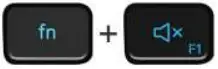 | Mute audio |
 | 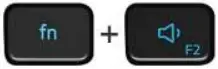 | Decrease volume |
 | 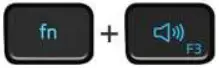 | Increase volume |
 | 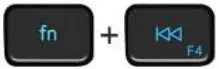 | Play previous track/chapter |
 | 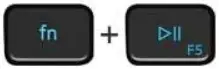 | Play/Pause |
 | 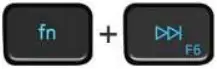 | Play next track/chapter |
 | 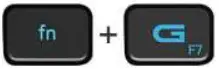 | Enable/disable Game Shift |
 | 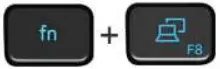 | Switch to external display |
 | 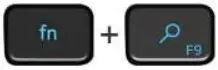 | Search |
| Function key | Redefined key (for multimedia control) | Behavior |
 | 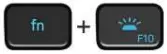 | Toggle keyboard backlight (optional)NOTE: Non-backlight keyboards have the F10 function key without the backlight icon. In this case, the function key does not toggle the keyboard backlight function. |
 | 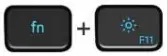 | Decrease brightness |
 | 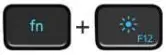 | Increase brightness |
The Fn key is also used with selected keys on the keyboard to invoke other secondary functions.
Table 25. List of keyboard shortcuts
| Function key | Behavior |
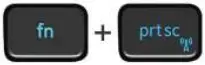 | Turn off/on wireless |
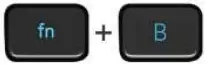 | Pause/Break |
 | Sleep |
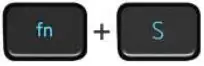 | Toggle scroll lock |
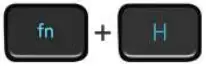 | Toggle between power and battery-status light/hard-drive activity light |
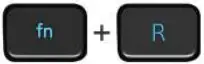 | System request |
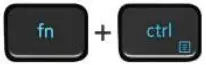 | Open application menu |
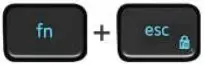 | Toggle fn key lock |
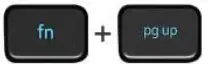 | Page up |
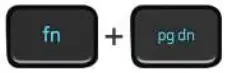 | Page down |
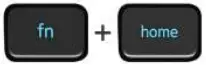 | Home |
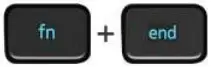 | End |
Getting help and contacting Dell
Self-help resources
You can get information and help on Dell products and services using these self-help resources:
Table 26. Self-help resources
| Self-help resources | Resource location |
| Information about Dell products and services | www.dell.com |
| My Dell app | |
| Tips |  |
| Contact Support | In Windows search, type Contact Support, and press Enter. |
| Online help for operating system | www.dell.com/support/windows www.dell.com/support/linux |
| Access top solutions, diagnostics, drivers and downloads, and learn more about your computer through videos, manuals and documents. | Your Dell computer is uniquely identified by a Service Tag or Express Service Code. To view relevant support resources for your Dell computer, enter the Service Tag or Express Service Code at www.dell.com/support. For more information on how to find the Service Tag for your computer, see Locate the Service Tag on your computer. |
| Dell knowledge base articles for a variety of computer concerns | 1. Go to www.dell.com/support. 2. On the menu bar at the top of the Support page, select Support > Knowledge Base. 3. In the Search field on the Knowledge Base page, type the keyword, topic, or model number, and then click or tap the search icon to view the related articles. |
Contacting Dell
To contact Dell for sales, technical support, or customer service issues, see www.dell.com/contactdell.NOTE: Availability varies by country/region and product, and some services may not be available in your country/region.NOTE: If you do not have an active Internet connection, you can find contact information about your purchase invoice, packing slip, bill, or Dell product catalog.
Regulatory Model: P89F
Regulatory Type: P89F002
August 2021
Rev. A05
© 2020-2021 Dell Inc. or its subsidiaries. All rights reserved. Dell, EMC, and other trademarks are trademarks of Dell Inc. or its subsidiaries.
Other trademarks may be trademarks of their respective owners.
References
 Microsoft Support
 Computers, Monitors & Technology Solutions | Dell USA
-
Computers, Monitors & Technology Solutions | Dell USA
-
Contact Support | Dell US
-
Support | Dell US
-
Dell - Dell Linux - Community Web
-
Manuals | Dell US
-
Windows Operating Systems | Dell US
-
Microsoft Support
-
Touch gestures for Windows - Microsoft Support
-
Computers, Monitors & Technology Solutions | Dell USA
-
Computers, Monitors & Technology Solutions | Dell USA
-
Contact Support | Dell US
-
Support | Dell US
-
Support | Dell US
-
What is Dell Digital Delivery? | Dell US
-
How to distinguish the differences between M.2 cards | Dell US
-
Dell Update and Alienware Update - Overview and common questions | Dell US
-
Find your Service Tag or Serial Number | Dell Singapore
-
Support for SupportAssist for Home PCs | Documentation | Dell US
-
How to distinguish the differences between M.2 cards | Dell US
-
How to Install Ubuntu Linux on your Dell Computer | Dell US
-
How to configure Ubuntu Linux after it's first installed on your Dell PC | Dell US
-
Dell - Dell Linux - Community Web
-
Manuals | Dell US
-
Windows Operating Systems | Dell US
 Microsoft Support
 Computers, Monitors & Technology Solutions | Dell USA