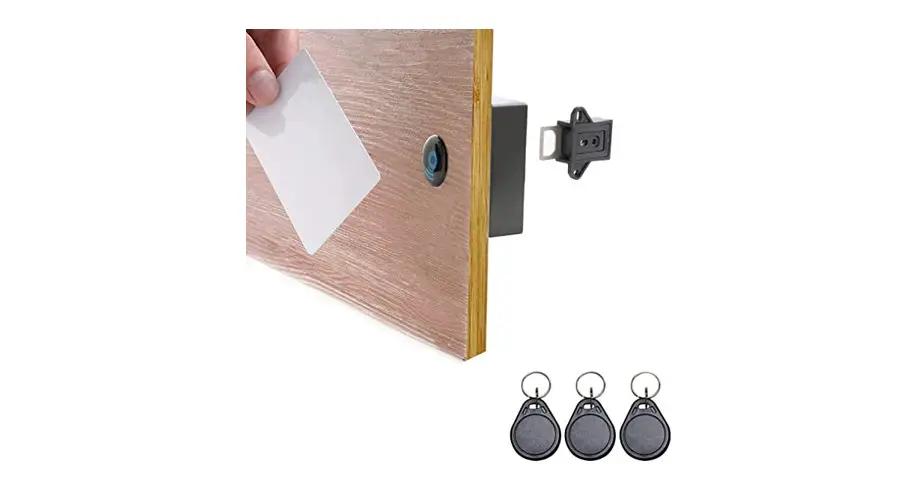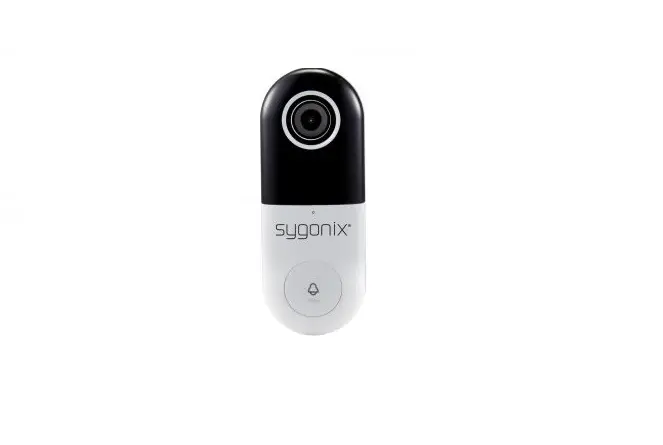

SYGONIX 2380478 RFID Code Lock
Overview for programming
RFID code lock
Item no. 2380478
In the following tables, a reference to the chapter number of the main manual is given in the first line to make it easier for you to find the detailed description.
| Enter programming mode (8. a) | |
| Procedure | Key combination/operation |
| Enter programming mode |  (Master code)
|
The master code is 1 2 3 4 5 6 in the basic default settings (or after resetting to factory defaults).
| Changing master code (8. b) | |
| Procedure | Key combination/operation |
| 1. Enter programming mode | (Master code) |
| 2. Enter programming code | 0 |
| 3. Enter new master code | (New master code) |
| 4. Confirm entry |  |
| 5. Enter new master code again | (New master code) |
| 6. Confirm entry | |
| 7. Exit programming mode | |
The master code can consist of 4 to 6 digits.
| Pairing user transponder via the keypad (8. c) Option 1: User transponder is automatically saved in the next free memory cell | |
| Procedure | Key combination/operation |
| 1. Enter programming mode | (Master code) |
| 2. Enter programming code | 1 |
| 3. Pair transponder | (Read transponder) |
| 4. Exit pairing mode | |
| 5. Exit programming mode | |
To pair multiple user transponders in succession, repeat steps 3 to 5.
| Pairing user transponder via the keypad (8. c) Option 2: User transponder is assigned to a specific memory cell | |
| Procedure | Key combination/operation |
| 1. Enter programming mode | (Master code) |
| 2. Enter programming code | 1 |
| 3. Enter memory cell number | (Memory cell number), from 0 …..9 8 9 |
| 4. Confirm entry | |
| 5. Pair transponder | (Read transponder) |
| 6. Exit pairing mode | |
| 7. Exit programming mode | |
To pair multiple user transponders one after the other, repeat step 2.
| Pairing user transponder with master transponder (8. c) | |
| Procedure | Key combination/operation |
| 1. Start pairing process | (Read master transponder) |
| 2. Pair transponder | (Read transponder) |
| 3. Stop pairing process | (Read master transponder) |
| Deleting user transponder (8. d) via the keypad | |
| Procedure | Key combination/operation |
| 1. Enter programming mode | (Master code) |
| 2. Enter programming code | 2 |
| 3. Perform the deletion process | (Read transponder) or Enter the memory cell number (0 …..9 8 9 ) and confirm with the button |
| 4. Exit delete mode | |
| 5. Exit programming mode | |
To delete multiple user transponders one after the other, repeat step 3.
| Deleting user transponder (8. d) with the master transponder | |
| Procedure | Key combination/operation |
| 1. Start delete mode | (Read master transponder twice) |
| 2. Delete transponder | (Read transponder) |
| 3. Exit delete mode | (Read master transponder) |
To delete multiple user transponders one after the other, repeat step 2.
| Saving user code (8. e) First option: User code is automatically saved in the next free memory cell | |
| Procedure | Key combination/operation |
| 1. Enter programming mode | (Master code) |
| 2. Enter programming code | 1 |
| 3. Enter the user code | (User code),possible from 0 0 0 1…..9 9 9 9 9 9 Note: The code “1234” cannot be used as it has a special function (it is used for saving a user PIN). |
| 4. Confirm entry | |
| 5. Exit the storage mode | |
| 6. Exit programming mode | |
To save multiple user codes one after the other, repeat steps 3 and 4. The memory cell number is automatically increased by one.
| Saving user code (8. e) Second option: User code is assigned to a specific memory cell | |
| Procedure | Key combination/operation |
| 1. Enter programming mode | (Master code) |
| 2. Enter programming code | 1 |
| 3. Enter memory cell number | (Memory cell number), from 0 …..9 8 9 |
| 4. Confirm entry | |
| 5. Enter the user code | (User code),possible from 0 0 0 1 …..9 9 9 9 9 9 Note: The code “1234” cannot be used as it has a special function (it is used for saving a user PIN). |
| 6. Confirm entry | |
| 7. Exit the storage mode | |
| 8. Exit programming mode | |
To save multiple user codes one after the other, repeat steps 3, 4, 5 and 6.
| Deleting user code (8. f) | |
| Procedure | Key combination/operation |
| 1. Enter programming mode | (Master code) |
| 2. Enter programming code | 2 |
| 3. Perform the deletion process | Enter the user code and press the button to confirm or Enter the memory cell number (0 …..9 8 9 ) and confirm with the button |
| 4. Exit delete mode | |
| 5. Exit programming mode | |
To delete multiple user codes one after the other, repeat step 3.
| Clearing all memory cells (8. g) | |
| Procedure | Key combination/operation |
| 1. Enter programming mode | (Master code) |
| 2. Enter programming code | 2 |
| 3. Enter the cancellation code | 0 0 0 0 |
| 4. Confirm entry and exit delete mode | |
| 5. Exit programming mode | |
| Selecting access mode (8. h) | |
| Procedure | Key combination/operation |
| 1. Enter programming mode | (Master code) |
| 2. Enter programming code | 3 |
| 3. Select the access mode | 0 = Access with user transponder or user code (default setting) 1= Access with user transponder and respective user PIN (a separate user PIN must be assigned to each user transponder) = Access with user transponder only |
| 4. Exit the setting mode | |
| 5. Exit programming mode | |
| Saving user PIN (8. i); required for access mode | |
| Procedure | Key combination/operation |
| 1. Start entering | |
| 2. Read the user transponder for which the user PIN is to be saved | (Read user transponder) |
| 3. Enter programming code | 1 2 3 4 |
| 4. Confirm entry | |
| 5. Enter the user PIN | (User PIN), possible from 0 0 0 1…..9 9 9 9 9 9 Note: The code “1234” cannot be used as it has a special function (it is used for saving a user PIN). |
| 6. Confirm entry | |
| 7. Enter the user PIN once again for security reasons | (User PIN) |
| 8. Confirm the input and exit the input mode | |
The user PIN has nothing to do with the user code. For the access mode, a separate user PIN must be assigned to each user transponder.
To assign a user PIN to multiple user transponders, repeat steps 1 to 8.
| Changing a user PIN (8. j) First option: Changing a user PIN with the user transponder | |
| Procedure | Key combination/operation |
| 1. Start entering | |
| 2. Read the user transponder the user PIN of which is to be changed | (Read user transponder) |
| 3. Enter the old user PIN | (Old user PIN) |
| 4. Confirm entry | |
| 5. Enter the new user PIN | (New user PIN), possible from 0 0 0 1…..9 9 9 9 9 9 Note: The code “1234” cannot be used as it has a special function (it is used for saving a user PIN). |
| 6. Confirm entry | |
| 7. Enter the new user PIN once again for security reasons | (New user PIN) |
| 8. Confirm the input and exit the input mode | |
| Changing a user PIN (8. j) Second option: Changing a user PIN with the memory cell number | |
| Procedure | Key combination/operation |
| 1. Start entering | |
| 2. Enter memory cell number | Enter the memory cell number, possible from 0 …..9 8 9 |
| 3. Confirm entry | |
| 4. Enter the old user PIN | (Old user PIN) |
| 5. Confirm entry | |
| 6. Enter the new user PIN | (New user PIN), possible from 0 0 0 1…..9 9 9 9 9 Note: The code “1234” cannot be used as it has a special function (it is used for saving a user PIN). |
| 7. Confirm entry | |
| 8. Enter the new user PIN once again for security reasons | (New user PIN) |
| 9. Confirm the input and exit the input mode | |
| Setting activation duration for changeover contact (8. k) | |
| Procedure | Key combination/operation |
| 1. Enter programming mode | (Master code) |
| 2. Enter programming code | 4 |
| 3. Changeover contact activation time | 1 …..9 9 = 1 – 99 seconds or 0= Toggle operation |
| 4. Confirm entry | |
| 5. Exit programming mode | |
The activation period in the basic default settings (or after resetting to factory defaults) is 5 seconds.
| Enabling or disabling protection against incorrect entries (8. l) | |
| Procedure | Key combination/operation |
| 1. Enter programming mode | (Master code) |
| 2. Enter programming code | 6 |
| 3. Select protection function | 0= Protection function is disabled or 1= Block for 10 minutes (during this time you cannot access with a valid user transponder or via the keypad; the master transponder is also inoperative) or 2= Block with alarm for 1 to 3 minutes (for setting the alarm time, see section 8. m); alarm can be disabled in advance with a valid user transponder or user code or through the entry of the master code |
| 4. Confirm entry | |
| 5. Exit programming mode | |
After enabling the 2 functions, you must set the alarm time from 1 to 3 minutes (default setting: 1 minute).
| Setting the alarm time for protection function (8. m) | |
| Procedure | Key combination/operation |
| 1. Enter programming mode | (Master code) |
| 2. Enter programming code | |
| 3. Set alarm time | (alarm duration); possible is ….. minutes |
| 4. Confirm entry | |
| 5. Exit programming mode | |
By default and after resetting to factory defaults, the alarm time is 1 minute.
| Pairing visitor transponder (8. n) | |
| Procedure | Key combination/operation |
| 1. Enter programming mode | (Master code) |
| 2. Enter programming code | 8 |
| 3. Enter the number of times the visitor transponder may be used for access | (number of access attempts), possible is 0…..9 (the number “0” represents 10 access attempts) |
| 4. Confirm entry | |
| 5. Enter memory cell number | (Memory cell number), possible is ….. |
| 6. Confirm entry | |
| 7. Pair visitor transponders | (Read transponder) |
| 8. Exit pairing mode | |
| 9. Exit programming mode | |
To pair multiple visitor transponders one after the other, repeat steps 3 to 7.
After the preprogrammed number of access attempts has been used for the visitor transponder, the code lock automatically deletes the transponder from the memory. The cleared memory cell number is now available for programming another visitor transponder.
To delete the visitor transponder in advance (for example, when not all preprogrammed access attempts have been used), proceed as for deletion of user transponders (see section 8. e).
| Saving visitor code (8. n) | |
| Procedure | Key combination/operation |
| 1. Enter programming mode | (Master code)
|
| 2. Enter programming code | 8 |
| 3. Enter the number of times the visitor code may be used for access | (number of access attempts), possible is 0…..9 (the number “0” represents 10 access attempts) |
| 4. Confirm entry | |
| 5. Enter memory cell number | (Memory number), possible is 9 9 0…..9 9 9 |
| 6. Confirm entry | |
| 7. Enter the visitor code | (Visitor code),possible is 0 0 0 1…..9 9 9 9 9 Note: The code “1234” cannot be used as it has a special function (it is used for saving a user PIN). |
| 8. Confirm entry | |
| 9. Exit pairing mode | |
| 10. Exit programming mode | |
To save multiple visitor codes one after the other, repeat steps 3 and 8.
After the preprogrammed number of access attempts has been used for the visitor code, the code lock automatically deletes the visitor code from the memory. The cleared memory cell number isnow available for programming another visitor code.
To delete the visitor code in advance (for example, when not all preprogrammed access attempts have been used), proceed in the same way as for deleting user transponders (see section 8. e).
| Deleting visitor transponder or visitor code (8. n) | |
| Procedure | Key combination/operation |
| 1. Enter programming mode | (Master code)
|
| 2. Enter programming code | 2 |
| 3. Enter memory cell number | (Memory cell number), possible is 9 9 0 …..9 9 9 |
| 4. Confirm entry | |
| 5. Exit delete mode | |
| 6. Exit programming mode | |
To delete multiple visitor transponders or visitor codes one after the other, repeat steps 3 and 4.
This is a publication by Conrad Electronic SE, Klaus-Conrad-Str. 1, D-92240 Hirschau (www.conrad.com).
All rights including translation reserved. Reproduction by any method, e.g. photocopy, microfilming, or the capture in electronic data processing systems require the prior written approval by the editor. Reprinting, also in part, is prohibited.
This publication represent the technical status at the time of printing.
Copyright 2021 by Conrad Electronic SE.
*2380478_V1_1021_02_VTP_prog_en