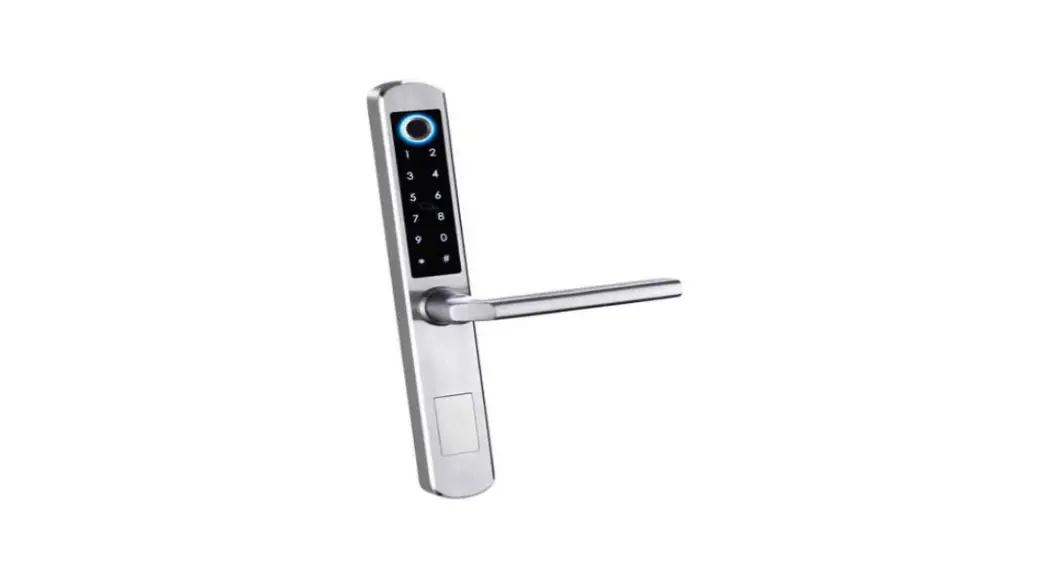
 MLA210 Digital Lock
Instructions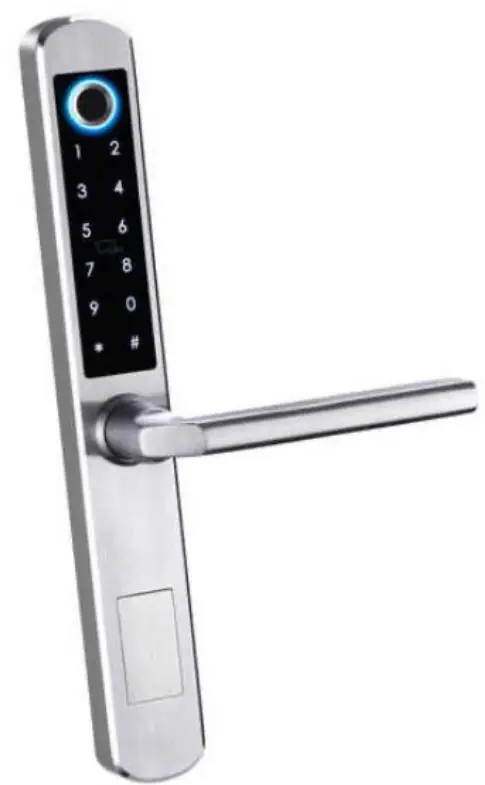
Description
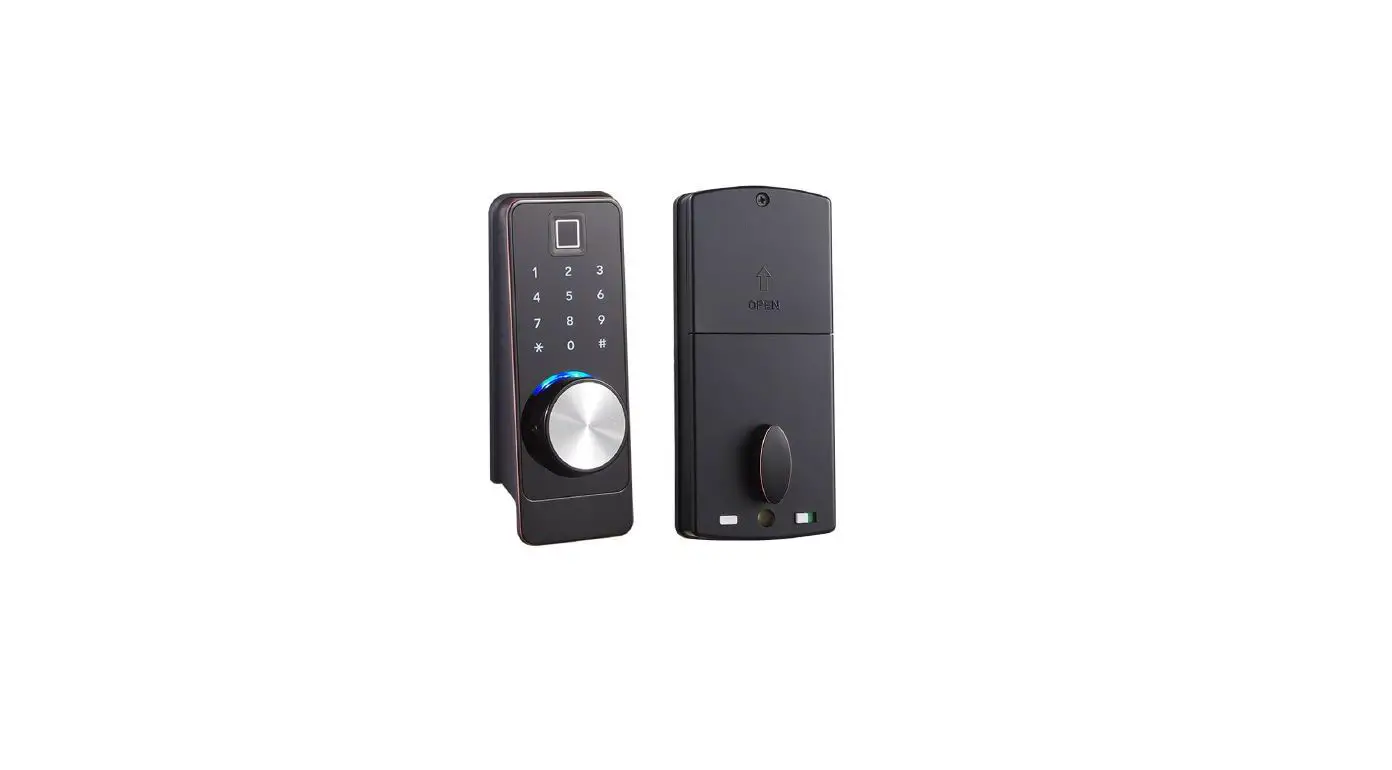
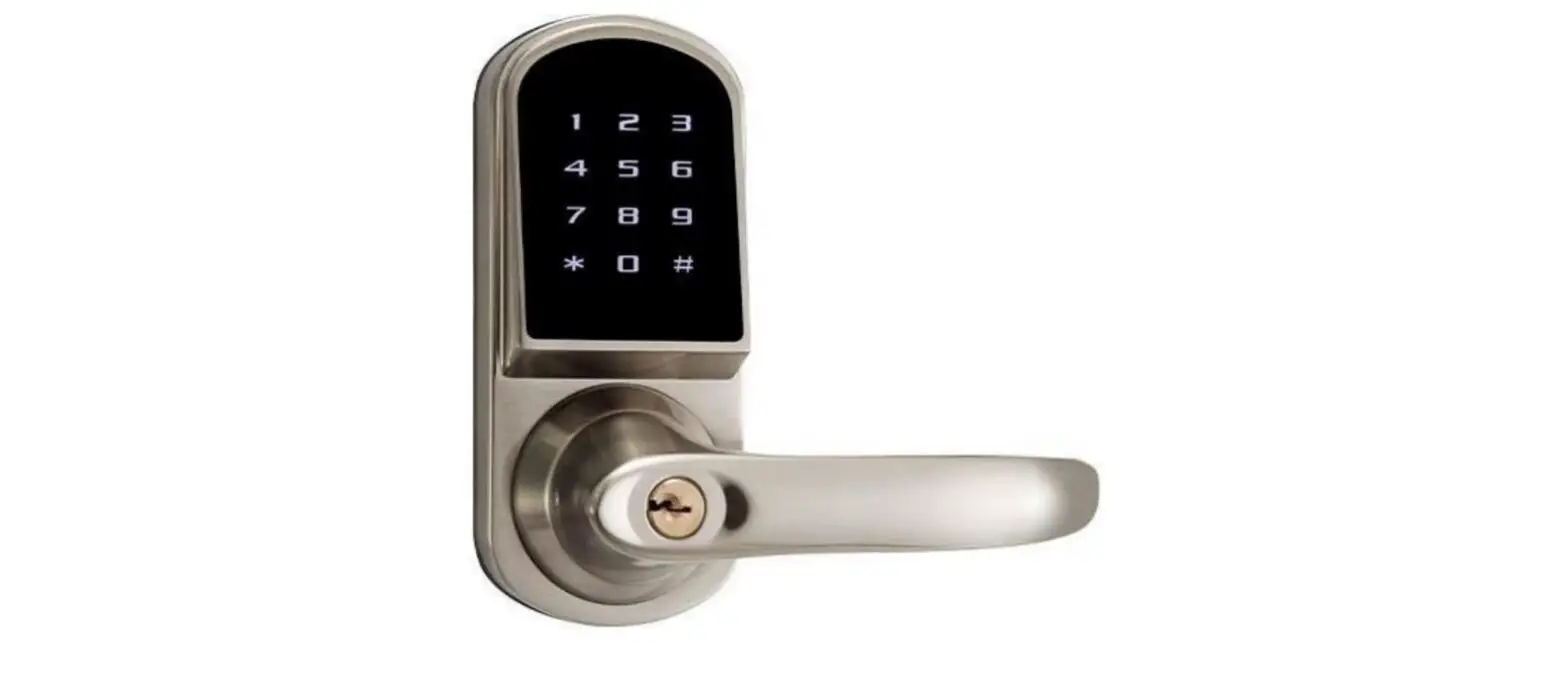
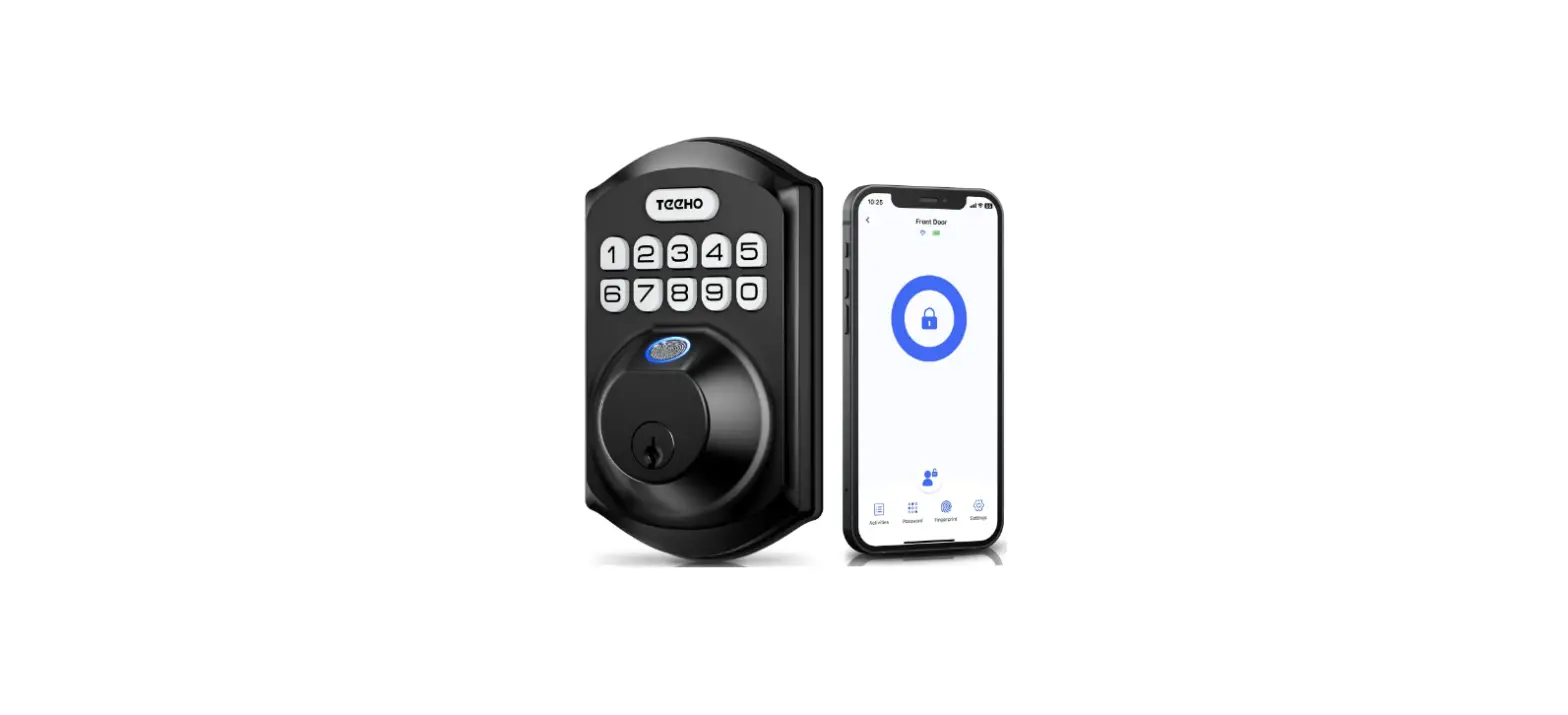
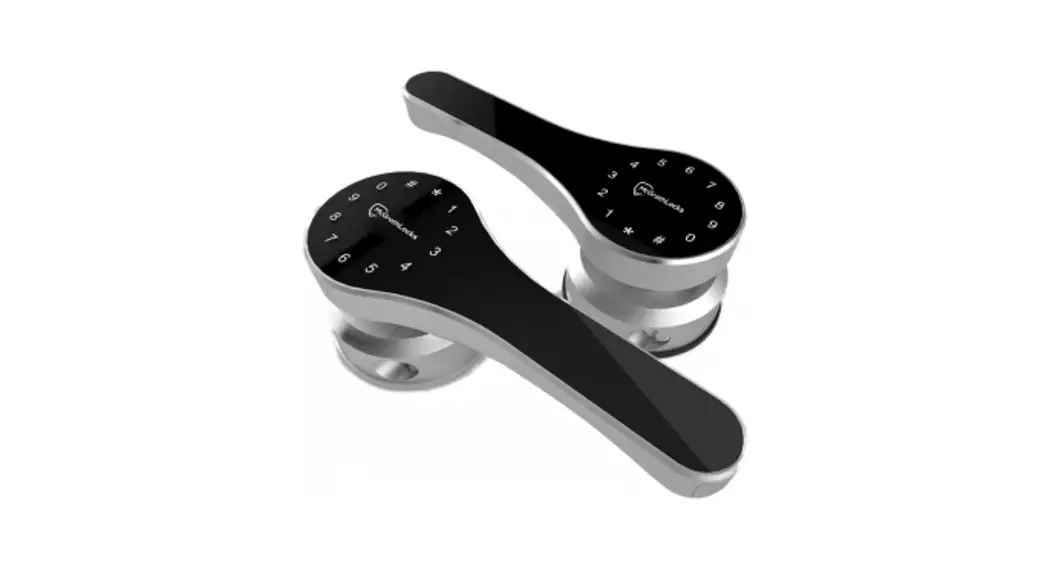
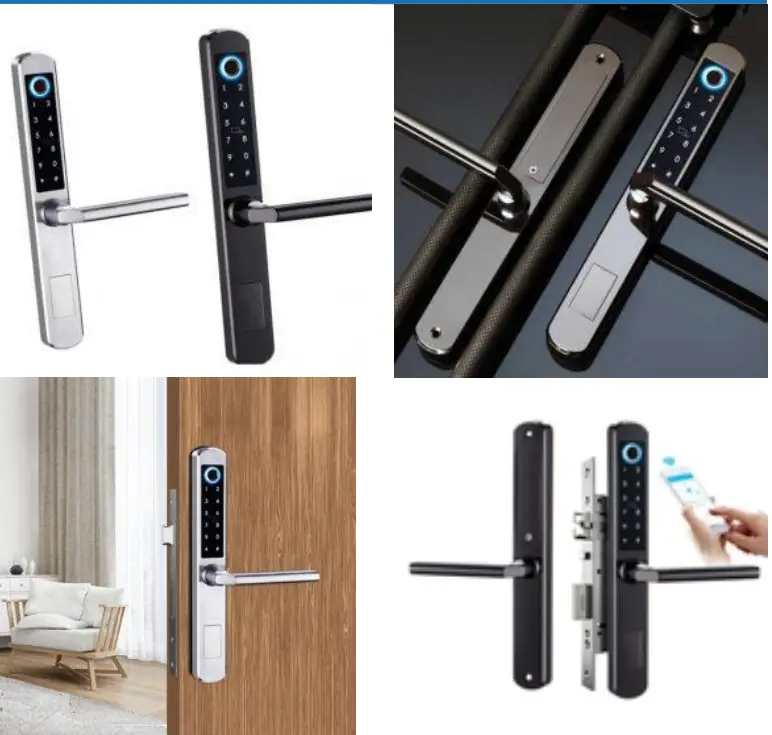
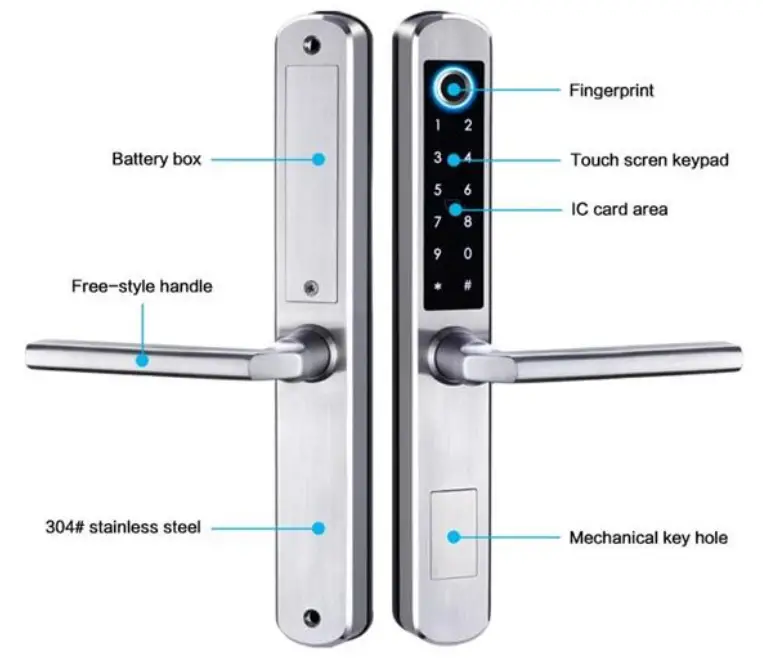
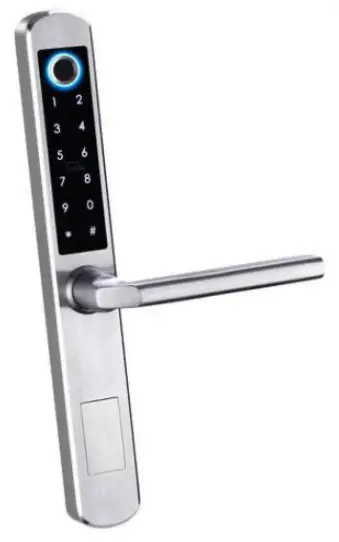
This 5-in-1 digital door lock represents a classic easy entry option for your home. A stylish door lock with a Bluetooth App, pin code, RFID card and
fingerprint, the manual key to providing quick and convenient access.
Specifications
- Unlocking methods: app/fingerprint/code/RFID card/key
- Material: 304# stainless steel, ABS, Acrylic
- Colour: Silver, black
- Accept door thickness: 38-55mm
- Communication mode: Bluetooth
- Support system: Android 4.4 /IOS 7.0 above
- Battery life: 10,000 times normal open (12 months)
- Power supply: 4pcs AAA Alkaline batteries
- Working Temperature: -20 ~ 50°C
- Working Humidity: 10% ~ 95%
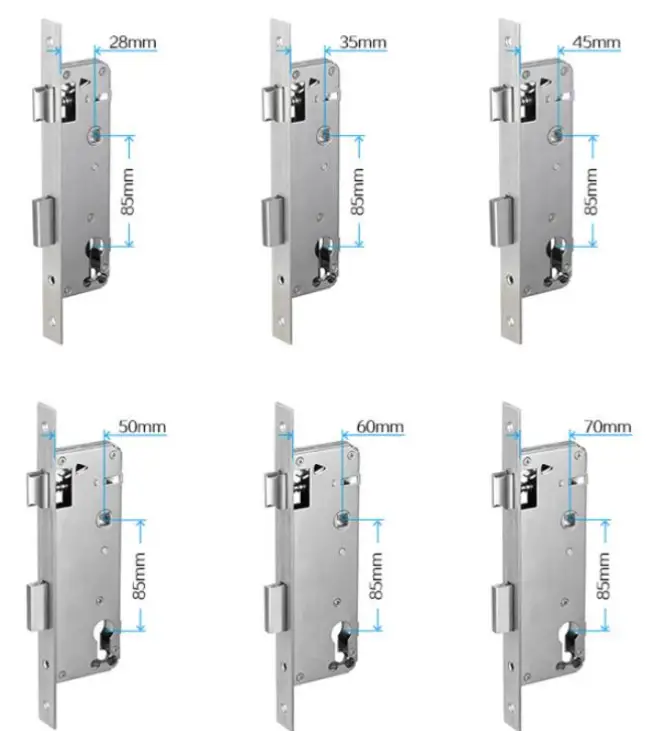
- Available mortise: 28/85, 35/85, 45/85, 40/85, 50/85, 65/85, 70/85
Mortises dimensions
 Lock Dimensions

 Lock Dimensions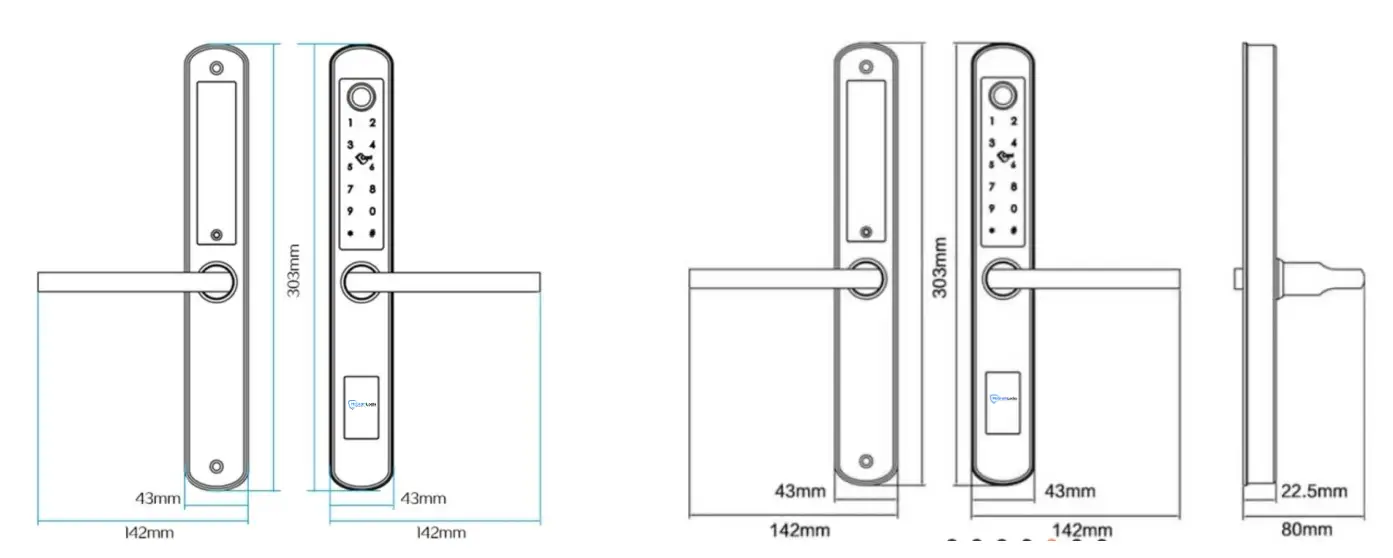
User Manual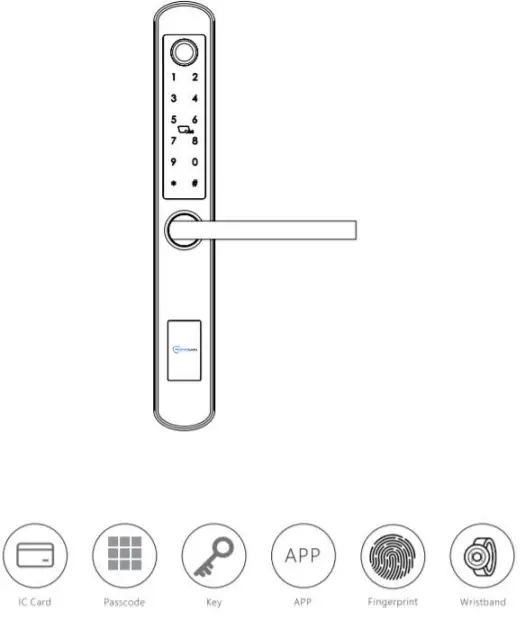
http://a.app.qq.com/o/simple.jsp?pkgname=com.tongtongsuo.app&fromcase=40003
INFORMATION AND SAFETY WARNINGS :
1.1 Introduction:
This user manual will guide you through the functions and usages of our MLA210 Bluetooth-enabled smart lock. It is important that you follow the instructions and regard all notes that appear throughout this manual. Consult this manual before you attempt to use the lock. If you have questions not answered by this manual or are in need of non-routine service, contact our customer service (Phone Number)
1.2 Safety Warnings:  When reading this manual, note these icons: notes with this icon MUST be read, understood and obeyed to prevent injury or damage. General Usage:
- This lock shall only be used as described in this manual.
- Verify that all parts of the lock are accounted for. If any parts are missing, contact our customer service.
- In factory default status, the lock is on always open state after you install the lock (no power on). It means the handle is free and the lock can’t be closed, you have to power on the lock with batteries or set admin and pair the lock with app and then the open mode will be changed to private mode automatically.
- Handle directions are reversible, please kindly follow chapter 4 (installation steps3) to change the direction. Should you have any problem, please contact our customer service.
- There is a protective film on the front touch panel, if there are some scratches on the film, don’t be scared. The protective film can be removed if you need it.
- Use only four AAA batteries. Do not mix old and new batteries or batteries from different brands. Never insert objects into the lock other than batteries as described in this manual.
- Verify all surfaces are flat and level before beginning installation, installation on doors or surfaces with any types of deformity such as gaps or warping may cause the lock to malfunction or fail to operate entirely.
- Never apply any cleaner directly to any part of the lock. Only use clean water and mild cleaner on a soft non-abrasive cloth when cleaning.
- Potential shock warning: do not allow water or liquids to get into the lock’s electric parts.
- The lock must be used with the TT lock app. The lock will function without the app but full functionality may only be achieved when the app is used.
PREPARING TO INSTALL :
1.1 Line Drawing
Draw a horizontal center line inside and outside the door at 1 meter from the ground. Fold the hole template, make the handle The center line aligns at the door horizontal center line, then draw out the hole lines at the front and side.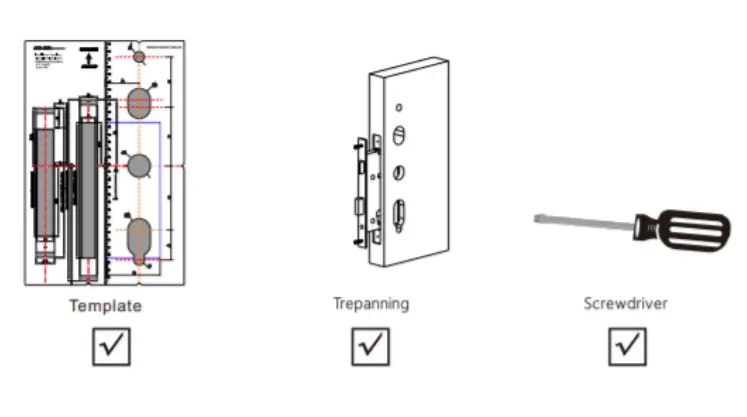
1.2 Determining Lever Handing:
The hand of the door is determined from the secure side of the door. The term “secure” means the side from which you initially unlock and enter from outside. The hand of a door is determined from the secure side of the door. The term “secure” means the side from which you initially unlock and enter.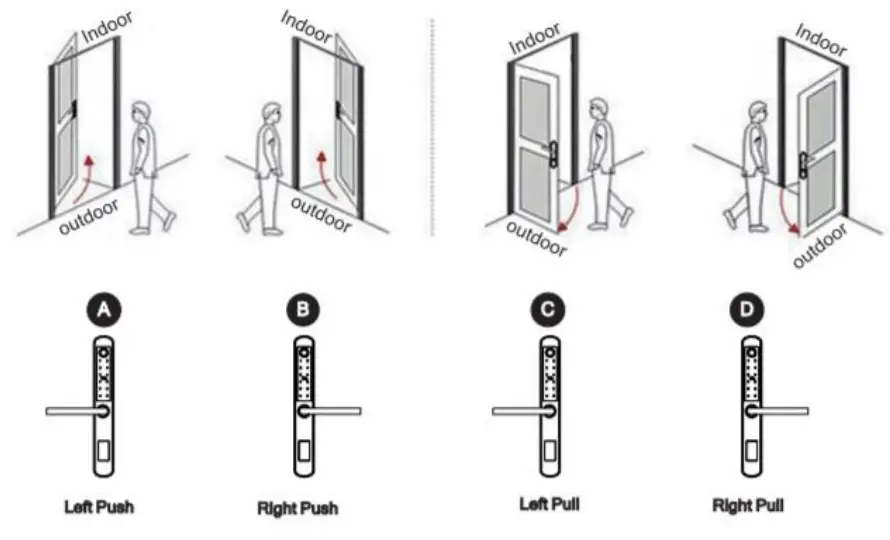
SYSTEM SPECIFICATION :
| Connectivity | Bluetooth 4.0. Wi-Fi (Wi-Fi Bridge required) |
| Identification Mode | TTLock App, Fingerprint Card (Mifare 13.56 MHz). Code and Bluetooth |
| User Capacity | 120 |
| Identification Time | Instant recognition under 0.3 seconds |
| Code | User-defined 4.8 digit |
| Keypad Backlight | Yes |
| Temporary Code or Ekey | Yes |
| Compatible Smartphone | iO57.0 or above. Android 4.4 or above |
| Remote Access | Yes, Wi-Fi Gateway |
| Mechanical Key Override | Yes |
| Micro-1.15B Backup Power Interface | Yes |
| Working Voltage | 6 V (4 % Alkaline AM Batteries) |
| Working Temperature | External Assembly: -4 °F ^ 149 °F (-20’C ^ 65*C) Internal Assembly: 14 ‘F – 131 ‘F (-10 °C’ 55 ‘C) |
| Battery Life | Up to 12 months (10.000 times access) |
| Compatible Smart Home Ecosystem | Alexa and Google Assistant (Wi-Fi Gateway is required) |
| Hardware Type | Lever |
| Door Thickness | 38 – 55 mm |
| Door Handing | Reversible (Left and Right) |
| Case Material | 3044 stainless steel, ABS, Acrylic |
| IP Rating | IP65 |
| Finish | Satin Nickel or Black |
| Dimensions | Exterior Assembly – 330 x 43 x 22.5 mm Interior Assembly – 330x 43 x 22.5 mm |
| Weight | 3 kg |
| Warranty | 12 Months |
| Available Mortice | 35/85,45/85,50/85,60/85,70/85 European mortise |
| Tubular Latch | No |
| Working Humidity | I0e-957s: |
| Factory Passcode | 123456, after setting, the factory passcode will be invalid |
| WiFi Gateway | Available(Optional) |
| Unlock time | 1-1.5 seconds |
| Dynamic current | <200mA |
| Static current | 45uA |
MLA210 Digital Lock
EXPLODED VIEW :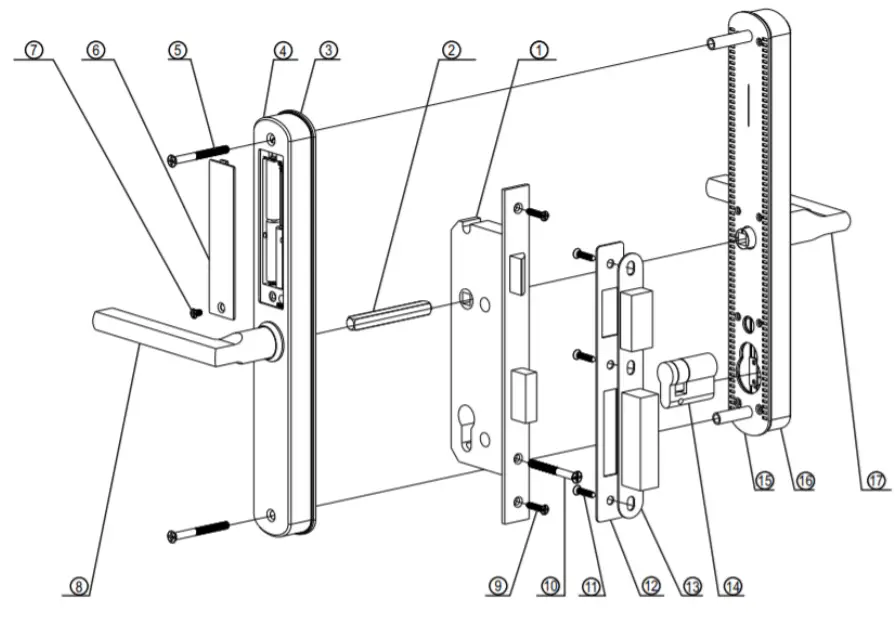
| No. | Name | Quantity | No. | Name | Quantity |
| 1 | Mortise | 1 | 10 | Cylinder Screw | 1 |
| 2 | Spindle | 1 | 11 | Strike Screw | 3 |
| 3 | Rubber Gasket i | 1 | 12 | Strike | 1 |
| 4 | Back Panel | 1 | 13 | Strike Box | 1 |
| 5 | Assemble Screw | 2 | 14 | Cylinder | 1 |
| 6 | Battery Box Cover | 1 | 15 | Front Gasket | 1 |
| 7 | Battery Cover | 1 | 16 | Front Panel | 1 |
| 8 | Back Handle | 1 | 17 | Front Handle | 1 |
| 9 | _ Faceplate Screw | 2 | _ |
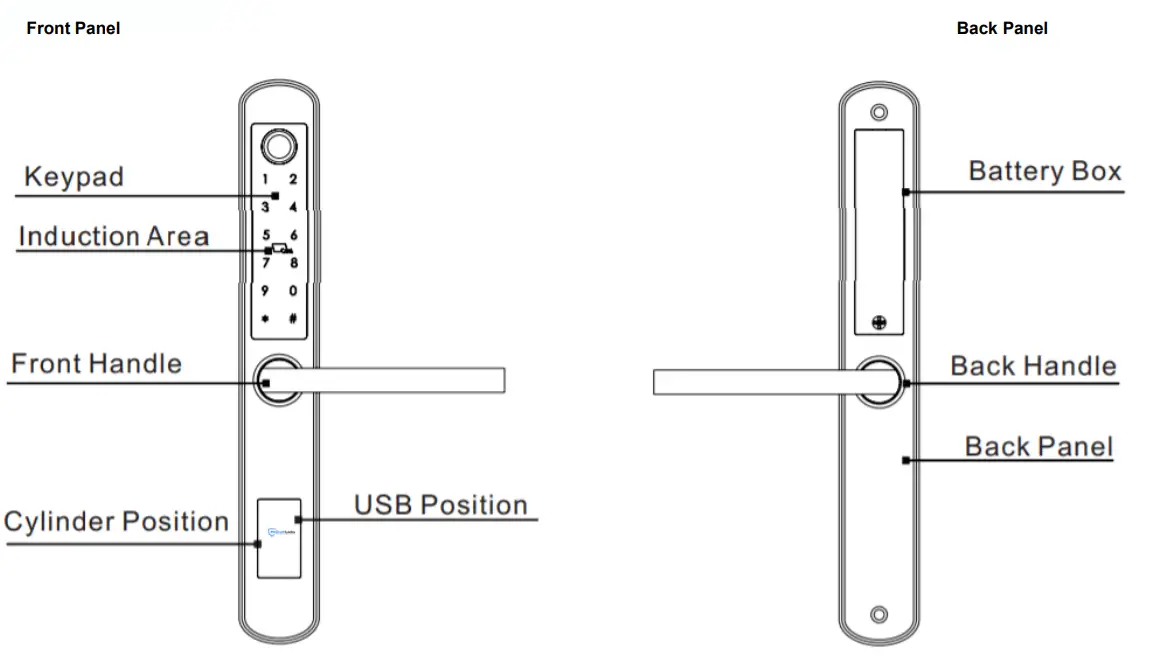
RESET TO FACTORY STATE : Attention
Long press the reset button for 2 seconds until you can hear 2 beeps to set it back into factory state. The default passcode is :123456. Under the factory state, the lock is always open state, only when you power The lock, the motor will reset and the handle will be in a free state.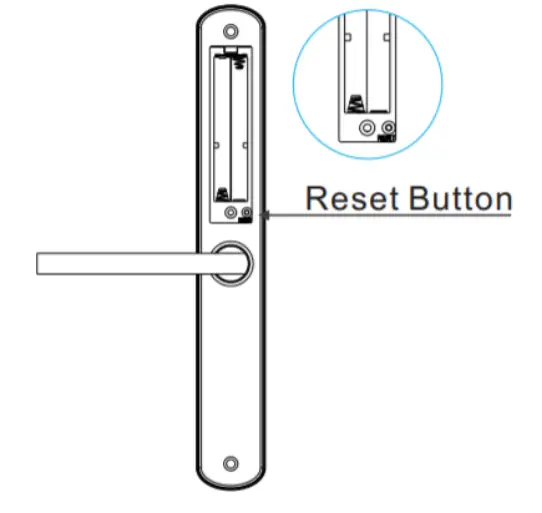
MLA210 LOCK ACCESSORIES :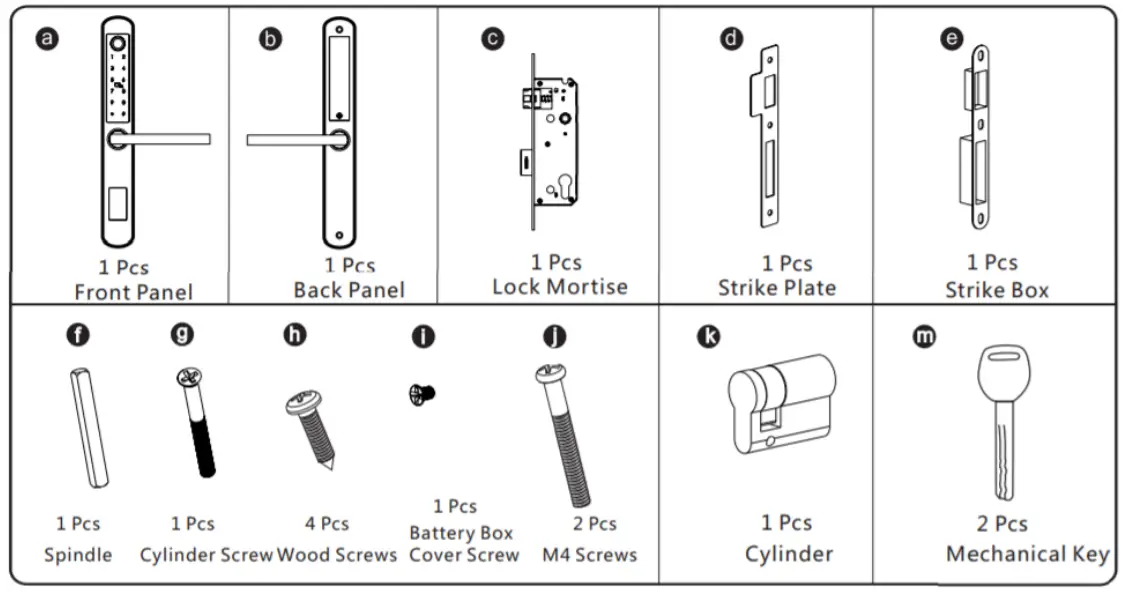
INSTALLATION STEPS :
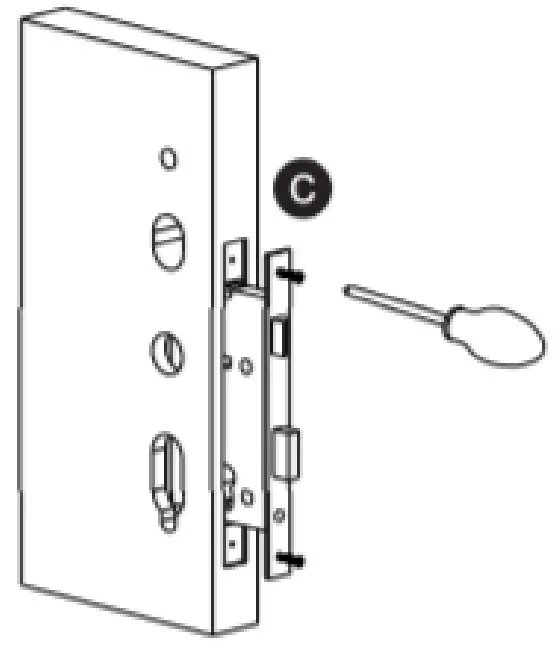
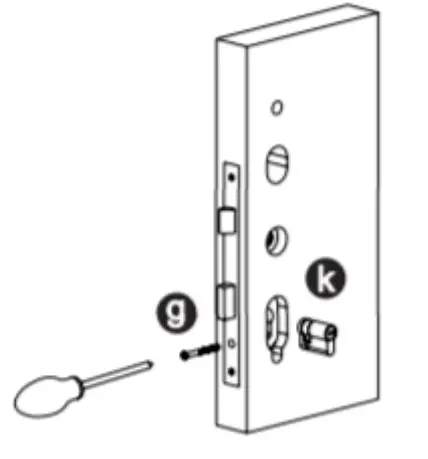
| 1. Assemble the Mortise Assemble the mortise (C) into the slot which is drilled according to the template. | 2. Assemble the Cylinder Fix the cylinder (K) with the long screw through the hole on the faceplate. |
 |  |
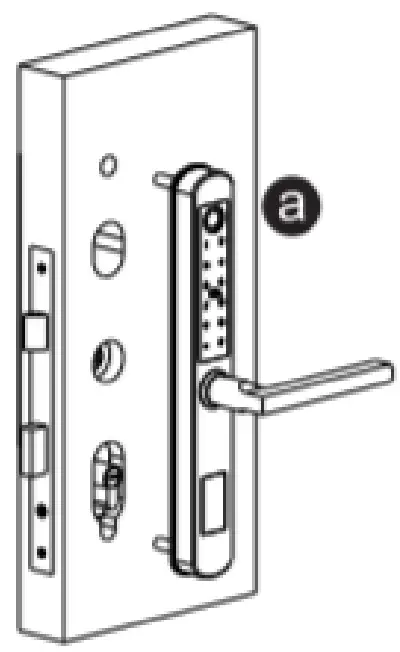
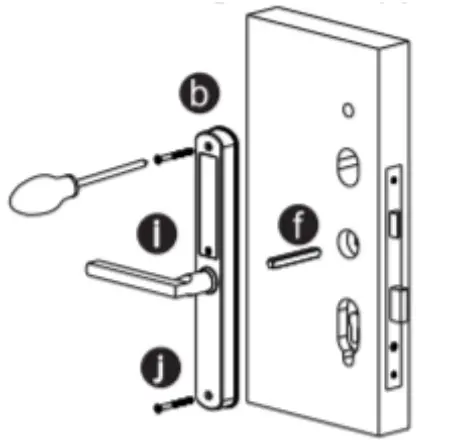
| 3. Assemble the Front Panel Tight the front panel on the door(outside). | 4. Assemble the back panel Tight the back panel with the front panel with the two long screws (F). |
 |  |
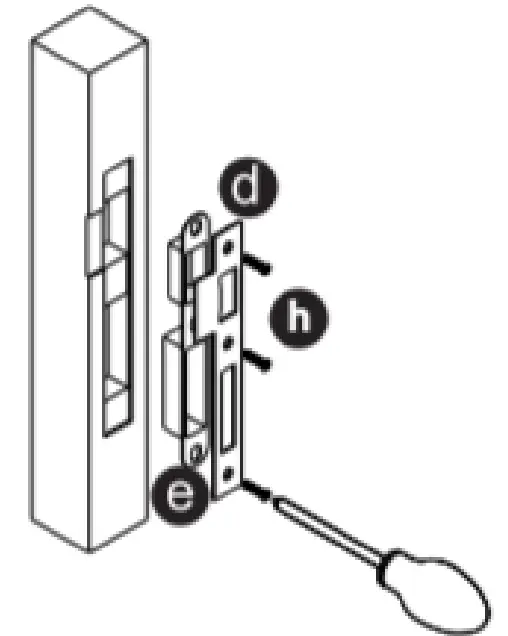
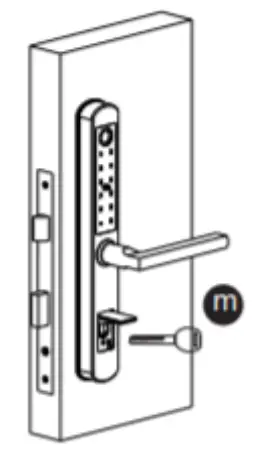
| 5. Assemble the Strike and Box Put the strike box into the slot and fix the strike with the screws. | 6. Test with the mechanical key Test to unlock the door with the mechanical key and adjust the position if it is not smooth. |
 |  |
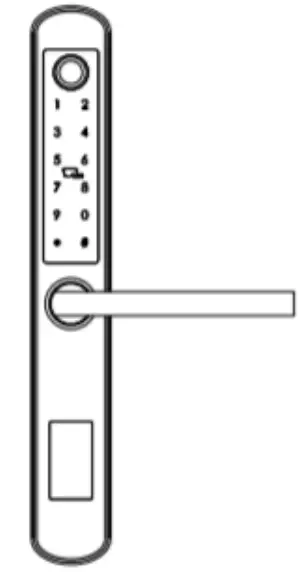
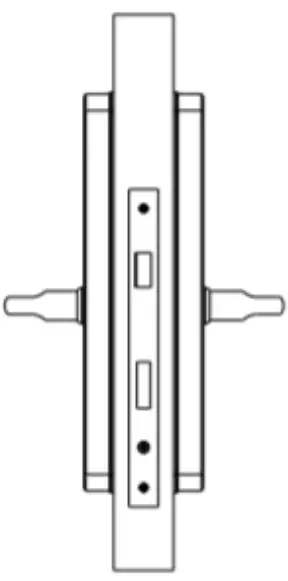
| 7. Test the Lock Put 4pcs AAA alkaline batteries into the battery box and test with factory passcode or APP . | 8. Adjust the Lock Panel After test, please adjust the position of the lock panel or the screws if it is too tight. |
 |  |
Change Handle :
1. Adjust the Front Handle Direction
1.1 Use the Allen key to take off the screw from the handle head.
1.2 Take off the handle.
1.3 Rotate the handle 180 degrees and fix the direction that you need.
1.4 Tighten the screw with the Allen key.
1.5 Adjust the clutch direction as the sign on the right.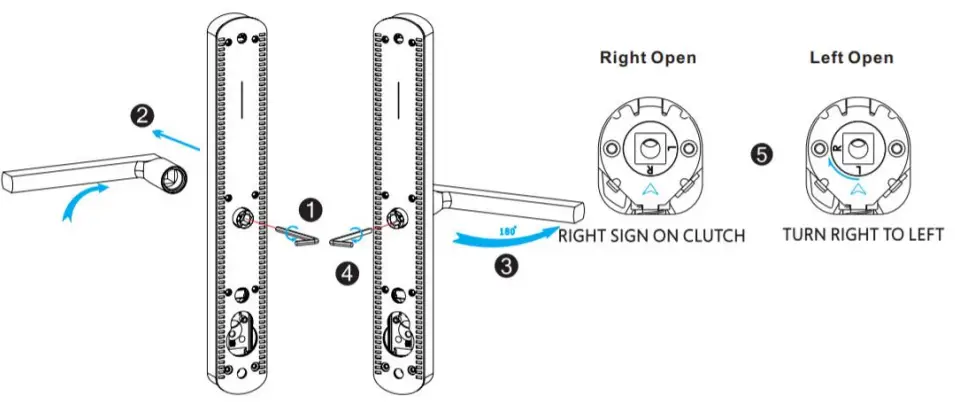
2. Adjust the Back Handle Direction
2.1 Use the Allen key to take off the screw from the handle head.
2.2 Take off the handle.
2.3 Rotate the handle 180 degrees and fix the direction that you need.
2.4 Tighten the screw with the Allen key.
2.5 Adjust the handle if it is too tight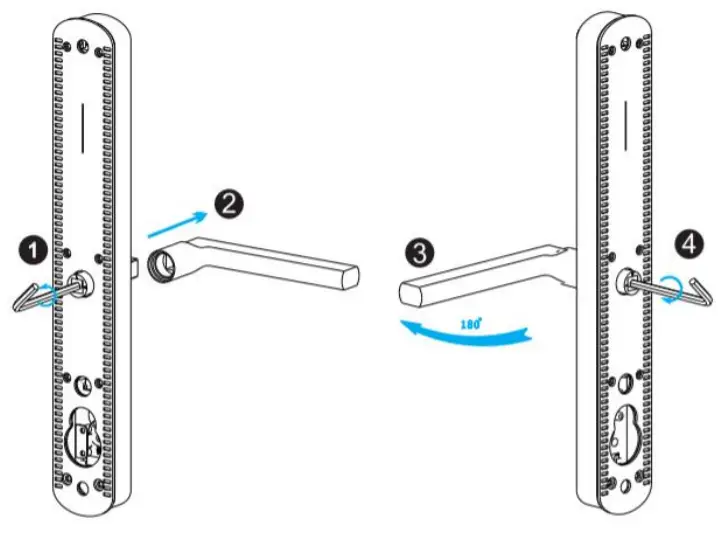
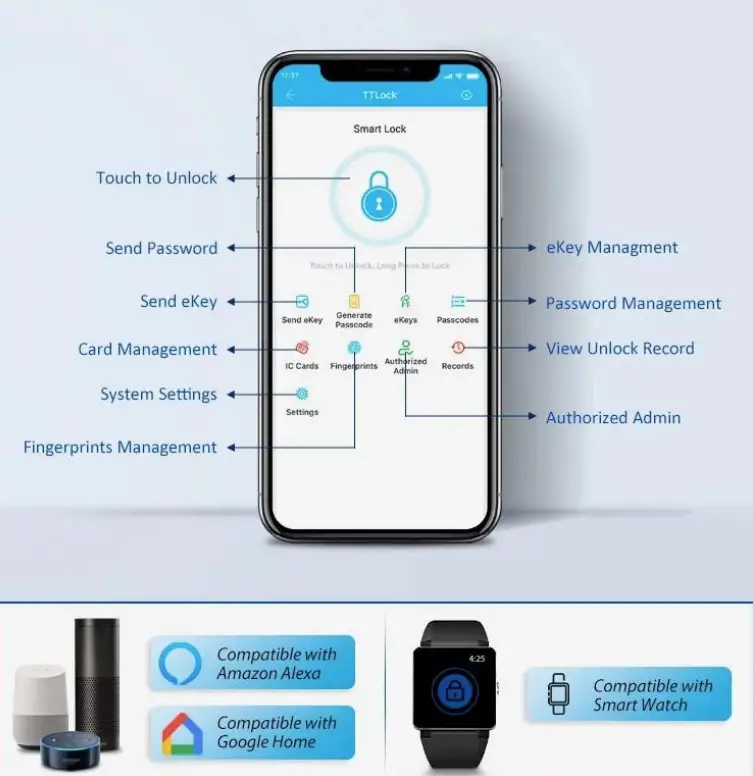
Operations for Bluetooth Digital Lock
https://static-data1.manualsee.com/1/pdf_optim/256/3993456/tt-lock-app-manual-optimized.pdf
Contacts
Address
PO Box 173
Phone…….Maintenance & Warranty Enquiries
Wilston QLD ………..4051 0456 960 050
Phone – Sales…………… 0409 487 288
Email – Enquiries……………. [email protected]