
MobileCollect Wireless
Base Receivers
Contents hide
Overview
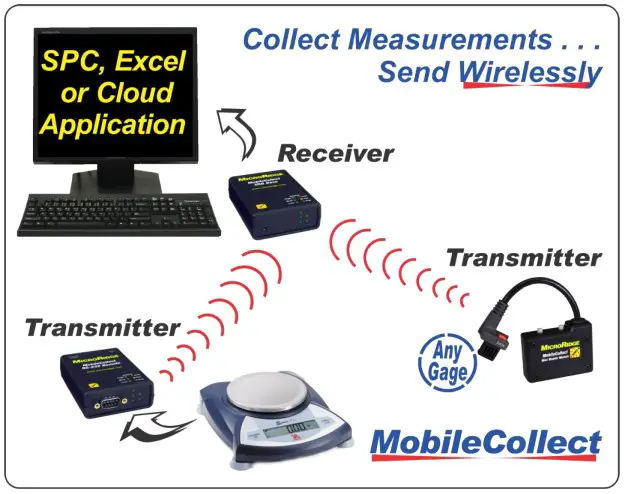
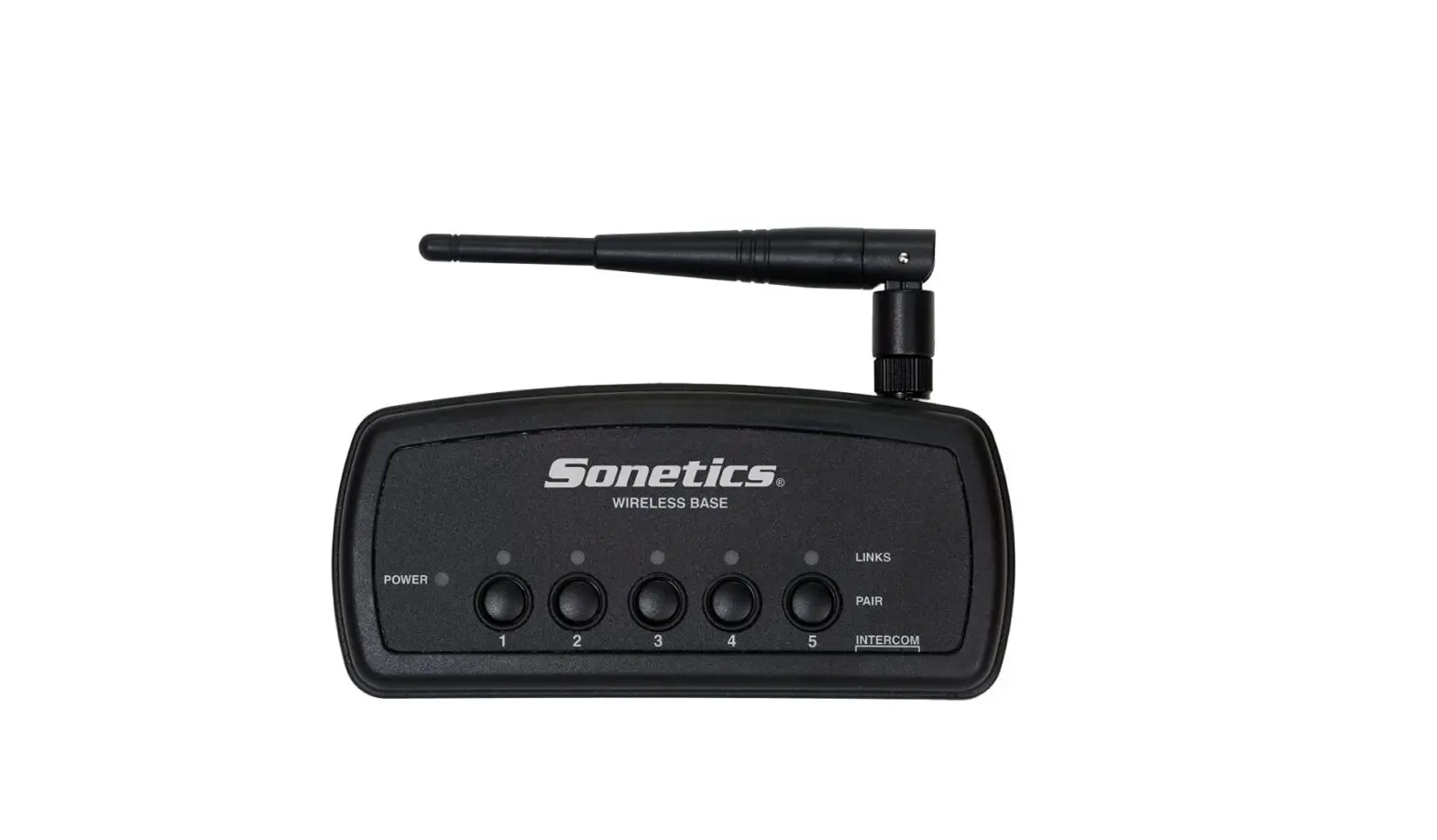
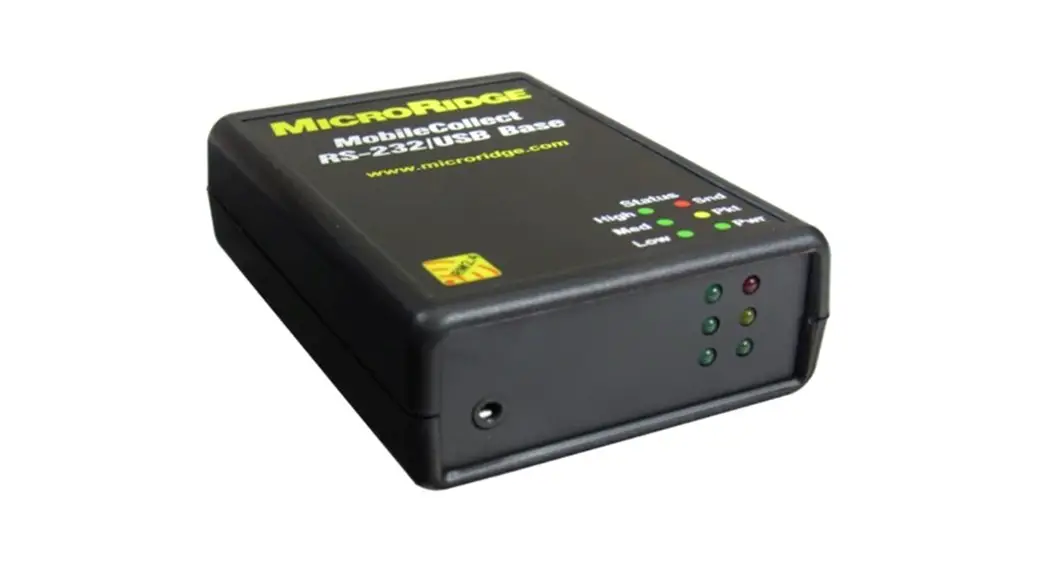
- The Base receiver is the core of a MobileCollect Wireless installation
- Its function is to accept the values sent from each paired transmitter and forward them to the data collection application in the required format
- Compatible with:
- All MobileCollect transmitter models
- Mitutoyo UWave-T, TM, and TC transmitter models
- Chicago Dial Indicators (CDI)
- Core/VRS “Long-Range” models
Receiver Models
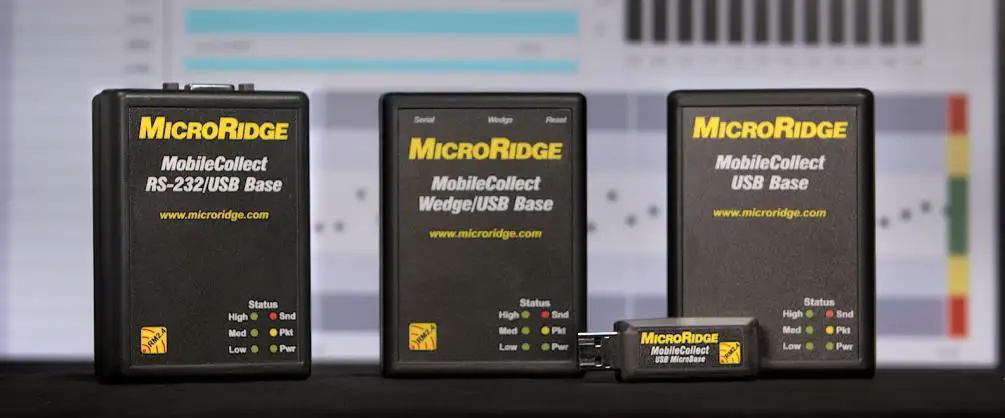
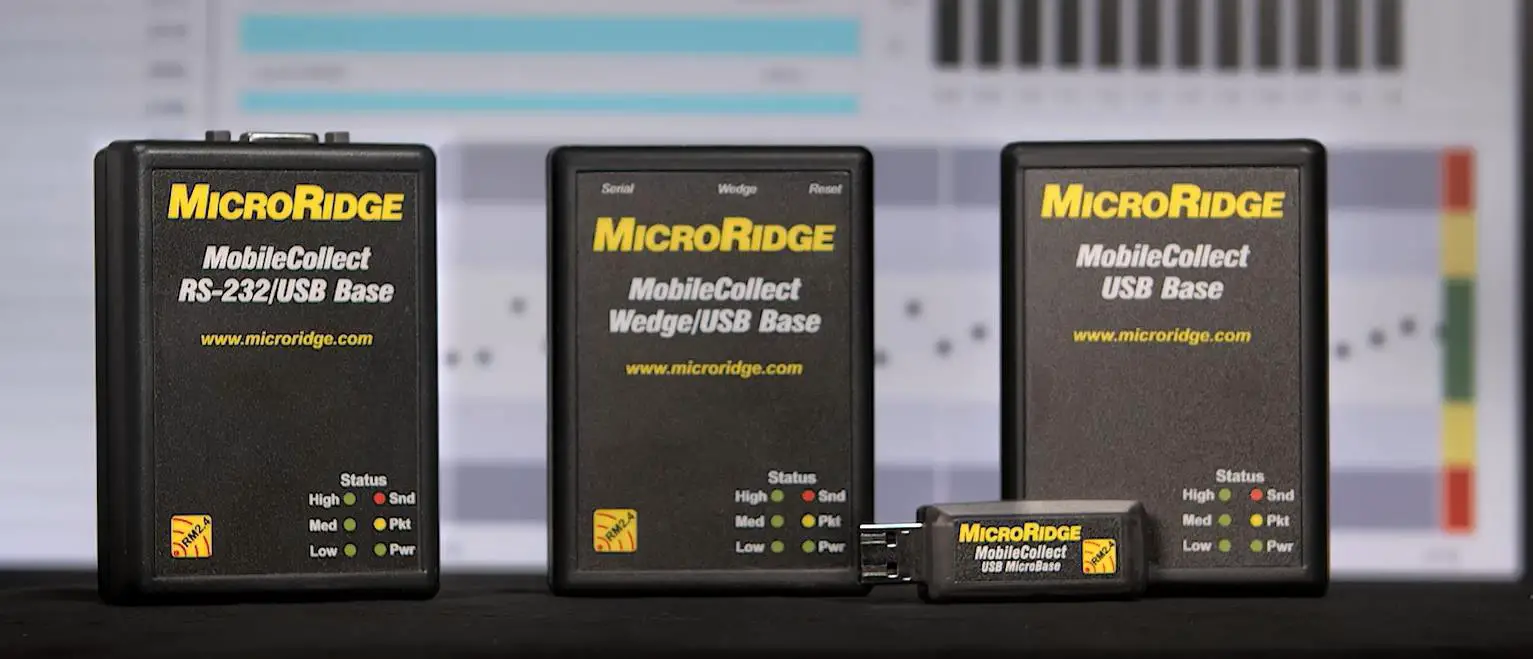
- Four models:
- USB Base
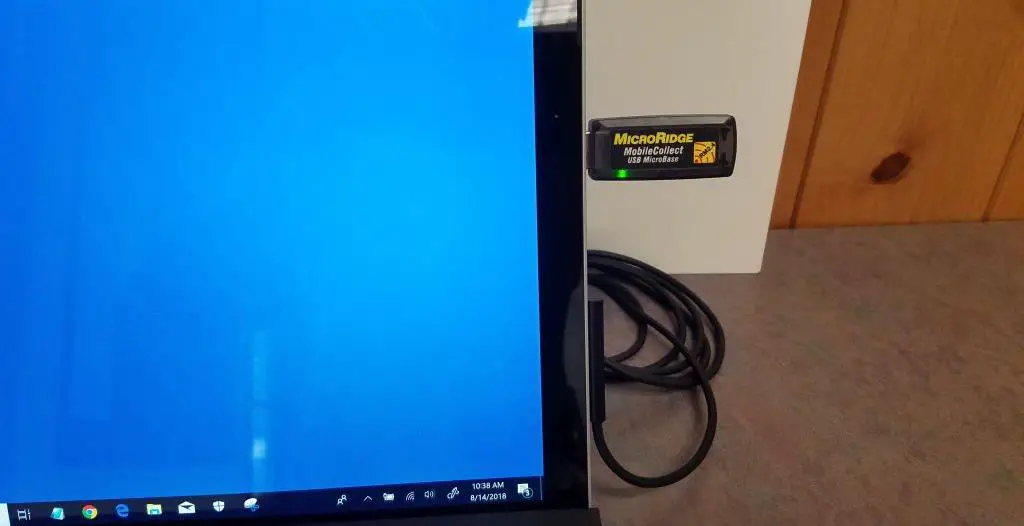
- USB MicroBase
- RS-232/USB Base
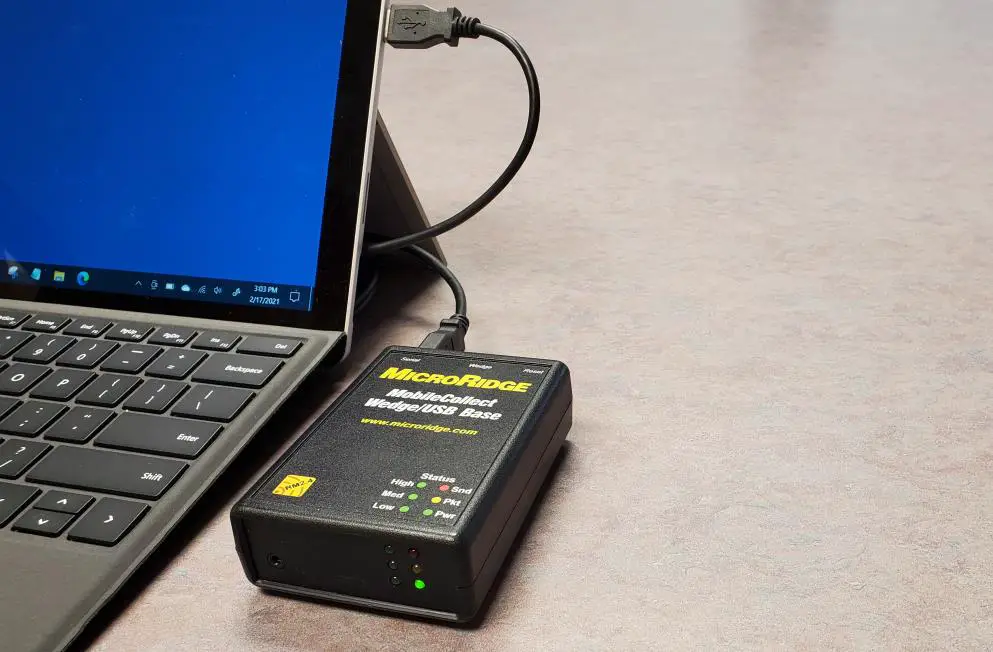
- Wedge/USB Base
USB Base
Features
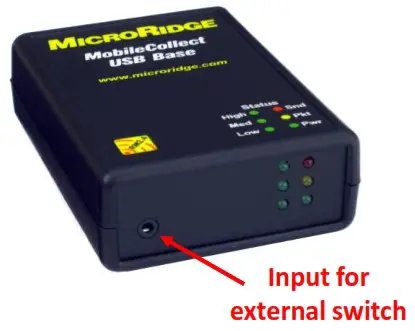
- Most popular model
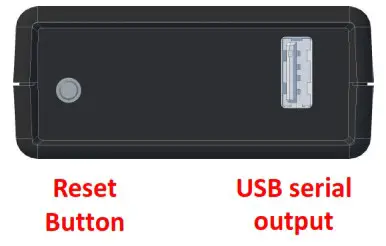
- USB serial connection to PC
- Connection powers the receiver
- Compatible with all transmitter models
- External switch input
- See slide on this feature
Use with:
 PC-based commercial data collection programs Windows OS
- Spreadsheets, databases, statistical, and webbased programs
- Requires free WedgeLink Xpress software
 PC-based commercial data collection programs Windows OS
USB MicroBase
Features
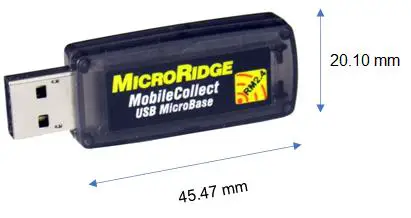
- Mobile version of USB Base
- USB serial connection to PC
- Connection powers the receiver
- Plugs directly into USB port
- Compatible with all transmitter models
Use with:
- PC-based commercial data collection programs
- Windows OS
- Spreadsheets, databases, statistical, and webbased programs
- Requires free WedgeLink Xpress software
RS-232 / USB Base
Features
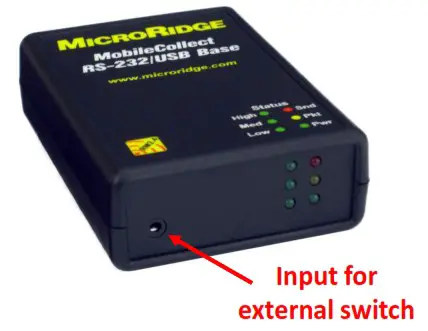
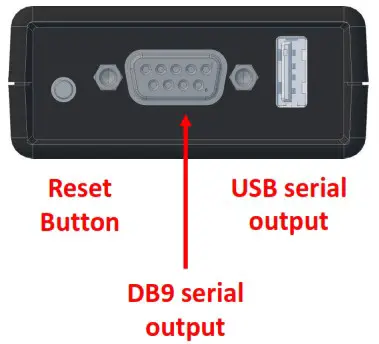
- DB9 serial and USB serial outputs
- DB9 output data transfer only
- USB output data transfer or AC power input
- Compatible with all transmitter models
- External switch input
- See slide on this feature
Popular uses:
- Customer wanting USB and DB9 serial connection options
- Send data to PLC with RS-232 input
Wedge / USB Base
Features
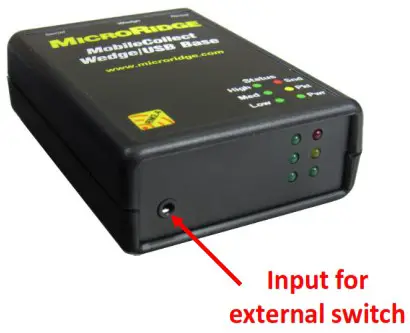
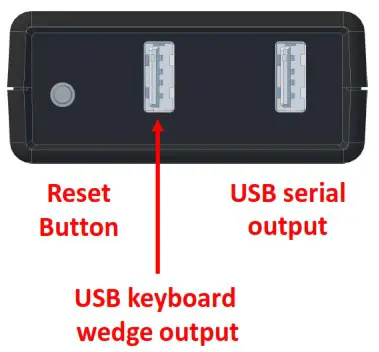
- USB serial and USB keyboard wedge outputs
- Powered by USB connection to PC
- Compatible with all transmitter models
- External switch input
- See slide on this feature
Use with:
- Spreadsheets, databases, statistical, and web-based programs
- USB keyboard wedge port eliminates need for WedgeLink Xpress program
Compare Models
| USB Base | USB MicroBase | RS-232/USB Base | Wedge/USB Base | |
| USB Serial Connection | ✓ | ✓ | ✓ | ✓ |
| RS-232 Serial connection | ✓ | |||
| USB keyboard wedge connection | ✓ | ✓ | ||
| Powered by USB computer connection | ✓ | ✓ | AC power | ✓ |
| Compatible with all transmitter models | ✓ | ✓ | ✓ | ✓ |
| Foot / Hand Switch input | ✓ | ✓ | ✓ | |
| Reset button | ✓ | ✓ | ✓ | |
| Unit Price | $415 | $415 | $435 | $495 |
Connected Images
 |  |
External Switch
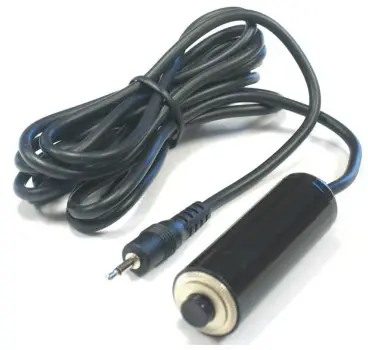 | 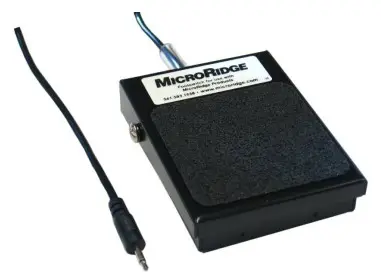 |
- Compatible with three receiver models:
- USB Base / RS-232 Base / Wedge Base
- Single-input standard
- 3-input option (additional cost)
- Compatible with three transmitter models
- Command Mobile Module
- RS-232 Remote
- Digital Remote
- Discuss this feature with MicroRidge before ordering to fully understand the capabilities and limitations
Keyboard Wedge
- A keyboard wedge solution is used to send gage data into programs not designed to accept input from external devices
- Examples: spreadsheets, databases, statistical programs, & web applications
- Hardware and software wedge solutions are available
- Correct solution depends upon your data collection needs
| A | B | C | D | |
| 1 | 0.126 | 0.1125 | 0.1185 | 0.1255 |
| 2 | 0.1685 | 0.1125 | 0.119 | 0.139 |
| 3 | 0.17 | 0.103 | 0.1305 | 0.1395 |
| 4 | 0.17 | 0.1285 | 0.1385 | 0.1755 |
| 5 | 0.143 | 0.1285 | 0.139 | 0.176 |
| 6 | 0.087 | 0.114 | 0.139 | 0.198 |
| 7 | 0.091 | 0.1135 | 0.125 | 0.2145 |
| 8 | 0.111 | 0.1145 | 0.125 | 0.2155 |
Wedge Options
- Hardware
- Wedge/USB Base
- USB connection to PC
- Transfer data without software
- Plug & play solution
- Invisible to operator
- Software
- All other receiver models
- WedgeLink Xpress program · included at no charge
- Program must be open and activated to transfer data
- More features than hardware wedge
Select Receiver with the features you need
 | Data collection method | Stationary or mobile |
 | Preferred connection | USB serial, RS-232 serial, or USB keyboard wedge |
 | Software program | Accepts external data or needs keyboard wedge |
 | Keyboard wedge | Hardware wedge convenience or software wedge features |
 | Remote data collection | Software command or external switch |
Common Features
All MobileCollect Base receiver models:
- Are compatible with all MobileCollect transmitters
- Are compatible with UWave-T, TM, and TC transmitters
- Are compatible with CDI CORE & VRS “Long-Range” indicator models
- Are compatible with MobileCollect Xpress and Extended Setup programs
- Are compatible with software READ commands
- Offer all data output format options available in Setup programs
- Can pair with transmitters using “on-the-fly” method – no setup software
Product links
 |  |  |
| Product Overview | Resource Page | Selection Tool |
| http://www.microridge.com/wl_mobilecollect.htm | http://www.microridge.com/videos_pdfs_mobilecollect.htm | http://www.microridge.com/wl_mc_select.htm |
Contact MicroRidge
Office Information
- Hours: Friday-Monday
8am to 4:30pm
Pacific
- Phone: 541-593-1656
- Fax: 541-593-5652
- Website: www.microridge.com
- Email: [email protected]
Sales Department
- Contact: Kevin Kelly
- Phone: 541-593-3500
- Email: [email protected]