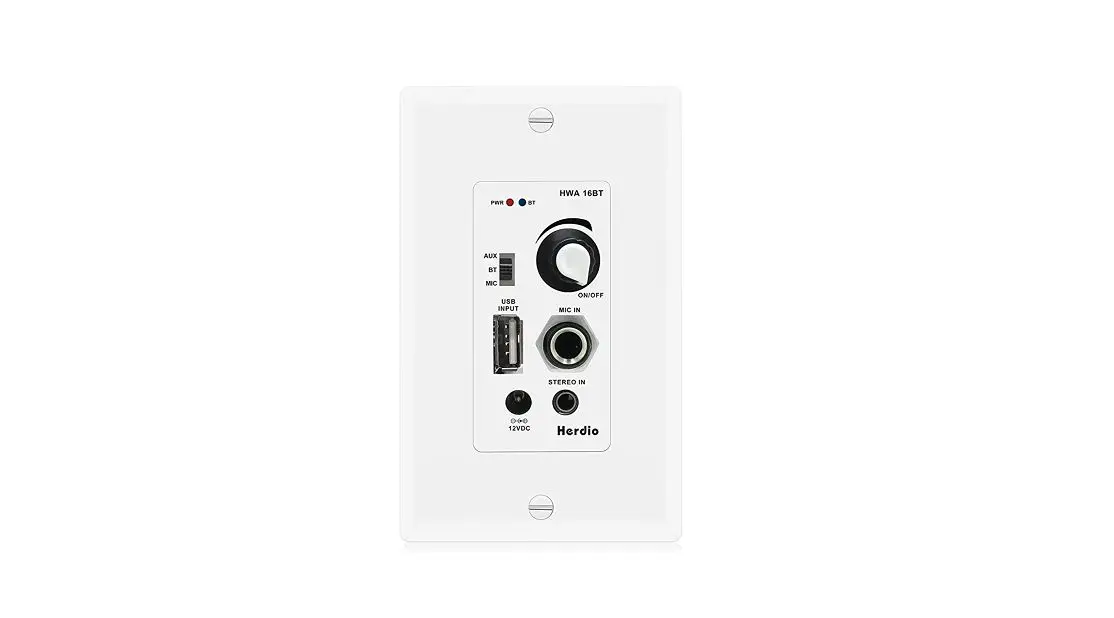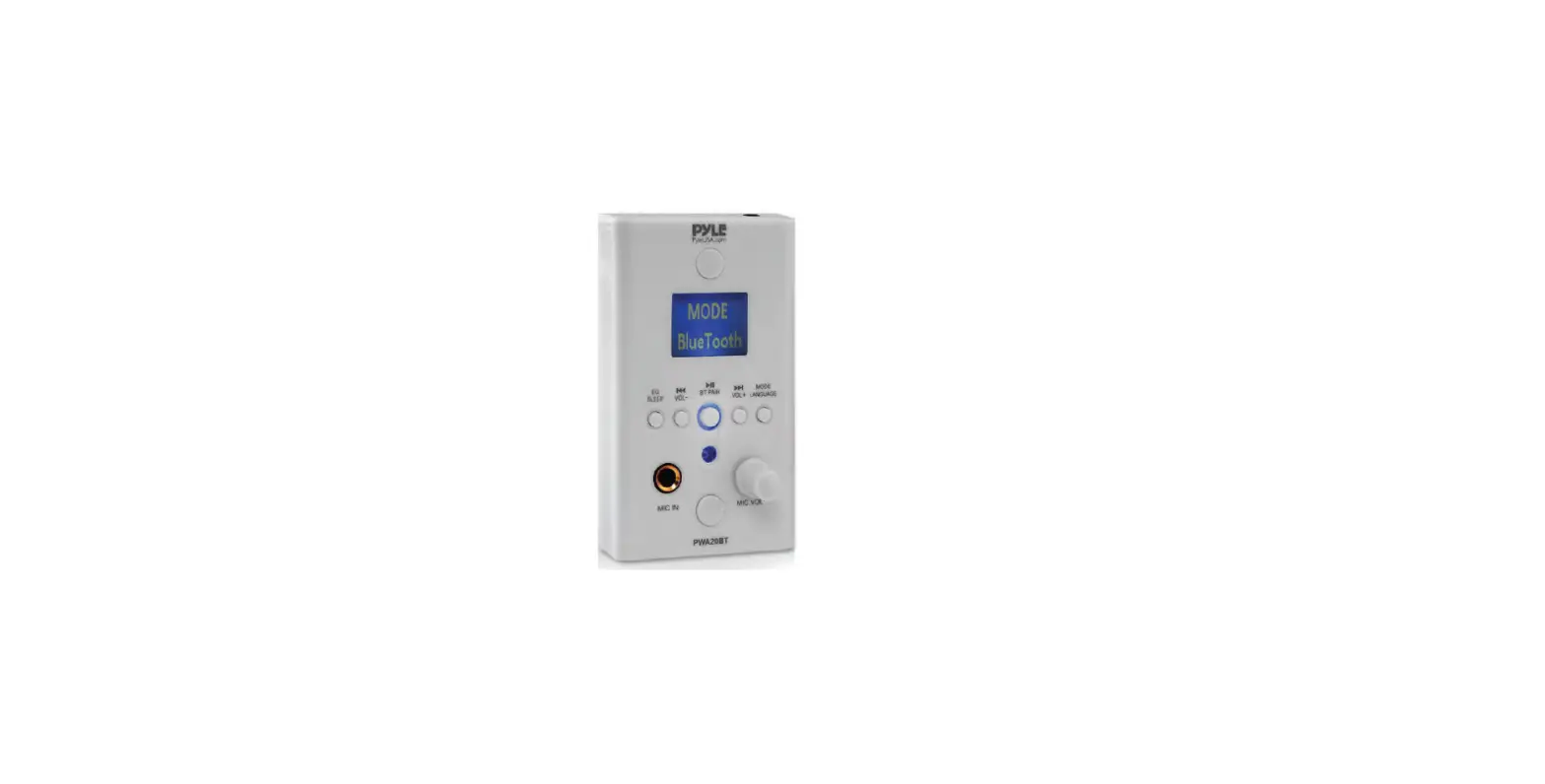

Pyle PWA20BT Audio Control Wall Plate Receiver
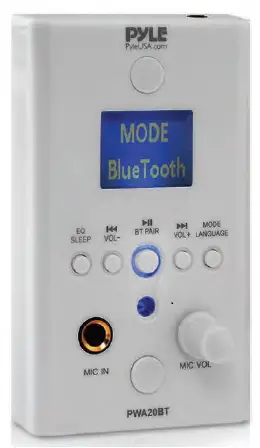
Power ON the Unit
The unit will be powered on via the included DC 12V/2A Power Adapter on the right side panel or on the back of the Unit.
Bluetooth Operation Instruction
External devices which have a built-in Bluetooth feature can be connected to this amplifier wirelessly to play through the amplifier’s speakers.
- At first be sure that the amplifier is powered ON, and turn the volume to MINI position. It’s better to pull the Bluetooth Antenna on at the back panel for better receiving.
- Press the BT/Line button switch on the front panel, you will hear a “POWER ON” voice and “PAIRING”. The unit is automatically ready to pair with your external device.
- Turn ON the Bluetooth of your external devices like smartphones, computers, others, etc.
- Search for available Bluetooth devices within range of your external device and wait for your device to select “BT-RY” on the pairing devices lists.
- If the pairing is successful and your device is connected, you will hear a “Your Device is Connected” prompt.
- You can now play music on your external device through the amplifier.
Aux (3.5mm) Input Connection & Operation
- Once the unit is powered ON, any device connected to the wall plate’s Aux (3.5mm) jack, via audio connection cable, will play automatically. As soon as the wall plate detects audio transmission via Aux Input, it will play — overriding any Bluetooth-connected audio signal transmission.
Universal Compatibility
Pyle’s In-Wall Bluetooth Stereo Amplifier fits virtually in all U.S. Electrical Gang Boxes. The universal standard wall plate size was designed to install conveniently in-wall, allowing and unlocking access to audio control like never before. A great choice for adding hassle-free audio control in homes, offices and businesses.
Wall Plate Audio Amplifier Player
The Pyle In-Wall Bluetooth Stereo Amplifier is a quick and easy way to get your music playing through a locally connected home theater or speaker system. The wall plate allows convenient audio streaming options including Bluetooth, MP3 (USB/SD), and Aux (3.5mm) input to connect even more external devices. Enjoy hassle-free audio transmission with the Pyle PWA20BT In-Wall Bluetooth Stereo Amplifier.
Function Diagram
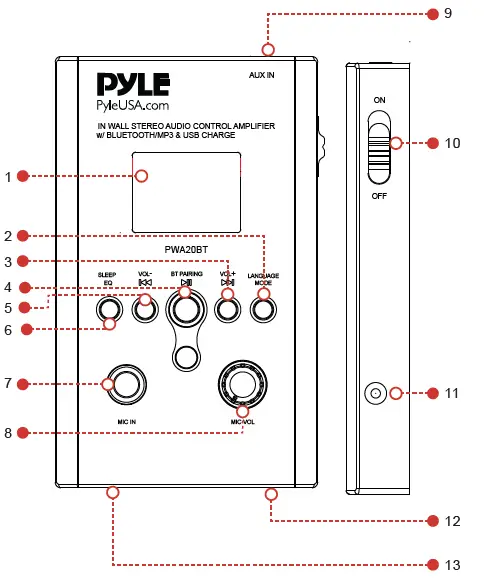 Function Instruction
- LCD Display
Luxury Big LCD Display with Function & ID3 TAG Information - MODE/LANGUAGE
Integrated MODE Push Switch for Input Selection & Language Selection Short press for Audio Input (BT/USB/SD/AUX) Press and hold for 5 seconds for Language (English/Japanese/Korean/Chinese)- Automatically scan Audio Inputs USB/SD/AUX, but USB player is the priority, then SD player, and then Aux.
- Bluetooth plays only if you switch to Bluetooth mode.
- Pay more attention Choose the language you want before operating the unit.
 VOL+ Push Switch for Next Song & Volume + Short Press for Next Song Press and hold for 5 seconds for Volume +
 PAIRING Push Switch for Play/Pause & BT Pairing Short Press for Play/Pause Press and hold for 5 seconds for BT Pairing
 VOL- Push Switch for Previous Song & Volume- Short Press for Previous Song Press and hold for 5 seconds for Volume-
- EQ/SLEEP Push Switch for EQ (Equalizer) Function & SLEEP (Standy) Short Press for Equalizer Effects (JAZZ/CLASS/SOFT/PBB/NOR/POP/ROCK) Press and hold for 5 seconds for SLEEP (Standy) or resume playing the music
- MIC IN 1/4″ Microphone Input Connector Jack
- MIC VOL Rotary Microphone Volume Control
- AUX IN (3.5mm) Audio Input Jack on top right, to connect & instantly stream audio from your favorite devices.
- ON/OFF Power On/Off
- 12V DC IN12V DC/2A Port on the Right Side of the Unit
- USB Port USB Card Reader & USB Charge (5V/1A) USB Port Charger for Smartphone, and for USB Reader Function
- SD Port SD Card Reader
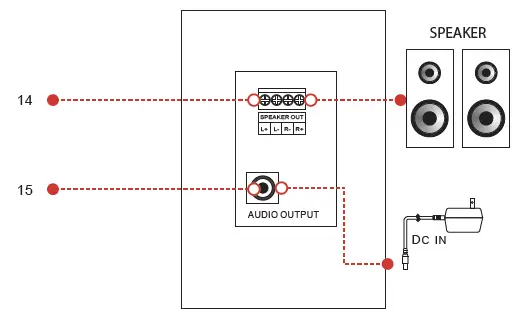
- Speaker Output Terminal
- DC IN DC (DC12V/2A) socket on the back of the unit
 VOL+ Push Switch for Next Song & Volume + Short Press for Next Song Press and hold for 5 seconds for Volume +
 PAIRING Push Switch for Play/Pause & BT Pairing Short Press for Play/Pause Press and hold for 5 seconds for BT Pairing
 VOL- Push Switch for Previous Song & Volume- Short Press for Previous Song Press and hold for 5 seconds for Volume-
FRONT PANEL
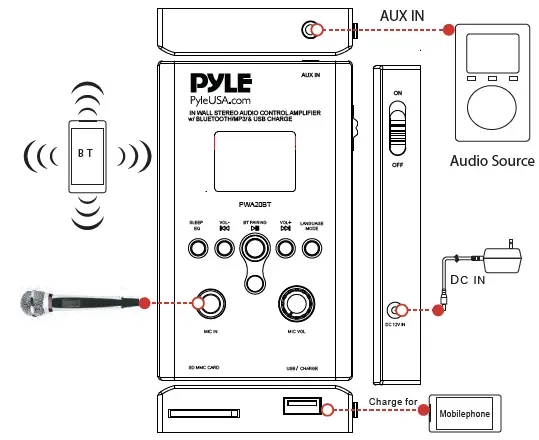
BACK PANEL
Connection Diagram
Features
- In-Wall, Wall Plate Audio/Music Control
- Bluetooth Wireless Streaming Ability
- USB Flash & SD Memory Card Readers
- USB Port Doubles as Device Charge Port
- Aux (3.5mm) Audio Input Jack
- Connect & Stream Audio from External Devices
- Terminal Block Speaker Connectors
- 1/4’’ Microphone Input
- ID3 Tag Song Readout Info Shows Song Artist/Title
- LCD Digital Display Panel
- Full Range Audio & Stereo Sound Transmission
- Simple Rotary Knob & Button Control Center
- Rear Panel Power Input for ‘Hard-Wired’ Installation
- Side Panel Power Input for Convenient ‘Plug-in’ Operation
- Universal Standard Wall Plate Size
- Fits U.S. Electrical Gang Boxes
- Lab Tested, Safety Certified & Approved
Bluetooth Connectivity
- Easy & Hassle-Free Wireless Connection
- Compatible with All of Today’s Latest Devices (Smartphones, Tablets, Laptops, Computers, etc.)
- Bluetooth Version 4.0
- Bluetooth Wireless Range 30’+ ft.
What’s in the Box
- Bluetooth Receiver
- Wall Adapter
Technical Specs
- Microphone Input Type Dynamic
- Amplifier Type Stereo Class-D
- Power ON/OFF Switch
- Digital Audio File Compatibility MP3, WAV, AVI
- Maximum USB/SD Card Support 64GB
- Power 100/240V (12V DC Adapter)
FAQs
A 12V power adapter is included with the Pyle PWA20BT, but not one for hardwiring.
100 watts maximum total output at 8 ohms.
It is approximately 50 watts. Visit our website, pyleaudio.com, to view the unit’s further specifications. For further information, enter the model number PWA20BT in the search box.
If it is well protected, you can install it wherever. Visit our website, pyleaudio.com, to view the unit’s further specifications. For further information, enter the model number PWA20BT in the search box.
50W per speaker channel is what the Pyle PWA20BT uses.
This device’s Bluetooth name cannot be changed. Visit our website, pyleaudio.com, to view the unit’s further specifications. For further information, enter the model number PWA20BT in the search box.
you can only connect 2 speakers to this unit. It is only capable of handling 100 watts. Visit our website, pyleaudio.com, to view the unit’s further specifications. For further information, enter the model number PWA20BT in the search box.
Turn on BT mode on your phone before starting the pairing process. The “PYLE” name will appear when the phone locates this ship/car audio system. In order to pair and connect with this ship/car audio system, select the “PYLE” from the device list. The BT logo will stop flashing after you confirm.
You must first navigate to the NFC section on your Android device, F2, in order to pair the speaker with your phone. You can purchase a Bluetooth transmitter that connects straight into your TV’s audio-out jack (3.5mm headphone jack, RCA connectors, USB, or optical) if your TV does not support Bluetooth.
When you press the BT/Line button switch on the front panel, the unit will immediately be prepared to pair with your external device once you hear the voice “POWER ON” and “PAIRING.”
This was purchased to power a few car speakers in my garage. It works well, is loud, and is simple to use. It has a small buzz at low volumes that my old receiver didn’t have, else I would have given it five stars. Few radio stations are picked up, however as I use the aux more, this is not a problem
The speaker may need to be unpaired, then repaired with your device. 1. Before starting the connecting process, make sure the Bluetooth Speaker is ON.
8-10 Hours The system has a battery life of about 8 hours. 8 to 10 hours on average for charging.
Pyle USA is an American business that focuses in selling consumer electronics and audio gear online and at big-box stores.
Turn the amplifier on. Red appears on the Power Indicator. When the battery is charging, the RECHARGE indication glows red, flashes when it is almost full, and turns off when it is fully charged.