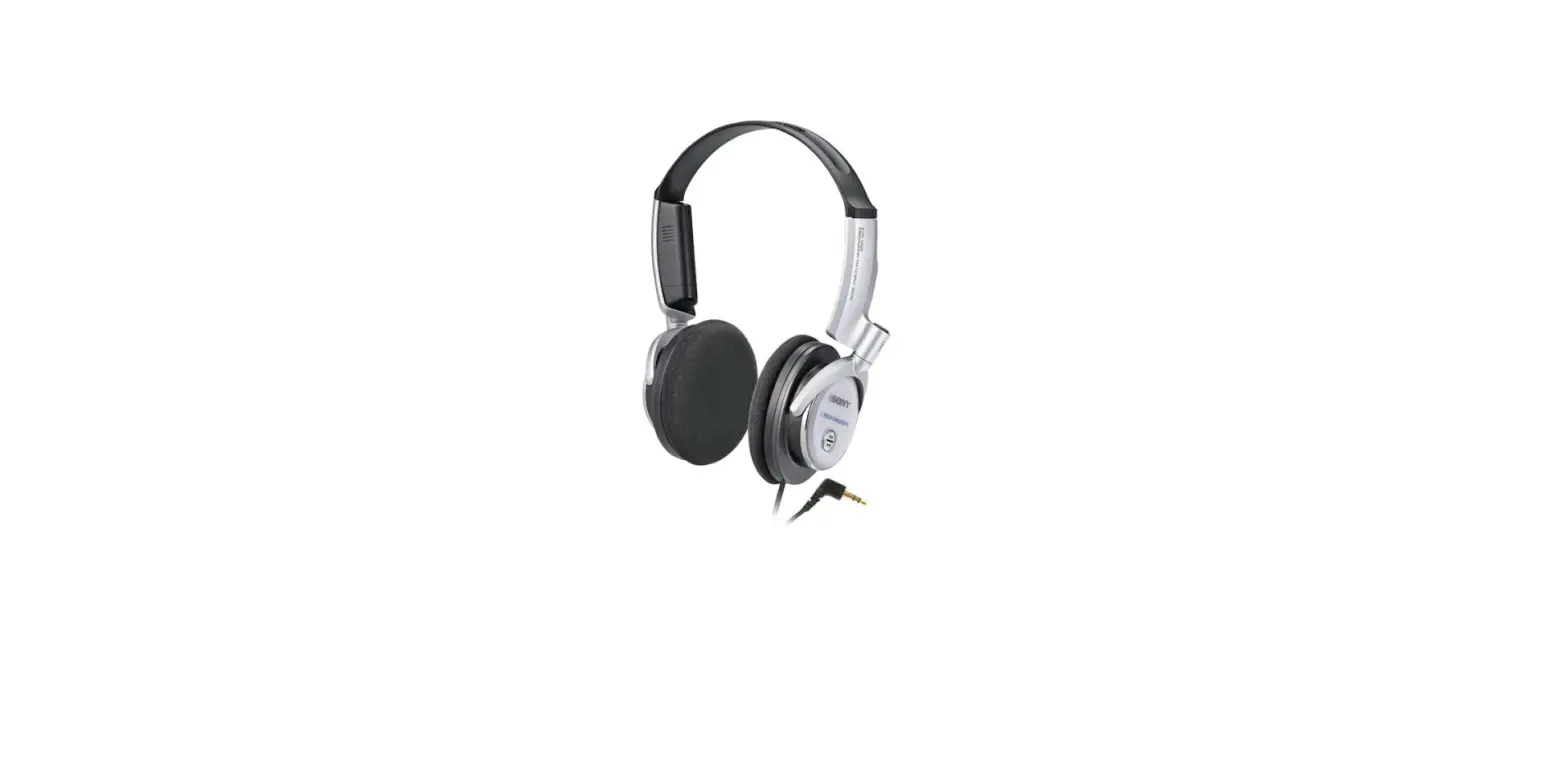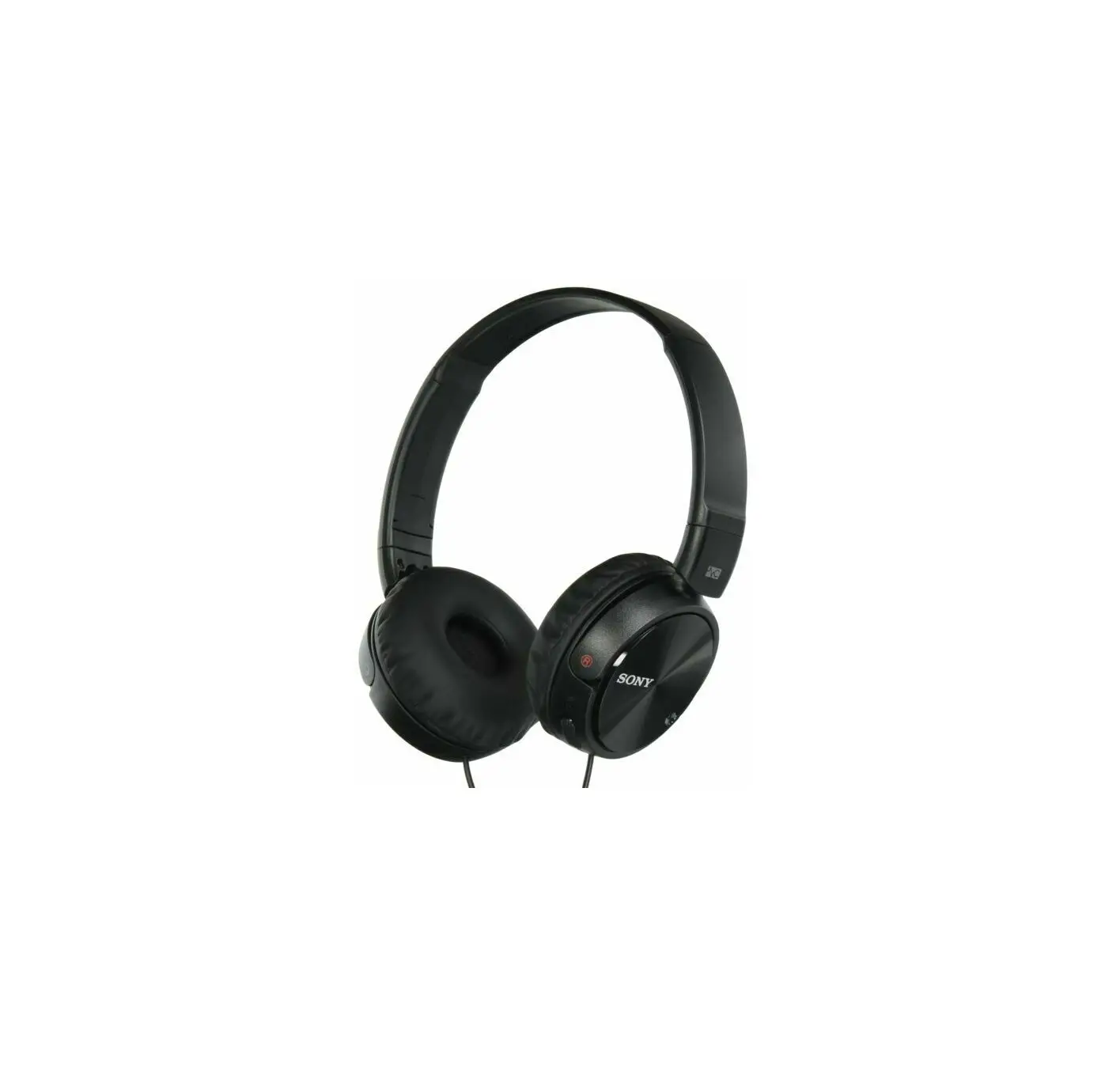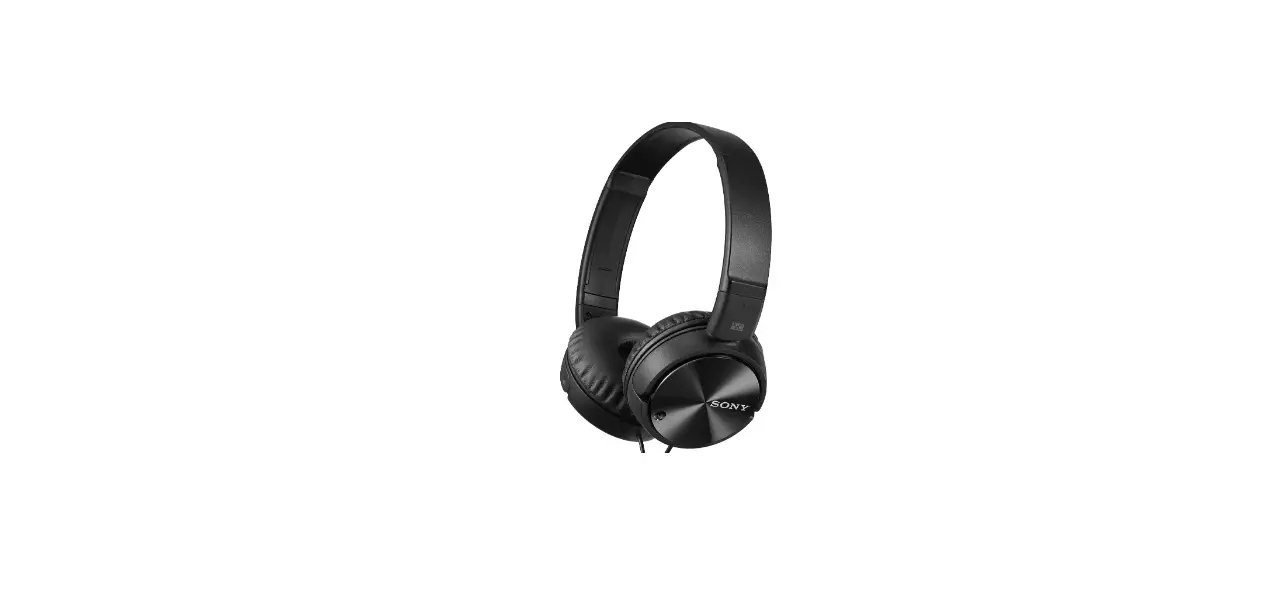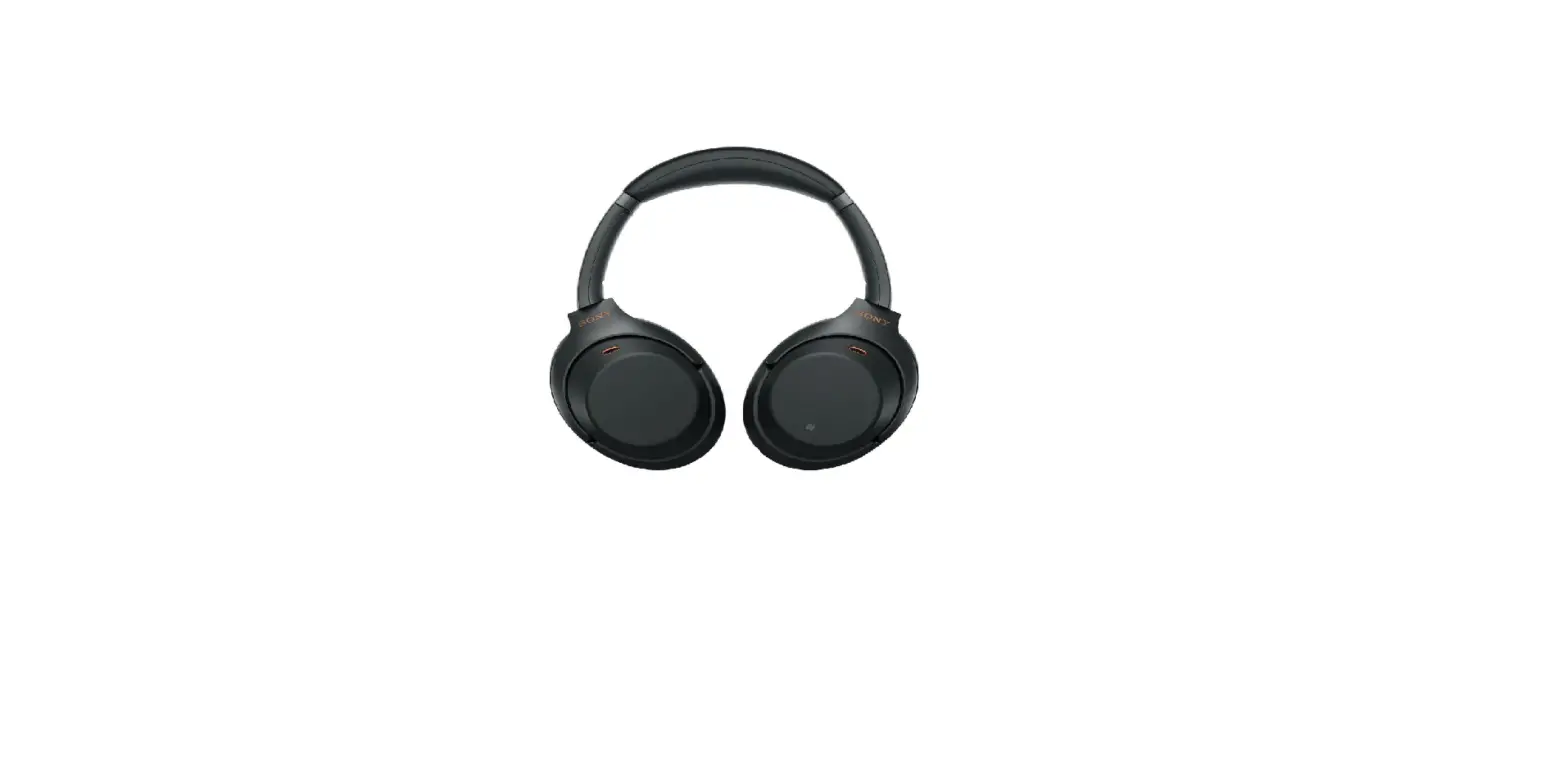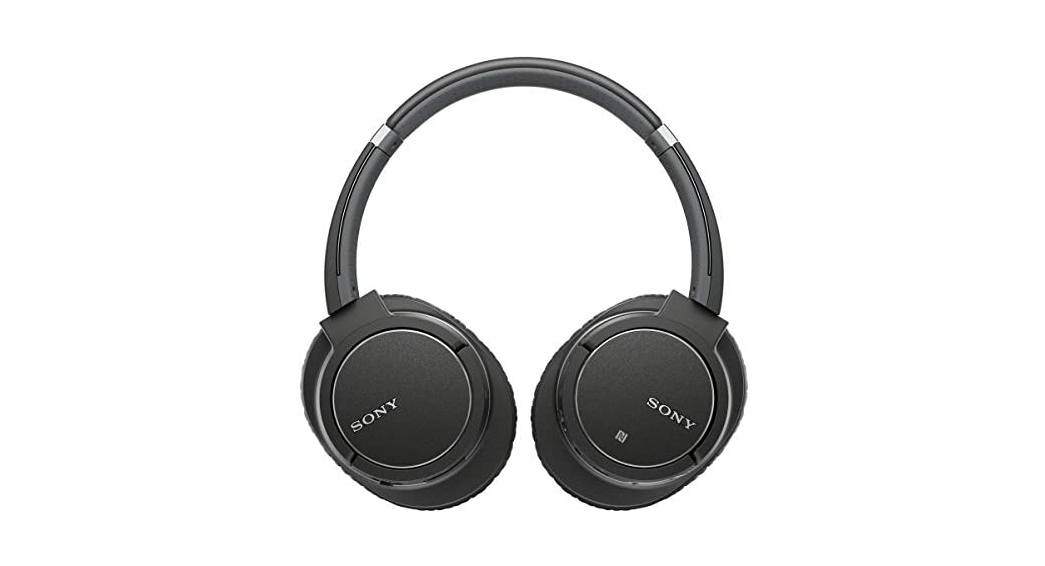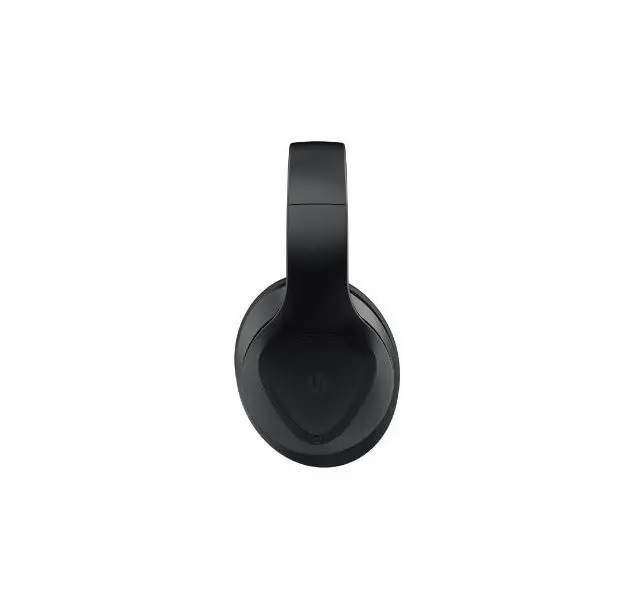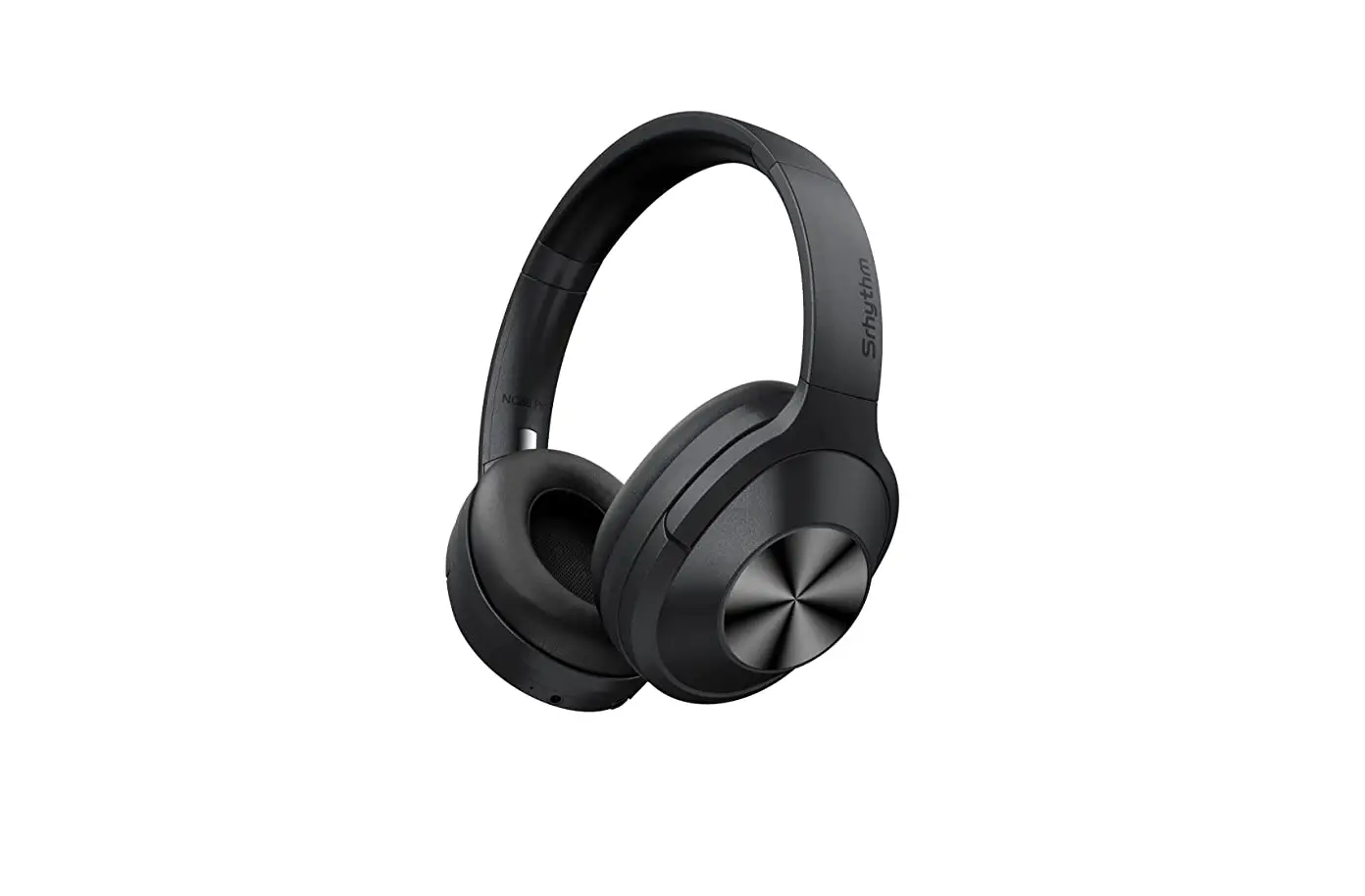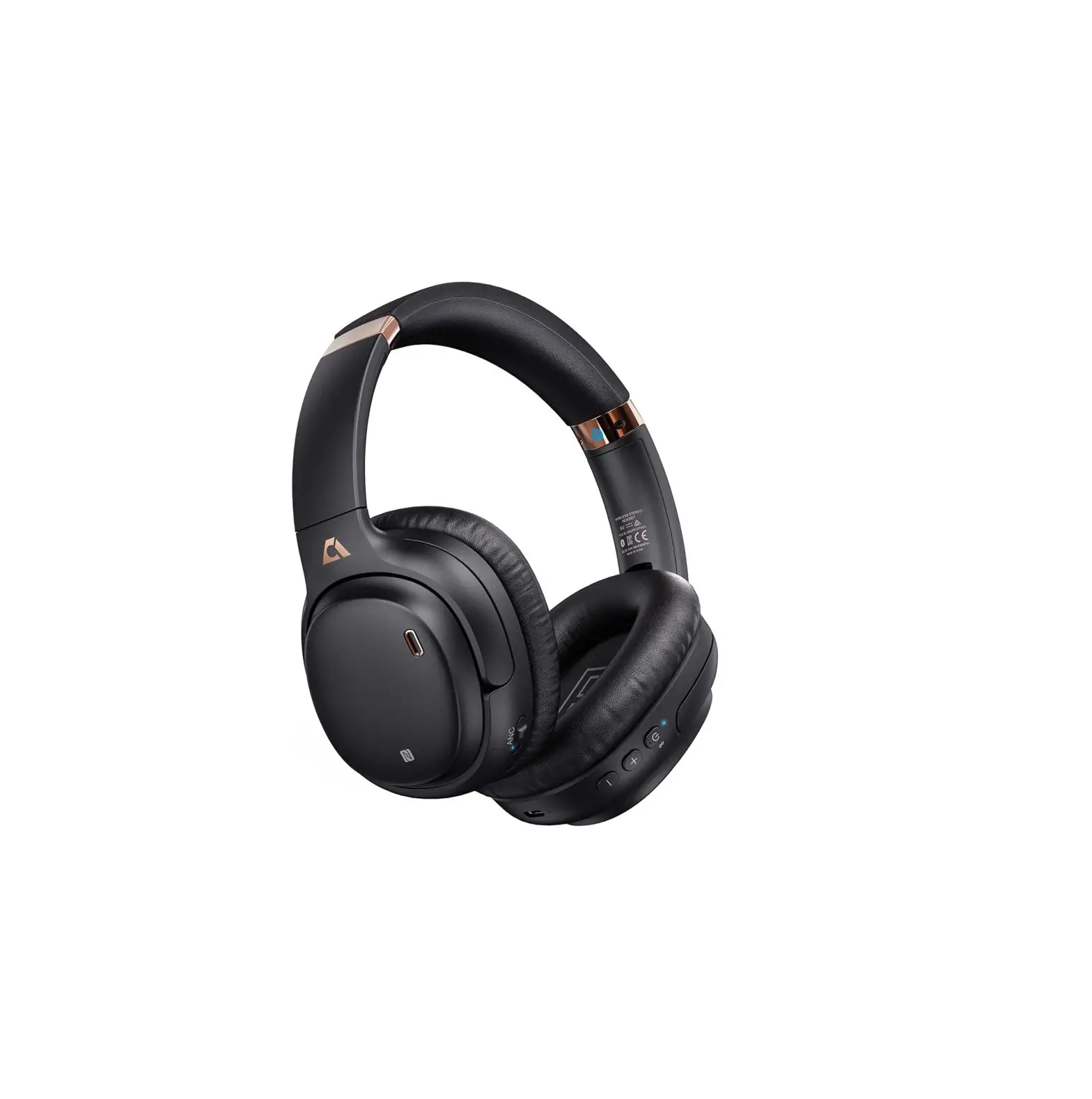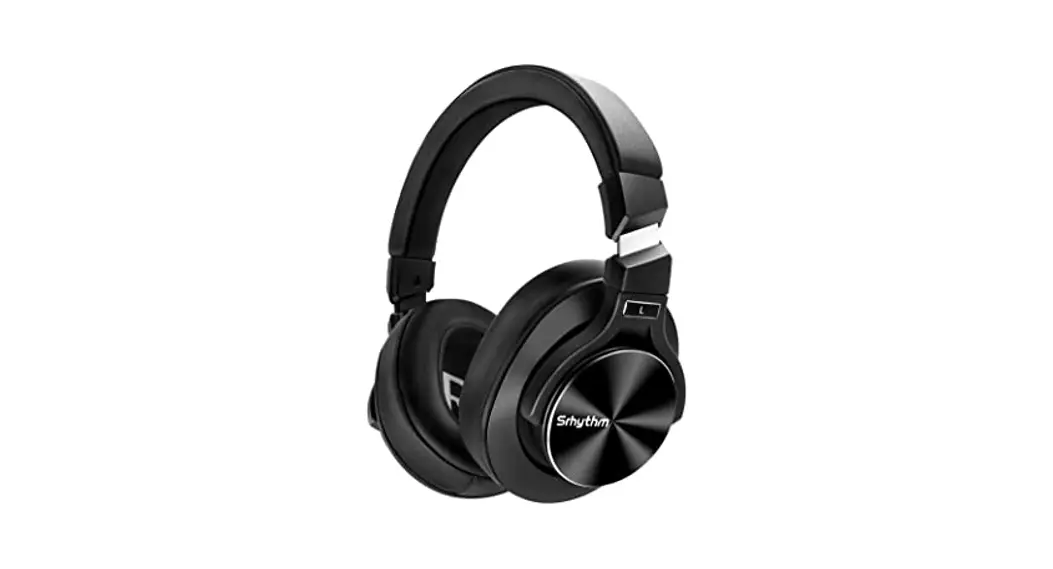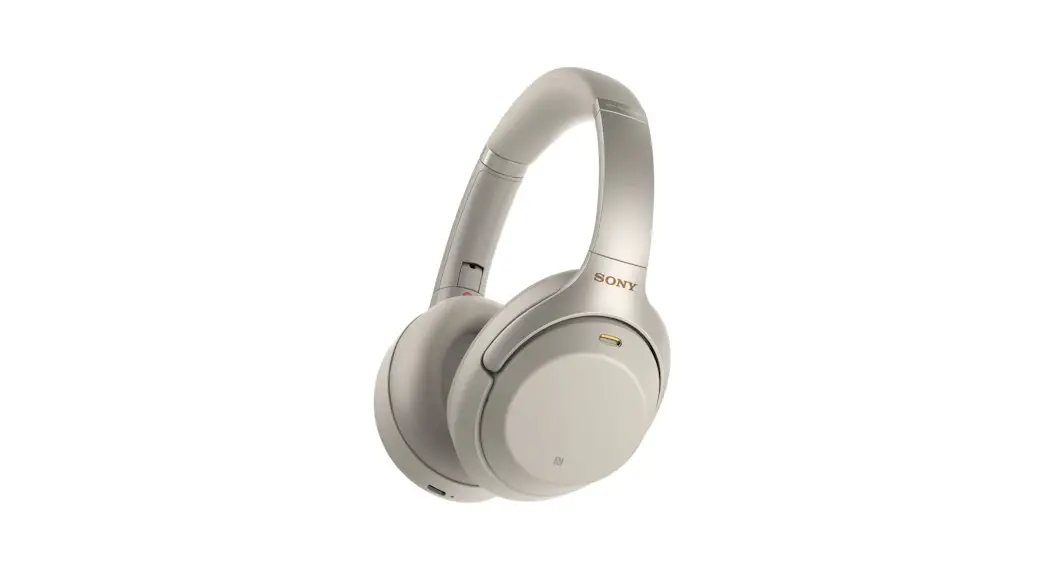

Sony MDR-NC60 Noise Canceling Headphone
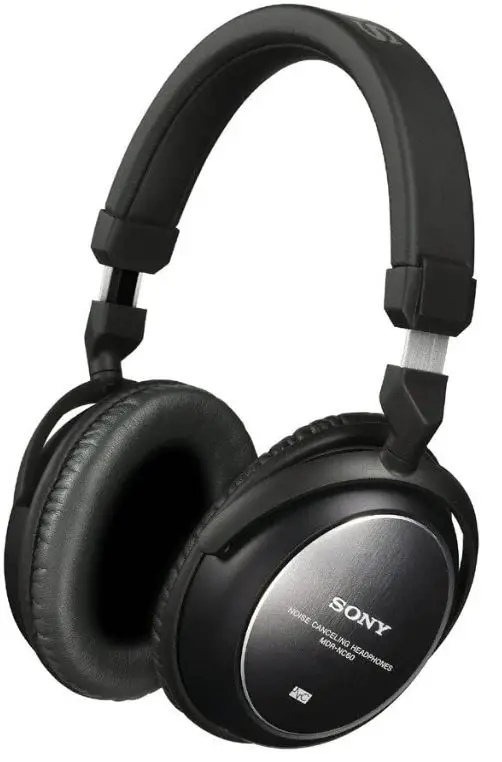
Specifications
- BRAND: Sony
- MODEL NAME: MDR-NC60
- COLOR: Black
- FORM FACTOR: Over Ear
- CONNECTIVITY TECHNOLOGY: Wired
- SENSITIVITY: 16.5dB
- FREQUENCY: 200 Hz
- PRODUCT DIMENSIONS: 11.1 x 8 x 4.75 inches
- ITEM WEIGHT: 10.2 ounces
- DRIVER UNITS: 40Mm
Introduction
Superior Sound Quality Is Achieved By High-Quality Noise-Canceling Headphones With Up To 85% Ambient Noise Reduction 40mm Driver Units And Neodymium Magnets. It has Comfy Over-the-Ear Design. It contains Compact and Elegant Style Aaa Batteries, a premium hard carrying case, an in-flight adapter, and a Unimatch plug adapter are all included in the built-in mute switch.
WARNING
To reduce the risk of fire or electric shock, do not expose this apparatus to rain or moisture. To reduce the risk of electrical shock, do not open the cabinet. Refer servicing to qualified personnel only.
You are cautioned that any changes or modifications not expressly approved in this manual could void your authority to operate this equipment.
- Notice for the customer in the countries applying EU Directives >
According to the EU Directive related to product safety, EMC and R&TTE, the manufacturer of this product is Sony Corporation, 1-7-1 Konan, Minato-ku, Tokyo, Japan. The Authorized Representative is Sony Deutschland GmbH, Hedelfinger Strasse 61, 70327 Stuttgart, Germany. For any service or guarantee matters please refer to the addresses given in separate service or guarantee documents.
The validity of the CE marking is restricted to only those countries where it is legally enforced, mainly in the countries EEA (European Economic Area).
FEATURES
- Noise-canceling headphones reduce unwanted ambient noise, providing a quieter environment to enhance your listening experience. A microphone inside each earpiece works with electronic circuitry to create an opposite sound wave to cancel out the noise. Up to 85 % ambient noise cancellation (Over 16.5 dB is reduced at 200 Hz)
- Slim, folding design for easy portability
- Neodymium magnets for powerful sound
- Dual-use capability allows option to listen to music with or without noise cancellation
- Built-in monitor function lets you silence the audio to listen outside
- Supplied plug adaptor for easy connectivity to stereo or dual jack for in-flight music services
INSTALLING A BATTERY
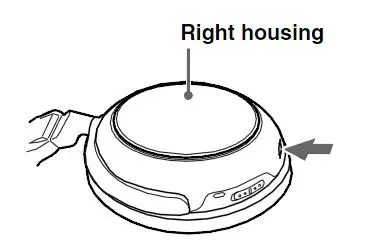
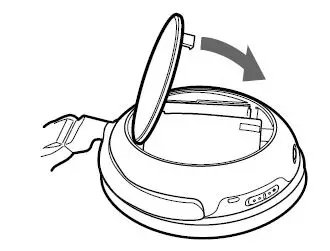
- Push the “BATT Z” button located at the bottom of the right housing. The lid of the battery box opens slightly.

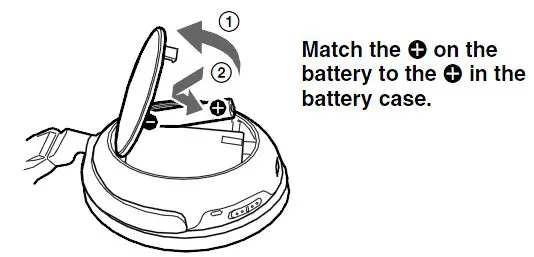
- Open the lid of the battery box of the headphone to insert one size AAA battery.

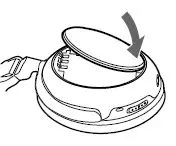
NOTE The lid of the battery box opens only so far, as shown in the illustration. Do not further force open the lid as it may damage it. - Close the lid.

BATTERY LIFE
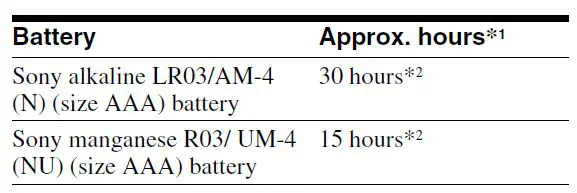
- 1 kHz, 0.1 mW + 0.1 mW output
- 2 Time stated above may vary, depending on the temperature or conditions of use.
WHEN TO REPLACE THE BATTERY
Replace the battery with a new one when the POWER indicator dims. The noise canceling feature may not work correctly if battery power is low.
TO REMOVE THE BATTERY
Open the lid of the battery box, then push the position marked with “PUSH ”. The + side of the battery comes up. Remove the battery by pulling it.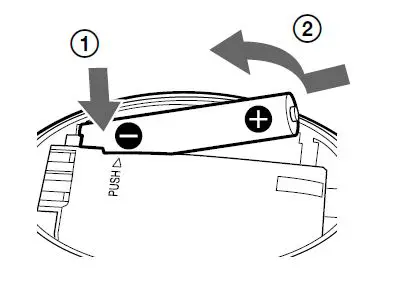
IF THE LID OF THE BATTERY BOX IS DETACHED
Follow the procedure below to reattach the lid.
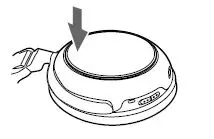
- Attach the lower side of the lid.

- Push the upper side of the lid straight forward until it clicks into position.

LISTENING TO MUSIC
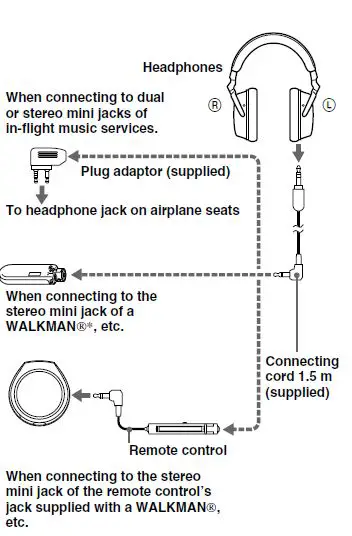
- Connect the headphones to the AV equipment. “WALKMAN” and “WALKMAN” logo are registered trademarks of Sony Corporation.

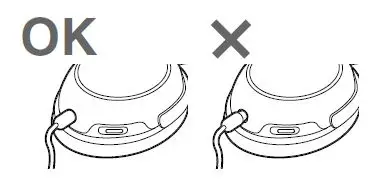
NOTES- When connecting the cord, insert the plug into the jack until the green portion of the plug disappears.

- To disconnect the cord, pull it out by the plug, not the cord, as the inner conductors may break.
- When connecting the cord, insert the plug into the jack until the green portion of the plug disappears.
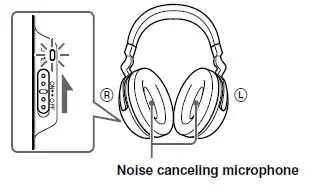
- Turn on the power on the right side of the headphones. The POWER indicator lights in red. When the power is turned on, ambient noise is reduced, and you can listen to music more clearly at a lower volume.

- Put on the headphones so that the ear pads cover your ears.

- Turn on the power of the AV equipment.
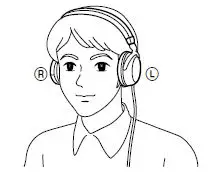
HEARING ENVIRONMENTAL SOUNDS FOR SAFETY
If the MONITOR switch is pressed and held while the POWER switch is set to ON, playback silences so you can hear the surrounding environment.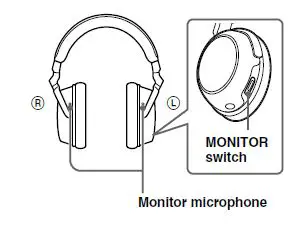
NOTE
The environmental sound might not be heard if the microphone is covered with your fingers.
NOTES ON USING ON THE AIRPLANE
- The supplied plug adaptor can be connected to dual and stereo mini jacks.

- Do not use the headphones when use of electronic equipment is prohibited or when use of personal headphones for in-flight music services is prohibited.
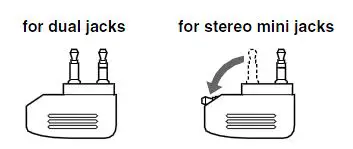
If you have any questions or problems concerning the system that are not covered in this manual, please consult the nearest Sony dealer.
AFTER LISTENING TO MUSIC
Turn off the power of the headphones.
FOLDING THE HEADPHONES
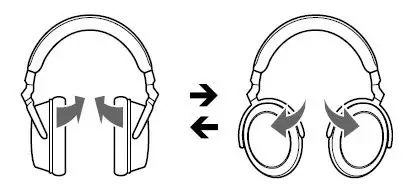
- FOLDING The housings rotate to make them flat for easy storage in the carrying case (supplied), or in a seat pocket. Restore to their usual position before using.

- PUTTING THE HEADPHONES IN THE CARRYING CASE Fold the headphones before putting them in the carrying case. The supplied cord, unmatched plugs or reserve batteries can also be stored in the pocket.

- NOTE ON STORING THE CONNECTING CORD Store the connecting cord in the carrying case with both plugs together to avoid short circuiting the battery.
- PRECAUTIONS The headphones contain a noise canceling circuit.
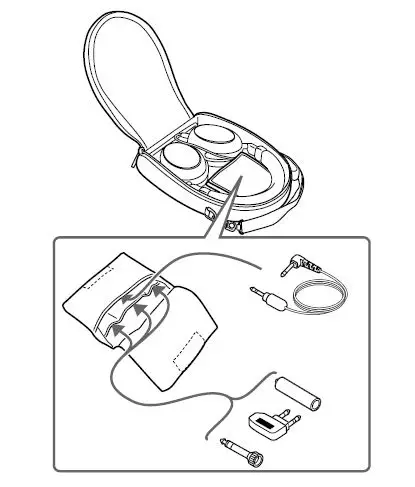
WHAT IS NOISE CANCELING?
- The noise canceling circuit actually senses outside noise with built-in microphones and sends an equal-but-opposite canceling signal to the headphones.
- The noise canceling effect may not be pronounced in a very quiet environment, or some noise may be heard. In such a case, turn the POWER switch off.
- The noise canceling effect may vary depending on how you wear the headphones.
- When you turn the POWER switch on, the operation sound of the noise canceling may be noticeable. This is not a malfunction.
- The noise canceling function is only effective for noise in the low frequency band. Although noise is reduced, it is not canceled completely.
- When you use the headphones in a train or a car, noise may occur depending on street conditions. In such a case, turn the POWER switch off.
- You can use the headphones without turning on the power. In this case, the noise canceling function is not active, and the headphones operate as passive headphones.
- Howling may occur if you do not wear the headphones correctly.
- Howling may occur if you place an object such as finger close to the noise canceling microphone. Keep it away from the microphone.
- Mobile phones may cause noise. Keep the headphones away from mobile phones.
NOTES ON USAGE
- Clean the headphones with a soft dry cloth.
- Do not leave the plug dirty otherwise the sound may be distorted.
- Be sure to consult a Sony dealer when the earpads become dirty or damaged, or when the headphones require repair work.
- Do not leave the stereo headphones in a location subject to direct sunlight, heat or moisture.
NOTE ON HEADPHONES PREVENTING HEARING DAMAGE
Avoid using headphones at high volume. Hearing experts advise against continuous, loud and extended play. If you experience a ringing in your ears, reduce the volume or discontinue use.
DO NOT LISTEN WITH THE HEADPHONES WHILE DRIVING OR CYCLING
As your headphones reduce outside sounds, it may cause traffic accidents. Also avoid using them where hearing must not be impaired, for example, at a railroad crossing, a site of construction, etc.
TROUBLESHOOTING
NO SOUND
- Check the connection of the headphones and the AV equipment.
- Check that the connected AV equipment is turned on.
- Turn up the volume of the connected AV equipment.
MUFFLED SOUND
- Turn down the volume of the connected AV equipment.
- Replace the battery.
THE POWER DOES NOT TURN ON
- Check if the battery has expired (the POWER indicator dims).
- Replace the battery with a new one.
HOWLING
- Make sure you are wearing the headphones correctly.
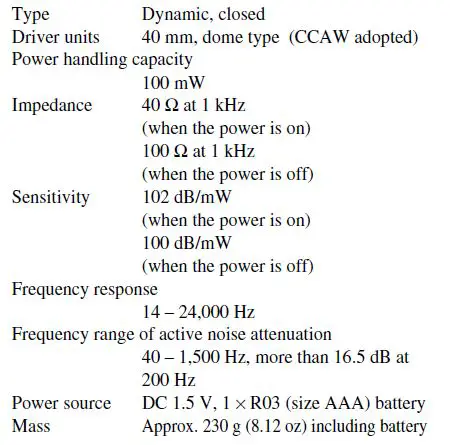
SPECIFICATIONS
GENERAL
SUPPLIED ACCESSORIES
Connecting cord (1.5 m, gold plated L type stereo mini plug)(1) Carrying case (1) Plug adaptor for in-flight use* (single/dual)(1) Gold-plated unimatch plug adaptor (stereo phone plug – stereo mini jack)(1) Operating Instructions (1) * May not be compatible with some in-flight music services. Design and specifications are subject to change without notice.
Frequently Asked Questions
Just be careful to listen at noise levels that won’t damage your hearing: According to experts, listening for up to 60 minutes at a maximum volume on your device is often safe. Then pause for a brief period of silence before continuing.
So, much to how we wear our eyeglasses, we can presume that it is generally safe to wear noise-canceling headphones. However, some professionals have stated that using these headphones continuously could damage your capacity to detect the source of noises using your noise-localization neural circuitry.
Fortunately, noise-cancelling headphones are excellent at reducing ambient noise even when they aren’t playing music. They can easily lessen the noise of crowded streets or stores. However, they are significantly more helpful for ambient noise, which are persistent and repetitive noises.
Active noise cancelling headphones generally rely on passive sound isolation rather than their circuitry to prevent speech. You can anticipate a noise reduction from 500 to 2000 Hz of between 15 and 25 dB with today’s top-of-the-line noise cancelling headphones, which is significant but not nearly enough to silence speech.
As long as the noise-canceling headphones are Bluetooth earphones, you can wear them while sleeping without worrying about tangled cords.
Overall, using headphones with noise cancellation has no detrimental effects on your hearing. When the ANC is turned on, you might hear a very faint hissing sound, but that’s about it. However, this may irritate some people and perhaps make them feel queasy.
None. They are not intended to defend against noise. Modern noise-canceling earbuds and headphones use soundproofing for higher frequency sounds and active noise control for low frequency sounds to block out undesired background noise.
Yes, to answer briefly. On their own, noise-canceling headphones are secure. In actuality, the ANC technology was created primarily to protect the pilots’ hearing from the loud noises of the aircraft engine.
When analyzing headphones and hearing loss, the length of exposure to noise is also a crucial consideration. As a general guideline, only spend a total of 60 minutes each day using MP3 players at volumes up to 60% of their maximum, advises Dr.
Your active noise-canceling headphones often consume 20–30% more power in noisy settings. This is due to the fact that active noise-canceling headphones are designed to block out certain sounds, like the hum of an aeroplane engine, which uses more battery power.