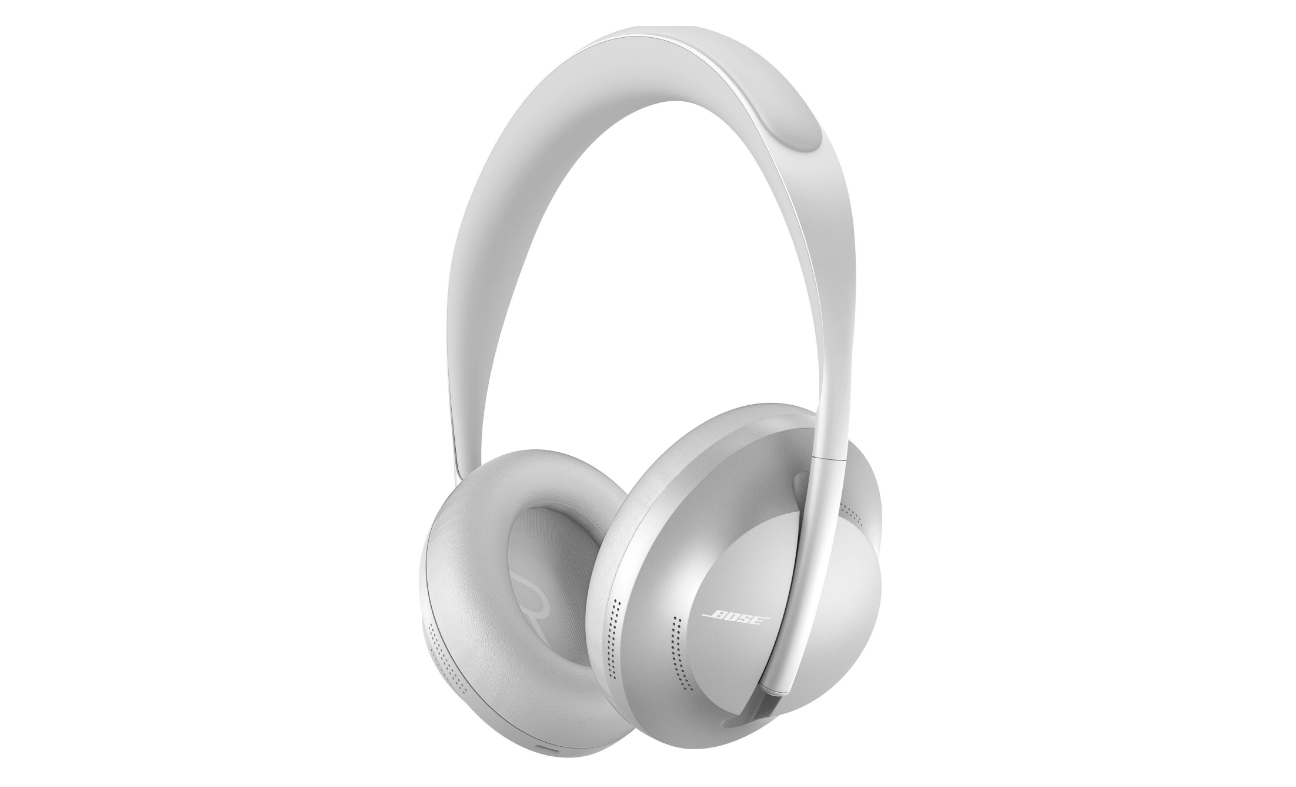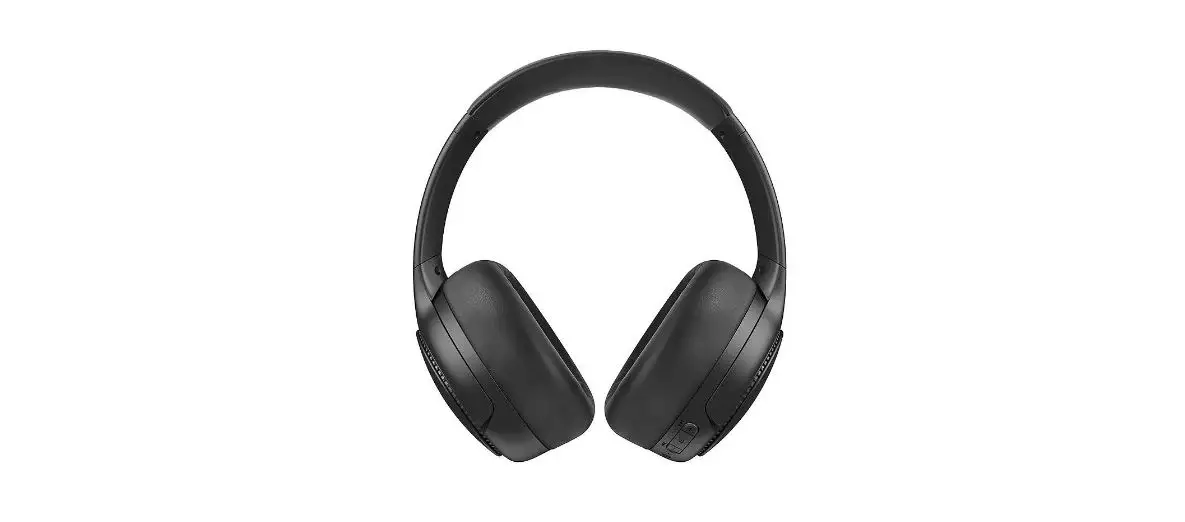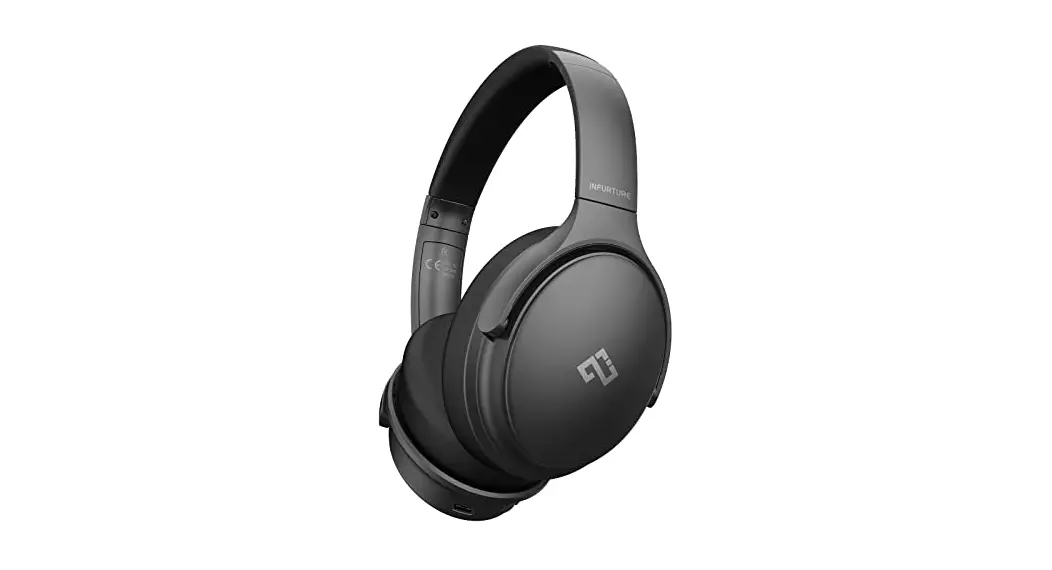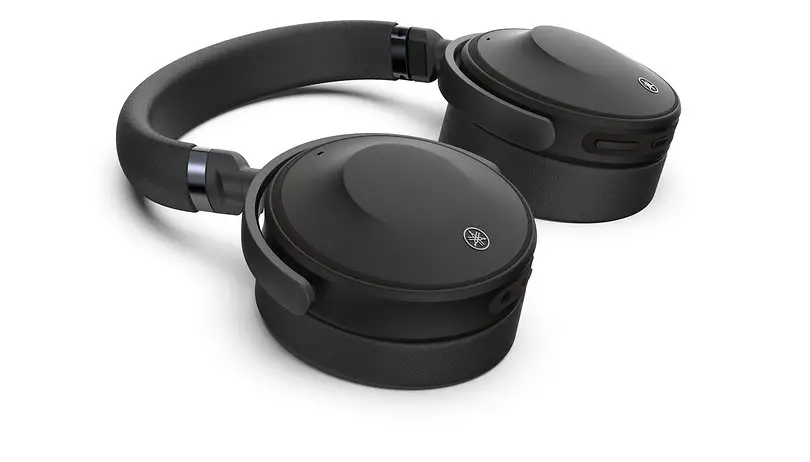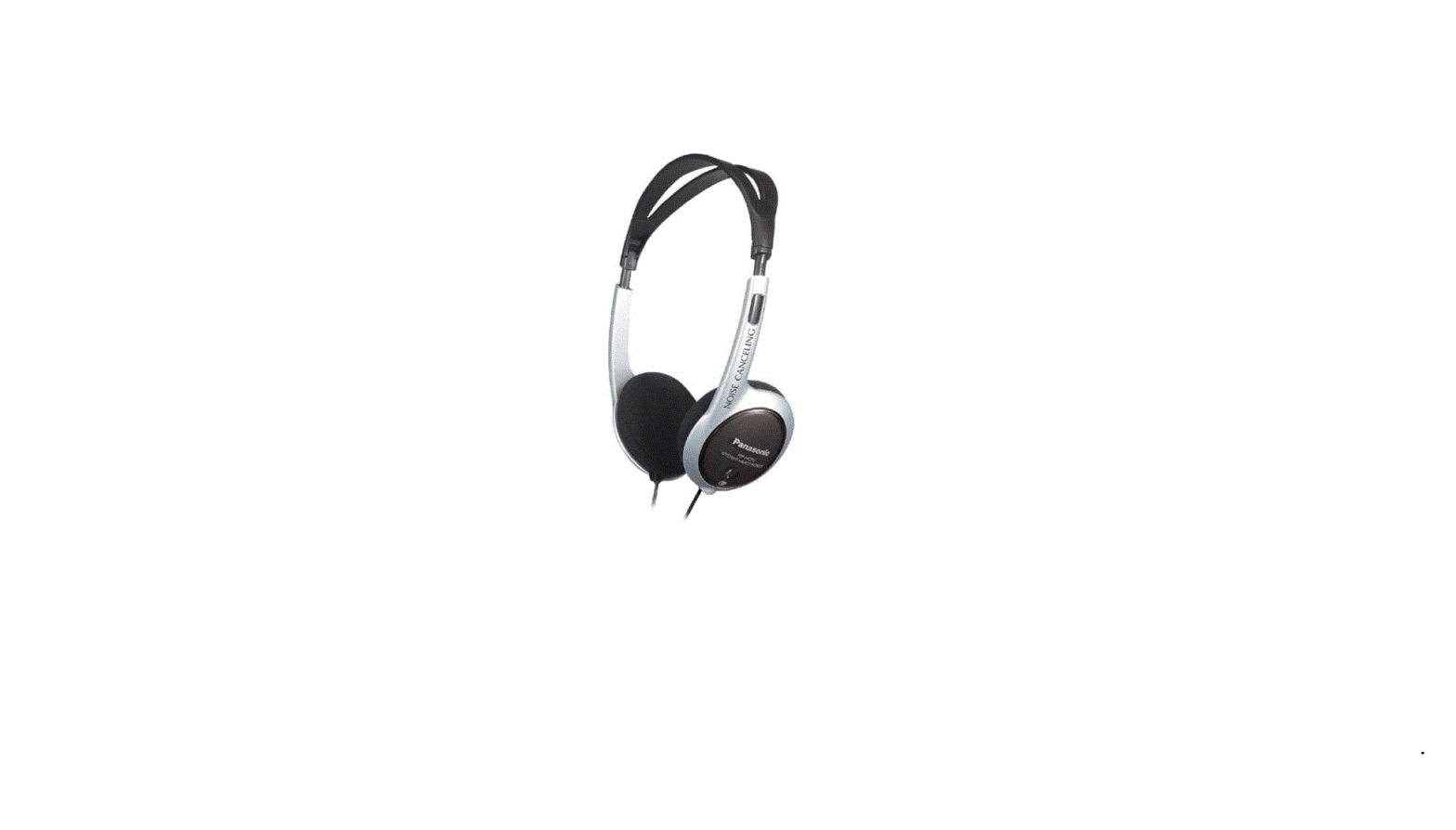

Panasonic RP-HC70 Noise-Canceling Headphones
 Specifications
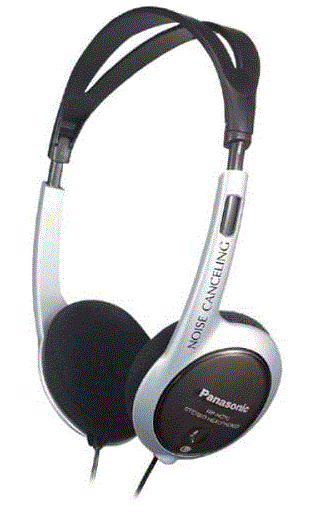 Specifications
- Product Dimensions
2.5 x 7.3 x 9.7 inches - Item Weight
8 ounces - Batteries
1 AAA batteries - Form Factor
Closed back - Connectivity Technology
Wired - Type
The dynamic, open-air type - Driver units
30 mm (1 3/16 in.) diameter - Impedance
30 Ohms at 1 kHz (when OPR is on) - Frequency response
10 – 22,000 Hz - Power handling capacity
1,000 mW - Battery life
Approx. 25 hours (R03 manganese battery) - Brand
Panasonic
Introduction
The Panasonic RP-HC7 Noise Canceling Headphones are lightweight, strong, and made with the frequent traveler in mind. They can help you block out those annoying background noises from your listening sessions. These headphones are ideal for listening to your favorite CDs, MP3s, or sporting events while traveling since they have a handy folding design, a separate controller with noise level adjustment, and two degrees of noise-canceling effects. The RP-battery HC70’s life of up to 50 hours is its best feature, assuring that you won’t need to worry about running out of power when you’re flying 25,000 feet above the closest convenience store.
Listening caution

Do not play your headphones at a high volume. Hearing experts advise against continuous extended play. If you experience a ringing in your ears, reduce the volume or discontinue use. Do not use while operating a motorized vehicle. It may create a traffic hazard and is illegal in many areas. You should use extreme caution or temporarily discontinue use in potentially hazardous situations. Even if your headphones are the open-air type designed to let you hear outside sounds, don’t turn up the volume so high that you can’t hear what’s around you.
Sound can be deceiving. Over time your hearing “comfort level” adapts to higher volumes of sound. So what sounds “normal” can actually be loud and harmful to your hearing. Guard against this by setting your equipment at a safe level BEFORE your hearing adapts.
To establish a safe level:
- Start your volume control at a low setting.
- Slowly increase the sound until you can hear it comfortably and clearly, and without distortion.
Once you have established a comfortable sound level:
- Set the dial and leave it there.
The serial number of this product can be found on the label under the left ear pad. Please note them in the space provided below and keep them for future reference.
Caution
- Discontinue use if you experience discomfort.
- Continued use may cause rashes or other allergic reactions.
- To avoid product damage, do not expose this product to rain, water, or other liquids.
- Do not recharge an ordinary dry cell battery.
- Remove the battery if the unit is not to be used for a long time.
- Mishandling of battery can cause electrolyte leakage which can damage items the fluid contacts and may cause a fire
Notes on use
- Noise may occur due to dirt on the plug. Clean the plug with a soft dry cloth if this occurs.
- The earpads can deteriorate after long periods of use or storage.
- These are open-air type headphones so take care that the noise from them does not annoy those around you.
Product service
Do not attempt to remove the cover(s) or repair the unit yourself. Refer servicing to qualified personnel only.
Product information
For product service, product information, or assistance with product operation, refer to the servicenter directory
User memo
- DATE OF PURCHASE
- DEALER NAME
- DEALER ADDRESS
- TELEPHONE NUMBER
FOR U.S.A.
PANASONIC CONSUMER ELECTRONICS COMPANY, A DIVISION OF MATSUSHITA ELECTRIC CORPORATION OF AMERICA
One Panasonic Way
Secaucus, New Jersey 07094
AUDIO ACCESSORIES LIMITED WARRANTY
Panasonic Consumer Electronics Company or Panasonic Sales Company (collectively referred to as “the warrantor”) will repair this product with new or refurbished parts, free of charge, in the U.S.A. or Puerto Rico from the date of original purchase in the event of a defect in materials or workmanship as follows:
For ninety (90) days—Headphones, Earphones, Microphones, Stereo Mini-Speaker Systems
For ten (10) days—Batteries—(When applicable)—New rechargeable batteries in exchange for defective rechargeable batteries. Non-rechargeable batteries are not warranted.
For assistance in obtaining service in the U.S.A. please contact:
- Panasonic Services Company
- Panasonic Plus Department
- 20421 84th Avenue South
- Kent, WA 98032
- Tel: 1-800-833-9626
- Fax: 1-800-237-9080
If service is needed, during the warranty period the purchaser will be required to furnish a purchase receipt or other proof of date of original purchase. This warranty is extended only to the original purchaser. The purchaser will be responsible for shipping the unit to the above address. For assistance in Puerto Rico contact, Panasonic Sales Company at the address or telephone number listed.
This warranty only covers failures due to defects in materials and workmanship that occur during normal use and does not cover damages that occur in shipment, or failures that are caused by the products above. not supplied by the warrantor, or failures that result from accident, misuse, abuse, neglect, mishandling, faulty installation, misapplication, set-up adjustments, maladjustment of customer controls, improper operation or maintenance, improper antenna, inadequate signal reception or pickup, alteration, modification, power line surge, improper voltage supply, lightning damage, commercial use, such as; hotel, office, restaurant, or other business or rental use of the product, or serviced by anyone other than a Panasonic Services Company (PASC) Factory Servicenter, or damage that is attributable to acts of God.
LIMITS AND EXCLUSIONS
There are no express warranties except as listed above.
THE WARRANTOR SHALL NOT BE LIABLE FOR INCIDENTAL OR CONSEQUENTIAL DAMAGES RESULTING FROM THE USE OF THIS PRODUCT OR ARISING OUT OF ANY BREACH OF THIS WARRANTY, INCLUDING WITHOUT LIMITATION, DAMAGE TO TAPES, RECORDS, OR DISCS. ALL EXPRESS AND IMPLIED WARRANTIES, INCLUDING THE WARRANTIES OF MERCHANTABILITY, AND FITNESS FOR A PARTICULAR PURPOSE, ARE LIMITED TO THE APPLICABLE WARRANTY PERIOD SET FORTH ABOVE.
Some states do not allow the exclusion or limitation of incidental or consequential damages, or limitations on how long an implied warranty lasts, so the above exclusions or limitations may not apply to you. This warranty gives you specific legal rights and you may also have other rights which vary from state to state. If a problem with this product develops during or after the warranty period, you may contact your dealer or Servicenter. If the problem is not handled to your satisfaction, then write to the Consumer Affairs Department at the company address indicated above.
Dear customer
Thank you for purchasing this product. For optimum performance and safety, please read these instructions carefully.
The noise canceling function
Environmental noises in airplanes, trains, and buses, and noise caused by air-conditioners are reduced by a third, providing a quieter listening environment. This function allows you to enjoy music without raising the volume too high, and is, therefore, kinder to your ears. This unit mainly reduces the annoying low frequency sounds below 1500 Hz. For this reason, sounds with higher frequency portions, from car horns, telephones and human voices, remain relatively intact.
The headphone plug may not suit the jacks used on some aircraft.
Supplied accessories
Battery (R03, AAA, UM-4) ………………………………………………………………………….
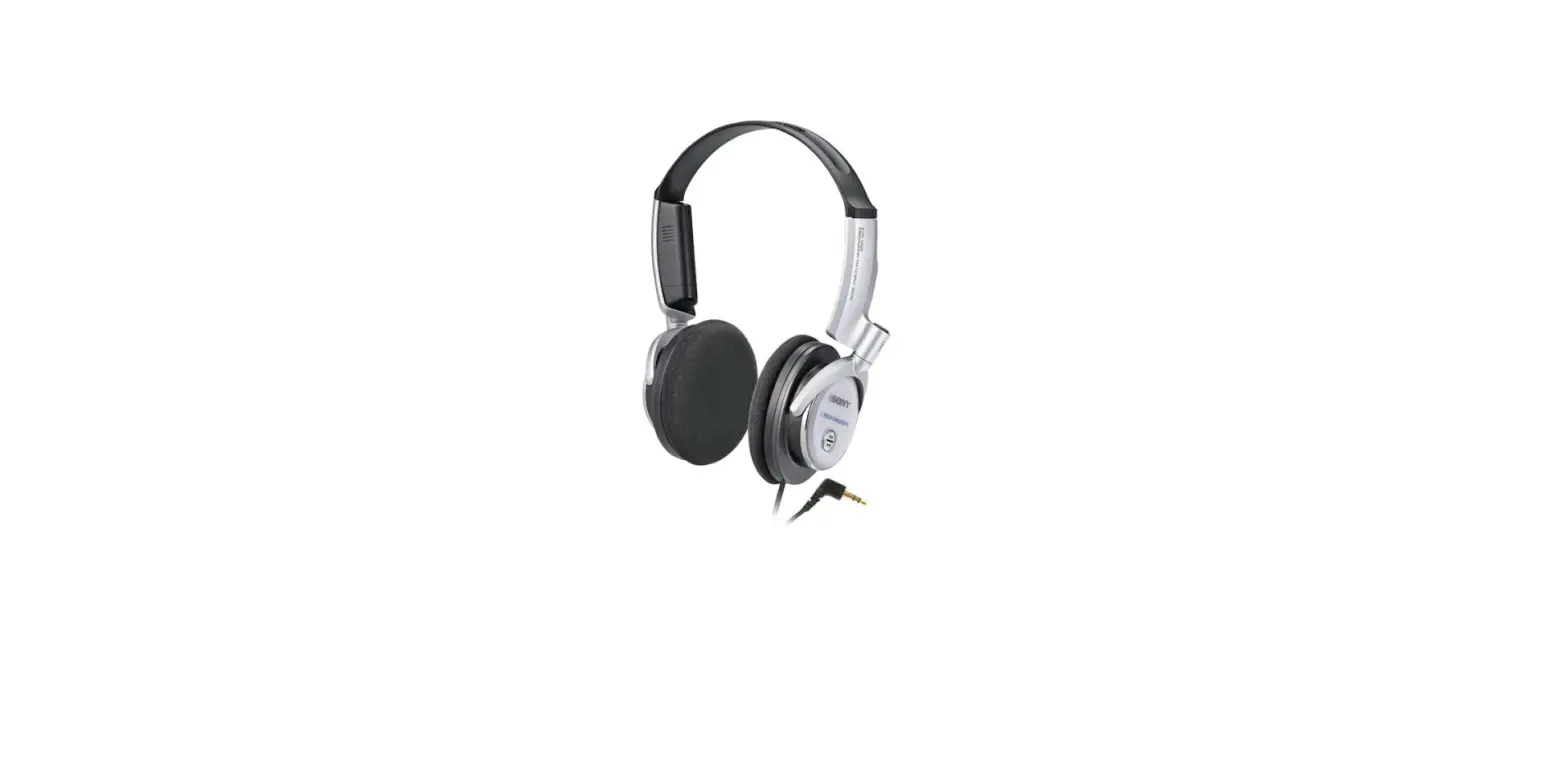
Names of the parts
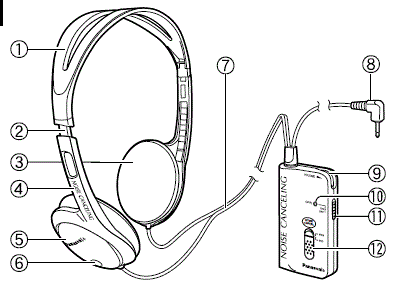
- Headband
- Slider
- Earpad
- Hanger
- Housing
- Microphone
- Cord
- Plug
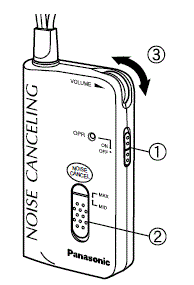
- Volume control
- Operation indicator [OPR]
- Power switch [OPR, ON/OFF]
- Noise-canceling switch [NOISE CANCEL, MAX/MID]
Inserting the battery
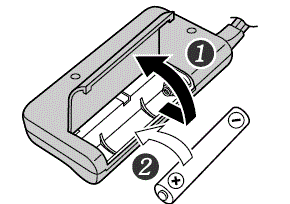
- Open the battery lid.
- Insert the included battery.
Press in and down on the end.
Match the poles ( and ). - Close the battery lid.
If rechargeable batteries are to be used, rechargeable batteries manufactured by Panasonic are recommended.
When to change the battery
The battery should be changed when the [OPR] indicator fades or fails to light. The noise canceling function becomes less effective as the battery wears down. If the battery is worn down, or if a battery isn’t inserted at all, the unit acts like normal headphones.
Using the headphones
- Turn down the volume on the audio equipment and insert the headphone plug (3.5 mm(1/8 in.) stereo) into the headphone jack.
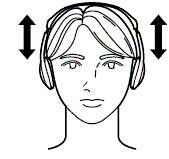
- Check the sides (L and R), then put the headphones on. Move the sliders up or down to suit the housing position to your ears.
- Start play on the audio unit and adjust its volume. Turn on the noise canceling function.
Switch [OPR] to “ON”.
The [OPR] indicator lights
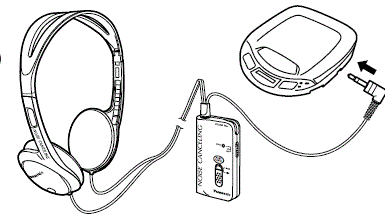
Select the noise canceling level with [NOISE CANCEL].
Select “MAX” under normal circumstances. Select “MID” for a lower level of noise canceling.
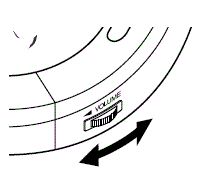
Adjust the volume
Volume changes when the noise canceling function is on. Adjust the volume with [VOLUME] on the controller or readjust the volume on the equipment.
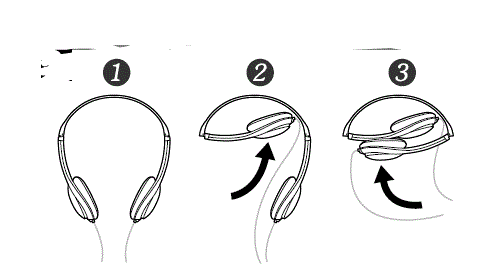
How to fold the headphones
Frequently Asked Questions
Call center headsets with noise cancellation are specially made to offer an audible that is understandable. Active noise cancellation is a feature of certain of them, like as the Jabra Evolve 80, that actively reduces low-frequency background noise.
Yes. long response. When connected to any 3.5mm aux jack, the noise cancellation feature of the ANC will still work.
Should you invest in noise-canceling headphones? Yes. This technology will wow you with its powerful effects if you want to safeguard your hearing, lessen ambient distractions, and have a superior audio experience.
Yes, noise-canceling headphones still function in the absence of music. It’s true that using headphones with noise cancellation improves their ability to block out sounds. The frequencies of your music often clash and stand out against the background noise, which increases your sense of isolation.
Speakers and microphones are used in Active Noise Cancellation to reduce ambient noise. The most popular kind, these are typically found in over-ear headphones. It is now possible to use technology in truly wireless in-ear earphones since it has shrunk so much and become so battery-efficient.
The circuitry in noise-canceling headphones needs to be powered by a battery. The way noise-isolating headphones function to prevent noise is by sealing off your ear canal, which can be far less expensive because they don’t need electronics. In essence, they resemble earplugs but have earphones within.
Overall, using headphones with noise cancellation has no detrimental effects on your hearing. When the ANC is turned on, you might hear a very faint hissing sound, but that’s about it. However, this may irritate some people and perhaps make them feel queasy.
Just be careful to listen at noise levels that won’t damage your hearing: According to experts, listening for up to 60 minutes at a maximum volume on your device is often safe. Then pause for a brief period of silence before continuing.