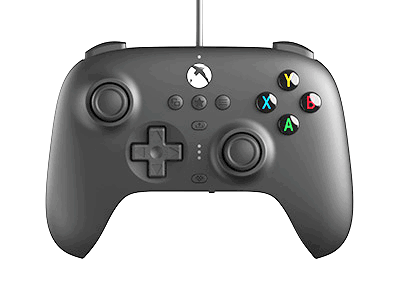
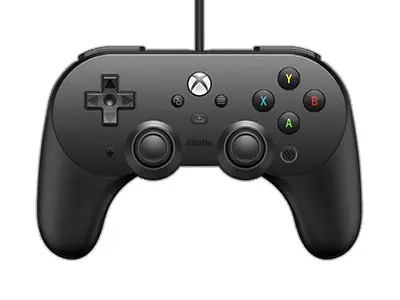
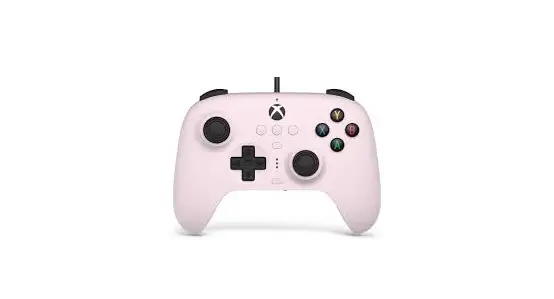
Series X/S Wired Controller for Xbox
Product Information:
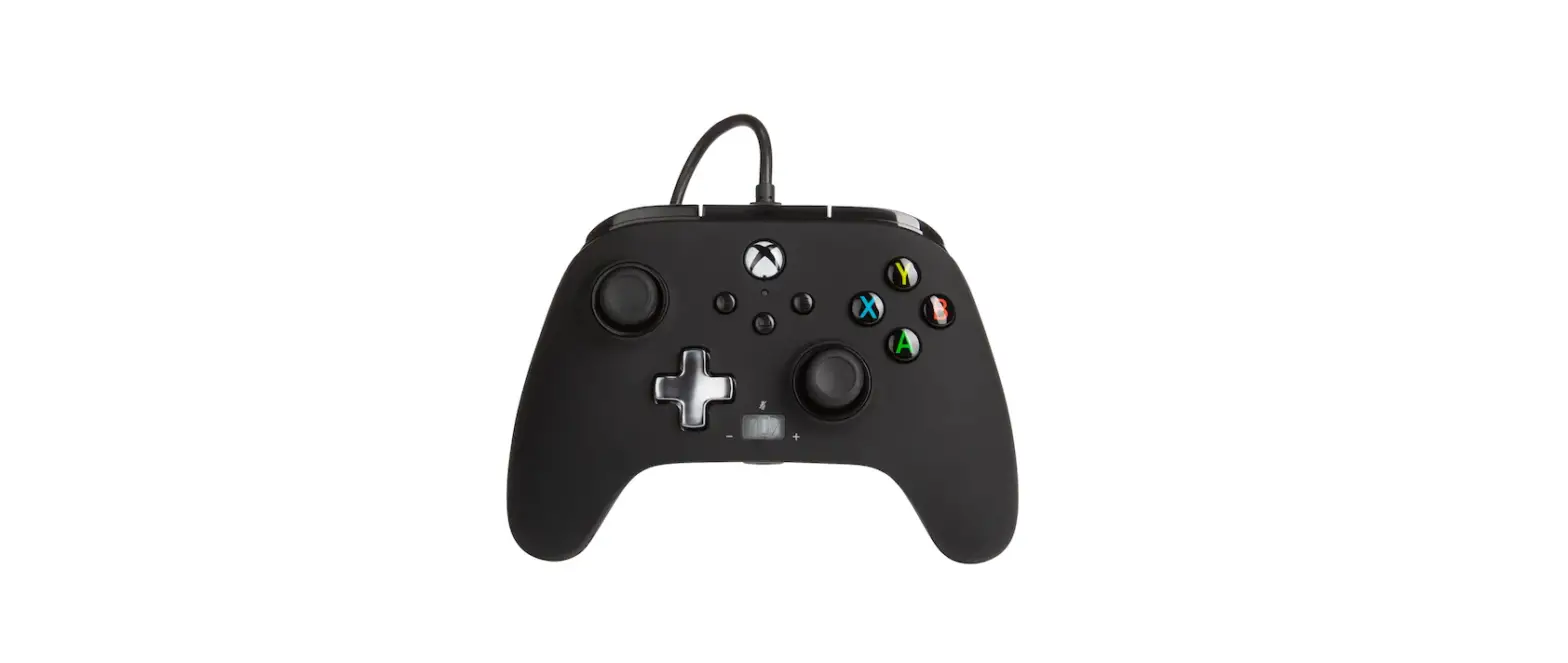
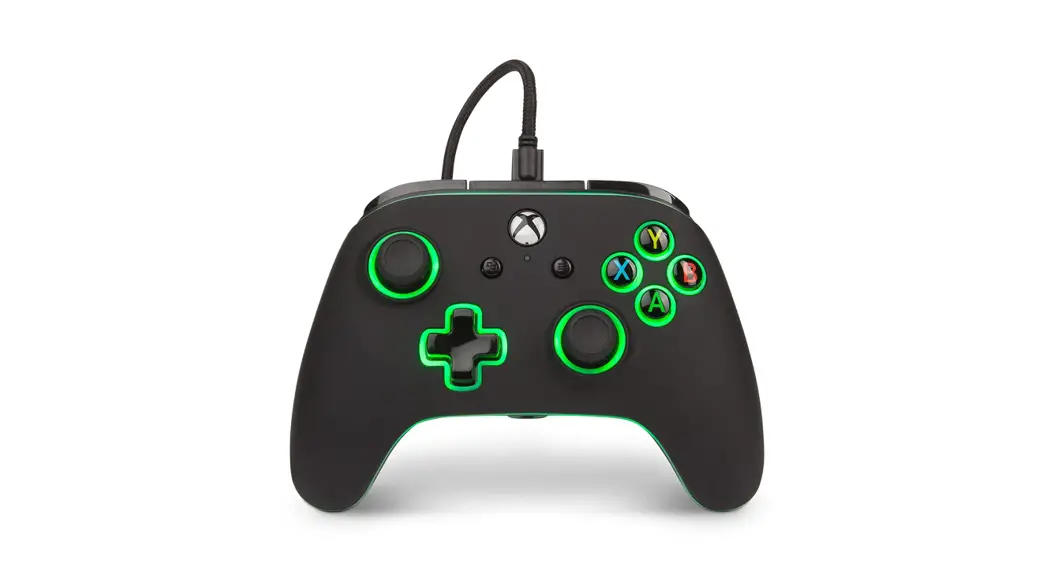
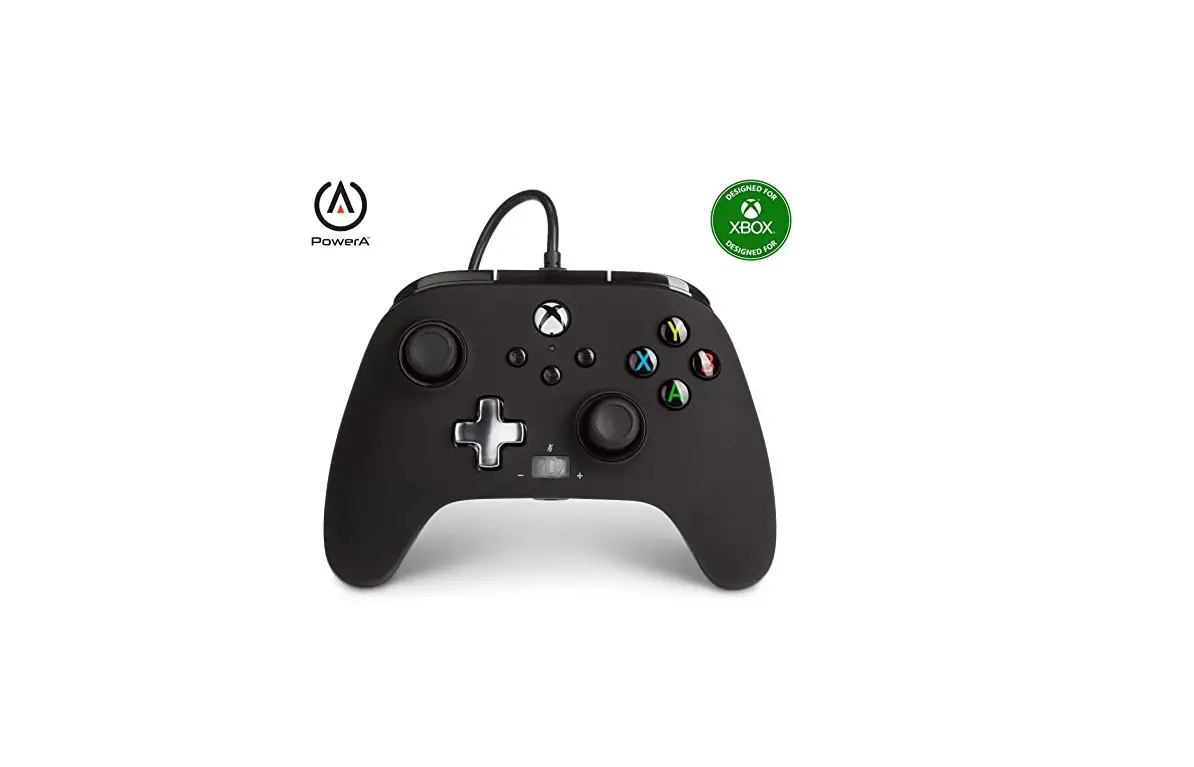
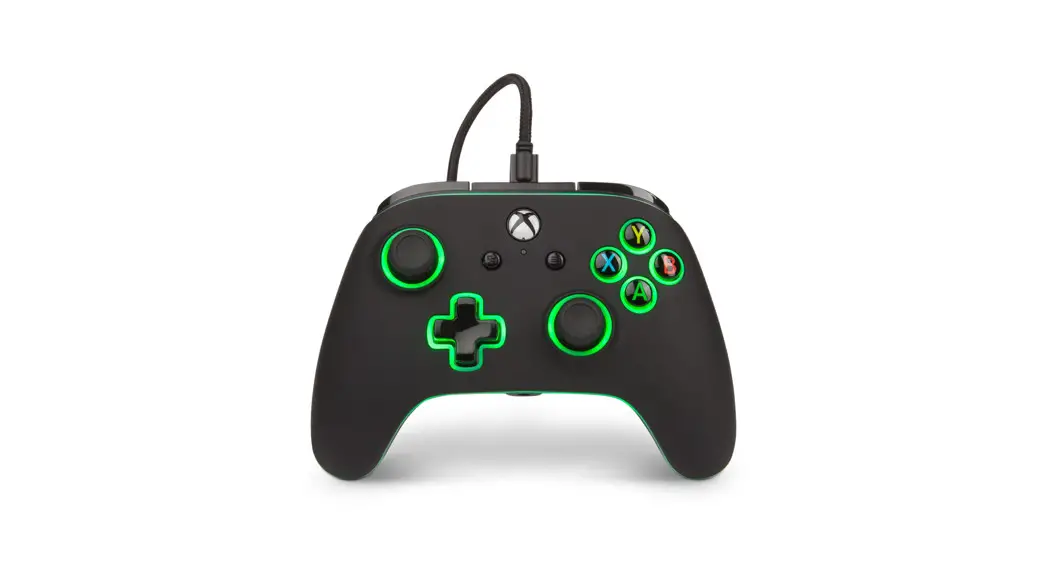
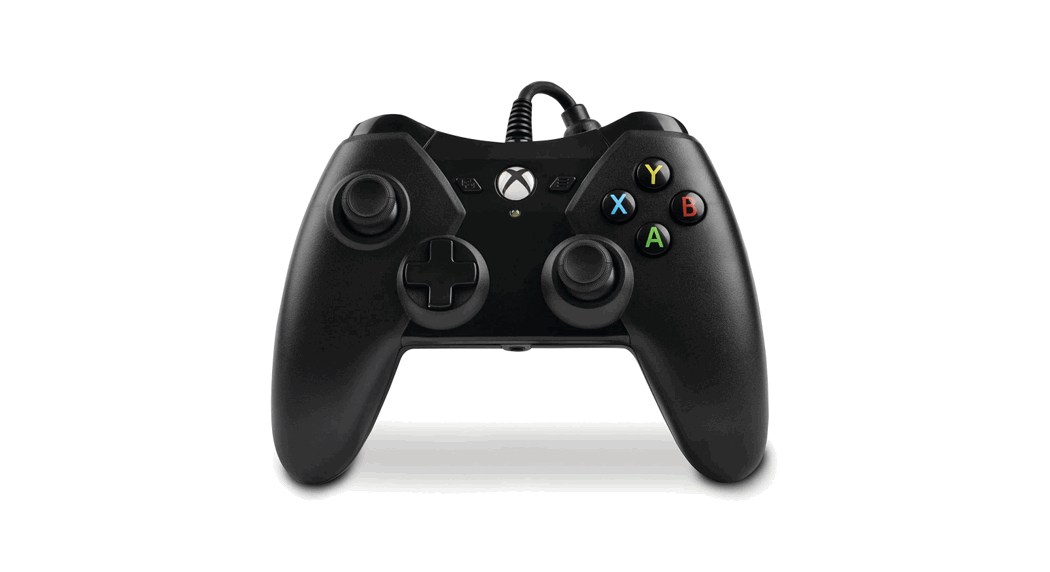
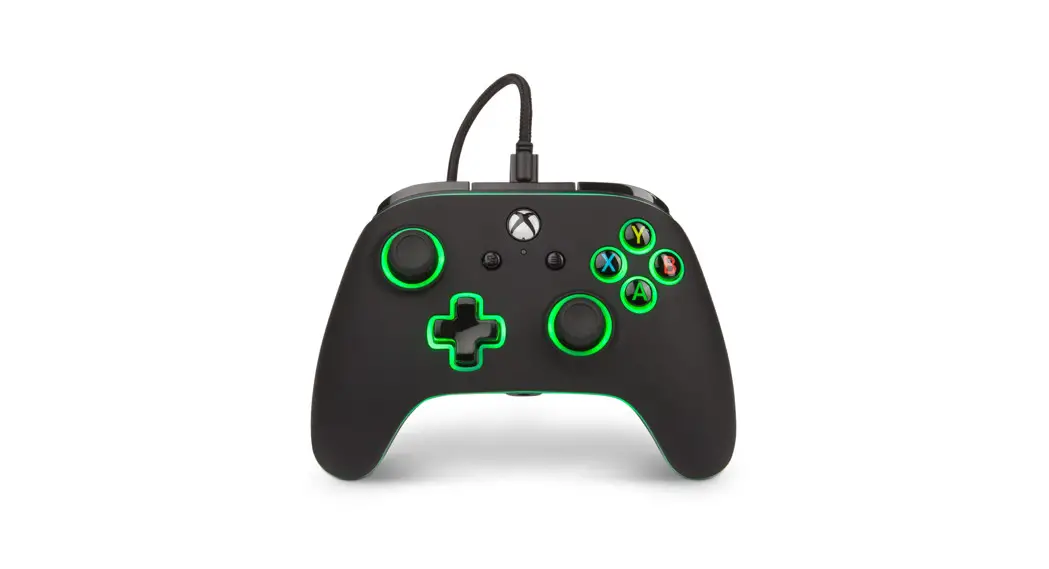
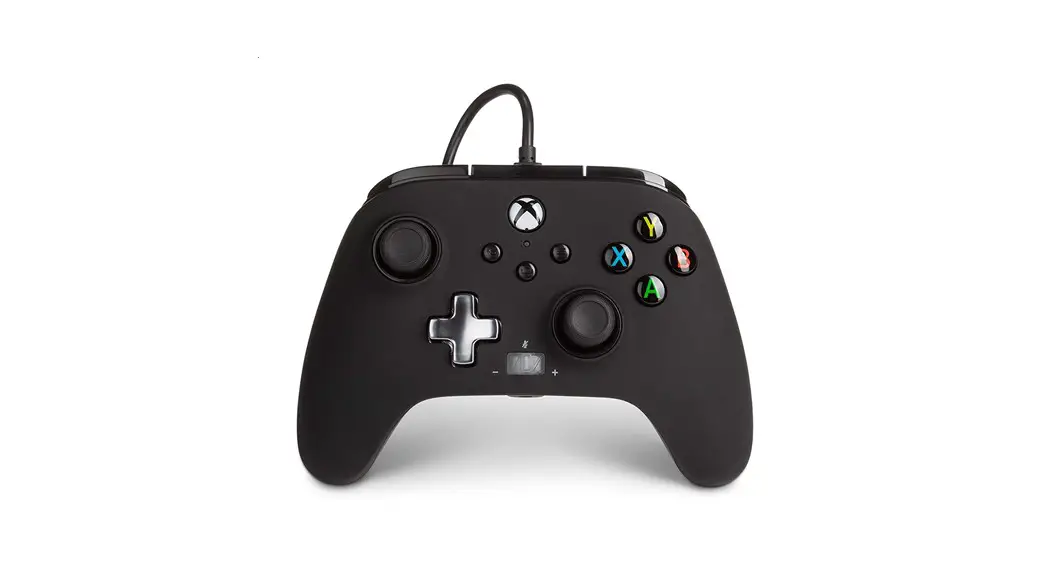
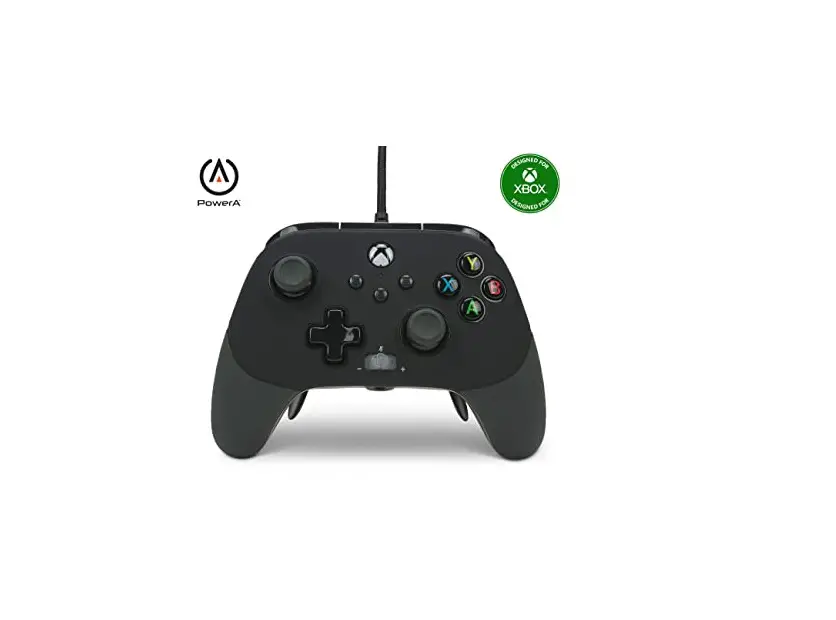
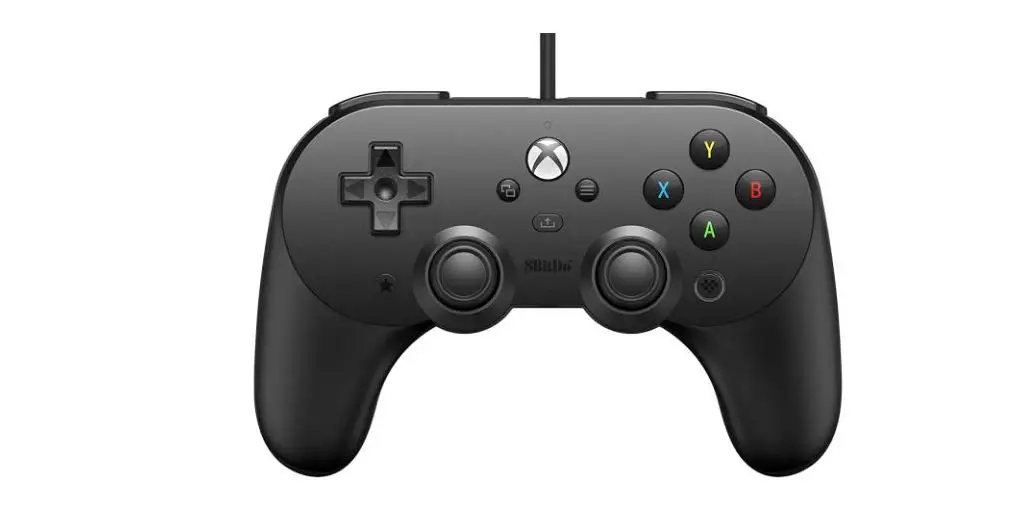
The product is a wired controller designed for use with Xbox
consoles. It is manufactured by ACCO Brands USA LLC and made in
China. The controller features a USB-C port for connection and
comes with a detachable 10 ft USB-C cable. It has an Xbox Button,
View Button, Menu Button, D-Pad, A/B/X/Y Buttons, Share Button, and
a Headset Jack. The controller also has a Connection Indicator LED
to indicate a successful connection.
Product Usage Instructions:
- If your Xbox console is off, follow these steps:
a. Connect one end of the USB cable to an available USB port on
your console.
b. Connect the USB-C end of the cable to the USB-C port on the
controller.
c. Press the Xbox Button on the controller until the console powers
on.
d. The Connection Indicator LED will illuminate, indicating a
successful connection. - If your Xbox console is already on, follow these steps:
a. Connect the USB cable into any available USB port on the
console.
b. Connect the USB-C end of the cable to the USB-C port on the
controller.
c. The Connection Indicator LED will illuminate, indicating a
successful connection. - For player and controller assignment, refer to your official
Xbox user manual.
Note: For detailed functions and features of the Share Button
and troubleshooting information, please consult the Xbox
documentation. For updated FAQs and support, visit
PowerA.com/support. For warranty details or support with your
authentic PowerA accessories, visit PowerA.com/Support.
3. Hinweise zu den Möglichkeiten der Rückgabe von Altgeräten: Besitzer von Altgeräten können diese im Rahmen der durch öffentlichrechtlichen Entsorgungsträger eingerichteten und zur Verfügung stehenden Möglichkeiten der Rückgabe oder Sammlung von Altgeräten abgeben, damit eine ordnungsgemäße Entsorgung der Altgeräte sichergestellt ist. Gegebenenfalls ist dort auch eine Abgabe von Elektround Elektronikgeräten zum Zwecke der Wiederverwendung der Geräte möglich. Nähere Informationen hierzu erhalten Sie von der jeweiligen Sammel- bzw. Rücknahmestelle.
4. Hinweis zum Datenschutz: Auf zu entsorgenden Altgeräten befinden sich teil-weise sensible personenbezogene Daten (etwa auf einem PC oder einem Smartphone), die nicht in die Hände Dritter gelangen dürfen. Wir weisen ausdrücklich darauf hin, dass Endnutzer von Altgeräten eigenverantwortlich für die Löschung personenbezogener Daten auf den zu entsorgenden Altgeräten sorgen müssen.
5. Hinweis zu unserer WEEERegistrierungs-nummer: Wir sind bei der Stiftung Elektro-Altgeräte Register, Nordostpark 72 in 90411 Nürnberg, als Hersteller von Elektround/ oder Elektronikgeräten unter der folgenden Registrierungsnummer (WEEE-Reg.-Nr. DE) registriert: 43139807
Das CE-Zeichen (Conformité Européene, d. h. Europäische Konformität) ist eine Erklärung des Herstellers, dass das Produkt den maßgeblichen europäischen Richtlinien und Vorschriften hinsichtlich Gesundheit, Sicherheit und Umweltschutz entspricht.
.
ITALIAN
CONTENUTO
· Controller cablato PowerA per Xbox
· Cavo USB (3 m)
· Manuale d’uso
INSTALLAZIONE
1. Con la consolle Xbox spenta (“OFF”), collegare il cavo USB da 3 m inserendolo in una porta USB libera della consolle Xbox. Collegare l’altra estremità del cavo USB al controller cablato PowerA. Premere il pulsante Xbox per accendere (“ON”) la consolle. La spia di connessione del controller si accende per confermare l’avvenuta connessione.
2. Con la consolle Xbox accesa (“ON”), collegare il cavo USB da 3 m inserendolo in una porta USB libera della consolle Xbox. Collegare l’altra estremità del cavo USB al controller cablato PowerA. La spia di connessione del controller si accende per confermare l’avvenuta connessione.
NOTA: Per queste operazioni consultare il manuale d’uso della Xbox.
UTILIZZO DEL PULSANTE CONDIVIDI
Consultare la documentazione Xbox per i dettagli sulle funzioni e le caratteristiche del pulsante Condividi.
RISOLUZIONE DEI PROBLEMI
Per le FAQ aggiornate visitare il sito PowerA. com/support.
D: Il controller non si collega alla consolle Xbox.
R: Verificare che la consolle Xbox sia alimentata (“ON”).
R: Verificare che il TV sia impostato sul canale video corretto e che l’interfaccia della consolle Xbox sia visibile sul TV.
R: Verificare che il cavo sia collegato correttamente alla consolle Xbox.
R: Verificare che il cavo sia collegato correttamente al controller cablato PowerA.
D: Il controller è collegato ma non funziona.
R: Verificare di utilizzare il controller del giocatore 1.
Per ulteriori problemi consultare la Guida per l’utente della consolle Xbox.
PRECAUZIONI DI SICUREZZA
L’uso di videogiochi può causare dolori muscolari, articolari, irritazioni cutanee o disturbi agli occhi. Seguire le indicazioni fornite per evitare problemi quali tendinite, sindrome del tunnel carpale, irritazione cutanea o affaticamento degli occhi:
· Evitare di giocare troppo a lungo. Fare una pausa di 10-15 minuti ogni ora, anche se non se ne sente il bisogno. Si consiglia ai genitori di controllare che i figli giochino in modo appropriato.
· Se durante il gioco si avvertono sensazioni di affaticamento o dolore a mani, polsi, braccia od occhi, o sintomi quali formicolio, intorpidimento, bruciore o rigidità, smettere di giocare e riposare per alcune ore prima di riprendere il gioco.
· Se si continua ad avvertire uno dei sintomi sopra descritti o altri disturbi durante o dopo il gioco, smettere di giocare e consultare un medico.
FABBRICATO PER
ACCO Brands USA LLC 4 Corporate Drive, Lake Zurich, IL 60047 ACCOBRANDS.com | POWERA.com FATTO IN CINA
SERVIZIO CLIENTI
Per richiedere assistenza per i tuoi accessori PowerA autentici, visita la pagina PowerA.com/Support.
GARANZIA
Garanzia limitata di due anni. Per ulteriori informazioni, visita PowerA.com.
INFORMAZIONI LEGALI
© 2023 ACCO Brands. Tutti i diritti riservati. PowerA e il logo PowerA sono marchi di ACCO Brands. Microsoft, Xbox, Xbox “Sphere” Design, Xbox Series X|S, Xbox One e Windows sono marchi del gruppo di società Microsoft. Tutti gli altri marchi sono di proprietà dei rispettivi proprietari.
SIMBOLI DI CONFORMITÀ LOCALI
Per ulteriori informazioni, cerca sul Web il nome di ciascun simbolo.
Rifiuti di apparecchiature elettriche ed elettroniche (RAEE) I dispositivi elettrici ed elettronici contengono materiali e sostanze che possono avere effetti dannosi per la salute umana e per l’ambiente. Questo simbolo indica che questo dispositivo non deve essere trattato come rifiuto urbano indifferenziato ma deve
essere raccolto separatamente. Smaltire il dispositivo tramite un punto di raccolta per il riciclaggio dei rifiuti di apparecchiature elettriche ed elettroniche all’interno dell’UE, del Regno Unito e in altri paesi europei che gestiscono sistemi di raccolta differenziata per i rifiuti di apparecchiature elettriche ed elettroniche. Smaltendo il dispositivo in modo corretto, si contribuisce a evitare possibili rischi per l’ambiente e la salute pubblica che potrebbero altrimenti essere causati da un trattamento improprio delle apparecchiature dismesse. Il riciclo dei materiali contribuisce alla conservazione delle risorse naturali.
Il marchio CE è una dichiarazione del produttore che il prodotto è conforme alle direttive e ai regolamenti europei applicabili in materia di salute, sicurezza e protezione ambientale.
PORTUGUESE
CONTEÚDO
· Comando com fio PowerA para Xbox
· Cabo USB de 3 m amovível
· Manual do utilizador
CONFIGURAÇÃO
1. Com a consola Xbox desligada, liga o cabo USB de 3 metros em qualquer porta USB disponível na consola Xbox. Liga a outra extremidade à porta USB no comando com fio PowerA. Prime o botão Xbox até a consola se ligar. O LED indicador de ligação do comando acende-se para indicar que o comando está ligado.
2. Com a consola Xbox ligada, liga o cabo USB de 3 metros em qualquer porta USB disponível na consola Xbox. Liga a outra extremidade à porta USB no comando com fio PowerA. O LED indicador de ligação do comando acende-se para indicar que o comando está ligado.
NOTA: Para a atribuição de jogadores e comandos, consulta o manual oficial do utilizador da Xbox.
UTILIZAÇÃO DO BOTÃO PARTILHAR
Consulte a documentação da Xbox para obter detalhes sobre as funções e funcionalidades relacionadas com o botão Partilhar.
RESOLUÇÃO DE PROBLEMAS
Para consultares as Perguntas Frequentes atuais, visita PowerA.com/support.
P: O comando não se liga à consola Xbox?
R: Confirma se a consola Xbox está ligada.
R: Confirma se a TV tem definido o canal de Vídeo certo e se consegues ver a interface da consola Xbox no ecrã da TV.
R: Confirma se o cabo está devidamente ligado à consola Xbox.
R: Confirma se o cabo está devidamente ligado ao comando com fio PowerA.
P: O comando está ligado, mas não está a funcionar?
R: Confirma se estás a utilizar o comando do Jogador n.º 1.
Para mais informações sobre resolução de problemas, consulta o Guia do Utilizador da tua consola Xbox One.
AVISO SOBRE MOVIMENTO
Jogar videojogos pode causar dor nos músculos, articulações, pele ou olhos. Segue estas instruções para evitar problemas como tendinite, síndrome do túnel cárpico, irritação cutânea ou fadiga ocular:
· Evita jogar demasiado. Faz uma pausa de 10 a 15 minutos a cada hora, mesmo que aches que não é necessário. Os pais deverão monitorizar o tempo de jogo adequado dos filhos.
· Se sentires fadiga ou dor nas mãos, pulsos, braços ou olhos ao jogar ou se sentires sintomas como formigueiro, dormência, ardor ou rigidez, para e descansa durante várias horas antes de voltar a jogar.
· Se continuares a ter algum dos sintomas acima ou outra sensação de desconforto durante ou após o jogo, para de jogar e consulta um médico.
PRODUZIDO PARA
ACCO Brands USA LLC 4 Corporate Drive, Lake Zurich, IL 60047 ACCOBRANDS.COM | POWERA.COM FEITO NA CHINA
APOIO AO CLIENTE
Para obter ajuda sobre os acessórios originais da PowerA, visita PowerA.com/Support.
GARANTIA
Garantia limitada de dois anos. Visita PowerA.com para obteres detalhes.
AVISO LEGAL ADICIONAL
© 2023 ACCO Brands. Todos os direitos reservados. PowerA e o logotipo PowerA são marcas comerciais da ACCO Brands. Nintendo Switch é uma marca comercial da Nintendo. Licenciado pela Nintendo. Todos os direitos reservados. Todas as outras marcas comerciais são propriedade de seus respectivos proprietários.
SÍMBOLOS DE CONFORMIDADE REGIONAL
Estão disponíveis mais informações através da pesquisa de cada nome de símbolo na Web.
Resíduos de Equipamentos Elétricos e Eletrónicos (REEE): Os dispositivos elétricos e eletrónicos contêm materiais e substâncias que podem ter efeitos nocivos sobre a saúde humana e o ambiente. Este símbolo indica que este dispositivo não deve ser tratado como lixo municipal não separado, mas que deve ser recolhido separadamente. Elimine o dispositivo através de um ponto de recolha para a reciclagem de resíduos de equipamentos elétricos e eletrónicos na UE, Reino Unido e noutros países europeus que operam sistemas de recolha separada de resíduos de equipamentos elétricos e eletrónicos. Ao eliminar o dispositivo de forma adequada, ajuda a evitar possíveis perigos para o ambiente e para a saúde pública que de outra forma poderiam ser causados por um tratamento inadequado dos resíduos de equipamentos elétricos e eletrónicos. A reciclagem dos materiais contribui para a conservação dos recursos naturais.
A marca CE é uma declaração do fabricante de que o produto cumpre os regulamentos e as diretivas europeias aplicáveis em matéria de saúde, segurança e proteção ambiental.
WIRED
CONTROLLER
USER MANUAL Manuel de l’utilisateur Manual de usuario Bedienungsanleitung Manuale per l’uso Manual do usuário
Xbox Button
View Button
Connection Indicator LED
D-Pad
Customer Service Service client Servicio a clientes Kundendienst Assistenza clienti Apoio ao Cliente
PowerA.com/Support
TWO-YEAR LIMITED WARRANTY
For warranty details or support with your authentic PowerA accessories, please visit PowerA.com/Support.
Garantie limitée de deux ans Pour plus de détails sur la garantie ou pour obtenir une assistance pour vos accessoires PowerA d’origine, veuillez consulter le site PowerA.com/Support.
Garantía limitada de dos años Si quieres más información sobre la garantía o necesitas ayuda con tus accesorios originales de PowerA, visita PowerA.com/Support.
Beschränkte 2-Jahre-Garantie Informationen zur Garantie oder Unterstützung zu Ihrem PowerA-Originalzubehör finden Sie unter PowerA.com/Support.
Garanzia limitata di due anni Per i dettagli sulla garanzia o per richiedere assistenza per i tuoi accessori PowerA autentici, visita la pagina PowerA.com/Support.
Garantia limitada de dois anos Para mais informações sobre a garantia ou os acessórios originais da PowerA, visita PowerA.com/Support.
Menu Button
A/B/X/Y Buttons
Share Button
Detachable 10 ft USB-C
Cable
Headset Jack
ENGLISH
CONTENTS · PowerA Wired Controller for Xbox
· Detachable 10-ft. USB Cable
· User Manual
SET UP 1. If your Xbox is off, connect the USB cable be-
tween an available USB port on your console and the USB-C port on your controller. Press the Xbox Button on the controller until the console powers on. The Connection Indicator LED will illuminate to indicate a successful connection.
2. If your Xbox console is already on, simply connect the USB cable into any available USB port on the console and connect the USB-C end to your controller. The Connection Indicator LED will illuminate, indicating a successful connection.
NOTE: For player and controller assignment, reference your official Xbox users manual.
USING THE SHARE BUTTON Refer to Xbox documentation for details on functions and features related to the Share button.
TROUBLESHOOTING For current FAQs, visit PowerA.com/support.
Q: Controller will not connect to Xbox console?
A: Confirm your Xbox console is powered “ON”.
A: Confirm your TV is set to the proper video input and that you can see the Xbox console interface on your TV screen.
A: Confirm cable is properly connected to your Xbox console.
A: Confirm cable is properly connected to your PowerA Wired Controller.
Q: Controller is connected but has no function?
A: Confirm you are using the Player #1 controller.
For more troubleshooting refer to your Xbox console User Guide.
MOTION WARNING
Playing video games can make your muscles, joints, skin or eyes hurt. Follow these instructions to avoid problems such as tendinitis, carpal tunnel syndrome, skin irritation or eyestrain:
· Avoid excessive play. Take a 10- to 15-minute break every hour, even if you don’t think you need it. Parents should monitor their children for appropriate play.
· If your hands, wrists, arms or eyes become tired or sore while playing, or if you feel symptoms such as tingling, numbness, burning or stiffness, stop and rest for several hours before playing again.
· If you continue to have any of the above symptoms or other discomfort during or after play, stop playing and see a doctor.
FCC STATEMENT
This device complies with Part 15 of the FCC Rules. Operation is subject to the following two conditions: (1) this device may not cause harmful interference, and (2) this device must accept any interference received, including interference that may cause undesired operation. Warning: Changes or modifications to this unit not expressly approved by the party responsible for compliance could void the user’s authority to
operate the equipment. Note: This equipment has been tested and found to comply with the limits for Class B digital device, pursuant to Part 15 of the FCC Rules.
CAN ICES-003(B)/NMB-003(B)
This device complies with Industry Canada Iicense exempt RSS standard(s).Operation is subject to the following two conditions: (1) This device may not cause interference,and (2) this device must accept any interference, including interference that may cause undesired operation of the device.
MANUFACTURED FOR
ACCO Brands USA LLC 4 Corporate Drive, Lake Zurich, IL 60047 ACCOBRANDS.COM | POWERA.COM MADE IN CHINA
WARRANTY AGAINST DEFECTS, AUSTRALIA & NEW ZEALAND CUSTOMERS
This product is provided with a 2-year warranty against defects in manufacturing or materials from the date of purchase. ACCO Brands will either repair or replace a faulty or defective product subject to the conditions of this warranty. Claims under this warranty must be made to the place of purchase within the warranty period with proof of purchase by the original purchaser only. Expenses associated with a warranty claim are the responsibility of the consumer. Conditions of this warranty are on our website: PowerA.com/warranty-ANZ
This warranty is provided in addition to other rights or remedies available to you under the law. Our goods come with guarantees that cannot be excluded under the Australian Consumer Law.
You are entitled to a replacement or refund for a major failure and compensation for any other reasonably foreseeable loss or damage. You are also entitled to have the goods repaired or replaced if the goods fail to be of acceptable quality and the failure does not amount to a major failure.
DISTRIBUTOR CONTACT DETAILS
AUSTRALIAN CUSTOMERS ACCO Brands Australia Pty Ltd Locked Bag 50, Blacktown BC, NSW 2148 Phone: 1300 278 546 Email: [email protected]
NEW ZEALAND CUSTOMERS ACCO Brands New Zealand Limited PO Box 11-677, Ellerslie, Auckland 1542 Phone: 0800 800 526 Email: [email protected]
ADDITIONAL LEGAL
© 2023 ACCO Brands. All Rights Reserved. PowerA and PowerA Logo are trademarks of ACCO Brands. Microsoft, Xbox, Xbox “Sphere” Design, Xbox Series X|S, Xbox One, and Windows are trademarks of the Microsoft group of companies. All other trademarks are the property of their respective owners.
REGIONAL COMPLIANCE SYMBOLS
More information available via web-search of each symbol name.
Waste Electrical and Electronic Equipment (WEEE): Electrical and electronic devices contain materials and substances that can have damaging effects on human health and the environment. This symbol indicates
that this device must not be treated as unsorted municipal waste but must be collected separately. Dispose of the device via a collection point for the recycling of waste electrical and electronic equipment within the EU, UK and in other European countries that operate separate collection systems for waste electrical and electronic equipment. By disposing of the device in the proper manner, you help to avoid possible hazards for the environment and public health that could otherwise be caused by improper treatment of waste equipment. The recycling of materials contributes to the conservation of natural resources.
The CE (Conformité Européene aka European Conformity) mark is a declaration from the manufacturer that the product meets applicable European Directives and Regulations for health, safety, and environmental protection.
The UKCA (UK Conformity Assessment) mark is a declaration from the manufacturer that the product meets applicable UK Regulations for health, safety, and environmental protection.
The Regulatory Compliance Mark is a visible indication of a product’s compliance with all applicable ACMA (Australian Communications and Media Authority) regulatory arrangements, including all technical and recordkeeping requirements regarding the electrical safety and/or electromagnetic compatibility (EMC).
FRANÇAIS
CONTENU
· Manette filaire PowerA pour la Xbox
· Câble USB détachable de 3 m
· Manuel de l’utilisateur
CONFIGURATION
1. Alors que votre Xbox est hors tension, raccordez le câble USB de 3 m à l’un des ports USB disponibles de votre console Xbox. Raccordez l’autre extrémité du câble USB au port USB de votre manette filaire PowerA. Appuyez sur la touche Xbox et maintenez-la enfoncée jusqu’à ce que la console s’allume. Le voyant de connexion à DEL de la manette s’allumera pour indiquer que la manette est connectée.
2. Alors que votre Xbox est sous tension, raccordez le câble USB de 3 m de la manette dans l’un des ports USB disponibles de votre console Xbox. Raccordez l’autre extrémité du câble USB au port USB de votre manette filaire PowerA. Le voyant de connexion à DEL de la manette s’allumera pour indiquer que la manette est connectée.
REMARQUE : Pour affecter une manette à un joueur, reportez-vous au manuel d’utilisation de votre Xbox.
UTILISATION DU BOUTON PARTAGER
Reportez-vous à la documentation Xbox pour plus de détails sur les fonctions et les fonctionnalités liées au bouton Partager.
DÉPANNAGE
Pour consulter la FAQ, rendez-vous sur PowerA.com/support.
Q : La manette ne se connecte pas à la console Xbox ?
R : Vérifiez que votre console Xbox est allumée.
R : Assurez-vous que votre téléviseur est réglé sur la chaîne vidéo appropriée et que vous pouvez voir l’interface de la console Xbox sur l’écran de votre téléviseur.
R : Assurez-vous que le câble est correctement connecté à votre console Xbox.
R : Vérifiez que le câble est bien raccordé à la manette filaire PowerA.
Q : La manette est connectée mais ne fonctionne pas ?
R : Assurez-vous que vous utilisez la manette Joueur n°1.
Pour des informations de dépannage supplémentaires, reportez-vous à votre manuel d’utilisation de la console Xbox.
MISE EN GARDE AU SUJET DES MOUVEMENTS
Les jeux vidéo peuvent provoquer des douleurs des muscles, des articulations, de la peau ou des yeux. Respectez les consignes suivantes pour éviter les problèmes tels que tendinite, syndrome du canal carpien, irritation cutanée ou fatigue oculaire :
· Evitez de jouer trop longtemps. Faites une pause de 10 à 15 minutes après chaque heure de jeu, même si vous n’en ressentez pas la nécessité. Les parents doivent s’assurer que leurs enfants jouent de manière appropriée.
· Si vous ressentez de la fatigue ou une douleur dans vos mains, poignets, bras ou yeux pendant le jeu, ou des symptômes tels que picotements, engourdissement, brûlure ou raideur, arrêtez de jouer et reposez-vous pendant plusieurs heures avant de reprendre le jeu.
· Si l’un des symptômes cités persiste ou si vous ressentez une gêne prolongée pendant ou après le jeu, arrêtez de jouer et consultez un médecin.
CAN ICES-003(B)/NMB-003(B)
L’émetteur/récepteur exempt de licence contenu dans le présent appareil est conforme aux CNR d’Innovation, Sciences et Développement économique Canada applicables aux appareils radio exempts de licence. L’exploitation est autorisée aux deux conditions suivantes :
1. L’appareil ne doit pas produire de brouillage;
2. L’appareil doit accepter tout brouillage radioélectrique subi, même si le brouillage est susceptible d’en compromettre le fonctionnement.
FABRIQUÉ POUR
ACCO Brands USA LLC 4 Corporate Drive, Lake Zurich, IL 60047 ACCOBRANDS.com | POWERA.com HECHO EN CHINA
SERVICE CLIENTÈLE
Pour obtenir une assistance pour vos accessoires PowerA d’origine, veuillez consulter la rubrique PowerA.com/Support.
GARANTIE
Garantie limitée de deux ans. Consultez le site PowerA.com pour plus de détails.
INFORMATIONS LÉGALES SUPPLÉMENTAIRES
© 2023 ACCO Brands. Tous droits réservés. PowerA et le logo PowerA sont des marques commerciales d’ACCO Brands. Microsoft, Xbox, Xbox «Sphere» Design, Xbox Series X|S, Xbox One et Windows sont des marques commerciales du groupe de sociétés Microsoft. Toutes les autres
marques sont la propriété de leurs propriétaires respectifs.
SYMBOLES DE CONFORMITÉ RÉGIONALE De plus amples informations sont disponibles en recherchant chaque nom de symbole
Déchets d’équipements électriques et électroniques (DEEE): Les appareils électriques et électroniques contiennent des matériaux et des substances qui peuvent avoir des effets néfastes sur la santé humaine et l’environnement. Ce symbole indique que cet appareil ne doit pas être traité comme un déchet municipal non trié, mais doit être collecté séparément. Éliminez l’appareil via un point de collecte pour le recyclage des déchets d’équipements électriques et électroniques dans l’UE, au RoyaumeUni et dans d’autres pays européens qui exploitent des systèmes de collecte séparés pour les déchets d’équipements électriques et électroniques. En éliminant l’appareil de manière appropriée, vous contribuez à éviter les risques potentiels pour l’environnement et la santé publique qui pourraient autrement être causés par un traitement inapproprié des déchets d’équipement. Le recyclage des matériaux contribue à la conservation des ressources naturelles.
Cet appareil, et ses cordons se recyclent
Le marquage CE (conformité européenne) est une déclaration du fabricant selon laquelle le produit est conforme aux réglementations et directives européennes applicables en matière de santé, de sécurité et de protection de l’environnement.
SPANISH
CONTENIDO · Mando de cable PowerA para Xbox · Cable USB extraíble de 3 m · Manual de usuario
CONFIGURACIÓN 1. Con la consola Xbox apagada, enchufa el
cable USB de 3 m a cualquiera de los puertos USB disponibles de la consola Xbox. Conecta el otro extremo al puerto USB del mando de cable PowerA. Pulsa el botón Xbox hasta que se encienda la consola. El indicador de conexión LED del mando se iluminará para indicar que el mando está conectado. 2. Con la consola Xbox encendida, enchufa el cable USB de 3 m a cualquiera de los puertos USB disponibles de la consola Xbox. Conecta el otro extremo al puerto USB del mando de cable PowerA. El indicador de conexión LED del mando se iluminará para indicar que el mando está conectado. NOTA: Para la asignación de jugadores y mandos, consulta el manual de usuario oficial de Xbox.
USO EL BOTÓN COMPARTIR
Consulta la documentación de Xbox para obtener detalles sobre las funciones y características relacionadas con el botón Compartir.
RESOLUCIÓN DE PROBLEMAS
Consulta la lista actualizada de preguntas frecuentes en PowerA.com/support.
P: ¿El mando no se conecta a la consola Xbox?
R: Comprueba que la consola Xbox está encendida.
R: Comprueba que la TV está en el canal de vídeo adecuado y que puedes ver la interfaz de la consola Xbox en la pantalla del televisor.
R: Comprueba que el cable esté bien conectado a la consola Xbox.
R: Comprueba que el cable esté bien conectado al mando de cable PowerA.
P: ¿El mando está conectado pero no funciona?
R: Comprueba que estés usando el mando del jugador n.º 1.
Puedes consultar la resolución de otros problemas en la guía de usuario de la consola Xbox.
ADVERTENCIA SOBRE LE SIONES CAUSADAS POR MOVIMIENTOS
Tras varias horas de juego, puedes empezar a sentir dolor en los músculos, las articulaciones, la piel o bien notar los ojos cansados. Sigue estas instrucciones para evitar problemas como tendinitis, síndrome del túnel carpiano, irritación cutánea o fatiga visual:
· Evita jugar en exceso. Descansa entre 10 y 15 minutos por cada hora de juego, aunque creas que no lo necesitas. Los padres deben supervisar a sus hijos para asegurarse de que juegan correctamente.
· Si se te cansan o te duelen las manos, las muñecas, los brazos o los ojos mientras estás jugando, o sientes síntomas como hormigueo, entumecimiento, escozor o rigidez, deja de jugar y descansa durante varias horas antes de retomar el juego.
· Si persisten dichos síntomas o sientes otras molestias mientras juegas o justo después, deja de jugar y consulta a tu médico.
FABRICADO PARA
ACCO Brands USA LLC 4 Corporate Drive, Lake Zurich, IL 60047 ACCOBRANDS.COM | POWERA.COM HECHO EN CHINA
SERVICIO DE ATENCIÓN AL CLIENTE
Si necesitas ayuda con tus accesorios originales de PowerA, visita PowerA.com/Support.
GARANTÍA
Garantía limitada de dos años. Visita PowerA.com para obtener más información.
INFORMACIÓN LEGAL ADICIONAL
© 2023 ACCO Brands. Todos los derechos reservados. PowerA y el logotipo de PowerA son marcas comerciales de ACCO Brands. Microsoft, Xbox, Xbox “Sphere” Design, Xbox Series X|S, Xbox One y Windows son marcas comerciales del grupo de empresas Microsoft. Todas las demás marcas comerciales son propiedad de sus respectivos dueños.
SÍMBOLOS DE APLICACIÓN REGIONAL
Más información disponible buscando en la web de cada nombre de símbolo.
Residuos de aparatos eléctricos y electrónicos (WEEE): Las baterías y los dispositivos eléctricos y
electrónicos contienen materiales y sustancias que pueden tener efectos nocivos para la salud de las personas y el medio ambiente. Este símbolo indica que este dispositivo no debe tratarse como un residuo urbano sin clasificar, sino que se lo debe recoger por separado. Deseche el dispositivo a través de un punto de recolección para el reciclaje de baterías, equipos eléctricos y electrónicos de desecho dentro de la UE, el Reino Unido y en otros países europeos que operan sistemas de recolección separados para equipos electrónicos y eléctricos de desecho. Al desechar baterías y dispositivos de la manera adecuada, ayuda a evitar posibles peligros para el medio ambiente y la salud pública que de otro modo podría causar el tratamiento inadecuado de los equipos eliminados. El reciclaje de materiales contribuye a la conservación de los recursos naturales.
La marca CE es una declaración del fabricante de que el producto cumple con las directivas y la normativa europea en materia de salud, seguridad y protección del medio ambiente.
GERMAN
INHALT
· Kabelgebundener Controller für Xbox
· 3 m langes abnehmbares USB-Kabel
· Benutzerhandbuch
EINRICHTUNG
1. Stecken Sie das 3 m lange USB-Kabel in einen beliebigen freien USB-Anschluss der ausgeschalteten Xbox -Konsole ein. Verbinden Sie das andere Ende mit dem USB-Anschluss an Ihrem kabelgebundenen PowerA-Controller. Drücken Sie die Xbox-Taste so lange, bis sich die Konsole einschaltet. Die LED-Verbindungsanzeige des Controllers leuchtet auf und zeigt damit an, dass der Controller angeschlossen ist.
2. Stecken Sie das 3 m lange USB-Kabel in einen beliebigen freien USB-Anschluss der angeschalteten Xbox-Konsole ein. Verbinden Sie das andere Ende mit dem USB-Anschluss an Ihrem kabelgebundenen PowerA-Controller. Die LED-Verbindungsanzeige des Controllers leuchtet auf und zeigt damit an, dass der Controller angeschlossen ist.
HINWEIS: Anleitungen zur Spieler- und Controller-Zuordnung sind in der offiziellen Xbox-Bedienungsanleitung zu finden.
VERWENDUNG DER FREIGABETASTE
Details zu Funktionen und Merkmalen der Freigabetaste finden Sie in der XboxDokumentation.
FEHLERBEHEBUNG
Die aktuelle Liste häufig gestellter Fragen finden Sie unter PowerA.com/support.
F: Der Controller stellt keine Verbindung zur Xbox-Konsole her.
A: Vergewissern Sie sich, dass Ihre XboxKonsole eingeschaltet ist.
A: Vergewissern Sie sich, dass Ihr Fernseher auf den richtigen Videokanal eingestellt ist und Sie das Menü der Xbox-Konsole auf Ihrem Fernseher sehen können.
A: Vergewissern Sie sich, dass das Kabel richtig an die Xbox-Konsole angeschlossen
ist.
A: Vergewissern Sie sich, dass das Kabel richtig an Ihren kabelgebundenen PowerAController angeschlossen ist.
F: Der Controller ist angeschlossen, funktioniert aber nicht.
A: Vergewissern Sie sich, dass Sie den Controller von Spieler Nr. 1 verwenden.
Weitere Hinweise zur Fehlerbehebung finden Sie in der Bedienungsanleitung der Xbox-Konsole.
WARNHINWEIS ZUR BEWEGUNGSBELASTUNG
Längeres Videospielen kann zu schmerzenden Muskeln, Gelenken, Hautflächen oder Augen führen. Folgen Sie diesen Anweisungen, um Probleme wie Sehnenentzündungen, Karpaltunnelsyndrom, Hautreizungen oder Augenüberanstrengung zu vermeiden:
· Übermäßig langes Spielen vermeiden. Nach jeder Stunde Spielzeit sollte unbedingt eine 10 bis 15 Minuten lange Pause eingelegt werden. Eltern sollten ihre Kinder beaufsichtigen, um ein angemessenes Spielverhalten sicherzustellen.
· Wenn während des Spielens Ihre Hände, Handgelenke, Arme oder Augen müde werden oder schmerzen oder wenn Symptome wie Kribbeln, ein taubes oder brennendes Gefühl oder Steifheit auftreten, muss vor dem Weiterspielen eine mehrstündige Pause eingelegt werden.
· Sollten weiterhin irgendwelche der oben genannten Symptome oder sonstige Beschwerden während oder nach dem Spielen auftreten, sollte ein Arzt aufgesucht werden.
HERGESTELLT FÜR
ACCO Brands USA LLC 4 Corporate Drive, Lake Zurich, IL 60047 ACCOBRANDS.COM | POWERA.COM IN CHINA HERGESTELLT
KUNDENDIENST
Hilfe zu Ihrem PowerA-Originalzubehör erhalten Sie im Hilfebereich von PowerA.com/Support.
GARANTIE
Eingeschränkte 2-Jahre-Garantie. Details finden Sie auf PowerA.com.
ZUSÄTZLICHE RECHTLICHE HINWEISE
© 2023 ACCO Brands. Alle Rechte vorbehalten. PowerA und PowerA Logo sind Marken der ACCO Brands. Microsoft, Xbox, Xbox “Sphere” -Design, Xbox Series X|S, Xbox One und Windows sind Marken der MicrosoftUnternehmensgruppe. Alle anderen Marken sind Eigentum ihrer jeweiligen Inhaber.
SYMBOLE FÜR REGIONALE KONFORMITÄT
Weitere Informationen erhalten Sie über eine Websuche nach den Namen der einzelnen Symbole.
Informationen zu Elektro- und Elektronik(alt)geräten: Die nachfolgenden Hinweise richten sich an private Haushalte, die Elektround/ oder Elektronikgeräte nutzen. Bitte beachten Sie diese wichtigen Hinweise im Interesse einer umweltgerechten Entsorgung von Altgeräten sowie Ihrer eigenen Sicherheit.
1. Hinweise zur Entsorgung von Elektro- und Elektronik(alt)geräten und zur Bedeutung des Symbols nach Anhang 3 zum ElektroG: Besitzer von Altgeräten haben diese einer vom unsortierten Siedlungsabfall
getrenn-ten Erfassung zuzuführen. Elektro- und Elektronikaltgeräte dürfen daher nicht als unsortierter Siedlungsabfall beseitigt werden und gehören ins-besondere nicht in den Hausmüll. Vielmehr sind diese Altgeräte getrennt zu sammeln und etwa über die ört-lichen Sammel- und Rückgabesysteme zu entsorgen.
Besitzer von Altgeräten haben zudem Altbatterien und Altakkumulatoren, die nicht vom Altgerät um-schlossen sind, sowie Lampen, die zerstörungs¬frei aus dem Altgerät entnommen werden können, vor der Abgabe an einer Erfassungsstelle von diesem zu trennen.
Letzteres gilt nicht, soweit die Altgeräte nach §
14 Absatz 4 Satz 4 oder Absatz 5 Satz 2 und 3 ElektroG im Rahmen der Optierung durch die öffentlich-rechtlichen Entsorgungsträger zum Zwecke der Vorbereitung zur Wiederverwendung von anderen Altgeräten separiert werden, um diese für die Wie-derverwendung vorzubereiten.
Anhand des Symbols nach Anlage 3 zum ElektroG können Besitzer Altgeräte erkennen, die am Ende ihrer Lebensdauer getrennt vom unsortierten Sied-lungsabfall zu erfassen sind. Das Symbol für die ge-trennte Erfassung von Elektround Elektronikgeräten stellt eine durchgestrichene Abfalltonne auf Rädern dar und ist wie folgt ausgestaltet:
2. Unentgeltliche Rücknahme von Altgeräten durch Vertreiber: Vertreiber (jede natürliche oder juristische Person oder Personengesellschaft, die Elektrooder Elektro-nikgeräte anbietet oder auf dem Markt bereitstellt) mit einer Verkaufsfläche für Elektro- und Elektronikgeräte von mindestens 400 Quadratmetern (bei Vertrieb unter Verwendung von Fernkommunikationsmittels stattdessen mit Lager- und Versandflächen für Elektro- und Elektronikgeräte von mindestens 400 Quadratmetern) sowie Vertreiber von Lebensmitteln mit einer Gesamtverkaufsfläche von mindestens 800 Quadratmetern , die mehrmals im Kalenderjahr oder dauerhaft Elektro- und Elektronikgeräte anbieten und auf dem Markt bereitstellen (bei Vertrieb unter Verwendung von Fernkommunikationsmitteln statt-dessen mit Gesamt-Lager- und -Versandflächen von mindestens 800 Quadratmetern), sind gegenüber Endnutzern zur unentgeltlichen Rücknahme von Elektro-Altgeräten wie folgt verpflichtet:
a) Rückgabe/Abholung bei Kauf eines Neuge-räts und Auslieferung an privaten Haushalt: Bei Abschluss eines Kaufvertrages über ein neues Elektro- oder Elektronikgerät ist der Vertreiber ver-pflichtet, ein Altgerät der gleichen Geräteart, das im Wesentlichen dieselben Funktionen wie das Neu-gerät erfüllt, unentgeltlich zurückzunehmen.
Ist Ort der ein privater Haushalt, erfolgt die Rück-nahme durch eine kostenlose Abholung. Hierfür kann bei
der Auslieferung des Neugeräts ein Altgerät der gleichen Geräteart mit im Wesentlichen gleichen Funktionen dem ausliefernden Transportunternehmen übergeben werden.
Erfolgt der Vertrieb des Neugeräts ausschließlich unter Verwendung von Fernkommunikationsmitteln (§ 312c Abs. 2 BGB) , gilt einschränkend:
· Die kostenlose Abholung eines geräteart- und funktionsgleichen Altgeräts erfolgt nur, wenn es sich dabei um ein Gerät der Kategorie 1 (Wär-meübertrager), 2 (Bildschirme, Monitore, Geräte mit Bildschirmen mit einer Oberfläche von mehr als 100 Quadratzentimetern) und/oder 4 (Groß-geräte, bei denen mindestens eine der äußeren Abmessungen mehr als 50 Zentimeter beträgt) handelt.
· Handelt es sich stattdessen um ein Altgerät der Kategorie 3, 5 und/oder 6, erfolgt eine kostenlose Abholung nicht und gilt stattdessen für die kostenlose Rückgabe der nachfolgende Buchstabe b).
Eine Übersicht über die Gerätekategorien und die jeweils erfassten Geräte findet sich hier: https://www.gesetze-im-internet.de/ elektrog_2015/anlage_1.html
b) Rückgabe bei Kauf eines Neugerätes und Ab-gabe anderenorts/Rückgabe von Kleingeräten: Bei Abschluss eines Kaufvertrages über ein neues Elektrogerät, das nicht an den privaten Haushalt ausgeliefert wird, und bei Vertrieb eines Neugeräts der Kategorien 3, 5 und/oder 6 ausschließlich unter Verwendung von Fernkommunikationsmitteln (§ 312c Abs. 2 BGB) mit Auslieferung an den privaten Haushalt besteht die Möglichkeit, ein Altgerät der gleichen Geräteart, das im Wesentlichen dieselben Funktionen wie das Neugerät erfüllt, unentgeltlich an den Vertreiber zurückzugeben.
Dieselbe Möglichkeit besteht unabhängig vom Kauf eines neuen Elektro- oder Elektronikgerätes auch für Altgeräte, die in keiner äußeren Abmessung größer als 25 Zentimeter sind. Die Rückgabemöglichkeit durch den Endnutzer beim Vertreiber ist in diesem Fall auf 3 Altgeräte pro Geräteart beschränkt.
Beim Vertrieb ausschließlich unter Verwendung von Fernkommunikationsmitteln (§ 312c Abs. 2 BGB) erfolgt unter den oben genannten Voraussetzungen die Rückgabe
· von Altgeräten der Kategorien 3, 5 und/oder 6
· von Altgeräten, die in keiner äußeren Abmessung größer als 25 Zentimeter sind, durch geeignete Rückgabe¬möglichkeiten in zumutbarer Entfernung zum jeweiligen Endnutzer.
Anderenfalls erfolgt die Rückgabe am Ort der Ab-gabe oder in unmittelbarer Nähe hierzu.
Die Vertreiber müssen hierzu geeignete Rückgabe-möglichkeiten eingerichtet haben.
 ACCO Brands
 PowerA | PowerA
 Gesetze im Internet