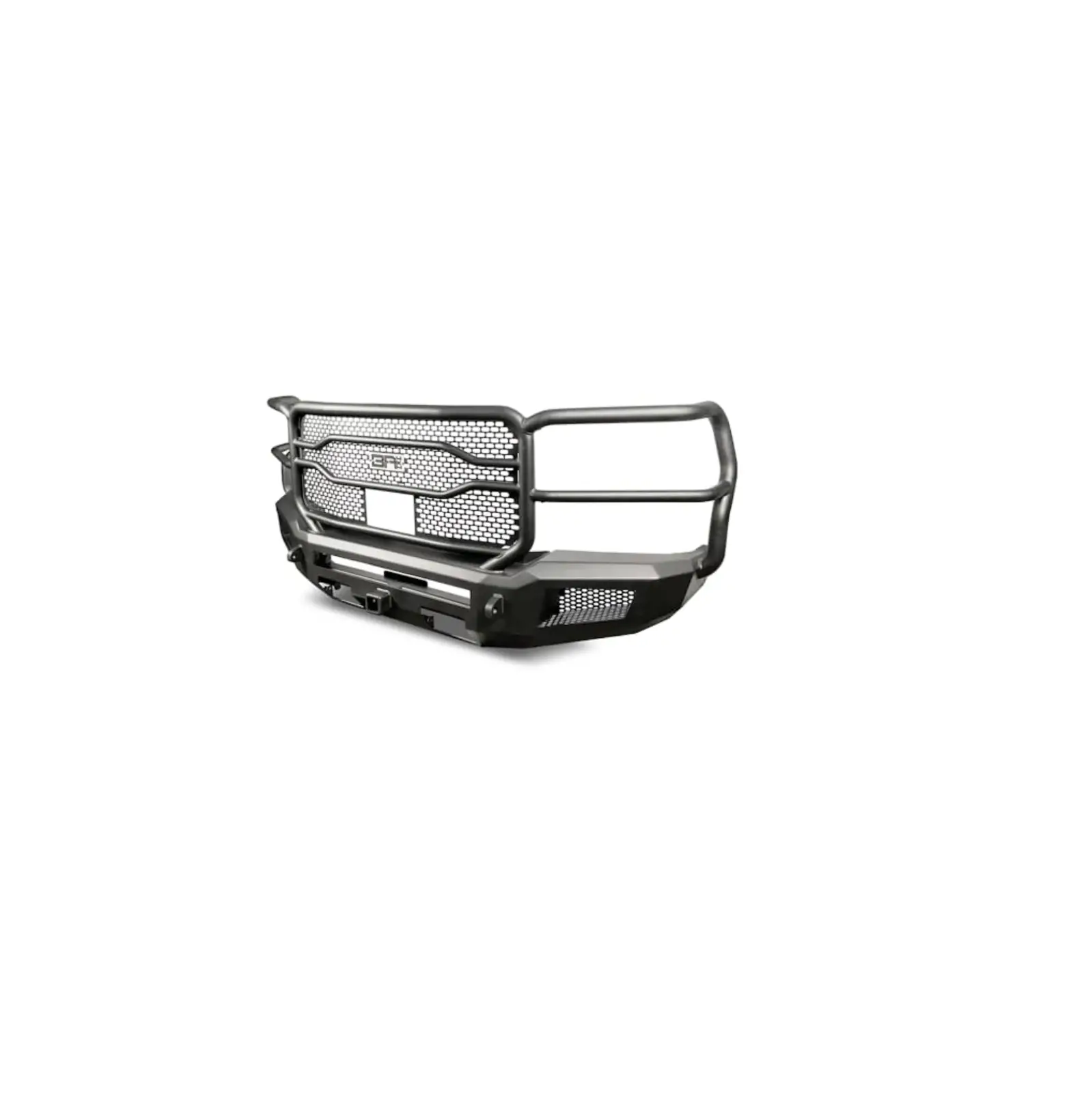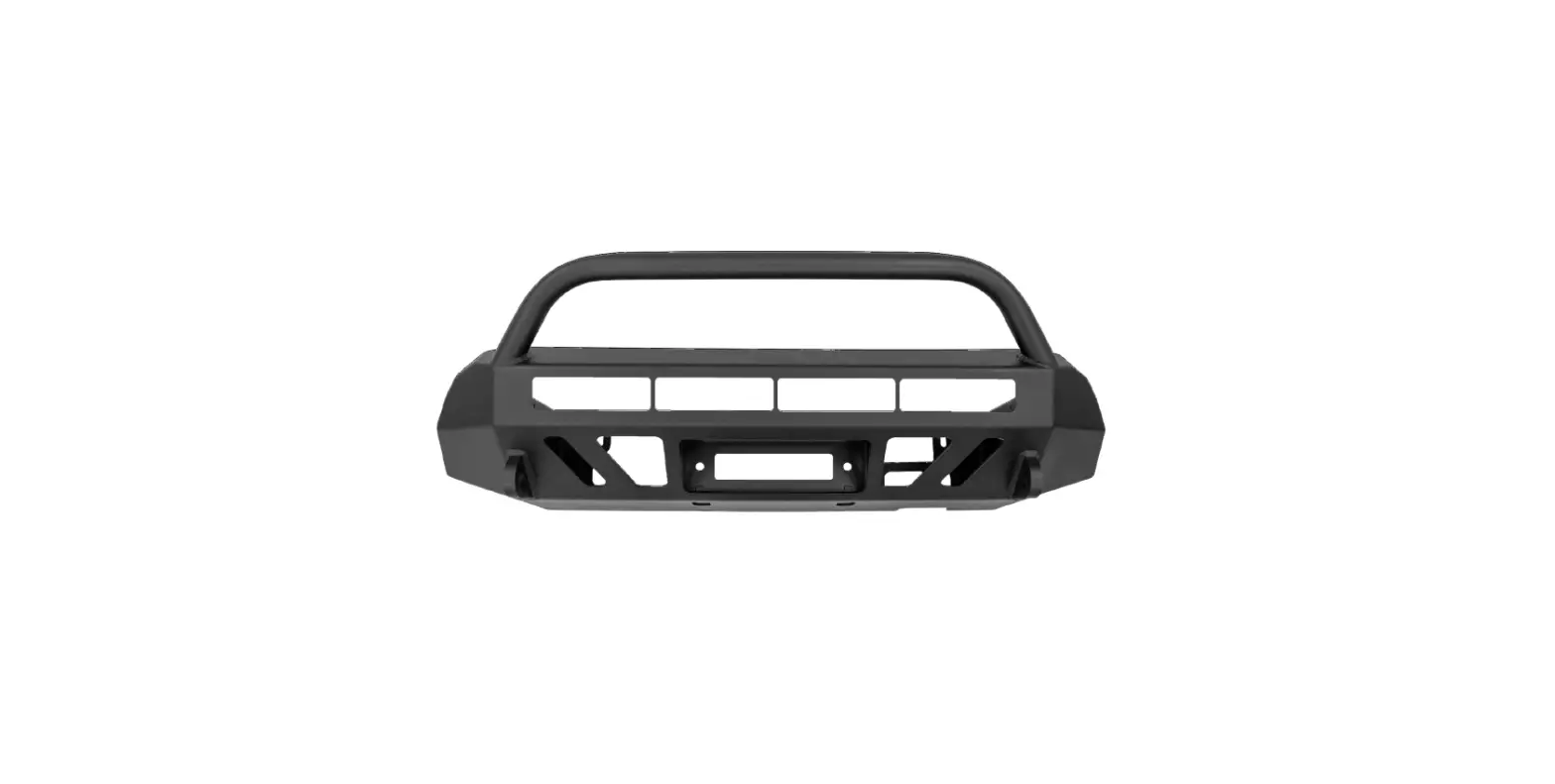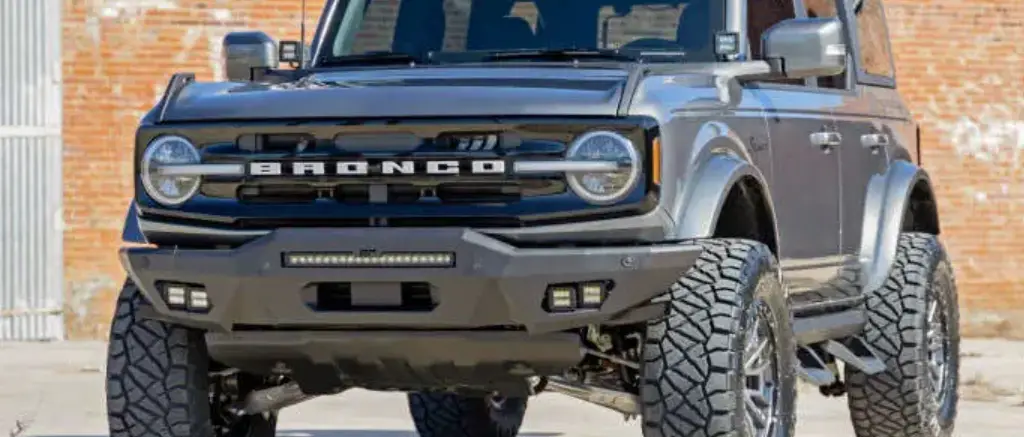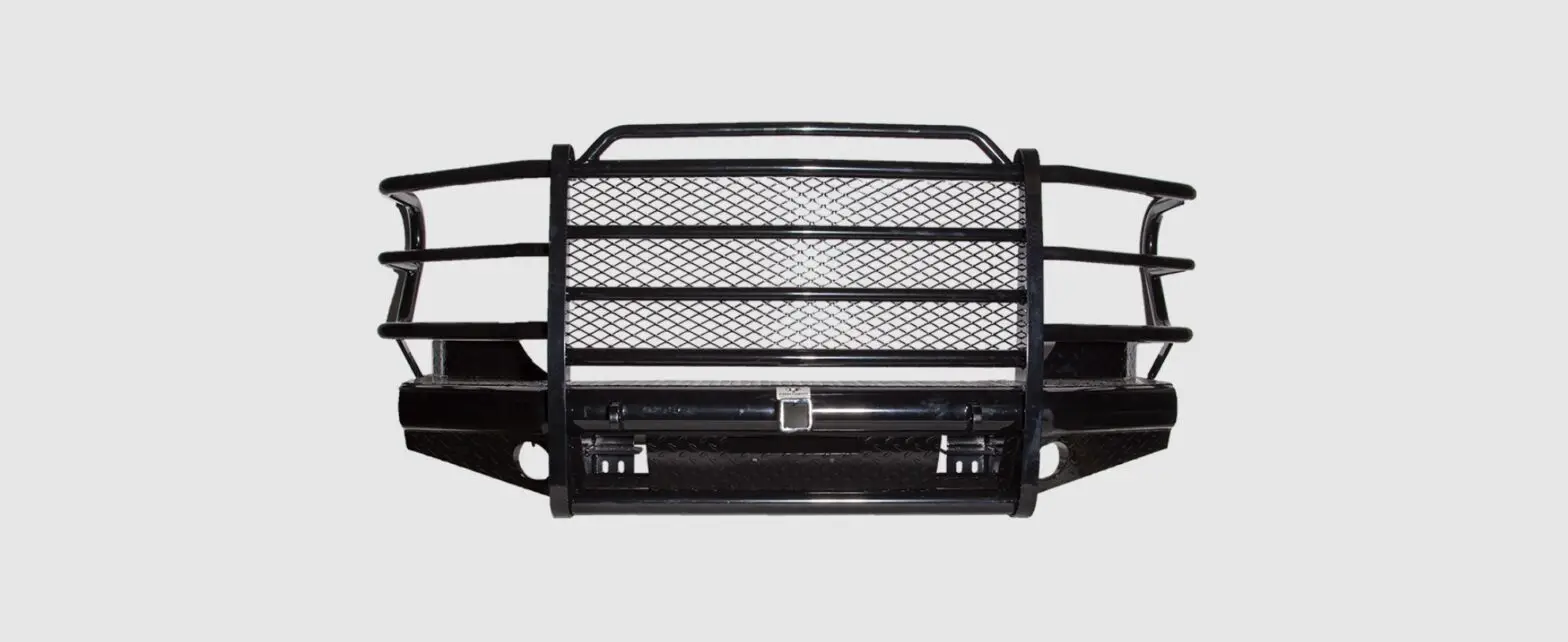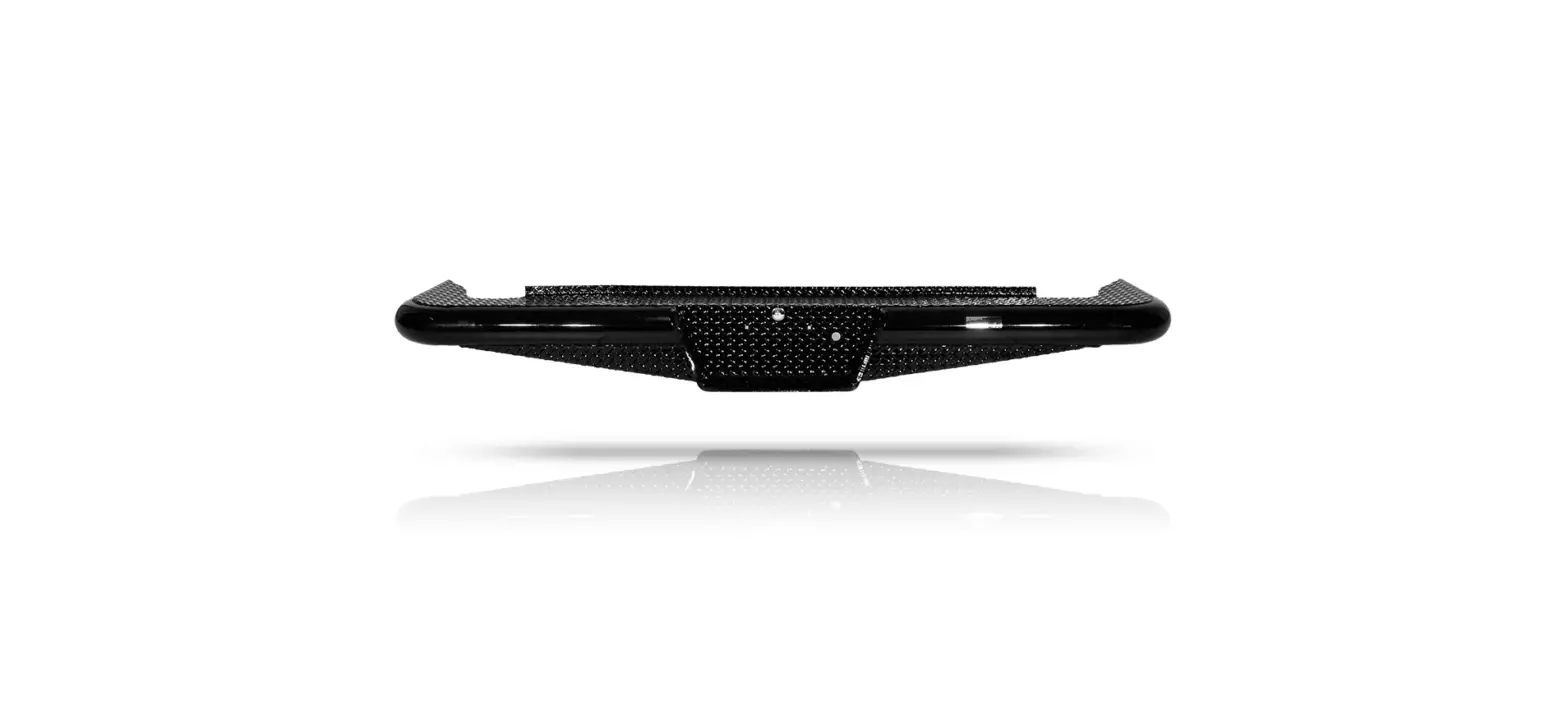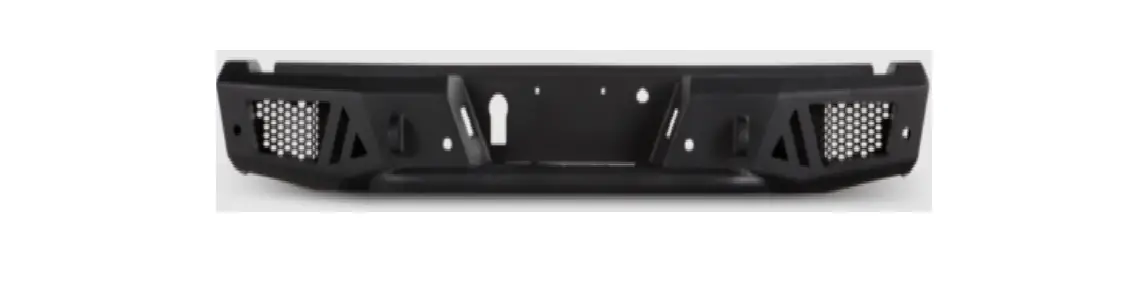

BODY ARMOR GM-2966 2018-2020 F150 Ambush Series Rear Bumper

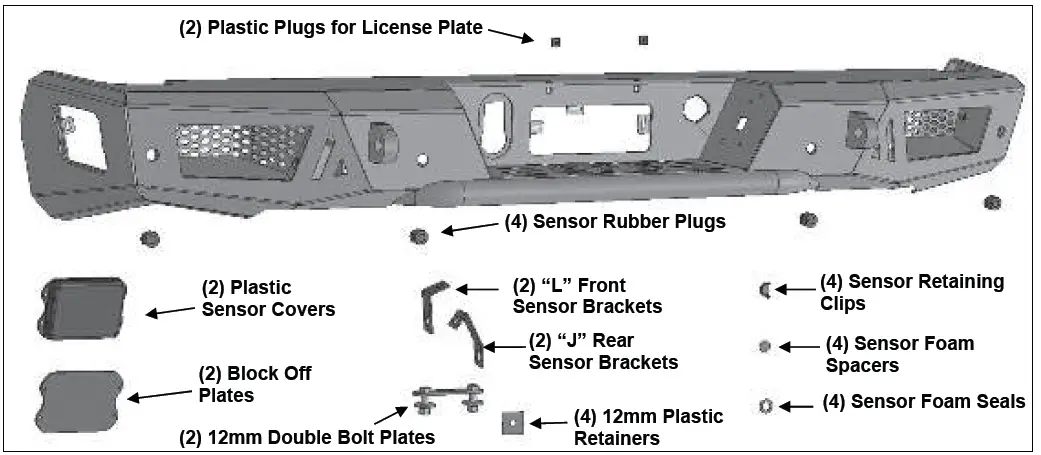
PARTS LIST:
| 1 | Ambush Rear Bumper | 8 | 12mm x 37mm x 3mm Flat Washers |
| 2 | “L” Front Sensor Mounting Brackets | 4 | 12mm Lock Washers |
| 2 | “J” Rear Sensor Mounting Brackets | 4 | 12mm Hex Nuts |
| 2 | Plastic Sensor Covers | 10 | 6-1.0mm x 20mm Button Head Bolts |
| 2 | Flat Block-off Covers | 8 | 6-1.0mm x 20mm Hex Bolts |
| 2 | Plastic Plugs for License Plate | 26 | 6mm x 18mm x 1.6mm Flat Washers |
| 4 | Sensor Rubber Plugs | 18 | 6mm Lock Washers |
| 4 | Sensor Foam Seals | 18 | 6mm Hex Nuts |
| 4 | Sensor Foam Spacers | 8 | 4-0.75mm x 10mm Button Head Bolts |
| 4 | Sensor Retaining Clips | 1 | 4mm Wrench |
| 1 | Sensor Cover Kit | 1 | 2.5mm Wrench |
| 4 | 12-1.75mm x 40mm Hex Bolts | 10 | Plastic Wire Ties |
| 4 | 12mm Plastic Retainers |
PROCEDURE:
REMOVE CONTENTS FROM BOX. VERIFY ALL PARTS ARE PRESENT. READ INSTRUCTIONS CAREFULLY BEFORE STARTING INSTALLATION. BUMPER IS HEAVY, ASSISTANCE IS HIGHLY RECOMMENDED TO AVOID POSSIBLE INJURY OR DAMAGE TO THE VEHICLE.
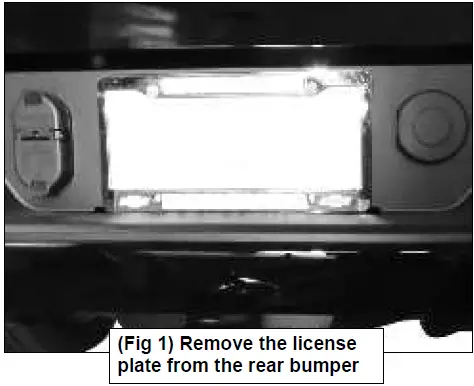
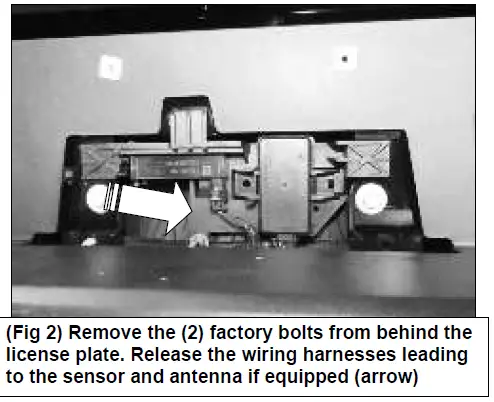
- Remove the license plate and the (2) factory bolts behind the license plate.


- Unplug all wiring harnesses leading to the bumper including tire pressure monitoring system, (TPMS), and remote antenna.
 Unplug the trailer plug.
- Place blocks or jack stands under the bumper to support it during mounting bolt removal. Assistance is highly recommended to remove the bumper. Starting on the passenger/right side, remove the factory bolt attaching the side of the bumper to the bumper support bracket.
 Remove the (2) factory flange nuts attaching the bumper to the frame.
 Repeat this Step to remove the factory hardware on the driver/left side. With assistance, pull bumper straight out from vehicle.
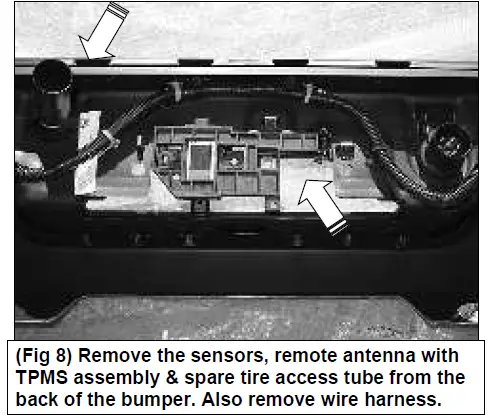
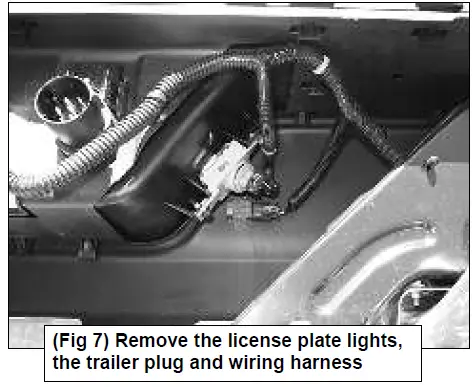
 - Move the OE rear bumper to clean and stable surface. Unplug and remove the sensors, (if equipped), trailer plug, license lights, remote antenna with TPMS assembly bracket & the spare tire access lock from the back of the bumper. Remove wire harness from bumper.


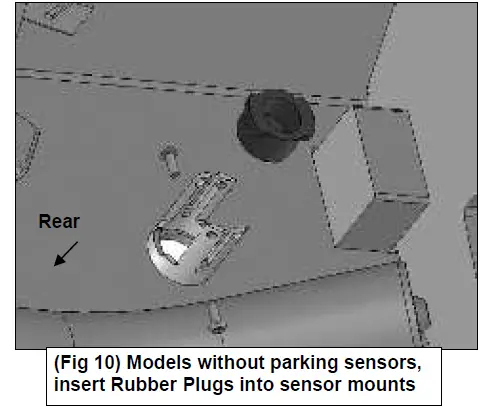
- Determine if the vehicle is equipped with parking sensors, cross traffic sensors and remote antenna: Models without bumper parking sensors:
- Select the included (4) Rubber Plugs.
- From behind bumper, push plugs into sensor mounting holes. 4mm Screws have been provided to lock the plugs in the sleeve. Use is optional.
 Models with bumper mounted parking sensors:
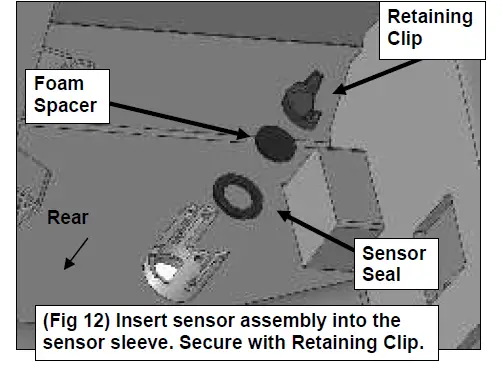
 - Remove the silicone seal from the end of the sensor. Slide the included Foam Washer over front of sensor.

- Attach (1) Foam Spacer to (1) Retaining Clip.
- Slide the sensor tabs into the sensor sleeve openings on the back of the Rear Bumper. Push and lock the Retaining Clip into the sensor sleeve holes.

- Repeat the above steps for each rear sensor.
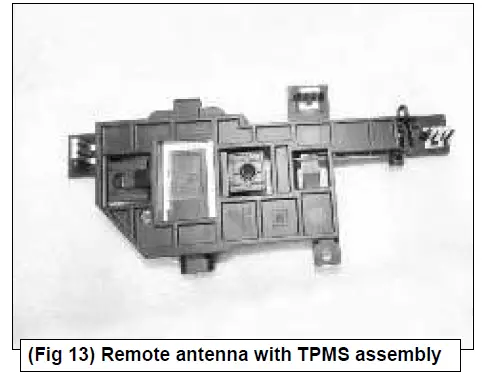
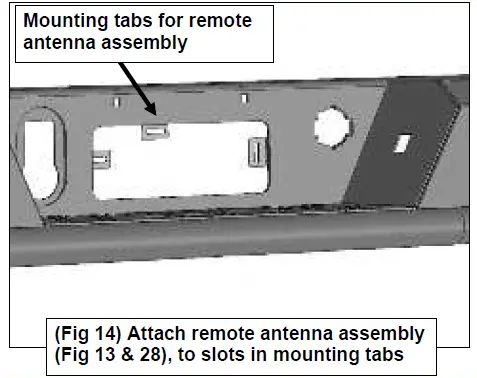
Models with Tire Pressure Monitoring System (TPMS): - Select the factory remote antenna with TPMS assembly.

- Push the (3) clips on the TPMS assembly into the slots in the mounting tabs on the Bumper.
 Models without cross traffic sensors:
 - Select (1) Steel Block Off Plate. Attach the Plate to the driver/left end of the Bumper with (4) 6mm Button Head Bolts, (4) 6mm Flat Washers, (4) 6mm Lock Washers and (4) 6mm Hex Nuts.
 Repeat to attach the remaining Plate on the passenger/right side of the Bumper.
Models with cross traffic alert sensors (CTA): - Select (1) Plastic Cover. Attach the Plastic Cover to the end of the Bumper with (4) 6mm Button Head Bolts, (4) 6mm Flat Washers, (4) 6mm Lock Washers and (4) 6mm Hex Nuts.

- Select (1) “L” Shaped Front Sensor Bracket. Attach the Bracket to the front facing side of the front mounting tab with the included (1) 6mm x 20mm Hex Bolt, (2) 6mm Flat Washers, (1) 6mm Lock Washer and (1) 6mm Hex Nut. Do not fully tighten hardware at this time.
- Repeat previous Step to install (1) “J” Shaped Rear Sensor Bracket to the rear mounting tab.
 Do not fully tighten hardware at this time.
 - Select the passenger/right sensor. Attach the Sensor to the Brackets with the included (2) 6mm x 20mm Hex Bolts, (4) 6mm Flat Washers, (2) 6mm Lock Washers and (2) 6mm Hex Nuts.
 IMPORTANT: Do not overtighten hardware are damage to sensor may result.
 - Repeat previous Steps to attach the driver/left Plastic Cover, Brackets and sensor.
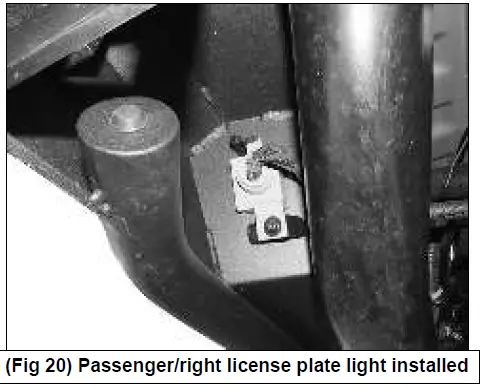
- Select the passenger/right license plate light. Attach the license light to the mounting tab on the back of the bumper with (1) 6mm Button Head Bolt, (1) 6mm Flat Washer, (1) 6mm Lock Washer and (1) 6mm Hex Nut.

 Repeat this Step to install the driver/left license plate light.
 - Snap the trailer plug & spare tire access lock into the openings in the Rear Bumper. Insert the (2) Plastic Plugs to attach the license plate to the Bumper.
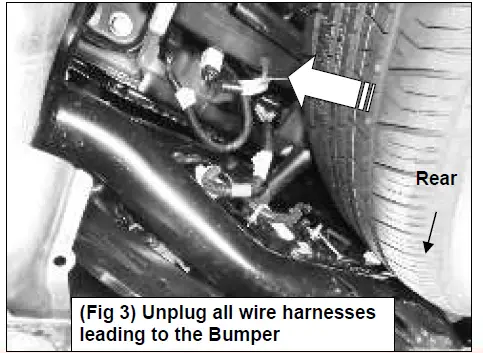 Unplug the trailer plug.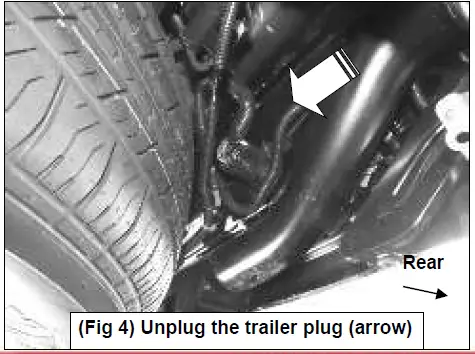
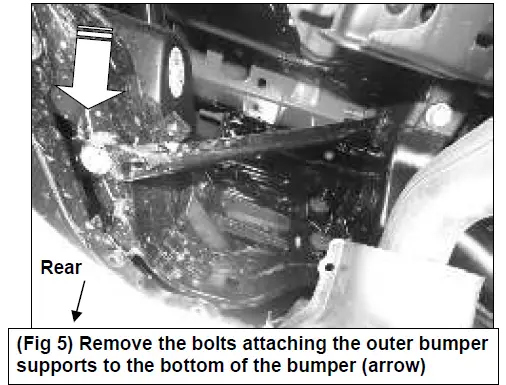 Remove the (2) factory flange nuts attaching the bumper to the frame.
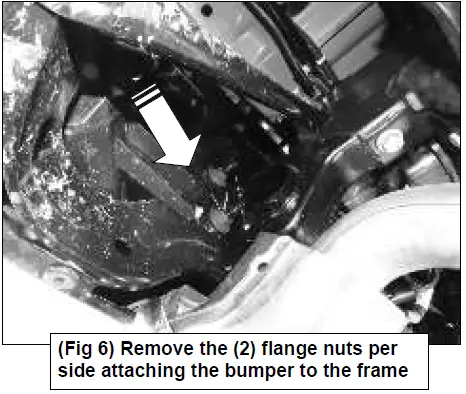 Repeat this Step to remove the factory hardware on the driver/left side. With assistance, pull bumper straight out from vehicle.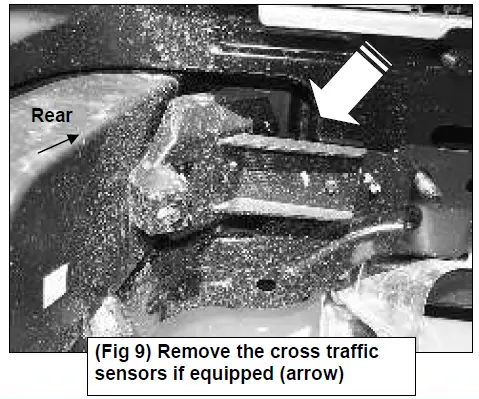
 Models with bumper mounted parking sensors: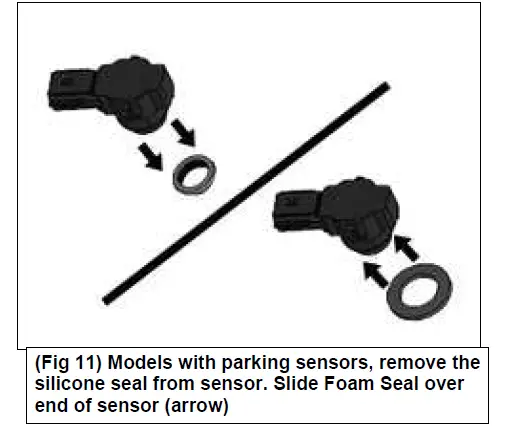
 Models without cross traffic sensors:
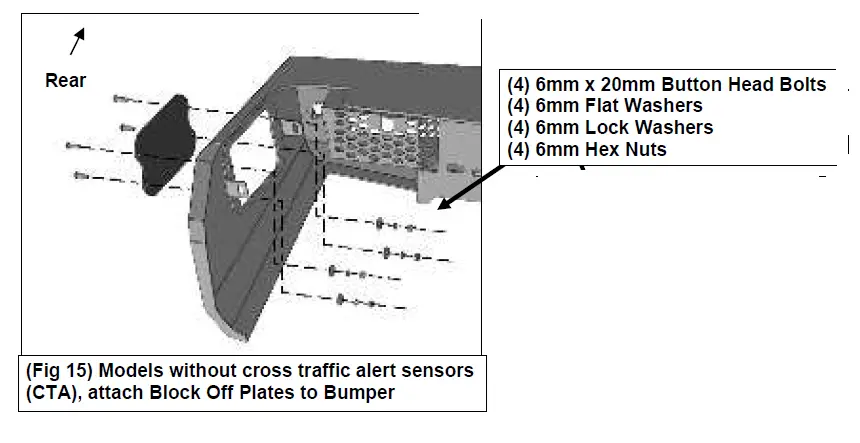 Repeat to attach the remaining Plate on the passenger/right side of the Bumper.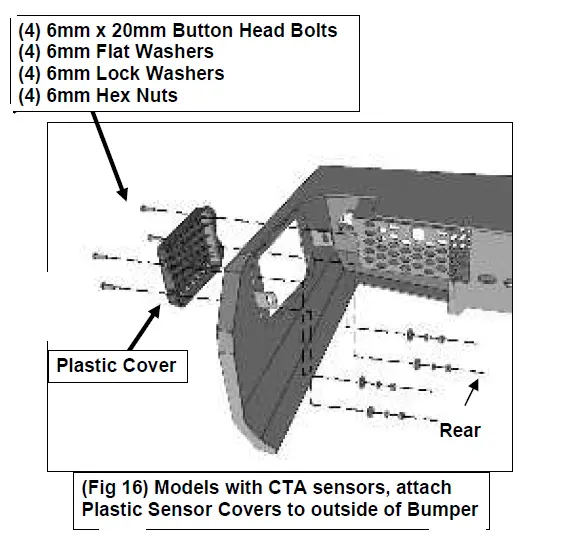
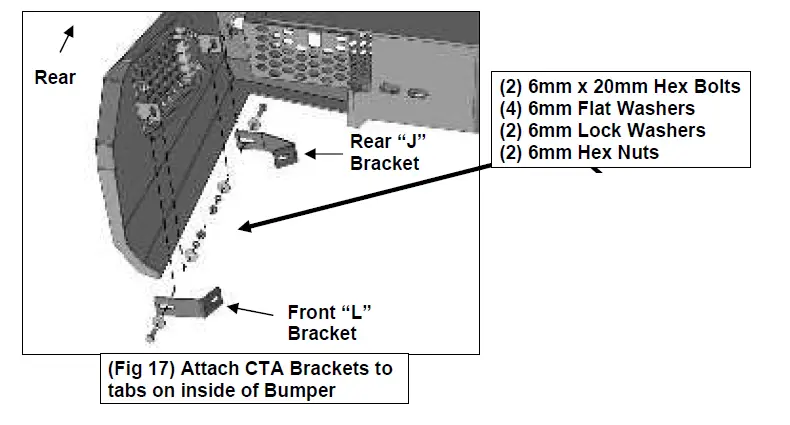 Do not fully tighten hardware at this time.
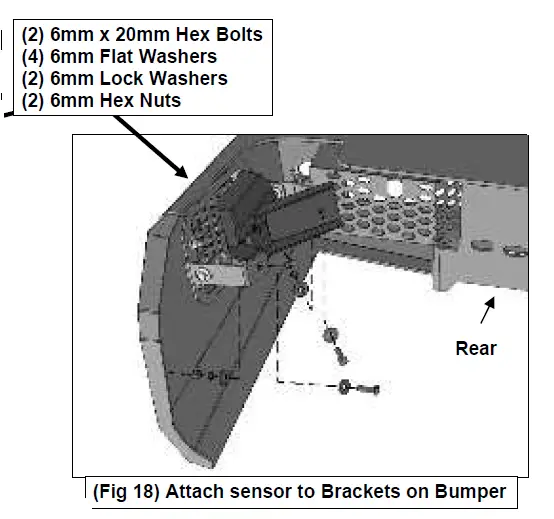 IMPORTANT: Do not overtighten hardware are damage to sensor may result.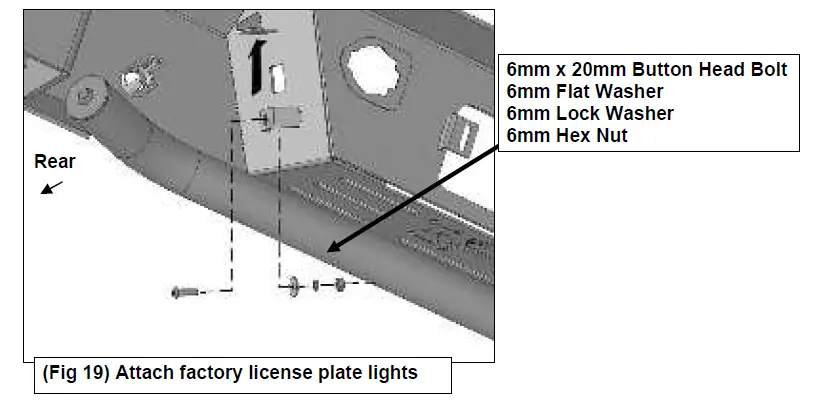
 Repeat this Step to install the driver/left license plate light.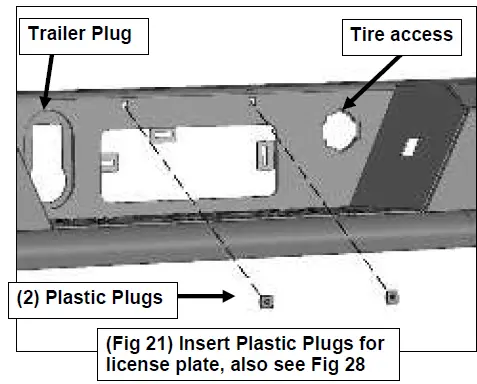
- Attach the bumper wire harness to the Bumper. Plug the sensors, license lights & remote antenna with TPMS assembly back into the harness.
NOTE: If necessary, cut the electrical tape on the wire harness to reach the outer sensors. - LED light installation at ends of bumper (not included).
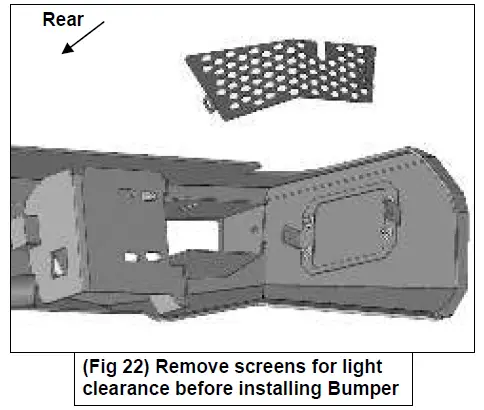
- Insert light into opening and up to mounting slots. Check for clearance between front and back of light. If necessary, remove the screen from the back of the opening for additional clearance or access to light.

- Follow the light manufacturer’s instructions to attach light to slot in the top of the light opening.
- Repeat the above steps for passenger side light installation.
- Follow light manufacturer’s instructions to properly wire the light to the electrical system.
- Insert light into opening and up to mounting slots. Check for clearance between front and back of light. If necessary, remove the screen from the back of the opening for additional clearance or access to light.
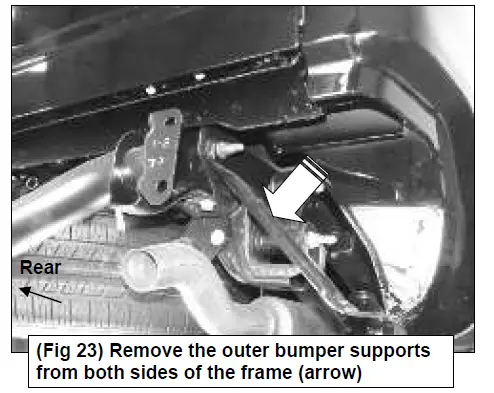
- Remove the bumper support brackets from the outside of the frame.

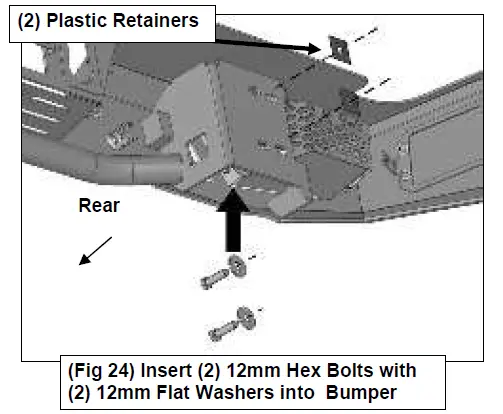
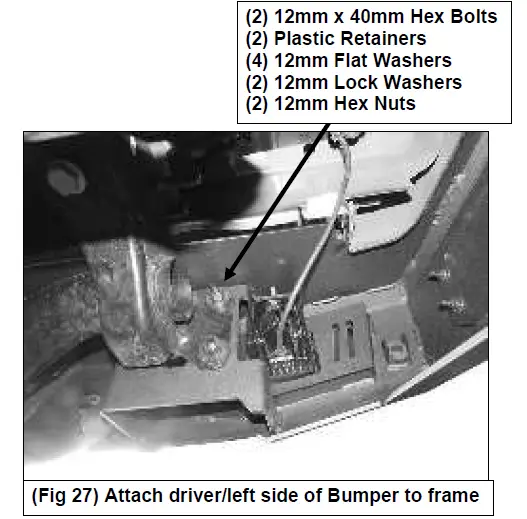
- Select (2) 12mm x 40mm Hex Bolts and (2) 12mm Flat Washers. Insert the Hex Bolts with Washers up and into the back of the bracket on the driver/left side of the Bumper.

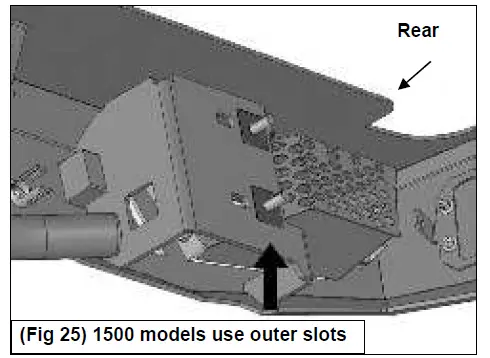
- 1500 models, insert Hex Bolts into outer slots in mounting plate on Bumper.

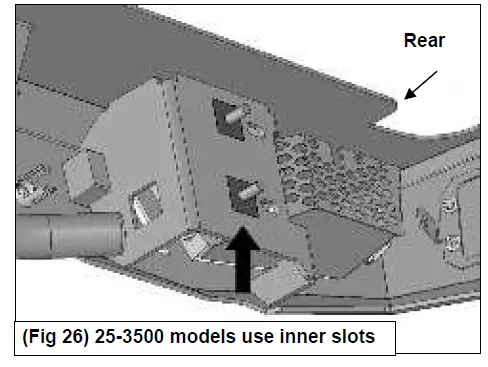
- 25-3500 models, insert Hex Bolts into inner slots in mounting plate on Bumper.

- 1500 models, insert Hex Bolts into outer slots in mounting plate on Bumper.
- Thread the (2) 12mm Plastic Retainers onto the Hex Bolts to help hold in position in Bumper.
Repeat to install (2) 12mm Hex Bolts with Flat Washers on the passenger/right side of the Bumper. Temporarily support the weight of the Bumper.
WARNING: To avoid possible injury or damage to the vehicle, do not proceed until the Bumper is fully and safely supported. - With assistance, position the Bumper Assembly up to the frame. Attach the Bumper to the frame with the included (4) 12mm Flat Washers, (4) 12mm Lock Washers and (4) 12mm Hex Nuts.
 Do not fully tighten hardware at this time.
 - Level and adjust the bumper and fully tighten all hardware. Slowly open tailgate and check for clearance. Adjust as necessary.
- Plug the bumper wire harness & trailer plug into the vehicle harness.

- Do periodic inspections to the installation to make sure that all hardware is secure and tight.
 Do not fully tighten hardware at this time.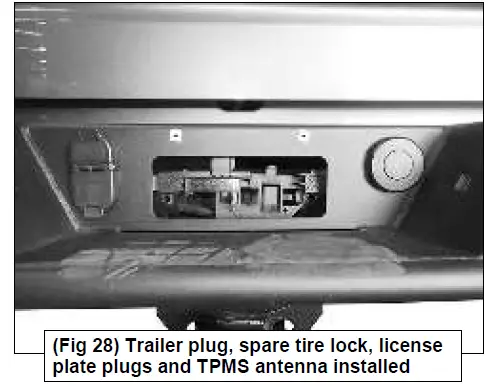
To protect your investment, Do not use any type of polish or wax that may contain abrasives that could damage the finish. Mild soap may be used to clean the Bumper assembly.