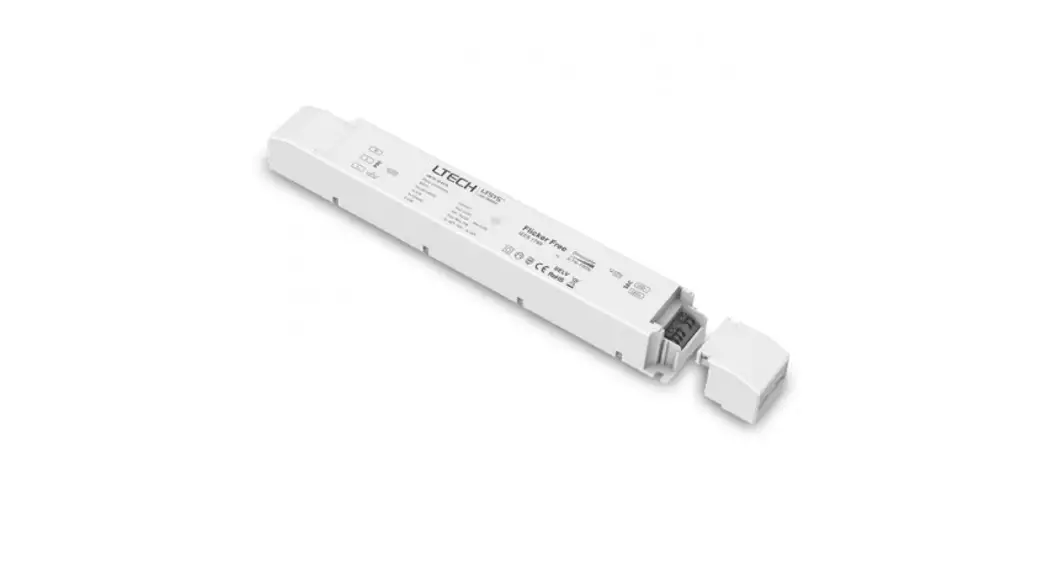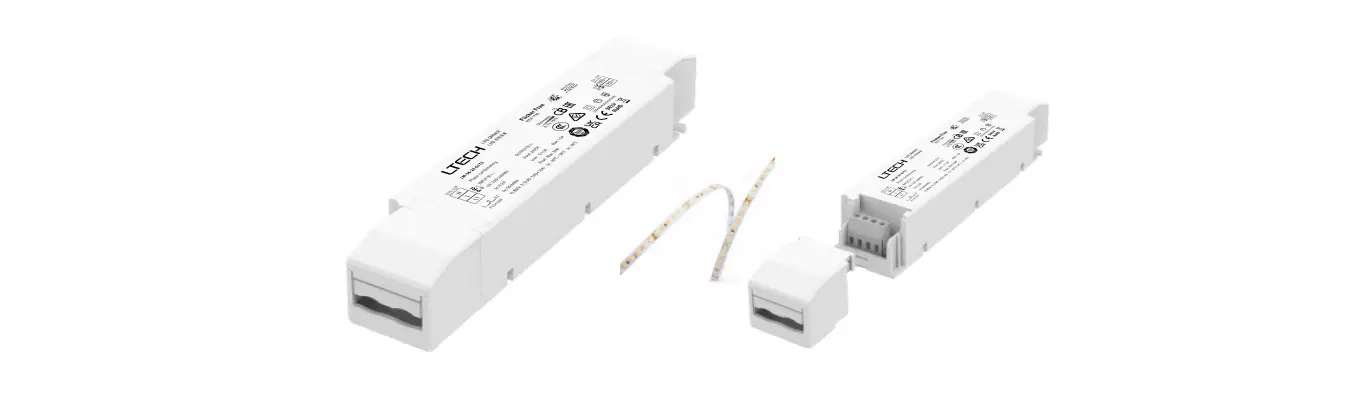

LTECH ST-75-12-W1B Bluetooth Smart LED Driver
Product Introduction
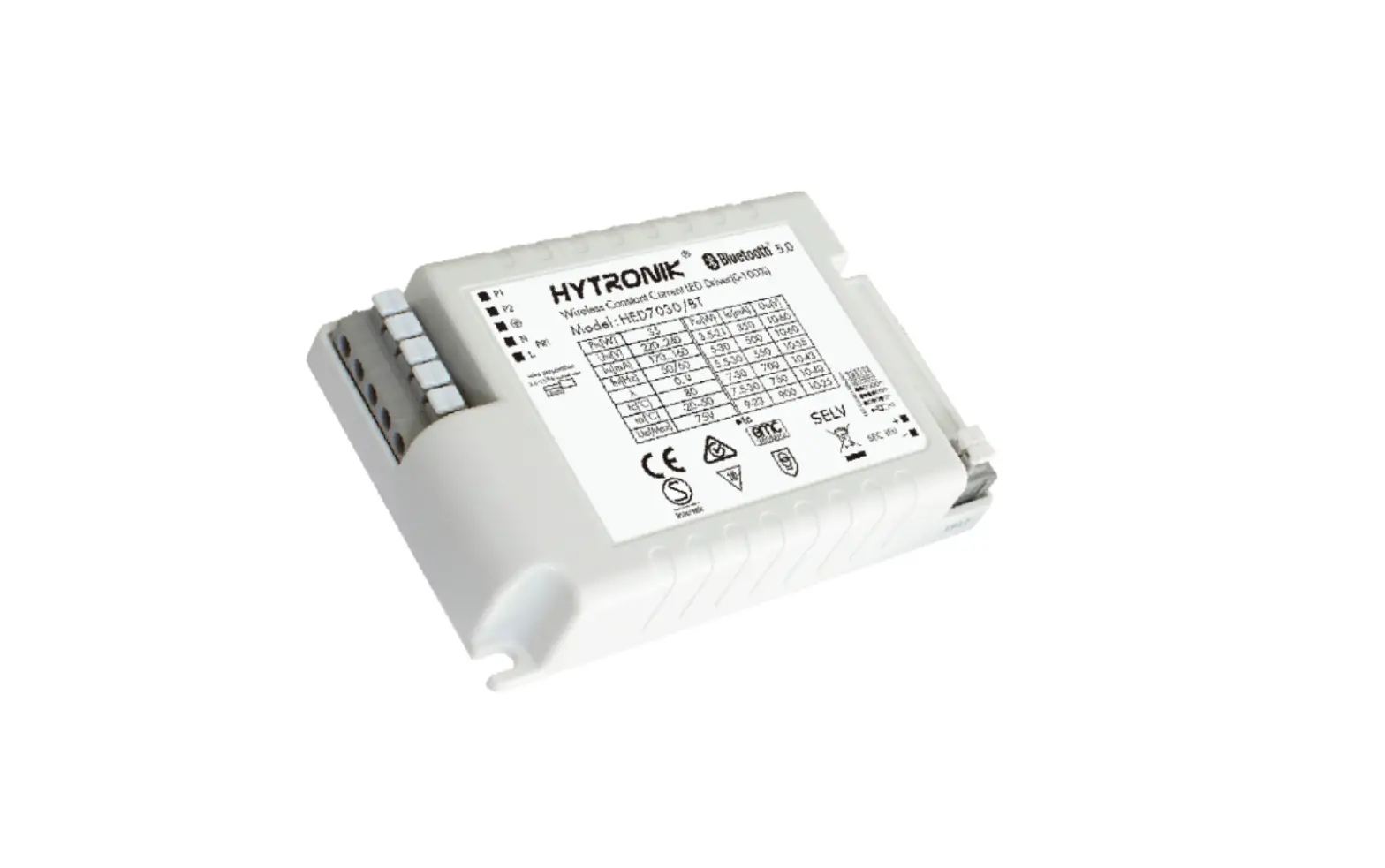
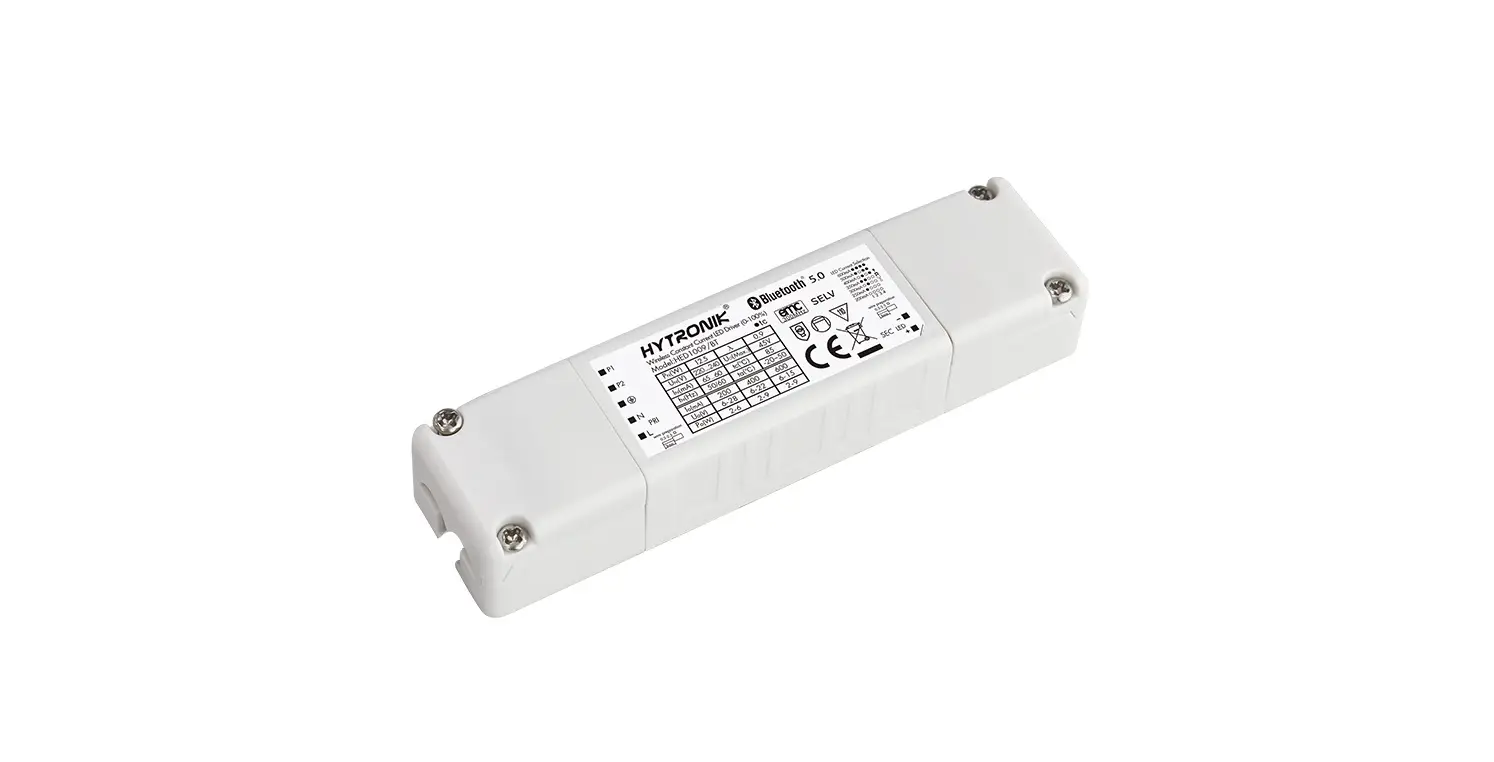
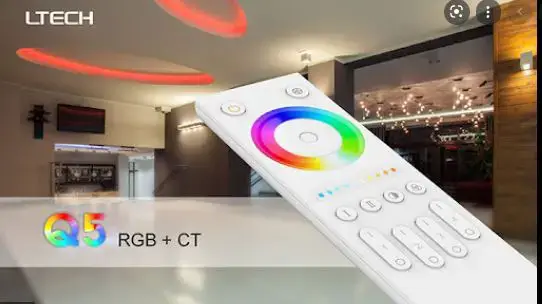
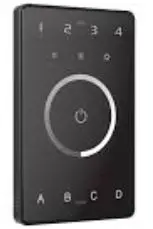
Bluetooth Smart LED Driver adopts Bluetooth 5.0 Mesh technology with low power consumption. You can easily control the smart LED driver with App, and it enables you to connect your Bluetooth remotes and Bluetooth smart wireless switches for dimming, color temperature adjustment and color changing. You’ll able to remotely control your lighting by LTECH Super Panel and wireless module as well to meet different applications. Simple and flexible operations put you in easy control of your lighting and make life smarter.
Product Features
- Bluetooth 5.0 Mesh Networking
- Support Bluetooth panel, Bluetooth remote control and mobile phone Bluetooth remote control
- Achieve sync control for multiple devices
- 0-100% dimming range, down to 0.1%
- 0-100% flicker-free dimming with high-frequency exemption level.
- With active PFC function
- 100-240Vac wide voltage input
- With overheat, overvoltage, overload and short circuit protection and automatic recovery
- Class 2 driver with fully-guarded plastic housing that aligns with Safety Extra-low Voltage Standard
- Suitable for indoor light applications ofⅠ/Ⅱ/Ⅲ type.
Package Contents

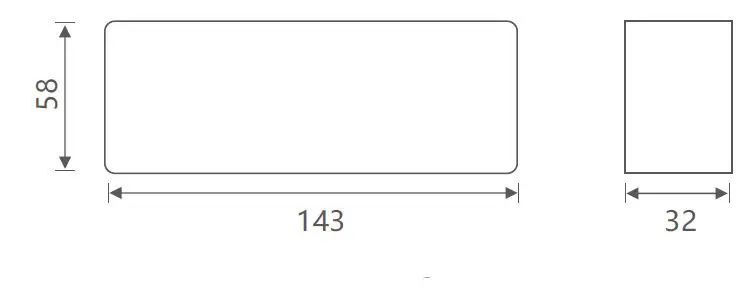
Product Size
Unit: mm
Product Parameters
| Model | ST-75-12-W1B | ST-75-12-W2B | ST-75-12-W3B | |
|
OUTPUT | Control Mode | Dimming | Color temperature | RGB |
| Output Voltage | 12Vdc | |||
| Output Current | 5A | 2.5A×2CH | 1.67A×3CH | |
| Output Power | Max. 60W | |||
| Strobe Level | High frequency exemption level | |||
| Dimming Range | 0~100%, down to 0.1% | |||
| Overload Power Limitation | ≥102% | |||
| Low Frequency Ripple | ≤200mV | |||
|
INPUT | Wireless Protocol Type | Bluetooth 5.0 Mesh | ||
| Input Voltage | 100-240Vac | |||
| Frequency | 50/60Hz | |||
| Input Current | Max. 0.77A | |||
| Power Factor | PF>0.99/115Vac PF>0.95/230Vac, at full load | |||
| THD | 115Vac@THD≤9% 230Vac@THD≤17% | |||
| Efficiency(typ.) | 91% | |||
| Inrush Current(typ.) | Cold start 40A at 230Vac | |||
| Anti Surge | L-N: 1KV | |||
| Leakage Current | Max. 0.5mA | |||
| ENVIRONMENT | Working Humidity | 20 ~ 95%RH, non-condensing | ||
| Storage Temp., Humidity | -40°C ~ 80°C, 10~95%RH | |||
| Vibration | 10~500Hz, 2G 12min./1cycle, 72 min for X,Y and Z axes respectively | |||
| PROTECTION | Overheat Protection | Intelligently adjust or turn off the output current if the PCB temperature ≥110°C, auto recovers | ||
| Overvoltage Protection | Shut down the output when non-load voltage≥13V, auto recovers | |||
| Overload Protection | Shut down the output when power load≥102%, auto recovers | |||
| Short Circuit Protection | Enter hiccup mode if short circuit occurs, auto recovers | |||
|
SAFETY & EMC | Withstand Voltage | I/P-O/P: 3750Vac | ||
| Isolation Resistance | I/P-O/P: 100MΩ/500VDC/25°C/70%RH | |||
| Safety Standards | UL8750, IEC/EN61347-1, IEC/EN61347-2-13 | |||
| EMC Emission | EN55015, EN61000-3-2 Class C, IEC61000-3-3 | |||
| EMC Immunity | EN61000-4-2,3,4,5,6,8,11 EN61547 | |||
| Strobe Test Standard | IEEE 1789 | |||
| OTHERS | Dimensions | L143×W58×H32(mm) | ||
| Package Size | L168×W123×H35(mm) | |||
| Weight(G.W.) | 430g | |||
| Model | ST-75-24-W1B | ST-75-24-W2B | ST-75-24-W3B | |
|
OUTPUT | Control Mode | Dimming | Color temperature | RGB |
| Output Voltage | 24Vdc | |||
| Output Current | 3.125A | 1.56A×2CH | 1.04A×3CH | |
| Output Power | Max. 75W | |||
| Strobe Level | High frequency exemption level | |||
| Dimming Range | 0~100%, down to 0.1% | |||
| Overload Power Limitation | ≥102% | |||
| Low Frequency Ripple | ≤300mV | |||
|
INPUT | Wireless Protocol Type | Bluetooth 5.0 Mesh | ||
| Input Voltage | 100-240Vac | |||
| Frequency | 50/60Hz | |||
| Input Current | Max. 0.95A | |||
| Power Factor | PF>0.99/115Vac PF>0.95/230Vac, at full load | |||
| THD | 115Vac@THD≤8% 230Vac@THD≤15% | |||
| Efficiency(typ.) | 91% | |||
| Inrush Current(typ.) | Cold start 40A at 230Vac | |||
| Anti Surge | L-N: 1KV | |||
| Leakage Current | Max. 0.5mA | |||
| ENVIRONMENT | Working Humidity | 20 ~ 95%RH, non-condensing | ||
| Storage Temp., Humidity | -40°C ~ 80°C, 10~95%RH | |||
| Vibration | 10~500Hz, 2G 12min./1cycle, 72 min for X,Y and Z axes respectively | |||
| PROTECTION | Overheat Protection | Intelligently adjust or turn off the output current if the PCB temperature ≥110°C, auto recovers | ||
| Overvoltage Protection | Shut down the output when non-load voltage≥26V, auto recovers | |||
| Overload Protection | Shut down the output when power load≥102%, auto recovers | |||
| Short Circuit Protection | Enter hiccup mode if short circuit occurs, auto recovers | |||
|
SAFETY & EMC | Withstand Voltage | I/P-O/P: 3750Vac | ||
| Isolation Resistance | I/P-O/P: 100MΩ/500VDC/25°C/70%RH | |||
| Safety Standards | UL8750, IEC/EN61347-1, IEC/EN61347-2-13 | |||
| EMC Emission | EN55015, EN61000-3-2 Class C, IEC61000-3-3 | |||
| EMC Immunity | EN61000-4-2,3,4,5,6,8,11 EN61547 | |||
| Strobe Test Standard | IEEE 1789 | |||
| OTHERS | Dimensions | L143×W58×H32(mm) | ||
| Package Size | L168×W123×H35(mm) | |||
| Weight(G.W.) | 430g | |||
System Diagram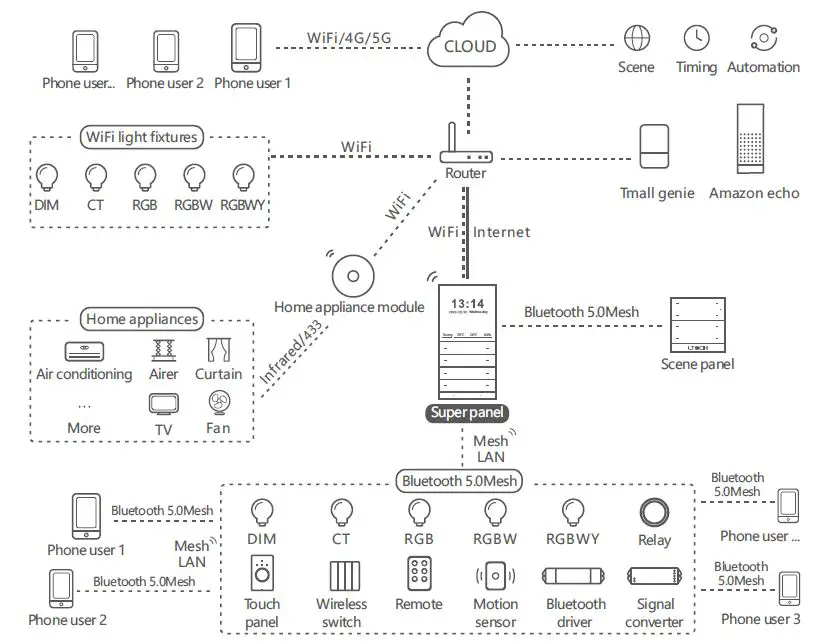 Recommend Applications
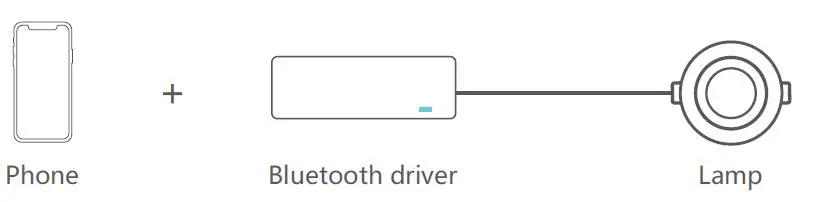
- Achieve local dimming fast.

- Both App and remote can control the driver after the remote is set to connect Bluetooth signal with App.

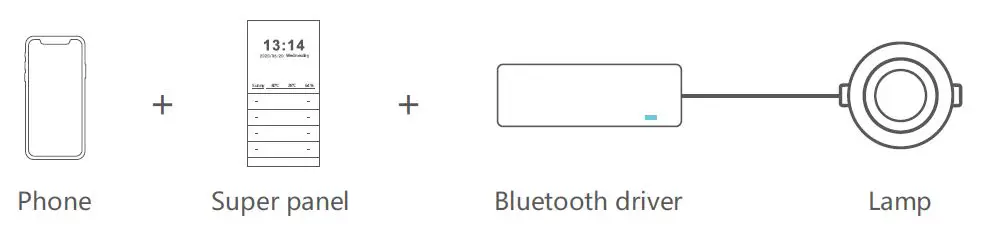
- Both App and Super Panel can control the driver simultaneously after the Super Panel is set to connect Bluetooth signal with the App. By connecting the Super Panel to network, you are allowed to control the driver, cloud scenes and automation remotely with the App.

- ……More applications of intelligent control are waiting for you to set up.

How to Install
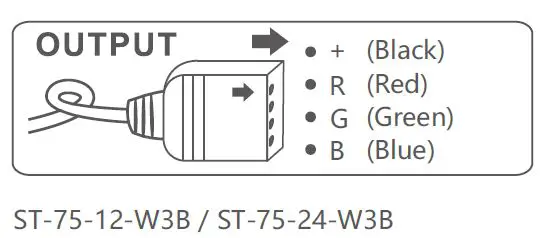
Please use 22 gauge electrical wire to connect.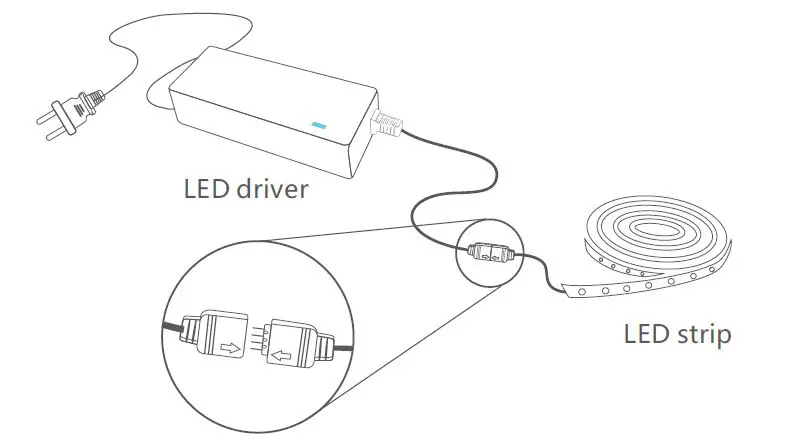

App Operating Instructions
- Register an account
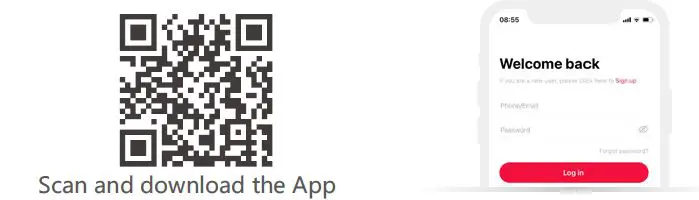
Scan the QR code below with you mobile phone and follow the prompts to complete the App installation. Open the App and log in or register an account.
- Paring instructions
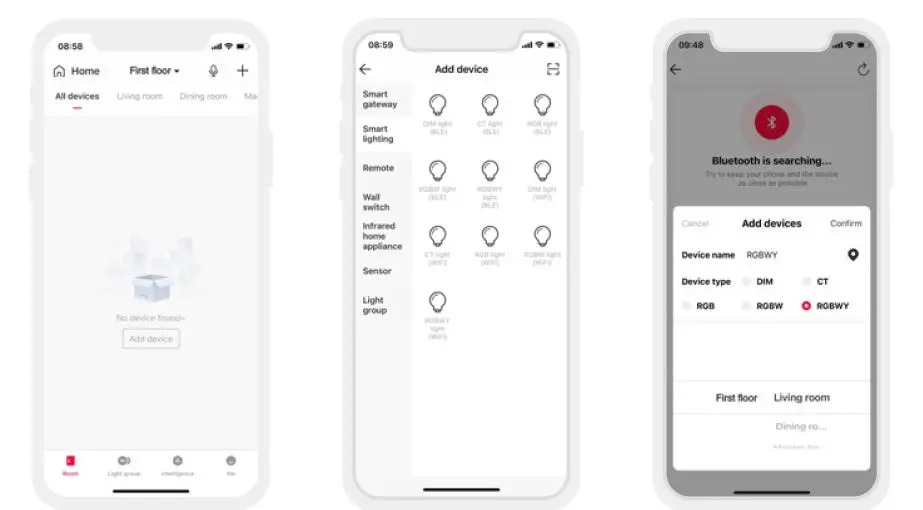
Open the APP and create a home if you are a new user. Click“+”icon in the upper right corner and access the“Add Device”list. Pick“Smart lighting”from the list and select the light fixture type you want to add. Follow the prompts on the App. Power on the device firstly, and make sure the device is not connected to network and the indicator light flashes as it does when powered on. Then click“Bluetooth Search”and follow the prompts to add the device.
- Control interface settings
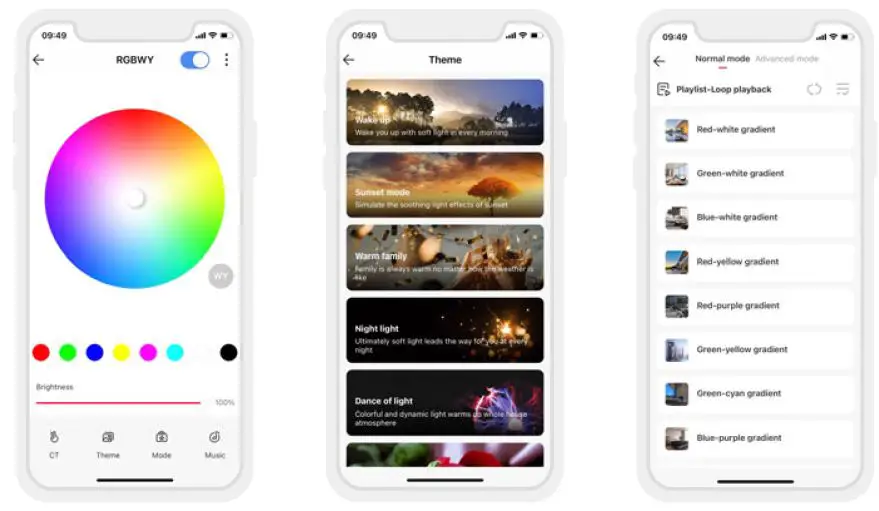
After pairing up your device, go to the control interface. You’ll able to achieve your desired lighting effects by color temperature adjustment. Click“Theme”to access eight non-editable dynamic themes provided. Click“Mode”and the App offers you twelve editable normal modes and eight editable advanced modes.
- Function settings
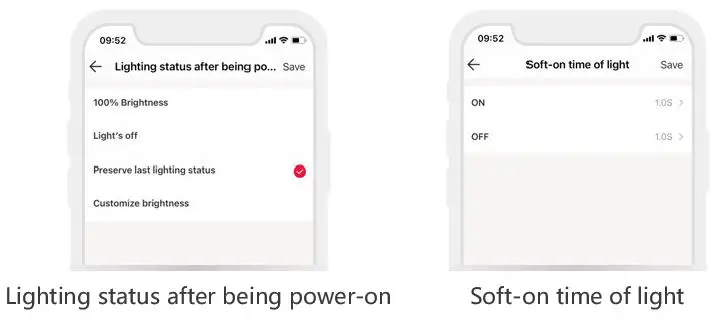
Click” icon in the upper right corner of control interface and go to the lights settings- The smart driver allows you to set up your desired lighting effects after being power on.
- The smart driver also supports soft-on dimming that makes a gradual and smooth transformation to create comfortable and healthy lighting environments.

- Light groups
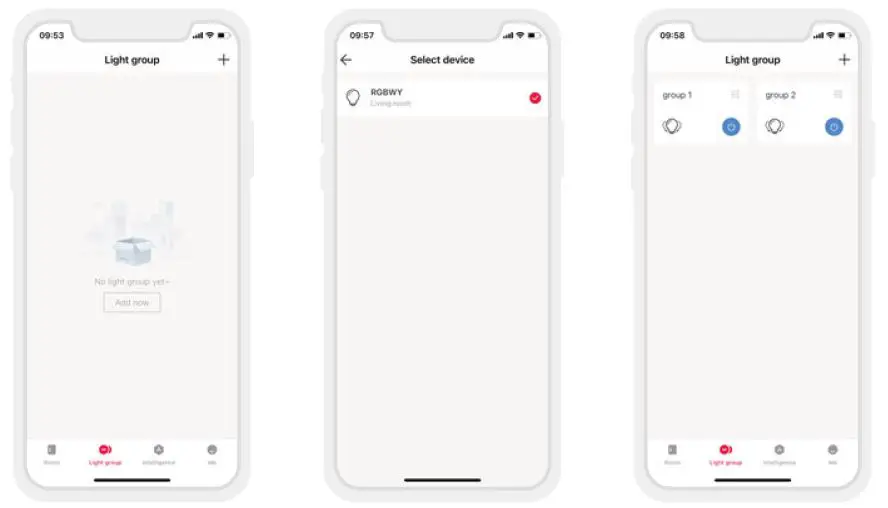
Users are able to combine the same type of light fixtures into a group to control them simul-taneously. Once you create the group, you can set the dim level or change color temperature more easily. Switch to“Group”menu and click“+”icon in the upper right corner. Follow the prompts to rename the group and click“Next”to pick the lights you are going to group together and to save them.
- Advanced functions
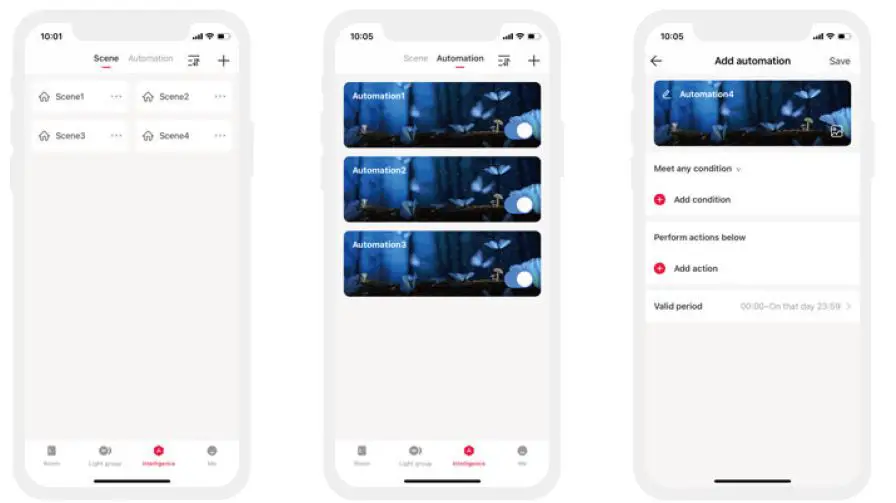
This smart driver can be linked up with gateway function devices such as LTECH Super Panel to achieve the advanced functions from cloud scenes to automation.
How to Reset to Factory Defaults
Method 1: Go to the App settings and click“Delete Device”. When the indicator light of the device fast flashes 5 times, the device disconnects from the network successfully, This method would be recommended for users.
Method 2: When the driver is power-on, turn off it and after 10s turn it on. After 2s, turn it off again. Repeat the same operation 10 times and then turn on the driver again. When the lamp is flashing (2 flashes/s), reset the device to factory defaults successfully.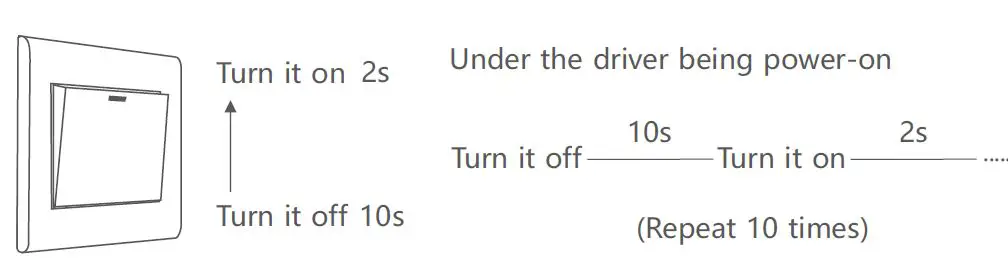
FAQs
- What should I do if I fail to add the device?
- Please make sure the device is powered on normally and is in the activated mode.
- Please make sure the device hasn’t been added by any other account. If it did, please reset to factory defaults manually.
- The recommended distance between the mobile phone and the device is no more than 20 meters.
- If the device has been forced to delete, please reset to factory defaults manually and then add the device again.
- What should I do if the device disconnects from the network?
- Please make sure the device is powered on normally.
- Please make sure the router works with network available.
- If you control the device remotely, please make sure your phone network works normally.
- How to control remotely and set cloud scenes?
Remote control and cloud scenes can achieved only by working with LTECH Super Panel. - How to share control of your home devices?
Please go to“Me”- “Home Management”and access the home you want to share. Click“Add Member”and follow the prompts to add members into your home.
Attentions
- Products shall be installed by qualified professionals.
- LTECH products are non-waterproof (special models excepted). Please avoid the sun and rain.
- When installed outdoors, please ensure it is mounted in a water proof enclosure.
- Good heat dissipation will extend the working life of products. Please ensure good ventilation.
- Please check if the working voltage used complies with the parameter requirements of products.
- The diameter of wire used must be able to load the light fixtures you connect and ensure the firm wiring.
- Before you power on products, please make sure all the wiring is correct in case of incorrect connection that causes damage to light fixtures.
- If a fault occurs, please do not attempt to fix products by yourself. If you have any question, please contact your suppliers.
- This manual is subject to changes without further notice. Product functions depend on the goods. Please feel free to contact our official distributors if you have any question.
Warranty Agreement
- Warranty periods from the date of delivery: 5years
- Free repair or replacement services for quality problems are provided within warranty periods.
Warranty exclusions below:
- Beyond warranty periods.
- Any artificial damage caused by high voltage, overload, or improper operations. Products with severe physical damage.
- Damage caused by natural disasters and force majeure.
- Warranty labels and barcodes have been damaged.
- No any contract signed by LTECH.
- Repair or replacement provided is the only remedy for customers. LTECH is not liable for any incidental or consequential damage unless it is within the law.
- LTECH has the right to amend or adjust the terms of this warranty, and release in written form shall prevail.