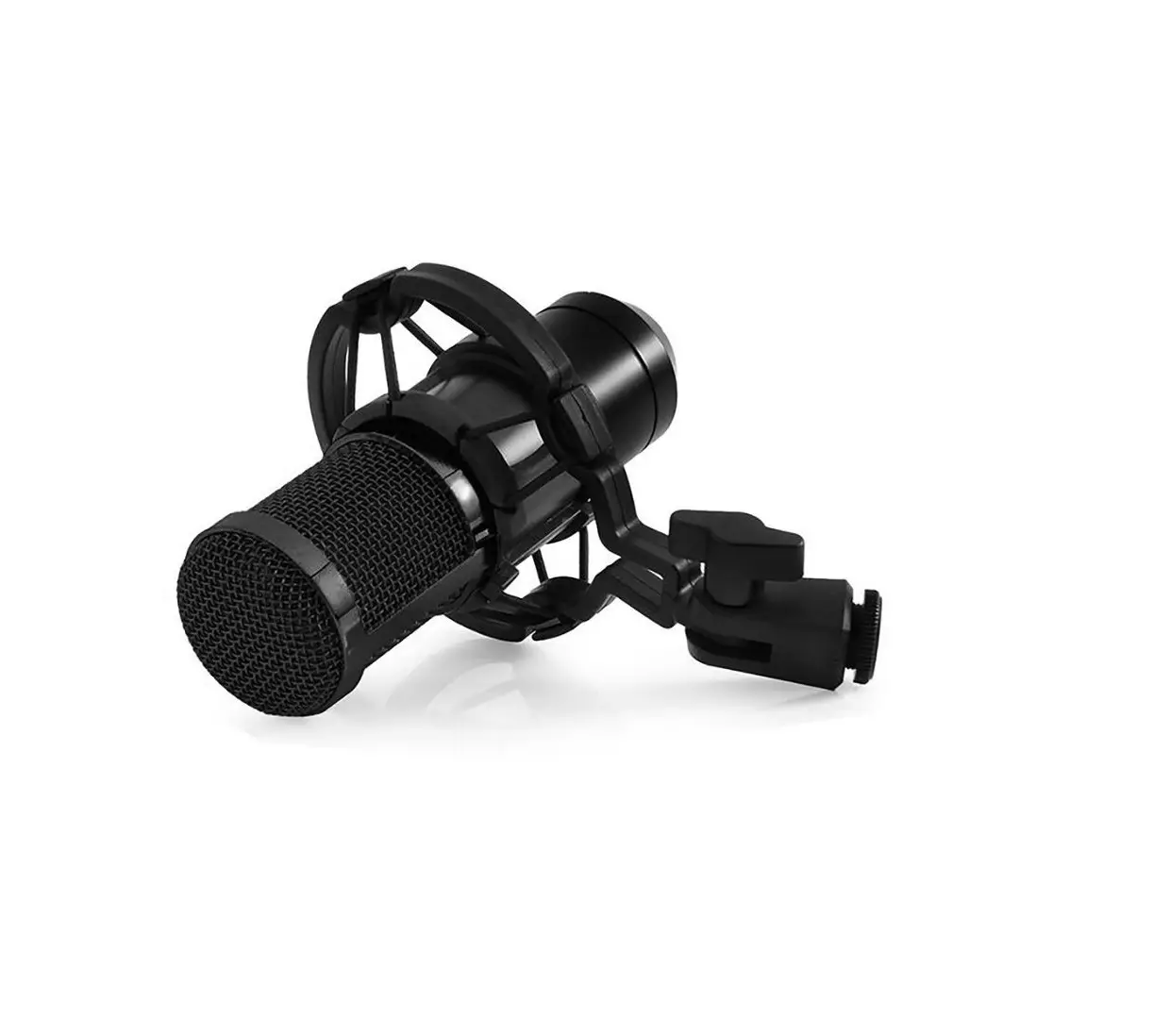
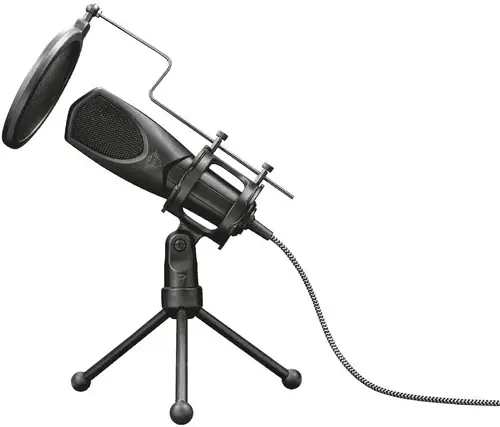
AM350 Live Streamer Mic
LIVE STREAMER MIC 350 AM350 Quick Start Guide
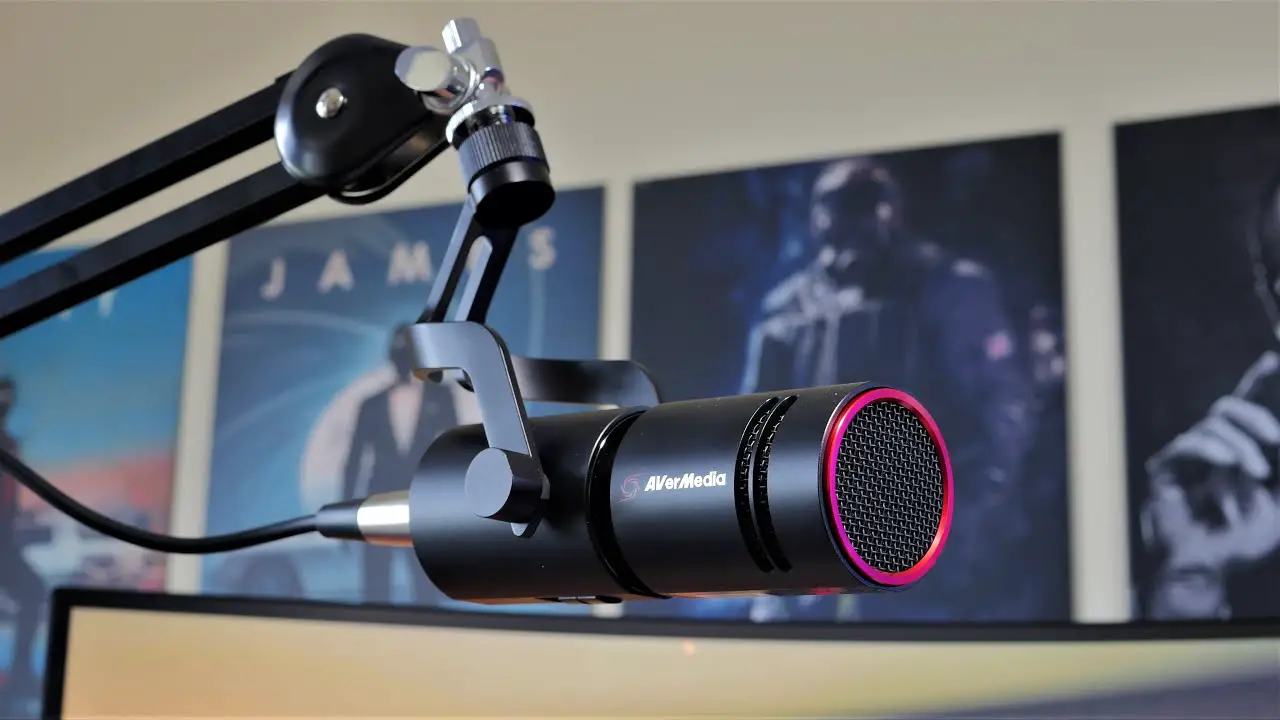
The Live Streamer MIC 350 is a high-quality USB microphone
designed for live streaming, podcasting, music recording, and
voice-overs. It features a cardioid polar pattern that picks up
sound from the front and minimizes background noise, a mute/gain
knob, a headphone monitoring mix vol. knob, and a USB Type-C
port.
Inside the Box
- Live Streamer MIC 350
- Base Plate
- USB Type-C to Type-A Cable
- USB Type-A to Type-C Adapter
- 5/8 to 3/8 Thread Adapter
- Quick Start Guide
Important Safety Instructions
Before using the Live Streamer MIC 350, please read and follow
these safety instructions:
- Read all instructions before use.
- Keep these instructions for future reference.
- Follow all warnings and instructions marked on the
product. - Do not use this product near water.
- Clean only with a dry cloth.
- Do not block any ventilation openings. Install in accordance
with the manufacturer’s instructions. - Do not install near any heat sources such as radiators, heat
registers, stoves, or other apparatus (including amplifiers) that
produce heat. - Protect the power cord from being walked on or pinched,
particularly at plugs, convenience receptacles, and the point where
they exit from the product. - Only use attachments/accessories specified by the
manufacturer. - Unplug the product during lightning storms or when unused for
long periods of time. - Do not modify or disassemble the product in any way.
- Refer all servicing to AVerMedia Customer Service.
- Do not dispose of the product as general household waste.
Dispose of in accordance with local environmental laws.
Connection
To connect the Live Streamer MIC 350 to your computer or smart
device, follow these steps:
- Connect the USB Type-C end of the cable to the microphone and
the USB Type-A end to your computer or smart device. - If necessary, use the USB Type-A to Type-C adapter
provided. - Your computer or smart device should automatically detect the
Live Streamer MIC 350 and assign it as the default audio device
once connected. If not, go to the sound settings or control panel
and select it manually.
Use and Placement
To use the Live Streamer MIC 350, follow these steps:
- Place the microphone on the base plate or mount it on a
microphone stand using the 5/8 to 3/8 thread adapter provided. - Connect the microphone to your computer or smart device
following the instructions above. - Adjust the microphone mute/gain knob and headphone monitoring
mix vol. knob as desired.
Polar Patterns
The Live Streamer MIC 350 features a cardioid polar pattern that
picks up sound from the front and minimizes background noise. This
is best for podcasting, streaming, music recording, and
voice-overs.
Headphone Monitoring
To monitor the mix of your system sound and microphone, connect
headphones to the Live Streamer MIC 350 and adjust the headphone
monitoring mix vol. knob. You can also select each sound
individually by pressing the knob and toggling between them to
control their volumes.
Accessories
Additional accessories for the Live Streamer MIC 350 include the
Live Streamer ARM (BA311) and the Live Streamer Pop Filter
(BA310).
LIVE STREAMER MIC 350 AM350 Quick Start Guide
English Cestina
Deutsch P
Français Italiano Español
Nederlands
Polski
Disclaimer
All pictures contained in this documentation are example images only. The images may vary depending on the product and software version. Information presented in this documentation has been carefully checked for reliability; however, no responsibility is assumed for inaccuracies. The information contained in this documentation is subject to change without notice.
Copyright and Trademark Information
© 2023 by AVerMedia Technologies, Inc. All rights reserved. No part of this publication, in whole or in part, may be reproduced, transmitted, transcribed, altered or translated into any language in any form by any means without the written permission of AVerMedia Technologies, Inc. Information and specification contained in this manual are subject to change without notice and do not represent a commitment on the part of AVerMedia.
For more information, please visit www.avermedia.com.
AVerMedia is trademark or registered trademark of AVerMedia Technologies, Inc.
Headquarters
Address No.135, Jian 1st Rd., Zhonghe Dist., New Taipei City 23585, Taiwan Website www.avermedia.com Support www.avermedia.com/support Telephone +886-2-2226-3630
US Office
Address 754 Charcot Avenue, San Jose, CA 95131, United States Website www.avermedia.com/us
Europe Office
Address Hanauer Landstrasse 291 B, 60314 Frankfurt Hessen, Germany
23585 135 www.avermedia.com www.avermedia.com/support +886-2-2226-3630
488 1510 www.avermedia.cn +86-21-52987985
2
Important Safety Instructions
1. Read these instructions. 2. Keep these instructions. 3. Follow all instructions. 4. Heed all warnings. 5. Do not use the apparatus on uneven or unstable surfaces. 6. Do not use this apparatus in a wet environment or near water. 7. Unplug the apparatus before cleaning. Clean only with a dry cloth. 8. Use in a well ventilated environment. Do not block any ventilation openings. 9. Use the apparatus within ambient temperatures 32104°F (040°C). 10. Use power sources within the specified voltage range. 11. Do not place heavy objects on the apparatus. 12. Do not install near heat sources such as radiators or stoves. 13. Do not defeat the safety purposes of the polarized or grounding-type plug. 14. Protect the power cord from being walked on or pinched, particularly where the cord
connects with plugs or adapters. 15. Only use the attachments and accessories specified by the manufacturer. 16. Unplug this apparatus during lightning or when unused for prolonged periods of time. 17. Do not modify or disassemble the apparatus in any way. 18. Refer all servicing to AVerMedia Customer Service. 19. Do not dispose the apparatus as general household waste. Dispose in accordance
with local environmental laws.
1.
2.
3.
4.
5.
6.
7.
8.
9. 32104°F (040°C)
10.
11.
12.
13.
14.
15.
16.
17.
18.
19.
3
1. 2. 3. 4. 5. 6. 7. 8. 9. 32104°F (040°C) 10. 11. 12. 13. 14. 15. 16. 17. 18. 19.
4
Inside the Box
EN
Base Plate
USB Type-C to Type-A Cable
Live Streamer USB Type-A to
5/8″ to 3/8″
Quick Start
MIC 350
Type-C Adapter Thread Adapter
Guide
Overview
1 Microphone Grille
1
2 Microphone Mute/Gain Knob
Press: Mute (LED: Red) /unmute
Turn: Increase/decrease overall volume
2
3 Headphone Monitoring Mix Vol. Knob
3
Press: Toggle between microphone and system sound volume control
4 5
4 Mic. Monitor Volume Control Indicator
5 System Monitor Volume Control Indicator
6 6 Polar Pattern Switch
Cardioid
7
Omnidirectional
8 7 USB Type-C Port
8 Headphone Jack for Monitoring
9 Mounting Bracket (5/8″ Thread) 9
10 Base Plate 10
5
Connection
or
*
* Make sure to connect the adapter’s end to a smart device and not the microphone. Note: Your computer or smart device should automatically detect Live Streamer MIC 350 and assign it as the default audio device once connected. If not, go to the sound settings or control panel and select it manually.
Use and Placement
To achieve the best audio quality, use the Live Streamer MIC 350 in a sound treated room with low noise and echo. Place the device on a desk or attach to a boom arm in the upright position with the grille and knobs facing you. Maintain a distance of 1025 cm (410 in) from your mouth when speaking into the microphone.
1025 cm
or
410 in
6
Polar Patterns
Symbol Sound Direction
Polar Pattern: Scenarios
Cardioid: Frontal sound pickup; best for podcasting, streaming, music recording, voice overs.
Omnidirectional: 360° sound pickup; best for live or ambient recording, multi-person podcast, conference call.
Headphone Monitoring
Connect headphones to the Live Streamer MIC 350 to monitor the mix of your system sound ( ) and microphone ( ). You can also select each sound individually by pressing the Headphone Monitoring Mix Volume Knob and toggling between them to control their volumes.
7
Accessories
Live Streamer ARM (BA311)
Live Streamer Pop Filter (BA310)
Assist Central & More Info
Assist Central is a download utility that automatically detects your AVerMedia device and lists out its available driver, firmware, and/or application (RECentral, CamEngine, etc.) for you to install to keep the device working properly and up to date. Download it from q.avermedia.com/assistcentral. For more information on the device, visit our webpage at http:// q.avermedia.com/AM350 or scan this QR code.
8
Specifications
Type Polar Pattern Connection Sensitivity Frequency Response Sample Rate Resolution Max. SPL
Impedance Power Output THD Frequency Response Signal to Noise Power Consumption
Dimensions (Ø x L)
Weight
Microphone
Condenser microphone Cardioid, omnidirectional
USB Type-C (UAC 2.0) -41 dB FS/Pa at 1 kHz
20 Hz 20 kHz Up to 96 kHz Up to 24-bit
120 dB
Headphone Output
>16 ohms 25mWrms per channel (R Load = 32 ohms)
-68dB (0.04%) 20 Hz 20 kHz
84 dB
5V 120mA (USB)
56 x 150 mm / 2.2 x 5.9 in 56 x 230 mm / 2.2 x 9.0 in (with stand)
Mic: 302.0 g (10.65 oz) Bracket: 108.2 g (3.82 oz) Stand pad: 231.8 g (8.18 oz)
9
Deutsch
Verwendung und Platzierung Für die beste Audioqualität
Verpackungsinhalt · Live Streamer MIC 350 · Grundplatte · USB Typ-C an Typ-A-Kabel · USB Type-A- an Type-C-Adapter · 5/8 “bis 3/8” Gewindeadapter · Schnellstartanleitung
Übersicht 1. Mikrofongitter 2. Mikrofon stumm/Gain-Knopf
Live Streamer MIC 350 in einem schallisolierten rauscharmem Raum mit Echo verwenden. Das Gerät auf einem Tisch aufstellen oder in aufrechter Position an einem Auslegerarm befestigen, wobei Gitter und Köpfe zu Ihnen zeigen. Beim Sprechen einen Abstand zwischen Mund und Mikrofon von 10-25 cm einhalten.
Polarmuster
Drücken: Ton aus (LED: Rot)/Ton ein: Drehen: Lautstärke erhöhen/
Symbol
Soundrichtung
Polarmuster: Szenarien
verringern
Kardioid: Frontale
3. Kopfhörer-Überwachung Mix.
Soundaufnahme, ideal
Lautst. Knopf Drücken: Umschalten zwischen Mikrofon- und SystemLautstärkeregelung 4. Mikrofon Monitor Lautstärkeregelungsanzeige 5. Systemüberwachung
für Podcasts, Streaming, Musikaufnahmen, VoiceOver.
Omnidirektional: 360° Soundaufnahme, ideal für Live- oder Umgebungsaufnahmen, Mehr-Personen-Podcasts,
Lautstärkeregelungsanzeige
Konferenzgespräche.
6. Polarmuster-Schalter Kardioid
Kopfhörerüberwachung
Omnidirektional
Die Kopfhörer mit dem Live Streamer
7. USB Typ-C-Anschluss
MIC 350 verbinden, um die Mischung
8. Kopfhörerbuchse für Überwachung von Soundanlage ( ) und Mikrofon (
9. Montagebügel (5/8-Zoll-Gewinde) ) zu überwachen. Der Klang kann auch
10. Grundplatte
individuell ausgewählt werden. Dazu
Verbindung
· Aufnahme/Streaming auf einen PC · Streaming mit Capture Box und
die Kopfhörer-MischüberwachungsLautstärketaste drücken, um die einzelnen Lautstärken zu regeln.
DSLR/Camcorder.
Zubehör
· Aufnahme/Streaming mit Smart-Gerät. · Live Streamer ARM (BA311)
* Das Adapterende mit dem Smart-Gerät · Live Streamer Pop Filter (BA310)
verbinden, nicht mit dem Mikrofon.
Hinweis: Ihre Computer oder das Smart-Gerät sollte Live Streamer MIC 350 automatisch erkennen und nach der Verbindungsherstellung das
Assist Central und weitere Informationen Assist Central ist ein DownloadDienstprogramm, das Ihr AVerMedia-
standardmäßige Audiogerät verbinden.
Gerät automatisch erkennt und dessen
Sonst treffen Sie die Auswahl manuell in den verfügbaren Treiber, die Firmware
Soundeinstellungen oder am Bedienfeld.
und/oder Anwendung (RECentral,
10
CamEngine usw.) für die Installation erkennt, damit Ihre Gerät immer reibungslos arbeitet und auf dem neuesten Stand ist.
· Streaming avec une boîte de capture et un DSLR/camcorder.
· Enregistrement / Streaming sur un appareil intelligent
Download unter: q.avermedia.com/ assistcentral. Weitere Informationen zum Gerät erhalten Sie auf unserer Website http:// q.avermedia.com/AM350 oder durch Scannen dieses QR Codes.
Français
* Veillez à connecter l’extrémité de l’adaptateur à un appareil intelligent et non au microphone.
Remarque : votre ordinateur ou votre appareil intelligent devrait détecter automatiquement le Live Streamer MIC 350 et l’assigner comme périphérique audio par défaut une fois connecté. Si ce n’est pas le cas, allez dans les paramètres du son ou le panneau de configuration et sélectionnez-le
Contenu du Coffret · Live Streamer MIC 350 · Support plat · Câble USB Type-C vers Type-A · Adaptateur USB Type-A vers Type-C · Adaptateur filetage 5/8 “à 3/8″ · Guide de démarrage rapide
Aperçu général
1. Grille de microphone 2. Bouton Microphone Mute/Gain
Appuyez : Mute (LED : Rouge)/unmute Tourner : Augmenter/diminuer le volume général
manuellement.
Utilisation et placement Pour obtenir la meilleure qualité audio possible, utilisez le Live Streamer MIC 350 dans une pièce insonorisée avec peu de bruit et d’écho. Placez l’appareil sur un bureau ou fixez-le à un bras de perche en position verticale, la grille et les boutons étant tournés vers vous. Maintenez une distance de 10-25 cm (4-10 in) de votre bouche lorsque vous parlez dans le microphone.
Directionnalité du Microphone
3. Bouton de volume de mixage pour le contrôle des écouteurs Appuyez : Basculer entre le contrôle du volume du microphone et du son système
4. Mic. Indicateur de contrôle du volume du moniteur
5. Indicateur de contrôle du volume du moniteur système
6. Commutateur de directivité
Symbole
Direction du son
Directionnalité du Microphone : Scénario
Cardioïde : Prise de son frontale ; idéal pour le podcasting, le streaming,
l’enregistrement de musique, les voix-off.
Omnidirectionnel : prise
de son à 360° ; idéal pour l’enregistrement en direct ou en ambiance,
Cardioïde Omnidirectionnel 7. USB Type-C Port
les podcasts à plusieurs, les conférences
téléphoniques.
8. Prise casque pour le monitoring
9. Support de montage (filetage 5/8″) 10. Support plat
Monitoring au casque Connectez un casque au Live Streamer MIC 350 pour contrôler le
Connexion
mixage du son de votre système ( )
· Enregistrement/Streaming sur un PC et du microphone ( ). Vous pouvez
11
également sélectionner chaque son 3. Manopola volume mix,
individuellement en appuyant sur le
monitoraggio cuffia
bouton de volume du mélange de
Premere: Alterna tra microfono e
surveillance du casque et en passant
controllo del volume del suono del
de l’un à l’autre pour contrôler leurs
sistema
volumes.
4. Mic. Indicatore di controllo del
Accessoires · Live Streamer ARM (BA311) · Live Streamer Pop Filter (BA310)
volume del monitor 5. Indicatore di controllo del volume
del monitor di sistema 6. Interruttore modello polare
Assist Central & Plus d’informations
Cardioide
Assist Central est un utilitaire de
Omni-direzionale
téléchargement qui détecte
7. Porta USB di Tipo-C
automatiquement votre appareil
8. Jack per cuffie per il monitoraggio
AVerMedia et répertorie les pilotes, 9. Staffa di montaggio (filettatura 5/8”)
micrologiciels et/ou applications
10. Piastra di base
(RECentral, CamEngine, etc.)
Collegamento
disponibles pour que vous puissiez
les installer afin de garantir le bon
· Registrazione/Streaming su PC
fonctionnement et la mise à jour de · Streaming con una scatola di
votre appareil.
acquisizione e DSLR/videocamera.
Téléchargez-le sur q.avermedia.com/ assistcentral.
· Registrazione/Streaming su un dispositivo intelligente
Pour plus d’informations sur le dispositif, visitez notre page web
à l’adresse http://q.avermedia.fr/ AM350 ou scannez ce code QR.
* Accertati di collegare l’estremità dell’adattatore a un dispositivo intelligente e non al microfono.
Nota: Il tuo computer o dispositivo smart dovrebbe rilevare in modo automatico il
dispositivo Live Streamer MIC 350 e assegnarlo
Italiano
come dispositivo audio predefinito una volta connesso. In caso contrario, vai sulle
Contenuto della scatola
impostazioni audio o sul pannello di controllo e selezionalo manualmente.
· Live Streamer MIC 350 · Piastra di base · Cavo USB Type-C to Type-A · Adattatore USB da tipo A a tipo C · Adattatore filettato da 5/8 “a 3/8″ · Guida rapida
Panoramica
Uso e posizionamento Per ottenere una qualità audio ottimale consigliamo di utilizzare il Live Streamer MIC 350 in una stanza insonorizzata con basso rumore ed eco. Posiziona il dispositivo su una scrivania o fissalo a un braccio in
1. Griglia del microfono
posizione verticale con la griglia e le
2. Manopola Mute/Gain (Guadagno) manopole rivolte verso di te. Mantieni
del microfono
una distanza di 1025 cm (410 pollici)
Premere: Muto (LED: rosso)/riattiva dalla bocca quando parli verso il
Ruotare: Aumenta/diminuisci il
microfono.
volume complessivo
12
Modelli polari
Español
Simbolo
Direzione del suono
Schema polare: Scenari
Dentro de la caja
Cardioide: pickup del suono frontale; ideale per podcast, streaming, registrazione di musica, voci fuori campo.
Omnidirezionale: pickup del suono a 360°; ideale per la registrazione
Esto es lo que encontrarás en la caja: · Live Streamer MIC 350 · Base · Cable USB tipo C a tipo A · Adaptador USB tipo A a tipo C · Adaptador de Rosca de 5/8″ a 3/8″ · Guía de inicio rápido
dal vivo o ambientale, podcast multi-persona,
Resumen
teleconferenza.
1. Rejilla del Micrófono
2. Mute/Ganancia
Monitoraggio in cuffia
Pulsar: Mute (LED: Rojo)/Desmutear
Collega le cuffie al Live Streamer MIC
Girar: Aumentar/Disminuir el
350 per monitorare il mix dell’audio del
volumen general
sistema ( ) e del microfono ( ). Puoi 3. Monitorización Auriculares Mezcla
anche selezionare ciascun suono
Vol.
individualmente premendo la
Pulsar: Alternar entre el control de
manopola del volume del mix di
volumen del micrófono y el sonido
monitoraggio delle cuffie e
del sistema
alternandoli per controllarne il volume. 4. Indicador del control de volumen
Accessori · Live Streamer ARM (BA311) · Live Streamer Pop Filter (BA310)
Assistenza centrale e ulteriori informazioni
Assist Central è un’utility di download che rileva in modalità automatica il dispositivo AVerMedia ed elenca i driver, il firmware e/o le applicazioni disponibili (RECentral, CamEngine, ecc.) da installare per mantenere il dispositivo correttamente funzionante e aggiornato.
L’applicazione si scarica da q.avermedia.com/assistcentral.
Per ulteriori informazioni sul dispositivo ti invitiamo a visitare la nostra pagina Web all’indirizzo http://q.avermedia.
de la Monitorización del Micrófono 5. Indicador del control de volumen
de la Monitorización del Sistema 6. Interruptor del patrón de polarización
Cardioide Omnidireccional 7. Puerto USB Tipo C 8. Jack de Auriculares para Monitorización 9. Soporte de montaje (rosca de 5/8”) 10. Base
Conexión
· Grabación/Streaming en un PC · Streaming con una capturadora y
una cámara DSLR.
· Grabación/Streaming en un dispositivo inteligente
* Asegúrate de conectar el extremo del adaptador a un dispositivo inteligente y no
com/AM350 o eseguire la scansione di al micrófono.
questo codice QR.
Nota: Su ordenador o dispositivo inteligente
debería detectar automáticamente
Live Streamer MIC 350 y asignarlo como
13
dispositivo de audio predeterminado una vez Assist Central es una utilidad de
conectado. Si no es así, ve a los ajustes de descarga que automáticamente
sonido o al panel de control y selecciónalo manualmente.
detecta su dispositivo AVerMedia y listará su controlador disponible,
Uso y colocación Para conseguir la mejor calidad de
firmware y/o aplicación (RECentral, CamEngine, etc.) para mantener
audio, utilice Live Streamer MIC 350 el dispositivo funcionando
en una sala con tratamiento de
correctamente y actualizado.
sonido y poco ruido y eco. Coloque
el dispositivo sobre un escritorio o fíjelo a un brazo articulado en posición vertical con la rejilla y los mandos mirando hacia usted. Mantenga una distancia de 10-25 cm de su boca
cuando hable por el micrófono.
Descárguelo de q.avermedia.com/ assistcentral.
Para más información sobre el dispositivo, visite nuestra página web en http://q.avermedia.com/AM350 o escanee este código QR.
Patrones Polares
Nederlands
Símbolo
Dirección de sonido
Patrón Polar: Escenarios
In de doos
Cardioide: Captación de sonido frontal; mejor para podcasting,
streaming, grabación de música, locución.
Omnidireccional:
captación de sonido a 360°; lo mejor para la grabación en directo o en ambiente, podcast para varias personas,
conferencia telefónica.
· Live Streamer MIC 350 · Voetplaat · USB-kabel type C naar type A · USB type A naar type C adapter · 5/8 “tot 3/8″ schroefdraadadapter · Snelstartgids
Overzicht
1. Microfoonrooster 2. Microfoon dempen/verstreken-knop
Indrukken: dempen (led: rood)/
Monitorización con auriculares Conecte los auriculares al Live Streamer MIC 350 para monitorizar la
mezcla del sonido del sistema ( ) y
del micrófono ( ). También puede seleccionar cada sonido individualmente pulsando el botón de volumen de la mezcla de los auriculares y alternando entre ellos para controlar su volumen.
dempen opheffen Draaien: totaal volume verhogen/ verlagen 3. Volumeknop hoofdtelefoonmonitoringmix Indrukken: schakelen tussen volumeregeling microfoon en systeemgeluid 4. Indicator volumeregelaar microfoonmonitor 5. Indicator volumeregeling
Accesorios · Live Streamer ARM (BA311) · Live Streamer Pop Filter (BA310)
Central de asistencia (Assist Central) y más información
systeemmonitor 6. Polair patroonschakelaar
Cardioïde Omnidirectioneel 7. USB type C poort
14
8. Hoofdtelefoonaansluiting voor
Hoofdtelefoonmonitoring
monitoring
Sluit een hoofdtelefoon aan op de
9. Montagebeugel (5/8” schroefdraad) Live Streamer MIC 350 om de mix van
10. Voetplaat
uw systeemgeluid ( ) en microfoon
Verbinding
( ) te monitoren. U kunt ook elk geluid
· Opnemen/streamen op een pc · Streaming met een capture box en
een DSLR/camcorder.
· Opnemen/streamen op een slim apparaat
afzonderlijk selecteren door op de volumeknop van de hoofdtelefoonmonitoringmix te drukken en tussen de verschillende geluiden te schakelen om het volume
* Zorg ervoor dat u het uiteinde van de
te regelen.
adapter op een slim apparaat aansluit en niet op de microfoon.
Opmerking: uw computer of slim apparaat detecteert automatisch Live Streamer
Accessoires · Live Streamer ARM (BA311) · Live Streamer Pop Filter (BA310)
MIC 350 en wijst het automatisch toe als het standaard geluidsapparaat zodra het
Assist Central en meer informatie
aangesloten is. Zo niet, ga dan naar de
Assist Central is een
geluidsinstellingen of het configuratiescherm downloadprogramma dat
en selecteer het handmatig.
automatisch uw AVerMedia-
Gebruik en plaatsing Om de beste geluidskwaliteit te bereiken, gebruik de Live Streamer MIC 350 in een geluidsbehandelde ruimte met weinig ruis en echo. Zet het apparaat rechtop op een bureau of bevestig het aan een boomarm, met het rooster en de knoppen naar u toe gericht. Houd de microfoon op een
apparaat detecteert en een lijst maakt met beschikbaar stuurprogramma, firmware en/of toepassing (RECentral, CamEngine, etc.) die u kunt installeren om het apparaat goed werkend en up-todate te houden. Download het op q.avermedia.com/ assistcentral.
afstand van 10-25 cm van uw mond Ga voor meer informatie over het
wanneer u er in spreekt.
apparaat naar onze website op
http://q.avermedia.com/AM350 of
Polaire patronen
scan deze QR-code.
Polski Symbool
Geluidsrichting
Polair patroon: scenario’s
Cardioïde: frontale
geluidsopname; geschikt voor podcasting, streaming,
W pudelku · Live Streamer MIC 350
muziekopname, voice- · Plyta podstawy
overs.
· Kabel USB Typ-C do Typ-A
Omnidirectioneel:
· Przejciówka z USB Typ-A na Typ-C
360° geluidsontvangst; geschikt voor live of omgevingsopnamen,
· Adapter gwintu 5/8 “do 3/8” · Skrócona instrukcja obslugi
podcasts met
Przegld
meerdere personen,
1. Maskownica mikrofonu
conferentiegesprekken.
15
2. Pokrtlo wyciszenia/wzmocnienia szumów i echa. Umie urzdzenie
mikrofonu
na biurku lub przymocuj do
Nacinij: wyciszenie (LED: czerwony)/ wysignika w pozycji pionowej, tak
wyl. wyciszenie
aby maskownica i pokrtla byly
Obrót: Zwikszenie/zmniejszenie
skierowane w stron uytkownika.
ogólnej glonoci
Podczas mówienia do mikrofonu
3. Gl. mieszania monitorowania przez naley zachowa odleglo 10-25
sluchawki Pokrtlo
cm od ust.
Nacinicie: Przelczanie midzy regulacj glonoci mikrofonu i
Wzory polaryzacji
dwiku systemowego 4. Mikr. Monitorowanie-Wskanik
regulacji glonoci 5. Monitor systemu Wskanik regulacji
glonoci 6. Przelcznik wzoru polaryzacji
Symbol
Kierunek dwiku
Wzór polaryzacji: secnariusze
Kardioidalny: przednie
zbieranie dwiku; najlepsze do podcastingu, transmisji strumieniowej, nagrywania muzyki i
Kardioidalny
podkladania glosu.
Wielokierunkowy
Dookólny: odbiór dwiku
7. Zlcze USB typu C 8. Gniazdo sluchawkowe do
monitorowania
9. Wspornik montaowy (gwint 5/8)
w zakresie 360°; najlepszy do nagrywania na
ywo lub w otoczeniu, wieloosobowego
podcastu, rozmowy
10. Plyta podstawy
konferencyjnej.
Polczenia
· Nagrywanie/przesylanie strumieniowe na komputerze PC
· Transmisja strumieniowa z wykorzystaniem urzdzenia przechwytujcego i lustrzanki cyfrowej/kamery.
Monitorowanie przez sluchawki Podlcz sluchawki do urzdzenia Live Streamer MIC 350, aby monitorowa miksowanie dwiku z systemu ( ) i mikrofonu ( ). Mona
równie wybiera kady dwik z
· Nagrywanie / przesylanie
osobna, naciskajc pokrtlo
strumieniowe na urzdzeniu smart Glono miksowania monitorowania
* Pamitaj, by kocówk adaptera podlczy do urzdzenia inteligentnego, a
przez sluchawki i przelczajc si midzy nimi w celu regulacji ich
nie do mikrofonu.
glonoci.
Uwaga: Komputer lub urzdzenie inteligentne powinny automatycznie wykry Live Streamer
Akcesoria
MIC 350 i po podlczeniu przypisa go jako · Live Streamer ARM (BA311)
domylne urzdzenie audio. Jeli nie, przejd · Live Streamer Pop Filter (BA310) do ustawie dwiku lub panelu sterowania i
wybierz je rcznie.
Centrum pomocy (Assist Central) i
Uytkowanie i umiejscowienie
dodatkowe informacje
Aby uzyska najlepsz jako dwiku, Assist Central to narzdzie do
naley uywa urzdzenia Live
pobierania, które automatycznie
Streamer MIC 350 w pomieszczeniu
wykrywa urzdzenie AverMedia
z dwikiem o niskim poziomie
i podaje dostpny sterownik,
16
oprogramowanie firmware i/lub aplikacj (RECentral, CamEngine itp.), które moesz zainstalowa, aby urzdzenie dzialalo prawidlowo i bylo aktualne. Mona je pobra z: q.avermedia. com/assistcentral. Wicej informacji na temat urzdzenia mona znale na naszej stronie internetowej pod adresem http://q.avermedia.com/AM350 lub skanujc ten kod QR.
Cestina
Obsah balení
10. Základní deska
Pipojení
· Nahrávání/streamování na pocítaci · Streamování pomocí zachytávacího
boxu a digitální zrcadlovky/ videokamery. · Nahrávání/streamování na chytrém zaízení
* Dbejte na to, abyste pipojili konec adaptéru k chytrému zaízení, nikoli k mikrofonu.
Poznámka: Pocítac nebo chytré zaízení by mlo automaticky detekovat Live Streamer MIC 350 a po pipojení jej piadit jako výchozí zvukové zaízení. Pokud tomu tak není, pejdte do nastavení zvuku nebo na ovládací panel a vyberte jej rucn.
· Live Streamer MIC 350 · Základní deska · USB kabel typ C az typ A · Adaptér USB typu A na typ C · Adaptér závitu 5/8 “na 3/8″ · Strucná pírucka
Pouzití a umístní
Chcete-li dosáhnout nejlepsí kvality zvuku, pouzívejte zaízení Live Streamer MIC 350 v ozvucené místnosti s nízkou hladinou sumu a ozvny. Umístte zaízení na stl nebo jej pipevnte k
Pehled
rameni výlozníku ve vzpímené poloze
1. Mízka mikrofonu 2. Knoflík pro ztlumení/zesílení mikrofonu
Stisknte: Ztlumení (LED: cervená)/
s mízkou a knoflíky smrem k sob. Pi mluvení do mikrofonu dodrzujte vzdálenost 10-25 cm od úst.
odpojení mikrofonu
Polární vzory
Otocení: Zvýsení/snízení celkové hlasitosti
Symbol
Smr zvuku
Polární vzor: Scénáe
3. Knoflík pro monitoring sluchátek Mix Vol.
Stisknte: Pepínejte mezi ovládáním hlasitosti mikrofonu a systémového zvuku 4. Mikrofony: Mic. Indikátor ovládání hlasitosti monitoru 5. Indikátor ovládání hlasitosti
Kardioida: Nejvhodnjsí pro podcasting, streamování, nahrávání hudby, hlasové nahrávky.
Vsesmrový: 360° snímání zvuku; nejlepsí pro zivé nebo ambientní nahrávání, podcast pro více osob, konferencní hovor.
systémového monitoru
6. Pepínac polárního vzoru Kardioida
Monitorování sluchátek Pipojte sluchátka k Live Streamer MIC
Vsesmrový 7. Port USB typu C 8. Konektor pro sluchátka pro
monitorování 9. Montázní drzák (závit 5/8″)
350 a sledujte mix zvuku systému ( ) a
mikrofonu ( ). Mzete také vybrat kazdý zvuk zvlás stisknutím knoflíku hlasitosti Headphone Monitoring Mix a
17
pepínáním mezi nimi ovládat jejich
.
hlasitost.
4.
Píslusenství · Live Streamer ARM (BA311) · Live Streamer Pop Filter (BA310)
5.
Centrální asistence (Assist Central) a 6.
dalsí informace
Assist Central je nástroj pro stahování,
který automaticky detekuje vase
zaízení AVerMedia a vypíse seznam 7. USB Type-C
dostupných ovladac, firmwaru a/ 8.
nebo aplikací (RECentral, CamEngine
atd.), které si mzete nainstalovat,
9. (
aby zaízení fungovalo správn a bylo 5/8 )
aktuální.
10.
Stáhnte si ji z q.avermedia.com/ assistcentral.
Dalsí informace o zaízení najdete na nasich webových stránkách http:// q.avermedia.com/AM350 nebo naskenujte tento QR kód.
· / ·
DSLR/. · / –
P
* , -, .
· Live Streamer MIC 350 · · USB Type-C Type-A · USB Type-A Type-C · 5/8″ 3/8″
: Live Streamer MIC 350 . ,
.
·
1.
Live Streamer MIC 350
2. /
.
:
(: )/
: /
.
3.
1025 (410 ) ,
, .
:
18
assistcentral.
:
–
:
http://q.avermedia.com/
AM350 or scan this QR code.
;
, , ,
.
: 360°;
· · ·
Live Streamer MIC 350 USB Type-C to Type-A
, · USB Type-A Type-C
· 5/8″ to 3/8″ Thread Adapter
, · -.
Live Streamer MIC 350,
( )
( ).
, .
1. 2. /
: ( LED: )/ : / 3. : 4. 5. 6.
· Live Streamer ARM (BA311)
· Live Streamer Pop Filter (BA310)
7. USB Type-C
Assist Central Assist Central — ,
8. 9. ( 5/8 ) 10.
· / PC
AVerMedia
·
,
DSLR/
/ · /
(RECentral, CamEngine . .), ,
*
. q.avermedia.com/
:
19
Live
Streamer MIC 350
q.avermedia. com/assistcentral
http://q.avermedia.com/AM350
Live
Streamer MIC 350
10-25 . (4-10 )
· Live Streamer MIC 350 ·
:
· USB Type-C Type-A · USB Type-A Type-C · 5/8″3/8″ ·
: 360°
1. 2. /
/ / 3.
4.
Live Streamer MIC 350 ( )
5. 6.
( )
7. USB Type-C 8. 9. 5/8 10.
· Live Streamer ARM (BA311) · Live Streamer Pop Filter (BA310)
AVerMedia / (RECentral, CamEngine, )
· / · · /
* Live Streamer MIC 350
20
AM350 10-25 410
Podcast
360° Podcast
AM350 ( ) ( )
· Live Streamer ARM (BA311) · Live Streamer Pop Filter (BA310)
Assist Central Assist Central AVerMedia / (RECentralCamEngine) q.avermedia.com/ assistcentral http://q.avermedia.com/AM350 QR code
· Live Streamer MIC 350 · · USB Type-CType-A · USB Type-AType-C
· 5/8″ 3/8″ · 1. 2. /
LED/ / 3. 4. 5. 6.
7. USB Type-C 8. 9. 5/8″ 10. · PC / · DSLR/ · * Live Streamer MIC 350
Live Streamer MIC 350 10-25 4-10
360°
21
Live Streamer MIC 350 7. USB Type-C
8.
9. (5/8”) 10.
· PC /
· Live Streamer ARM (BA311) · Live Streamer Pop Filter (BA310)
· DSLR/ · /
(Assist Central) Assist Central AVerMedia / RECentralCamEngine
* .
: Live Streamer MIC 350 .
.
q.avermedia.com/ assistcentral.
http://q.avermedia.cn/AM350 MIC 350 .
.
10-25cm (4-10) .
· Live Streamer MIC 350 ·
:
· USB Type-C to Type-A · USB Type-A to Type-C · 5/8 to 3/8
: : , , , .
·
:360° , , ,
1.
.
2. / : (LED: )/ : /
Live Streamer MIC 350
3.
( ) ( )
: .
.
4.
5.
6.
.
22
· Live Streamer ARM (BA311) · Live Streamer Pop Filter (BA310) (Assist Central) & Assist Central AVerMedia , (RECentral, CamEngine ) . q.avermedia.com/assistcentral . http:// q.avermedia.com/AM350 QR .
23
24
Federal Communications Commission Statement Class B
This device complies with Part 15 of the FCC Rules. Operation is subject to the following two conditions: (1) this device may not cause harmful interference, and (2) this device must accept any interference received, including interference that may cause undesired operation.
NOTE – This equipment has been tested and found to comply with the limits for a Class B digital device, pursuant to Part 15 of the FCC Rules. These limits are designed to provide reasonable protection against harmful interference in a residential installation. This equipment generates, uses and can radiate radio frequency energy and, if not installed and used in accordance with the instructions, may cause harmful interference to radio communications. However, there is no guarantee that interference will not occur in a particular installation. If this equipment does cause harmful interference to radio or television reception, which can be determined by tuning the equipment off and on, the user is encouraged to try to correct the interference by one or more of the following measures:
· Reorient or relocate the receiving antenna. · Increase the separation between the equipment and receiver. · Connect the equipment into an outlet on a circuit different from that to which the receiver is connected. · Consult the dealer or an experienced radio/television technician for help. CAUTION ON MODIFICATIONS – To comply with the limits for the Class B digital device, pursuant to Part 15 of the FCC Rules, this device must be installed in computer equipment certified to comply with the Class B limits. All cables used to connect the computer and peripherals must be shielded and grounded. Operation with non-certified computers or non-shielded cables may result in interference to radio or television reception.
Changes and modifications not expressly approved by the manufacturer or registrant of the equipment can void your authority to operate the equipment under Federal Communications Commission rules.
European Community Compliance Statement Class B
This product is herewith confirmed to comply with the requirements set out in the Council Directives on the approximation of the laws of the Member States relating to Electromagnetic Compatibility Directive (EMC) 2014/30/EU.
Waste Electrical and Electronic Equipment Directive
The mark of crossed-out wheeled bin indicates that this product must not be disposed of with your other household waste. Instead, you need to dispose of the waste equipment by handing it over to a designated collection point for the recycling of waste electrical and electronic equipment. For more information about where to drop off your waste equipment for recycling, please contact your household waste disposal service or the shop where you purchased the product.
FR
Cet appareil et ses accessoires se recyclent
À DÉPOSER À DÉPOSER EN MAGASIN EN DÉCHÈTERIE
OU
Regulatory Compliance Mark 25
CAN ICES-3(B)/NMB-3(B)
Canada – Canada Industry Canada (IC) Labelling Requirements Every manufacturer or importer shall ensure import or before offering for sale, as appropriate, that each unit of the type that they offer for sale bears, in alocation convenient for inspection, a permanent label or marking containing (in French and English), the following statement: ICES-003 (Interference – Causing Equipment Standards) “This class B digital apparatus complies with Canadian ICES-003. Cet appareil numérique de la classe B est conforme à la norme NMB-003 du Canada.”
Technical Regulations of the Customs Union
TR CU 020/2011
China RoHS
26
R-R-AVMAM350
MSIP Class B Statement (Korea)
B ( ): (B) , .
Class B (For Home Use Broadcasting & Communication Equipment): This equipment is home use (Class B) electromagnetic wave suitability equipment and tobe used mainly at home and it can be used in all areas.
Live Streamer MIC 350 Model No.: AM350
Microphone// Made in China//
27
www.avermedia.com
References
 AVerMedia | Create and Connect
-
Live Streamer MIC 350. Premium Quality Condenser Microphone | AVerMedia
-
q.avermedia.com/assistcentral
-
q.avermedia.com/McmV2I
-
圆刚科技 - 视频采集卡,视频采集盒,编码器专业供应商 | 圆刚科技, 视频采集卡,视频采集盒,USB摄像头,麦克风
 AVerMedia | Create and Connect
-
Support | Download And Faq | AVerMedia
-
AVerMedia | Create and Connect
 AVerMedia | Create and Connect
 圆刚科技 - 视频采集卡,视频采集盒,编码器专业供应商 | 圆刚科技, 视频采集卡,视频采集盒,USB摄像头,麦克风
 AVerMedia | Create and Connect