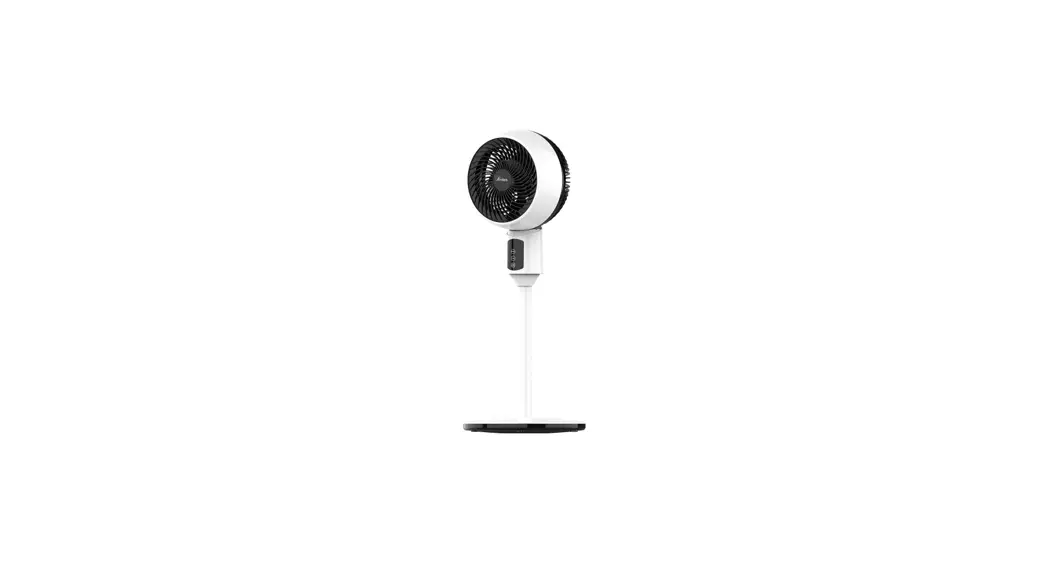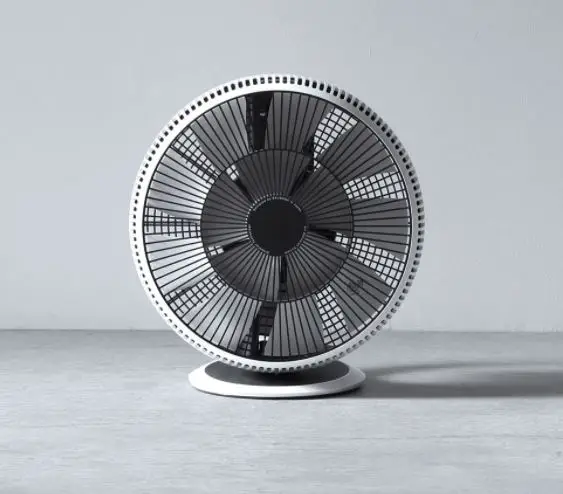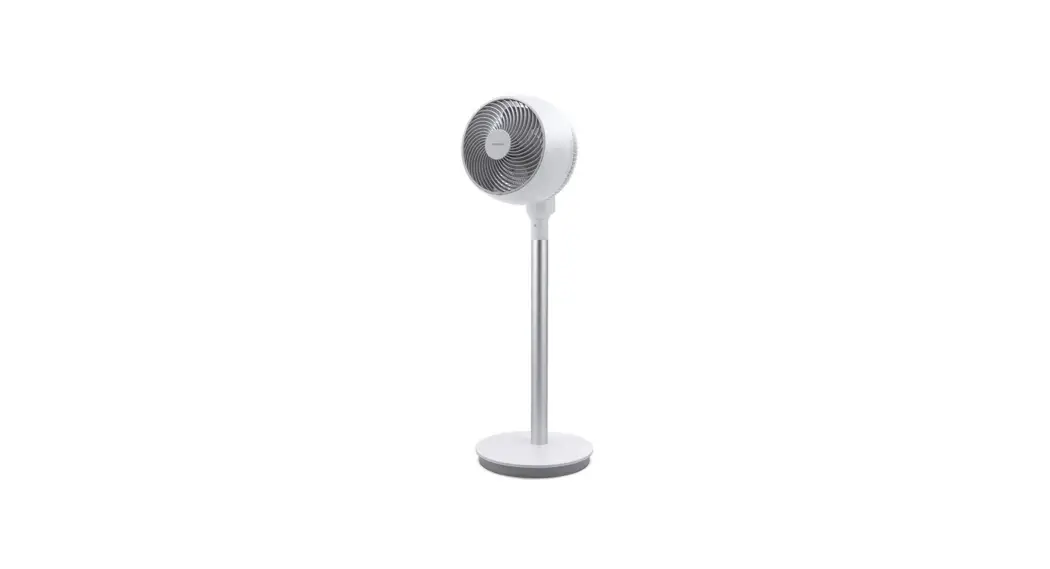
 COZY Series
Air Circulator Fan
User Manual
Model: AF551-20W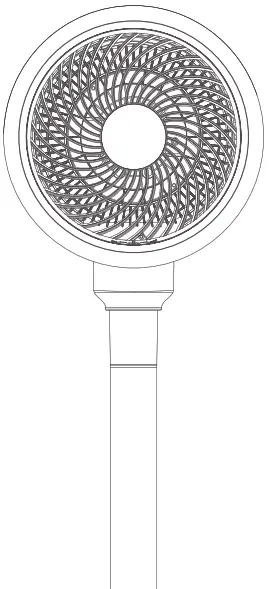 Model: AF551-20W
Safety Instructions
 This product is for home and office This product is for home and officeDo not use it for other purposes. | Before using, check the AC adapter and its plug for damage. To avoid poor contact. do not twist or pull the AC adapter. |
| Before using, please check if the voltage on your power socket is compatible with the voltage label on the product | Turn off the power before pulling out the plug. Do not touch the AC adapter with wet hands to avoid risks of electric shock. |
| This product can only be powered by the failures included AC adapter, to avoid product or fires. | Attend to your children and make sure that they do not tamper with the product. |
| If you need to disassemble the product, make sure that the power is turned off and the AC adapter is unplugged. |  Do not store the button cell battery of the remote control in places within reach of infants to prevent it from being swallowed accidentally. If swallowed. please consult a doctor immediately. Do not store the button cell battery of the remote control in places within reach of infants to prevent it from being swallowed accidentally. If swallowed. please consult a doctor immediately. |
| To avoid product damage, do not use the product in a place where foreign objects may be sucked into the circulation fan, such as curtains. | Do not use the product without assembling and do not insert hands or pointed objects into the circulation fan guard to avoid injuries. Do not let children play with parts of the packages (such as plastic bags). |
| Do not hang clothes on the circulation fan guard and do not use the product on unstable surfaces or in places with obstacles. If you need to place the product on a stand, make sure that it is secured so that it won’t fell off the stand in case of earthquakes or other emergencies. | This product is not intended for use by persons (including children) with reduced physical. sensory or mental capabilities, or lack of experience and knowledge. unless they are using it in a safe manner and under the supervision of their guardian. Do not continuously to blow the baby or the patient directly for a long time. |
| Do not spray volatile agents. insecticides or other liquids on the product. | Do not use the product in high temperatures (higher than 40’C), highly humid places (such as bathrooms) or dusty places. Do not use the product where acid. alkali or oil is stored. |
| If the product is not used for long periods of time, please unplug the AC adapter. More specifically. please turn off the power and unplug the AC adapter immediately in the event of emergencies such as thunderstorms, lightning, earthquakes or fires. | The The product only requires general external cleaning. Do not use cleaning tools with rough surfaces and do not rinse the product directly with water. The fan shall be used for temperate climates and tropical climates. |
| If the product is accidentally immersed in water, please stop using it immediately and contact customer service. | If the product is operand abnormally, such as giving off noise. smoke. or odors. please turn off the power and unplug the product immediately and contact customer service. |
| Do not repair or modify the product unless you are an authorized repair technician of the company. If the AC adapter is damaged, it must be replaced by an authorized repair technician to avoid dangers. | For customer service contact information, please see the company information at the end of this manual. |
Product Introduction and Product Overview
Product Introduction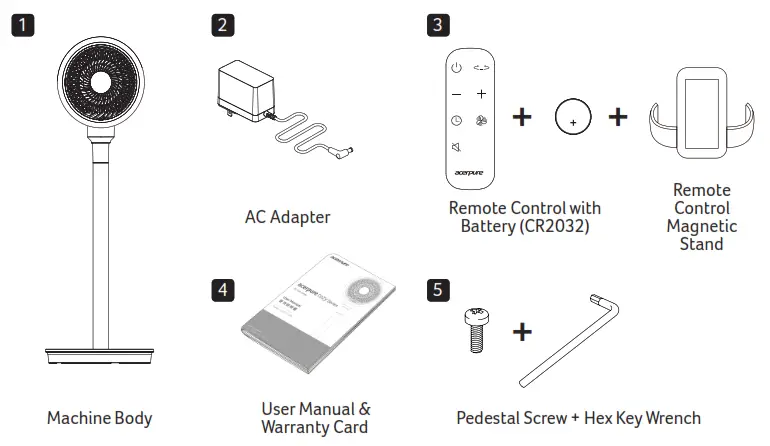
Product Overview
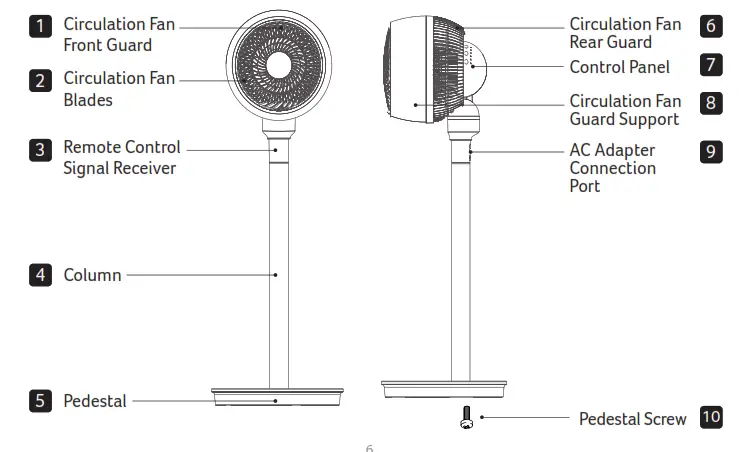
Product Assembly and Use
Product Assembly
Before using, please follow the steps below to assemble the product and keep the packaging materials properly for future storage use.
Assembling the pedestal
Insert the column into the center hole of the pedestal, attach the pedestal screw onto the pedestal and then use the included hex key wrench to tighten the screw.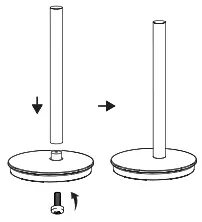
Assembling the circulation fan
Attach the circulation fan to the column and the product assembly is complete.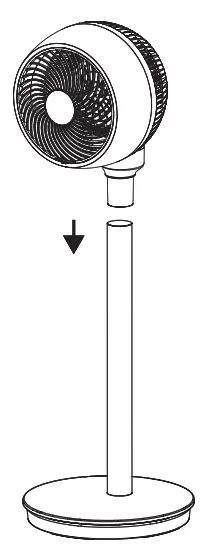
Connecting the AC adapter
Plug the power supply unit into the AC adapter connection port of the product and turn on the power to start using the product.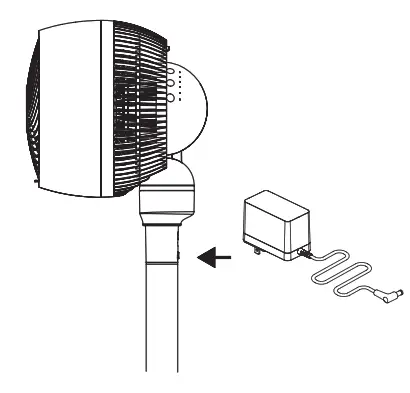 Adjusting the vertical angle of the fan
The product can be adjusted in a vertical range of 0–90° to suit your needs. You can directly adjust the angle with your hands.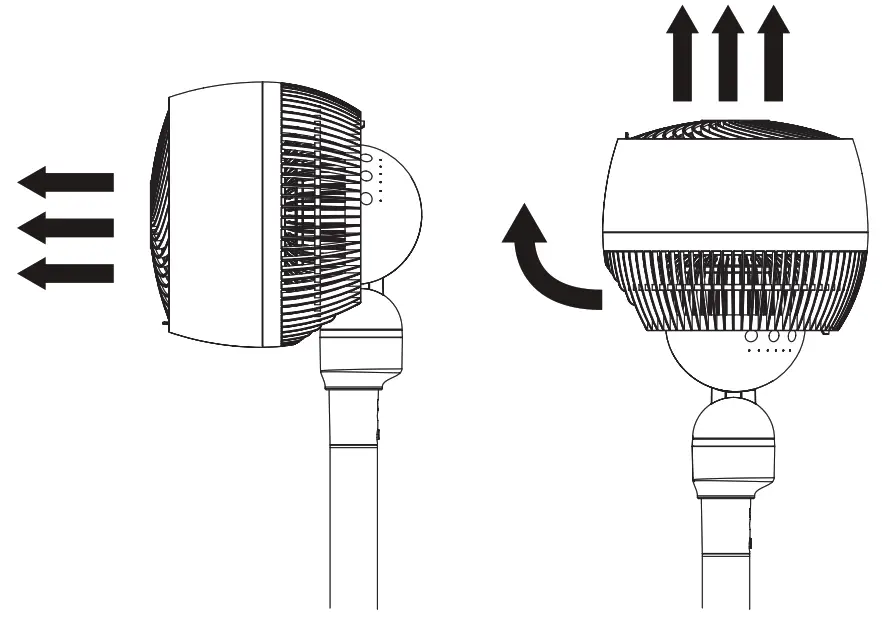
Installing the remote control battery
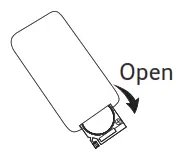 | 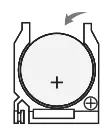 | 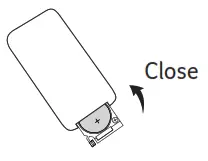 |
| 1. Gently press the button on the left side and pull down the battery case to take it out. | 2. Place the battery such that the positive pole (+) faces upwards. | 3. Place the battery case back into the slot and fix it into place. |
Battery use precautions
- Do not store the battery in places within the reach of children or infants. If accidentally swallowed, please consult a doctor immediately.
- If the fluids leaking out of the battery come into contact with the eyes, do not rub the eyes. Rinse thoroughly with clean water and consult a doctor immediately. Please note that this may lead to vision loss.
- If the fluids leaking out of the battery come into contact with the skin or clothes, rinse with water immediately. Please note that this may lead to stains.
- If you need to dispose of the battery, please follow the local waste sorting requirements (and use clear tape to wrap both the “+” and “-” sides).
Using the remote control
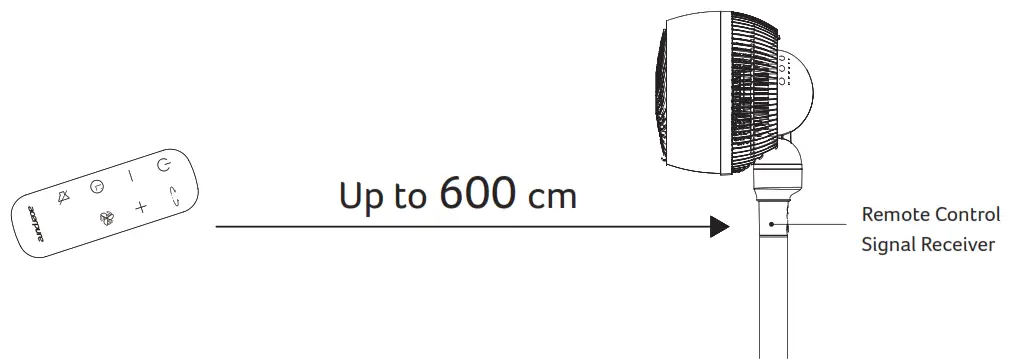
Remote control precautions
- The remote control must face the signal receiver directly.
- The remote control shall be used within a distance of approximately 600cm from the signal receiver and facing towards the signal receiver. If the remote control is not facing towards the signal receiver, the effective distance will be decreased.
- Do not place any objects between the signal receiver and the remote control.
- Please store the remote control properly and avoid crashing or dropping it. Please remove the battery and store it properly when the remote control is not used.
Panel Introduction
Machine control panel
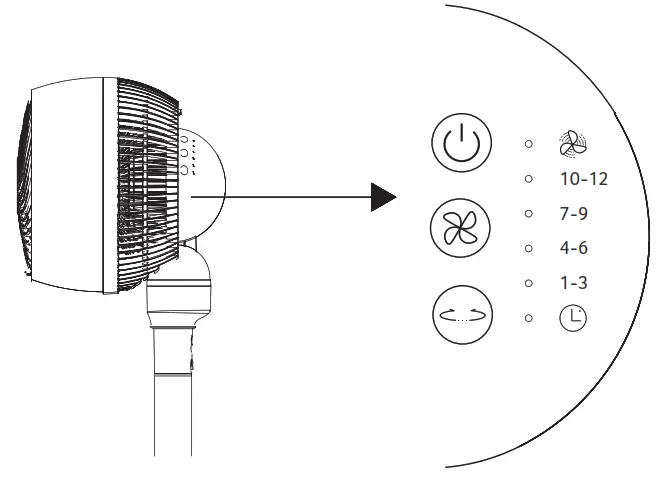
 Power On/Off Power On/OffYou can use this button to power on/ off the product. |  Left and Right Swing Mode Left and Right Swing ModeAllow you to set the product to swing left and right. Press this button again to stop swinging. |
 Circulation Speed Circulation SpeedThe product has 12 different speeds as well as a Turbo mode. You can choose your desired speed or mode according to you needs. |  Timer Mode Timer ModeYou can use the remote control to set the product to start/stop at a given time. The times will be simultaneously displayed on the machine control panel. |
10-12
7-9 The indicator corresponding to your selected speed will be lit up.
4-6 The brightness indicates the speed level.
1-3
 Turbo Mode (You can only use the remote control to switch into this mode)
Remote control panel
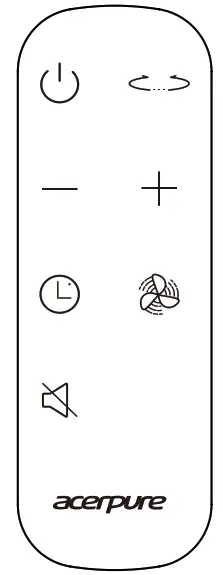
Power On/Off
You can use this button on the remote control to power on/off the product. Left and Right Swing Mode
Press this button on the remote control to set the machine to oscillate horizontally. Press this button again to stop the oscillation. Circulation Speed Increase
You can use this button on the remote control to adjust the circulation speed. Circulation Speed Decrease
You can use this button on the remote control to adjust the circulation speed . Turbo Mode
You can use this button on the remote control to switch into the turbo mode. Timer Mode
You can use the remote control to set the product to start/stop at a given time and use the “+”/”-” buttons on the remote control to adjust the time.
The maximum time range you can set is 12 hours.
Please note that when you are setting up timed start/stop, a flashing indicator on the machine control panel means that you can adjust the time. When the indicator stops flashing and is solid on, it means the timed start/stop is successfully set.
Timed start
When the product is stopped but still powered on, you can press this button to set a time to start the machine.
You can press this button again to cancel the timed start.
Timed stop
When the product is started, you can press this button to set a time to stop the machine. You can press this button again to cancel the timed stop. When the machine is started and there is not a timed stop, the machine will automatically stop working after 24 hours without operation. Silent Mode
When the machine is timed to start, you can press this button to enter the Silent mode. You can press it again to exit the Silent mode.
Maintenance and Disassembly
Maintenance
The product only requires general external cleaning (as shown). Do not use thinners, toluene, acid agents, lamp oil, alcohol or chemical wipes to clean the product to avoid discoloration or degradation. Please note that the product must not be powered on or stored away after maintenance or cleaning until it has been fully dried. If you need to put away the product, please put it in the packaging box and properly store in a dry place.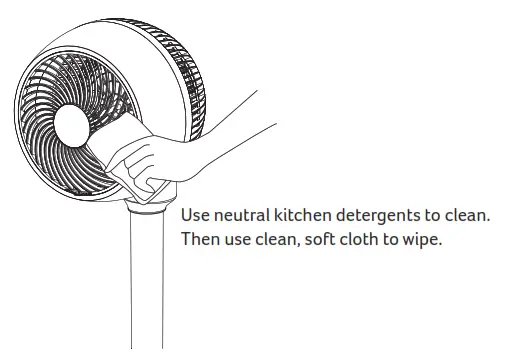
Disassembly of the circulation fan
Before disassembling the circulation fan guard, make sure that the product has been powered off.
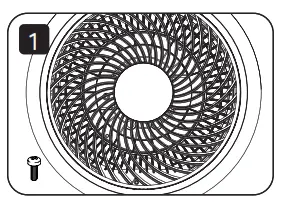 | 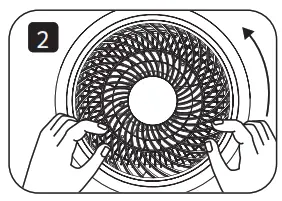 | 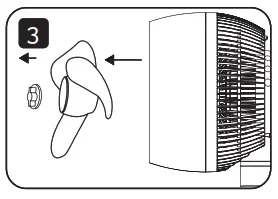 |
| 1. Drive out the screw at the bottom of the circulation fan front guard. | 2. Rotate the front guard counterclockwise. | 3. Back out the front guard and remove the circulation fan blades. |
Before Contacting Customer Service
If you find a problem with the product, please check the following tips before contacting customer service.
| Problem | Possible Cause | Solution |
| The product fails to start. | The power supply unit may not be plugged into the power outlet. | Make sure that the power supply unit is properly plugged into the power outlet. |
| The circulation fan fails to run after the product is started. | There may be foreign objects stuck in the circulation fan. | Please remove the foreign objects from the circulation fan guard. |
| The noise is unusually big | Dust may have accumulated in the circulating fan. | Please clean the circulating fan guard. |
| There may be foreign objects stuck in the circulation fan. | Please remove the foreign objects from the circulation fan guard. | |
| The floor or desktop where the product is placed may be uneven. | Please place the product on an even surface or desktop. | |
| The circulation fan blades may not be properly fitted on the motor shaft. | Please properly fit the circulation fan blades on the motor shaft. | |
| The remote control fails to work. | The battery may be dead. | Please replace the battery. (Applicable model: CR2032) |
| The remote control may not be facing towards the product straight. | Please change a position and face the remote control straight towards the signal receiver. |
Product Specifications
Air Circulation Fan Specifications | |
| Product name | Air Circulator Fan |
| Product model | AF551-20W |
| Rated voltage/rated power | DC24V⎓/25W |
| Net weight | 3.92 kg |
| Product dimensions | 333.4 × 333.4 × 1000 mm |
| Country of origin | China |
| AC Adapter Specifications | |
| Rated voltage/rated frequency | 100-240V–50/60Hz |
| Output voltage | DC24V⎓ |
The appliance is only to be used with the power supply unit provided with the appliance. The appliance must only be supplied at safety extra low voltage.
Company Info
www.acerpure.com
 acerpure.com