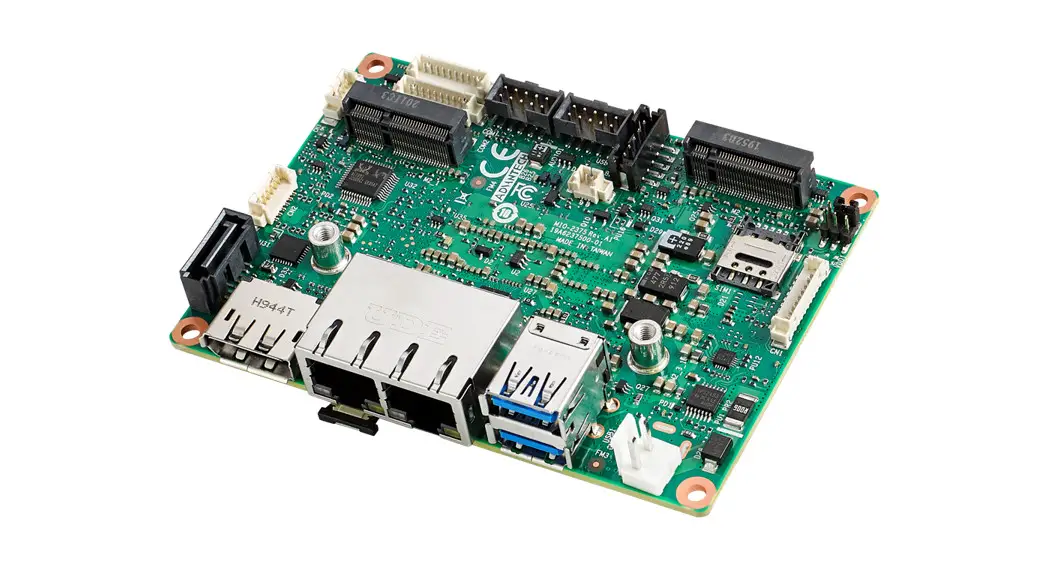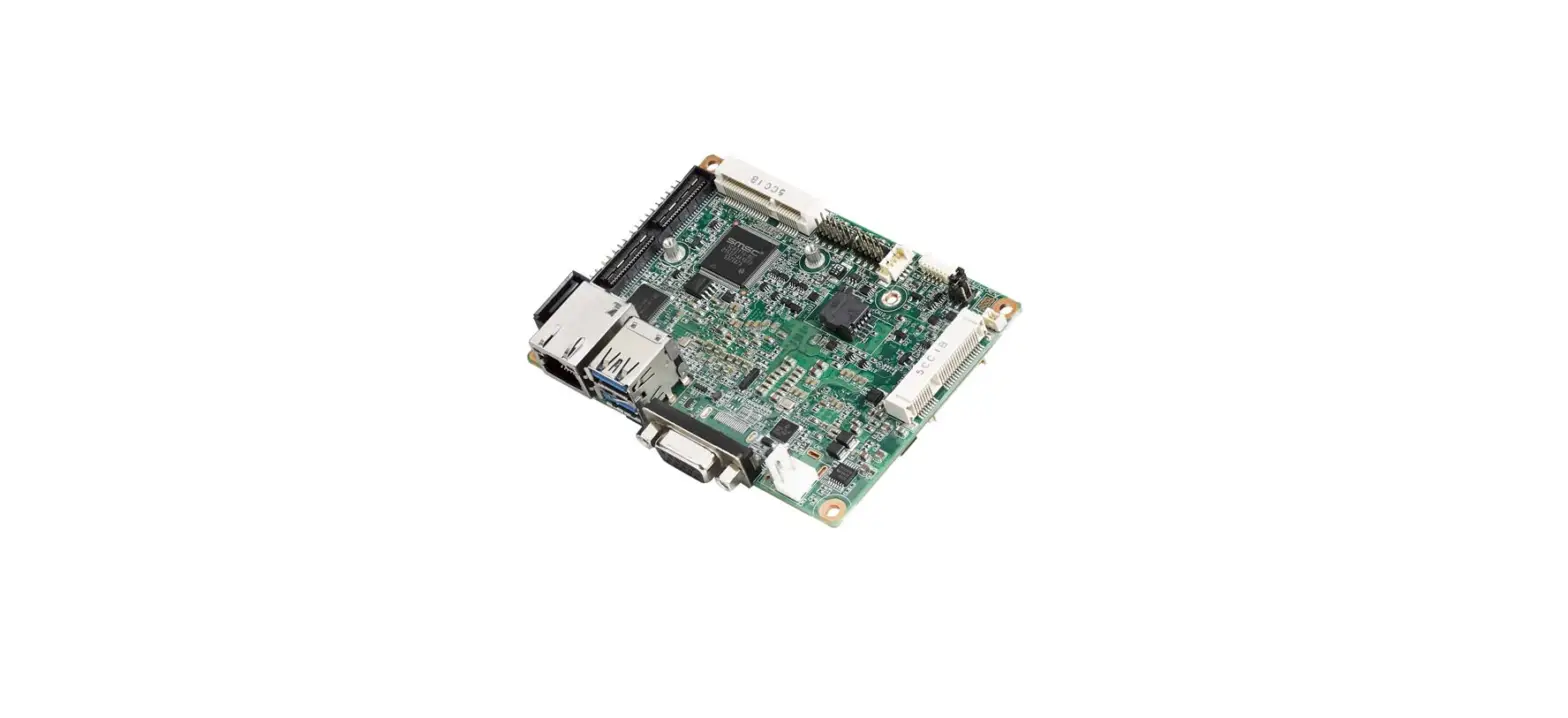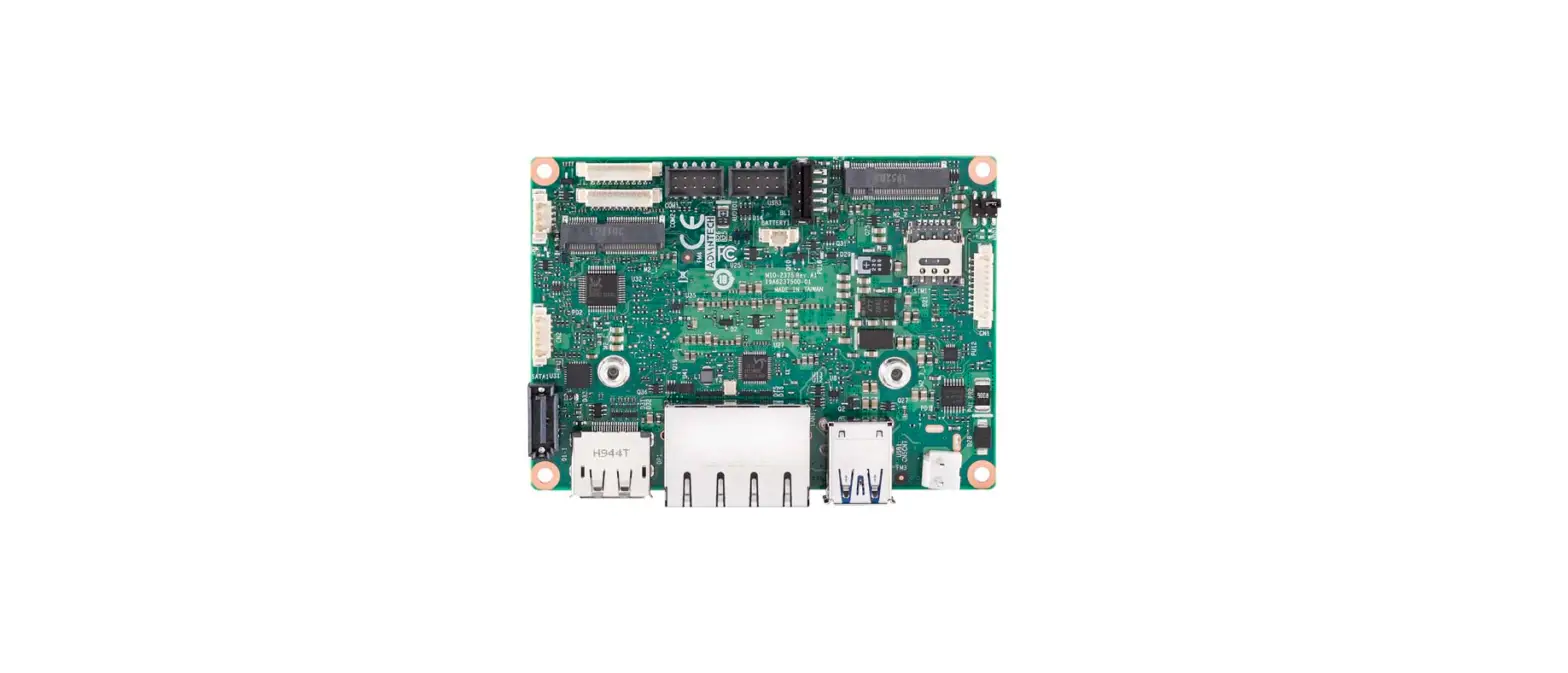

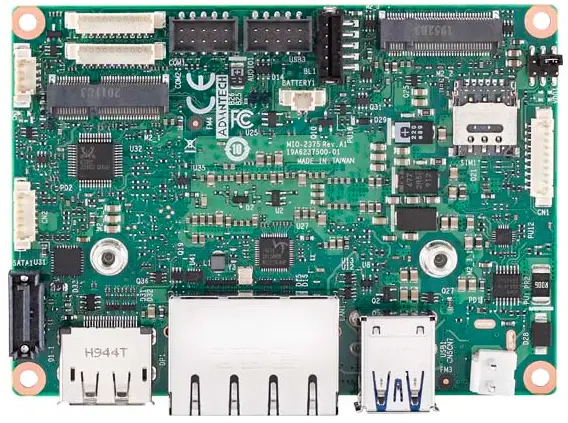
ADVANTECH MIO-2375 Board Computers
Packing List
Before card installation, check that the following items are included in your shipment:
- 1 x MIO-2375 single-board computer
- 1 x Startup manual
- 1 x SATA cable
- 1 x Audio cable
- 2 x COM cable
- 1 x SATA power cable
- 1 x USB cable
- 1 x AT power cable
- 1 x Cooler (heatsink)
- 1 x Screw kit (4 x standoffs)
- 1 x DeviceOn package
If any of the above items are missing or damaged, contact your distributor or sales representative immediately.
Note 1: For more information regarding MIO-2375, refer to the Advantech website for further information.
Note 2: Acrobat Reader is required to view any PDF
Specifications
General
- CPU:
- Intel® i7-1185G7E/1185GRE quad-core, base frequency 1.8 GHz, max. turbo frequency 4.4 GHz
- Intel® i5-1145G7E quad-core, base frequency 1.5 GHz; max. turbo frequency 4.1 GHz
- Intel® i3-1115G4E dual-core, base frequency 2.2 GHz; max. turbo frequency 3.9 GHz
- System Memory
- Dual-channel, onboard LDDR4x @ 4267 MHz, up to 32 GB
- Cache
- Intel® i7-1185G7E/1185GRE: 12 MB
- Intel® i5-1145G7E: 8 MB
- Intel® i3-1115G4E: 6 MB
- BIOS: AMI uEFI 256 Mbit
- Watchdog Timer: 255 timer intervals, programmable via software; multi-level WDT (configured via iManager)
- Battery: Lithium 3 V/210 mAH
- Audio: High definition (HD) audio, Line-In, Line-Out, Mic-In
Expansion Interface
- 1 x M.2 B-Key 2242/3042 (M-Key available upon request)
- 1 x M.2 E-Key 2230
Display
- Controller: Intel® Iris® Xe Graphics
- Maximum Resolution:
- Display Port: DP 1.4 (DP++), up to 4096 x 2304 x 36 bpp @ 60 Hz; with DSC 7680 x 4320 x 30 bpp @ 60 Hz
- Embedded DisplayPort: eDP 1.4 HBR3, up to 4096 x 2304 x 36 bpp @ 60 Hz; with DSC 7680 x 4320 x 30 bpp @ 60 Hz
- Optional MIPI-DSI: MIPI-DSI 2.5 GHz, up to 3200 x 2000 x 24 bpp @ 60 Hz; with DSC 5120 x 3200 x 24 bpp @ 60 Hz
- Dual Display: DP + eDP/MIPI-DSI
Ethernet Interface
- Speed: 10/100/1000 Mbps
- Controller: GbE1 – Intel i219, GbE2 – Intel i210-AT
Mechanical and Environmental
- Dimensions: 100 x 72 mm/3.9 x 2.8 in
- Power Supply Type: Supports ACPI
- Power Requirements: +12 V ± 10% (supports 2-pin AT power connector and DC jack as a default)
- Operating Temperature: 0 ~ 60 °C/32 ~ 140 °F Extended: -40 ~ 85 °C/-40 ~ 185 °F
- Weight: 0.26 kg/0.57 lb
Jumpers and Connectors
The board features several jumpers that allow the system to be configured according to the application. The function of each jumper and connector is listed below..
| Jumpers | |
| Label | Function |
| SW1 | Automatic Power On Setting |
| VDD1 | LCD Power Setting |
| Connectors | |
| Label | Function |
| CN1 | Front panel |
| CN2 | GPIO |
| CN3 | I2C |
| CN4 | FAN |
| CN5 | DC power in |
| Battery1 | RTC battery |
| EDP1 | eDP |
| BL1 | Inverter power output |
| DP1 | DP++ |
| USB1 | USB2.0+3.2 |
| USB3 | Internal USB |
| M2_1 | M.2 E-key |
| M2_2 | M.2 B/M-key |
| SIM1 | Nano SIM |
| LAN1 | RJ45_2x1_W/XFMR&LED |
| SATA1 | SATA_7V |
| Audio1 | Audio |
| COM1 | COM1 |
| COM2 | COM2 |
Jumpers and Connectors (Cont.)
| SW1 | Automatic Power On Setting |
| Setting | Function |
| (1-8) on | AT mode (default) |
| (1-8) off | ATX mode |
| (3-6) on | Clear CMOS |
| (3-6) off | Normal (retain CMOS) |
| (2-7) (4-5) | Test only |
Load BIOS Defaults
- Step 1: Power off the device
- Step 2: Move the DIP switch from Position 3 to 6, then power on the device
- Step 3: Access the BIOS and load default settings (do not clear time or clear CMOS) Pop out to remind users to shut the device down and move the DIP switch from Position 6 to 3.
- Step 4: Restart the device
Clear CMOS
Remove the battery (battery 1) The system will stop for 3 seconds, show checksum errors, and clear time settings.
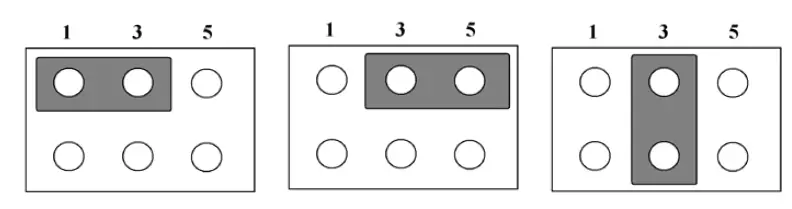
| VDD1 | LCD Power |
| Setting | Function |
| (1-3) | +3.3V (default) |
| (3-5) | +5V |
| (3-4) | +12V |
Caution: The computer is provided with a battery-powered real-time clock circuit. Batteries are at risk of ex-ploding if incorrectly replaced. Replace only with same or equivalent type as recommended by the manufacturer. Discard used batteries according to manufacturer’s instructions.
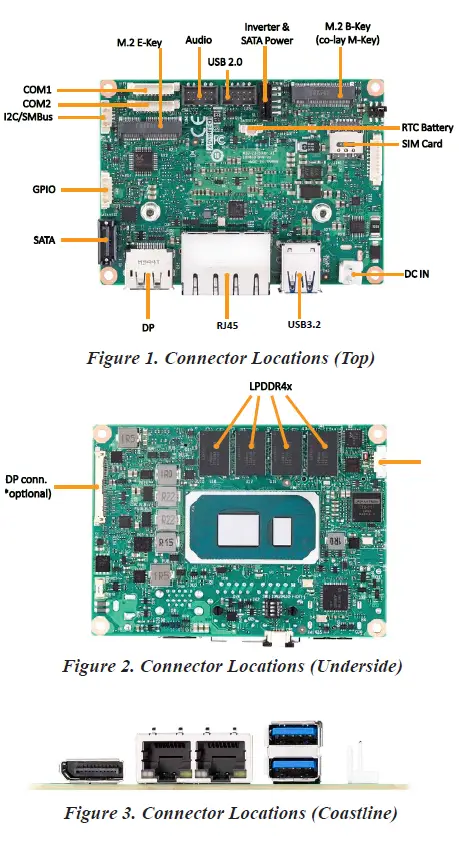
Connector Locations
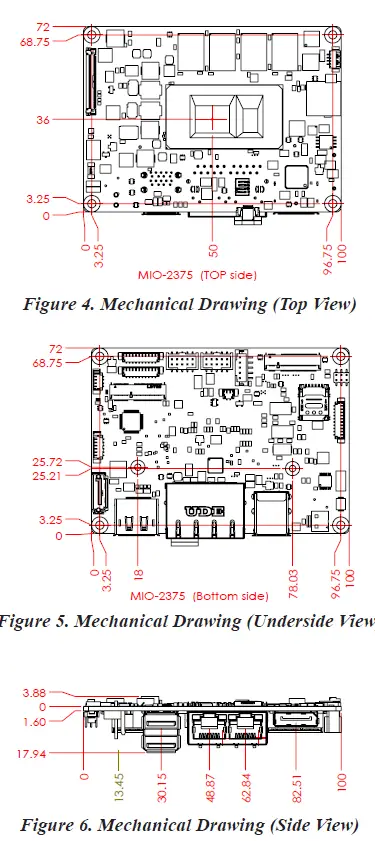
Mechanical Drawings
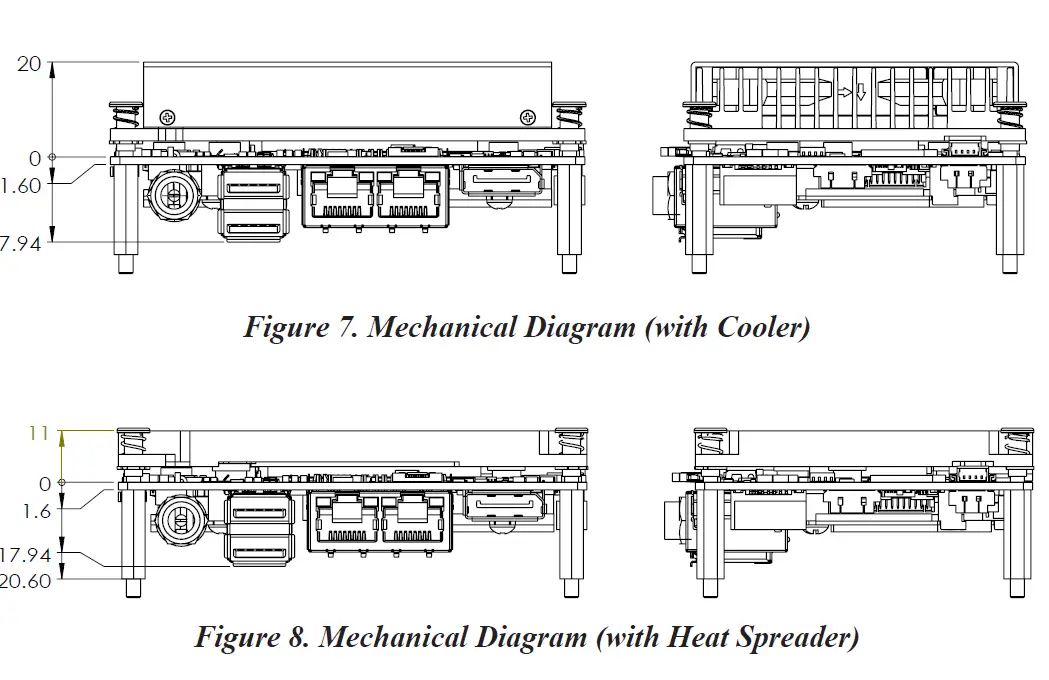
Quick Installation Guide
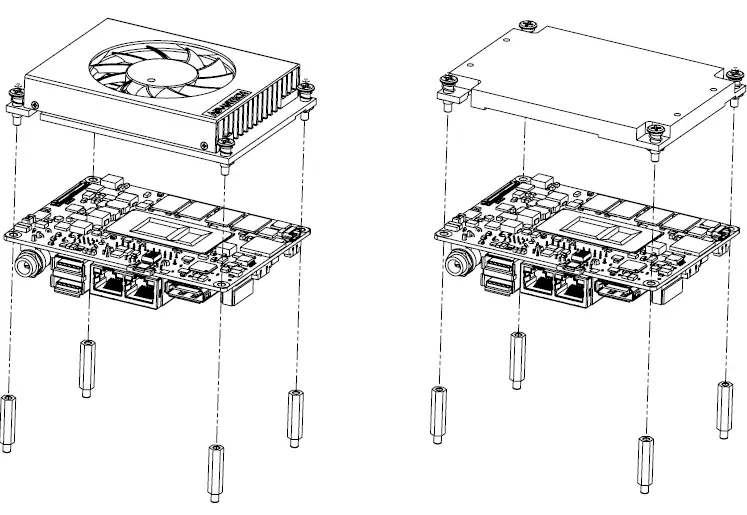
Retreive the cooler/heatspreader from the accessory box. Remove the release paper from the thermal pads.
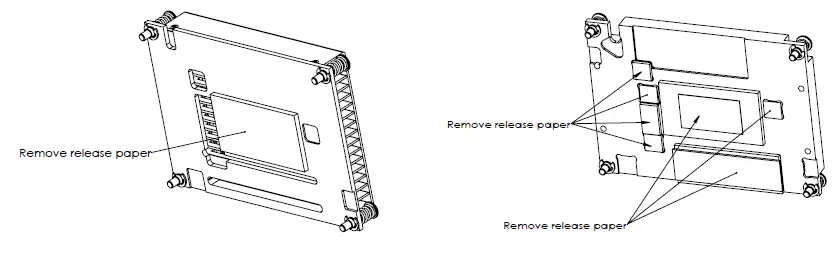
Retreive the 4 x standoffs from the accessory box. Install the cooler/heatspreader according to the illustrations provided below.
 Adobe - Download Adobe Acrobat Reader DC
 Online Support - Advantech
 Advantech Co-Creating the Future of the IoT World