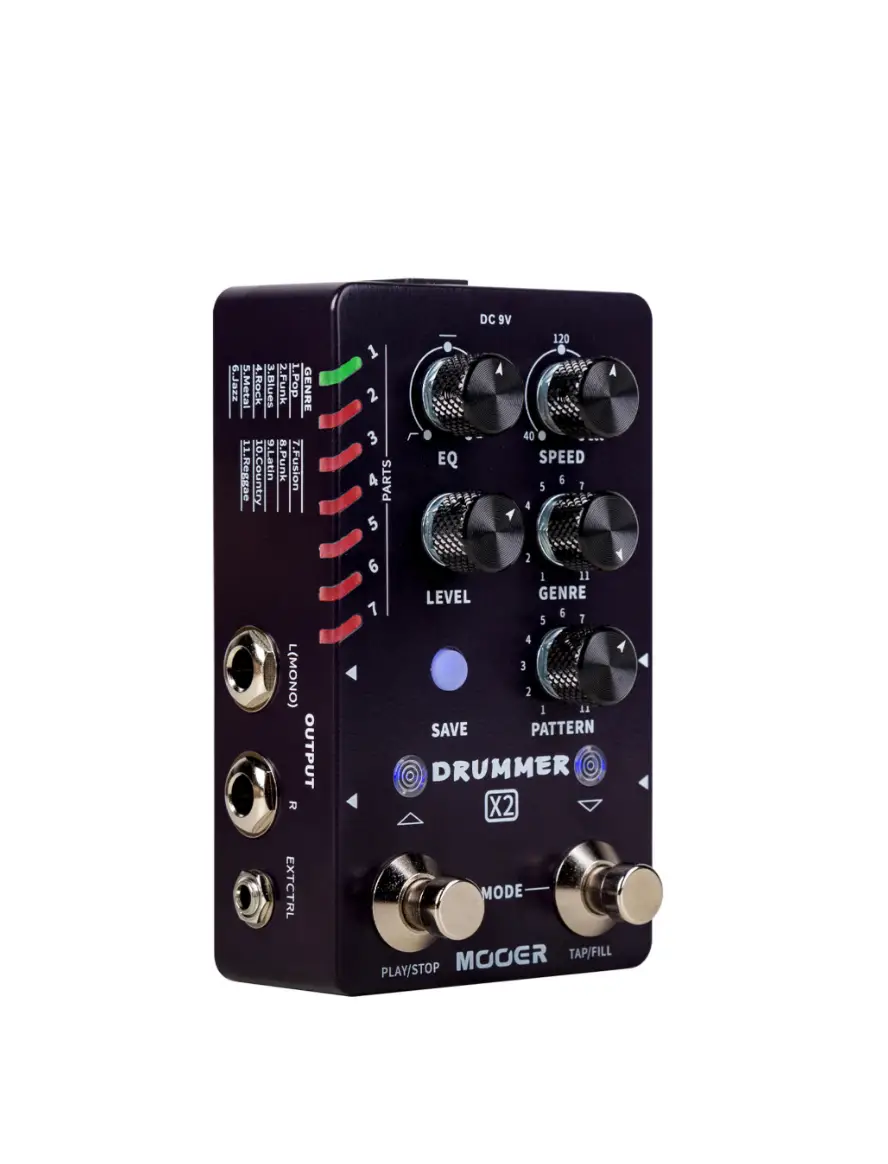
MICRO DRUMMER Digital Drum Machine
Product Information: MicroDrummerII
MicroDrummerII is a drum machine that captures audio samples
from a real drum set. It has 6 different music types, 8 different
rhythm types for each, and a total of 48 grooves. The machine has a
fill function for adding variation during play and a tap tempo
function for speed setting. It also has two different EQ presets
for different situations.
Precautions:
Before proceeding, please read the following precautions
carefully:
- Connect only the designated AC adapter to an AC outlet of the
correct voltage. Be sure to use an AC adapter which supplies 9VDC,
120mA. - Unplug the AC power adapter when not in use or during
electrical storms. - To avoid deformation, discoloration, or other serious damage,
do not expose this unit to radio frequency interference. Operate
this unit at a suitable distance from radios and televisions. - Clean only with a soft, dry cloth. If necessary, slightly
moisten the cloth. Do not use abrasive cleanser, cleaning alcohol,
paint thinners, wax, solvents, cleaning fluids, or
chemical-impregnated wiping cloths.
Product Usage Instructions:
1. Preparation
Connect the power cord to the device and set up your instrument,
amplifier, and effects. Adjust the EQ to the 12 o’clock position
and adjust the LEVEL to the minimum position.
2. Play/Stop
Press the footswitch to play the drum machine and rotate the
LEVEL knob to adjust the volume level of the drum machine. Press
the footswitch again to stop.
3. Select a Groove
MicroDrummerII has 6 different groove styles, each style
includes 8 different rhythm types. Toggle the switch to select
between those styles. Then rotate the PATTERN to select a rhythm
type.
4. Speed
There are two methods to set up the speed:
- Rotate the EQ/SPEED to adjust the speed. The 12 o’clock
position is for 120 bpm. You can adjust it from 40 bpm to 260
bpm. - TAPTEMPO. Press and hold the footswitch to activate TAPTEMPO
function. The button LED will blink in RED. Then you can press the
footswitch three times to set up the speed of drum machine. The
TAPTEMPO mode will quit after being idle for 3 seconds. The button
LED will blink in RED/BLUE to indicate the speed value.
5. Add Variation Manually (Fill)
MicroDrummerII has 48 different rhythm grooves, and each of them
has a unique variation (Fill). The variation will not be activated
during normal playing. Press the right footswitch (TAP/FILL) during
drum machine playing to add variation (Fill). After the variation
finishes, the drum machine will go back to the main rhythm for
play.
Notes: Details of the variation: You can add the variation
in any beat of any bar the during drum machine is playing. The
playing timing of variation depends on the adding timing. For
example, in the 4/4 time signature, you can add a variation on the
third beat of any bar.
Rhythm List:
The following is the list of groove styles and rhythm types
available in MicroDrummerII:
| Genre | Pattern | Time Signature |
|---|---|---|
| Pop/Rock | 1 | 4/4 |
| 2 | 4/4 | |
| 3 | 4/4 | |
| 4 | 4/4 | |
| 5 | 4/4 | |
| 6 | 3/4 | |
| 7 | 6/8 | |
| 8 | 6/8 | |
| Funk/Blues | 1 | 4/4 |
| 2 | 4/4 | |
| 3 | 4/4 | |
| 4 | 4/4 | |
| 5 | 4/4 | |
| 6 | 4/4 | |
| 7 | 3/4 | |
| 8 | 6/8 | |
| Metal/Jazz | 1 | 4/4 |
| 2 | 4/4 | |
| 3 | 4/4 | |
| 4 | 4/4 | |
| 5 | 4/4 | |
| 6 | 4/4 | |
| 7 | 3/4 | |
| 8 | 2/4 |
Specifications:
- Num. of groove: 48 grooves
- Speed range: 40 bpm – 240 bpm
- Sample rate/sample depth: 44.1kHz/24Bit
- Input: 1/4 mono audio input jack (impedance value 470kohm)
- Output: 1/4 mono audio output jack (impedance value
100ohm) - Power supply: 9V 120mA, center negative
- Dimension: 93.5mm(D)*42mm(W)*52mm(H)
- Weight: 157g
- Accessories: Owner’s manual
Owner’smanual
Content
Precautions—————————————————————————————-01 Features——————————————————————————————–02 Top panel————————————————————————————-03-04 Instructions———————————————————————————————–05-07 Rhythm List——————————————————————————————-08 -Specification————————————————————————————–09
Precautions
PLEASEREADCAREFULLYBEFOREPROCEEDING
PowerSupply PleaseconnectthedesignatedACadaptertoanACoutletofthecorrectvoltage.Besuretoonly useanACadapterwhichsupplies9VDC,120mA.UnplugtheACpoweradapterwhennotinuseor duringelectricalstorms.
Location Toavoiddeformation,discoloration,orotherseriousdamage,donotexposethisunittothe followingconditions:
·Directsunlightorotherheatsources·Magneticfields ·Excessivelydustyordirtylocations·Strongvibrationsorshocks ·Highhumidityormoisture
RadioFrequencyInterference Radiosandtelevisionsplacednearbymayexperiencereceptioninterference.Operatethisunitat asuitabledistancefromradiosandtelevisions.
Cleaning Cleanonlywithasoft,drycloth.Ifnecessary,slightlymoistenthecloth.Donotuseabrasive cleanser,cleaningalcohol,paintthinners,wax,solvents,cleaningfluids,orchemical-impregnated wipingcloths.
01
Feature
Audiosamplecapturedfromtherealdrumset; 6differentmusictypes,8differentrhythmtypesforeach,48groovesintotal; FILLfunctionforaddingvariationduringplay; TAPTEMPOfunctionforspeedsetting TwodifferentEQpresetsfordifferentsituations
02
TopPanel
04
03
02 08
01
09
06 05
07
03
01Footswitch ControlsthePLAY,STOP,FILL,TAPTEMPOfunctions. 02LEDbutton Indicatethespeedofthetaptempo,thetimesignatureofthebeat,andtheOn/OffofFILL. 03PATTERN Rotatetoselectbetween16rhythmtypes. 04LEVEL LEVEL:Rotatetoadjustthevolumelevelofthedrummachine. 05EQ/SPEED AdjusttheEQ/SPEEDofthedrummachine. 06Rhythmtype 3-waytoggleforswitchingthedrummachinestyle. 07Input ¼”monoaudioinputjack,connectstotheguitarorothereffects. 08Output ¼”monoaudiooutputjack,connectstotheguitaramplifier. 09DCIN Connectto9Vandatleast120mAcurrentdraw(centernegative)powersupply.
04
Instructions
1.Preparation Connectthepowercordtothedevice,setupyourinstrument,amplifier,andeffects. AdjusttheEQtothe12o’clockposition. AdjusttheLEVELtotheminimumposition.
2.Play/Stop PressthefootswitchtoPLAYthedrummachine,rotatetheLEVELknobtoadjustthevolume levelofthedrummachine;pressthefootswitchagaintoSTOP.
3.Selectagroove MicroDrummerIIhas6differentgroovestyles,eachstyleincludes8differentrhythmtypes.
Toggletheswitchtoselectbetweenthosestyles. Slot1:Pop/Rock Slot2:Funk/Blues Slot3:Metal/Jazz ThenrotatethePATTERNtoselectarhythmtype.
05
4.Speed Therearetwomethodstosetupthespeed: 1.RotatetheEQ/SPEEDtoadjustthespeed.The12o’clockpositionisfor120bpm,youcanadjust itfrom40bpmto260bpm. 2.TAPTEMPO.PressandholdthefootswitchtoactivateTAPTEMPOfunction,thebuttonLEDwill blinkinRED.Thenyoucanpressthefootswitchthreetimestosetupthespeedofdrum machine.TheTAPTEMPOmodewillquitafterbeingidlefor 3seconds.ThebuttonLEDwillblinkinRED/BLUEtoindicatethespeedvalue.
5.Addvariationmanually(Fill) MicroDrummerIIhas48differentrhythmgrooves,andeachofthemhasauniquevariation(Fill). Thevariationwillnotbeactivatedduringnormalplaying.Presstherightfootswitch(TAP//FILL) duringdrummachineplayingtoaddvariation(Fill),afterthevariationfinishes,thedrum machinewillgobacktothemainrhythmforplay. Notes:Detailsofthevariation.Youcanaddthevariationinanybeatofanybartheduringdrum machineisplaying.Theplayingtimingofvariationdependsontheaddingtiming.Forexample, inthe4/4
06
rhythmtype,addvariationinthesecondbeatofanybar.thenthecurrentbarwillbe1beatofthe mainrhythmand3beatsofvariation(Fill).Ifyouwouldliketoaddthevariation(Fill)afterthe timethat¾bariscomplete,thevariationwillbeaddedtothenextbarforplay. 6.DrummachineEQadjustment PressandholdthebuttonLEDwhilerotatingtheEQ/SPEEDknobtoadjustthedrummachineEQ. The12o’clockpositionforEQOff.RotatetotheleftsideforLOW-CUT,whichisusedforlow -frequencycuttingwhileconnectingtotheFRFRdevice.RotatetotherightsideforHigh -FrequencyEnhancing,whichisusedforhighfrequencyenhancingwhileconnectingtoanFRFR device. Notes:TheEQsettingwillbestoredevenafterthepedalispoweredoff.Sometimesyouneedto rotatetheEQknobalittlebittorefreshtheEQvalue.
07
RhythmList
GENREPATTERNTIMESIG GENREPATTERNTIMESIG
1
4/4
1
4/4
2
4/4
2
4/4
3
4/4
3
4/4
1.POP
4
4/4
2.ROCK
4
4/4
5
4/4
5
4/4
6
3/4
6
4/4
7
6/8
7
4/4
8
6/8
8
6/8
GENREPATTERNTIMESIG GENREPATTERNTIMESIG
1
4/4
1
4/4
2
4/4
2
4/4
3
4/4
3
4/4
3.FUNK
4
4/4
4.BLUES
4
4/4
5
4/4
5
4/4
6
4/4
7
3/4
8
6/8
6
4/4
7
6/8
8
6/8
GENREPATTERNTIMESIG GENREPATTERNTIMESIG
1
4/4
1
4/4
2
4/4
2
4/4
3
4/4
3
4/4
5.METAL
4
4/4
6.JAZZ
4
4/4
5
4/4
5
4/4
6
4/4
6
4/4
7
3/4
7
4/4
8
6/8
8
2/4
08
Specifications
Num.ofgroove:48grooves Speedrange:40bpm-240bpm Samplerate/sampledepth:44.1kHz/24Bit Input:1/4″monoaudioinputjack(impedancevalue470kohm) Output:1/4″monoaudiooutputjack(impedancevalue100ohm) Powersupply:9V120mA,centernegative Dimension:93.5mm(D)*42mm(W)*52mm(H) Weight:157g Accessories:Owner’smanual
*Disclaimer:Parameterupdateswillnotbenotifiedseparately. 09
SHENZHENMOOERAUDIOCO.LTD
6F,UnitD,JinghangBuilding,Liuxian3rdRoad,
Bao’an71District,Shenzhen,China.518133 MadeinChina