
PS140 User Manual v1.0
DEVICE INITIALIZATION
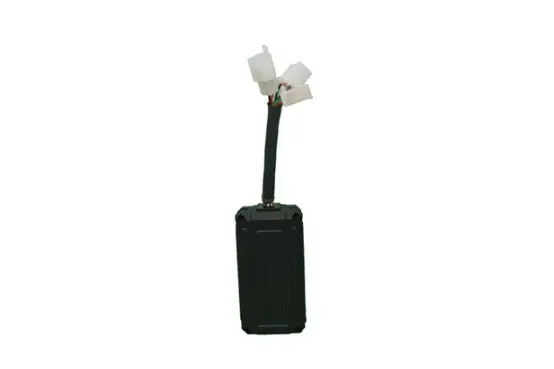
- Connect Main Power & Ignition Input to initialize device.
- Device will take 3 – 5 min to initialize.
- Red LED Indicates that device is ON.
- Blue LED shows GSM status. If it blinks at every 1 sec it means searching for GSM network and if it blinks at 2 sec then device is registered to GSM network.
- Green LED shows GPS status. If GPS fix then it will remain ON otherwise it will keep blinking.
- After device is initialized and GPS is fix, it will start sending packets to server..
IMPORTANT INSTRUCTIONS FOR SMS COMMANDS
- Keep SMS delivery report ON in your mobile phone before sending SMS commands.
- Wait for 60 sec for device response, after the SMS is delivered.
- If there is no response from device in 60 sec then send SMS command again.
- If SMS command is sent, then don’t send next SMS command before 60 sec or device response.
- If SMS not delivered in 60 sec, then send the command again.
OTA SMS COMMANDS
There are 3 types of commands:
- SET Commands: To set device parameter values
- GET Commands: To retrieve device parameter values
- CLR Commands: To clear device parameters
Format:
SET Command: #<4 digit password>#SET:<parameter id>#<value to set>;
GET Command: #<4 digit password>#GET:<parameter id>#;
CLR Command: #<4 digit password>#CLR:<parameter id>#;
OTA SMS Commands are as below:
| 1 | |
| Device Parameter | Private Server IP Port |
| Description | Main Server IP Port on which customer will have live tracking facility |
| Parameter ID | PIP |
| SET Command | #1234#SET:PIP#192.168.1.1,9001; |
| GET Command | NA |
| CLR Command | NA |
| 2 | |
| Device Parameter | Govt. Server IP Port |
| Description | Govt. Primary Server IP Port for live location data and alerts |
| Parameter ID | GIP |
| SET Command | #1234#SET:GIP#192.168.1.1,9001; |
| GET Command | #1234#GET:GIP# |
| CLR Command | #1234#CLR:GIP# |
| 3 | |
| Device Parameter | Emergency Server IP Port |
| Description | Govt. Emergency Server IP Port for panic alerts |
| Parameter ID | EIP |
| SET Command | #1234#SET:EIP#192.168.1.1,9001; |
| GET Command | #1234#GET:EIP# |
| CLR Command | #1234#CLR:EIP# |
| 4 | |
| Device Parameter | APN |
| Description | Access Point Name for SIM operator |
| Parameter ID | APN |
| SET Command | #1234#SET:APN#airtelgprs.com; |
| GET Command | #1234#GET:APN# |
| CLR Command | #1234#CLR:APN# |
| 5 | |
| Device Parameter | SOS Number |
| Description | Backend Control Centre Mobile Number for SMS Fallback in case of panic alerts and no GPRS connectivity |
| Parameter ID | SOS |
| SET Command | #1234#SET:SOS#9212499082; |
| GET Command | #1234#GET:SOS# |
| CLR Command | #1234#CLR:SOS# |
| 6 | |
| Device Parameter | Vehicle Registration Number |
| Description | Vehicle Number in which device is installed |
| Parameter ID | VRN |
| SET Command | #1234#SET:VRN#DL01CE9898; |
| GET Command | #1234#GET:VRN# |
| CLR Command | #1234#CLR:VRN# |
| 7 | |
| Device Parameter | Logs Interval 1 |
| Description | Data rate in sec when vehicle ignition is ON |
| Parameter ID | LOGS |
| SET Command | #1234#SET:LOGS#20; |
| GET Command | #1234#GET:LOGS# |
| CLR Command | #1234#CLR:LOGS# |
| 8 | |
| Device Parameter | Logs Interval 2 |
| Description | Data rate in sec when vehicle ignition is OFF |
| Parameter ID | LOG2 |
| SET Command | #1234#SET:LOG2#600; |
| GET Command | #1234#GET:LOG2# |
| CLR Command | #1234#CLR:LOG2# |
| 9 | |
| Device Parameter | Health Packet Time Interval |
| Description | Data rate in sec at which health packet will be sent to server |
| Parameter ID | HPTI |
| SET Command | #1234#SET:HPTI#120; |
| GET Command | #1234#GET:HPTI# |
| CLR Command | #1234#CLR:HPTI# |
| 10 | |
| Device Parameter | Emergency Packet Time Interval |
| Description | Data rate in sec at which emergency packet will be sent to server |
| Parameter ID | EPTI |
| SET Command | #1234#SET:EPTI#60; |
| GET Command | #1234#GET:EPTI# |
| CLR Command | #1234#CLR:EPTI# |
| 11 | |
| Device Parameter | Emergency Mode Timeout Duration |
| Description | Time in sec after which emergency mode will be off automatically |
| Parameter ID | EMTD |
| SET Command | #1234#SET:EMTD#120; |
| GET Command | #1234#GET:EMTD# |
| CLR Command | #1234#CLR:EMTD# |
| 12 | |
| Device Parameter | Over Speed Limit |
| Description | Over speed limit in km/hr |
| Parameter ID | OSL |
| SET Command | #1234#SET:OSL#90; |
| GET Command | #1234#GET:OSL# |
| CLR Command | #1234#CLR:OSL# |
| 13 | |
| Device Parameter | Harsh Acceleration Limit |
| Description | Threshold for harsh acceleration in g |
| Parameter ID | HAL |
| SET Command | #1234#SET:HAL#20; |
| GET Command | #1234#GET:HAL# |
| CLR Command | #1234#CLR:HAL# |
| 14 | |
| Device Parameter | Harsh Breaking Limit |
| Description | Threshold for harsh breaking in g |
| Parameter ID | HBL |
| SET Command | #1234#SET:HBL#20; |
| GET Command | #1234#GET:HBL# |
| CLR Command | #1234#CLR:HBL# |
| 15 | |
| Device Parameter | Rash Turn Limit |
| Description | Threshold for rash turn in km/hr |
| Parameter ID | RTL |
| SET Command | #1234#SET:RTL#30; |
| GET Command | #1234#GET:RTL# |
| CLR Command | #1234#CLR:RTL# |
| 16 | |
| Device Parameter | IMEI |
| Description | To get device IMEI number |
| Parameter ID | IMEI |
| SET Command | NA |
| GET Command | #1234#GET:IMEI# |
| CLR Command | NA |
| 17 | |
| Device Parameter | Immobilize ON |
| Description | To Immobilize vehicle engine (Relay at digital output 1 will be ON) |
| Parameter ID | IMON |
| Command | #1234#IMON# |
| 18 | |
| Device Parameter | Immobilize OFF |
| Description | To mobilize vehicle engine (Relay at digital output 1 will be OFF) |
| Parameter ID | IMOF |
| Command | #1234#IMOF# |
| 19 | |
| Device Parameter | Relay 2 ON |
| Description | To turn ON Relay at digital output 2 |
| Parameter ID | R2ON |
| Command | #1234#R2ON# |
| 20 | |
| Device Parameter | Relay 2 OFF |
| Description | To turn OFF Relay at digital output 2 |
| Parameter ID | R2OF |
| Command | #1234#R2OF# |
| 21 | |
| Device Parameter | Restart Device |
| Description | To restart device |
| Parameter ID | RST |
| Command | #1234#RST#0; (To restart normally)
#1234#RST#1; (To erase all logs and restart) |
| 22 | |
| Device Parameter | Other Parameters |
| Description | Some useful device parameters |
| Parameter ID | PAR |
| Command | #1234#PAR# |
| 23 | |
| Device Parameter | Device Settings |
| Description | To get current settings |
| Parameter ID | GCS |
| Command | #1234#GCS# |
 airtelgprs.com