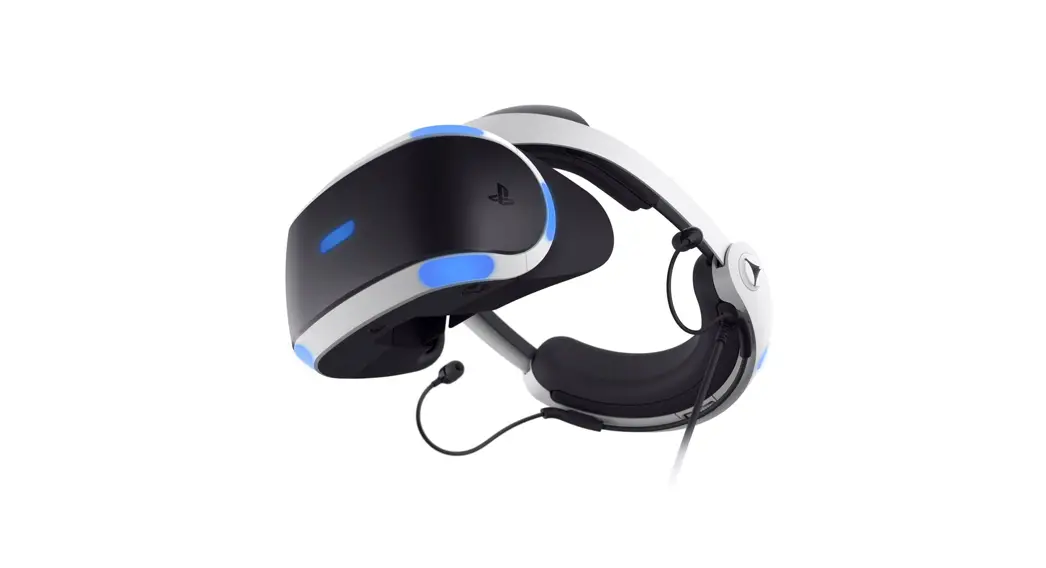
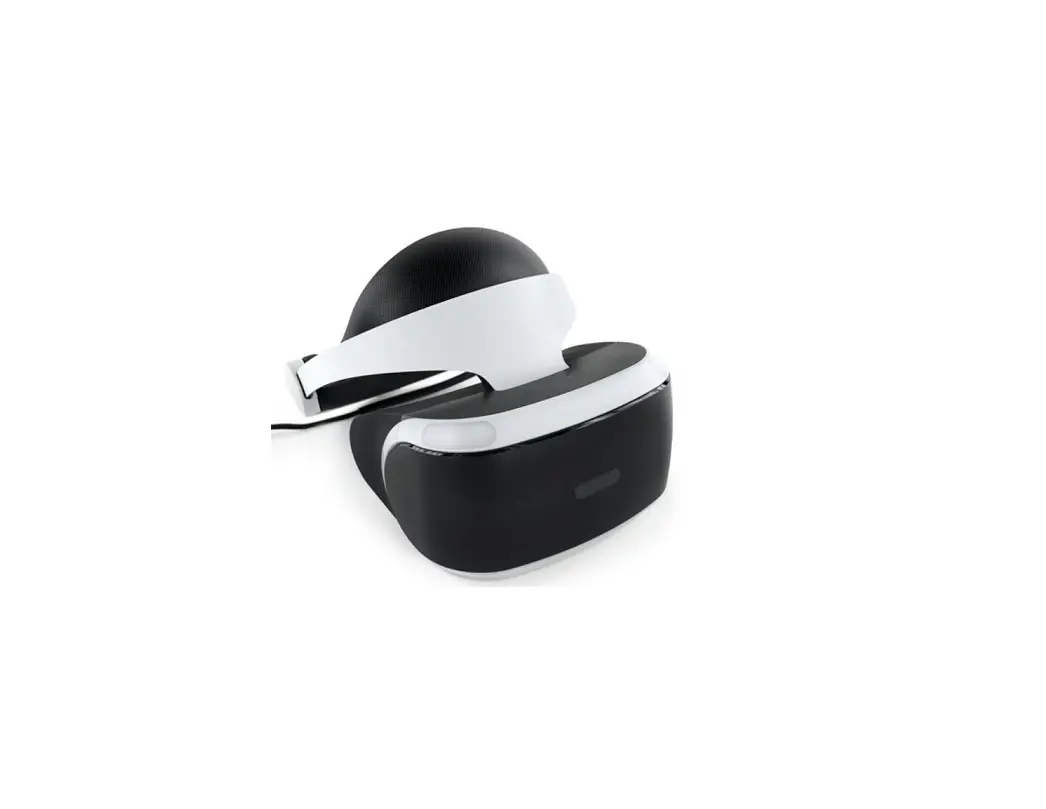
CUH-ZVR2 Playstation
Product Information:
The product is a Virtual Reality (VR) headset, specifically the
CUH-ZVR2 model, manufactured by Sony. It is designed to provide an
immersive gaming experience by displaying virtual reality content
on a VR headset screen. The product comes with a processor unit and
accessories.
The VR headset is subject to specific health and safety
warnings. It is important to discontinue use and consult a doctor
if any health problems or symptoms such as dizziness, altered
vision, eye or muscle twitches, loss of awareness, disorientation,
seizures, or involuntary movement occur. Gameplay should only be
resumed with the approval of a doctor.
The product complies with Part 15 of the FCC Rules and is not
intended to cause harmful interference. It must accept any
interference received, including interference that may cause
undesired operation.
Before using the product, it is recommended to read the
instruction manual and any manuals for compatible hardware.
Instructions for correctly setting up and using the PS VR can be
found in the step-by-step setup video available on the PlayStation
website.
Parents and guardians should ensure that children follow all
safety precautions outlined in the manual.
There are precautions to follow when wearing the VR headset. The
product and its accessories should not be disassembled or modified.
Unauthorized analysis or modification of the product or its circuit
configurations is prohibited due to the risk of fire, electrical
shock, or malfunction.
Moisture condensation can occur inside the VR headset and
processor unit when transitioning from a cold location to a warm
one. In such cases, it is necessary to turn off the VR headset,
unplug the AC power cord, and wait for the moisture to evaporate
before using the product. If issues persist, further assistance can
be obtained from the PlayStation website.
If the VR headset exhibits unusual or unresponsive behavior, a
forced shutdown can be initiated by pressing the power button on
the VR headset for at least 7 seconds. If the problem persists,
restarting the PS4 console is recommended.
In case of elevated internal temperature in the processor unit,
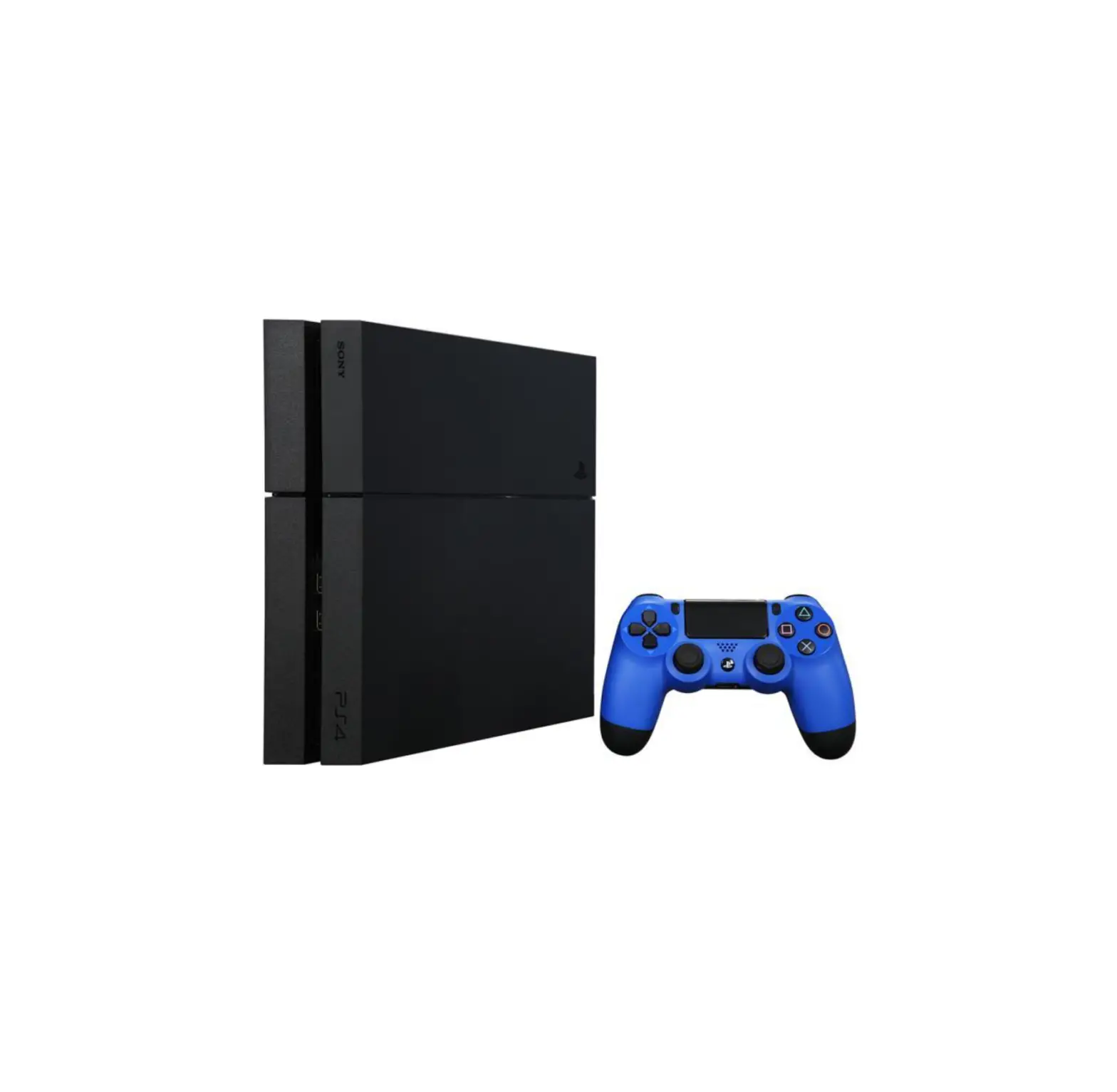
a high-temperature message will be displayed. The PS4 console
should be turned off and left unused until the processor unit cools
down. It is then advised to move the processor unit to a
well-ventilated location before resuming use.
The product requires an AC adaptor and AC power cord for
operation. The adaptor should be connected to the camera port on
the back of the PS5 console.
Limiting the use of PS VR to within the designated Play Area is
important. The dimensions of the Play Area, including height,
width, and depth, depend on the range captured by the camera.
Product Usage Instructions:
- Read and familiarize yourself with the instruction manual and
any manuals for compatible hardware. - Visit the PlayStation website to watch the step-by-step setup
video for correct installation and usage of the PS VR. - Ensure that children follow all safety precautions outlined in
the manual. - When wearing the VR headset, do not disassemble or modify the
product or its accessories. - Avoid bringing the VR headset directly from a cold location to
a warm one to prevent moisture condensation. If condensation
occurs, turn off the VR headset, unplug the AC power cord, and wait
for the moisture to evaporate before using the product. - If the VR headset exhibits unusual or unresponsive behavior,
force a shutdown by pressing the power button on the VR headset for
at least 7 seconds. Restart the PS4 console if the problem
persists. - If a high-temperature message is displayed, turn off the PS4
console and allow the processor unit to cool down. Move the
processor unit to a well-ventilated location before resuming
use. - Connect the AC adaptor to the camera port on the back of the
PS5 console for proper power supply. - Use PS VR within the designated Play Area, which is determined
by the range captured by the camera.
Instruction Manual Mode d’emploi
Includes important Health and Safety information
Comprend des informations importantes relatives à la santé et la sécurité
CUH-ZVR2 5-023-647-11(1)
EN
This manual contains operating instructions for using PlayStation®VR with a PlayStation®4 console. When using the product with a PlayStation®5 console, icons or item names may vary. The operating instructions may vary depending on which software version you use, whether it’s PS4TM or PS5TM system software, or the PS VR device software. The actual product may vary from the illustrations in this manual.
WARNING
HEALTH AND SAFETY WARNINGS
Carefully read and follow the warnings and instructions below before using PlayStation®VR. Failure to read and follow the warnings and instructions could result in serious injury. · PS VR is not for use by children under age 12. · Wearing the VR headset will completely block your ability to see
your surroundings. PS VR does not detect obstacles. Review surroundings and clear obstacles from an area larger than the Play Area ( “Using PS VR”) before use. Make sure you are not near any walls, stairs, furniture, or other obstacles that you may collide with or trip over. · Remain in the center of the Play Area and do not walk around while wearing the VR headset. Remain seated whenever possible. If an application requires you to stand while wearing the VR headset, follow the application instructions carefully, and maintain awareness of your surroundings. · Take steps to prevent pets, persons, or other obstacles from entering an area larger than the Play Area during use. · Before use, check that the VR headset cable is not wrapped around your body or legs, and check frequently during use. · Avoid extreme or excessive movements of the head, hands, or body while wearing the VR headset. · Some people may experience motion sickness, nausea, disorientation, blurred vision, or other discomfort or other abnormalities. If experienced, stop using immediately, and remove the VR headset. If you experience symptoms during or after use, rest, and do not engage in any activities that require unimpaired vision, balance or coordination until after symptoms have completely disappeared. · Avoid prolonged use of PS VR. Take frequent breaks. · Do not use PS VR if you are tired, dizzy, light-headed, nauseated, sick, under the influence of alcohol or drugs, or have an impaired sense of motion or balance. Consult a doctor before using PS VR if you are pregnant or suffer from a serious medical condition. · Keep the product out of the reach of small children. Small children may swallow small parts, may pull on cables and cause the processor unit or VR headset to fall, or may wrap the cables around themselves, which may inflict injury or cause an accident or a malfunction.
Photosensitivity/Epilepsy/Seizures
A very small percentage of individuals may experience epileptic seizures or blackouts when exposed to certain light patterns or flashing lights. Exposure to certain patterns or backgrounds on a television screen or when playing video games may trigger epileptic seizures or blackouts in these individuals. These conditions may trigger previously undetected epileptic symptoms or seizures in persons who have no history of prior seizures or epilepsy. If you, or anyone in your family, has an epileptic condition or has had seizures of any kind, consult your doctor before playing.
IMMEDIATELY DISCONTINUE USE and consult your doctor before resuming gameplay if you or your child experience any of the following health problems or symptoms: Dizziness, altered vision, eye or muscle twitches, loss of awareness, disorientation, seizures, or any involuntary movement or convulsion. RESUME GAMEPLAY ONLY ON APPROVAL OF YOUR DOCTOR.
Use and handling of video games to reduce the likelihood of a seizure · Avoid prolonged use of PS VR. Take a 15-minute break during each
hour of play. · Avoid playing when you are tired or need sleep.
FCC notice
· This equipment has been tested and found to comply with the limits for a Class B digital device, pursuant to Part 15 of the FCC rules. These limits are designed to provide reasonable protection against harmful interference in a residential installation. This equipment generates, uses, and can radiate radio frequency energy and, if not installed and used in accordance with the instructions, may cause harmful interference to radio communications. However, there is no guarantee that interference will not occur in a particular installation. If this equipment does cause harmful interference to radio or television reception, which can be determined by turning the equipment off and on, the user is encouraged to try to correct the interference by one or more of the following measures: Reorient or relocate the receiving antenna. Increase the separation between the equipment and receiver. Connect the equipment into an outlet on a circuit different from that to which the receiver is connected. Consult the dealer or an experienced radio/TV technician for help.
· You are cautioned that any changes or modifications not expressly approved by the party responsible for compliance could void the user’s authority to operate the equipment.
· If you have questions about this product, visit playstation.com/helpme. The phone number in the supplier’s declaration of conformity is only for FCC electrical interference inquiries.
Supplier’s Declaration of Conformity
Trade Name :
SONY
Model No. :
CUH-ZVR2 and CFI-ZAA1
Responsible Party : Sony Electronics Inc.
Address :
16535 Via Esprillo San Diego, CA 92127 U.S.A.
Telephone No. :
858-942-2230 (Only for FCC electrical
interference inquiries)
This device complies with Part 15 of the FCC Rules. Operation is
subject to the following two conditions: (1) this device may not
cause harmful interference, and (2) this device must accept any
interference received, including interference that may cause
undesired operation.
Precautions
Before using the product, carefully read this manual and any manuals for compatible hardware. Retain instructions for future reference. You can also view the step-by-step setup video for how to correctly set up and use PS VR. Visit rd.playstation.com/psvr/zvr2/. Parents and guardians of children should read this manual and make sure that the child follows all safety precautions. For more information on product safety and support, visit our website ( “Further information”).
Use and handling
· Before connecting, check that the connectors are free of dust and small particles.
· Do not swing the VR headset or the AC adaptor around by their cables.
· Do not unplug the VR headset cable until the tracking lights ( “Part names”) are turned off. Removing or unplugging while the lights are on may cause a malfunction.
· Do not place objects on the product, throw or drop the product, or otherwise expose it to strong physical impact.
· Do not block the processor unit’s vents, and do not use the product in a closed cabinet or other locations where heat may build up.
· Do not touch the AC adaptor, AC power cord or processor unit during an electrical storm.
· Do not allow liquid or small particles to get into the product (ports, vents, etc.). If this happens, stop use and disconnect it from the electrical outlet immediately.
· Do not expose the product to dust, smoke or steam. Dust or other matter can cause fire or electric shock.
· Do not expose the product to high temperatures, high humidity, or direct sunlight.
· Do not place the product on an unstable surface or leave it on the floor.
· Avoid prolonged bodily contact with the processor unit, AC adaptor, or air from the vents when the product is turned on. Extended contact may cause low-temperature burns*. * Low-temperature burns are burns that occur when the skin is in contact with objects of relatively low temperatures (40 °C or more/104 °F or more) for an extended period of time.
· Permanent hearing loss may occur if your stereo headset or headphones are used at high volume. Set the volume to a safe level. Over time, increasingly loud audio may start to sound normal but can actually be damaging your hearing. If you experience ringing or any discomfort in your ears or muffled speech, stop listening and have your hearing checked. The louder the volume, the sooner your hearing could be affected. To protect your hearing: Limit the amount of time you use the stereo headset or headphones at high volume. Avoid raising the volume to block out noisy surroundings. Lower the volume if you can’t hear people speaking near you.
· Do not use the VR headset, stereo headphones, or stereo headset if they cause discomfort to your skin. If the headset or headphones cause discomfort to your skin, discontinue use immediately. If symptoms do not subside even after discontinuing use, seek medical attention.
· If you experience discomfort or pain in a part of the body, such as head, eyes, ears, hands, arms, or legs, discontinue use of the product immediately. If symptoms persist, consult your doctor.
· When using the stereo headset or headphones in particularly dry air conditions, you may sometimes experience a small and quick (static) shock on your ears. This is a result of static electricity accumulated in the body, and is not a malfunction of your stereo headset or headphones.
· Follow the precautions below to help prevent the product exterior from deteriorating or discoloring. Do not use solvents or other chemicals on the product. Do not allow rubber or vinyl materials to be in prolonged contact with the product.
Wearing the VR headset
· It is important that you place the VR headset on your head properly during use. To see instructions on how to wear the headset, go to the PlayStation®4 console’s function screen, and then select (Settings) > [Devices] > [PlayStation VR]. Do not overtighten the adjustment dial ( “Part names”). You can continue to wear your glasses while wearing the VR headset. When adjusting the scope position ( “Part names”), move the scope slowly so that the internal lenses ( “Part names”) and your glasses do not touch. Having your glasses touch the lenses could result in damage to your glasses, VR headset lenses, or both.
· Regularly check the VR headset’s fit to ensure it is being worn properly.
VR headset screen
· Do not expose the lenses ( “Part names”) of the VR headset to direct sunlight or intense light. Doing so may damage the VR headset screen and cause a malfunction.
· Keep the VR headset’s attachment sensor ( “Part names”) free from any obstacles. If the attachment sensor is blocked, the screen will not turn off automatically even if you remove the headset. If an image appears on the screen for an extended period of time, it might cause a screen burn and a faint image might remain permanently on the screen.
· Black (dark) pixels and continuously lit pixels may appear in certain locations on the screen. The appearance of such spots is a normal occurrence associated with screens and is not a sign of a system malfunction. Screens are made using highly precise technology. However, a very small number of dark pixels or continuously lit pixels may exist and color irregularities or brightness irregularities may be visible on each screen.
Never disassemble or modify the product or accessories
Use the product and accessories according to the instructions in this manual. No authorization for the analysis or modification of the product, or the analysis and use of its circuit configurations, is provided. Additionally, there is a risk of fire, electrical shock or malfunction.
Moisture condensation
If PS VR is brought directly from a cold location to a warm one, moisture may condense inside the VR headset and the processor unit. Should this occur, the product may not operate properly. In this case, turn off the VR headset and unplug the AC power cord from the electrical outlet. Do not use the product until the moisture evaporates (this may take several hours). If the product still does not operate properly, visit our website ( “Further information”).
Unusual or unresponsive behavior
Press the (power) button ( “Part names”) on the VR headset for at least 7 seconds to force a shutdown, and then turn on the headset again. If the problem persists, restart the PS4 console.
High temperature message
If the processor unit’s internal temperature becomes elevated, a message will be displayed. In this case, turn off the PS4 console and leave it unused for a while. After the processor unit cools down, move it to a location with good ventilation, and then resume use.
AC adaptor and AC power cord use
· Use an electrical outlet that is easily accessible, so the AC power cord can be unplugged quickly if the need arises. Stop use, unplug the AC power cord from the electrical outlet and disconnect any other cables immediately if the product functions in an abnormal manner, produces unusual sounds or smells or becomes too hot to touch.
· Unplug the AC power cord from the electrical outlet when the status indicator on the processor unit is red. Unplugging the cord while the indicator is white or flashing red may cause a malfunction.
· Do not use an AC adaptor or AC power cord other than those supplied with the product. The supplied AC adaptor and AC power cord are designed exclusively for use with this product. They cannot be used with other products. In addition, other AC adaptors or AC power cords cannot be used with this product. Failure to follow these precautions may cause the product to overheat and may lead to fire or electric shock. Do not plug the AC power cord for the product into an electrical outlet until you have connected the HDMITM cables. Do not damage the AC power cord. Do not touch the plug of the AC power cord with wet hands. Do not use the AC adaptor when it is covered by a cloth, as it may overheat, causing fire or malfunction. Unplug the AC power cord from the electrical outlet before cleaning or when you do not intend to use the product for an extended period of time. Do not connect the AC power cord to a voltage transformer or inverter.
Using PS VR
· PUSseVdRwbirtihngysouyroPuSt4hecoenxscoitleemaenndtPolfavyiSrttautaiol rne®aCliatmy. eYroau, can interact with games more directly because the camera captures the position, angle, and movement of the VR headset.
· Be sure to always update your PS4 console software and PS VR device software to the most recent version.
· Be sure to connect your VR headset to the supplied CUH-ZVR2 processor unit. The headset will not work if connected to a CUH-ZVR1 processor unit.
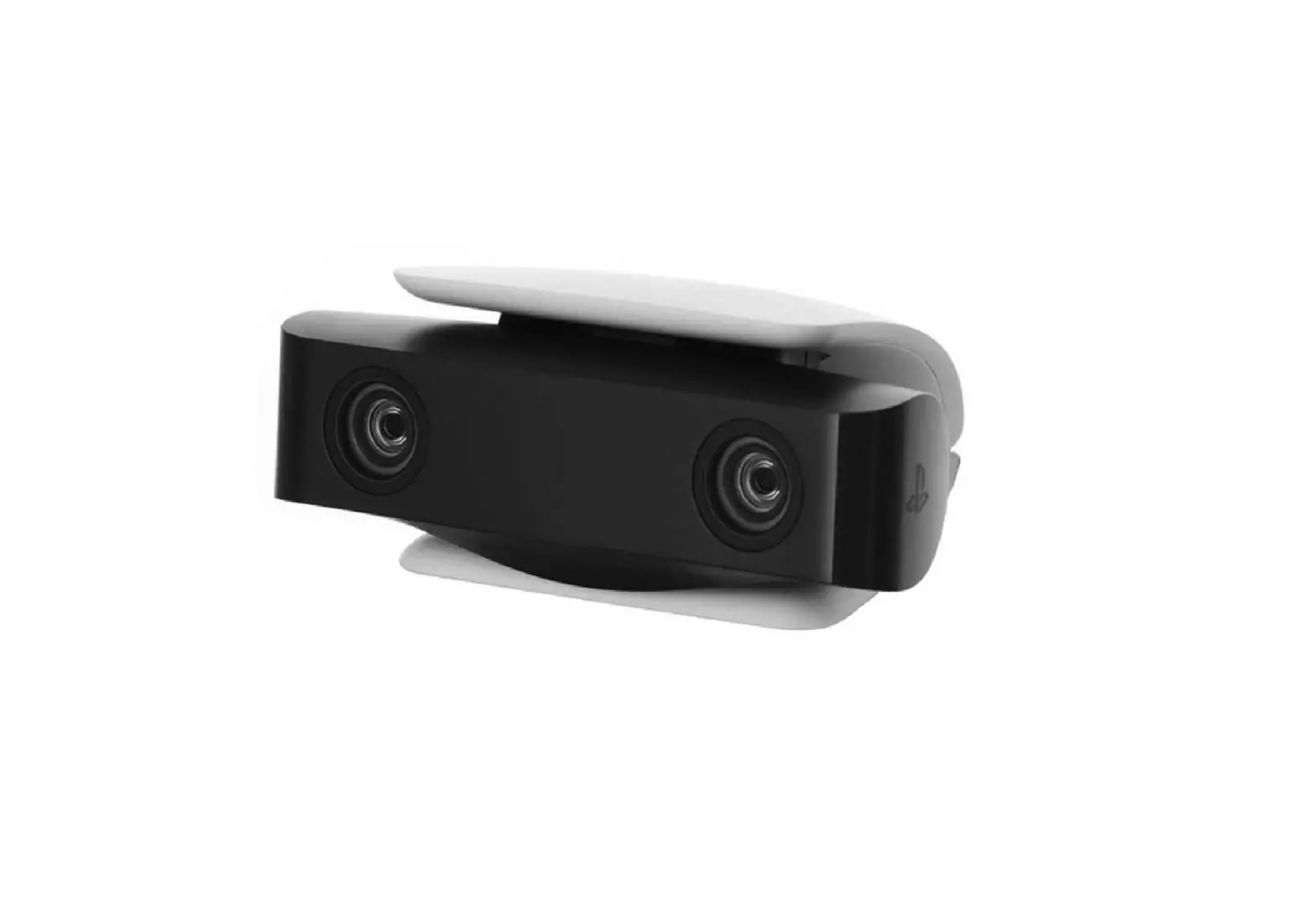
· To use your camera with your PS5 console, use the included
PanladySthtaetiUoSnB®CTaympee-rAa
adaptor. Connect the adaptor to the camera port on the back of your PS5 console.
Play Area
Limit your use of PS VR to within the Play Area. The height of the Play Area depends on the range captured by the camera. The width and depth of the Play Area are as follows.
PlayStation®Camera
Approx. 1.9 m (6.2 ft)
Approx. 0.7 m (2.3 ft) Play Area
Approx. 3.0 m (9.8 ft)
0 m
Approx. 0.6 m (2.0 ft)
: Range captured by the camera
Clear an area larger than the Play Area of all obstacles before using PS VR. Follow the instructions on the setup screen for PS VR to adjust the camera position and angle, so that you are in the best position (in the center of the Play Area) to play in VR mode. If you go outside of the Play Area while using VR mode, a warning will appear on the VR headset screen.
Hint
If the VR headset is not detected correctly, press and hold the (PS) button on the controller, and then select [Adjust PlayStation VR] > [Confirm Your Position] from the quick menu that appears. Adjust the camera position and angle.
Your position while using the VR headset
Remain seated whenever possible. If an application requires you to stand while wearing the VR headset, follow the application instructions carefully, and maintain awareness of your surroundings.
PS VR settings
To configure PS VR settings, go to the PS4 console’s function screen, and then select (Settings) > [Devices] > [PlayStation VR].
Hints
· These settings are available only when PS VR is connected to the PS4 console.
· You can also configure some settings from the quick menu that appears when you press and hold the (PS) button on the controller.
· For more information about setting up your PS VR, refer to the user’s guide for the PS4 console. Select (Settings) > (User’s Guide/ Helpful Info) > (User’s Guide) from the function screen.
Parental controls
The PS4 console contains settings that parents or guardians can configure as necessary to restrict use of the VR headset by children. To configure settings for each child, go to the PS4 console’s function screen, and then select (Settings) > [Parental Controls/Family Management].
Part names
VR headset
Front
AB
C
D
E F
G
A ) Tracking lights (front)
Rear lights blue:
Powered on
Front and rear lights blue: VR mode
Front and rear lights off: Powered off
B ) Scope adjustment button
C ) Front head support
D ) Rear head support
E ) HDMI connector
F ) AUX connector
G ) Scope
Rear
A
BC
DE
G
F
A ) Headband B ) Attachment sensor C ) Lenses D ) Adjustment dial E ) Headband release button F ) Tracking lights (rear) G ) Earpiece holder Bottom
A
B
C D
E
F
A ) Stereo headphone jack B ) Headphone attachment hole C ) (power) button D ) Light shield E ) Microphone F ) Tracking lights (front) G ) Volume + button H ) (microphone mute) button I ) Volume – button
Processor unit
Front
A
G H I
B
C
A ) Status indicator White: Powered on Red: Rest mode
B ) AUX port
C ) HDMI output port
Rear
A
B
C
D
E
A ) HDMI TV port B ) HDMI PS4 port C ) (USB) port D ) DC IN 12V connector E ) Vent
Stereo headphones
A
B
C
A ) Earpiece B ) Stereo headphone plug C ) Fastener
Changing the earpieces
The stereo headphones are supplied with M size earpieces attached. Replace the earpieces with the S or L size earpieces for a better fit. To remove, twist then pull the earpiece off the headphones.
Hint
Install the earpieces firmly to help prevent them from accidentally detaching during use.
Care and cleaning
Be sure to follow the instructions below to clean and maintain your product. · For safety reasons, unplug the AC power cord from the electrical
outlet and disconnect any other cables before cleaning. · Do not use solvents or other chemicals to clean the exterior
surfaces. · Do not use a chemically-treated cleaning cloth to wipe the product.
Processor unit exterior, VR headset exterior, head supports, connectors
If they are dirty, wipe them with a soft, dry cloth.
Hint If the connectors on the processor unit, AC power cord, or other parts are dirty, signals may not be sent or received properly. You may also experience noise or interruptions in the sound if the connectors on the headphones or headset are dirty.
Lenses
Wipe only with a soft, dry cloth made specifically for cleaning lenses. Do not use paper products such as paper towels, or tissues not specifically intended for lenses.
Hint Prolonged contact with water or dust may damage the lenses and shorten their life.
Light shield
Remove the light shield from the VR headset and wash it with water. Dry it completely with a soft cloth before reattaching it to the headset. Reattach the light shield by matching the nubs on the shield to the 13 holes on the VR headset.
Light shield
VR headset
Vents
Remove dust build-up from the vents using a vacuum cleaner or similar product.
Earpieces
Remove the earpieces from the stereo headphones and wash them by hand with a mild detergent. Dry them completely with a soft cloth before reattaching them to the headphones. For details on removing the earpieces, refer to “Changing the earpieces”.
Specifications
Design and specifications are subject to change without notice.
Functional descriptions and illustrations in this document may vary from your PS4 console software and/or PS VR device software, depending on the version in use.
VR headset
Screen Sensor Port
External dimensions
Mass Operating temperature
1920 × RGB × 1080 (960 × RGB × 1080 per eye)
6-axis motion sensing system (3-axis gyroscope, 3-axis accelerometer)
Stereo headphone jack
Approx. 187 × 185 × 277 mm (7.4 × 7.3 × 13.6 in) (width × height × depth / excluding projecting parts / at shortest headband length)
Approx. 600 g (21.2 oz) (excluding cables)
5 °C to 35 °C (41 °F to 95 °F)
Processor unit
Input/output
Maximum rated power Electrical rating External dimension Mass Operating temperature
HDMI TV port HDMI PS4 port
(USB) port HDMI output port AUX port
Approx. 20 W
12 V 1.7 A
Approx. 150 × 39 × 114 mm (5.9 × 1.5 × 4.5 in) (width × height × depth / excluding projecting parts)
Approx. 300 g (10.6 oz)
5 °C to 35 °C (41 °F to 95 °F)
AC adaptor
Input Output External dimensions Mass
100-240 V 1 A 50/60 Hz
12 V 3 A
Approx. 108 × 46 × 30 mm (4.3 × 1.8 × 1.2 in) (width × height × depth / excluding projecting parts)
Approx. 146 g (5.1 oz)
PlayStation®Camera adaptor (for PS5) (CFI-ZAA1)
Ports
AUX port USB Type-A connector (SuperSpeed USB 5Gbps)
Input power rating
5 V 500 mA
External dimension
Approx. 87 × 17 × 25 mm (3.4 × 0.7 × 1.0 in) (width × height × depth / excluding cable)
Mass
Approx. 38 g (1.3 oz)
Operating temperature
5 °C to 35 °C (41 °F to 95 °F)
Supplied HDMI cable and USB cable
HDMI cable
Company: Sony Part No.: 1-849-046-**, 1-848-899-**
USB cable
Company: Sony Part No.: 1-849-103-**, 1-849-904-**
* represents a number between 0 and 9.
Supported video input signals
For information about supported video input signals, visit rd.playstation.com/psvr/zvr2/. You can also access this information by using the 2D code.
Device software
PS VR device software is licensed to you under the terms of a separate end user license agreement. For details, visit doc.dl.playstation.net/doc/psvr-eula/.
End of life product recycling
The product is made of many materials that may be recycled. Follow local regulations when disposing of the product. Sony products can be recycled for free in the United States and Canada by dropping the product off at a number of nationwide locations. Visit www.sony.com/ecotrade for details.
LIMITED HARDWARE WARRANTY AND LIABILITY
Sony Interactive Entertainment LLC (“SIE”) warrants to the original purchaser (“you”) that the PS VR hardware, which includes components contained in the retail box with this hardware (“Product”), will be free from material defects in material and workmanship for a period of one year from the original date of purchase (the “Warranty Period”). This warranty is valid only in the United States and Canada. IF THIS PRODUCT IS DETERMINED TO BE MATERIALLY DEFECTIVE DURING THE WARRANTY PERIOD, YOUR SOLE REMEDY AND SIE’S SOLE AND EXCLUSIVE LIABILITY IS LIMITED TO: (A) THE REPAIR OR REPLACEMENT OF THIS PRODUCT WITH A FACTORY-RECERTIFIED PRODUCT, AT SIE’S OPTION, AT NO CHARGE TO YOU; AND (B) RETURN SHIPPING OF THE HEADSET AND PROCESSOR UNIT (NOT ANY PERIPHERAL, ACCESSORY OR CABLE) TO AN SIE-AUTHORIZED SERVICE FACILITY, VIA A SHIPPING BOX WITH A PREPAID SHIPPING LABEL PROVIDED BY SIE, AND SHIPPING OF THE REPAIRED HEADSET AND PROCESSOR UNIT OR A FACTORY-RECERTIFIED REPLACEMENT HEADSET AND PROCESSOR UNIT TO YOU, AT NO CHARGE TO YOU. For purposes of this Limited Hardware Warranty and Liability, “factory recertified” means a product that has been returned to its original specifications.
THIS WARRANTY DOES NOT APPLY: (A) TO DAMAGE CAUSED BY USE OF THIS PRODUCT WITH PRODUCTS THAT ARE NOT COMPATIBLE WITH THIS PRODUCT; (B) TO DAMAGE CAUSED BY USE OF THIS PRODUCT WITH ANY PERIPHERAL(S) THAT SIE DOES NOT LICENSE OR SELL, INCLUDING NON-LICENSED GAME ENHANCEMENT DEVICES, CONTROLLERS, ADAPTORS AND POWER SUPPLY DEVICES; (C) IF THIS PRODUCT IS USED FOR ANY COMMERCIAL PURPOSE, INCLUDING RENTAL OR ARCADE PURPOSES; (D) IF THIS PRODUCT IS MODIFIED TO ALTER CAPABILITY OR FUNCTIONALITY WITHOUT SIE’S WRITTEN PERMISSION; (E) TO DAMAGE CAUSED BY ACTS OF GOD, MISUSE, ABUSE, NEGLIGENCE, ACCIDENT, UNREASONABLE USE, OR BY CAUSES UNRELATED TO DEFECTIVE MATERIALS OR WORKMANSHIP; (F) IF THIS PRODUCT HAS HAD THE SERIAL NUMBER ALTERED, DEFACED OR REMOVED; OR (G) TO DAMAGE CAUSED BY (1) SERVICE (INCLUDING UPGRADES AND EXPANSIONS) PERFORMED BY ANYONE WHO IS NOT A REPRESENTATIVE OF SIE OR AN SIE-AUTHORIZED SERVICE PROVIDER, OR (2) OPENING THE PRODUCT OR ANY ACTION TAKEN WITHIN IT BY ANYONE WHO IS NOT A REPRESENTATIVE OF SIE OR AN SIEAUTHORIZED SERVICE PROVIDER. THIS WARRANTY DOES NOT COVER PRODUCTS SOLD AND CLEARLY MARKED “AS IS” OR WITH FAULTS. SIE MAY VOID THIS WARRANTY IF SIE REASONABLY BELIEVES THAT THE PS VR SYSTEM HAS BEEN USED IN A MANNER THAT VIOLATES THE TERMS OF A SEPARATE END USER LICENSE AGREEMENT FOR SYSTEM SOFTWARE OR GAME SOFTWARE.
THIS WARRANTY IS PROVIDED TO YOU IN LIEU OF ALL OTHER EXPRESS OR IMPLIED WARRANTIES INCLUDING WARRANTIES OF MERCHANTABILITY AND FITNESS FOR A PARTICULAR PURPOSE FOR THIS PRODUCT, WHICH SIE DISCLAIMS UNDER THESE TERMS. HOWEVER, IF APPLICABLE LAW REQUIRES ANY OF THESE WARRANTIES, THEN THEY ARE LIMITED IN DURATION TO THE WARRANTY PERIOD.
EXCEPT AS EXPRESSLY STATED ABOVE, SIE EXCLUDES ALL LIABILITY FOR LOSS OF DATA, LOSS OF PROFIT, OR ANY LOSS OR DAMAGE SUFFERED BY YOU OR ANY THIRD PARTY, WHETHER THOSE DAMAGES ARE DIRECT, INDIRECT, CONSEQUENTIAL, SPECIAL, OR INCIDENTAL AND HOWEVER ARISING UNDER ANY THEORY OF LAW, AS A RESULT OF USING THIS PRODUCT. SOME STATES OR PROVINCES DO NOT ALLOW LIMITATIONS ON HOW LONG AN IMPLIED WARRANTY LASTS AND SOME STATES DO NOT ALLOW THE EXCLUSION OR LIMITATIONS OF CONSEQUENTIAL OR INCIDENTAL DAMAGES, SO THESE LIMITATIONS OR EXCLUSIONS MAY NOT APPLY TO YOU.
This warranty gives you specific legal rights. You may also have other rights which vary from state to state or province to province.
The warranty offered by SIE on this Product is the same whether or not you register your product.
You must visit playstation.com/service or call 1-800-345-7669 to receive a return authorization and shipping instructions. A VALID PROOF OF PURCHASE IN THE FORM OF A BILL OF SALE OR RECEIPT FROM A RETAILER WITH THE DATE OF THE ORIGINAL PURCHASE MUST BE PRESENTED TO OBTAIN WARRANTY SERVICE.
Except as this Limited Hardware Warranty and Liability provides, SIE is not be liable for any direct and indirect, consequential, or special damages, including any damages that may arise from loss of data or functionality. The foregoing limitation applies to the extent permitted by law.
Copyright and trademarks
” “, “PlayStation”, “PS5” and “PS4” are registered trademarks or trademarks of Sony Interactive Entertainment Inc.
“SONY” and ” Corporation.
” are registered trademarks or trademarks of Sony
The terms HDMI and HDMI High-Definition Multimedia Interface, and the HDMI Logo are trademarks or registered trademarks of HDMI Licensing Administrator, Inc. in the United States and other countries.
All other trademarks are the property of their respective owners.
Further information
Support
The official site for PlayStation® product support provides the latest questions and answers about your product. playstation.com/help
Step-by-step setup video
Visit rd.playstation.com/psvr/zvr2/ to view a step-by-step setup video. You can also access the video using the 2D code.
FR
Ce manuel contient des instructions d’utilisation pour utiliser PlayStation®VR avec une console PlayStation®4. Lorsque vous utilisez le produit avec une console PlayStation®5, les icônes ou les noms d’éléments peuvent varier. Le mode d’emploi peut varier en fonction de la version du logiciel que vous utilisez, qu’il s’agisse du logiciel système PS4TM ou PS5TM ou du logiciel du périphérique PS VR. Le produit réel peut être différent des illustrations de ce manuel.
AVERTISSEMENTS
AVERTISSEMENTS RELATIFS À LA SANTÉ ET LA SÉCURITÉ
Lisez et respectez attentivement les mises en garde et les instructions ci-dessous avant d’utiliser PlayStation®VR. Ne pas lire ni respecter ces mises en garde et instructions pourrait entraîner de graves blessures. · PS VR n’est pas conçu pour une utilisation par les enfants de moins
de 12 ans. · Le port du casque RV bloquera intégralement votre capacité à voir
votre environnement. PS VR ne détecte pas les obstacles. Avant toute utilisation, contrôlez votre environnement et enlevez tous les obstacles autour et à l’intérieur de l’espace de jeu ( Utilisation de PS VR). Assurez-vous que vous ne vous trouvez pas à proximité de murs, d’escaliers, de meubles ou d’autres obstacles contre lesquels vous pourriez buter ou sur lesquels vous pourriez trébucher. · Demeurez au centre de l’espace de jeu et ne marchez pas en portant le casque RV. Demeurez assis autant que possible. Si une application exige que vous vous teniez debout pendant que vous portez le casque RV, suivez attentivement les instructions et restez attentif à ce qui vous entoure. · Prenez des mesures pour éviter que des animaux de compagnie, des personnes ou d’autres obstacles puissent entrer à l’intérieur et autour de l’espace de jeu lorsque vous utiliserez le casque. · Avant toute utilisation, vérifiez que le câble du casque RV n’est pas enroulé autour de votre corps ou de vos jambes, et assurez-vous-en fréquemment pendant l’utilisation. · Lorsque vous portez le casque RV, évitez tout mouvement brusque ou excessif de la tête, des mains ou du corps. · Certaines personnes peuvent souffrir du mal des transports, de nausées, de désorientation, de troubles de la vision ou d’autres malaises ou anomalies. Dans ce cas, arrêtez immédiatement d’utiliser le casque RV et retirez-le. Si vous ressentez ces symptômes durant ou après l’utilisation, reposez-vous et attendez que les symptômes aient complètement disparu avant de vous livrer à des activités nécessitant une vision parfaite, un bon équilibre ou une bonne coordination. · Évitez l’utilisation prolongée de PS VR. Prenez souvent des pauses. · N’utilisez pas PS VR si vous êtes fatigué, si vous souffrez d’étourdissements, de vertiges ou de nausées, si vous êtes malade, si vous êtes sous l’influence de l’alcool ou de drogues, ou si vous souffrez de troubles du mouvement ou de l’équilibre. Consultez un médecin avant d’utiliser PS VR si vous êtes enceinte ou que vous souffrez d’une maladie grave. · Veillez à ce que ce produit se trouve hors de portée des enfants en bas âge. Les enfants en bas âge peuvent avaler des petites pièces, tirer sur les câbles et faire tomber le processeur ou le casque RV, ou peuvent enrouler les câbles autour d’eux, ce qui pourrait entraîner des blessures, ou causer un accident ou un dysfonctionnement.
Photosensibilité/Épilepsie/Convulsions
Un nombre limité de personnes peut éprouver des symptômes d’épilepsie ou bien des étourdissements lorsqu’elles sont exposées à certaines lumières ou à des motifs clignotants. L’exposition à certains motifs ou certaines images d’arrière-plan sur des écrans de télévision ou en jouant à des jeux vidéo, peut déclencher des crises d’épilepsie ou des étourdissements chez ces personnes. Ces conditions peuvent déclencher des symptômes d’épilepsie non détectés auparavant chez des personnes qui n’ont jamais été sujettes à des crises d’épilepsie. Si vous-même ou un membre de votre famille souffrez d’épilepsie ou êtes sujets à des crises de quelconque origine, consultez votre médecin avant de jouer.
Il faut CESSER IMMÉDIATEMENT L’UTILISATION et consulter un médecin avant de rejouer si vous ou votre enfant ressentez un des symptômes ou problèmes de santé suivants : étourdissements, troubles de la vision, contractions oculaires ou musculaires, pertes de conscience, désorientation, convulsions ou tout mouvement involontaire ou convulsif. REPRENEZ LE JEU SEULEMENT SI VOTRE MÉDECIN VOUS Y AUTORISE.
Utilisation et manipulation des jeux vidéos pour réduire les chances de souffrir d’une attaque. · Évitez l’utilisation prolongée de PS VR. Observez des pauses de
15 minutes après chaque heure de jeu. · Évitez de jouer lorsque vous êtes fatigué(e) ou en manque de
sommeil.
Déclaration de la FCC
· Cette unité a été testée et il a été déterminé qu’elle se conforme aux normes stipulées par l’article 15 des règlements de la FCC pour un appareil numérique de catégorie B. Ces normes sont établies afin d’offrir une protection raisonnable contre toute possibilité de brouillage préjudiciable dans une installation résidentielle. Cette unité produit, utilise et peut émettre une énergie radioélectrique, et si elle n’est pas installée et utilisée conformément aux instructions, pourrait causer un brouillage préjudiciable à la radiocommunication. Il est toutefois impossible de garantir qu’il n’y aura pas de brouillage préjudiciable dans une installation donnée. Si cette unité cause un brouillage préjudiciable à la réception radio ou télévisuelle, ce qui peut être déterminé en activant ou désactivant l’appareil, l’utilisateur est encouragé à tenter de corriger le brouillage en prenant l’une ou plusieurs des mesures proposées suivantes : Réorientez ou déplacez l’antenne de réception. Augmentez la distance entre l’unité et le récepteur. Connectez l’appareil à une prise sur un autre circuit que celui auquel le récepteur est connecté. Demandez de l’aide au détaillant ou à un technicien radio/ télévision spécialisé.
· Aucun changement ou modification n’est permis sans avoir été approuvé par les parties responsables des règlementations qui sont en droit de refuser l’autorisation de l’utilisateur à utiliser ce produit.
· Si vous avez des questions concernant ce produit, visitez playstation.com/helpme. Le numéro de téléphone présent dans la déclaration de conformité du fournisseur ne sert qu’aux enquêtes de la FCC sur les interférences électriques.
Déclaration de conformité du fournisseur
Nom commercial : SONY
Nº de modèle :
CUH-ZVR2, CFI-ZAA1
Partie responsable : Sony Electronics Inc.
Adresse :
16535 Via Esprillo San Diego, CA 92127 U.S.A.
Nº de téléphone :
858-942-2230 (Uniquement pour les
enquêtes de la FCC sur les interférences
électriques)
Cette unité est conforme à l’article 15 des règlements de la FCC. Son
fonctionnement est soumis aux deux conditions suivantes : (1) cet
appareil ne peut causer d’interférences nuisibles et (2) cet appareil
doit accepter toute interférence reçue, y compris les interférences
pouvant entraîner un fonctionnement non désiré.
Précautions
Avant d’utiliser le produit, lisez attentivement ce manuel, ainsi que celui de tout matériel compatible. Conservez ces instructions pour pouvoir vous y reporter ultérieurement. Vous pouvez également regarder une vidéo présentant des instructions vous permettant de configurer et d’utiliser correctement PS VR. Visitez rd.playstation.com/psvr/zvr2/. Les parents et gardiens d’enfants doivent lire ce manuel et s’assurer que l’enfant respecte toutes les précautions de sécurité. Pour plus d’informations relatives à la sécurité et l’assistance technique, consultez notre site Web ( “Plus d’informations”).
Utilisation et manipulation
· Avant d’effectuer une connexion, vérifiez que les connecteurs ne contiennent pas de la poussière ou des petites particules.
· Ne faites pas tournoyer le casque RV ou l’adaptateur c.a. en les tenant par les câbles.
· Ne débranchez pas le câble du casque RV jusqu’à ce que les DEL de suivi des mouvements ( “Noms des différents éléments”) soient désactivées. Tout retrait ou débranchement alors que les voyants sont allumés peut provoquer un dysfonctionnement.
· Ne placez pas d’objets sur le produit, ne le lancez pas, ne le laissez pas tomber et n’exercez pas une forte pression physique sur celui-ci.
· Ne bloquez pas les grilles d’aération du processeur et n’utilisez pas le produit dans une armoire fermée ou dans un endroit où la chaleur peut s’accumuler.
· En cas d’orage, ne touchez pas l’adaptateur c.a., le cordon d’alimentation ou le processeur.
· Veillez à ce qu’aucun liquide ou petit objet n’entre dans le produit (par les ports, les grilles d’aération, etc.). Si cela se produit, arrêtez immédiatement d’utiliser le produit et débranchez-le de la prise électrique.
· N’exposez pas le produit à la poussière, à la fumée ou à la vapeur. La poussière ou d’autres substances peuvent provoquer un incendie ou un choc électrique.
· N’exposez pas le produit à des températures élevées, à une humidité excessive ou aux rayons directs du soleil.
· Ne placez pas le produit sur une surface instable et ne le laissez pas sur le sol.
· Évitez tout contact corporel prolongé avec le processeur, l’adaptateur c.a. ou l’air provenant des grilles d’aération lorsque le produit est sous tension. Un contact prolongé peut entraîner des brûlures à basse température*.
* Les brûlures à basse température se produisent lorsque la peau est en contact avec des objets à des températures relativement basses (40 °C ou plus / 104 °F ou plus) sur une période de temps prolongée.
· L’utilisation du casque stéréo ou des écouteurs à un volume élevé peut entraîner une perte d’audition permanente. Réglez le volume à un niveau convenable. Au bout d’un certain temps, les sons à volume élevé peuvent vous sembler normaux, alors qu’ils endommagent votre audition. En cas de bourdonnements d’oreilles, de toute autre gêne ou si les voix vous semblent assourdies, interrompez l’écoute et faites contrôler votre audition. Plus le volume est élevé et plus votre audition risque d’être endommagée rapidement. Pour protéger votre audition : Limitez votre temps d’utilisation du casque stéréo ou des écouteurs à un volume élevé. Évitez d’augmenter le volume pour couvrir les bruits environnants. Baissez le volume si vous n’entendez pas les gens qui parlent autour de vous.
· N’utilisez pas le casque RV, les écouteurs stéréo ou le casque stéréo s’ils provoquent une sensation d’inconfort au niveau de la peau. Si le casque ou les écouteurs provoquent une sensation d’inconfort au niveau de la peau, cessez immédiatement de les utiliser. Si les symptômes ne disparaissent pas même après avoir arrêté de les utiliser, consultez un médecin.
· Si vous rencontrez une sensation désagréable ou une douleur dans une partie de votre corps, telle que les yeux, les mains ou les bras, arrêtez immédiatement d’utiliser le produit. Si les symptômes persistent, consultez un médecin.
· En cas d’utilisation du casque stéréo ou des écouteurs, un léger picotement peut se faire sentir dans les oreilles, en particulier si l’air est très sec. Le phénomène est dû au cumul d’électricité statique dans le corps; il ne s’agit nullement d’un dysfonctionnement de votre casque stéréo ou de vos écouteurs.
· Suivez les précautions ci-dessous pour éviter que l’extérieur du produit se détériore ou se décolore. N’utilisez pas de solvants ou d’autres produits chimiques sur le produit. Ne laissez pas des matériaux en caoutchouc ou en vinyle en contact prolongé avec le produit.
Comment porter le casque RV
· Il est important de placer correctement le casque RV sur votre tête pendant l’utilisation.
Pour accéder aux instructions sur la façon de porter le casque,
accédez à l’écran sélectionnez
(dPearfaomncèttiroens)d>e[lPaécroipnhséorliequPelasy]S>tation®4,
puis
[PlayStation VR]. Ne serrez pas trop la molette d’ajustement ( “Noms des différents éléments”).
Vous pouvez continuer de porter vos lunettes avec le casque RV. Lorsque vous ajustez la position de la visière-écran ( “Noms des différents éléments”), déplacez-la doucement de façon à ce que les lentilles internes ( “Noms des différents éléments”) et vos lunettes ne se touchent pas. Tout contact entre vos lunettes et les lentilles peut endommager les lunettes, le casque RV ou les deux.
· Contrôlez régulièrement l’ajustement du casque RV afin de vous assurer qu’il est porté correctement.
Écran du casque RV
· N’exposez pas les lentilles du casque RV ( “Noms des différents éléments”) aux rayons directs du soleil ou à la lumière intense. Cela peut endommager l’écran du casque RV et causer un mauvais fonctionnement.
· Gardez le capteur d’utilisation du casque RV ( “Noms des différents éléments”) libre de tout obstacle. Si un obstacle bloque le capteur d’utilisation, l’écran ne s’éteindra pas automatiquement, même si vous enlevez le casque. Si une image reste à l’écran pendant une période prolongée, elle pourrait provoquer une brûlure d’écran et l’apparition d’une image rémanente permanente.
· Certains pixels noirs (sombres) et constamment allumés peuvent apparaître à certains endroits sur l’écran. Leur apparition est un phénomène normal associé aux écrans et ne constitue pas un signe de dysfonctionnement du système. Bien que la fabrication des écrans utilise une technologie de haute précision, la présence d’un nombre très limité de pixels sombres ou constamment allumés ainsi que des irrégularités de couleur ou de luminosité peuvent être visibles sur chaque écran.
Ne démontez et ne modifiez jamais ce produit ou ses accessoires
Utilisez le produit et ses accessoires conformément aux instructions contenues dans ce manuel. Aucune autorisation n’est fournie pour l’analyse ou la modification du produit, ou pour l’analyse et l’utilisation de ses configurations de circuit. En outre, il existe un risque d’incendie, d’électrocution ou de dysfonctionnement.
Condensation d’humidité
Si PS VR est passé directement d’un endroit froid à un endroit chaud, de l’humidité peut se condenser à l’intérieur du casque RV et du processeur. Si cela se produit, le produit peut ne pas fonctionner correctement. Dans ce cas, éteignez le casque RV et débranchez le cordon d’alimentation de la prise électrique. Attendez que l’humidité s’évapore (cela peut prendre plusieurs heures) avant de réutiliser le produit. Si le produit ne fonctionne toujours pas correctement, consultez notre site Web ( “Plus d’informations”).
Comportement inhabituel ou aucune réaction
Appuyez sur la touche (alimentation) ( “Noms des différents éléments”) du casque RV pendant au moins 7 secondes pour forcer un arrêt, puis rallumez le casque. Si le problème persiste, redémarrez la console PS4.
Message de température élevée
Si la température interne du processeur devient trop élevée, un message s’affichera. Dans ce cas, éteignez la console PS4 et arrêtez de l’utiliser pendant un certain temps. Une fois que le processeur a refroidi, installez-le dans un lieu bien ventilé, puis recommencez à l’utiliser.
Utilisation de l’adaptateur c.a. et du cordon d’alimentation
· Utilisez une prise électrique facile d’accès afin de pouvoir débrancher rapidement le cordon d’alimentation secteur en cas de nécessité. Si le produit fonctionne de manière anormale, s’il émet des sons ou des odeurs anormales, ou encore s’il est tellement brûlant que vous ne pouvez plus le toucher, arrêtez immédiatement de l’utiliser, débranchez son cordon d’alimentation de la prise électrique et déconnectez les autres câbles éventuellement branchés.
· Ne débranchez le cordon d’alimentation de la prise de courant que lorsque l’indicateur d’état du processeur est allumé en rouge. Si vous débranchez le câble alors que l’indicateur est allumé en blanc ou qu’il clignote en rouge, vous risquez d’entraîner un dysfonctionnement.
· Utilisez uniquement l’adaptateur c.a. et le cordon d’alimentation fournis avec le produit. L’adaptateur c.a. et le cordon d’alimentation fournis ont été conçus spécialement pour être utilisés avec ce produit. Ils ne peuvent pas être utilisés avec d’autres produits. En outre, d’autres types d’adaptateurs c.a. ou de cordons d’alimentation ne peuvent pas être utilisés avec ce produit. Le non-respect de ces précautions peut entraîner la surchauffe du produit et causer un incendie ou un choc électrique. Ne branchez pas le cordon d’alimentation du produit dans une prise électrique avant d’avoir branché les câbles HDMITM. N’endommagez pas le cordon d’alimentation. Ne touchez pas la fiche du cordon d’alimentation avec des mains mouillées. N’utilisez pas l’adaptateur c.a. lorsqu’il est recouvert par un tissu car il pourrait surchauffer et causer un dysfonctionnement, voire s’enflammer et entraîner un risque d’incendie. Débranchez le cordon d’alimentation de la prise électrique avant de nettoyer le produit ou si vous prévoyez de ne pas l’utiliser pendant un certain temps. Ne branchez pas le cordon d’alimentation sur un transformateur de tension ou un convertisseur.
Utilisation de PS VR
· Utilisé conjointement avec votre console PS4 et la
PvilratyuSetlaleti.oGnr®âCcaemàelarac,aPmS éVrRa
vous offre le meilleur de la réalité qui capture la position, l’angle et les
mouvements du casque RV, votre interaction durant le jeu devient
beaucoup plus directe.
· Veillez à toujours utiliser la version de logiciel la plus récente pour votre console PS4 et le périphérique PS VR.
· Veillez à bien connecter le casque RV au processeur CUH-ZVR2 fourni. S’il est connecté à un processeur CUH-ZVR1, le casque ne fonctionnera pas.
· Pour utiliser votre caméra avec votre console PS5, connectez ld’aedtaypptea-tAeuàrlP’alraryièSrteatdioenv®oCtaremceoransfooluernPiSà5.la caméra et au port USB
Espace de jeu
Limitez votre utilisation de PS VR à l’intérieur de l’espace de jeu. La hauteur de l’espace de jeu dépend de la portée capturée par la caméra. La largeur et la profondeur de l’espace de jeu sont décrites ci-dessous.
PlayStation®Camera
Environ 1,9 m (6,2 pi)
Environ 0,7 m (2,3 pi) Espace de jeu
Environ 3,0 m (9,8 pi)
0 m
Environ 0,6 m (2,0 pi)
: Portée capturée par la caméra
Supprimez tout obstacle autour de votre espace de jeu avant d’utiliser PS VR. Suivez les instructions affichées sur l’écran de configuration de PS VR pour régler la position et l’angle de la caméra, et vous positionner ainsi de façon idéale (au centre de l’espace de jeu) pour jouer en mode RV. Si vous sortez de l’espace de jeu durant l’utilisation du mode RV, un message d’avertissement s’affichera sur l’écran du casque RV.
Conseil
Si le casque RV n’est pas détecté correctement, maintenez appuyée la touche (PS) de la manette de jeu et sélectionnez [Réglez PlayStation VR] > [Confirmez votre position] dans le menu rapide qui s’affiche.
Votre position pendant l’utilisation du casque RV
Restez assis autant que possible. Si une application nécessite que vous soyez debout pendant que vous portez le casque RV, suivez prudemment les instructions de l’application et restez vigilant concernant votre environnement.
Paramètres de PS VR
Pour configurer les paramètres de PS VR, accédez à l’écran de fonctions de la console PS4, puis sélectionnez (Paramètres) > [Périphériques] > [PlayStation VR].
Conseils
· Ces paramètres ne sont disponibles que lorsque PS VR est connecté à la console PS4.
· Certains paramètres peuvent également être configurés à partir du menu rapide qui s’affiche lorsque vous maintenez la touche (PS) de la manette de jeu appuyée.
· Pour plus d’informations sur la configuration de votre PS VR, reportez-vous au guide de l’utilisateur pour la console PS4. Sélectionnez (Paramètres) > (Guide de l’utilisateur/Infos utiles) > (Guide de l’utilisateur) dans l’écran de fonctions.
Contrôles parentaux
La console PS4 contient des paramètres que les parents ou les personnes responsables peuvent configurer si nécessaire pour limiter l’utilisation du casque RV par les enfants. Pour configurer les paramètres pour chaque enfant, passez à l’écran de fonctions de la console PS4 et sélectionnez (Paramètres) > [Contrôle parental/ Gestion de la famille].
Noms des différents éléments
Casque RV
Avant
AB
C
D
Bas
A B
C D E
F
G H I
A ) Sortie écouteurs stéréo
B ) Trou de fixation des écouteurs C ) Touche (alimentation) D ) Protection contre la lumière E ) Microphone F ) DEL de suivi des mouvements (avant) G ) Touche volume + H ) Touche (microphone muet) I ) Touche volume –
Processeur Avant
A
B
C
A ) Indicateur d’état Blanc : Allumé Rouge : Mode repos
B ) Port AUX
C ) Port de sortie HDMI
Arrière
A
B
C
D
E
A ) Port HDMI TV B ) Port HDMI PS4 C ) Port (USB) D ) Connecteur DC IN 12V E ) Grilles d’aération
Écouteurs stéréo
A
A ) DEL de suivi des mouvements (avant)
DEL arr. allumées en bleu :
Sous tension
DEL av. et arr. allumées en bleu : Mode RV
DEL av. et arr. éteintes :
Hors tension
B ) Bouton de réglage de la visière-écran
C ) Support de tête avant
D ) Support de tête arrière
E ) Connecteur HDMI
F ) Connecteur AUX
G ) Visière-écran
Arrière
A
BC
DE
E F
G
B
C
A ) Embout B ) Fiche écouteurs stéréo C ) Attache
Remplacement des embouts
Les écouteurs stéréo sont livrés avec des embouts de taille M préinstallés. Si cette taille ne vous convient pas, remplacez-les par les embouts de taille S ou L. Pour retirer les embouts, tirez en tournant pour les détacher des écouteurs.
G
A ) Arceau B ) Capteur d’utilisation C ) Lentilles D ) Molette d’ajustement E ) Bouton de déverrouillage de l’arceau F ) DEL de suivi des mouvements (arrière) G ) Support d’embout d’écouteur
F
Conseil
Installez les embouts en les enfonçant bien pour éviter qu’ils se détachent accidentellement pendant l’utilisation.
Entretien et nettoyage
Lisez ci-dessous les instructions relatives à l’entretien et au nettoyage du produit. · Pour plus de sécurité, avant de nettoyer le produit, débranchez le
cordon d’alimentation de la prise électrique, ainsi que tous les autres câbles. · N’utilisez pas de solvants ou d’autres produits chimiques pour nettoyer les surfaces extérieures. · N’utilisez pas des chiffons de nettoyage traités chimiquement pour nettoyer le produit.
Lentilles
Essuyez uniquement avec un chiffon doux et sec spécialement prévu pour le nettoyage des lentilles et autres verres optiques. N’utilisez pas d’articles en papier tels que des mouchoirs ou des serviettes qui ne soient pas prévus pour le nettoyage des lentilles.
Conseil
Un contact prolongé avec de l’eau ou de la poussière peut endommager les lentilles et diminuer leur durée de vie.
Protection contre la lumière
Retirez la protection contre la lumière du casque RV et lavez-la à l’eau. Séchez-la complètement avec un chiffon doux avant de la remettre sur le casque. Remettez la protection contre la lumière en place en alignant les encoches de la protection avec les 13 trous situés sur le casque RV.
Protection contre la lumière
Casque RV
Grilles d’aération
Si de la poussière s’est accumulée sur les grilles d’aération, enlevez-la à l’aide d’un aspirateur ou d’un appareil similaire.
Embouts
Retirez les embouts des écouteurs stéréo et lavez-les à la main avec un détergent doux. Séchez-les complètement avec un chiffon doux avant de les remettre sur les écouteurs. Pour plus de détails sur le démontage des embouts, reportez-vous à “Remplacement des embouts”.
Spécifications
La conception et les spécifications sont sujettes à modification sans préavis.
En fonction de la version utilisée, les descriptions du fonctionnement et les illustrations utilisées dans ce document peuvent présenter des différences par rapport au logiciel de votre console PS4 et/ou celui du périphérique PS VR.
Casque RV
Écran
Capteur Port
Dimensions extérieures
Poids Température de fonctionnement
1920 × RVB × 1080 (960 × RVB × 1080 par oeil)
Système de détection des mouvements à 6 axes (gyroscope à 3 axes, accéléromètre à 3 axes)
Sortie écouteurs stéréo
Environ 187 × 185 × 277 mm (7,4 × 7,3 × 13,6 po.) (largeur × hauteur × profondeur / à l’exclusion des parties saillantes / longueur la plus courte de l’arceau)
Environ 600 g (21,2 oz) (sans les câbles)
5 °C à 35 °C (41 °F à 95 °F)
Processeur
Entrées/sorties
Port HDMI TV Port HDMI PS4 Port (USB)
Port de sortie HDMI Port AUX
Puissance nominale maximum Environ 20 W
Courant nominal
12 V 1.7 A
Dimensions extérieures
Environ 150 × 39 × 114 mm (5,9 × 1,5 × 4,5 po.) (largeur × hauteur × profondeur / à l’exclusion des parties saillantes)
Poids
Environ 300 g (10,6 oz)
Température de fonctionnement
5 °C à 35 °C (41 °F à 95 °F)
Adaptateur c.a.
Entrées Sorties Dimensions extérieures Poids
100-240 V 1 A 50/60 Hz
12 V 3 A
Environ 108 × 46 × 30 mm (4,3 x 1,8 x 1,2 po.) (largeur × hauteur × profondeur / à l’exclusion des parties saillantes)
Environ 146 g (5,1 oz)
Adaptateur PlayStation®Camera (pour PS5) (CFI-ZAA1)
Ports
Port AUX Connecteur USB Type-A (SuperSpeed USB 5Gbps)
Puissance nominale en entrée 5 V 500 mA
Dimensions extérieures
Environ 87 × 17 × 25 mm (3,4 × 0,7 × 1,0 po.) (largeur × hauteur × profondeur / sans les câble)
Poids
Environ 38 g (1,3 oz)
Température de fonctionnement
5 °C à 35 °C (41 °F à 95 °F)
Câble HDMI et câble USB
Câble HDMI
Société : Sony Référence : 1-849-046-**, 1-848-899-**
Câble USB
Société : Sony Référence : 1-849-103-**, 1-849-904-**
* représente un nombre entre 0 et 9.
Signaux d’entrée vidéo pris en charge
Pour plus d’informations sur les signaux d’entrée vidéo pris en charge, visitez le site rd.playstation.com/psvr/zvr2/. Vous pouvez également obtenir ces informations en utilisant le code 2D.
GARANTIE ET RESPONSABILITÉ LIMITÉE SUR LE MATÉRIEL
Sony Interactive Entertainment LLC (“SIE”) garantit à l’acheteur original (“vous”) que le matériel PS VR, y compris les composantes contenues dans la boîte d’emballage de ce matériel (“Produit”), ne présentera aucun vice matériel ou de fabrication pendant une période d’un (1) an à compter de la date d’achat (la “Période de garantie”). Cette garantie n’est applicable qu’aux États-Unis et au Canada.
SI CE PRODUIT EST JUGÉ MATÉRIELLEMENT DÉFECTUEUX PENDANT LA PÉRIODE DE GARANTIE, VOTRE SEUL RECOURS ET LA SEULE RESPONSABILITÉ DE SIE EST LIMITÉ À : (A) LA RÉPARATION OU AU REMPLACEMENT DE CE PRODUIT PAR UN PRODUIT RECERTIFIÉ, À LA DISCRÉTION DE SIE, SANS FRAIS POUR VOUS; ET (B) AU RETOUR DU CASQUE D’ÉCOUTE ET DE L’UNITÉ DE TRAITEMENT LIVRÉE (PAS DE PÉRIPHÉRIQUE, DE CONTRÔLEUR, D’ACCESSOIRE OU DE CÂBLE) À UN ÉTABLISSEMENT DE SERVICE AUTORISÉ PAR SIE, GRÂCE À UNE BOÎTE D’EXPÉDITION AVEC ÉTIQUETTE DE TRANSPORT PRÉPAYÉE FOURNIE PAR SIE ET À L’EXPÉDITION DU CASQUE D’ÉCOUTE ET DE L’UNITÉ DE TRAITEMENT RÉPARÉE OU D’UN CASQUE D’ÉCOUTE ET D’UNE UNITÉ DE TRAITEMENT DE REMPLACEMENT RECERTIFIÉE PAR L’USINE SANS FRAIS POUR VOUS. Aux fins de cette Garantie et responsabilité limitées, le terme “recertifié par l’usine” signifie un produit retourné à ses spécifications originales.
CETTE GARANTIE NE S’APPLIQUE PAS (A) AUX DOMMAGES CAUSÉS PAR L’UTILISATION DE CE PRODUIT AVEC DES PRODUITS INCOMPATIBLES AVEC CE PRODUIT; (B) AUX DOMMAGES CAUSÉS PAR L’UTILISATION DE CE PRODUIT AVEC TOUT PÉRIPHÉRIQUE QUE SIE NE VEND PAS OU POUR LEQUEL SIE N’OCTROIE PAS DE LICENCE, Y COMPRIS DES PÉRIPHÉRIQUES D’AMÉLIORATION DES JEUX, DES MANETTES DE JEU, DES ADAPTATEURS ET DES PÉRIPHÉRIQUES D’ALIMENTATION ; (C) SI CE PRODUIT EST UTILISÉ À DES FINS COMMERCIALES, Y COMPRIS LA LOCATION OU L’UTILISATION DANS DES ARCADES; (D) SI CE PRODUIT EST MODIFIÉ POUR ALTÉRER SES CAPACITÉS OU SES FONCTIONNALITÉS SANS LA PERMISSION ÉCRITE DE SIE; (E) AUX DOMMAGES CAUSÉS PAR UNE CATASTROPHE NATURELLE, UNE MAUVAISE UTILISATION, UN ABUS, DE LA NÉGLIGENCE, UN ACCIDENT, UNE UTILISATION DÉRAISONNABLE, OU D’AUTRES CAUSES NON LIÉES À UN VICE DE MATÉRIEL OU DE FABRICATION; (F) SI CE PRODUIT A UN NUMÉRO DE SÉRIE ALTÉRÉ, ABÎMÉ OU RETIRÉ; OU (G) AUX DOMMAGES CAUSÉS PAR (1) DES SERVICES (Y COMPRIS LES MISES À JOUR ET EXPANSIONS) EFFECTUÉS PAR TOUTE PERSONNE QUI N’EST PAS UN REPRÉSENTANT DE SIE OU UN FOURNISSEUR DE SERVICES AUTORISÉ PAR SIE, OU (2) À L’OUVERTURE DU PRODUIT OU À TOUTE INTERVENTION À L’INTÉRIEUR DE CELUI-CI PAR UNE PERSONNE QUI N’EST PAS UN REPRÉSENTANT DE SIE OU UN FOURNISSEUR DE SERVICES AUTORISÉ PAR SIE. CETTE GARANTIE NE COUVRE PAS LES PRODUITS VENDUS OU CLAIREMENT IDENTIFIÉS COMME ÉTANT VENDUS “TELS QUELS” OU AVEC DES DÉFAUTS. SIE PEUT ANNULER CETTE GARANTIE SI SIE A DES RAISONS RAISONNABLES DE CROIRE QUE LE SYSTÈME PS VR A ÉTÉ UTILISÉ D’UNE FAÇON QUI ENFREINT LES CONDITIONS D’UN AUTRE ACCORD UTILISATEUR POUR DES LOGICIELS SYSTÈME OU DES JEUX.
LA PRÉSENTE GARANTIE QUI VOUS EST FOURNIE REMPLACE TOUTE AUTRE GARANTIE EXPRESSE OU IMPLICITE, Y COMPRIS TOUTE GARANTIE DE QUALITÉ MARCHANDE ET D’ADÉQUATION À UN USAGE SPÉCIFIQUE POUR CE PRODUIT, QUI SONT EXCLUES PAR SIE EN VERTU DES PRÉSENTES CONDITIONS. TOUTEFOIS, SI CES GARANTIES SONT REQUISES EN VERTU DU DROIT APPLICABLE, ELLES SONT LIMITÉES DANS LE TEMPS À LA PÉRIODE DE LA PRÉSENTE GARANTIE.
SAUF POUR CE QUI EST EXPRESSÉMENT STIPULÉ CI-DESSUS, SIE REJETTE TOUTE RESPONSABILITÉ POUR LA PERTE DE DONNÉES, PERTE DE PROFITS OU TOUTE PERTE OU DOMMAGE QUE VOUS OU TOUT TIERS POURRIEZ SUBIR EN UTILISANT CE PRODUIT, QUE CES DOMMAGES SOIENT DIRECTS, INDIRECTS, CONSÉCUTIFS, SPÉCIAUX OU ACCIDENTELS, PEU IMPORTE LA MANIÈRE DONT ILS SONT SUBIS EN VERTU DE TOUS LES PRINCIPES DU DROIT. CERTAINS ÉTATS OU PROVINCES NE PERMETTENT PAS DE LIMITES SUR LA DURÉE D’UNE GARANTIE IMPLICITE ET QUELQUES ÉTATS NE PERMETTENT PAS L’EXCLUSION OU DES LIMITES DE TOUT DOMMAGE INDIRECT OU ACCESSOIRE. IL EST DONC POSSIBLE QUE CES LIMITES OU EXCLUSIONS NE S’APPLIQUENT PAS.
La présente garantie vous confère des droits juridiques précis. Vous pouvez également posséder d’autres droits pouvant varier d’État en État ou de province en province.
La garantie offerte par SIE pour ce Produit demeure la même que vous enregistriez ou non votre produit.
Veuillez visiter playstation.com/service ou appeler le 1-800-345-7669 pour recevoir une autorisation de retour de produit et des instructions d’expédition. VOUS DEVEZ PRÉSENTER UNE PREUVE D’ACHAT VALIDE SOUS LA FORME D’UNE FACTURE OU D’UN REÇU D’UN DÉTAILLANT, COMPRENANT LA DATE DE L’ACHAT INITIAL, POUR VOUS PRÉVALOIR DES SERVICES SOUS GARANTIE.
Au-delà de la protection offerte par la présente Garantie et responsabilité limitées, SIE ne saurait être tenu responsable pour tout dommage direct, indirect, consécutif ou spécial, y compris tout dommage résultant d’une perte de données et de fonctionnalité. Les limites qui précèdent s’appliquent dans la mesure permise par la loi.
Droits d’auteur et marques commerciales
” “, “PlayStation”, “PS5” et “PS4” sont des marques déposées ou des marques commerciales de Sony Interactive Entertainment Inc.
“SONY” et ”
” sont des marques déposées ou des marques
commerciales de Sony Corporation.
Les termes HDMI et HDMI High-Definition Multimedia Interface, de même que le logo HDMI sont des marques commerciales ou des marques déposées de HDMI Licensing Administrator, Inc. aux États-Unis et dans d’autres pays.
Toutes les autres marques commerciales sont la propriété de leurs détenteurs respectifs.
Plus d’informations
Assistance technique
Le site officiel de l’assistance technique sur les produits PlayStation® présente les questions et réponses les plus récentes relatives à votre produit. playstation.com/help
Vidéo sur la configuration étape par étape
Visitez le site Web rd.playstation.com/psvr/zvr2/ pour regarder la vidéo étape par étape. Vous pouvez également y accéder via le code 2D.
Logiciel du périphérique
Le logiciel du périphérique PS VR vous est fourni sous licence en vertu d’un accord utilisateur distinct. Pour plus de détails, visitez doc.dl.playstation.net/doc/psvr-eula/.
Supports de tête, connecteurs, extérieur du processeur, extérieur du casque RV
Si ces parties sont sales, essuyez-les avec un chiffon doux et sec.
Conseil
Lorsque les connecteurs du processeur, du cordon d’alimentation ou d’autres éléments sont sales, il se peut que les signaux ne puissent pas être envoyés ou reçus correctement. Si les connecteurs des écouteurs ou du casque sont sales, il se peut aussi que vous entendiez du bruit ou des interruptions au niveau du son.
Recyclage des produits en fin de vie
Le produit est constitué de nombreux matériaux qui peuvent être recyclés. Lorsque vous jetterez le produit, suivez les réglementations locales. Les produits Sony peuvent être recyclés gratuitement aux États-Unis et au Canada en les déposant dans un centre de recyclage. Pour plus de détails, visitez www.sony.com/ecotrade.
© 2020 Sony Interactive Entertainment Inc. Printed in China / Imprimé en Chine
 PLAYSTATION®VR SYSTEM SOFTWARE LICENSE AGREEMENT (Version 1.0)
 PlayStation Support
 PlayStation®VR Support | PlayStation
 Find a location to recycle your Sony product | Sony USA