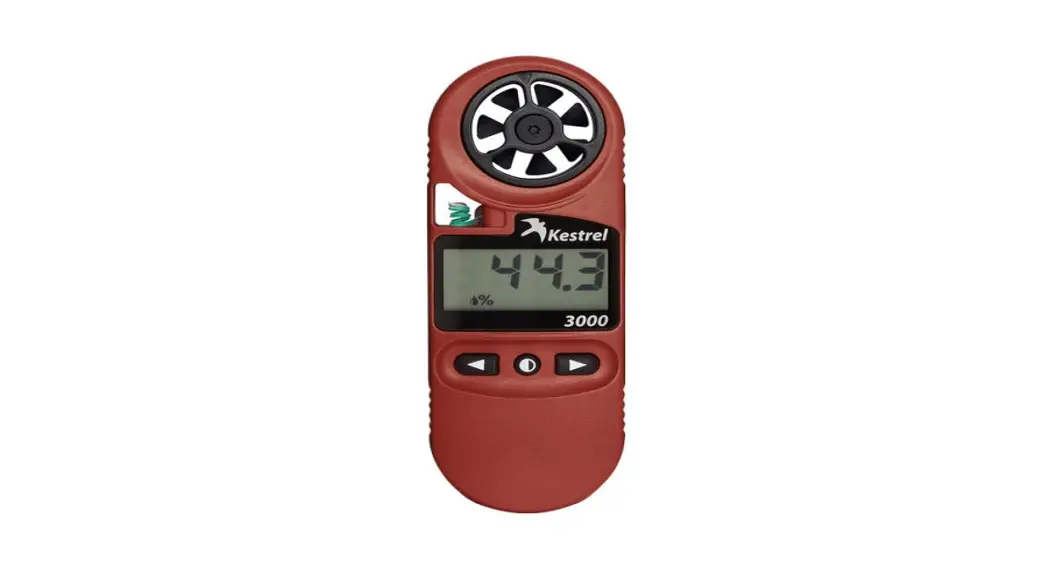
 3000 Pocket Weather Meter
User Guide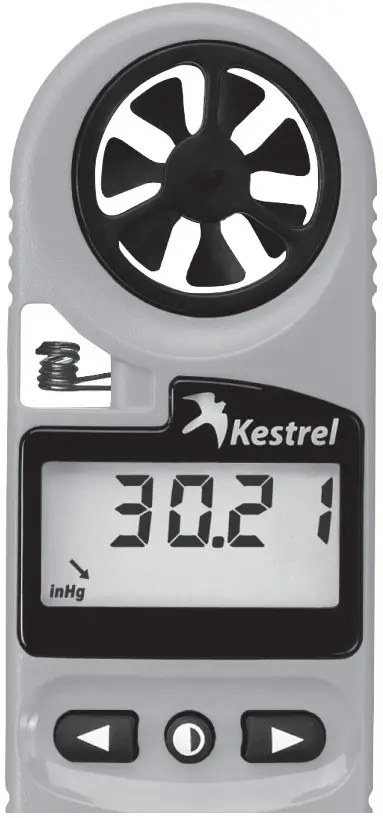
3000 Pocket Weather Meter
USER GUIDE
1000, 2000, 2500 & 2500NV, 3000, 3500 & 3500NV, 3500DT
| SCAN TO SHOP | SCAN TO SHOP | SCAN TO SHOP |
 |  |  |
| https://qr.shopify.com/-1R204KW | https://qr.shopify.com/0b7pK-44 | https://qr.shopify.com/-1R204KW |
| SCAN TO SHOP | SCAN TO SHOP | SCAN TO SHOP |
 |  |  |
| https://qr.shopify.com/LcZSCCNg | https://qr.shopify.com/8Yq3FrG4 | https://qr.shopify.com/Zrwh9sK8 |
FEATURES & OPTIONS
The table below shows all Measurement screens available, listed with their corresponding screen icon and “Hint” abbreviation.
| Measurement | Icon | Hint | Units of Measure | 1000 | 2000 | 2500 | 3000 | 3500 | 3500DT |
| Wind Speed |  | SPd | mph | kt | B | m/s | ft/min | km/h | • | • | • | • | • | • |
| Temperature |  | dEG | ˚F | ˚C | • | • | • | • | • | |
| Wind Chill |  | chill | ˚F | ˚C | • | • | • | • | ||
| Relative Humidity |  | r.h. | % | • | • | • | |||
| Heat Stress Index | 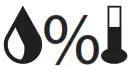 | H.I | ˚F | ˚C | • | • | ||||
| Dewpoint Temp |  | d . P. | ˚F | ˚C | • | • | • | |||
| Barometric Pressure |  | bAro | inHg | hPA | mb | • | • | • | |||
| Altitude |  | Alt | m | ft | • | • | • | |||
| Wet Bulb Temp |  | bulb | ˚F | ˚C | • | • | ||||
| Backlit Display | • | • | • | ||||||
| Pressure Trend |  | • | • | • | • | ||||
| Delta T | | dElt | • | ||||||
| Clock | • | • | • | • |
*The NV series features a dim red backlight for use in low light or nighttime situations.
*Only one arrow icon will be displayed on screen to indicate the 3-hour pressure trend.
GETTING TO KNOW YOUR KESTREL
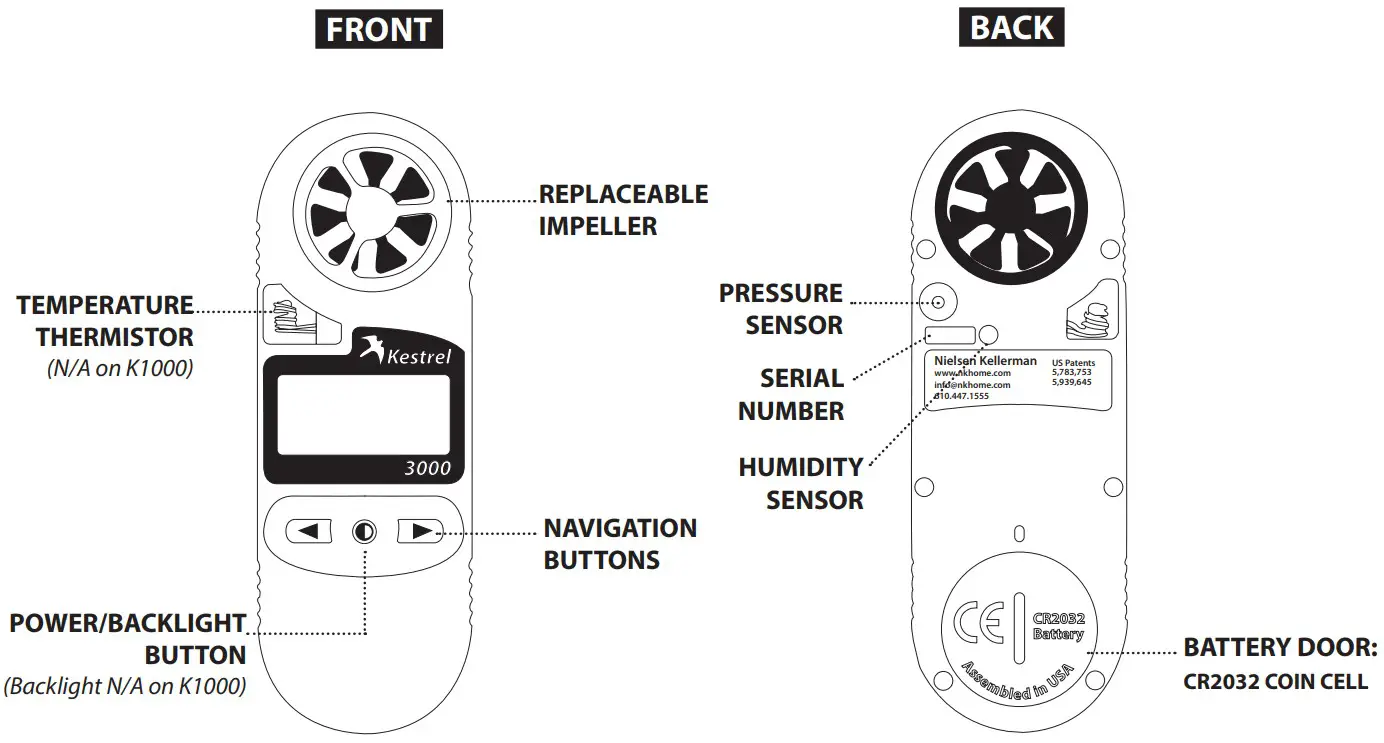 *All Kestrel Meters with temperature measurement allow you to measure air, water and snow temperature.
GETTING STARTED
Turning ON and OFFxx
- Press
 to turn on.
 - Hold for 3 seconds to turn off.
 to turn on.
 The Kestrel Meter will automatically turn off if no buttons have been pressed for 45 minutes.
Select Measurement Mode
- Use
 to access each Measurement screen
 - The instantaneous Measurement value will be displayed on each screen and updated once per second.
Each Measurement screen will flash a brief “Hint” to clarify which Measurement is being displayed. Note: Hints are not displayed in the Kestrel 1000.
The Measurement’s icons and units of measure will be displayed in the lower line of the screen.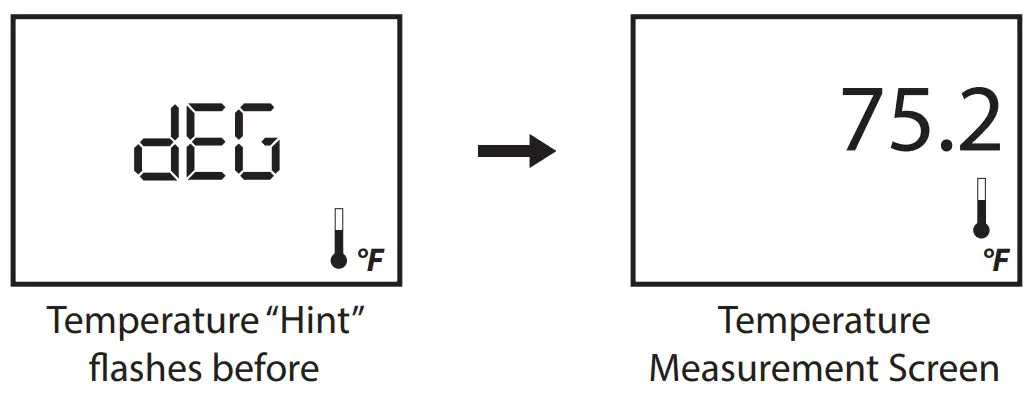
SETUP + OPTIONS
Select the Unit of Measure
- Select the unit of measure. While holding , press
 to scroll through the available units of measure for that measurement.
 to scroll through the available units of measure for that measurement.
Adjust the Clock
*This applies to the 2500, 2500NV, 3500, 3500NV and 3500DT.
- Adjust the clock. Simultaneously press
 to access clock setting. While the time is blinking, press to change the time. Hold either button down to adjust quickly. Simultaneously press to exit clock setting.
 to access clock setting. While the time is blinking, press
 BAROMETRIC PRESSURE & ALTITUDE ADJUSTMENT
SETTING REFERENCE BAROMETRIC PRESSURE & ALTITUDE: KESTREL 2500 & KESTREL 3500 ONLY The Kestrel Meter measures “station pressure,” which changes in response to both changes in altitude and changes in atmosphere. Barometric pressure is a measurement of the air pressure adjusted to sea level. To obtain accurate barometric pressure and altitude readings, you must first enter EITHER your location’s current barometric pressure OR your current altitude.
*Station pressure is displayed if the reference altitude is set to zero.
Starting with Known Altitude for your Location
- Use to highlight the “BARO” screen.
- Press simultaneously until the word “REF” starts blinking on screen.
- Use to adjust the value to the correct known Altitude.
- Press simultaneously to exit the reference setting mode.
After the Altitude reference is set, place the unit on a table and allow it to stabilize. The accurate Barometric Pressure reading will then be displayed on screen.
Note the correct barometric pressure reading above and use this measurement to set the Altitude:
- Use to highlight the “Altitude” screen.
- Presssimultaneously until the word “REF” starts blinking on screen.
- Use to adjust the value to the barometric pressure measurement noted above.
- Press simultaneously again to exit the setting mode.
Starting with Known Barometric Pressure for your Location
- Use to highlight the “Altitude” screen.
- Press simultaneously until the word “REF” starts blinking on screen.
- Use to adjust the reference value to the correct known Barometric Pressure.
- Press simultaneously again to exit the setting mode.
After the Pressure reference is set, place the unit on a table and allow it to stabilize. The accurate Altitude reading will then be displayed on screen.
Note the correct altitude reading above and use this to set the Barometric Pressure:
- Use to highlight the “BARO” screen.
- Press simultaneously until the word “REF” starts blinking on screen.
- Use to adjust the reference value to the correct known Altitude.
- Press simultaneously again to exit the setting mode.
Once these steps are complete, both screens will display accurate readings.
*Be sure to adjust your reference measurements when you change your location for altitude and/or barometric pressure or when there has been dramatic change in weather conditions.
MEASUREMENT NOTES
MEASUREMENTS
Barometric Pressure Trend : indicates pressure is rising quickly (> +0.18 inHg) in 3 hours : indicates pressure is rising (within +0.06 and +0.18 inHg) : indicates pressure is stable (remains between -0.06 and +0.06 inHg)
 : indicates pressure is dropping (within -0.06 and -0.18 inHg)
 : indicates pressure is falling quickly (> -0.18 inHg)
Select Units of Measure
- Use or to scroll to the desired Measurement screen.
- Hold down , then press to set the desired Units of Measure for the Measurement.
Water and Snow Temperature
The Kestrel Meter may also be used to measure the temperature of water and snow. Submerge the thermistor portion (curly exposed wire in window next to impeller) in water or snow to get an accuratereading. Kestrel Meters are completely waterproof, float and can be safely submerged in water according to IP-67 standards (up to 1 meter for a maximum of 30 minutes).
Max/Avg Function
To view the maximum wind gust recorded, press  until you see “MAX” appear at bottom of screen. Press again to view average wind gust. “AVG” will appear at bottom of screen. Both Max and Average are reset each time the unit is powered down. To restart averaging, simply turn the unit off and back on again.
Hold Mode Hold Mode can be useful for taking measurements when you are unable to view the display.
- Hold down , then press
 .
. - The word “HOLD” will blink on each screen and all values will stop measuring and freeze in memory.
- Use to view each Measurement screen in Hold Mode.
- To exit Hold Mode, hold down , then press again.
 .
.Backlight*
- Press to activate the backlight for 10 seconds.
- Press again to manually deactivate the backlight before 10 seconds expire.
* The Kestrel 1000 Meter does NOT offer a backlight.
MAINTENANCE & SERVICE ADDENDUM
Replacing the Battery
When your display becomes dim or disappears, you need to change the battery.
Use a US nickel or similar coin to twist open the battery compartment.
Replace battery with a new, clean CR2032 coin-cell battery, with positive side (+) facing up.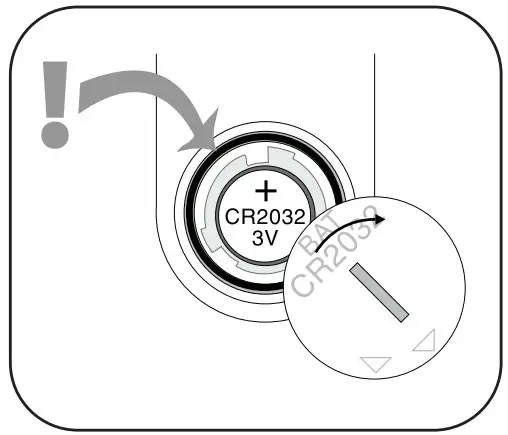 CR2032 batteries are available in most stores that sell batteries. When replacing the battery door, be sure to keep the black rubber o-ring seated in the groove on the case back.
SENSOR CALIBRATION
Impeller
The Kestrel impeller calibration drift is less than 1% after 100 hours of use at 16 MPH | 7 m/s. Drift increases with higher-speed use. For most users, the impeller will provide accurate wind speed/air flow readings for years if not physically damaged. However, if your application requires extremely high precision or if you perform frequent high-speed readings, we recommend you replace your impeller at one-year intervals. Every replacement impeller is supplied with a certificate of conformity and restores your Kestrel’s
calibration upon installation.
Temperature Sensor (Kestrel 2000 and higher)
The Kestrel temperature sensor exhibits virtually zero drift over time and generally does not require recalibration for accurate performance during the life of the product. If your industry or application requires calibration, please contact NK or a certified calibration lab for options and pricing.
Humidity Sensor (Kestrel 3000 and higher)
The Kestrel humidity sensor calibration drift may be up to +/- 2% over 24 months. For high-precision applications, we recommend recalibration at 24-month intervals. If you require calibration, please contact NK or a certified calibration lab for options and pricing. The humidity sensor may also be recalibrated in the field using a Kestrel Humidity Calibration Kit (NK PN-0802). Instructions for running the recalibration routine are provided with the Humidity Calibration Kit and may also be found at www.kestrelinstruments.com/mwdownloads/download/link/id/37/
Pressure Sensor (Kestrel 2500 & 3500)
The Kestrel pressure sensor drift may be up to 1 mbar over 12 months. For high-precision applications, we recommend recalibration at 12-month intervals. If you require calibration, please contact NK or a certified calibration lab for options and pricing. The pressure sensor may also be recalibrated in the field with reference to a known-accurate and calibrated pressure standard. We do not recommend simply recalibrating to a local weather station as this may not be accurate for your location. Instructions for recalibrating the pressure sensor may be found at www.kestrelinstruments.com/category-service-calibration/kestrel-calibration.
5 YEAR LIMITED WARRANTY
Your Kestrel instrument is warrantied to be free of defects in materials and workmanship for a period of FIVE YEARS from the date of its first consumer purchase. NK will repair or replace any defective product or part when notified within the warranty period, and will return the product via domestic ground shipping or NK’s choice of method of international shipping at no charge. The following are excluded from warranty coverage: damage due to improper use, storage, maintenance or handling (including corrosion); damage caused by severe or excessive impact, damage caused by failed or leaking batteries, crushing or mechanical harm; modifications or attempted repairs by someone other than an authorized NK repair agent; impeller failure not caused by a manufacturing defect; normal usage wear and failed batteries. Measurement accuracy is warranted to be within the specifications on the supplied Certificate of Conformity including specified drift since date of manufacture. If no warranty registration or proof of purchase is provided, the warranty period will be measured from the product’s date of manufacture.
Except for the warranties set forth herein, NK disclaims all other warranties, expressed, implied or statutory, including, but not limited to, the implied warranties of merchantability or fitness for a particular purpose. Any implied warranties that may be imposed by applicable law are limited to the term of this warranty. In no event shall NK be liable for any incidental, special or consequential damages, including, but not limited to, loss of business, loss of profits, loss of data or use, whether in an action in contract or tort or based on a warranty, arising out of or in connection with the use or recalibration, performance of an NK product, even if NK has been advised of the possibility of such damages. You agree that repair, and (upon availability) replacement, as applicable, is your sole and exclusive remedy with respect to any breach of the NK Limited Warranty set forth herein. All product liability and warranty options are governed exclusively by the laws of the Commonwealth of Pennsylvania.
Please register your Kestrel instrument at www.kestrelinstruments.com
 Manufactured by:
NIELSEN-KELLERMAN
21 Creek Circle, Boothwyn, PA 19061
 Kestrel Meters Official Site - Kestrel Wind & Weather Meters
 Leaders in Weather & Sports Performance Monitoring Solutions