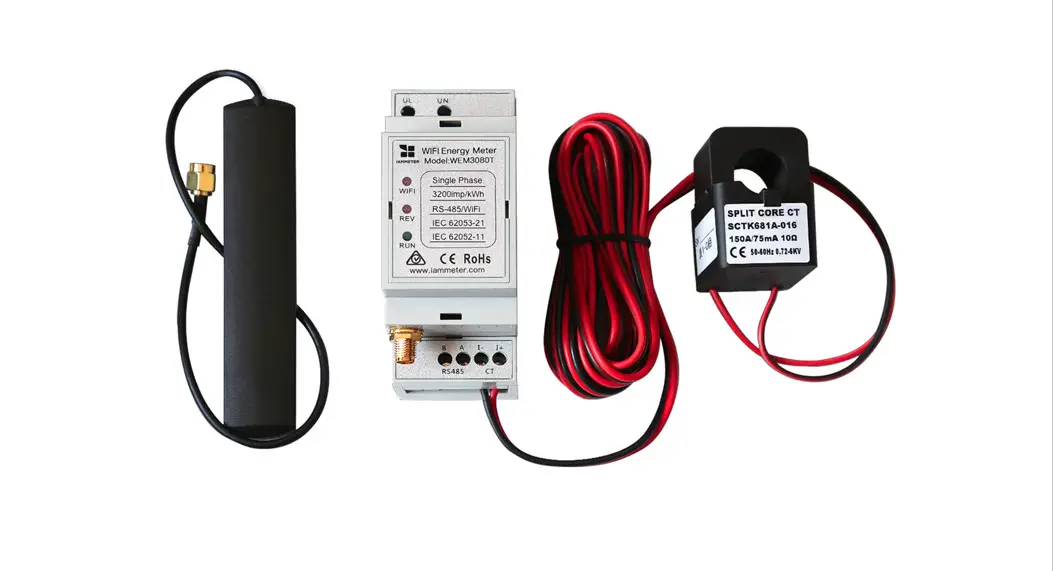

QuickStan Single Phase Wi-Fi Electricity Meter cw3080)
Hardware Introduction
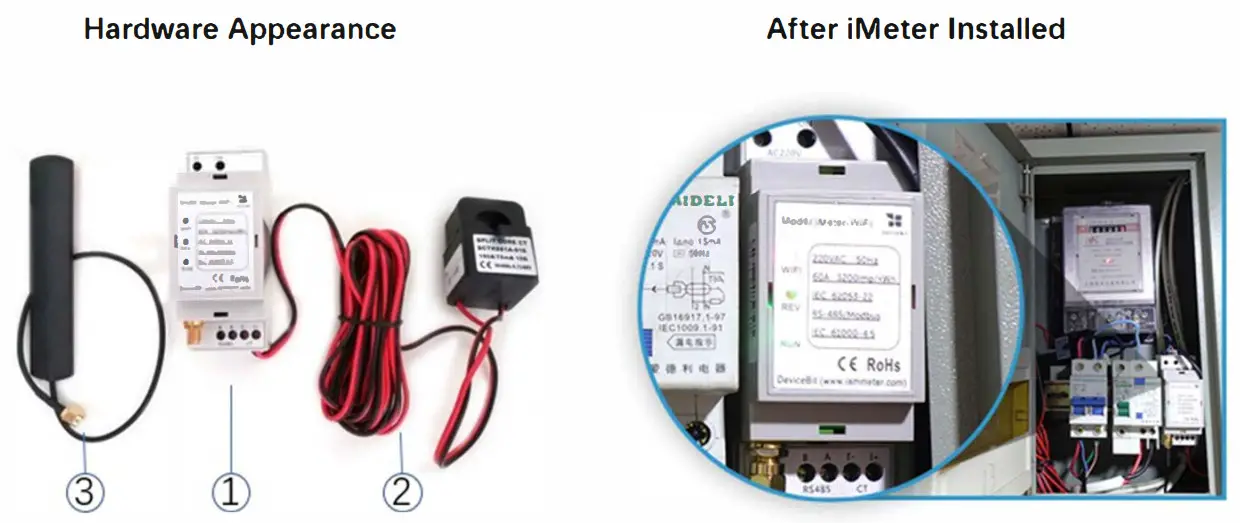
Standard Inclusion:
| No. | Item | Qty | Remark |
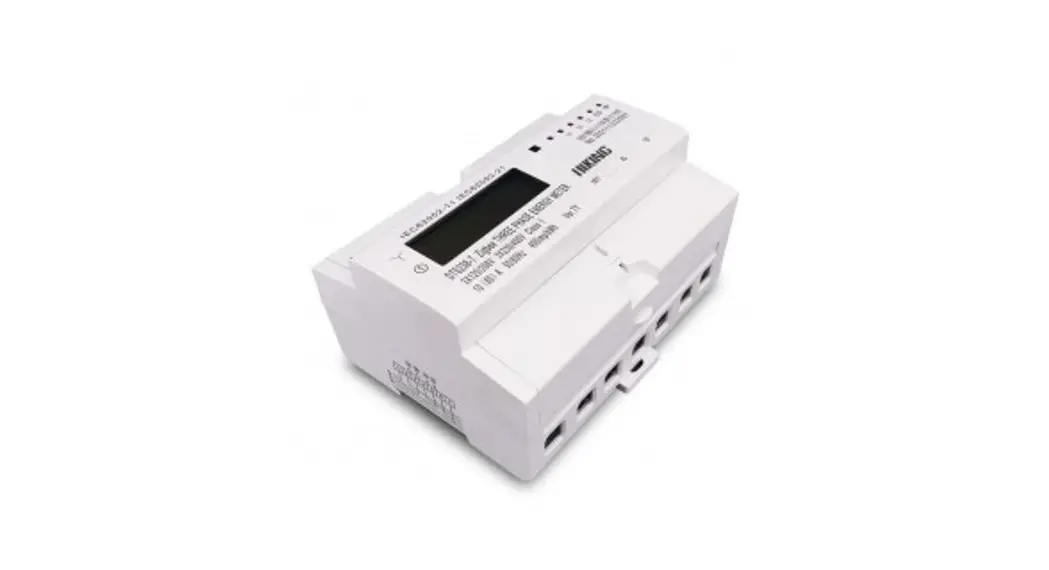
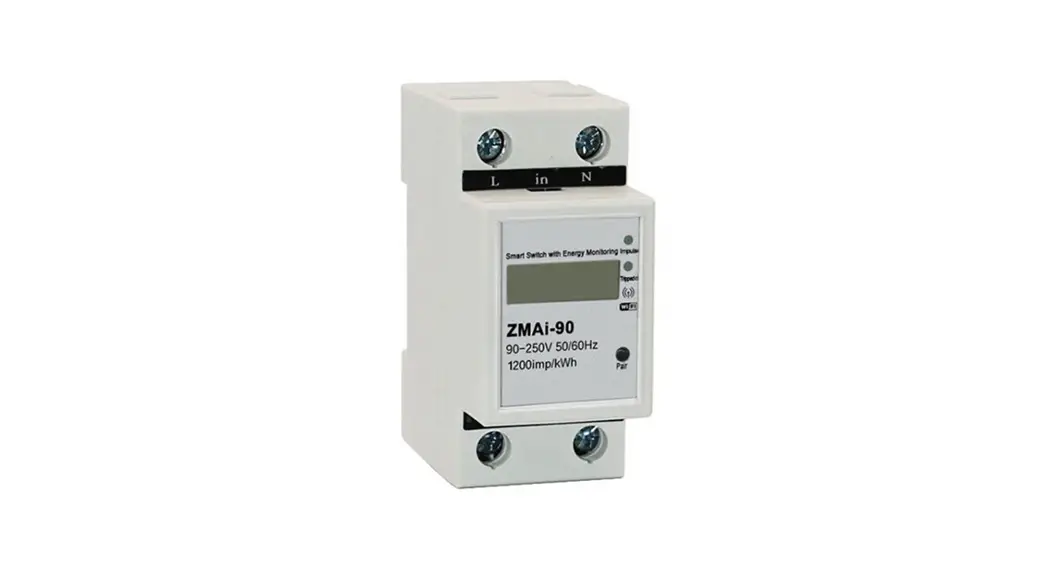
| 1 | Wi-Fi Energy Meter | 1 | Wi-Fi module embedded |
| 2 | Split-Core CT (Current Transformer) | 1 | lOOA by default, other CT ratings are optional |
| 3 | 2.4G Antenna | 1 |
Typical Wiring Diagram
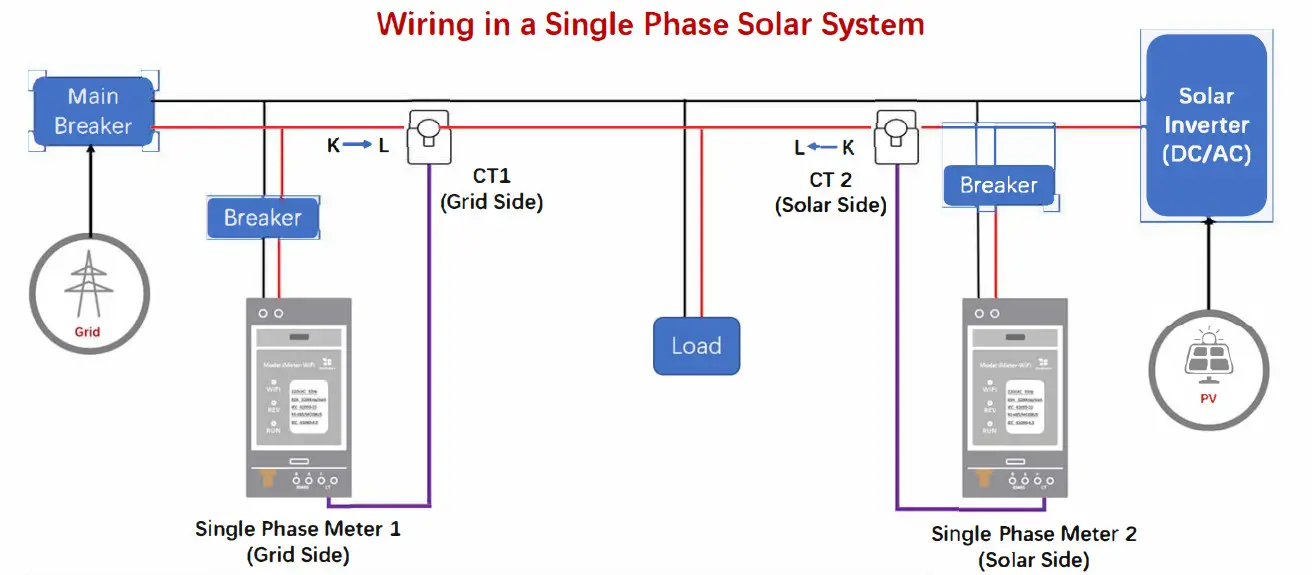
Clip CTl onto Grid: Measure “From Grid” or “To Grid” energy.
If the measured current direction is K-L, the energy reading 1s accumulated as “From Grid” Energy;
If the measured current direction is L -K, the energy reading is accumulated as “To Grid” Energy
Clip CT2 onto Inverter: Measure how much energy is generated by the inverter
Neutral Line
Live Line
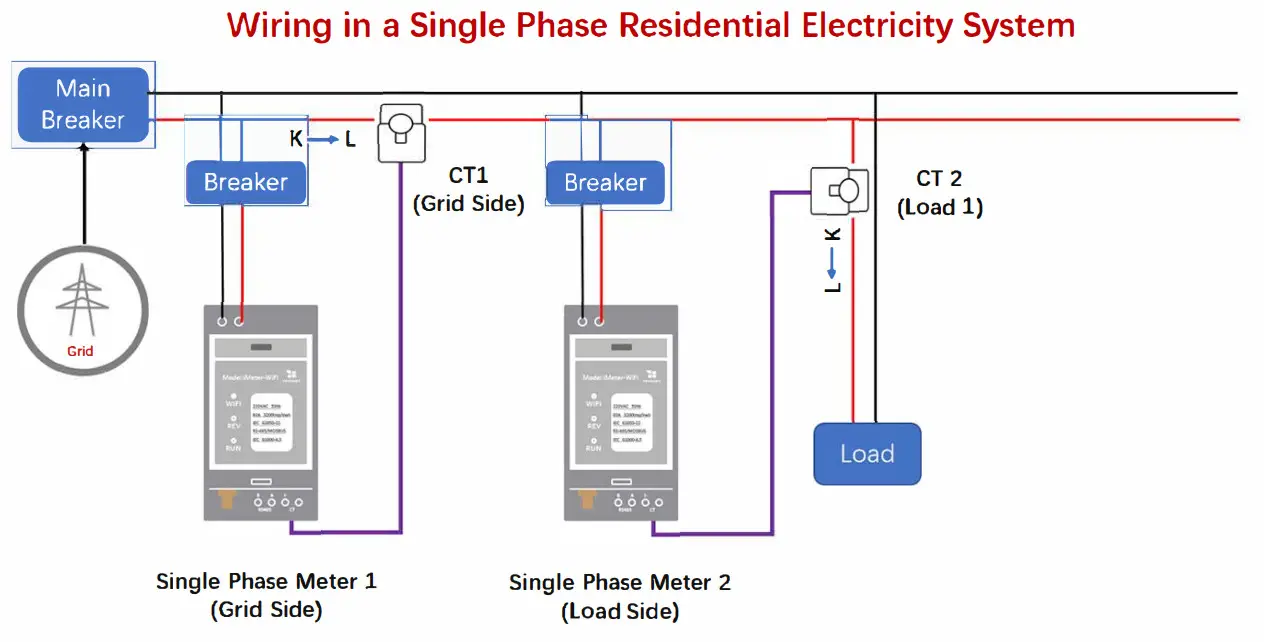
Clip CTL onto Grid: Measure “From Grid” energy
Clip CT2 onto Load: Measure how much energy is consumed by the load
Neutral Line
Live Line
Wi-Fi Setup
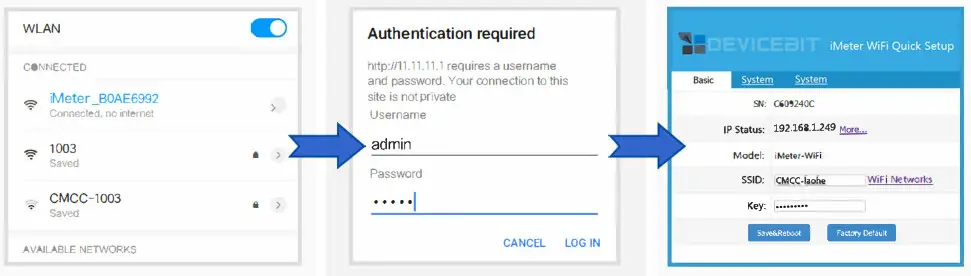 | ||
1 Step1
| 2 Step2 • Whilst connected to the iMeter’s network, open a web browser and navigate to hrtp://11.11.11.1/ • Enter the username “admin” and password “admin” and log into the configuration webpage. | 3 Step3 • Click “Wi-Fi Networks” to search and select your home Wi-Fi Network as SSID • Enter the password for your home Wi-Fi Network as Key. • Click”Save&Reboot” |
Tips
- After connected to your home Wi-Fi network, the iMeter’s Wi-Fi access point signal (iMeter _xxxxxxxx) will be hidden for security reasons;
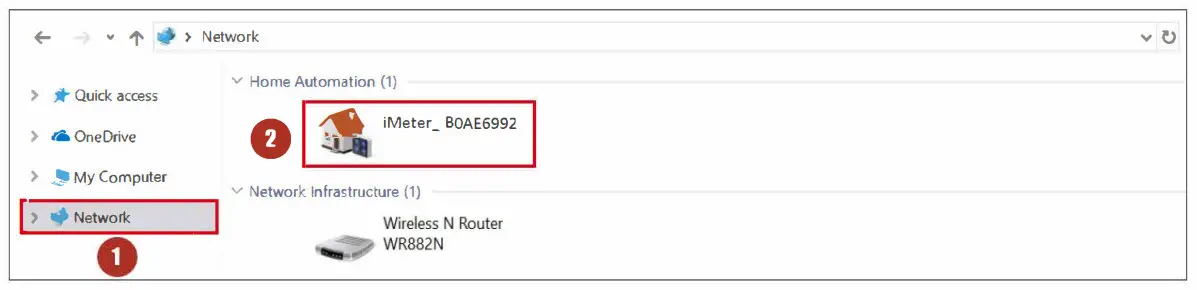
- You can find your iMeter in the network of your PC which is connected to the same home Wi-Fi network.
Sign UP bV mobile App
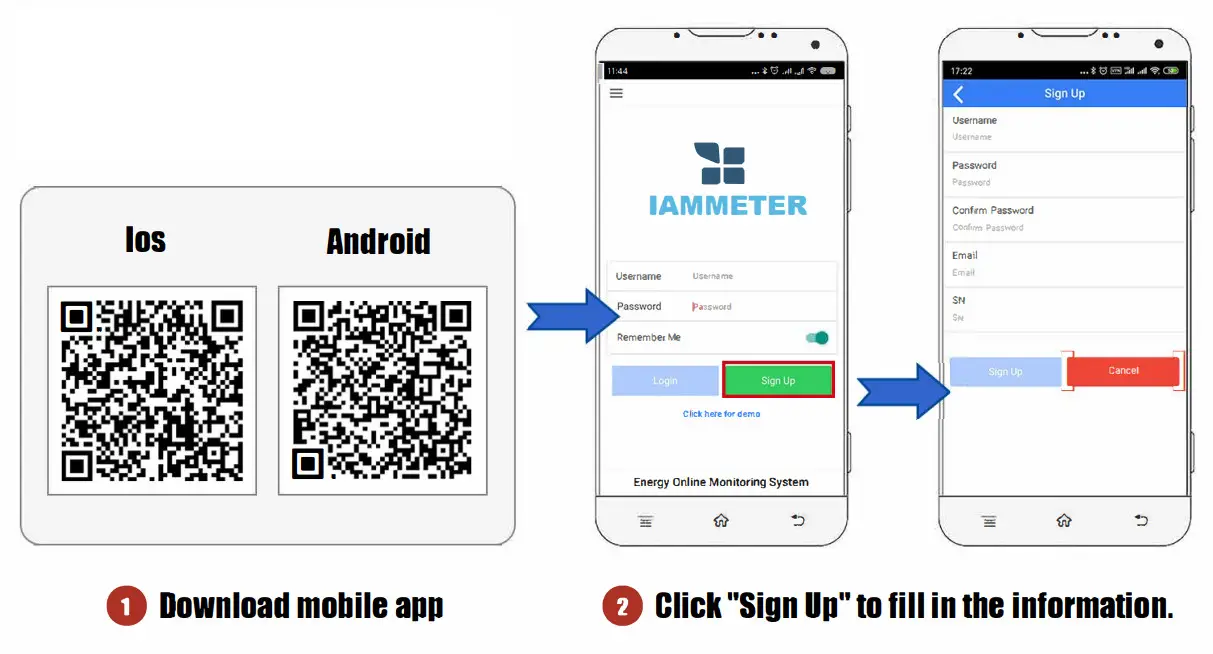
https://play.google.com/store/apps/details?id=com.lewei.pm |
Tips
SN: The serial number of your meter. You can copy it from the iMeter’s access point signal (iMeter _xxxxxxxx, xxxxxxx is the SN).
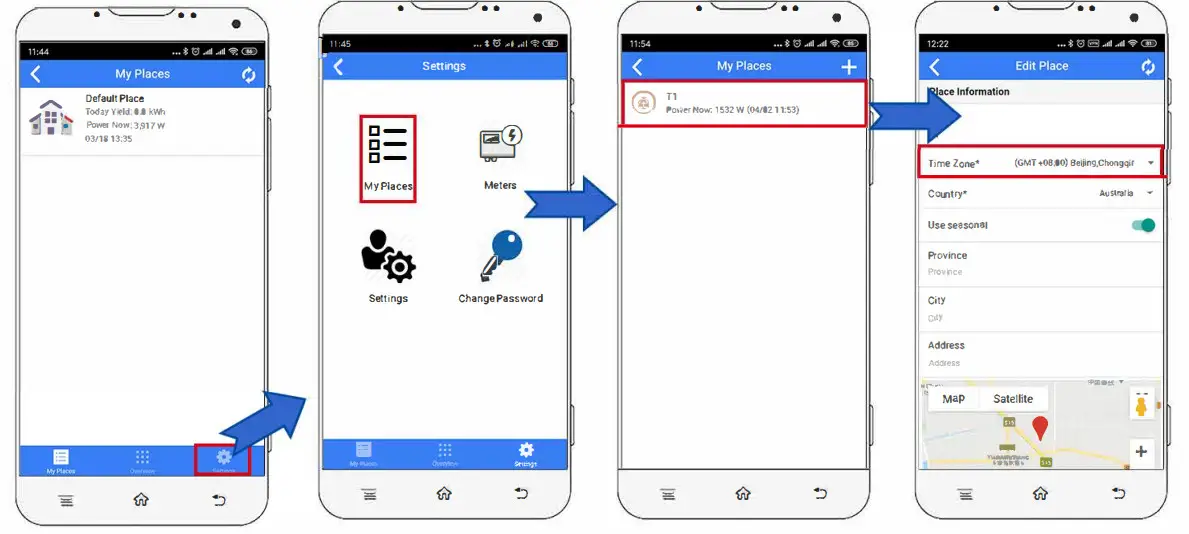
Set the time zone
 Tips
Tips
The Time zone must be set according to your location for correct data display and report on a time basis.
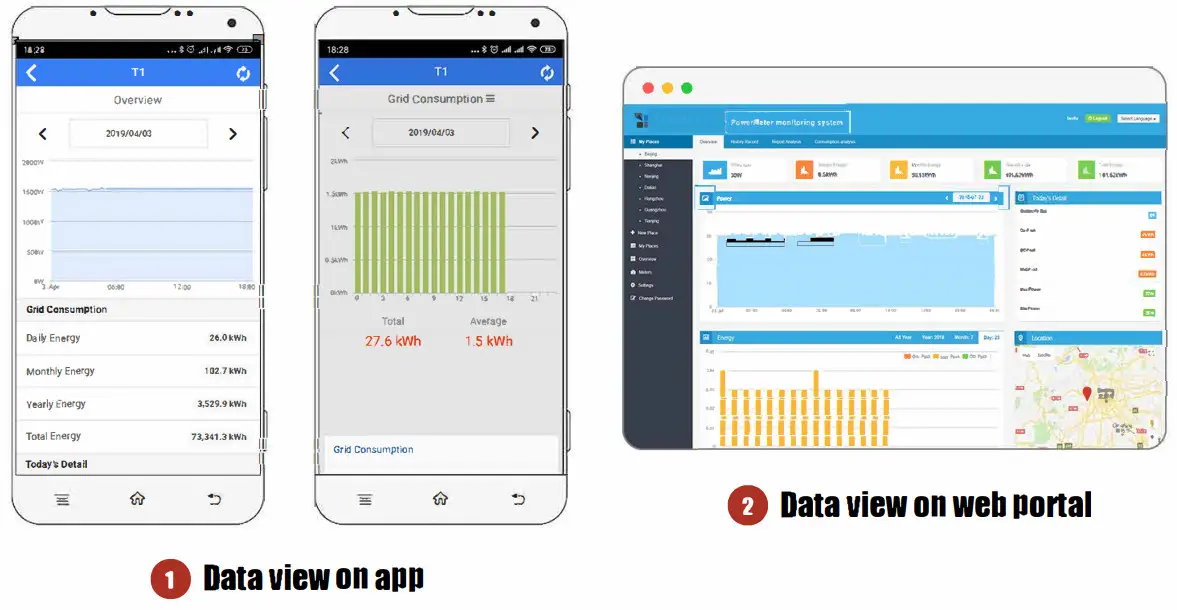
View the Data
Tips
Please visit https://www.iammeter.com to log into the web portal. Same username and password as an app.
FCC Warning
This device complies with part 15 of the FCC rules. Operation is subject to the following two conditions: (1) this device may not cause harmful interference, and (2) this device must accept any interference received, including interference that may cause undesired operation.
Changes or modifications not expressly approved by the party responsible for compliance could void the user’s authority to operate the equipment.
NOTE: This equipment has been tested and found to comply with the limits for a Class B digital device, pursuant to part 15 of the FCC Rules. These limits are designed to provide reasonable protection against harmful interference in a residential installation. This equipment generates uses and can radiate radio frequency energy and, if not installed and used in accordance with the instructions, may cause harmful interference to radio communications.
However, there is no guarantee that interference will not occur in a particular installation. If this equipment does cause harmful interference to radio or television reception, which can be determined by turning the equipment off and on, the user is encouraged to try to correct the interference by one or more of the following measures:
- Reorient or relocate the receiving antenna.
- Increase the separation between the equipment and receiver.
- Connect the equipment into an outlet on a circuit different from that to which the receiver is connected.
- Consult the dealer or an experienced radio/TV technician for help.
Radiation Exposure Statement
This equipment complies with FCC radiation exposure limits set forth for an uncontrolled environment. This equipment should be installed and operated with a minimum distance of 20cm between the radiator and your body.
Beijing Lewie loT Technologies Co., Ltd.
Technical support:
Email:[email protected]
Skype/WeChat/WhatsApp: 13911890238
 IOT(Internet Of Things) Hardware & Software Company, Solution Provider