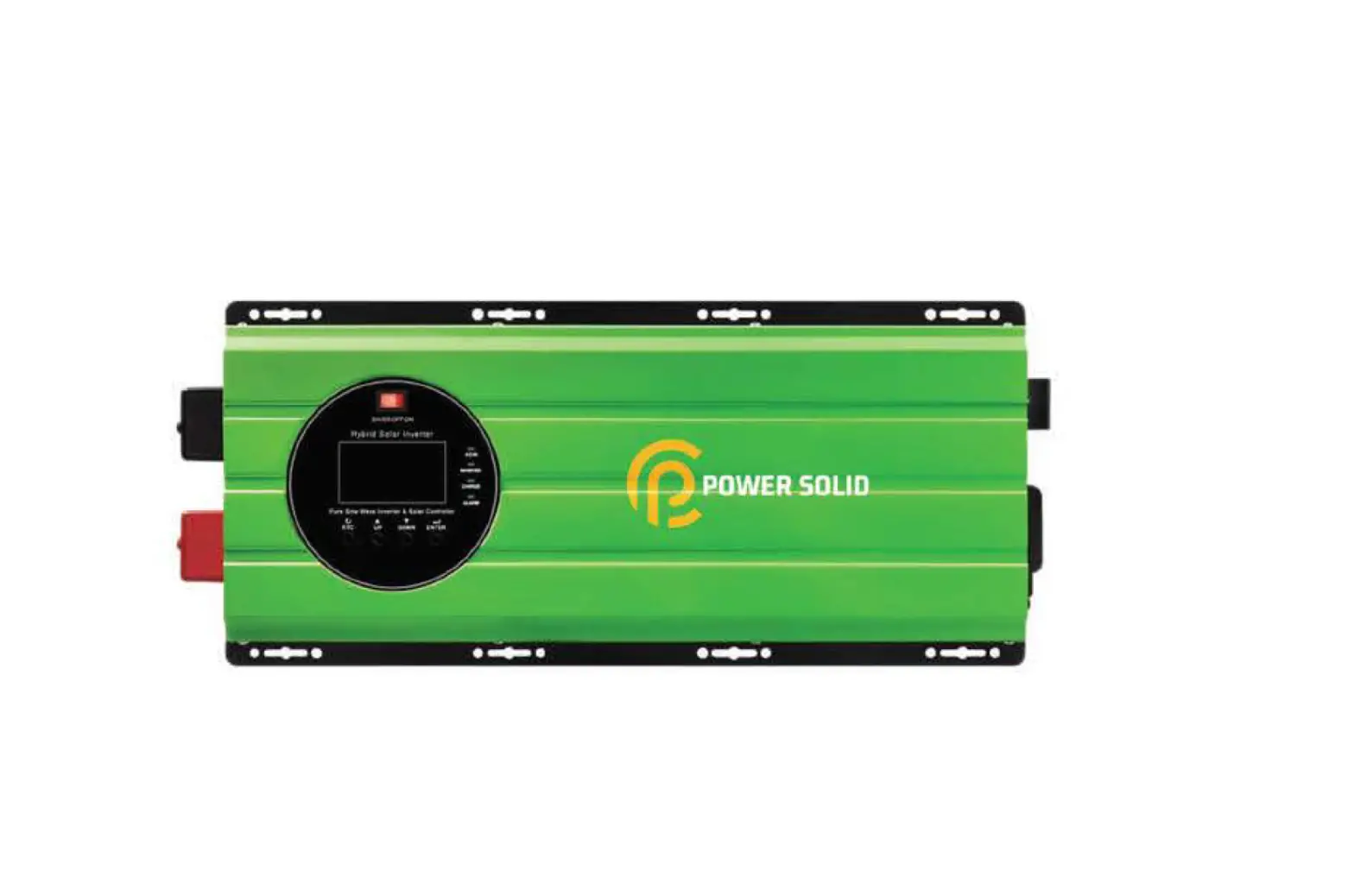
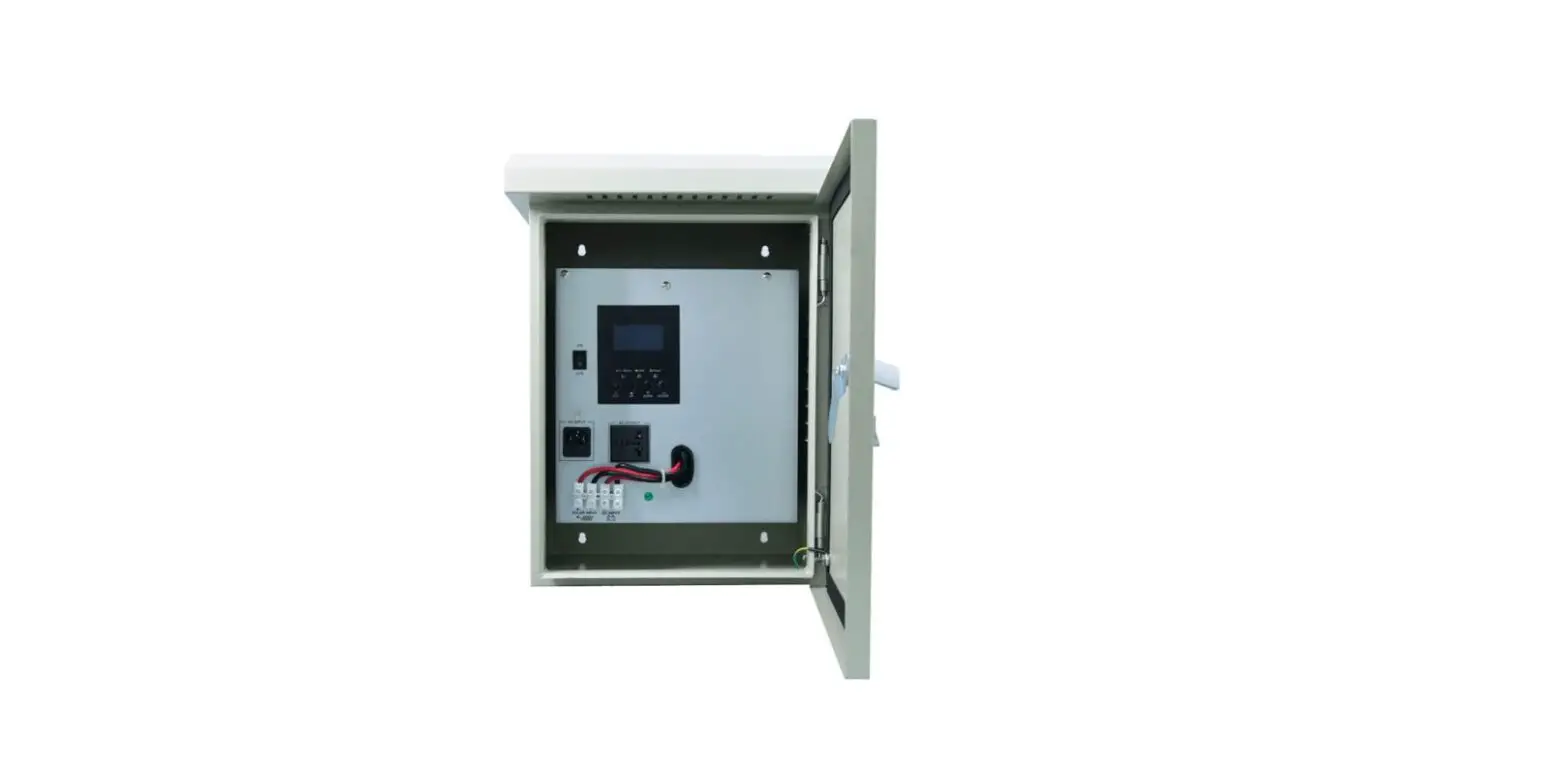
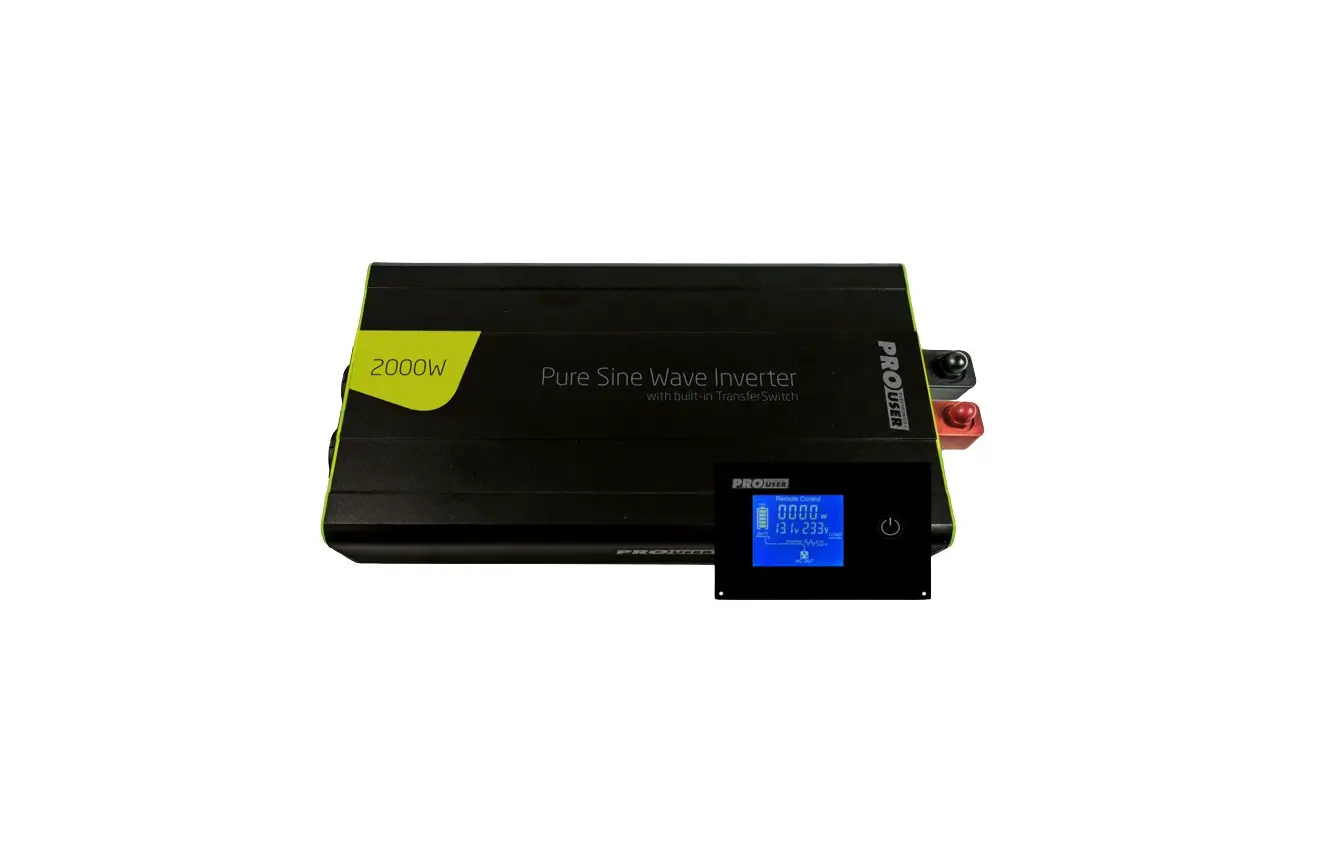
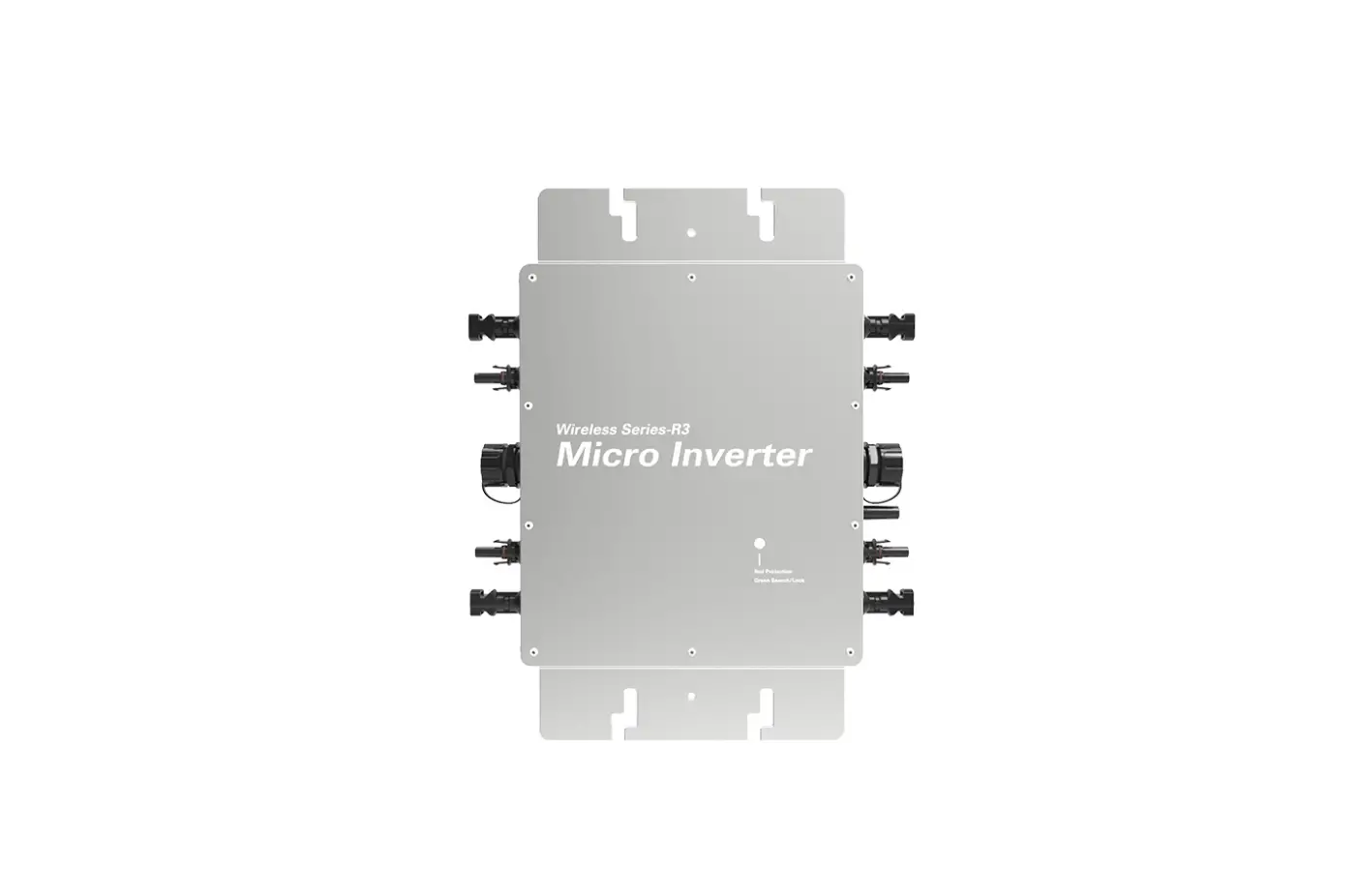
PSi1000VAT48VK Telecom Inverter
Product Information
The product is a power supply instrument that can provide
high-performance uninterrupted AC power for various precision
instruments. The instrument has the following characteristics and
functions:
- The temperature drop is about 20°C
- Overload protection: The inverter will stop inversion and turn
to bypass output, sending out sound-light alarm as overload for
period of time. Once the load resume to normal, the inverter will
turn to inversion output automatically. The overload protection
drop is about 10%.
The instrument has dangerous high voltages in both input and
output, which may endanger the safety of life. It is important to
strictly follow the operating description and not remove the cover
of the instrument. It is also necessary to keep the instrument
connected to the ground before connecting the instrument. There are
several precautions that need to be taken while using the
instrument to ensure safety.
Product Usage Instructions
- Read the user manual carefully before operating the instrument
to understand its correct operation. - Do not open the cover of the instrument by yourself due to the
danger of shock. - Turn off the mains input switch and the battery switch in case
of any urgency. - Keep the instrument connected to the ground before connecting
it. - Be aware that there are many kinds of power sources for the
instrument, and the line bank or socket may still have voltage even
if only the main power is disconnected. - Remove the cable between the battery and instrument before
repairing. Wait for another 5 minutes for discharging due to the
danger of shock. - Fasten wires to the terminals and do not short the anode and
cathode of the battery. It is prohibited to touch any two wire
connectors or bare end of connecting wires as it may lead to damage
of battery or personal injury. - Keep the battery and battery group away from fire and all
instruments that may cause a spark to prevent danger and
damage. - Do not open or shatter the battery as the overflow electrolyte
is with causticity that may be harmful to life. - Contact the professional personnel of the local dealer or
special maintenance station for any troubleshooting. Random
disposal of the trouble is not allowed.
During transportation and storage, it is important to follow the
guidelines provided in sections 3.1 and 3.2 of the user manual. In
case of frequent abnormal diagnose, refer to section 6.6 of the
manual for further instructions.
NOTE
Please carefully read the user’s manual before operation for the sake of understanding correct operation of the instrument. Please keep the manual handy for future reference.
WARNING
The input and output of the instrument is with danger high voltages which may endanger the safety of life. Please strictly follow the operating description is not allowed to remove the cover of the instrument.
1. The input & output voltage of the instrument is dangerous which will endanger the safety of
life 2. Please do not open the cover of the instrument by yourself in view of danger of shock 3. Please turn off the mains input switch and the battery switch for any urgency 4. Please keep the instrument connect the ground before connecting instrument
5. There are many kinds of power sources for the instrument, the line bank or the socket may still have voltage if only the main power is disconnected.
6. Please remove the cable between the battery & instrument before repairing. It’s necessary to wait for another 5 minutes for discharging, because of the danger of shock.
7. The wires should be fastened to the terminals. It is prohibited to short the anode and cathode of battery. It’s prohibited to touch any two of wire connectors or bare end of connecting wires. Otherwise, it may lead to damage of battery or personal injury.
8. Please keep the battery and battery group away from the fire and all the instrument that may cause spark to prevent the danger and damage 9. Please do not open or shatter the battery, the overflow electrolyte is with causticity that may be
harmful to life. 10. Please contact the professional personnel of the local dealer or the special maintenance
station for any trouble-shooting. Random disposal of the trouble is not allowed. 11. This is an A-grade product with electromagnetic compatibility, it may make some radio
disturbance in environment. In this situation, users should adopt some actual and feasible method for anti-interference. 12. The instrument should be maintained by the service professional. 13. Before you replace the battery of different brand and different type, make sure the charging voltage is matching with machine charging voltage due to the different required charging voltage of different battery, If any doubt, please consult with the manufacturer. Any changes of the system configuration, structure and composition will influence the performance of machine, please consult with the manufacturer in prior before doing any changes. 14. Before usage, confirm that the temperature of the instrument has dropped into the normal run range. It is recommended still placement for 24 hours in the normal temperature range before startup.
CONTENTS
1. Summary ……………………………………………………………………………………………………………………… 1 1.1 Brief Introduction ……………………………………………………………………………………………………. 1 1.1.2 Products Characteristics …………………………………………………………………………………….. 1 1.1.3 Technical Specification ………………………………………………………………………………………. 3
2. Basic Principles and Structure ……………………………………………………………………………………… 5 2.1 Stand-alone Principle ……………………………………………………………………………………………… 5 2.1.1 Principle Diagram ………………………………………………………………………………………………. 5 2.1.2 Principle……………………………………………………………………………………………………………. 5 2.2 Structure……………………………………………………………………………………………………………….. 6 2.2.1 Structure and Appearance ………………………………………………………………………………….. 6 2.2.2 Appearance Illustration ………………………………………………………………………………………. 7
3. Transportation and Storage ………………………………………………………………………………………… 10 3.1 Transportation ……………………………………………………………………………………………………… 10 3.2 Storage……………………………………………………………………………………………………………….. 10
4. Installation……………………………………………………………………………………………………………………11 4.1 Installation Notice…………………………………………………………………………………………………. 11 4.2 Site and Environment Requirements ………………………………………………………………………. 12 4.2.1 Site Requirements……………………………………………………………………………………………. 12 4.2.2 Environment Requirements……………………………………………………………………………….. 12 4.3 Unpacking …………………………………………………………………………………………………………… 13 4.4 Power Examination ………………………………………………………………………………………………. 13 4.4.1 Base requirements to mains supply……………………………………………………………………. 13 4.5 Brief installation introduction to the mainframe…………………………………………………………. 14 4.6 Electric Connection ………………………………………………………………………………………………. 15 4.6.1 Notice …………………………………………………………………………………………………………….. 15 4.6.2 Cable Wiring……………………………………………………………………………………………………. 15 4.6.3 Grounding……………………………………………………………………………………………………….. 16 4.7 System Examination and Test ……………………………………………………………………………….. 16 4.7.1 Electric Connection Examination ……………………………………………………………………….. 16 4.7.2 Inverter Test ……………………………………………………………………………………………………. 17 4.8 Load Connection ………………………………………………………………………………………………….. 17
5. Usage …………………………………………………………………………………………………………………………. 18 5.1 Notice …………………………………………………………………………………………………………………. 18 5.2 Startup Preparation ………………………………………………………………………………………………. 18 5.2.1 Load Capacity Calculation ………………………………………………………………………………… 18 5.2.2 Confirm the following items for the normal work of the inverter ……………………………… 19 5.3 Operation…………………………………………………………………………………………………………….. 19 5.3.1 Daily startup and shutdown……………………………………………………………………………….. 19 5.3.2 Operation………………………………………………………………………………………………………… 19
6. Maintenance Guard …………………………………………………………………………………………………….. 20 6.1 Apparatus Room Management ………………………………………………………………………………. 20 6.2 Maintenance Guide ………………………………………………………………………………………………. 20 6.3 Safety Precaution…………………………………………………………………………………………………. 21 6.4 Periodic Preventative Maintenance ………………………………………………………………………… 21 6.5 Maintenance Procedure ………………………………………………………………………………………… 21
6.6 Frequent Abnormal Diagnose ………………………………………………………………………………… 22
500VA~1kVA User’s Manual
1. Summary
1.1 Brief Introduction
1.1.2 Products Characteristics
Powers of sine wave for communication accord with ISO IEC146-4, GB7260, maintenance regulations of MINPTT, certification and examination details of network admittance quality of the inverter equipment for communication, and can be inverter power supplies in the environments such as post telephone and telegraph, railway, marine etc. and AC uninterrupted power supplies for that such as Chinese teletex facility, telegraph terminals, wireless call facility, data switching exchange, local exchange, microwave communication facility, charging system for the celltype exchange, facsimile apparatus for character and image, kinds of AC instruments and computers etc.
Powers, being able to supply high-performance uninterrupted AC power for various precision instruments, have mainly the following characteristics and functions:
Adopting rack imbed design so as to be more slinky and tide. Guard of input polarity opposition When DC input polarity terminals reversely connected, the inverter would not work but not be destroyed. Normal startup The inverter will supply normal voltage in 5s~20s after the on/off key on the panel pressed if the DC input voltage is in the required range for the normal startup. Low-voltage alarm and protection for DC input The inverter will send out alarm noises every 0.5 seconds but continue normal power supply to loads as the DC voltage below the low-voltage alarm point. When the DC input voltage is lower than the low-voltage protection point, the inverter will stop inversion, sending out long alarm noise and highlight the BATH/L indicator on the panel, so as to avoid the damage to the DC power resulting from low-DC-voltage. Over-voltage alarm and protection for DC input The inverter will send out alarm noise every 0.5 seconds but continue normal power supply to loads as the input voltage above the over-voltage alarm point. When the DC input voltage is higher than the over-voltage protection point, the inverter will shut down automatically for protection with no output. Communication
1
500VA~1kVA User’s Manual
The inverter offers dry connector. Through the dry connector, the work status can be monitored. Self-startup when input voltage resumes to normal The DC input voltage out of normal startup range will results in self-shutdown of the inverter, bypass output and sound-light alarm. When the voltage recovers, the inverter will restart automatically. Over-voltage protection for output The inverter will stop inversion and turn to bypass output, sending out sound-light alarm as the output voltage above the over-voltage protection point. Restart manually the inverter once the trouble is eliminated. Low-voltage protection for output The inverter will stop inversion and turn to bypass output, sending out sound-light alarm as the output voltage below the low-voltage protection point. Restart manually the inverter once the trouble is eliminated. Over-temperature protection When the temperature of the main radiator goes beyond the over-temperature protection point the inverter will stop inversion and turn to bypass output, sending sound-light alarm.
The temperature drop is about 20 .
Overload protection The inverter will stop inversion and turn to bypass output, sending out sound-light alarm as overload for period of time. Once the load resume to normal, the inverter will turn to
inversion output automatically. The overload protection drop is about 10 .
Short circuit protection for AC output The inverter will stop inversion and send out continuous sound-light alarm if the load undergoes short circuit. Restart the inverter manually once the trouble is eliminated. Bypass auto-lock To avoid frequent conversion, the inverter will be auto-locked to bypass output with continuous sound-light alarm when the inverter switches to bypass output 5 times continuously in 8 minutes. Restart manually the inverter once the trouble is eliminated. AC input abnormal status alarm If Li, Ni reversely connected the buzzer will alarm intermittently,
2
500VA~1kVA User’s Manual
1.1.3 Technical Specification
Model NO. Specification and Parameter
Table 1-1:Technical Specification
500VA
1kVA
Rated Output Capacity
AC input (Vac)
AC Input
Frequency(Hz) AC input range
Frequency range
DC Input
Rated voltage (VDC)
Rated current (A)
Normal DC Input range (VDC) Start input max impact current
DC Input range of normal start
Low voltage alarm of DC input High voltage alarm of DC input
Low voltage protection of DC input
Over voltage protect of DC input
Input terminal reverse comparable broad range static current
AC Output (Vac) Frequency (Hz)
AC Output
Dynamic voltage transient Resume time of dynamic transient (ms)
Wave form
Power factor
Overload Capacity
AC Output
Peak value coefficient of output current
Switch time for inverter to bypass status
Output Mode
Display
Communication Function
Alarm Function
Protection Function
Transmission Radiation Interference Rejection Insulation Resistance
500VA/350W
1000VA/700W
220Vac/230 Vac
50Hz
ECO first (the mains supply is normal 195~265) ± 47.5~52.5 0.5Hz
48
8.5
17
(41~57)±1
Less than 150% rated current
46 56 ±1VDC
44±1VDC 58±1VDC
40±1VDC
60±1VDC
<10%
220Vac/230 Vac±3% (Inverter output) 50±1% Hz <10%
< 60ms
Sine Wave, THD<3% Linear Load Sine Wave, THD <8% Nonlinear Load
0.7
0.7
105%125% lasting not less than 60 sec, load126%150% lasting not less than 1s, resume point is 90% load
3: 1
< 5ms
Terminal, Socket
LED Indicating Lamps(Display working status)
3PIN Dry contactor (Qty: 2PCS)
DC input abnormal, Overload, Inverter Fault DC input low-voltage and over-voltage protection, overload protection, short-circuit protection, AC output over-voltage or low-voltage protection,
over-temperature protection Meet YD/T983-1998 A-standard
Meet YD/T983-1998 A-standard
Meet YD/T983-1998 A-standard
> 2M 500VDC
3
Dielectric Strength
Cooling-down Method
Noise (dB)
Work Environment
Working Temperature( )
Relative Humidity Height Above Sea Level
Storage Environment
Inverter Storage
Temperature ( ) Relative Humidity
Dimension (mm) (D×W×H )
Weight (kg)
500VA~1kVA User’s Manual
2200VDC(AC input, Input and output to ground, DC Input to AC output), no flashover voltage 1 min
Wind cooling
<50dB 1m 10~ +40 0~95% without condensation 1500m, meet GB3859.2-93 derating requirements
-40 ~+65 0%~95% without condensation
286×440×43.5
5
Please forgive us for no additional announcement for the specification change.
4
500VA~1kVA User’s Manual
2. Basic Principles and Structure
2.1 Stand-alone Principle
2.1.1 Principle Diagram
AC INPUT
AC FILTER
ECO
220Vac
Filter
Output
48Vdc Filter and Reverse absorber
High Frequency Boost
PWM Sine Inversion
MCU Control Circuit
Display and Communication
2.1.2 Principle
Fig 2-1 Principle Diagram
The stand-alone is mainly composed of conjugate wave-filter, reverse static absorber, high frequency boosting return circuit, PWM sine inversion control, AC output wave-filter, bypass control and communication examination display interface. When 48VDC power supply circuit is connected, the DC input will be signal-preprocessed by the conjugate filter and the reverse static absorber, secondly boosted by the high-frequency boosting circuit, thirdly converted into 220Vac output by high-frequency PWM inversion circuit, at last supplied to the load equipment after wave-filtering process. The status and work parameters of the whole system are under monitoring by communication interference and displayed by the indicator light on the panel. When AC input is normal, if the protection such as overload, over-temperature, input low-voltage or over-voltage, output low-voltage or over-voltage appears, the inverter will turn to bypass power supply.
5
2.2 Structure
500VA~1kVA User’s Manual
2.2.1 Structure and Appearance
500VA
Front panel
When connect wires,please remove the coverboard; And when working is done,please make sure lock up the coverboard.
1
6
7
13
RS232
23
4
5
8
Get Rid of Cover
RS232
13
9
12
10
11
1000VA
12
Rear panel
Front panel
When connect wires,please remove the coverboard; And when working is done,please make sure lock up the coverboard.
1
6
7
13
RS232
23
4
5
8
Get Rid of Cover
RS232
13
9
12
10
11
Rear panel
12
1.Cover 4. On-Off Key 7.Singal 10. Dip Switch 13. AC output socket
Fig 2-2 Appearance Explanation
2. GND nut
3.DC input terminal
5.Holes for air entry
6. LED
8. AC input & output terminal
9. RS232
11. Holes for air out
12. 1U angle iron
6
500VA~1kVA User’s Manual
2.2.2 Appearance Illustration
1. The operation interface of the equipment is in the front. The front panel description listed in table 2-1, and every part in the front panel has relevant diagram. (See the below table 2-2~2-4 and fig 2-3~2-4)
Table 2-1:The front panel explanation
Parts
On-off key
Line (Green)
Inverter Green BAT.H/L Yellow Fault Yellow
Signal
Chinese stand socket Vent DC Input Terminal AC input & output Terminal SPD (optional) Fan
Description Under the normal DC input voltage, press the on/off switch, drop the “1”side, the inverter will start up and begin to output; drop the “0” side, the inverter will shut down and turn to bypass output.
The inverter has line input the light on The inverter normal the light on LED The mains supply is normal the light coruscate The DC input abnormal the light on The inverter fault the light on
Two-way one is for the inverter abnormal alarms;
one is for DC input abnormal alarms or the SPD abnormal alarms. For AC output Make the equipment cool down 2 Pins
5Pins
Class C Blow the air out
Indicator light LINE
INV.
BAT.H/L Battery abnormal Fault
Table 2-2:Status indicator light information
Information Line is input, light on; no line input, light off Inverter normal, light on; Inverter abnormal, light off. The mains supply is normal, light coruscate The light blinks when DC input low-voltage or over-voltage alarm; The light on when DC input low-voltage or over-voltage protection. Inverter normal, light off; Inverter abnormal, light on.
Table 2-3:Definition of communication port (dry connector)
Dry signal terminal
Green socket (the relevant plug can be pulled in or out)
Mark
12 13
Description When DC INPUT abnormal, gives an alarm. While normal, carve out a way, also, while abnormal, short. When DC INPUT abnormal, gives an alarm. While normal, short, also, while abnormal, carve out a way.
7
Dry signal terminal
500VA~1kVA User’s Manual
Mark
45 46
Description When inverter abnormal, gives an alarm. While normal, carve out a way, also, while abnormal, short. When inverter abnormal, gives an alarm. While normal, short, also, while abnormal, carve out a way.
1 2 3 4 5 6
Fig 2-3 Dry signal port Table 2-4:Definition of terminal
Terminal
+ DC INPUT
–
LO AC OUTPUT
NO
AC input & PE
output
Ni AC INPUT
Li
Description
Anode
Connected to the -48VDC PE terminal in the rack.
Cathode
Caustic line terminal Neutral line terminal Grounding terminal
Connected to the -48VDC terminal in the rack. AC output for Load Connected to grounding line in the rack.
Neutral line terminal
Caustic line terminal
AC input, using for synchrony and bypass output.
Lo
No
Ni
Li
DC INPUT 48VDC
Fig 2-4:Terminal
2 Rear panel with DIP switches and vents holes, of which DIP switches as follows.
1#: DIP switch is allocated to the-H,-J point, the battery low voltage alarm and protection points are different: -H: Low voltage alarm and protection points 46±1VDC /44±1VDC -J: Low voltage alarm and protection points 44±1VDC /40±1VDC 2#: When DIP switch is allocated to ECO, it is mains priority mode
8
500VA~1kVA User’s Manual
When DIP switch is allocated to INV, it is inverter priority mode 3#: When DIP switch is allocated to O, it is under ECO mode, inverter is open(output is mains) When DIP switch is allocated to C, it is under ECO mode, inverter is closed(output is mains)
Fig 2-5:DIP switch
9
500VA~1kVA User’s Manual
3. Transportation and Storage
3.1 Transportation
During the portage, do strictly comply with the caution brands on the packaging carton to handle the inverter with care and place it in the correct direction to avoid the oscillatory device damage. It is prohibitive that the inverter is positioned in the open car or cabin, mixed with flammable and explosive commodities, parked in open air during the transshipment. No raining, snow or liquor straining and mechanism shattering.
3.2 Storage
The location direction should accord with what shown on the package when the equipment is been stored. The package carton should be blocked up about 20cm and laid at least 50cm
away from the wall heat source cold source windows or air entrance.
Keep equipment in dry storage, and prohibit isolation and raining. There should not be kinds of malfeasance gas, flammable, explosive and corrupting chemical material and strong mechanism shock, concussion and strong magnetic field in stocking room. The temperature
for inverter storage is 0 40 The storage humidity is 20% 80%. The storage period should
be 6 months except other regulation. Recheck if the period exceeds 6 months.
10
500VA~1kVA User’s Manual
4. Installation
4.1 Installation Notice
1. Before the inverter installation, check if the feeding circuit of electric network is clear, including contacts of all the connection points and the sockets are OK, so as to avoid open circuit or short circuit.
2. For the input one-phase-three-lines system, do pay attention to whether the grounding is good and ensure the voltage between zero line and grounding line is less than 5V. If the grounding line is null, the voltage could be 100V. If the user load has strict requirement to voltage between the zero line and the grounding line of the power supply, make sure the grounding of the mains supply is good so as to avoid unnecessary loss.
3. When you are installing the inverter, do not reversely or wrongly connect the anode & cathode of the DC INPUT and the zero line, caustic line and grounding line of the inverter output so as to avoid short circuit and check out if the voltage of the mains supply is normal.
4. The inverter installation requirement: Lie the inverter on the flat ground (avoid sloping and accidented ground). Do not place goods on the inverter nor do the person sitting.
Avoid placing the inverter in the sunlight rainy and moist location.
Do not place the inverter in the location with erosive gas.
Fig.4-1 The inverter location
11
500VA~1kVA User’s Manual
4.2 Site and Environment Requirements
4.2.1 Site Requirements
1. Cleanness Do not stack sundries and rubbish around the inverter, Unfortunate drop or place of the globule or metal may result in the short circuit which is dangerous to the system and human life security. The dust or sundries in the exhaustion vent may get in the way of air circulation even affect the cooling of the fans, which will result in the system shutdown cause of over-temperature. The civil engineering construction of the equipment room should be completed totally with the floor sclerotic and tidy dry dust-free site.
2. Fire control Strictly prohibit the storage of flammable explosive and dangerous commodities in the equipment room. To lower the feasibility of fire and the damage resulted from it, in the room where the
inverter placed, there should be the fireproof material used to the wall cell and ground
and serviceable and valid fire protection equipments configured such as portable CO2 extinguisher. 3. Ventilation and heat emission For the convenience of the operation maintenance and the heat emission of the
equipment, there should be clearance about 30 50cm around the inverter and 50cm
above the top. Exhausting fans should be installed beside the batteries, which have
longest usage under the common temperature 20°C , to keep the good ventilation of the
room.
4.2.2 Environment Requirements
Ambient temperature: -10 +40 ; Relative humidity: 0%RH 95%RH, no condensation;
Cooling mode: air cooling; Altitude: meet GB3859.2-93; Verticality: no shock with orthogonal rake not exceeding 5;
Pollution rank: Class ;
The inverter should be installed in the environment which has enough ventilation, the cool
clear air, not too high humidity and no dust. The recommended work temperature is 20~25 and the humidity should be controlled around 50 .
Notice: Strictly forbid the installation in the environment with dust of metal conduction.
12
4.3 Unpacking
500VA~1kVA User’s Manual
The inverter and accessories, packaged in carton or wooden crate and carton, should be carefully unpacked and checked whether are all ready or damaged during the transportation, according to the package list. Make sure that all the accessories have been found before package material cleanliness. If the equipment or the accessory has been damaged during the transportation or not accorded with the purchase contract, record them on the spot and contact immediately the local branch or office of Kehua Company. Check if there is mechanical damage resulting from the transportation after the new product unpacked. When serious damage of appearance have been found, do the further examination.
4.4 Power Examination
Before installation, make sure load capability of electric network satisfies the new equipment requirement and the power accords with the voltage and frequency on the nameplate, if current carrying capability declined cause of the aging of lines. If any doubt, please negotiate the solution with the local mains supply department.
4.4.1 Base requirements to mains supply
1. The grounding line preparation The grounding terminals are ready and the voltage between zero line and grounding line does not exceed 5 V.
2. DC input voltage and load capability The rated DC input voltage is 48VDC and the capacity of the DC input supply should larger than the max input capability of the inverter. (The inverter is stand-alone model and cannot directly output in parallel. When multi-inverters work at the same time, direct parallel connection of the output terminals to supply power is forbidden. ) Before the inverter installation, confirm if load capability of electric network satisfies the new equipment and think over if current carrying capability declined cause of the aging of lines.
3. Switches configuration to protect the input There should be sole circuit of air switches or fuse element circuit left for the inverter in the DC distribution cabinet or board, which is recommended to be fabricated by professional maker. The feed wire and air switch selection is shown in table 4-1.
13
500VA~1kVA User’s Manual Table 4-1: Specification of the feed line and air switch
Model
500VA 1kVA
Maximum DC current (A)
8.5 20
Required DC fuse or breaker capacity (A)(Negative)
16 32
DC cable dimension (mm2) (each for anode and cathode)
AC breaker capacity (A)
1.0~1.5
5
6~10
5
AC cable Dimension
(mm2) (each for live ,zero and grounding)
0.75 0.75
Ground wire (yellow-green wire) (mm2)
0.75 0.75
Note: When the distance from DC power distributor to the inverter terminals is longer than 5 meters,
sectional area of the corresponding DC cable must be enlarged.
4. Bypass input
When the machine is on bypass status, the mains supply will be carried out by filter
directly. In order to ensure the equipment safety connected to the inverter, the mains
± supply must need content with input voltage 220 25 Vac and frequency 45~55
Hz. At the same time, breakers are necessary on the input AC circuit. Selection of the
breaker and cable refer to table 4-1.
5. Lightning protection
In the terrain with the frequent lighting, mains wire inlet and apparatus room should be
equipped with multilevel lighting arrester to make sure the safe run of the equipment.
4.5 Brief installation introduction to the mainframe
1. Fastening of inverter: Mount the plate on inverter as fig.4-1 shown first, then fasten the inverter to frame through the plate.
M3×6 sunk screws
1U angle iron
Fig.4-2
2. Connect the grounding line PE of the rack with that of the inverter.
3. There should be proper air switches, left open, in series between the DC input terminals of the inverter and the DC supply power (refer to table 4-1). Once the wiring between the two finished, turn on the switches.
4. Connect the 220Vac output to kinds of load with GB double head power line, paying attention to the grounding label and make a good grounding.
5. Only one output socket and one 3-pin terminal are supplied. If the load equipments are many and the total capacity accord with that of the inverter, you can use the method of adding output lines to meet the wiring demand of the load.
14
500VA~1kVA User’s Manual
4.6 Electric Connection
4.6.1 Notice
1. Wiring requirements
1 Adopt aerial stringing when top wiring requested, closed conduit stringing when
bottom wiring requested. Guideline: safe, reliable, and canonical.
2 No connecting point in the cable. 3 Black should be first selected as the cable use the uniform color and make mark to
the cables to avoid confusion.
4 The AC cable terminals, connecting point and other unnecessary bare parts should
have enough isolation treatment.
2. To avoid short circuit, do not reversely or wrongly connect the anode and cathode, check
± if the input DC voltage meets the requirement ((47 54 1VDC).
3. The output of inverter should not connect with inductance load, half-wave commutate
load or unbalance load. Such loads as: air-conditioner, blower, starter, electric driller,
motor, daylight lamp, etc.
4.6.2 Cable Wiring
The cable wiring is shown in Fig. 4-3:
D50J0NV5A00-K
POWER ON
DC INPUT 48VDC
OFF
Connected to the Connected to the
PE 48Vdc PE terminal 48Vdc terminal
in the rack
in the rack
DC input Alarm Signal
INV. Alarm Signal
INV. INV. BAT. H/L FAULT
Lo
No
Ni
Li
SPD
AC Output
for Load
PE
Synchrony and Bypass Output
D1J0N001V0A00-K
POWER ON
DC INPUT 48VDC
OFF
Connected to the Connected to the
PE 48Vdc PE terminal 48Vdc terminal
in the rack
in the rack
DC input Alarm Signal
INV. Alarm Signal
INV. INV. BAT. H/L FAULT
Lo
No
Ni
Li
SPD
AC Output
for Load
PE
Synchrony and Bypass Output
Fig 4-3 Wiring Illustration of the DC line
Connect the inverter grounding line PE to that of the rack. Connect the DC cable 48VDC with the anode and the cathode terminals of the wire bank
respectively. Pay attention to the correct c polarity connection. After wiring complete, connect the DC cable to the 48VDC power supply system. In case that such as short circuit emerges leading to fire accident, suitable breakers should be installed
15
500VA~1kVA User’s Manual
between the DC cable and the wire bank. Every inverter module needs its independent DC input circuit. The selection of DC cable and breaker refer to table 4-1. The DC current should be induced out from where as close as possible to DC input terminals so as to reduce voltage drop. In view of output characteristics, the cable length is seldom longer than 5 meters. Addition of length is possible if necessary, but too much addition will result in DC low-voltage, which would cause DC low-voltage protection when the load is switched by now enlarge wire size to reduce line voltage drop. All the junctions must be tightly secured with good conduction. If the DC cable is longer and other DC input equipments are connected in parallel at the user
× end, one must connect with the public end in parallel a 10000-20000uF, (1.5-2 ) DC rated
input pressure resistance capacitor to eliminate cross interference static.
Please set the line bank cover after connection, preventing getting an electric shock.
4.6.3 Grounding
The grounding system should be well maintained. There should be reliable electronic connection between the safeguard grounding equipment of the inverter and the grounding blot
of the metal enclosure; the grounding resistance should be less than 0.1 .
4.7 System Examination and Test
4.7.1 Electric Connection Examination
1. AC output wires examination: check if the colour is normative, if the size is proper, if the
wires have connected to outside control switches, if the connections of the caustic line L , zero line N , grounding wire PE are correct and if wire connections are firm.
2. AC input wires examination: check if the colour is normative, the size is proper, the wires
have connected to outside control switches, the connections of the caustic line L , zero line N , grounding wire PE are correct and wire connections are firm.
3. The grounding wire examination: check if the grounding wire of the inverter connected to the collecting bar in the apparatus room and the connection is reliable.
4. Voltage which below 5V between the zero wire and the grounding wire examination. 5. If the inverter has installed remote monitor device, check if the correlative connection of
the serial-port is correct. 6. Check if the wiring is regular, cable binding accords with the technical criterion. 7. Check if the installation and wiring is good for the further development, proliferation and
maintenance.
16
4.7.2 Inverter Test
500VA~1kVA User’s Manual
The inverter test: check and make sure the wire connection is right, then press the On/Off key to start up the equipment, about 20s later, will get steady AC OUTPUT voltage of 220Vac/230Vac.
4.8 Load Connection
Till the inverter startup into steady work status, turn on the load equipments with ample power ones first and low power ones later because the startup current of some equipments are large enough to result in over-load protection (or bypass protection). So it is advisable equipments of this kind should be started up before the others.
17
500VA~1kVA User’s Manual
5. Usage
5.1 Notice
1. Before the inverter startup, check if the load is proper, which should not exceed the rated power or the status overload protection or all time bypass power supply of the inverter will be brought about.
2. Do not use the switch on the inverter panel as the power switch of the load equipment and strictly refer to the follow sequence to turn on or off the inverter: when startup, firstly turn on the switch on the inverter panel then the equipment’s. When shutdown, firstly turn off the switch of the equipment then the inverter’s. Avoid the frequent startup.
3. Till the inverter startup into steady work status, turn on the load equipments with high-power ones first and low power ones later because the startup current of some equipments are large enough to result in over-load protection (or bypass protection). So it is advisable equipments of this kind should be started up before the others.
4. When the inverter connection to the generator necessary as the mains supply cut off, firstly start the generator, then switch in the inverter till the generator on steady work status or the inverter or the load equipments may be damaged. In a similar way, disconnect the inverter and the generator before the generator turned off.
5.2 Startup Preparation
5.2.1 Load Capacity Calculation
1kVA calculates load capacity based on 70% resistance load of nominal rated power. Usually the largest bearable computer load number N is calculated according to the following formulae:
n
PiP
i=1 In the equation, P stands for inverter output capacity (VA), Pi is VA of No. i load.
Example: a user has the computer equipments of the following nominal powers. IBM PC: 230V/1.5A(345VA) LQ1600K printer: 230V/1.0A(230VA) 14-inch color monitor: 70W Total power: 345VA + 230VA + 70/0.6VA = 692VA
18
500VA~1kVA User’s Manual
5.2.2 Confirm the following items for the normal work of the inverter
1. Make sure there is no mistake of the input and output installation. 2. Connect the input terminals to the rated power. 3. Make sure there is no short circuit of the inverter output and load capacity does not
exceed that of the inverter. 4. Make sure computers or other instruments are off.
5.3 Operation
5.3.1 Daily startup and shutdown
In daily routine use, please operate following the procedures below for startup or shutdown: Under normal condition of DC input voltage, press the on/off switch, drop the end with the “1” shape, the inverter start up and begin to output; drop the end with the “0” shape in running state the inverter will be turned off and turn to bypass output. Till the inverter startup into steady work status, turn on the load equipments with high-power ones first and low power ones later because the startup current of some equipments are large enough to result in over-load protection (or bypass protection). So it is advisable equipments of this kind should be started up before the others.
5.3.2 Operation
After the successful installation, the operation is very convenient for just only press the ON/OFF switch and the inverter will start up automatically into power supply mode. You can observe the run status of the inverter from the display panel. When the inverter sends out alarm or enters the protection mode, after the fault eliminated, just only restart, and it will resume to normal.
19
500VA~1kVA User’s Manual
6. Maintenance Guard
6.1 Apparatus Room Management
The apparatus room management includes environment safety management and equipment management. The basic targets for environment safety management is to keep apparatus room factors such as temperature, the related humidity, cleanliness, static disturbance, noise, strong electromagnetism etc to meet the requirement and ensure the stability, reliability and security of power equipment and normal supply for the communication equipments. The basic targets of equipment management is to ensure perfect mechanism performance, electricity performances meeting related standard, reliability of equipment running and full technical reference and origin records. The testing items about the power, DC input room management please refer to table 6-1(Only for reference).
Table 6-1 Testing items index of electric power, DC input apparatus room
Series 1 2 3 4 5 6 7 8 9 10 11 12
Maintenance Test Item Temperature and humidity examination The cleanliness of controlling room and common rooms The surface cleanliness of machine cabinet and table in apparatus room. Temperature and humidity alarm function examination.
Air conditioning filter web dust cleanliness or replacement.
The resistance test of anti-static work table, ground, chair and bangle.
Light arrester examination before storm season .
The fixed gas fire extinguisher examination. The annunciator examination for flammable gas. The examination on smoke, temperature sensor and auto fire annunciator. Grounding line examination and the resistance to ground test. The test of dust thickness in the apparatus room.
Circle Day Day Week Week Week Week Season Year Year Year Year Year
6.2 Maintenance Guide
The correct maintenance, including the preventative maintenance and remedial maintenance, is the key to the best operation and longer usage life of the inverter. The preventive maintenance includes some regular programs to avoid the faults of the power system and reach maximum efficiency. The remedial maintenance includes the probing of the power system fault for the effective maintenance.
20
500VA~1kVA User’s Manual
6.3 Safety Precaution
For safe and smooth maintenance on the power system, you must follow the related safety precautions, prepare the necessary gears and testing equipments and operate under the eligible maintainer’s control. Pay attention to the following safety operation regulations:
1. Please remember that even there is not inverter running, dangerous voltage still exists inside. After the input break, there is still unreleased electric charge in the BUS mother cables connected to the internal electrolytic capacitors so that do leave the inverter still for 10 minutes and use the voltmeter to make sure the power has been cut off and on the safe status before the maintenance.
2. Prohibit conductive objects such as wearing ring, watch etc when machine operation. 3. No assume the safe operation as a matter of course. Any question please quest the
personnel with well-knowledge on equipment.
6.4 Periodic Preventative Maintenance
1. To improve the efficiency and reliability of the inverter power system, please complete the following preventative maintenance operations:
2. Keep environmental cleanliness to avoid the dust or chemical pollution to the inverter. 3. Examine the input and output terminals every half year to ensure the good contacts. 4. Examine periodically fans working status to prevent sundries to plug up the ventilation.
If any damage, please change at the time. 5. Examine periodically the inverter work status.
6.5 Maintenance Procedure
1. Push the On/Off key on the front panel to shut down the inverter. (The load equipment would be power-off, please notice to save the load information.).
2. Cut off breakers which connect the inverter and input power supply, isolate the input terminals from DC supply, pull out the AC output connectors.
3. Disassemble the wires of DC input and the grounding by the tool like screwdriver. Enclose the wire connectors by insulating tape to prevent short-circuit with other lead wires.
Notice: Make sure breakers of DC input must be cut off before disassembling the connecting wires of them. 4. Disassemble the screws fixing the front panel of inverter and rack to pull out the inverter from rack for maintenance or replacement.
Notice: There still is residual charge in the capacitors inside the inverter which may
21
500VA~1kVA User’s Manual
be hazardous to personal security so that disassemble the shell after enough time still
placement (at least 10 min) for charge release.
5. After maintenance or replacement completes, push the inverter into the rack, fix it with screws, wire DC input, and the grounding, turn on the breakers, plug-in the load cables, push On/Off key on the panel to start the inverter.
6.6 Frequent Abnormal Diagnose
After the inverter startup, if abnormal, please do not judge it as inverter fault in hasty. You can refer to table 6-2 to look for some probable reasons. At the same time, please check if there is the outer environment cause (temperature, humidity or overload). After the treatment according to table 6-2, the inverter is still abnormal, hand it to service professionals. This section only contains some simple regulations for fault diagnosis. If the result of diagnose not sure or the information for problem settlement not enough, please contact the local office or distributor.
Table 6-2 Trouble-shooting
NO. 1
2
3 4
Phenomena
No display after startup
Instant low voltage protection when load after startup.
Instant overload protection after startup Additional static to the adjacent equipments on the public DC circuit after startup.
Causes
a DC circuits not connected b DC input voltage abnormal c Polarity opposition of DC input
a, DC input voltage too low b Cable resistance strong c, DC circuits wiring loose
a Overload too much b Loads or output sockets short
circuit
DC wire resistance too strong.
Solution
a Connect the DC circuits b Adjust DC input voltage
to normal
c Correct polarity connection a Adjust the DC voltage
to normal
b Enlarge wire size or shorten
wire to reduce the resistance
c Check if the connection firm a Properly configure the load b Eliminate user end faults
Reduce the resistance or the static-eliminating capacitor in parallel.
22