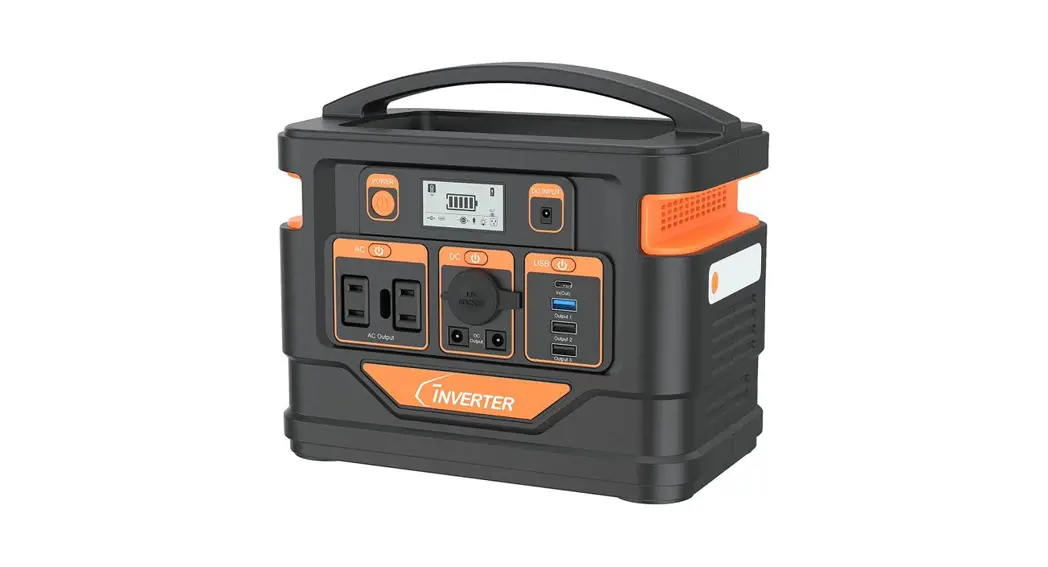
 PORTABLE POWER STATION
User Manual
Model: BP1000-UL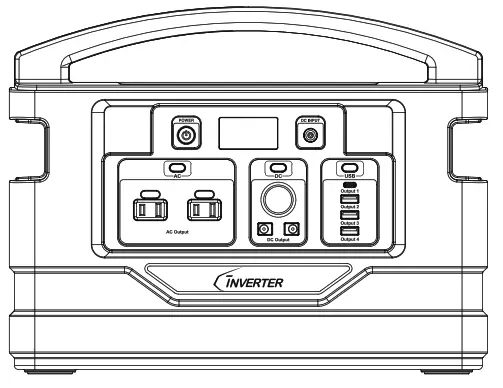
ABOUT THE PRODUCT
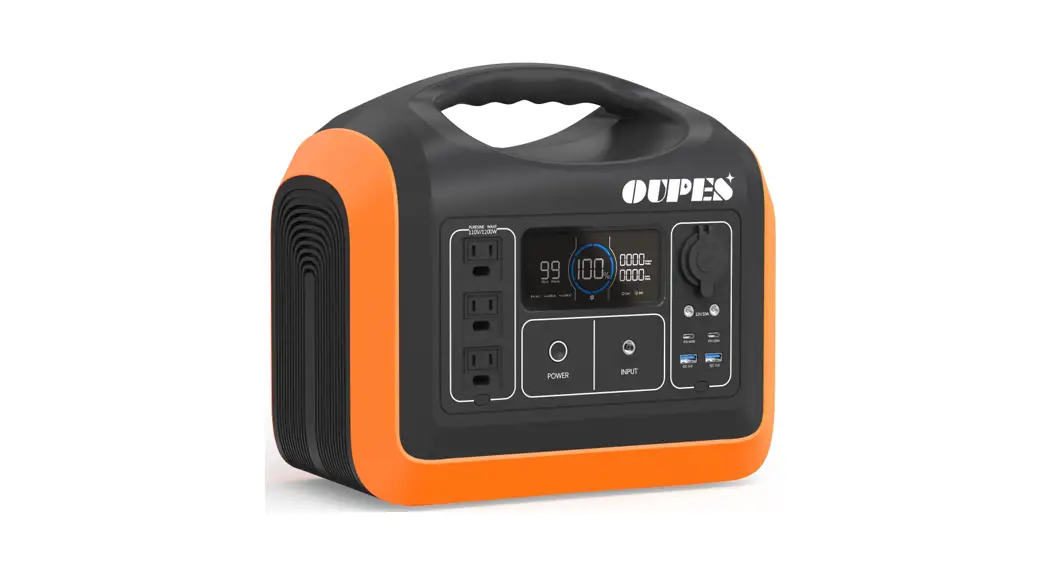
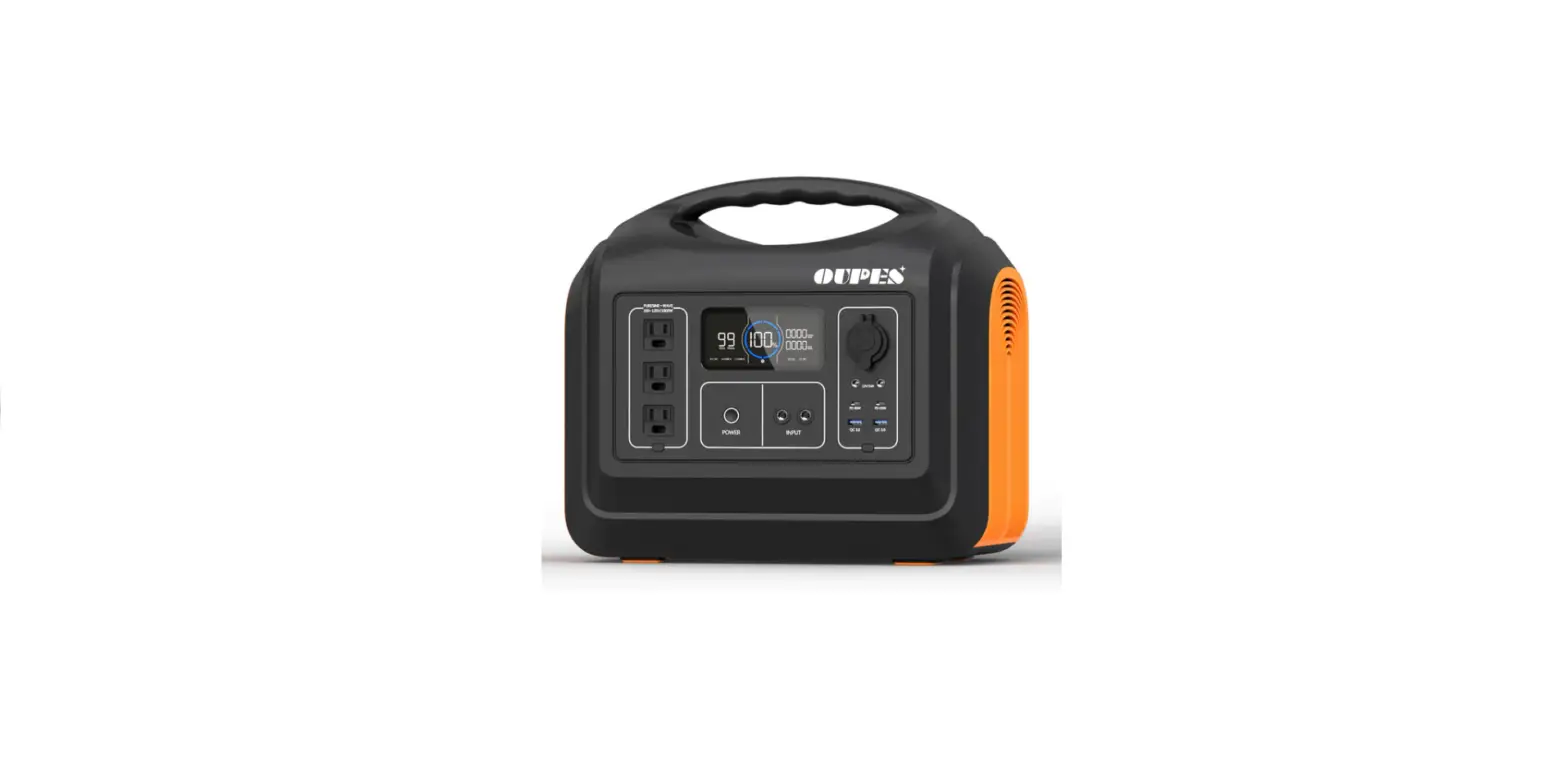
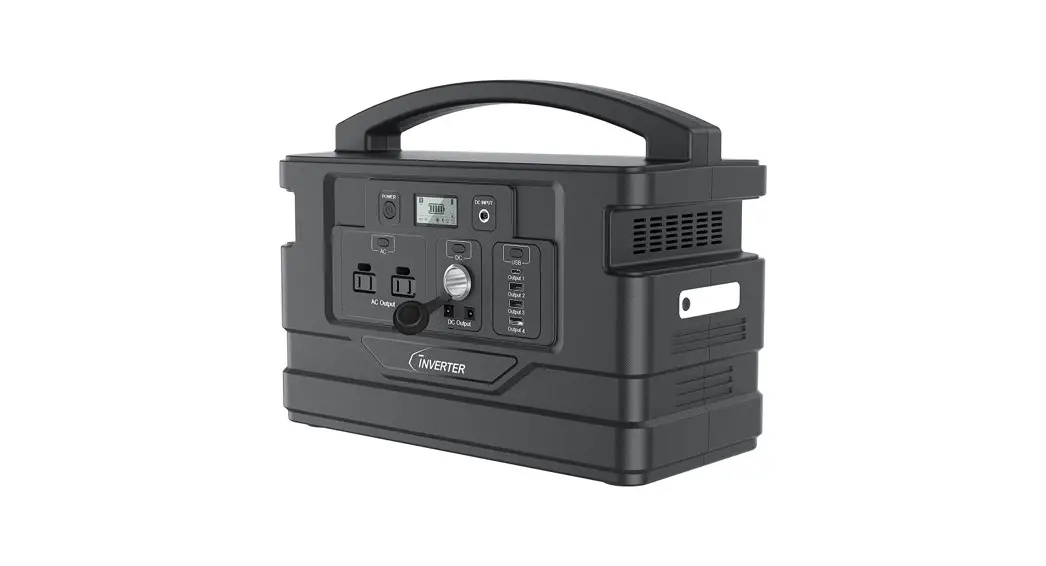
Thank you for using the multi-functional portable Power Station developed and produced by C INVERTER. This product has the function of an AC output and multi-interface DC output, which can meet the power supply requirements of mobile phones, rice cookers, projectors, juicers, small fridges, subwoofers, electric drills, laptops, video cameras, CD players, various chargers, game consoles, fans, mini-drones, lights, power tools, and other equipment. It also has a built-in LED light. Suitable for home emergency standby power, outdoor travel, emergency rescue, fieldwork, and other applications.
SAFETY INSTRUCTIONS (IMPORTANT)
- Remove all outer packing and uncoil cables before using the machine.
- This product is not suitable for children.
- If other people use the machine, make sure they are fully aware of how to use it safely and have read and understood the instructions.
- Do not use near flammable gases or flammable liquids.
- Do not expose the machine to temperatures exceeding 40 ℃(104 ℉).
- Do not operate the unit with a damaged power cord or plug. (Please replace the power cord or plug immediately)
- Do not charge the unit with a damaged extension cord.
- Do not operate the unit if it is severely hit, dropped, or otherwise damaged in any way; give it to a qualified service person.
- Do not disassemble the machine. If it needs repair, please contact customer service for help.
- To reduce the risk of electric shock, unplug the unit from the outlet and turn off controls before performing any maintenance or cleaning.
- The machine will get hot during use and must be properly ventilated. Please make sure there is at least 7.5 cm(3 in.) of air space around.
- Do not place the machine on flammable objects such as carpets, upholstery, paper, cardboard, etc. When the machine is in operation, please stay away from items easily affected by high temperatures, such as blankets, pillows, sleeping bags, etc.
SPECIFICATIONS
| Model | BP1000-UL |
| Capacity | 1110Wh |
| Size (LWH) | 375 x 180 x 288mm |
| Weight | 10.3kg/22.7Ib |
| Internal battery type | lithium-polymer battery |
| DC Input | DC 20V— 6A (Note: PV/solar panels/car charger input 11V-30V) |
| Charging time | 10.5Hrs with 20V/6A adapter |
| 17.5Hrs with car charger | |
| 10.5Hrs with PV/solar panels 120W | |
| Output 1 | 5V — 3A |
| Output 2/3/4 | 5V— 4.8A total (single port 2.4A Max) |
| DC Output | 12V— 12A total (single port 10A Max) |
| AC Output | 110V/60Hz/1,000W Max (pure sine wave) |
| Charging temperature | 0-50 C (32-122°F) |
| Discharge temperature | -20-60 C (-4-140°F) |
| Protection functions | Overcurrent protection Short circuit protection |
| Overload protection Overcharge protection | |
| Over-discharge protection Battery low-voltage protection | |
| High and low-temperature protection |
DISPLAY SCREEN SYMBOL DESCRIPTION
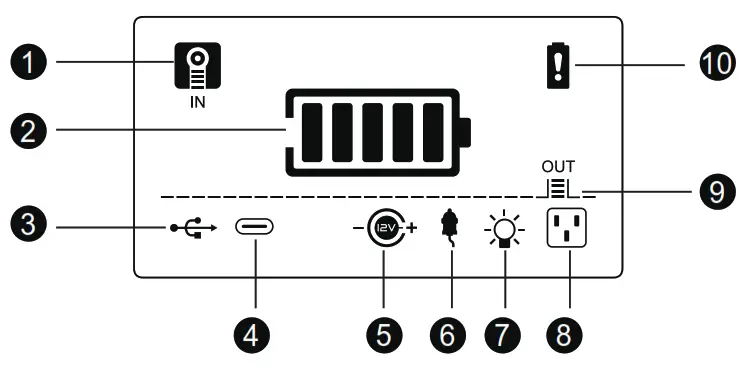
| 1. Charging indicator 2. Electric quantity indicator 3. USB output 4. Type-C output 5. 12V DC output | 6. Cigarette lighter output 7. LED light 8. AC output 9. Output indicator 10. Warning |
STRUCTURE
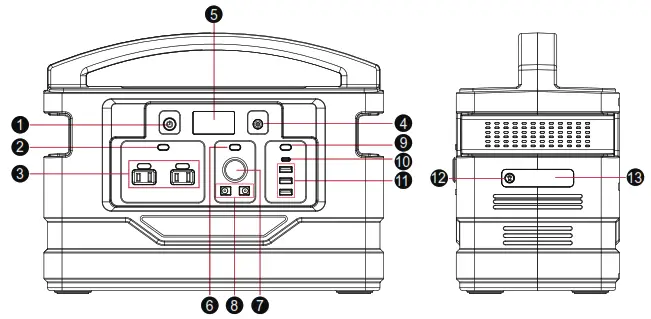
| 1. Main power button 2. AC button switch 3. AC outlets*(2) 4. Charging input port 5. Display screen 6. DC button switch 7. Cigarette lighter port | 8.DC5.5 output ports (2) 9. USB button switch 10. Type-C output port 11. USB output ports (3) 12. LED button switch 13. LED light |
*This product AC power socket, AC output voltage and frequency due to different countries or regions to make changes, please refer to the real thing!
GUIDE TO OPERATE
For any functions to work, please make sure the ‘Master Switch’ is turned on.
- How to supply power from DC 5.5mm output and cigarette output?
Connect your product to this DC 5.5mm port or cigarette port. Press the ‘DC’ switch to turn on, the LCD screen will show . Press ‘DC’ switch again and it will shut down.
- How to use USB ports?
A: when you need to connect a Type-C connection, locate the proper port on the panel. Press the‘ USB’ switch, the LCD screen will show. Press the‘ USB’ switch again, it will turn off.
B: when you connect regular USB connections, locate the proper port on the right of the panel. Press the‘ USB’ switch, the LCD is on. Press the‘ USB’ switch again, it will turn off.
- How to use AC ports?
Press the ‘AC’ switch to turn on, and connect AC devices, the icon ‘ ’ will light up on the LCD screen. Press the ‘AC’ switch again to turn it off.
Pay attention to AC power for the appliances. Make sure the total power consumption for all appliances is less than 1000W.
Warning: The interface specifications and voltage standards in different countries are different. Before use, please carefully check whether the product specifications are consistent with the usage specifications of electrical appliances, otherwise, it may lead to dangerous conditions.
 . Press ‘DC’ switch again and it will shut down.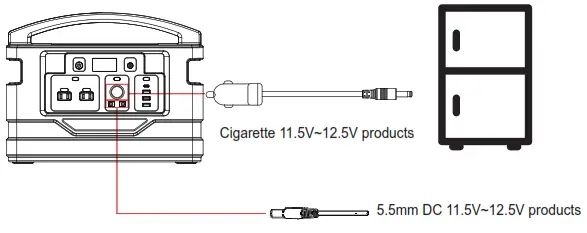
 is on. Press the‘ USB’ switch again, it will turn off.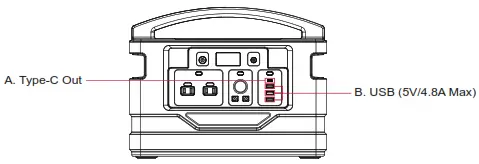
 ’ will light up on the LCD screen. Press the ‘AC’ switch again to turn it off.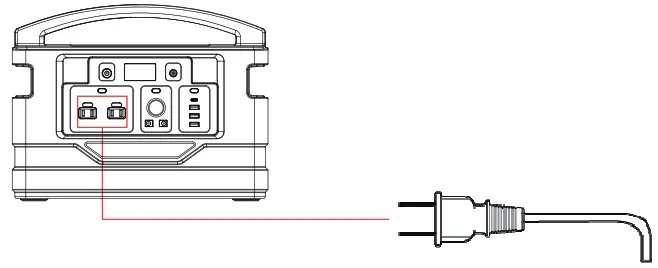
If an AC device has a short circuit or more power is required than the rated output on the power station, will trigger the device to protect itself on the short circuit or over load condition. AC load shall not exceed 1000W rated power, otherwise, it will self-protect.
 When the product is not in use, please press the corresponding key or long-press the ‘POWER’ key for 2s to conserve power.
How to use a flashlight?
- Press‘
 ’button for 2 seconds to turn on the LED light, the icon‘
  ’will light up on the LCD screen;
 - Press ‘ ’ button again to SOS mode;
- Press‘ ’ button once more time to rapid flash;
- Long press ’ button for 2 seconds to turn off the LED light.
 ’button for 2 seconds to turn on the LED light, the icon‘
  ’will light up on the LCD screen;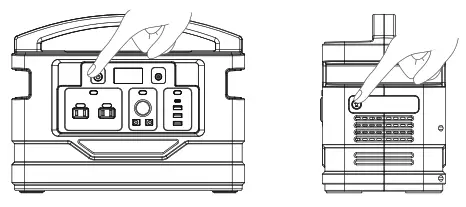
How to charge this product?
When the product is normally charging, the ‘ ’ and ‘
  ’ will flash on the LCD screen. After fully charged offen 10 seconds, it will turn off automatically.
A. When using the 20V/6A adapter, plug a 3.5mm port into the product, then insert the AC adapter into a wall outlet.
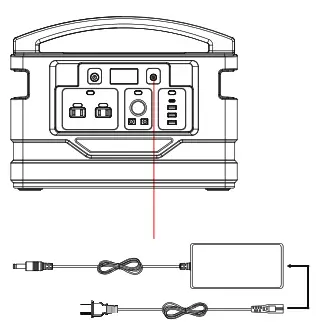
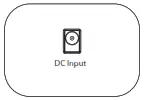
Step1: Connect the output line of the charger to the DC input port of the front panel of the unit.
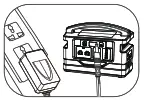
Step2:The other end is connected to the AC power source for charging through the power adapter.
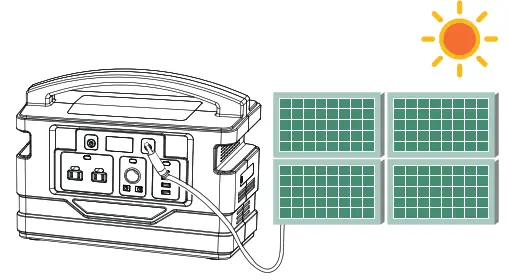
B. How to charge this product with solar panels?
- Place the solar panel in direct sunlight. Do not expose the power station to direct sunlight or wet condition.
- Connect your 3.5mm output of the solar panel with the DC input port of the product.
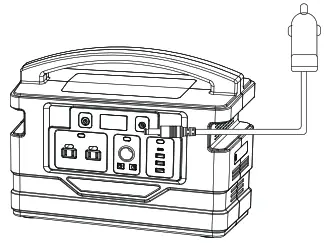
C. How to use a car charger to charge this product?
Plug the car charger cable into the 3.5mm DC input. Plug one end into the 12V cigarette lighter socket of the vehicle.
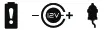
When there is a failure, the corresponding icon and ‘  ’ will flash on the LCD screen.
PRODUCT ACCESSORIES
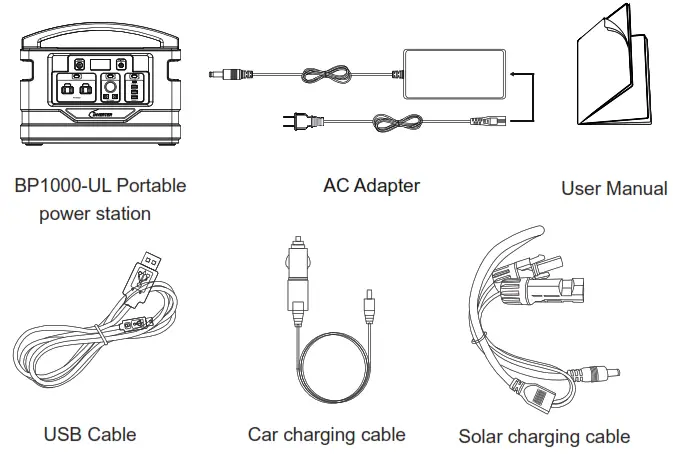
EXCEPTION – LCD WARNING SYMBOL
| Symbol flashing | Alarm way | Cause | Solution |
 | Keeps flashing once per second. | Charging fault(high and low-temperature protection) | Unplug the charger, after the battery temperature returns to normal, reconnect the charger for charging. |
| Flashing once per second goes to sleep mode after 10 seconds. | Discharge high-temperature protection | After the battery temperature returns to normal, press the main power button to restore. | |
 | Flashing once per second, and will stop after 10 seconds. | DC output fault (over-current or short circuit protection) | Press the DC button to restore after the load is removed. |
 | USB output fault (over-current or short circuit protection) | Press the USB button to restore after the load is removed. | |
 | AC output fault (high temperature, overload or short circuit protection) | Press the AC button to restore after the load is removed. |
TROUBLESHOOTING
| Problem | Probable cause | Solution |
| Power fault | Under-voltage protection | Charge the unit. |
| Load anomaly protection | Remove the load and recharge the unit. | |
| Machine damage | Contact customer service. | |
| Charger fault | Charger mismatches | Use the charger that comes with the machine. |
| Charger damaged | Contact customer service for replacement. | |
| Abnormal power supply or connection | Reconnect the charger; If the problem persists, replace the charger. | |
| Use of photovoltaic solar panels charging fault | Over-current | Use only solar panels of recommended specifications. |
| Weak sunlight | Place the solar panels in a sunny place. (Do not expose the machine to the hot sun) | |
| Solar panel damage | Replacement of solar panels. | |
| Wire harness connection is abnormal | Reconnect wiring harness; If the problem persists, replace the solar panels. |
| Problem | Probable cause | Solution |
| AC output fault | Battery under-voltage protection | Charge the unit. |
| Discharge overcurrent protection | Make sure loads are within the allowed range. | |
| Overheating protection | Turn unit off, allow to cool down and then restart. | |
| Machine damage | Contact customer service. | |
| Symbol display exception or LCD screen malfunction | Abnormal load | Remove the load. |
| Hardware failure | Contact customer service. | |
| LCD screen damage | Contact customer service. |
OPERATION METHOD
Notes before Use
- It is recommended to charge the unit immediately after purchase when the battery power is less than 20% to maintain the best performance and extend the service life.
- Press the main power button, the device is initialized, and all ICONS on the LCD screen are activated. After the self-test, the function is normal and the screen will be displayed normally. If there is no operation within 30 seconds, the device will enter the standby sleep mode.
- Each small bar on the electric quantity indicator symbol on the LCD screen represents a 20% battery level.
- Support USB, DC, LED light, and charging working simultaneously, but does not support AC output and charging working simultaneously. When AC is working, charging the device will automatically turn off the AC output.
- Never completely discharge the internal battery.
USAGE AND HANDLING GUIDELINES
- If the product is stored for more than 3 months, please recharge the product for maximum performance.
- Using a charger produced by non-OEM manufacturing may cause damage to this power station.
- This product is not allowed to be near a heated source.
- Please use approved accessories from the factory.
- Do not use this product beyond the rated load.
- Use this product in a well-ventilated environment.
- Do not store or use it in a place exposed to direct sunlight or near heating appliances.
- Do not attempt to open the device to avoid the danger of electric shock and fire.
WARNINGS
 This device is not intended for use by unsupervised children.
 Do not use it as a toy.
 Do not let the equipment get wet.
 Do not immerse the device in water.Do not expose the device to high temperatures.If battery leakage occurs, and if skin or eye accidentally gets in contact, rinse immediately with water and seek medical advice.
DISCLAIMER
- The company does not assume any responsibility for problems caused by improper operation.
- The company does not assume any responsibility for the damage caused by self-disassembly and instinstallation.
- If the use of non-OEM chargers causes problems, the company will not bear any responsibility.
- The company does not assume any responsibility for products that exceed the warranty period.
STATEMENT OF LIMITED WARRANTY
Our company warrants that each device 1) is free from defects in materials and workmanship and 2) conforms to our company’s official Published Specifications which are available on request. The warranty period for the device starts on the original date of purchase; one (1) year of parts and labor for the entire unit. The date on your invoice or sales receipt is the date of purchase unless our company or your reseller informs your otherwise. Unless our company specifies otherwise, these warranties apply only in the country or region in which you purchased the device.
THESE WARRANTIES ARE YOUR EXCLUSIVE WARRANTIES AND REPLACE ALL OTHER WARRANTIES OR CONDITIONS. XPRESS OR IMPLIED, INCLUDING BUT NOT LIMITED TO. THE IMPLIED WARRANTIES OR CONDITIONS OF MERCHANTABILITY AND FITNESS FOR A PARTICULAR PURPOSE, SOME STATES OR JURISDICTIONS DO NOT ALLOW THE EXCLUSION OF EXPRESS OR IMPLIED WARRANTIES, SO THE ABOVE EXCLUSION MAY APPLY TO YOU. IN THE EVENT, SUCH WARRANTIES ARE LIMITED IN DURATION TO THE WARRANTY PERIOD. NO WARRANTIES APPLY AFTER THAT PERIOD. SOME STATES OR JURISDICTIONS DO NOT ALLOW LIMITATIONS ON HOW LONG AN IMPLIED WARRANTY LASTS, SO THE ABOVE LIMITATION MAY NOT APPLY TO YOU.
This warranty does not cover the following:
- Failure resulting from misuse, accident, modification, unsuitable physical or operating environment, or improper maintenance by you.
- Failure caused by a product for which our company is not responsible; and any non our company approved products.
- The warranty is voided by removal or alteration of identifications labels on the device or its parts.
- For warranty claims or repair. please contact your local reseller or authorized distributor for further information.
- Any manufacture detects that is under normal operation circumstances.