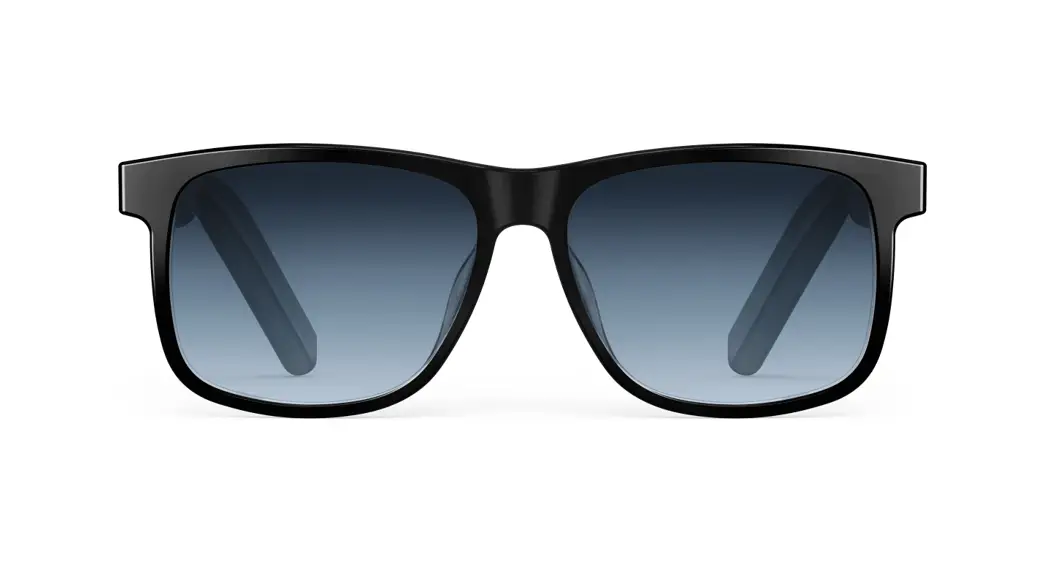

Soundcore Frames
Quick Start Guide
For FAQs and more information, please visit: soundcore.com/support
 SUPPORT
For FAQs, a detailed user manual, and more information, please visit www.soundcore.com/support
 APP
APP 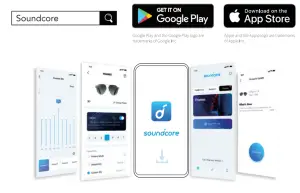
Download the Soundcore app to set up the frames, customize EQ, update firmware, and explore more. Ensure to keep the firmware up to date before each use.
 ASSEMBLING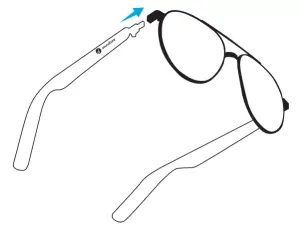
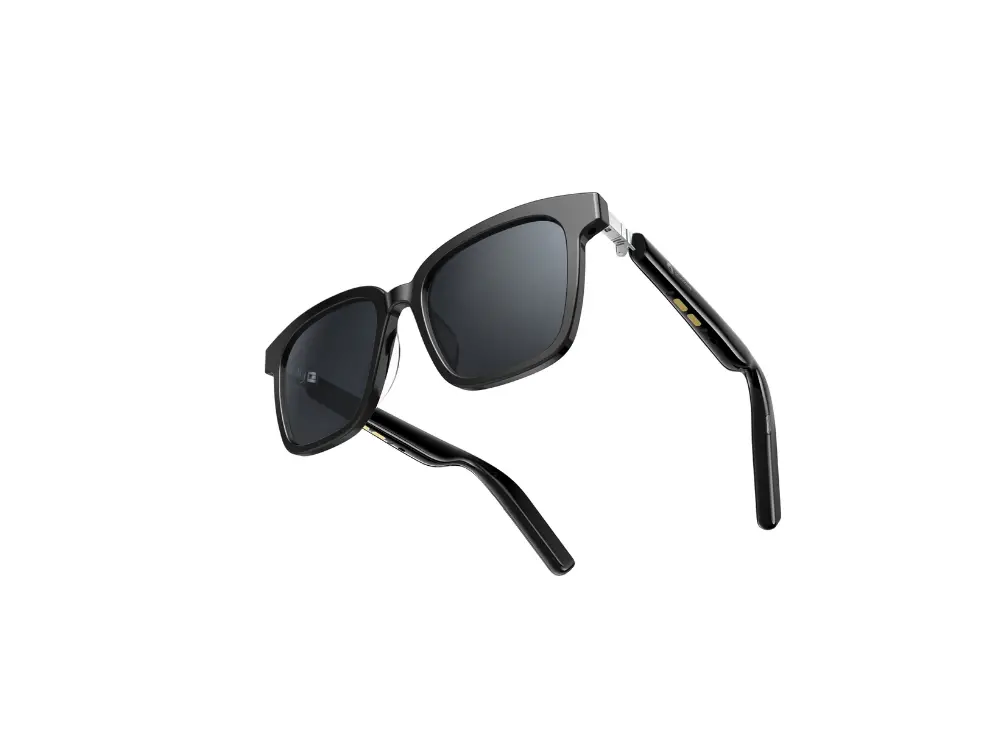
Push the audio temples into position on the hinges so they are securely attached.
 SETTING UP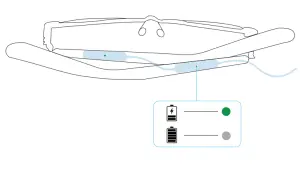
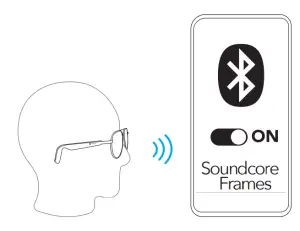
When you connect both audio temples to the charging cable, the LED indicator on the charging cable will turn green. Wait for 1 minute, then wear your Soundcore Frames. They will automatically power on and enter Bluetooth pairing mode. When you hear the prompt voice, select “Soundcore Frames” on your device’s Bluetooth list to connect. POWERING ON/OFF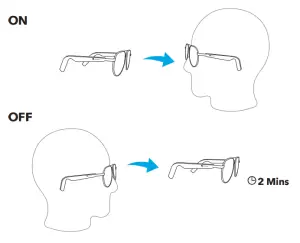
Soundcore Frames will automatically power on when you wear them. After removing them they will power off after 2 minutes. CONTROLS
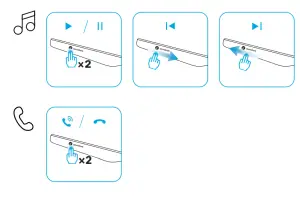 x2: Tap twice
Slide forward/backward (logo area)
Touchpad controls can be customized in the Soundcore app.
 VOICE CONTROL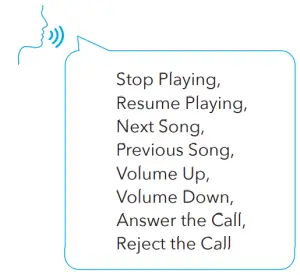
You can enable voice control and choose your language in the Soundcore app.
Easily control with no wake-up word. Only the 8 voice commands above are supported. RE-PAIRING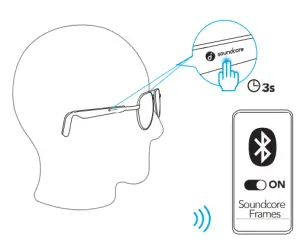
To pair with another device, wear them and press and hold the logo area on both audio temples for 3 seconds until you will hear the voice prompt.
AUTO WEARING DETECTION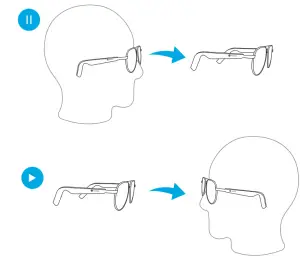 The playback will auto-pause when taking Soundcore Frames off, and it will resume when you wear them.
 RESET
RESET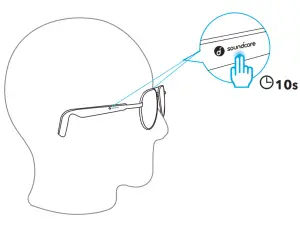
Press and hold the logo area on both audio temples for 10 seconds until you hear the voice prompt. DISASSEMBLING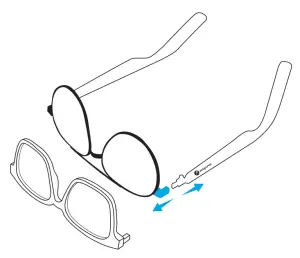
If you want to change the frames, hold the quick release hinges and pull the audio temples slightly to disassemble.
Customer Service 18-month limited warranty Lifetime technical support
Our warranty is additional to the legal rights consumers have buying this product. [email protected]
[email protected] (For Middle East and Africa Only) [email protected]
+1 (800) 988 7973 (US) Mon-Fri 6:15 – 17:00 (PT)
+44 (0) 1604 936200 (UK) Mon-Fri Mon-Fri 6:00 – 17:00 Sat-Sun 6:00 – 14:00 (GMT)
+49 (0) 69 9579 7960 (DE) Mon-Fri 6:00 – 11:00
03 4455 7823
+86 400 0550 036
+82 02-1670-7098
+971 42463266 (Middle East & Africa) Sun-Thu 9:00 – 17:30 (GMT+4)
+971 8000320817 (UAE) Sun-Thu 9:00 – 17:30 (GMT+4)
+966 8008500030 (KSA) Sun-Thu 8:00 – 16:30 (GMT+3)
+965 22069086 (Kuwait) Sun-Thu 8:00 – 16:30 (GMT+3)
+20 8000000826 (Egypt) Sun-Thu 7:00 – 15:30 (GMT+2)
Input: 5V 400mA
Charging time: 1 hour
Playtime (varies by volume level and contents): 5.5 hours
Anker Innovations Limited
Room 1318-19, Hollywood Plaza, 610 Nathan Road, Mongkok, Kowloon, Hong Kong
ANKER TECHNOLOGY (UK) LTD
Suite B, Fairgate House, 205 Kings Road, Tyseley, Birmingham, B11 2AA, United Kingdom
Anker Innovations Deutschland GmbH
Georg-Muche-Strasse 3, 80807 Munich, Germany