
Linksys RE7000 WiFi Extender, WiFi 5 Range Booster

Specifications
- Product Dimensions
1.81 x 3.18 x 4.96 inches - Item Weight
6.2 ounces - Series
Max Stream RE7000-AMZ - Wireless Type
802.11n, 802.11b, 802.11a, 802.11ac, 802.11g - Data Transfer Rate
1900 Megabits Per Second - Frequency Band Class
Single-Band - Connector Type
Network (RJ-45) - Brand
Linksys
Introduction
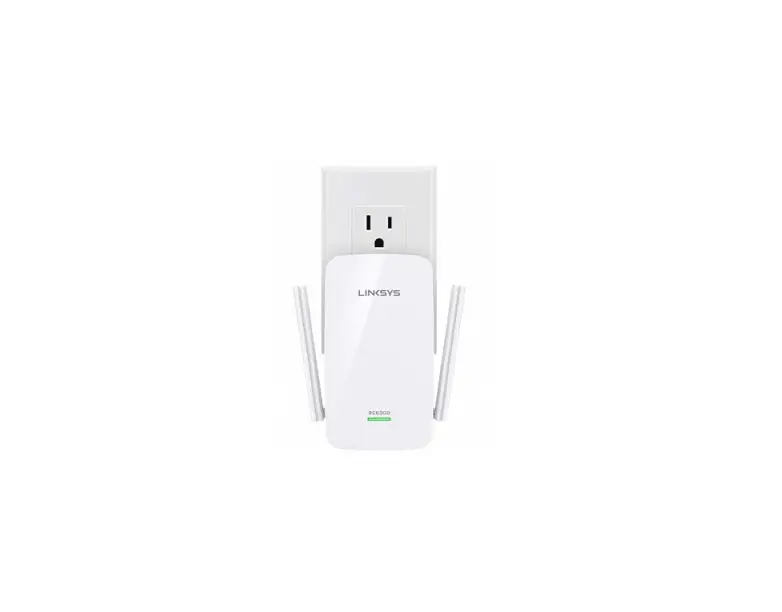
With Linksys MAX-STREAM AC1900+ MU-MIMO Wi-Fi Range Extender, you can increase Wi-Fi coverage up to 2,500 square feet (RE7000). Your family can stream, play online games, surf the web, and more everywhere in the house and outside thanks to Next-Gen AC Wi-Fi, Multi User-MIMO technology. All Wi-Fi routers are compatible with it, and its unique Spot Finder Technology makes setup simple while instantly locating the best spot for your RE7000.
What’s In the Box?
- Linksys MAX-STREAM AC1900+ MU-MIMO Wi-Fi Range Extender (RE7000)
- Quick install guide
- Regulatory information
Overview
The Linksys RE7000 Max-Stream™ AC1900+ Wi-Fi Range Extender is the latest range extender from Linksys with 802.11ac Technology. It can easily extend your wireless network to hard-to-reach locations in your home such as your backyard, garage, or bedroom so you can get Wi-Fi to smartphones, tablets, and laptops. The Linksys RE7000 also offers the option to use it as a wired range extender (Access Point mode) or a wireless range extender (Range Extender mode).
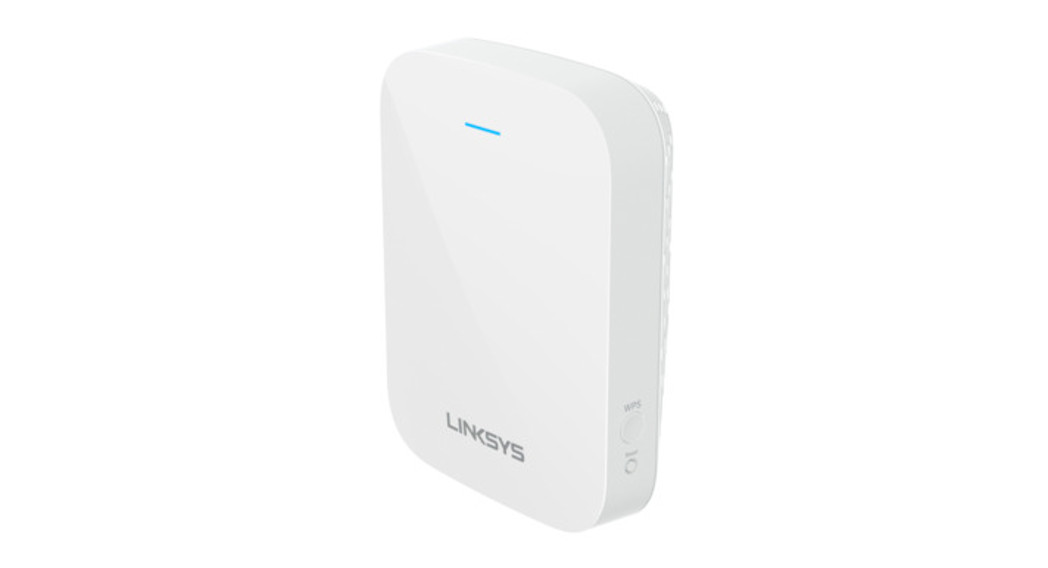
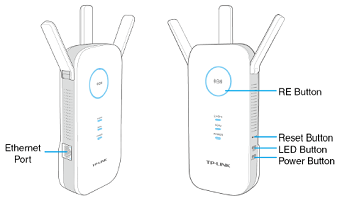
Front Panel
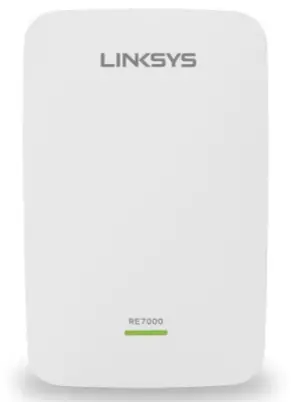
Power / WPS LED
This displays the status of the Linksys RE7000 based on the LED’s behavior(OFF, blinking, or solid) and color (amber or green).
Getting to know the Linksys RE7000 Max-Stream” AC1900+ Wi-Fi Range Extender
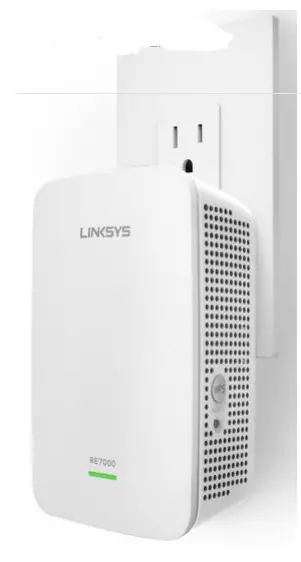
 Wi-Fi Protected Setup™ (WPS) button
Use the WPS technology to automatically and securely add wireless devices to your network.
 Reset button
Press and hold for 10 seconds to reset the range extender to factory defaults
Bottom Panel
 Ethernet port
This Gigabit Ethernet port is used to connect wired clients such as computers or media servers when Linksys RE7000 is in Range Extender mode or connect to a router when it is in Access Point mode.
LED Behaviors
| Power Light | Status / Description | |
|
Blinking Green | Starting up
Resetting to factory defaults | |
| Upgrading firmware | ||
| Solid Green | Ready to use | |
|
Solid Amber | Weak connection with the router
Fix: Unplug the extender, and move it closer to the router. | |
|
Blinking Amber | Not connected to the router or other error
Fix: 1. Make sure your router has an Internet connection and Wi-Fi is turned on. 2. If the router is in order, unplug the extender, move it closer to the router, plug it back in, wait one (1) minute, and reconnect to your network. | |
| Ethernet LED | Status / Description | |
|
Green | An Ethernet device is connected and active. The light blinks when the extender is sending or receiving data
over the Ethernet port. |
Product Features
- Eliminate dead zones and boost coverage with MU-MIMO Technology
- Dual-band
- Boost Wi-Fi range up to 10,000 sq. ft.
- N300+AC1733 Mbps with dual-band
- Easy setup with Spot Finder
- 4×4 MU-MIMO
- 1x Gigabit Ethernet port
- Beamforming Technology
- Cross-Band Technology
- Push-Button Connect
- Access Point mode
System Requirements
- Existing wireless router or access point
- Ethernet cable if using the Linksys RE7000 in Access Point mode
- A computer or tablet with Wi-Fi enabled
- For browser configuration
- Internet Explorer® 8 or higher
- Safari® 5.1 or higher
- Chrome™ 25.0 or higher
- Firefox® 20 or higher
Frequently Asked Questions
You can configure the RE7000 range extender to act as an AC access point to extend your home Wi-Fi and reduce dead zones. Access Point Mode allows you to add Wi-Fi capabilities to your existing home wired network. Simply connect the AC1900+ range extender using a Gigabit Ethernet cable to your router or another wired Internet adapter, and place the RE7000 where you need a Wi-Fi boost.
Power Internal AC/DC power supply: 100-240V,~0.5A, 50/60 Hz per manual from their site.
You will not lose speed but the placement of the extender can make a difference with reception. I’ve found plugging it into an outlet that is higher on the wall made a difference, but depends on where the original router is.
Not sure, I have not used the backport. But I would think it can work.
it is a wireless extender. Its manual says it could be the main wireless access point too.
You can set up this or any Extender either way. Some people prefer to use the exact same settings as the Router for simplified setups. I set up my Extenders with different names and passwords so that I know exactly which device I am connecting to. The default is to use the exact same setup as the router which supposedly cuts down on the number of issues that may arise.
Yes. The RE7000 range extender is compatible with any WiFi router, including those from Internet service providers. There’s no need to adjust your router’s settings when installing the extender.
If you’re talking about a power plugin no. There is an ethernet plugin. I have a RE-6700 that you can plug into for power. It worked well for extending the wireless range.
Don’t know but a suggestion is to send it back and purchase a Linksys mesh ac2200 two pack this way you are sure to get a good signal and speed.
Avoid placing the router and extender near metal objects, masonry walls, and reflective surfaces such as glass or mirrors. Regular walls shouldn’t change any range in signal and speed.
Yes. No problem. Set them up one at a time, then locate them in the area you need a better signal.
Yes, this works well in AP mode.
If the password is part of the WPA key when you access the WIFI signal then yes this product can be used to extend that signal. However, if the password is input in a webpage interface then this product will not bypass that step.
Your operating system doesn’t matter. It only extends the WiFi signal.
Yes, I have the access point hardwired. Works great