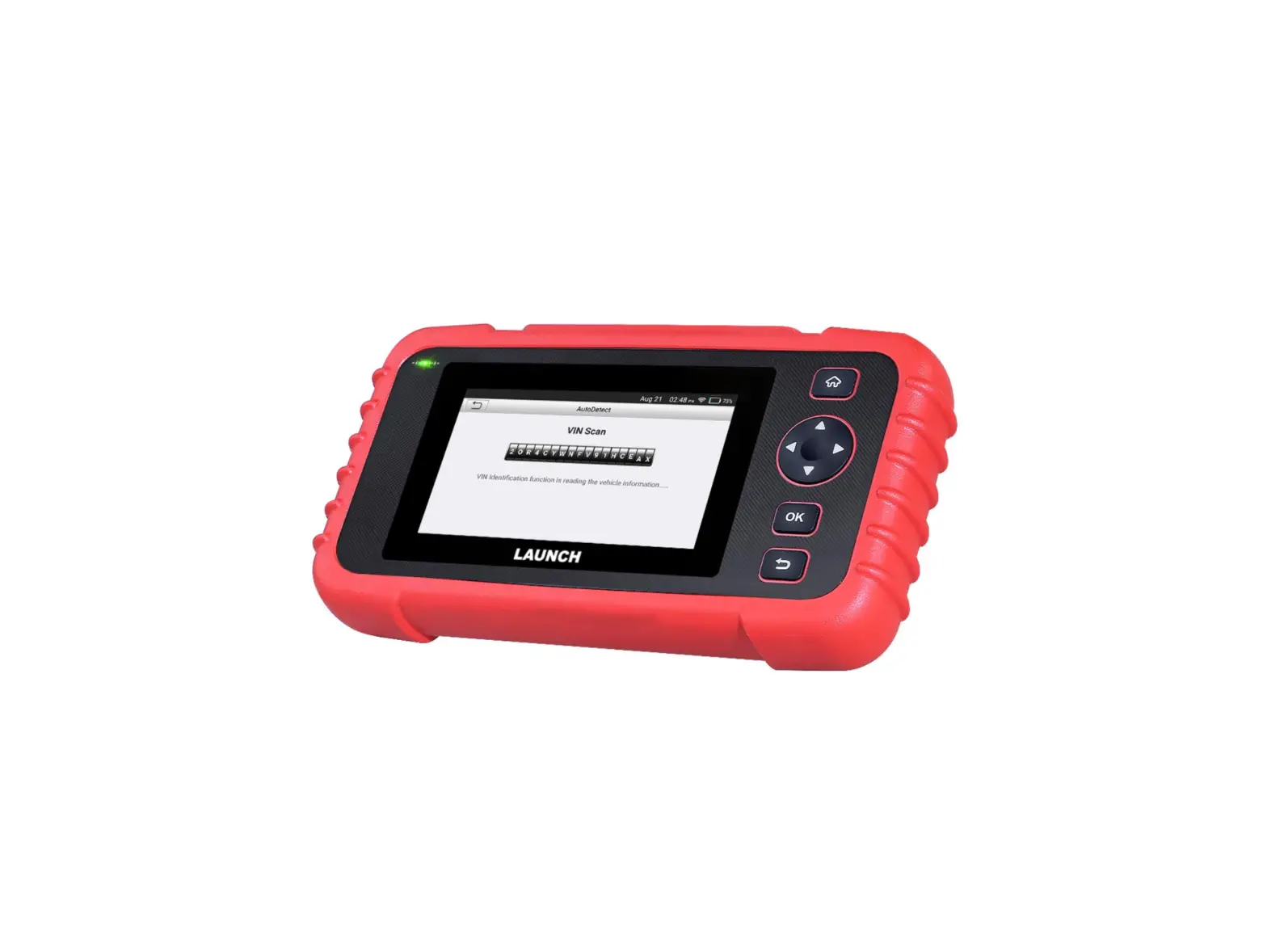
CRP919E Car Bidirectional Scanner
Product Information:
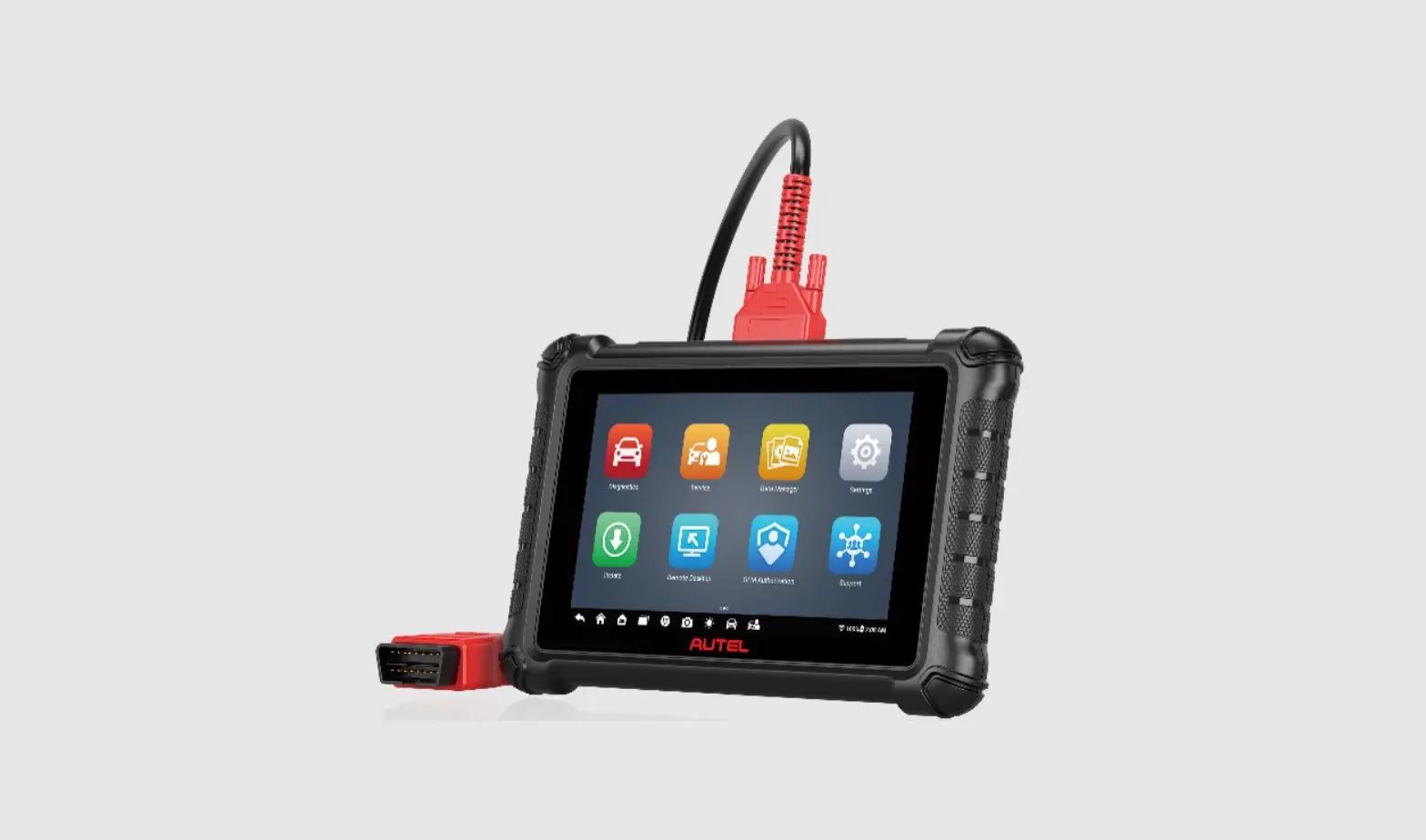
The product is a diagnostic tool used for vehicle diagnostics.
It comes with various components and controls, including a charging
port, DB15 diagnostic connector, power button, display screen,
charging LED, BACK button, SELECT button, OK button, HOME button,
adjustable stand, camera flash, and rear camera. The tool can
receive power either through a diagnostic cable connected to the
vehicle’s DLC port or via a power adaptor and charging cable.
The tool also includes accessories such as a diagnostic cable
and charging cable with two power adaptors. It is important to note
that the accessories may vary depending on the destination.
Before using the tool, it is necessary to register and update
the system settings and diagnostic software. This ensures that the
tool is up-to-date with the latest version and enhances its
capabilities and service.
Product Usage Instructions:
- Charging the Tool:
- Method 1: Via Diagnostic Cable
- Connect one end of the diagnostic cable to the DB15 diagnostic
connector of the tool. - Connect the other end of the diagnostic cable to the vehicle’s
DLC port (Data Link Connector).
- Connect one end of the diagnostic cable to the DB15 diagnostic
- Method 2: Via Power Adaptor
- Use the charging cable and power adaptor to charge the
tool. - When charging, the charging LED will illuminate solid red.
- Once fully charged, the charging LED will illuminate solid
green.
- Use the charging cable and power adaptor to charge the
- Note: If the tool does not power on while being charged after a
long period of inactivity or complete battery discharge, charge it
for 5 minutes before turning it on.
- Method 1: Via Diagnostic Cable
- Register & Update:
- When using the tool for the first time, follow these steps:
- Tap “Start” on the Welcome screen.
- Select the system language.
- Select the time zone.
- Configure workshop information in WLAN setup.
- Sign the user agreement.
- Note: The system will append workshop information to the report
each time a report is generated after completing this step. - Tap “Upgrade” in the Job Menu to update the tool.
- Note: Regularly updating the tool is strongly recommended for
more capabilities and better service.
- When using the tool for the first time, follow these steps:
- Connection & Diagnostics:
- Ensure that the vehicle battery voltage range is between 11 and
14 Volts and that the ignition is turned off. - Locate the vehicle’s DLC port, usually located 12 inches away
from the center of the instrument panel, under or around the
driver’s side for most vehicles. Refer to the vehicle’s service
manual if the DLC cannot be found. - Connect one end of the diagnostic cable to the DB15 diagnostic
connector of the tool. - Connect the other end of the diagnostic cable to the vehicle’s
DLC port. - Turn the ignition on but do not start the engine.
- Ensure that the vehicle battery voltage range is between 11 and
EN
FR
ES
DE
IT
Quick Start Guide Guide de démarrage rapide
Guía de Inicio Rápido Schnellstart-Anleitung
Guida Rapida
Guia de Início Rápido Poradnik skrócony uruchomienia
RU
PT
PL
Components & Controls
2 1
4
11 10
1. Charging port Charge the tool.
3
2. DB15 diagnostic connector
Connect the tool to vehicle’s DLC port.
3. Power button
Turns on/off the tool.
5
4. Display screen
5. Charging LED
6
6. BACK button
7
Return to the previous screen.
8
7. SELECT button
9
8. OK button
9. HOME button
Navigate to the Job Menu screen.
10. Adjustable stand Flip it out to any angle and work comfortable at your desk, or hang it on steering wheel.
12 11. Camera flash
12. Rear camera
EN
Accessory Included
The following packing list is for reference purpose only. For different destinations, the accessories (such as power adaptor) may vary. For details, please consult from the local dealer.
1 Diagnostic Tool x 1
Powering Up
The tool can receive power via either of the following ways:
Method 1: Via Diagnostic Cable Connect one end of the diagnostic cable to the DB15 diagnostic connector of the tool, and the other end to the vehicle’s DLC (Data Link Connector) port.
2 Diagnostic Cable x 1 3 Charging Cable x 1 + Power Adaptor x 2
Method 2: Via Power Adaptor Use the charging cable and power adaptor to charge the tool. When the tool is charging, the charging LED illuminates solid red. After it is fully charged, the LED illuminates solid green.
*Note: If the battery remains unused for a long period of time or the battery is completely discharged, it is normal that the tool will not power on while being charged. Please charge it for a period of 5 minutes and then turn it on.
EN
Register & Update
The first time you use this tool, you will need to make some system settings and keep the diagnostic software updated with the latest version. Follow the steps below to proceed.
Tap “Start” on Welcome screen
Select system language
Select time zone
WLAN setup Configure workshop information
Sign user agreement
*Note: After completing this step, the system will append it on the report every time a report is successfully generated.
Job Menu appears Tap “Upgrade”
Now the tool is ready for use.
*Note: To enjoy more capabilities and better service, it is strongly recommended to update the tool on regular basis.
Connection & Diagnostics
1). Make sure that the vehicle battery voltage range is 1114Volts and the ignition is turned off.
If the DLC cannot be found, refer to the vehicle’s service manual for the location.
3). Connect one end of the diagnostic cable to the DB15 diagnostic connector of the tool, and the other end to the vehicle’s DLC (Data Link Connector) port.
2). Locate the vehicle’s DLC (Data Link Connector) port: the DLC is usually located 12 inches away from the center of the instrument panel, under or around the driver’s side for most vehicles. For some vehicles with special designs, the DLC may vary. Refer to the following figure for possible DLC location.
A. Opel, Volkswagen, Audi B. Honda C. Volkswagen D. Opel, Volkswagen, Citroen E. Changan F. Hyundai, Daewoo, Kia, Honda, Toyota, Nissan, Mitsubishi,
Renault, Opel, BMW, Mercedes-Benz, Mazda, Volkswagen, Audi, GM, Chrysler, Peugeot, Regal, Beijing Jeep, Citroen and most prevailing models
4). Turn the ignition on. DO NOT start the engine.
5). Now the vehicle diagnosis is ready. Choose either of the desired diagnosis methods (Intelligent Detect or Manual Diagnose) to start a diagnostic session.
Note: DEMO is the recommended program for new users to get familiar with diagnostic procedures.
Composants & contrôles
2 1
4
11 10
1. Port de charge Chargez l’outil.
2. Connecteur de diagnostic DB15
3
Connectez l’outil au port DLC du véhicule.
3. Bouton d’alimentation Allumez/éteignez l’outil.
5
4. Ecran d’affichage
5. LED de charge
6
6. Bouton de retour
7
Revenez à l’écran précédent.
8
7. Bouton SÉLECTIONNER
9
8. Bouton OK
9. Bouton Home
Naviguez vers l’écran du menu Job.
10.Support réglable
Retournez-le à n’importe quel angle et travaillez
confortablement à votre bureau, ou accrochez-le au volant.
12
11.Flash Caméra
12.Caméra arrière
FR
Accessoire inclus
La liste de colisage suivante est à titre de référence uniquement. Pour différentes destinations, les accessoires (tels que l’adaptateur d’alimentation) peuvent varier. Pour plus de détails, veuillez consulter le revendeur local.
1 Outil de diagnostic x 1
Mise en tension
L’outil peut recevoir de l’énergie via l’une des manières suivantes:
Méthode 1: Via le câble de diagnostic Connectez une extrémité du câble de diagnostic au connecteur de diagnostic DB15 de l’outil et l’autre extrémité au port DLC (Connecteur de liaison de données) du véhicule.
2 Câble de diagnostic x 1
3 Câble de charge x 1 + adaptateur d’alimentation x 2
Méthode 2: Via câble de données Utilisez le câble de charge et l’adaptateur secteur pour charger l’outil. Lorsque l’outil est en charge, la LED de charge illumine le rouge solide. Une fois complètement chargée, la LED illumine le vert solide.
*Remarque: Si la batterie reste inutilisée pendant une longue période ou si la batterie est complètement déchargée, il est normal que l’outil ne s’allume pas pendant la charge. Veuillez le charger pendant 5 minutes, puis allumez-le.
FR
S’inscrire&Mettre à jour
La première fois que vous utilisez cet outil, vous devrez effectuer certains paramètres du système et maintenir le logiciel de diagnostic à jour avec la dernière version. Suivez les étapes ci-dessous pour procéder.
Appuyez sur “Démarrer” sur l’écran de bienvenue
Sélectionner la langue du système
Sélectionner le fuseau horaire
Configuration WLAN
Configurer les informations de l’atelier
Signer un accord d’utilisateur
*Remarque: Après avoir terminé cette étape, le système l’appose sur le rapport chaque fois qu’un rapport est généré avec succès.
Le menu de travail apparaît Appuyez sur ‘Mise à niveau’ Maintenant, l’outil est prêt à l’emploi.
*Remarque: Pour profiter de plus de capacités et d’un meilleur service, il est fortement recommandé de mettre à jour l’outil régulièrement.
Connexion & Diagnostics
1). Assurez-vous que la plage de tension de la batterie du véhicule est de 11-14Volts et que le contact est coupé.
Si le DLC ne peut pas être trouvé, se référer au manuel d’entretien du véhicule pour l’emplacement.
3). Connectez une extrémité du câble de diagnostic au connecteur de diagnostic DB15 de l’outil et l’autre extrémité au port DLC (Connecteur de liaison de données) du véhicule.
2). Localisez le port DLC (Connecteur de liaison de données) du véhicule: le DLC est généralement situé à 12 pouces du centre du tableau de bord, sous ou autour du côté conducteur pour la plupart des véhicules. Pour certains véhicules avec des conceptions spéciales, le DLC peut varier. Reportez-vous à la figure suivante pour un emplacement DLC possible.
A. Opel, Volkswagen, Audi B. Honda C. Volkswagen D. Opel, Volkswagen, Citroen E. Changan F. Hyundai, Daewoo, Kia, Honda, Toyota, Nissan, Mitsubishi, Renault, Opel, BMW, Mercedes-Benz, Mazda, Volkswagen, Audi, GM, Chrysler, Peugeot, Regal, Beijing Jeep, Citroen et les modèles les plus répandus
4). Mettez le contact. NE PAS démarrer le moteur.
5). Maintenant, le diagnostic du véhicule est prêt. Choisissez l’une des méthodes de diagnostic souhaitées (détection intelligente ou diagnostic manuel) pour démarrer une session de diagnostic.
Remarque: DEMO est le programme recommandé aux nouveaux utilisateurs pour se familiariser avec les procédures de diagnostic.
Componentes y Controles
2 1
4
11 10
1. Puerto de carga Cargue la herramienta.
3
2. Conector de diagnóstico DB15
Conecte la herramienta al puerto DLC del vehículo.
3. Botón de encendido Encencer/apagar la herramienta.
5 4. Pantalla de visualización
5. LED de carga
6
6. Botón ATRÁS
7
Volver a la pantalla anterior.
8
7. Botón SELECCIONAR
9
8. Botón OK
9. Botón INICIO Navegar a la pantalla del Menú de Trabajos.
10.Soporte ajustable
Gírelo en cualquier ángulo y trabaje cómodamente en su
12
escritorio, o cuélguelo en el volante.
11.Flash de la cámara
12.Cámara trasera
ES
Accesorios Incluidos
La siguiente lista de embalaje es solo para fines de referencia. Para diferentes destinos, los accesorios (como el adaptador de corriente) pueden variar. Para más detalles, consulte con su distribuidor local.
1 Herramienta de Diagnóstico x 1
Encendiendo
La herramienta puede recibir energía a través de cualquiera de las siguientes formas:
Método 1: Mediante el Cable de Diagnóstico Conecte un extremo del cable de diagnóstico al conector de diagnóstico DB15 de la herramienta y el otro extremo al puerto DLC (Conector de Enlace de Datos) del vehículo.
2 Cable de Diagnóstico x 1
3 Cable de Carga x 1 + Adaptador de Corriente x 2
Método 2: Mediante el Cable de Datos Utilice el adaptador de corriente y el cable de carga para cargar la herramienta. Cuando la herramienta se está cargando, el LED de carga se ilumina en rojo fijo. Una vez que está completamente cargado, el LED se ilumina en verde fijo.
*Nota: Si la batería permanece sin usar durante un período de tiempo prolongado o si la batería está completamente descargada, es normal que la herramienta no se encienda mientras se está cargando. Por favor, cárguela durante un período de 5 minutos y luego enciéndala.
Registro y Actualización
La primera vez que utilice esta herramienta, deberá realizar algunos ajustes del sistema y mantener el software de diagnóstico actualizado con la última versión. Siga los siguientes pasos para continuar.
Toque “Iniciar” en la pantalla de Bienvenida
Seleccione el idioma del sistema
ES
Seleccione la zona horaria
Configuración de WLAN Configurar la información del taller
Firmar el acuerdo de usuario
*Nota: Después de completar este paso, el sistema lo añadirá en el informe de cada vez que se genere un informe con éxito.
Aparece el Menú de Trabajo Toque “Actualizar”
Ahora la herramienta está lista para usarse.
*Nota: Para disfrutar de más capacidades y un mejor servicio, se recomienda encarecidamente actualizar la herramienta de forma regular.
Conexión y Diagnóstico
1). Asegúrese de que el rango de voltaje de la batería del vehículo es de 11-14 voltios y que el encendido está apagado.
Si no se puede encontrar el DLC, consulte el manual de servicio del vehículo para la ubicación.
3). Conecte un extremo del cable de diagnóstico al conector de diagnóstico DB15 de la herramienta y el otro extremo al puerto DLC (Conector de Enlace de Datos) del vehículo.
2). Localice el puerto DLC (Conector de Enlace de Datos) del vehículo: el DLC generalmente se encuentra a 12 pulgadas del centro del panel de instrumentos, debajo o alrededor del lado del conductor en la mayoría de los vehículos. Para algunos vehículos con diseños especiales, el DLC puede variar. Consulte la siguiente figura para conocer la posible ubicación del DLC.
A. Opel, Volkswagen, Audi B. Honda C. Volkswagen D. Opel, Volkswagen, Citroen E. Changan F. Hyundai, Daewoo, Kia, Honda, Toyota, Nissan, Mitsubishi,
Renault, Opel, BMW, Mercedes-Benz, Mazda, Volkswagen, Audi, GM, Chrysler, Peugeot, Regal, Beijing Jeep, Citroen y la mayoría de los modelos predominantes.
4). Encienda el encendido. No arranque el motor.
5). Ahora el diagnóstico del vehículo está listo. Elija cualquiera de los métodos de diagnóstico deseados (Detección Inteligente o Diagnóstico Manual) para iniciar una sesión de diagnóstico.
Nota: DEMO es el programa recomendado para que los nuevos usuarios se familiaricen con los procedimientos de diagnóstico.
Komponenten & Steuerungen
2 1
4
11 10
1. Ladeanschluss Laden Sie das Gerät auf.
3
2. DB15-Diagnosestecker
Schließen Sie das Gerät an den DLC-Anschluss des
Fahrzeugs an.
3. Power-Taste
5
Schalten Sie das Gerät ein/aus.
4. Anzeigebildschirm
6
5. LED für Laden
7
6. ZURÜCK-Taste
8
Kehren Sie zum vorherigen Bildschirm zurück.
9
7. SELECT-Taste
8. OK-Taste
9. HOME-Taste Navigieren Sie zum Bildschirm Job-Menü.
10. Verstellbarer Stand
12
Klappen Sie es in einen beliebigen Winkel aus und arbeiten Sie bequem an Ihrem Tisch oder hängen Sie es an das Lenkrad.
11. Kamerablitz
12. Heckkamera
DE
Mitgeliefertes Zubehör
Die folgende Paketliste dient nur zu Referenzzwecken. Das Zubehör (z.B. Netzteil) kann für verschiedene Länder unterschiedlich sein. Für Einzelheiten wenden Sie sich bitte an Ihren Händler vor Ort.
1 Diagnosegerät x 1
Einschalten
Das Gerät kann auf eine der folgenden Arten mit Strom versorgt werden:
Methode 1: Über das Diagnosekabel Schließen Sie ein Ende des Diagnosekabels an den DB15Diagnosestecker des Geräts und das andere Ende an den DLC-Anschluss (Data Link Connector) des Fahrzeugs an.
2 Diagnosekabel x 1 3 Ladekabel x 1 + Netzteil x 2
Methode 2: Über das Datenkabel Verwenden Sie das Ladekabel und das Netzteil, um das Werkzeug aufzuladen. Wenn das Gerät aufgeladen wird, leuchtet die LED für Laden durchgehend rot. Nachdem es vollständig aufgeladen ist, leuchtet die LED durchgehend grün.
*Hinweis: Wenn die Batterie längere Zeit nicht benutzt wird oder die Batterie vollständig entladen ist, ist es normal, dass sich das Gerät während des Ladevorgangs nicht einschalten lässt. Bitte laden Sie es für einen Zeitraum von 5 Minuten und schalten Sie es dann ein.
Registrieren & Aktualisieren
Wenn Sie dieses Gerät zum ersten Mal verwenden, müssen Sie einige Systemeinstellungen vornehmen und die Diagnosesoftware auf die neueste Version aktualisieren. Führen Sie die folgenden Schritte aus, um fortzufahren.
Tippen Sie im Begrüßungsbildschirm auf ,Start’
Wählen Sie die Systemsprache aus
DE
Wählen Sie die Zeitzone aus
WLAN-Einstellung Konfigurieren Sie die Workshop-Informationen
*Hinweis: Nach Abschluss dieses Schritts wird das System sie jedes Mal an den Bericht anhängen, wenn ein Bericht erfolgreich erstellt wurde.
Unterschreiben Sie Benutzervereinbarung
Job-Menü erscheint Tippen Sie auf ,,Upgrade” Jetzt ist das Gerät einsatzbereit.
*Hinweis: Um mehr Funktionen und einen besseren Service zu erhalten, wird dringend empfohlen, das Gerät regelmäßig zu aktualisieren.
Verbindung & Diagnose
1). Stellen Sie sicher, dass der Spannungsbereich der Fahrzeugbatterie 11-14 Volt beträgt und die Zündung ausgeschaltet ist.
Wenn DLC nicht gefunden werden kann, beziehen Sie sich auf Wartungshandbuch des Fahrzeugs für den Standort.
3). Schließen Sie ein Ende des Diagnosekabels an den DB15Diagnosestecker des Geräts und das andere Ende an den DLC-Anschluss (Data Link Connector) des Fahrzeugs an.
2). Suchen Sie den DLC-Anschluss (Data Link Connector) des Fahrzeugs: Der DLC befindet sich bei den meisten Fahrzeugen normalerweise 12 Zoll von der Mitte der Instrumententafel entfernt, unter oder um die Fahrerseite. Bei einigen Fahrzeugen mit speziellen Designs kann der DLC variieren. Die folgende Abbildung zeigt die mögliche Position von DLC an.
A. Opel, Volkswagen, Audi
B. Honda
C. Volkswagen
D. Opel, Volkswagen, Citroen
E. Changan
F. Hyundai, Daewoo, Kia, Honda, Toyota, Nissan, Mitsubishi, Renault, Opel, BMW, Mercedes-Benz, Mazda, Volkswagen, Audi, GM, Chrysler, Peugeot, Regal, Beijing Jeep, Citroen und die meisten gängigen Modelle
4). Schalten Sie die Zündung ein. Starten Sie den Motor NICHT.
5). Die Fahrzeugdiagnose ist nun bereit. Wählen Sie eine der gewünschten Diagnosemethoden (intelligente Erkennung oder manuelle Diagnose) aus, um eine Diagnosesitzung zu starten.
Hinweis: DEMO ist das empfohlene Programm für neue Benutzer, um sich mit den Diagnoseverfahren vertraut zu machen.
Componenti e Controlli
2 1
4
11 10
1. Presa di ricarica Carica lo strumento.
3 2. Connettore di diagnosi DB15 Collega lo strumento alla presa DLC(presa di diagnosi) del veicolo.
5
3. Pulsante di accensione
Accende/spegne lo strumento.
6
4. Schermo display
7
5. LED di ricarica
8
6. Pulsante INDIETRO
Ritornare alla schermata precedente.
9
7. Pulsante SELECT
8. Tasto OK
9. Tasto HOME Passare alla schermata del menù Lavoro.
10.Supporto regolabile
12
Giralo in qualsiasi angolazione e lavora comodamente alla tua
scrivania o appendilo al volante.
11. Flash della fotocamera
12. Videocamera posteriore
IT
Accessorio incluso
Le seguente lista di imballaggio è solo a scopo di riferimento. Per destinazioni diverse, gli accessori (come l’adattatore di alimentazione o sensore RF) possono variare. Per i dettagli, consultare il rivenditore locale.
1 Strumento diagnostico x 1
Accensione
Lo strumento può ricevere alimentazione tramite uno dei seguenti modi:
Metodo 1: Tramite cavo diagnostico Collegare un’estremità del cavo diagnostico al connettore diagnostico DB15 dello strumento, e l’altra estremità alla porta DLC(Connettore Link dati ) del veicolo.
2 Cavo diagnostico x 1
3 Cavo di ricarico x 1 + adattatore di alimentazione x 2
Metodo 2: Tramite cavo dati Utilizzare l’adattatore di alimentazione e il cavo di ricarica per caricare lo strumento. Quando lo strumento è in carica, il LED di carica si illumina in rosso fisso. Dopo che è completamente carica, il LED si illumina in verde fisso.
*Nota: Se la batteria rimane inutilizzata per un lungo periodo di tempo o la batteria è completamente scarica, è normale che lo strumento non si accenda durate la carica. Si prega di caricarlo per un periodo di 5 minuti e poi accenderlo.
Registro & Aggiornamento
La prima volta che si utilizza questo strumento, sarà necessario effettuare alcune impostazioni di sistema e mantenere software di diagnostica AGGIORNATO con l’ultima versione. Attenersi alla seguente procedura per procedere.
Tocca ‘Start’ nella schermata iniziale
Selezionare la lingua del sistema
Selezionare il fuso orario
IT
Configurazione WLAN Configurare le informazioni dell’officina
Firma contratto utente
*Nota: Dopo aver completato questo step, il sistema lo aggiungerà al rapporto ogni volta un report viene generato con successo.
Viene visualizzato il menù Lavoro Tocca ‘Aggiornamento’
Ora lo strumento è già per utilizzare.
*Nota: Per godere di più funzionalità e un servizio migliore, si consiglia vivamente di aggiornare lo strumento su base regolare.
Connessione e diagnostici
1). Assicurarsi che l’intervallo di tensione della batteria del veicolo sia 11-14V e che l’accensione sia disattivata.
Se non riesci trovare il DLC, riferirsi al manuale di servizio della vettura per la posizione.
3). Collegare un’estremità del cavo diagnostico al connettore diagnostico DB15 dello strumento, e l’altra estremità alla porta DLC(Connettore Link dati ) del veicolo.
2). Individua la porta DLC(Connettore link dati) del veicolo: il DLC si trova di solito 12 pollici di distanza dal centro del pannello degli strumenti, sotto o intorno al lato del conducente per la maggior parte dei veicoli. Fare riferimento alla figura seguente per una possibile posizione del DLC (presa di diagnosi). Fare la figura di seguenti per posizione DLC(Connettore per diagnosi) possibile.
A. Opel, Volkswagen, Audi B. Honda C. Volkswagen D. Opel, Volkswagen, Citroen E. Changan F. Hyundai, Daewoo, Kia, Honda, Toyota, Nissan, Mitsubishi, Renault, Opel, BMW, Mercedes-Benz, Mazda, Volkswagen, Audi, GM, Chrysler, Peugeot, Regal, Beijing Jeep, Citroen e la maggior parte dei modelli prevalenti.
4). Girare la chiave su marcia. Non avviare il motore
5). Ora la diagnosi del veicolo è pronta. Scegliere uno dei metodi diagnosi desiderati (Rileva intelligente o diagnosi manuale) per avviare una sessione diagnostica.
Nota: DEMO è il programma raccomandato ai nuovi utenti per familiarizzare con le procedure diagnostiche.
2 1
4
11 10
1. .
3
2. DB15
DLC .
3.
/ .
5
4.
5. LED
6
6.
7
.
8
7.
9
8. OK
9. .
10.
12
.
11.
12.
RU
. (, ) . .
1 x 1
:
1: DB15 , – DLC ( ) .
2 x 1 3 x 1 + x 2
2: , . , . ,LED .
*: , , . 5 , .
. , .
“”
RU
WLAN
*: , .
”
.
*: , .
1). , 11-14 , .
2). DLC ( ) , DLC 12 . DLC . DLC.
DLC , , .
3). DB15 , – DLC ( ) .
A. Opel, Volkswagen, Audi B. Honda C. Volkswagen D. Opel, Volkswagen, Citroen E. Changan F. Hyundai, Daewoo, Kia, Honda, Toyota, Nissan, Mitsubishi, Renault, Opel, BMW, Mercedes-Benz, Mazda, Volkswagen, Audi, GM, Chrysler, Peugeot, Regal, Beijing Jeep, Citroen .
4). . .
5). . ( ), .
: – – , .
Componentes & Controles
2 1
4
11 10
1. Porta de carregamento Carregue a ferramenta.
3
2. Conector de diagnóstico DB15
Conecte a ferramenta à porta de DLC do veículo.
3. Botão de energia
Liga/desliga a ferramenta.
5
4. Tela de exibição
5. LED de carregamento
6
6. Botão VOLTAR
7
Volte para a tela anterior.
8
7. Botão SELECIONAR
9
8. Botão OK
9. Botão HOME
Navegue até à tela do Menu de Trabalho.
10.Suporte ajustável
Vire-o para qualquer ângulo e trabalhe confortavelmente em
12
sua mesa, ou pendure-o no volante de direção.
11.Flash da câmera
12.Câmera traseira
PT
Acessório incluído
A seguinte lista de embalagem é apenas para referência. Para destinos diferentes, os acessórios (como adaptador de energia) podem variar. Para obter detalhes, por favor, consulte o distribuidor local.
1 Ferramenta de diagnóstico x 1
Ligando
A ferramenta pode receber energia por meio de uma das seguintes maneiras:
Método 1: Por meio de cabo de diagnóstico Conecte uma extremidade do cabo de diagnóstico ao conector de diagnóstico DB15 da ferramenta e a outra extremidade à porta de DLC (conector de ligação de dados) do veículo.
2 Cabo de diagnóstico x 1
3 Cabo de carregamento x 1 + adaptador de energia x 2
Método 2: Por meio de cabo de dados Use o adaptador de energia e o cabo de carregamento para carregar a ferramenta. Quando a ferramenta está carregando, o LED de carregamento acende em vermelho sólido. Depois de totalmente carregado, o LED acende em verde sólido.
*Nota: Se a bateria permanecer sem uso por um longo período de tempo ou se a bateria estiver completamente descarregada, é normal que a ferramenta não ligue durante o carregamento. Por favor, carregue-o por um período de 5 minutos e depois ligue-o.
Registro & Atualização
Na primeira vez que você usa esta ferramenta, você precisará fazer algumas configurações do sistema e manter o software de diagnóstico atualizado com a versão mais recente. Siga os passos abaixo para proceder.
Toque em “Iniciar” na tela de Boas-Vindas
Selecione o idioma do sistema
Selecione o fuso horário
Configuração de WLAN Configure as informações da oficina
Assine contrato de usuário
*Nota: Depois de concluir este passo, o sistema irá anexá-lo ao relatório cada vez que um relatório for gerado com sucesso.
PT
Menu de Trabalho aparece Toque em “Atualizar”
Agora a ferramenta está pronta para uso.
*Nota: Para desfrutar de mais recursos e melhor serviço, é altamente recomendável atualizar a ferramenta regularmente.
Conexão & Diagnóstico
1). Certifique-se de que a faixa de tensão da bateria do veículo esteja 11-14 Volts e que a ignição esteja desligada.
Se o DLC não puder ser encontrado, consulte o manual de serviço do veículo para a localização.
3). Conecte uma extremidade do cabo de diagnóstico ao conector de diagnóstico DB15 da ferramenta e a outra extremidade à porta de DLC (conector de ligação de dados) do veículo.
2). Localize a porta de DLC (conetor de ligação de dados) do veículo: o DLC está geralmente localizado a 12 polegadas do centro do painel de instrumentos, abaixo ou ao redor do lado do motorista para a maioria dos veículos. Para alguns veículos com designs especiais, o DLC pode variar. Consulte a seguinte figura para possível localização de DLC.
A. Opel, Volkswagen, Audi B. Honda C. Volkswagen D. Opel, Volkswagen, Citroen E. Changan F. Hyundai, Daewoo, Kia, Honda, Toyota, Nissan, Mitsubishi, Renault, Opel, BMW, Mercedes-Benz, Mazda, Volkswagen, Audi, GM, Chrysler, Peugeot, Regal, Jipe de Pequim, Citroen e modelos mais prevalecentes
4). Ligue a ignição. NÃO ligue o motor.
5). Agora o diagnóstico do veículo está pronto. Escolha um dos métodos de diagnóstico desejados (detecção inteligente ou diagnóstico manual) para iniciar uma sessão de diagnóstico.
Nota: DEMO é o programa recomendado para que novos usuários se familiarizem com os procedimentos de diagnóstico.
Componentes & Controles
2 1
4
11 10
1. Port ladowania Naladuj narzdzie.
3
2. Zlcze diagnostyczne DB15
Podlcz narzdzie do portu DLC pojazdu.
3. Przycisk zasilania
Wlcza/wylcza narzdzie.
5
4. Ekran wywietlania
5. Dioda LED ladowania
6
6. Przycisk BACK (wstecz)
7
Powrót do poprzedniego ekranu.
8
7. Przycisk SELECT (wybierz)
9
8. Przycisk OK
9. Przycisk HOME (ekran glówny) Przejd do ekranu Job Menu (Menu zada).
10. Regulowana podstawa
Rozló j pod dowolnym ktem i pracuj wygodnie przy biurku
12
lub powie na kierownicy.
11. Lampa blyskowa kamery
12. Tylna kamera
PL
Akcesoria w zestawie
Ponisza lista opakowa ma charakter referencyjny. W przypadku rónych miejsc przeznaczenia akcesoria (takie jak zasilacz) mog si róni. Szczególowe informacje na ten temat mona uzyska u lokalnego sprzedawcy.
1 Narzdzie diagnostyczne x 1
Wlczanie zasilania
Narzdzie moe by zasilane w jeden z nastpujcych sposobów:
Metoda 1: Przez kabel diagnostyczny Podlcz jeden koniec kabla diagnostycznego do zlcza diagnostycznego DB15 narzdzia, a drugi koniec do portu DLC (Data Link Connector) pojazdu.
2 Kabel diagnostyczny x 1 3 Kabel do ladowania x 1 + adapter zasilania x 2
Metoda 2: Przez kabel transmisji danych Do ladowania narzdzia naley uywa kabla do ladowania i zasilacza sieciowego. Gdy narzdzie jest ladowane, dioda LED ladowania wieci na czerwono. Po pelnym naladowaniu dioda LED wieci na zielono.
*Uwaga: Jeeli akumulator nie jest uywany przez dluszy czas lub jest calkowicie rozladowany, normalnym zjawiskiem jest to, e narzdzie nie wlczy si podczas ladowania. Laduj urzdzenie przez okres 5 minut, a nastpnie wlcz je.
Rejestracja i aktualizacja
Przy pierwszym uyciu tego narzdzia naley dokona pewnych ustawie systemowych i zaktualizowa oprogramowanie diagnostyczne do najnowszej wersji. Wykonaj ponisze kroki, aby kontynuowa.
Nacinij ,,Start” na ekranie powitalnym
Wybierz jzyk systemu
Wybierz stref czasow
Konfiguracja sieci WLAN Konfiguracja informacji o warsztacie
Podpisz umow uytkownika
*Uwaga: Po wykonaniu tego kroku system bdzie dolczal go do raportu za kadym razem, gdy raport zostanie pomylnie wygenerowany.
PL
Pojawia si menu zada Nacinij ,,Upgrade” (Aktualizuj) Teraz narzdzie jest gotowe do uycia.
*Uwaga: Aby korzysta z wikszych moliwoci i lepszej obslugi, zaleca si regularne aktualizowanie narzdzia.
Podlczenie i diagnostyka
1). Upewnij si, e napicie akumulatora pojazdu wynosi 1114 V i e stacyjka jest wylczona.
Jeeli nie mona znale DLC, sprawd lokalizacj w instrukcji serwisowej pojazdu.
3). Podlcz jeden koniec kabla diagnostycznego do zlcza diagnostycznego DB15 narzdzia, a drugi koniec do portu DLC (Data Link Connector) pojazdu.
2). Zlokalizuj port DLC (Data Link Connector) pojazdu: w wikszoci pojazdów port DLC znajduje si zwykle 12 cali od rodka deski rozdzielczej, po stronie kierowcy lub poniej. W przypadku niektórych pojazdów o specjalnej konstrukcji, DLC moe si róni. Moliwoci lokalizacji DLC pokazano na poniszym rysunku.
A. Opel, Volkswagen, Audi B. Honda C. Volkswagen D. Opel, Volkswagen, Citroen E. Changan F. Hyundai, Daewoo, Kia, Honda, Toyota, Nissan, Mitsubishi, Renault, Opel, BMW, Mercedes-Benz, Mazda, Volkswagen, Audi, GM, Chrysler, Peugeot, Regal, Pekin Jeep, Citroen i wikszo aktualnych modeli
4). Wlcz zaplon. NIE uruchamiaj silnika.
5). Teraz diagnostyka pojazdu jest gotowa. Wybierz jedn z podanych metod diagnozowania (inteligentne wykrywanie lub rczna diagnostyka), aby rozpocz sesj diagnostyczn.
*Uwaga: DEMO jest programem zalecanym dla nowych uytkowników w celu zapoznania si z procedurami diagnostycznymi.
2 1
4
11 10
1.
2.DB15
3
DLC
3.
/
5
4.
5.LED
6
7
6.
8
9
7.
8.OK
9. []
12
10.
11.
12.
1 x 1
1 DB15 DLC
2 x 1 3 x 1 + x 2
2
LED LED
* 5
WLAN
*
*
1) 1114
D L C
3) DB15 DLC
2) DLCDLC 12 DLC DLC
A. OpelVolkswagenAudi B. Honda C. Volkswagen D. OpelVolkswagenCitroen E. Changan F. Hyundai Daewoo Kia Honda Toyota Nissan
Mitsubishi Renault Opel BMW Mercedes-Benz
Mazda Volkswagen Audi GM Chrysler Peugeot
RegalBeijing JeepCitroen
4)
5) DEMO
2 1
4
11 10
1.
3
2. DB15
3.
5
/
4.
5.
6
6.
7
8
7.
9
8. OK
9.
10.
12
11.
12.
1 x 1
1 DB15
2 x 1 3 x 1 + x 2
2
*
“”
*
“”
*
1). 11-14V
3). DB15
2). OBD II 16
A
B
C
D
E
F
4).
5″”” ”
“”
LAUNCH
V1.00.000
107013508
148mm
210mm
210mmx148mm , 80g