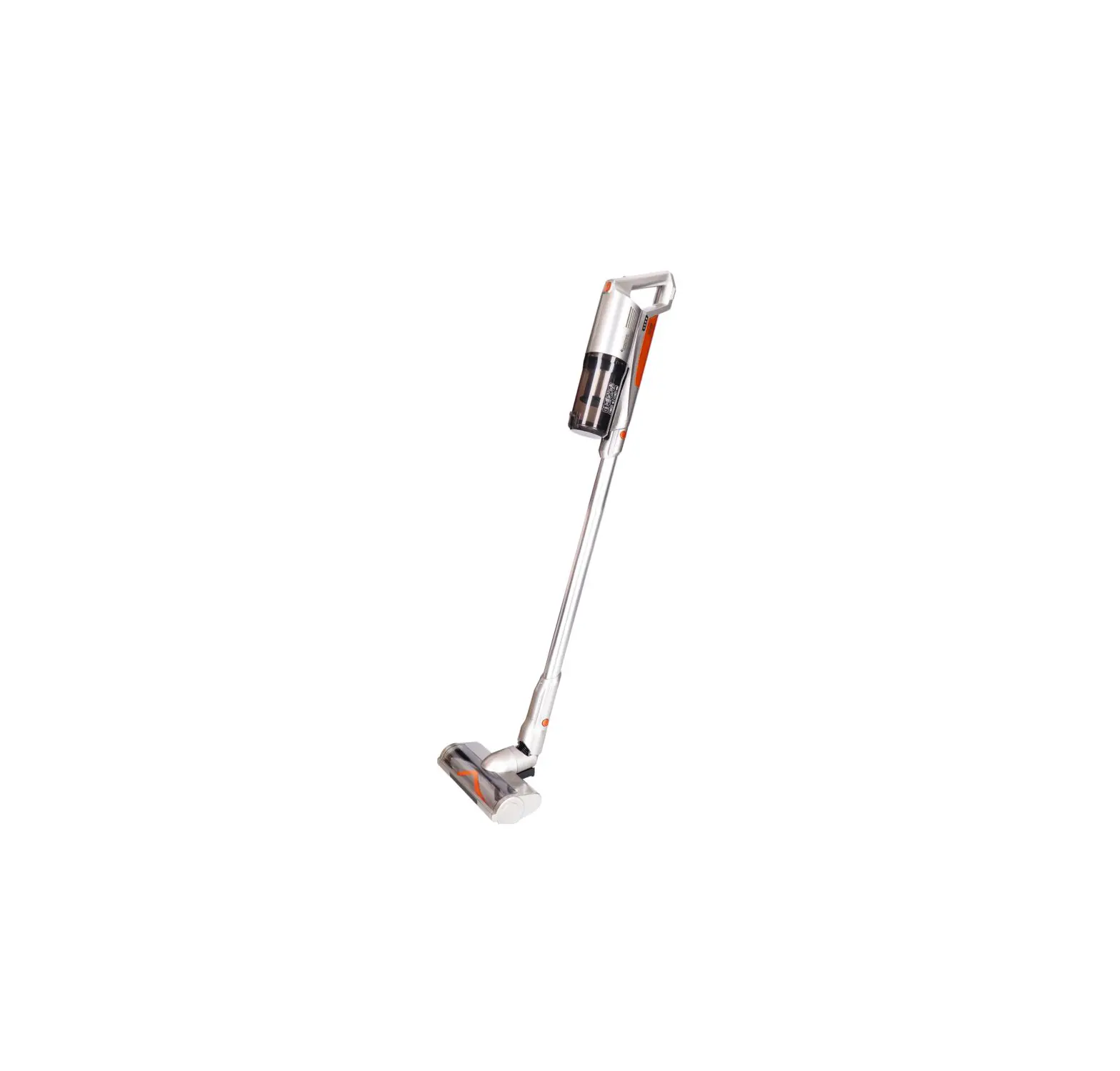
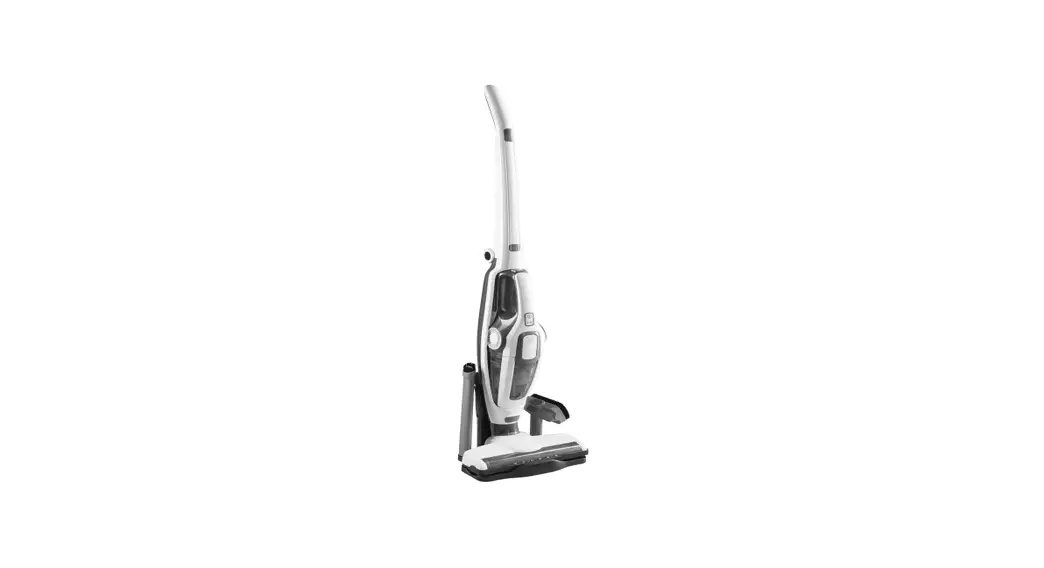
GVC222R 22.2 V Cyclonic Cordless Multi Functional Vacuum Cleaner
Product Information:
The 22.2V Cyclonic Cordless Multi-Functional Vacuum Cleaner is a
product manufactured by Gilman Group under their brand name. The
model number of this vacuum cleaner is GVC222R. It is a cordless
vacuum cleaner that operates at a voltage of 22.2V.
Safety Instructions:
- General Safety Instructions
- Electricity and Heat Safety Instructions
- Safety Instructions During Operation
Product Overview:
The vacuum cleaner consists of various components and
features:
- Control panel
- Battery indicator
- Charging socket
- Dust container button
- Dust container
- LED floor brush
- Handle
- Air outlet
- Metal tube release button
- Metal tube
- LED floor brush release button
- Wall hanger
- Adaptor
- 2-in-1 crevice nozzle
- Motorized bed brush
- Pet brush with extendable tube
- Battery level and charging indicator
- High speed indicator
- Low speed indicator
- High/Low speed mode button
- On/Off button
Product Usage Instructions:
Charging:
Before using the vacuum cleaner for the first time, it is
important to charge the battery for approximately 5.5 hours. Please
note that the vacuum cleaner cannot be used while charging.
Assembly & Operating Instructions:
- After fully charging the vacuum cleaner, press the power on/off
button to start the operation. The vacuum cleaner will initially
work under low speed (blue indicator on). - To change to high speed, press the speed +/- button once (red
indicator on). You can select the speed according to your cleaning
needs. - To stop the operation, press the on/off button once.
Assembling and Disassembling Components:
To assemble and disassemble various components of the vacuum
cleaner, follow these steps:
- Press the dust container button to release the dust
container. - Remove the metal tube by pressing the release button on the
main handheld unit and pulling it outwards. - Remove the motorized floor brush by pressing the release button
on the metal tube and pulling it outwards. - Adjust the angle of the motorized bed brush by pressing the
release button on the main handheld unit and pulling it
outwards. - Attach the 2-in-1 crevice tool to the handheld unit by pressing
the release button of the crevice nozzle.
Cleaning and Storage:
- To empty the dust container, press the dust container release
button and remove it. Clean or replace the H12 filter if
necessary. - Make sure all accessories are thoroughly dry before installing
them into the appliance. - Store the vacuum cleaner using the wall mount hanger.
Following these instructions will ensure proper usage and
maintenance of the 22.2V Cyclonic Cordless Multi-Functional Vacuum
Cleaner.
22.2V CYCLONIC CORDLESS
MULTI-FUNCTIONAL VACUUM CLEANER
22.2V
MODEL NO.: GVC222R
A GILMAN GROUP BRAND 1
Please read and retain for future reference.
SAFETY INSTRUCTION – GENERAL
· Use this appliance solely in accordance with these instructions. · This appliance is for household use only, not for commercial purpose. · Remove all packaging material from the appliance before use. · This appliance shall not be used by children of 0 to 8-year old. · This appliance can be used by children older than 8-year old and persons
with reduced physical, sensory or mental capabilities or lack of experience and knowledge, but only if they have been given supervision or instruction concerning use of the appliance in safe way and understand the hazards involved. · Children should be supervised to ensure that they do not play with the appliance. · Cleaning and maintenance must not be done by children. · Have any repairs carried out solely by a qualified electrician. Never try to repair the appliance yourself. · Do not handle the plug or appliance with wet hands. · Do not immerse the main body in water. · Children shall not play with the appliance. · Do not leave the appliance unattended when connected to the mains supply. · Keep hair, loose clothing, fingers and all parts of the body away from openings of the appliance. · Only use the attachments/accessories supplied with the product.
SAFETY INSTRUCTION – ELECTRICITY AND HEAT
· Verify that the mains voltage is the same as that indicated on the rating plate on the appliance before use.
· Make sure that you always use a grounded wall socket to connect the appliance. · Always remove the plug from the wall socket when the appliance is not in use. · Remove the plug from the wall socket by pulling the plug, not the power cord. · Make sure that the appliance, the power cord and plug do not make contact
with water. · Make sure that the appliance, the power cord and plug do not make contact
with hot surface, such as a hot hob or naked flame. · Check the appliance’s power cord regularly to make sure it is not damaged.
Do not use the appliance if the power cord is damaged. If the power cord is damaged, it must be replaced by an electrical technician or a person with similar qualification, in order to avoid any hazards. · Never use the appliance in the vicinity of flammable material.
2
SAFETY INSTRUCTION – DURING OPERATION
· Make sure your hands are dry before touching the appliance, power cord or plug.
· Do not pick up the appliance if it falls into water. Remove the plug from the socket immediately. Do not use the appliance again.
· Never immerse the appliance, the power cord or the plug in water or any liquid.
· Clean the appliance thoroughly after every use (Please refer to “Cleaning and Storage”section.)
· The appliance can not aspirating an aqueous solution that may contain foaming detergent.
· Do not dismantle the vacuum cleaner while the motor is still operating. · Never use the vacuum cleaner without the filter. · Always keep the openings clean and prevent dust or dirt from blocking the air
passage. Do not put any objects into openings. Do not use with any opening blocked until the obstacles removed. · Never use the vacuum cleaner to suck up explosive, flammable or combustible liquids nor anything that may be still burning such as cigarette butts or ash/ cinders. Never vacuum up toxic materials, organic solvents or acids. · Never vacuum up solid, sharp or piercing objects that may damage the filter. · Do not clean any parts in a dishwasher.
3
PRODUCT OVERVIEW
61
7 2 3 4
8
11
12
13
14
9 15
10 5
Control panel
16
BATTERY INDICATOR
17
18
MAX
ECO
19
20
1. Charging socket 2. Dust container button 3. Dust container 4. Dust container release button 5. LED floor brush 6. Handle 7. Air Outlet 8. Metal tube release button 9. Metal tube 10. LED Floor brush release button
11. Wall hanger 12. Adaptor 13. 2-in-1 crevice nozzle 14. Motorized bed brush 15. Pet brush with extendable tube 16. Battery level and charging indicator 17. High speed indicator 18. Low speed indicator 19. High/ Low speed mode button 20. On/ Off button
4
CHARGING
Before using your vacuum cleaner for the first time, allow the battery to charge for approx. 5.5 hours. Important note: Please note the vacuum cleaner can not start operation during charging
· When the vacuum cleaner is charging, the green battery indicator light is flashing. When the 3-bar green light of the battery indicator light is on, it means the battery is fully charged.
· When the 3-bar of green battery indicator turn to 2 or 1 bar, it means that the battery level will gradually decrease. Charge again.
Replace the battery with Handle · When the operation time became short, it requires replace a new battery with
handle. Plesae press the dust container button. Then take out the handle and replace a new one.
ASSEMBLY & OPERATING INSTRUCTION
After fully charging, press the power on/off button ” ” to start operation, the vacuum cleaner will work under low speed (blue indicator on) at the beginning, and can press speed “+/-” button once to change at the high speed (red indicator on). You can select the speed according to your cleaning. If you need to stop operation, press once on the on/off button ” “.
Assemble and Dis-assemble handle · Assemble: Align the plastic clasps at bottom of handle and grip it into the snap
close at the bottom of dust container (Step 1). Install the main unit and handle until hear the “Click” sound (Step 2). · Dis-assemble: Lift up on the dust container button to remove the handle.
Step 2
Dust container button
Step 1
5
Assemble and Dis-assemble Handheld with metal tube · Assemble: Insert the end of the metal tube into the main handheld unit, after
hearing the click sound, then the metal tube installed in place. · Dis-assemble: Use one hand to hold the metal tube, press the release button
on the main handheld unit and remove the metal tube outwards. Release button
Assemble and Dis-assemble the floor brush · Assemble: Insert the end of the motorized floor brush into the metal tube, after
hearing the click sound, then motorized floor brush installed in place. · Dis-assemble: Use one hand to hold the motorized floor brush, press the release
button on the metal tube and remove the motorized floor brush outwards.
6
Motorized floor brush/ bed brush and the main handheld unit
· Assemble: Insert the end of the motorized floor brush/ bed brush into the main handheld unit, after hearing the click sound, then motorized floor brush/ bed brush installed in place.
· Dis-assemble: Use one hand to hold the motorized floor brush/ bed brush, press the release button on the main handheld unit and remove the motorized floor brush/ bed brush outwards.
Release button
Release button
Adjustable angle on motorized bed brush
Pet brush and the main handheld unit · Assemble: Insert the end of the pet brush into the main handheld unit, after
hearing the click sound, then pet brush installed in place. · Dis-assemble: Use one hand to hold the pet brush, press the release button
on the main handheld unit and remove the pet brush outwards.
Release button
7
2-in-1 Crevice tool assemble with handheld unit
· A: A crevice tool with a narrow nozzle, which you can use to clean window frames and crevices, etc.
· B: Push unwards the cleaning brush of 2-in-1 crevice tool, you can use to clean delicate or irregular surfaces, furniture, venetian blinds,etc.
Release button of 2-in-1 crevice nozzle
A
B
Assemble and Dis-assemble dust container
· Dis-assemble: Turn the dust container counterclockwise to the unlocked position, align with the “White dot” on the main unit and take out the dust container downward.
· Assemble: Align the position of the inclined surface (area A) at the bottom of the main unit (Pic.1) with the two contact pins (area B) on the top of the dust container and press forward (Pic.2). Then press downward. After the “White dot” on the main unit is aligned with the unlocked position (Pic.3), turn it clockwise to the locked position (Pic.4).
Pic.1
Pic.2
A
B
Pic.3
Clockwise
Pic.4
8
CLEANING AND STORAGE
Emptying the dust container
· Check that the appliance is switched off before cleaning any parts. · Press the dust cover release button at the front of the dust container, and
unfasten the dust container from the main handheld unit. · Empty the dust container. · If necessary, rinse the dust container with water gently, let it air-dry completely
before reassemble.
NOTE: The H12 filter, cyclonic part can become blocked after some time and can thereby reduce the suction power. It is therefore important that the above mentioned filter determine to replace.
Dust container release button
Cleaning or replacing the H12 filter
The filters can become blocked after some time and can thereby reduce the suction power. It is therefore important that the above mentioned filter determine to replace.
· When you take off H12 filter. · Rinse the cyclone, H12 filter with water gently, let them air-dry completely before
reassemble.
Cyclone
H12 filter
NOTE: Water could penetrate into the appliance if the filters are not thoroughly dry. This can result in electrical damage, poor suction performace and smelly during operation.
9
Clean the motorized floor brush The Motorized floor brush can be possibly blocked by big objects or rape around by hair or long thread.it need to be clean the rolling brush timely. · Slide the sliding switch to open position, remove the roll brush from the floor
brush housing. · Remove the hairs or dust around the roll brush, rinse the roll brush with water
gently, let it air-dry completely before reassemble. · After cleaned, install the rolling brush inside the motorized floor brush. Make sure
the rolling brush is proper seat in position. Slide the sliding switch to lock position.
Sliding switch
Roll brush
NOTE: All accessories must dry thoroughly before installing into the appliance.
Clean the motorized bed brush · Turn the unlock/ lock switch to unlock position and push out the roll brush. · Remove the hairs or dust around the roll brush, rinse the roll brush with water
gently, let it air-dry completely before reassemble. · After cleaned, install the rolling brush inside the motorized bed brush. Make sure
the rolling brush is proper seat in position. Turn the unlock/ lock switch to lock position.
Roll brush
Unlock/lock switch
10
Storage with Wall mount hanger
· After cleaning, you can store your appliance on the wall mount hanger. Position the wall mount hanger against the wall and mark the points at which the fastening screws are to be inserted. Using a drill, drill the holes for the screws, insert the plastic anchor provided, then hang the wall mount hanger on the screws, and tighten the screws up to their full extent.
PRODUCT SPECIFICATIONS
Model no.: Voltage: Output power:
Charging time: Two Speed of run time: Product Dimension (mm): Stick Vac with floor brush:
GVC222R DC 22.2V 160W Main unit 15W Floor brush 15W Bed brush Approx.5.5 hours About 18 mins (High) / 30 mins (Low)
1150(H) x 250(W) x 210(D) mm
*The final product specification may be varied according to a different lot of material and actual input voltage power of the usage area.
11
–
– , – – – 08 – 8
– – – – – – – – –
–
– – – – – – –
–
12
–
– – – – (“”) – – – – – /
– –
13
61
7 2 3 4
8
11
12
13
14
9
10
5
1. 2. 3. 4. 5. LED 6. 7. 8. 9. 10.
15
16
BATTERY INDICATOR
17
18
MAX
ECO
19
20
11. 12. 13. 21 14. 15. 16. 17. 18. 19. / 20. /
14
5.5
– 3
– 32 1
()
/ ” “() +/-() / ” ”
(1) “” (2)
2
1
15
“”
“”
16
/
/””/ / /
“”
17
21 A – B – 21
21
A
B
A(1)B (2)(3) (4)
1
2
A
B
3
4
18
– – – –
, H12
– H12 – H12
H12
,
19
– / –
–
/
/
– / –
–
/
/
20
:
()
GVC222R DC 22.2V 160 15 LED 15 5.5 18 () / 30 ()
1150() x 250() x 210()
*
21
22
23
24
 THREAD | Software Development for the Automation Industry