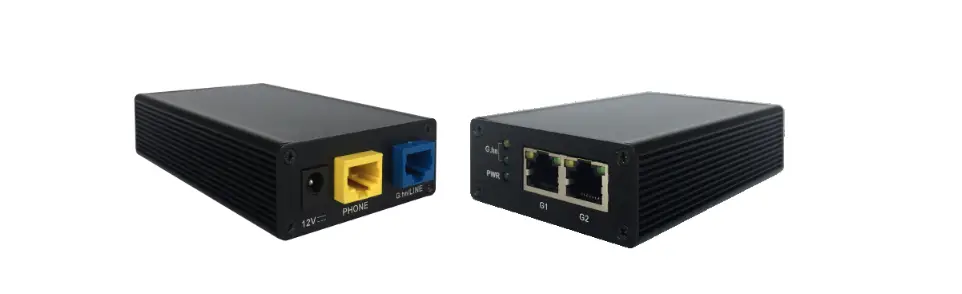

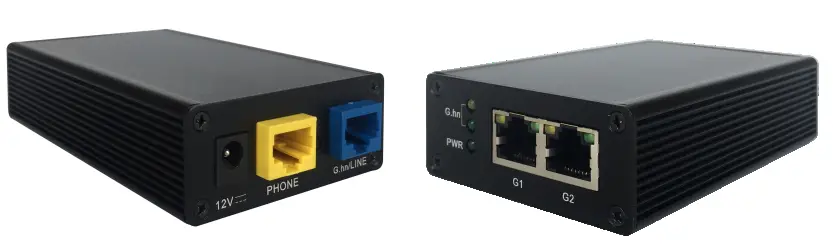
InHome G4202T Wave 2 Bride
Introduction
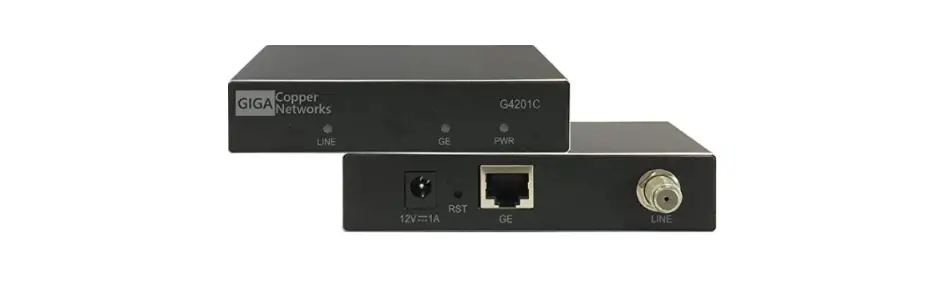
With the G.hn Bridge G4202T you can easily set up a local network via existing telephone cables (2-wire). It is compatible with G4201TM – both types can be combined in a network as desired. The modems can be used “point-to-point” as well as “multipoint-to-multipoint” – up to 16 modems are possible in the network. The devices are also suitable for distributing fiber connections from the ONT to the router via an existing phone line (“point-to-point”).
The devices can use any type of cable – both twisted pair and non-twisted pair – and achieve a speed of approx. 1500 Mbps. This bandwidth is shared between all connected modems. For “point-to-point” connections at distances above 100-150m and for forwarding fiber optic connections from the ONT to the router in apartment buildings, we recommend the G4202T modems in the master/client configuration. In this case, 4-wire (MIMO) is also supported. The G4202T modem can also be used in the client configuration on manageable G.hn switches (G4200-4/8T, G4224T). This enables networks with several hundred modems with very high total bandwidth and central administration. For further information and purchase inquiries please contact [email protected]
Package content
- G4202T Bridge
- DC-12V/1A Power adapter
- RJ11/RJ11 telephone cable 1.5m
Technical data
- Dimensions: : 103 * 66 * 27 mm
- Weight: 0,19 kg
- Operating temperature: 0°C – 40°C
- Power consumption: < 3 Watt
G.hn Specification
- G.hn Wave2, 2-200MHz
- Connection type: 1 wire pair (SISO), 2-200MHz
- Bandwidth: ca. 1500 Mbit/s
- Automatic bandwidth sharing between all connected G.hn modems
- Maximum permissible attenuation of the cable connection: 75dB
Interfaces
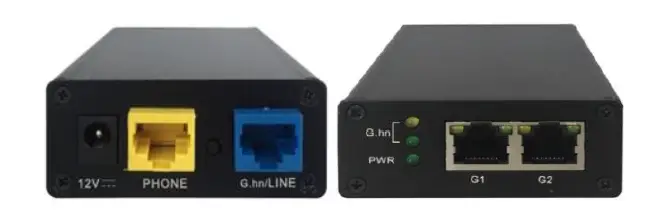
Panel and LED description
| Labelling | Description |
| 12V DC | Power input |
| RST | Recessed reset button (15 Sec.) |
| LINE | G.hn port |
| G1, G2 | 2x 1 Gigabit Ethernet Port |
| PHONE | Analog phone port (RJ45) |
| PWR LED | Displays power availability |
| LINE LED | Status of the G.hn connection (Green – OK, Yellow – weak signal, Off – no connection) |
| G1/G2 LED | Ethernet Connection Status |
Variants of wiring
The G4202T Bridges can be connected “Point-to-Point” as well as “Star” and “In-line” via telephone cables: “Point-to-Point”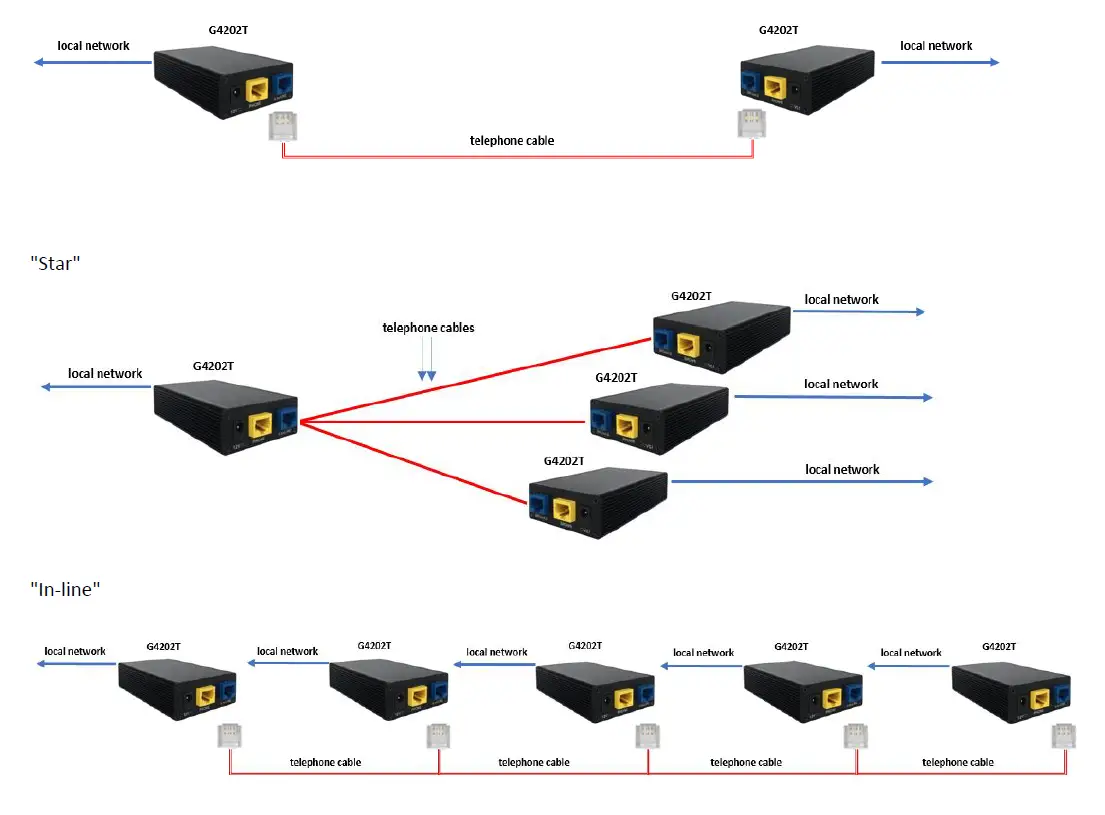
Connection type and wire assignment on the device (RJ45 plug)
One wire pair is used for the G.hn connection (connection type SISO = G.hn profile “PHONE 200MHz”).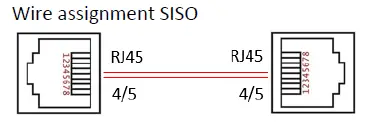
Installation notes
- The wires of a pair can be connected straight or crossed.
- The maximum range of the G.hn connection depends on the cable type and the environment. Typical values for a 0.5 mm twisted pair cable: connection possible up to approx. 600m, max. the bandwidth of 1500 Mbit/s – up to approx. 100m.
- The negotiated bandwidths to all connected G.hn bridges can be queried in web interface (see point 11).
Administration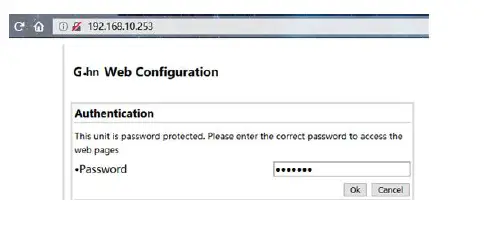
- IP-Adress: 192.168.10.253. Login password: paterna
- Connect your computer to the G.hn modem via the GE port.
- Assign a fixed IP address to your computer, e.g. 192.168.10.100 (network mask 255.255.255.0).
- Open a web browser and connect to 192.168.10.253
- Log in with the standard password: paterna
IP address
The devices do not require IP addresses from the local network segment during operation, because they transmit the data traffic via the MAC addresses. In the factory setting, they do not obtain any addresses from the local DHCP server. If desired, static IP addresses can be configured or the DHCP client can be activated (“IP” menu in the web interface).
The query of the negotiated bandwidth
The bandwidths negotiated to all connected G.hn bridges can be queried via the web interface. The values shown are gross data transfer rates at the physical layer (PHY). The transfer rate on the application layer is approx. 15-20% lower.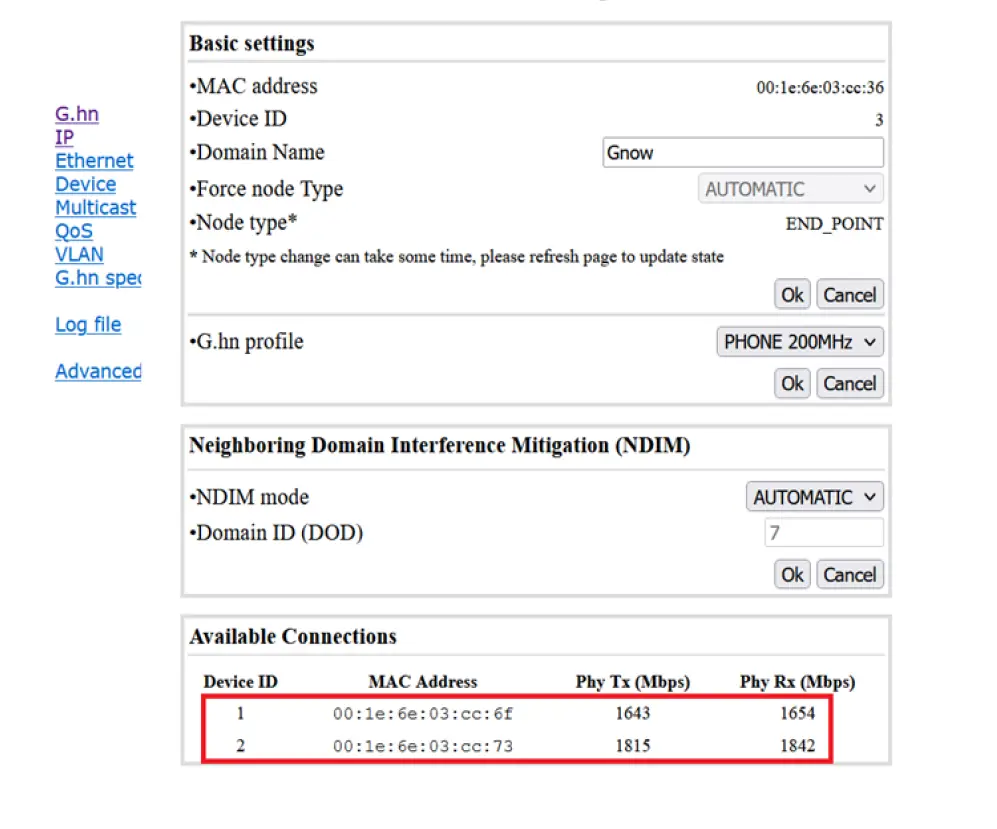
VLAN usage in the network
The devices support VLANs according to the 802.1Q standard. The VLAN tags are forwarded transparently by default. External Ethernet switches can be used to manage VLANs.
Multicast IP TV
For the broadcast of multicast IP TV in the network, “IGMP Snooping” must be activated in the multicast configuration.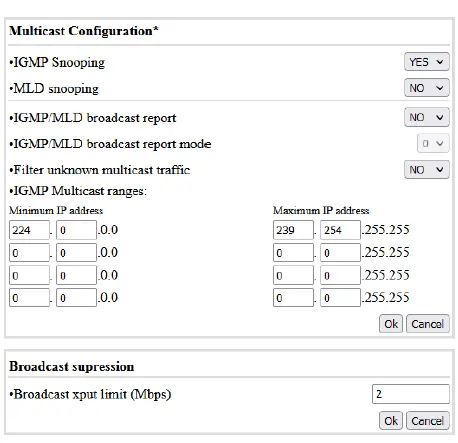
Guarantee
We provide a 24-month warranty on all products purchased from us. You can find complete warranty conditions at https://gigacopper.net/web/en/Guarantee_declaration.pdf