
RS9220
Operation Manual
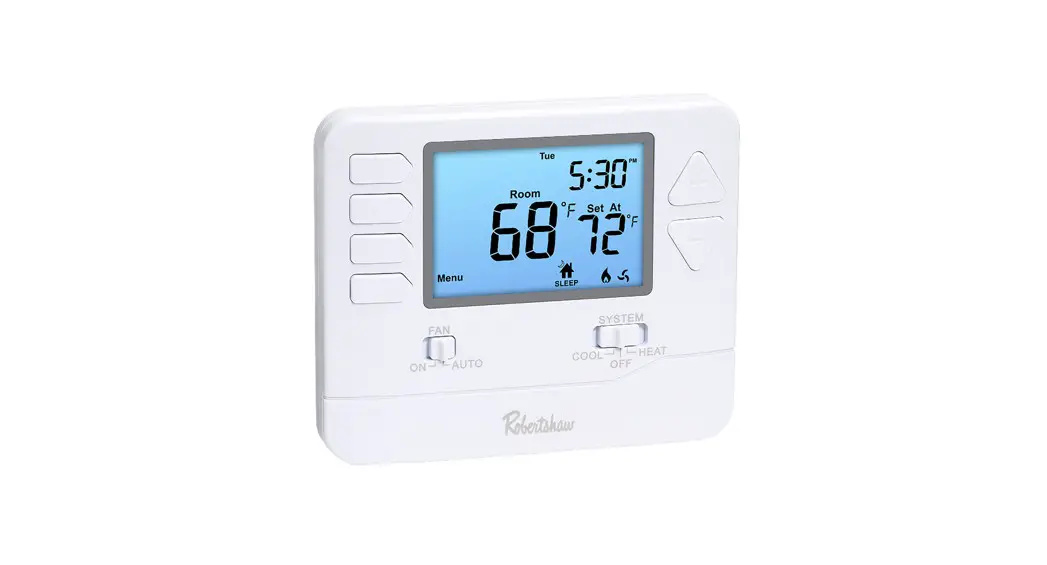
RS9220 Digital Programmable Wall Thermostat
 Caution
DO NOT SWITCH SYSTEM TO COOL IF THE TEMPERATURE IS BELOW 50°F (10°C).
THIS CAN DAMAGE THE AIR CONDITIONING SYSTEM AND CAUSE PERSONAL INJURY.
THERMOSTAT OPERATION
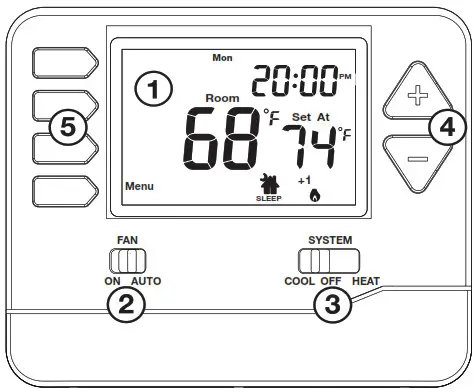
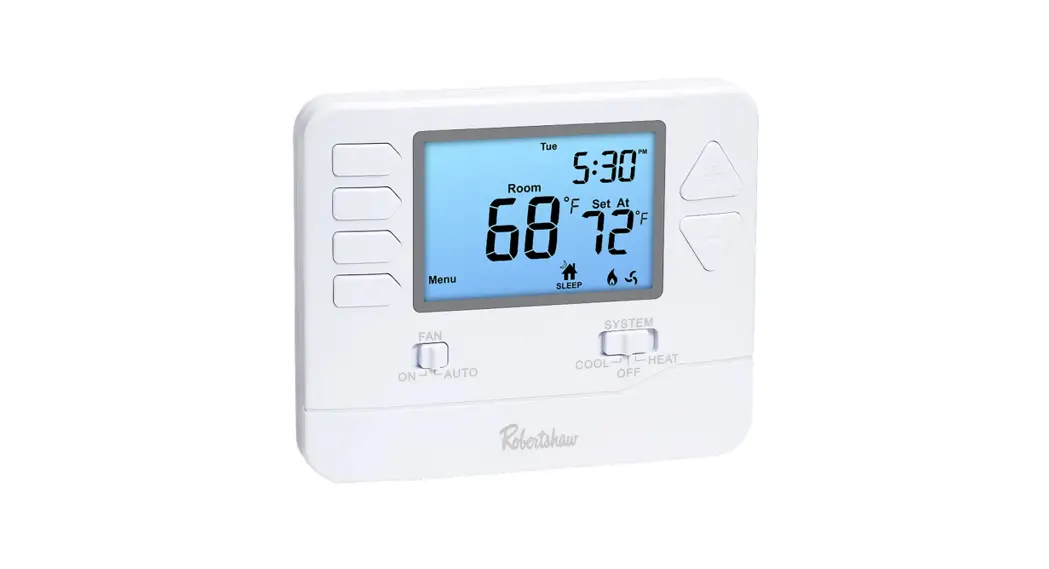
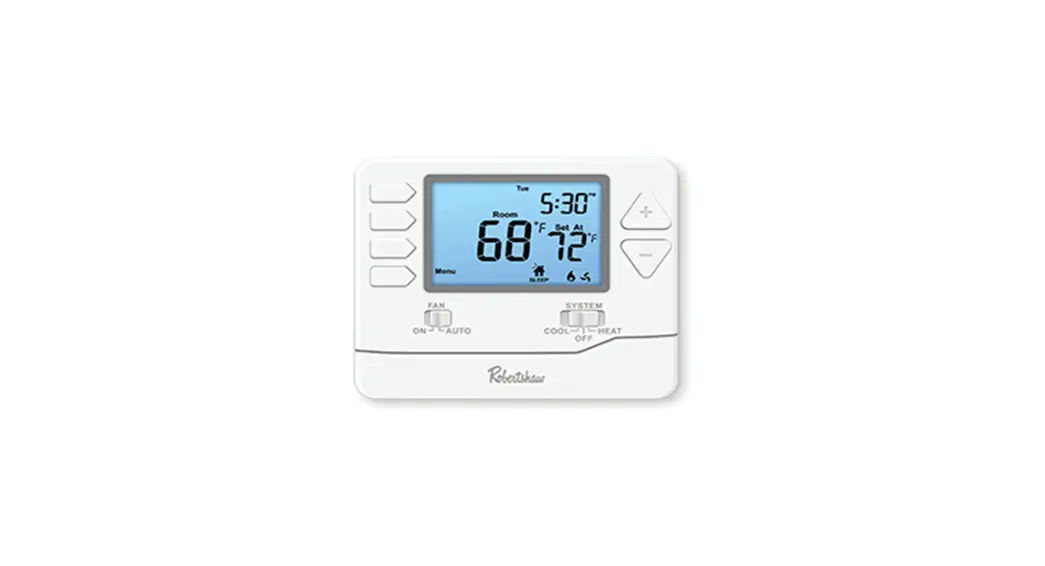
| 1. LCD Screen 2. Fan Switch 3. System Switch | 4. Temperature Set-Point Buttons 5. User Buttons |
- LCD Screen
See page 4 for detailed information. - Fan Switch
Select ON or AUTO. ON will run the fan continuously.
AUTO will cycle the fan when the heating or cooling system is running. - System Switch
Selects HEAT or COOL for your HVAC system. Selecting HEAT turns on the heat mode. Selecting COOL turns on the air conditioning mode.
Selecting OFF turns both heating and cooling off. - Temperature Set-Point Buttons
Press or
or  to select the desired temperature.
 - User Buttons
Use these buttons to set up programming options.
THERMOSTAT QUICK REFERENCE
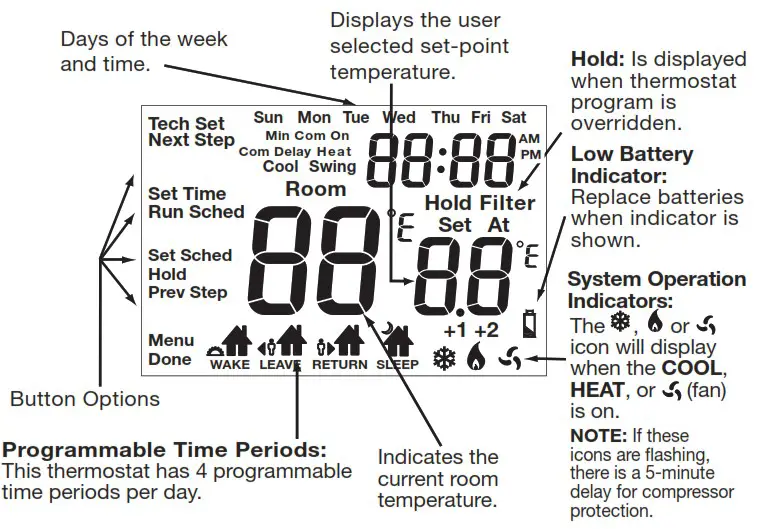
Caution:
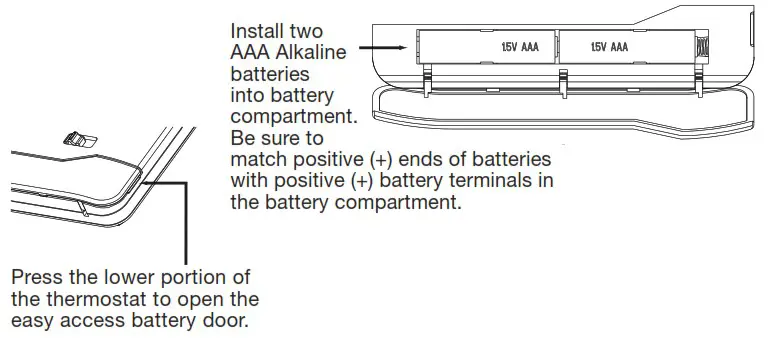
When the battery icon  appears, replace the alkaline AAA batteries immediately to avoid damage to your HVAC system. Freezing or overheating could occur.
Battery Door Information
Temperature Adjustment (if Using a Program Schedule)
Temporary Adjustment: You may temporarily change the desired temperature set-point by pressing either  or
or  . The temperature will remain at this set-point until the next programmed WAKE, LEAVE, RETURN, or SLEEP event. The program schedule will then resume.
Program Schedule Hold: The thermostat will display HOLD and RUN SCHED on the left of the screen when you press either or . You may hold the temperature at a fixed temperature set-point and override the program schedule by pressing HOLD.
The thermostat will display HOLD below the temperature set-point to notify you that the program schedule hold is in effect.
To Return to Programming: Press RUN SCHED to return to the program schedule.
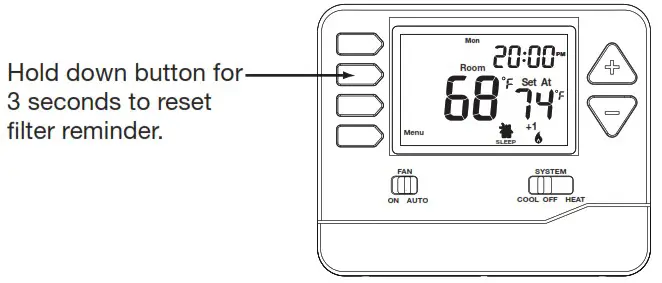
Filter Change Reminder
The thermostat can be configured to remind you when the air filter needs to be changed. The filter change reminder can be adjusted to up to 2000 hours in 50 hour increments.
If the installer configured the thermostat to issue this reminder, FILTER will be displayed when it is time to change the air filter. When FILTER is displayed, you should change the air filter and reset the Filter Change Reminder by holding down the second button from the top left side of the thermostat for 3 seconds.
PROGRAMMING
Set Time of Day and Day of Week
- Press the MENU button.
- Press SET TIME.
- Day of the week will be flashing. Use or to select the current day of the week.
- Press NEXT STEP.
- The current hour will be flashing. Use or to select the current hour. Note the correct a.m. or p.m. indicator is selected.
- Press NEXT STEP.
- The minutes will be flashing. Use or to select current minutes.
- Press DONE when completed.
Custom Programming
This thermostat can be configured to have 7 Day or 5+1+1 programming. If 7 Day is selected, all seven days will need to be programmed individually. If 5+1+1 programming is selected, Monday–Friday will be programmed together and Saturday and Sunday will need to be programmed individually. There are four time periods for each day (WAKE, LEAVE, RETURN, SLEEP).
Follow the steps below to customize your program schedule:
- Select HEAT or COOL. Note: Heat and cool need to be programmed separately.
- Press MENU (If menu does not appear first, press RUN SCHED).
- Press SET SCHED. Note: Monday–Friday (or Monday if in 7 Day mode) will be displayed and the WAKE icon is shown.
- Time will be flashing. Use or to make your time selection for the WAKE time period for Monday–Friday (or Monday if in 7 Day mode).
- Press NEXT STEP.
- The set-point temperature will be flashing. Use or to make your set-point selection for the WAKE time period for Monday–Friday (or Monday if in 7 Day mode).
- Press NEXT STEP.
- Repeat steps 4 through 7 for the LEAVE time period, for the RETURN time period, and for the SLEEP time period for Monday–Friday (or Monday if in 7 Day mode).
- Repeat steps 4 through 8 for the Saturday WAKE, LEAVE, RETURN, and SLEEP time periods, and then again for the Sunday WAKE, LEAVE, RETURN, and SLEEP time periods for the 5+1+1 program schedule, and for each day for the 7-day program schedule.
- Press MENU.
- Press and hold TECH SET button for 3 seconds.
- Configure the installer options as desired using the table.
- Use or to change settings and the NEW STEP or PREV STEP to move from one option to another.
Note: Only press DONE when you want to exit the Installer Setup Options.
| Settings | Display | Adjustment Options | Default | |
| Filter Change Reminder | This setting will flash FILT in the display after the elapsed run time to remind the user to change the filter. The OFF setting will disable this feature. | 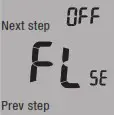 | The filter change reminder can be adjusted from OFF to 2000 hours in 50 hour increments. Press the second button from the top left side of the thermostat to display the current filter elapsed run time. | OFF |
| Room Temperature Calibration | This setting allows the installer to change the calibration of the room temperature display so that, for example, the thermostat would read 72°F instead of 70°F. | `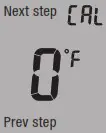 | The room temperature display can be adjusted to read up to 3° above or below the factory calibrated temperature. | 0 |
| Minimum Compressor On-Time | The installer can select the minimum run time for the compressor to help protect the compressor from short-cycling. | 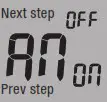 | The minimum compressor run time can be adjusted from OFF to 3, 4, or 5 minutes. If 3, 4, or 5 is selected, the compressor will run for at least the selected time before turning off (although the fan may continue to run for a short time). | OFF |
| CompressorShort CycleDelay | The compressor short cycle delay setting will not allow the compressor to be turned on for 5 minutes after it was last turned off in order to protect the compressor. | 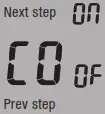 | The compressor short cycle delay setting can be removed by selecting OFF. | ON |
| Cooling Differential | The cooling differential is factory preset at 0.5°. This means that whenever the room temperature heats by 0.5° full degree from the temperature setting, the cooling system will turn on. If the cooling system turns on too often, increase the temperature differential. | 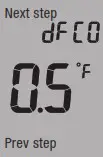 | The cooling differential setting is adjustable from 0.2°F to 2°F. | 0.5 |
| Heating Differential | The heating differential is factory preset at 0.4°. This means that whenever the room temperature cools by 0.4° from the temperature setting, the heating system will turn on. If the heating system turns on too often, increase the temperature differential. | 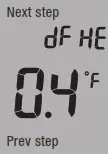 | The heating differential setting is adjustable from 0.2°F to 2°F. | 0.4 |
| For C | Select F for Fahrenheit temperature display or select C for Celsius display. | 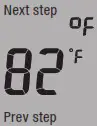 | F for Fahrenheit C for Celsius | F |
| 12 or 24 Hour Clock | Select a 12 or 24 hour clock setting. | 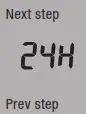 | Use and to select 12 or 24 hour clock. | 12 |
| Fan Operation | Select GAS or ELEC depending on the type of furnace. | 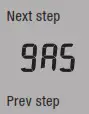 | GAS – GS or ELEC – EL | GAS |
| Program Options | This thermostat can be configured to have 7 Day, 5+1+1 programming or be non-programmable. If 7 Day is selected, in Set Time all seven days will need to be programmed individually. If 5+1+1 programming is selected, in Set Time Monday– Friday will be programmed together and Saturday and Sunday will need to be programmed individually. If 0d is selected, the thermostat becomes non-programmable. | 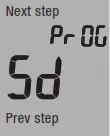 | Use and to select 7d for 7 Day, 5d for 5+1 +1, or Od for non-programmable. | 5d |
TERMINAL DESIGNATIONS
RH …………..24VAC HEAT
RC …………..24VAC COOL
C ……………..24VAC COMMON if applicable
W …………….FIRST STAGE HEAT
W2 …………..SECOND STAGE HEAT
Y ……………..FIRST STAGE COOL
Y2 ……………SECOND STAGE COOL
G ……………..FAN
B ……………..HEAT ACTIVATED REVERSING VALVE
O ……………..COOL ACTIVATED REVERSING VALVE
6 Year Limited Warranty
Use Phone to Scan for Warranty Info
Customer Service +1.800.304.6563
Technical Service +1.800.445.8299
[email protected]
www.robertshaw.com • 352-00313-001 Rev. B
© 2021 Robertshaw Controls Company.
Robertshaw® is a trademark of Robertshaw Controls Company.
 Robertshaw | Electronic controls, switches and valves