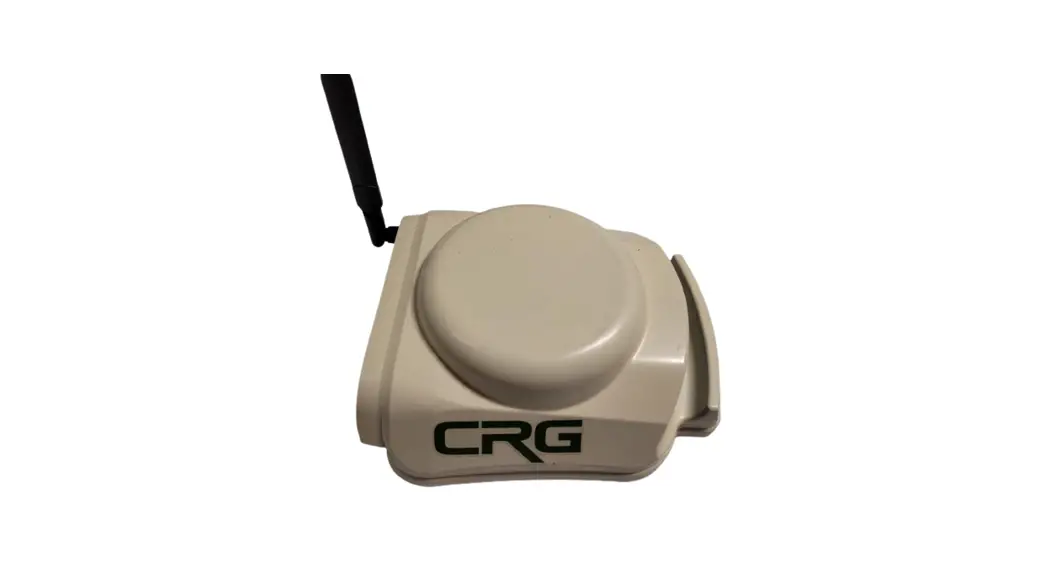
PmodGPS FGPMMOPA6H GPS Antenna Module
Product Information: PmodGPSTM
The PmodGPSTM is a module that can be added to any embedded
system to provide satellite positioning accuracy. It features the
GlobalTop FGPMMOPA6H GPS antenna module that utilizes the MediaTek
GPS MT3329. The module has ultra-sensitive GPS capabilities with a
sensitivity of -165 dBm and can provide 3m 2D satellite positioning
accuracy. It has low power consumption and supports update rates of
up to 10Hz. The PmodGPSTM supports NMEA and RTCM protocols and has
a small PCB size for flexible designs.
The module uses a standard 6-pin port and communicates via a
2-wire Universal Asynchronous Receiver/Transmitter (UART). It also
has a 2-pin port for control of the NRST pin and the RTCM pin for
Differential Global Positioning System (DGPS) data using RTCM
protocols. The RTCM feature is inactive by default, but users can
enable it by contacting GlobalTop at www.gtop-tech.com.
The PmodGPSTM comes equipped with a coin cell retainer for a
12.5 mm coin cell battery. Installing a battery can significantly
reduce the time it takes to acquire the first positional fix. The
module also supports hot start and warm start capabilities with the
battery installed. Users can also utilize an external antenna by
installing a Linx Technologies Inc. CONSMA 003.062 module on header
J4, which can improve GPS signal acquisition in certain
conditions.
Product Usage Instructions
- To enable RTCM capabilities, contact GlobalTop at
www.gtop-tech.com. - If using a coin cell battery, make sure to scuff up the square
solder pad inside J3 to remove any oxide buildup that may prevent
good connection. - Optionally, install a Linx Technologies Inc. CONSMA 003.062
module on header J4 to use an external antenna for improved GPS
signal acquisition. - To change the baud rate to 38.4kBd for 10Hz data acquisition,
issue the following command over the UART: $PMTK251,38400*27. The
*27 corresponds to a checksum. If you want to substitute a
different baud rate, calculate a new checksum using GlobalTop’s
Checksum Tool.
PmodGPSTM Reference Manual
Revised April 12, 2016 This manual applies to the PmodGPS rev. A
1300 Henley Court Pullman, WA 99163
509.334.6306 www.digilentinc.com
Overview
The PmodGPS can add satellite positioning accuracy to any embedded system. The PmodGPS features a GlobalTop FGPMMOPA6H GPS antenna module that utilizes the MediaTek GPS MT3329.
The PmodGPS.
1 Functional Description
Features include:
Ultra-sensitive GPS module (-165 dBm) Add 3m 2D satellite positioning
accuracy to any embedded system Low power consumption Up to 10Hz update rate NMEA (default) and RTCM protocols
available Small PCB size for flexible designs 2.0 in
× 0.8 in (5.0 cm × 2.0 cm) 6-pin Pmod port with UART interface Library and example code available
in resource center
The PmodGPS uses a standard 6-pin port and communicates via a 2-wire Universal Asynchronous Receiver/Transmitter (UART.) The PmodGPS also has a 2-pin port for control of the NRST pin to the module and the Radio Technical Commission for Maritime services, or RTCM pin for Differential Global Positioning System (DGPS) data using RTCM protocols.
Note: The PmodGPS arrives with the RTCM feature inactive, to enable RTCM capabilities users should contact GlobalTop at: www.gtop-tech.com.
DOC#: 502-237
Downloaded from Arrow.com.
Copyright Digilent, Inc. All rights reserved. Other product and company names mentioned may be trademarks of their respective owners.
Page 1 of 6
PmodGPSTM Reference Manual
2 Interfacing with the Pmod
The PmodGPS uses UART protocol for data transmission and reception. The interface operates at a default baud rate of 9.6 kBd, 8 data bits, no parity, and with single stop bits. However, users can change the baud rate to predefined values that range from 4.8 kBd to 115.2 kBd. The reset pin (NRST) on J2 allows normal operation in active low. If users toggle the NRST pin it will completely reset the module. This reset performs similar to a power cycling of the device. The 1 PPS pin on J1 provides a one pulseper-second output synchronized with GPS time (see the timing diagram in Fig. 1). The 3DF pin on J1 indicates the status of the user’s positional fix. When the module has a constant fix (2D or 3D) this pin stays low, if the module is unable to get a fix then the pin will toggle every second. (See Fig. 2) LD1 also follows this same behavior pattern in order to give the user a visual representation.
Figure 1. 1PPS Pin Timing Diagram.
Figure 2. 3DF Pin output without a fix.
The PmodGPS also comes equipped with a coin cell retainer for a 12.5 mm coin cell battery. Users can significantly reduce the amount of time that it takes to acquire the first positional fix by installing a 3V coin cell battery. With the battery installed the module can also perform a hot start or a warm start instead of cold starting where users have to supply power to the VCC.
Note: The ground square solder pad of the coin cell retainer may develop an oxide build up that will keep the battery from making a good connection. Users should simply scuff up the square solder pad inside J3 to remove any buildup. Oxide buildup may also occur if there has not been a battery in the retainer for a while.
A cold start takes one or two minutes while outside in good conditions, and can take several minutes more if conditions are worse or the module is indoors. A hot start takes three to five seconds and a warm start varies depending on how long the module has sat unpowered. Users can hot start the PmodGPS only if it has acquired a fix within approximately the last two hours and with accessible backup power (coin cell battery) connected to the coin cell retainer. A warm start occurs when the battery is connected but the module has been without power for more than two hours.
Users may utilize an external antenna at their discretion by installing a Linx Technologies Inc. CONSMA 003.062 module on header J4. The antenna can speed up acquisition of GPS signal in some conditions, especially if the antenna is outdoors and the module is indoors.
Copyright Digilent, Inc. All rights reserved. Other product and company names mentioned may be trademarks of their respective owners.
Downloaded from Arrow.com.
Page 2 of 6
PmodGPSTM Reference Manual
The PmodGPS uses sentences based on National Marine Electronics Association (NMEA) protocols for data output. Each NMEA message begins with a ($) dollar sign. The next five characters are the talker ID and the arrival alarm. The PmodGPS talker ID is “GP” and the arrival alarm is the specific sentence output descriptor. Individual comma separated data fields follow these five characters. After the data fields there is an asterisk followed by a checksum. Each sentence should end with <CR><LF>. For example output sentences refer to tables two through six at the end of this manual.
User may configure some of the PmodGPS characteristics by writing command packets to the module. However, these functions are more advanced and not all of the command packets are openly distributed. Users may change the baud rate to 38.4kBd (minimum baud for 10Hz data acquisition) by issuing the following command over the UART:
“$PMTK251,38400*27<CR><LF>”
The “*27” corresponds to a checksum, if users want to substitute a different baud rate, then they must calculate a new checksum using GlobalTop’s Checksum Tool. The command for changing the data acquisition from 1Hz to 10Hz is:
“$PMTK226,3,30*4<CR><LF>”
The same checksum process for changing the baud rate applies to this change too. Contact GlobalTop for more information on the individual command packets, their complete command list, or see their FAQ for how to change the baud rate.
Any external power applied to the PmodGPS must be within 2.7V and 5.25V; however, it is recommended that Pmod is operated at 3.3V.
Connector J1
Pin Signal Description
1 3DF
3D-Fix Indicator
2 RX
Receive
3 TX
Transmit
4 1PPS 1 Pulse Per Second
5 GND Power Supply Ground
6 VCC
Power Supply (3.3v)
Connector J2
Pin Signal Description
1 ~RST Reset (active low)
2
RTCM
DGPS data pin (contact GlobalTop for use)
Table 1. Interface connector signal descriptions.
Note: Refer to the GlobalTop FGPMMOPA6H datasheet at here for more information on the GPS module interface.
Copyright Digilent, Inc. All rights reserved. Other product and company names mentioned may be trademarks of their respective owners.
Downloaded from Arrow.com.
Page 3 of 6
PmodGPSTM Reference Manual
3 Output Sentences
Example $GPGGA 064951.000
2307.1256 N
12016.4438 E 1 8
0.95 39.9 M 17.8 M
*65 <CR><LF>
Description Message ID UTC Time (hhmmss.sss)
Latitude (ddmm.mmmm)
N/S indicator Longitude
(dddmm.mmmm) E/W indicator Position Fix Indicator Satellites used HDOP MSL Altitude Units
Geoidal Separation Units
Age of Diff. Corr. Checksum
End of message indicator
Table 2. GGA.
$GPGGA,064951.000,2307.1256,N,12016.4438,E,1,8,0.95,39.9,M,17.8,M,,*65<CR><LF>
Example $GPGSA
A
3
29 21 ….
2.32 0.95 2.11 *00 <CR><LF>
Description Message ID Mode1 (see GlobalTop manual) Mode2 (see GlobalTop manual) Satellite used (CH1) Satellite used (CH2)
Satellite Used (Ch12) PDOP HDOP VDOP
Checksum End of message
indicator
Table 3. GSA.
Copyright Digilent, Inc. All rights reserved. Other product and company names mentioned may be trademarks of their respective owners.
Downloaded from Arrow.com.
Page 4 of 6
PmodGPSTM Reference Manual $GPGSA,A,3,29,21,26,15,18,09,06,10,,,,, 2.32,0.95,2.11*00<CR><LF>
Example $GPGSV
3
1 09 29 36 029 42 …. 15 21 321 39 *7D <CR><LF>
Description Message ID Number of Messages Message Number Satellites in View Satellite ID (CH1) Elevation (CH1) Azimuth (CH1) SNR (C/No)
Satellite ID CH(4) Elevation (CH4) Azimuth (CH4)
SNR (C/No) Checksum End of message indicator
Table 4. GSV.
$GPGSV,3,1,09,29,36,029,42,21,46,314,43, 26,44,020,43,15,21,321,39*7D<CR><LF>
Example $GPRMC 064951.000
A 2307.1256
N 12016.4438
E 0.03 165.48 260406 3.05 W
A
*55 <CR><LF>
Description Message ID UTC Time (hhmmss.sss) Status (A = data valid) Latitude (ddmm.mmmm) N/S indicator Longitude (dddmm.mmmm) E/W indicator Speed over ground (knots) Course over ground (degrees) Date (ddmmyy) Magnetic Variation (degrees) E/W indicator Mode (see GlobalTop
manual) Checksum End of message indicator
Table 5. RMC.
$GPRMC,064951.000,A,2307.1256,N,12016.4438,E,0.03,165.48,260406,3.05,W,A*55<CR><LF>
Copyright Digilent, Inc. All rights reserved. Other product and company names mentioned may be trademarks of their respective owners.
Downloaded from Arrow.com.
Page 5 of 6
PmodGPSTM Reference Manual
Example $GPVTG 165.48
T
M 0.03
N 0.06
K A
*37 <CR><LF>
Description Message ID Course (degrees) Reference (true or false) Course (degrees) Reference (Magnetic)
Speed Units (N = knots)
Speed Units (K = km/hr) Mode (see GlobalTop
manual) Checksum End of message indicator
Table 6. VTG.
$GPVTG,165.48,T,,M,0.03,N,0.06,K,A*37<CR><LF>
4 Physical Dimensions
The pins on the pin header are spaced 100 mil apart. The PCB is 2.0 inches long on the sides parallel to the pins on the pin header and 0.8 inches long on the sides perpendicular to the pin header.
Copyright Digilent, Inc. All rights reserved. Other product and company names mentioned may be trademarks of their respective owners.
Downloaded from Arrow.com.
Page 6 of 6
 Digilent – Start Smart, Build Brilliant.


![Panorama Antennas Gpsd-6-60 And Shk[g]-6-60 Series Multi-function Antenna Instruction Manual](https://static-data1.manualsee.com/1/img/488/1688121/2022/01/image-14.jpg "Panorama Antennas Gpsd-6-60 And Shk[g]-6-60 Series Multi-function Antenna Instruction Manual")
![Panorama Antennas Sw3-965 L[g]am-6-60 Series Cellular And Gps Antenna Instruction Manual](https://static-data1.manualsee.com/1/img/302/2490615/2022/03/PANORAMA-ANTENNAS-SW3-965-LGAM-6-60-Series-Cellular-and-GPS-Antenna-Featured-Image.jpg "Panorama Antennas Sw3-965 L[g]am-6-60 Series Cellular And Gps Antenna Instruction Manual")